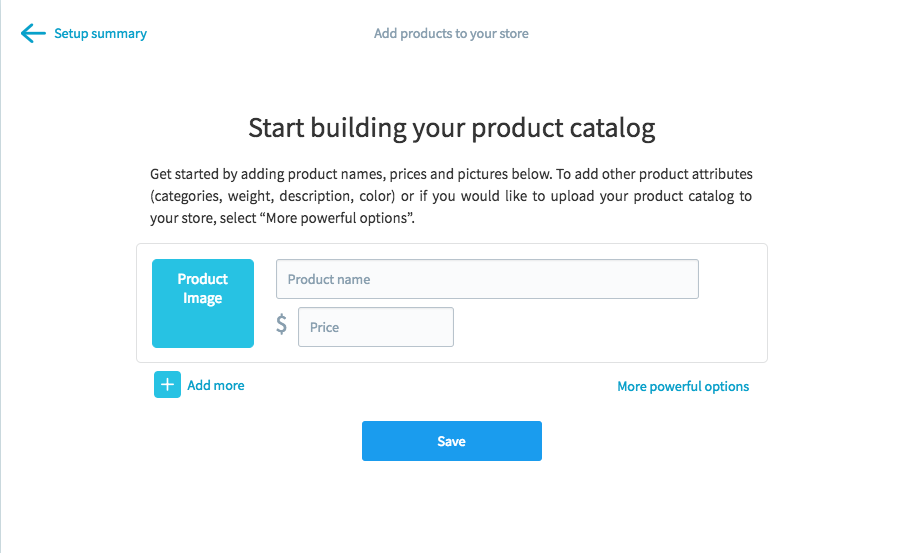
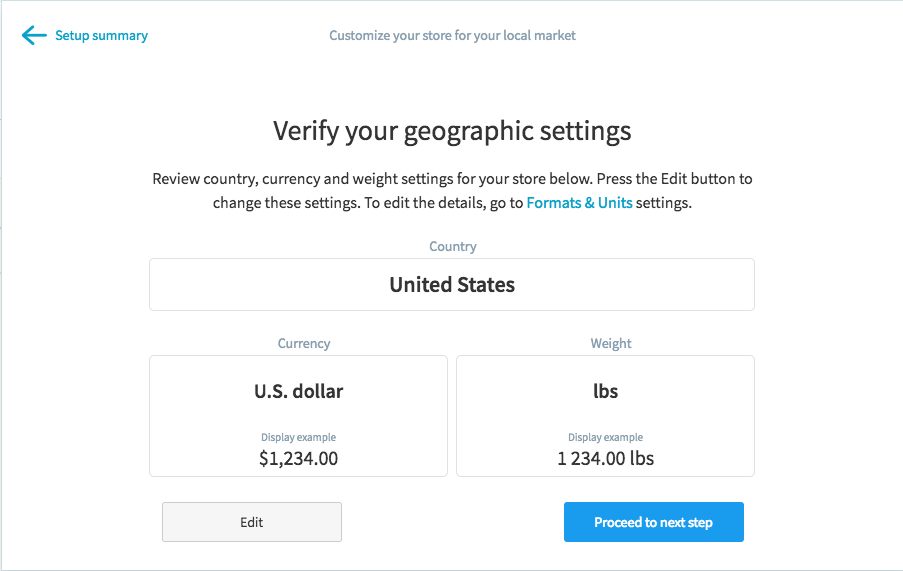
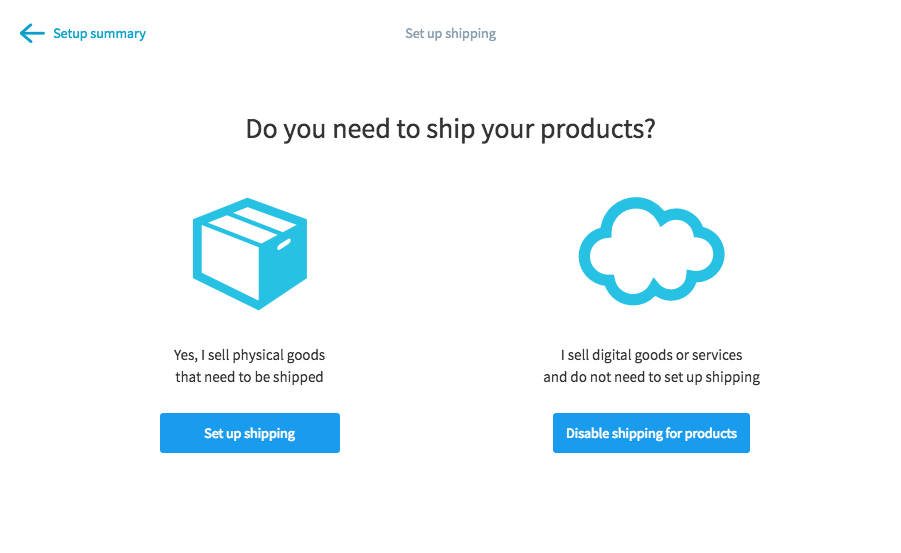
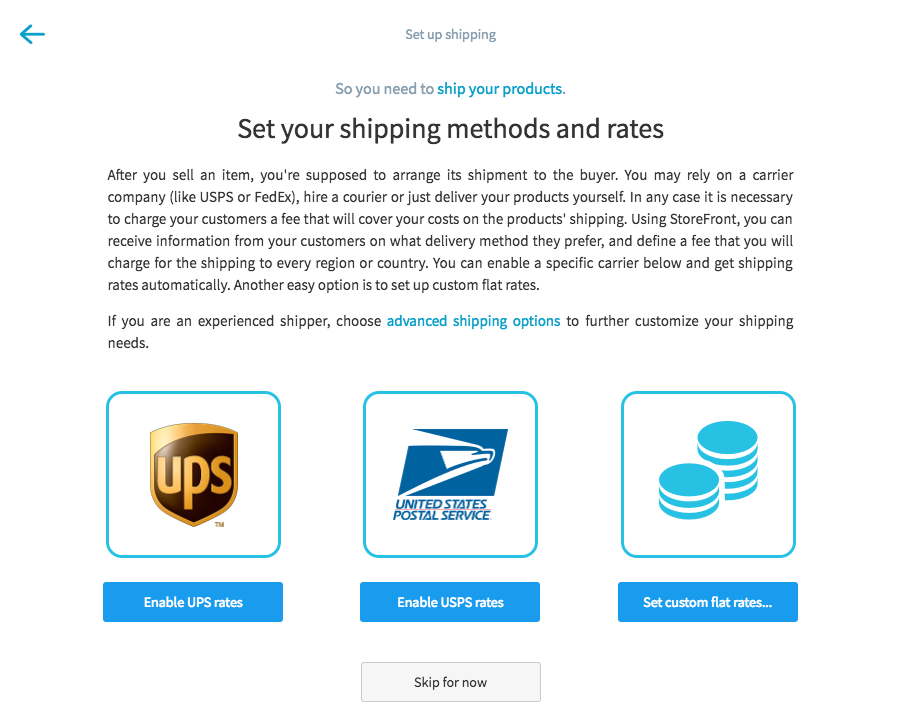
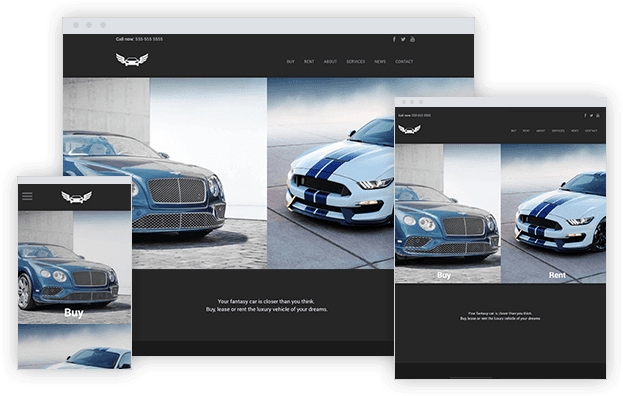
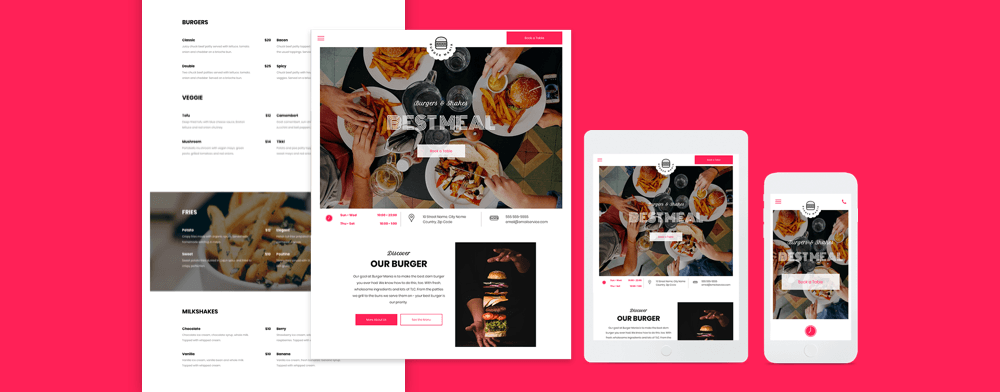
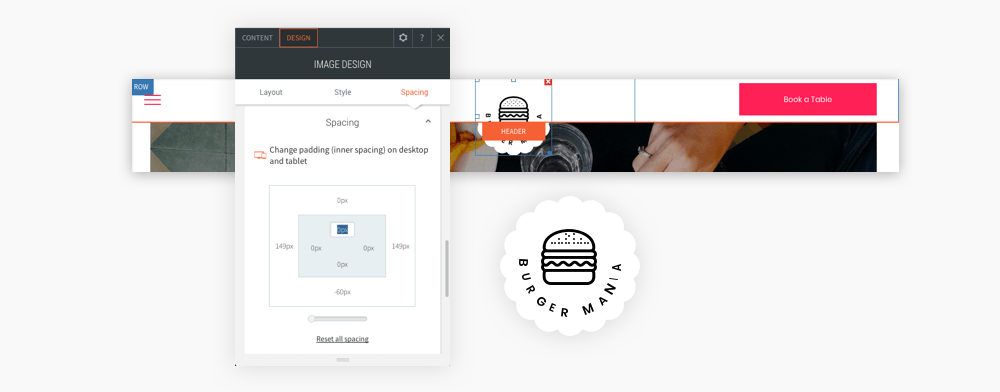
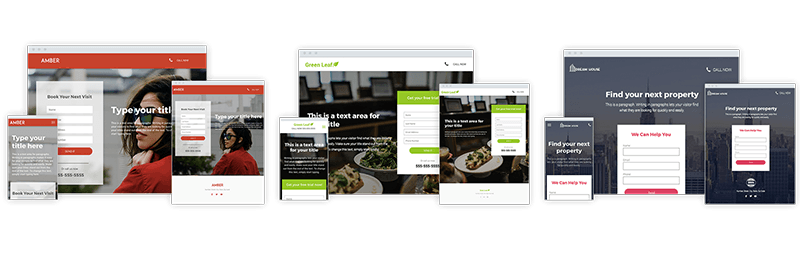
<?xml version="1.0" encoding="UTF-8"?>
<feed xmlns="http://www.w3.org/2005/Atom" xml:lang="">
                        <id>https://support.yourdigitalagency.com.au/feed/909</id>
                                <link href="https://support.yourdigitalagency.com.au/feed/909" rel="self"></link>
                                <title><![CDATA[WEBDESIGNAPP Article Feed]]></title>
                    
                                <subtitle></subtitle>
                                                    <updated>2022-02-08T09:55:31+00:00</updated>
                        <entry>
            <title><![CDATA[NEW - PRODUCT FILTERS FOR YOUR STORE]]></title>
            <link rel="alternate" href="https://support.yourdigitalagency.com.au/articles/new-product-filters-for-your-store-2048" />
            <id>https://support.yourdigitalagency.com.au/2048</id>
            <author>
                <name><![CDATA[Leah Gibbs]]></name>
            </author>
            <summary type="html">
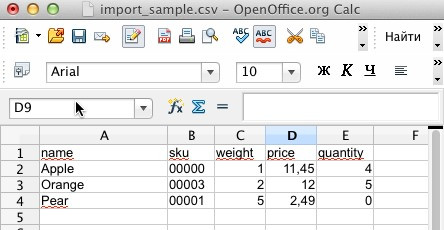
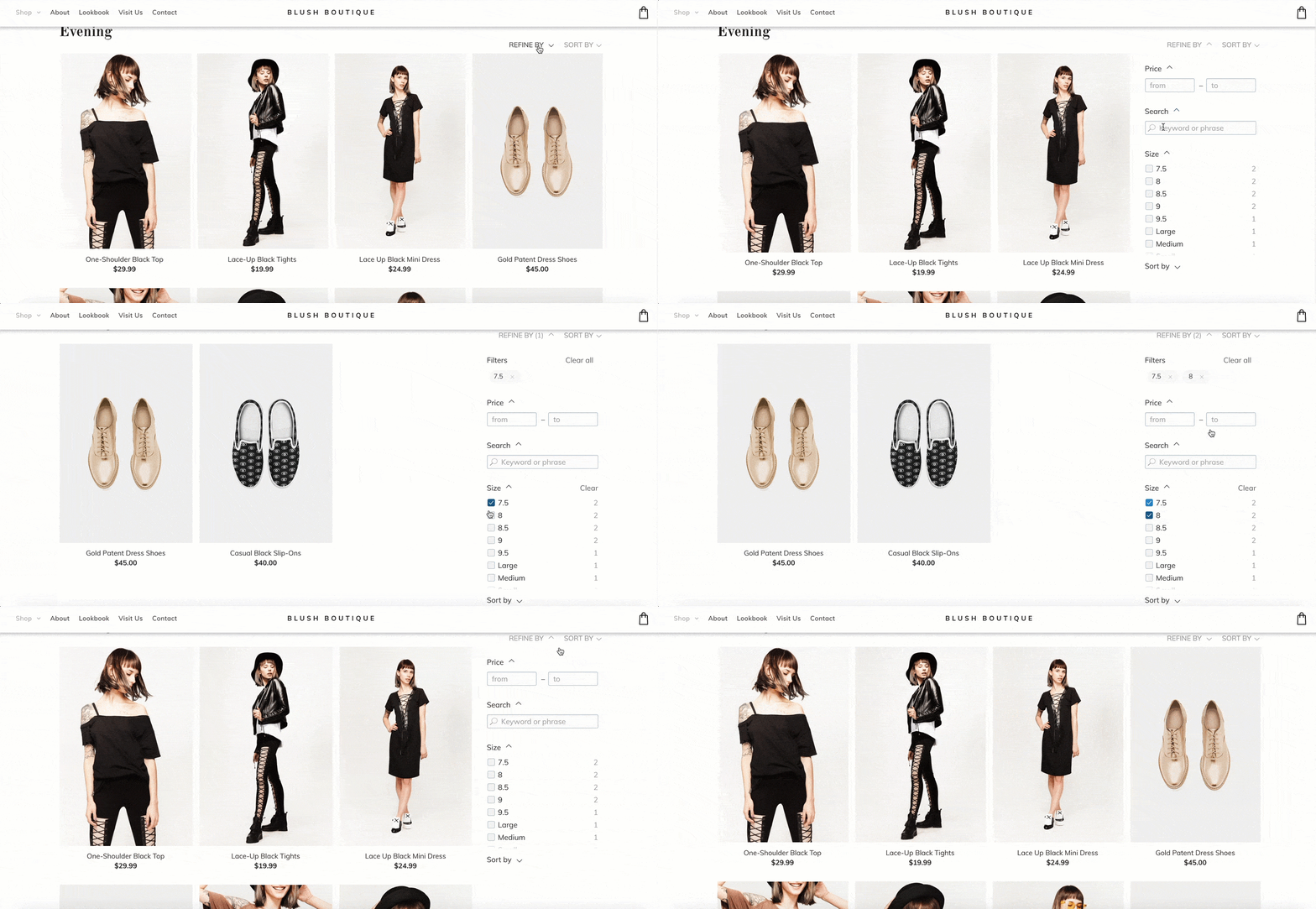
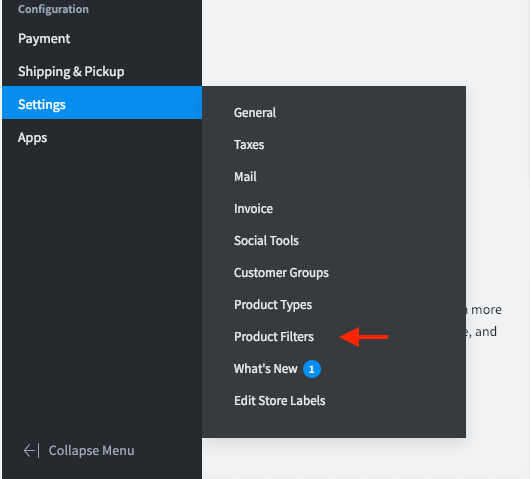
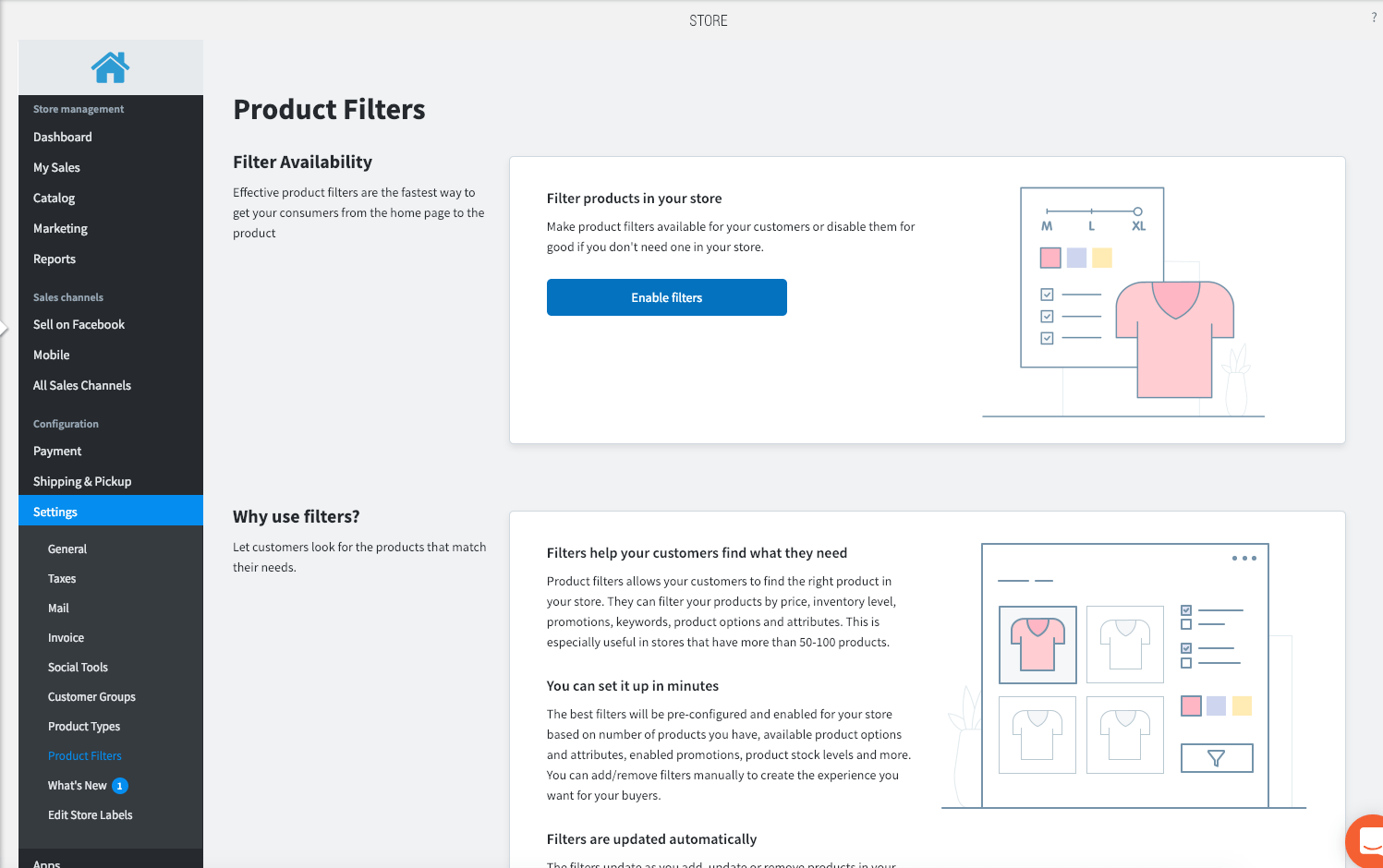
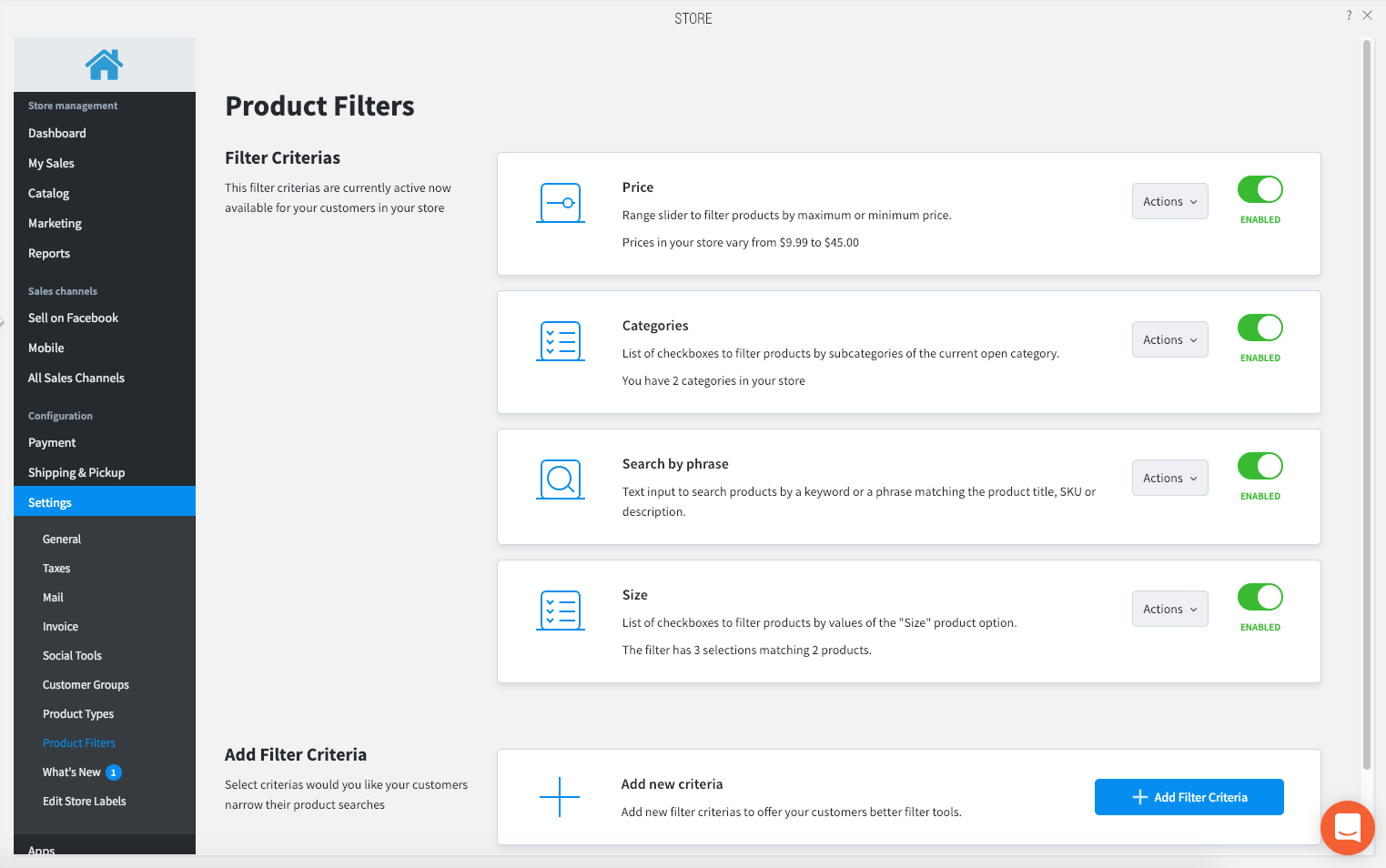
                <![CDATA[<p><img src="https://support-hub--assets.s3.eu-west-2.amazonaws.com/assets/268/images/CdyJeb1WAWBnuE1gOisPOTBTtfdOxToDb4XwX9zP.gif" style="width:auto;" class="fr-fil fr-dib" alt="CdyJeb1WAWBnuE1gOisPOTBTtfdOxToDb4XwX9zP.gif" /></p><p><span>Make it easier for site visitors to find exactly what they’re looking for with product filters. These enable visitors to search for specific products according to category, attributes and price. When it’s easier for visitors to find what they’re looking for, it’s easier for website owner to convert.</span></p><p><span>This powerful new feature is available in all 2500-product stores. For more about eCommerce plans, <a href="https://help.duda.co/hc/en-us/articles/219093708-eCommerce-Features-per-Plan" target="_blank" rel="noreferrer noopener">read this</a>.</span></p><p><b></b><b><span>Help site visitors find what they want</span></b></p><p><span>Product filters make it easier for site visitors to find the product they’re looking for quickly. They can filter according to price, inventory level, promotions, keywords, product options and attributes. This is especially useful in stores that have many products.</span></p><p></p><p>The best filters are those that are pre-configured and enabled according to the number of products you have, available product options and attributes, promotions, stock levels and more. You can add/remove filters manually to create the experience you want for site visitors.</p><p></p><p>Filters update automatically whenever you add, update or remove products, or when products get sold. This means site visitors always see relevant filters when they visit the store.</p><p></p><p><b><span>Getting started with product filters is easy</span></b></p><p><span>1. Go to MANAGE STORE</span></p><p><span>2. Click on SETTINGS &gt; PRODUCT FILTERS</span></p><p><img src="https://support-hub--assets.s3.eu-west-2.amazonaws.com/assets/268/images/jlxLtsL9poN67b1hW2Mwz3QhP5BDguzlh8oRt3OR.png" alt="CQxmRteUSGubh0ss4LtiiglB78h2bdofwYRYKxLn.png" style="width:838.406px;" class="fr-fic fr-dii" /></p><p><span>3. Click on ENABLE FILTERS</span></p><p><img src="https://support-hub--assets.s3.eu-west-2.amazonaws.com/assets/268/images/4rDy2AfE3ylAofP2TpJbhdtgET2RZuZHyZCzM1gL.png" alt="b4YUL9F4uzU3wKlzziLyN4ifaGOMG4xo7VMyRXoF.png" style="width:838.406px;" class="fr-fic fr-dii" /></p><p><span>4. Select the filter criteria you want to present</span></p><p><img src="https://support-hub--assets.s3.eu-west-2.amazonaws.com/assets/268/images/DxCCre4kl9su7CHrCXKimF8NIMEKfL7P1NDvWu2w.png" alt="Cmd3qipZRViB533xdjsRlpW2Gd5GWHyVESuLbdc6.png" style="width:838.406px;" class="fr-fic fr-dii" /></p><p><span>There are so many ways to customize your stores to optimize sales and engagement. To read more about recent store updates, <a href="https://resources.duda.co/store-enhancements" target="_blank" rel="noreferrer noopener">see here</a>.</span></p><p></p>]]>
            </summary>
                                    <updated>2020-09-18T09:16:15+00:00</updated>
        </entry>
            <entry>
            <title><![CDATA[MANAGE YOUR STORE ON-THE-GO]]></title>
            <link rel="alternate" href="https://support.yourdigitalagency.com.au/articles/manage-your-store-on-the-go-2049" />
            <id>https://support.yourdigitalagency.com.au/2049</id>
            <author>
                <name><![CDATA[Leah Gibbs]]></name>
            </author>
            <summary type="html">
                <![CDATA[<p style="color:rgb(63,64,71);font-family:'Open Sans', sans-serif;font-size:15px;font-style:normal;font-weight:400;text-align:left;">Just in time for the holidays! You can now manage your online store directly from your mobile device. This new on-the-go capability is a great way to keep your store up-to-date, filled with stock, new products for even more online sales this holiday season.</p><p style="color:rgb(63,64,71);font-family:'Open Sans', sans-serif;font-size:15px;font-style:normal;font-weight:400;text-align:left;"></p><p style="color:rgb(63,64,71);font-family:'Open Sans', sans-serif;font-size:15px;font-style:normal;font-weight:400;text-align:left;">With store management on the go, you can add new products and product images, update existing products (for example, remove items that are sold out) and modify prices and offers (Flash sales, anyone?), all from your mobile device.</p><p style="color:rgb(63,64,71);font-family:'Open Sans', sans-serif;font-size:15px;font-style:normal;font-weight:400;text-align:left;"></p><p style="color:rgb(63,64,71);font-family:'Open Sans', sans-serif;font-size:15px;font-style:normal;font-weight:400;text-align:left;">There are two ways to access the store panel from your mobile device:</p><ul><li><span>In your dashboard, tap the more icon on the site you want to edit (three vertical dots) and pick Manage Store from the list of site actions.<br /><br /></span></li><li><span>If you’re already in the editor, tap the more icon in the bottom bar and choose Manage Store.</span></li></ul><p style="color:rgb(63,64,71);font-family:'Open Sans', sans-serif;font-size:15px;font-style:normal;font-weight:400;text-align:left;">You’ll be taken directly to the control panel, where you’ll have access to all of the same functions you have on desktop.</p><p style="color:rgb(63,64,71);font-family:'Open Sans', sans-serif;font-size:15px;font-style:normal;font-weight:400;text-align:left;">After updating your store, just tap Republish and the changes will be live for site visitors to see.</p>]]>
            </summary>
                                    <updated>2020-09-18T09:16:15+00:00</updated>
        </entry>
            <entry>
            <title><![CDATA[BOOST STORE SALES WITH SLICKER FACEBOOK INTEGRATION]]></title>
            <link rel="alternate" href="https://support.yourdigitalagency.com.au/articles/boost-store-sales-with-slicker-facebook-integration-2050" />
            <id>https://support.yourdigitalagency.com.au/2050</id>
            <author>
                <name><![CDATA[Leah Gibbs]]></name>
            </author>
            <summary type="html">
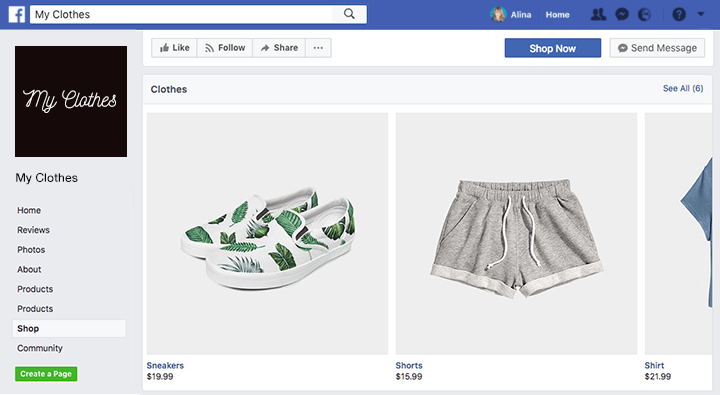
                <![CDATA[ <p><img src="https://support-hub--assets.s3.eu-west-2.amazonaws.com/assets/268/images/lXXmR9ucaqWBxrhM29Ovr4psoTg0SRHs0T2SNh8M.png" alt="4QsG0Zp1zfuNsH7QeAtXIduqwnTKZ42k8BWPMbX4.png" style="width:838.406px;" class="fr-fic fr-dii" /></p><p><span>Site visitors will find it even easier to shop on your websites with the new, smoother and slicker <b>Sell on Facebook</b> integration.</span></p><p></p><p><span>With this improvement, your clients' products can be effortlessly promoted on Facebook, increasing the number of people who see their products. This integration is also a great incentive for your clients to <b>upgrade their eCommerce plan</b>, as it’s exclusively available in stores with 100 products or more.</span></p><p></p><p><b><span>The New Facebook Shop: How it Works</span></b></p><p><span>The <b>Sell on Facebook</b> integration brings your store directly into the native Facebook Business Page Store. Visitors on Facebook will see store products just as they do in your site: with the same images, prices, descriptions, etc.</span></p><p></p><p><span>While visiting the Facebook Shop, users can <b>share</b> products on their timeline and with friends, <b>save</b> products by tagging them, or <b>purchase</b> products directly from the website. Visitors can also <b>subscribe</b> to the page, opening a channel for sending notifications whenever new products are added.</span></p><p></p><p><b><span>Going to Love This!</span></b></p><p><span>Integrating Facebook into your stores has so many benefits:</span></p><ul><li><b><span>Millions of potential new shoppers:</span></b><span> With all store products visible on Facebook, the number of potential shoppers increases with every product share or like.<br /><br /></span></li><li><span><b>Familiar interface: </b>The Facebook Store is native, so it’s perfectly synced with Facebook. As for the product images and descriptions, they are exactly what you’ve uploaded to your site.<br /><br /></span></li><li><span><b>Completely responsive: </b>This shop is perfectly adapted to mobile, desktop and tablet, so visitors will enjoy a fantastic experience on any device.<br /><br /></span></li><li><span><b>Automatic syncing: </b>The Facebook shop syncs twice daily with your online shop. You can also sync it manually simply by clicking Sync products on the store page control panel.</span></li></ul><p><span>This powerful selling features is only available for stores with 100 products or more</span></p> <p></p>]]>
            </summary>
                                    <updated>2020-09-18T09:16:18+00:00</updated>
        </entry>
            <entry>
            <title><![CDATA[100 PRODUCT STORE, NOW WORTH MORE!]]></title>
            <link rel="alternate" href="https://support.yourdigitalagency.com.au/articles/100-product-store-now-worth-more-2051" />
            <id>https://support.yourdigitalagency.com.au/2051</id>
            <author>
                <name><![CDATA[Leah Gibbs]]></name>
            </author>
            <summary type="html">
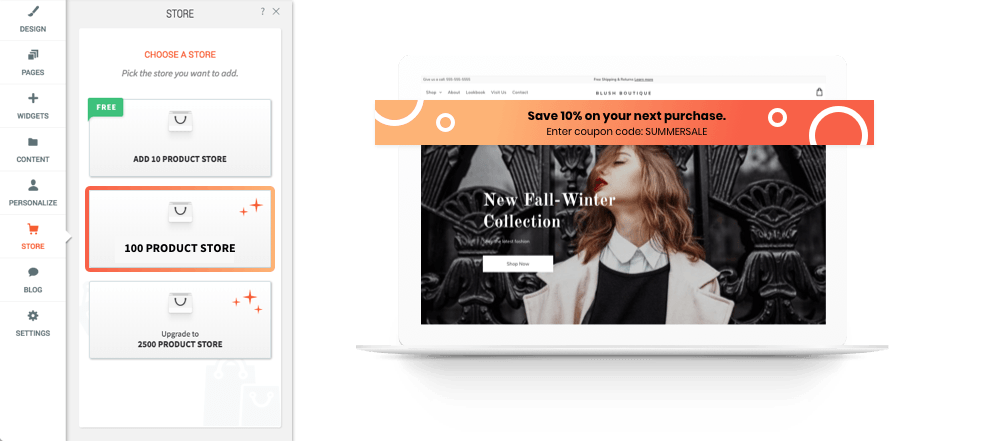
                <![CDATA[<p><span>You read the title right. Your 100 product store now has more. More features. More capabilities. More power to convert site visitors into customers.</span></p><p><img src="https://support-hub--assets.s3.eu-west-2.amazonaws.com/assets/268/images/9GdbSZGsgNTve6jg6Pb2y8w9O0pWTAg0uZmlnpSN.png" alt="3zqNa0KF9lLOjOmeDwK7JsBhjXzEn32zBFTEWP90.png" style="width:838.406px;" class="fr-fic fr-dii" /></p><p><span>With these new features, it will be easier to <b>increase sales, convert visitors,</b> and <b>manage their stores</b>.</span></p><p></p><p><span>They’ll be able to:</span></p><ul><li><span>Encourage customers to buy more with <b>discount coupons</b>.<br /><br /></span></li><li><span>Manage stores anywhere using the <b>store mobile app</b>, designed for both Android and iOS devices.<br /><br /></span></li><li><span>Offer more products with <b>e-goods</b> such as downloadable audio and video files, software, graphics, etc.<br /><br /></span></li><li><span>Reach site visitors with targeted ads through <b>remarketing with Google Analytics</b>.<br /><br /></span></li><li><span>Save time using <b>CSV export</b> for all data relating to orders, products and customers.</span></li></ul><ul><li><span>Show precise prices at checkout with <b>automatic tax calculations</b>.</span></li></ul><p><br /></p><p><img src="https://support-hub--assets.s3.eu-west-2.amazonaws.com/assets/268/images/bZQfxPYi4auvTgnlP7V58vFLr91hamzcxJFwIZ8K.png" alt="0m12eaARXhCAJySXQtXIDsYVpuUmZHLkX0nRamIW.png" style="width:838.406px;" class="fr-fic fr-dii" /></p><p><br /></p><p><span>All features are with <b>no additional charge</b> to sites that already have a 100 product store.</span></p><p></p><p><span>For customers who don’t have a premium store yet, these new features are a fantastic reason to upgrade.</span></p><p></p><p><br /></p>]]>
            </summary>
                                    <updated>2020-09-18T09:16:24+00:00</updated>
        </entry>
            <entry>
            <title><![CDATA[WANT TO SELL ON INSTAGRAM INTEGRATION? YOU GOT IT!]]></title>
            <link rel="alternate" href="https://support.yourdigitalagency.com.au/articles/want-to-sell-on-instagram-integration-you-got-it-2052" />
            <id>https://support.yourdigitalagency.com.au/2052</id>
            <author>
                <name><![CDATA[Leah Gibbs]]></name>
            </author>
            <summary type="html">
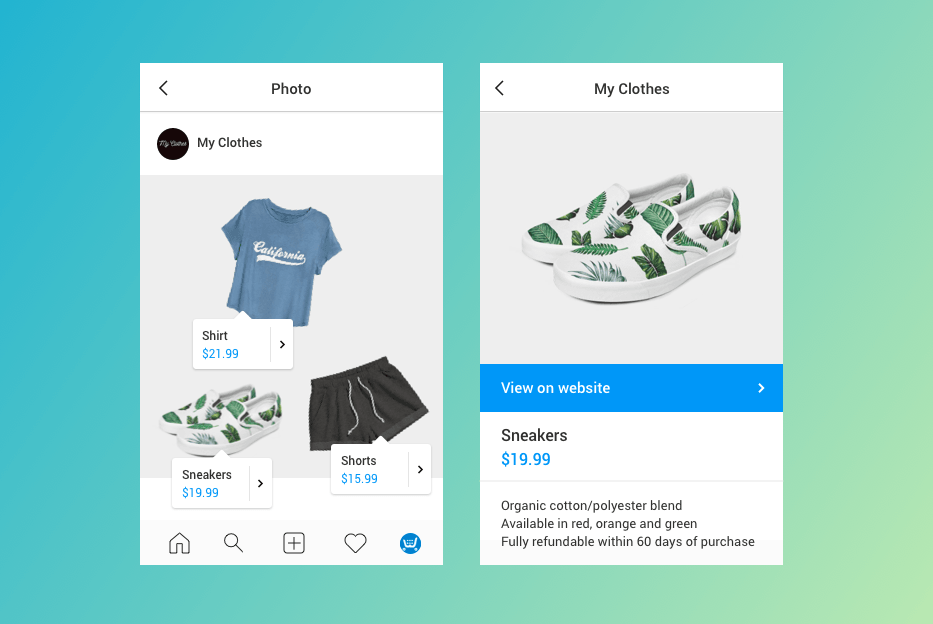
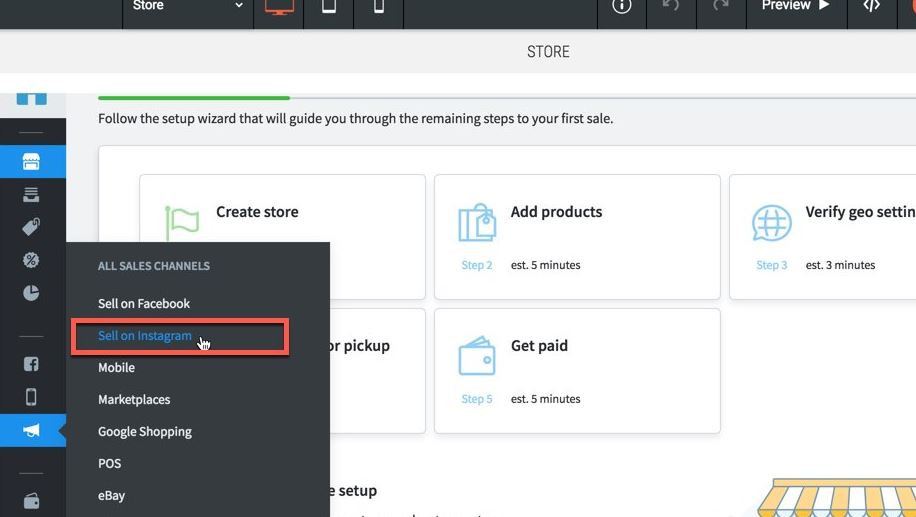
                <![CDATA[<p style="color:rgb(63,64,71);font-family:'Open Sans', sans-serif;font-size:15px;font-style:normal;font-weight:400;text-align:left;">You can now bring your Instagram followers directly to your online stores with the exciting new <b>Sell on Instagram</b> integration. It’s an incredible way of boosting site traffic by increasing store exposure to millions of people worldwide!</p><p style="color:rgb(63,64,71);font-family:'Open Sans', sans-serif;font-size:15px;font-style:normal;font-weight:400;text-align:left;"><img src="https://support-hub--assets.s3.eu-west-2.amazonaws.com/assets/268/images/TtQxr6II9LwBaoojxs3k1788oKLOttFoSIP0ec4B.png" alt="UYVPatPpKJFFESEieVaYAoiUQkXPTk6bMYjdrQnG.png" style="width:838.406px;" class="fr-fic fr-dii" /></p><p style="color:rgb(63,64,71);font-family:'Open Sans', sans-serif;font-size:15px;font-style:normal;font-weight:400;text-align:left;"><br /></p><p style="color:rgb(63,64,71);font-family:'Open Sans', sans-serif;font-size:15px;font-style:normal;font-weight:400;text-align:left;">Here’s how it works: simply tag product photos on YOUR Instagram feed.</p><p style="color:rgb(63,64,71);font-family:'Open Sans', sans-serif;font-size:15px;font-style:normal;font-weight:400;text-align:left;"></p><p style="color:rgb(63,64,71);font-family:'Open Sans', sans-serif;font-size:15px;font-style:normal;font-weight:400;text-align:left;">When Instagram followers tap those tags, they’ll see the product’s pricing, details, and <b>a link directly to the online store</b> to complete their purchase.</p><p style="color:rgb(63,64,71);font-family:'Open Sans', sans-serif;font-size:15px;font-style:normal;font-weight:400;text-align:left;"></p><p style="color:rgb(63,64,71);font-family:'Open Sans', sans-serif;font-size:15px;font-style:normal;font-weight:400;text-align:left;"><b>An Incredible Way to Boost Site Traffic</b></p><p style="color:rgb(63,64,71);font-family:'Open Sans', sans-serif;font-size:15px;font-style:normal;font-weight:400;text-align:left;">Instagram is one of the world’s most popular social networks, with about <b>1 billion</b> (yes, that’s 1,000,000,000) active users every month. This new product tagging capability, available in 44 countries worldwide (see the full list here), has the potential to seriously increase site traffic and store sales!</p><p style="color:rgb(63,64,71);font-family:'Open Sans', sans-serif;font-size:15px;font-style:normal;font-weight:400;text-align:left;"></p><p style="color:rgb(63,64,71);font-family:'Open Sans', sans-serif;font-size:15px;font-style:normal;font-weight:400;text-align:left;">Also, your customers have a terrific opportunity to give their Instagram posts real value. The more thoroughly they tag their products, the more traffic they’ll drive to their online stores.</p><p style="color:rgb(63,64,71);font-family:'Open Sans', sans-serif;font-size:15px;font-style:normal;font-weight:400;text-align:left;"></p><p style="color:rgb(63,64,71);font-family:'Open Sans', sans-serif;font-size:15px;font-style:normal;font-weight:400;text-align:left;"><b>Another Great Upsell Incentive</b></p><p style="color:rgb(63,64,71);font-family:'Open Sans', sans-serif;font-size:15px;font-style:normal;font-weight:400;text-align:left;">To enable this feature, you need to have a product catalog on Facebook page, because that’s where Instagram goes to pull the product feed. This capability is available for any site with a 100 or 2500 product store, making the <b>Sell on Instagram</b> feature yet another great reason to upgrade! </p><p style="color:rgb(63,64,71);font-family:'Open Sans', sans-serif;font-size:15px;font-style:normal;font-weight:400;text-align:left;"><img src="https://support-hub--assets.s3.eu-west-2.amazonaws.com/assets/268/images/euMn4ORxIVLc6SnL71FxccCgN40uE2pOGdYzjmuW.png" alt="wt5ZrhAXMyZKnVlkiCSMDdI8JECbnH4Pk4VsPEaR.jpeg" style="width:838.406px;" class="fr-fic fr-dii" /></p>]]>
            </summary>
                                    <updated>2020-09-18T09:16:32+00:00</updated>
        </entry>
            <entry>
            <title><![CDATA[NEW MULTILANGUAGE STORE - REACH MORE CUSTOMERS]]></title>
            <link rel="alternate" href="https://support.yourdigitalagency.com.au/articles/new-multilanguage-store-reach-more-customers-2053" />
            <id>https://support.yourdigitalagency.com.au/2053</id>
            <author>
                <name><![CDATA[Leah Gibbs]]></name>
            </author>
            <summary type="html">
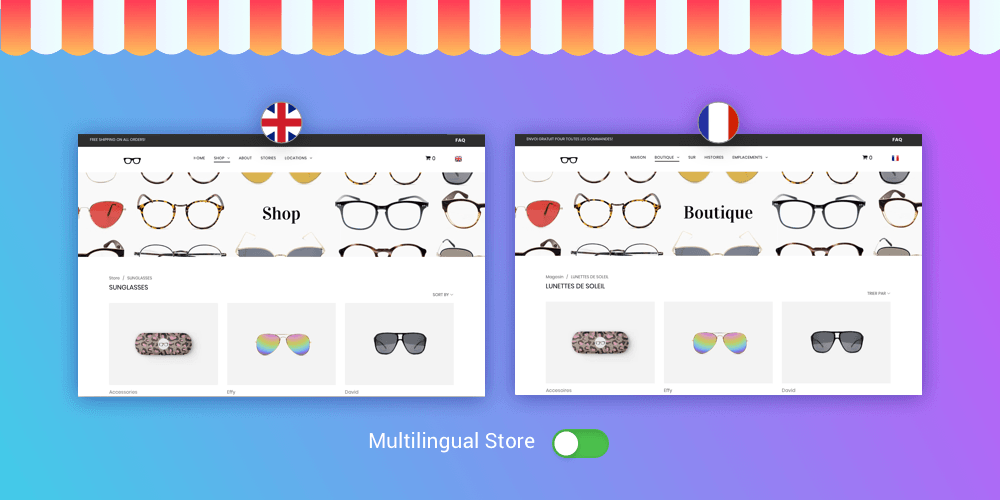
                <![CDATA[<p style="color:rgb(63,64,71);font-family:'Open Sans', sans-serif;font-size:15px;font-style:normal;font-weight:400;text-align:left;">Expand your store’s reach with the new <b>multilanguage feature</b> which makes it easy to build online stores in multiple languages, automatically connecting them to the same language in your website. Improve the experience of people visiting sites in their non-default languages and create a seamless shopping experience.</p><p style="color:rgb(63,64,71);font-family:'Open Sans', sans-serif;font-size:15px;font-style:normal;font-weight:400;text-align:left;"><img src="https://support-hub--assets.s3.eu-west-2.amazonaws.com/assets/268/images/l5ytKxiWidbge8S8wRpIxQG7aXh4HKDgtwCOTvrN.png" alt="lwOAK2fYeYdYXhpprLyKGWDCdhEJdyLTYCFIgN7J.png" style="width:838.406px;" class="fr-fic fr-dii" /></p><p style="color:rgb(63,64,71);font-family:'Open Sans', sans-serif;font-size:15px;font-style:normal;font-weight:400;text-align:left;"><br /></p><p style="color:rgb(63,64,71);font-family:'Open Sans', sans-serif;font-size:15px;font-style:normal;font-weight:400;text-align:left;"><b>Setup is Simple</b></p><p style="color:rgb(63,64,71);font-family:'Open Sans', sans-serif;font-size:15px;font-style:normal;font-weight:400;text-align:left;">Creating stores in multiple languages is simple. Here’s all you need to do.</p><p style="color:rgb(63,64,71);font-family:'Open Sans', sans-serif;font-size:15px;font-style:normal;font-weight:400;text-align:left;"></p><p style="color:rgb(63,64,71);font-family:'Open Sans', sans-serif;font-size:15px;font-style:normal;font-weight:400;text-align:left;"><b>For a new store</b></p><p style="color:rgb(63,64,71);font-family:'Open Sans', sans-serif;font-size:15px;font-style:normal;font-weight:400;text-align:left;">1. Set up a multilanguage site.  </p><p style="color:rgb(63,64,71);font-family:'Open Sans', sans-serif;font-size:15px;font-style:normal;font-weight:400;text-align:left;">2. Add a 2500-product store to your site.</p><p style="color:rgb(63,64,71);font-family:'Open Sans', sans-serif;font-size:15px;font-style:normal;font-weight:400;text-align:left;">3. Go to Store Panel &gt; Setting &gt; General &gt; Regional Settings. In the Storefront Languages section, click Manage Languages and select the languages you want. (You have 51 languages to choose from!)</p><p style="color:rgb(63,64,71);font-family:'Open Sans', sans-serif;font-size:15px;font-style:normal;font-weight:400;text-align:left;">4. Add translations for the products, categories and labels.</p><p style="color:rgb(63,64,71);font-family:'Open Sans', sans-serif;font-size:15px;font-style:normal;font-weight:400;text-align:left;">5. Publish your site.</p><p style="color:rgb(63,64,71);font-family:'Open Sans', sans-serif;font-size:15px;font-style:normal;font-weight:400;text-align:left;">6. When visitors switch languages on your site and go to the store, they'll automatically see the store version in that language.</p><p style="color:rgb(63,64,71);font-family:'Open Sans', sans-serif;font-size:15px;font-style:normal;font-weight:400;text-align:left;"></p><p style="color:rgb(63,64,71);font-family:'Open Sans', sans-serif;font-size:15px;font-style:normal;font-weight:400;text-align:left;"><b>For an existing store</b></p><p style="color:rgb(63,64,71);font-family:'Open Sans', sans-serif;font-size:15px;font-style:normal;font-weight:400;text-align:left;">If you already have a store on your site and want to make it multilingual, here’s all you have to do:</p><p style="color:rgb(63,64,71);font-family:'Open Sans', sans-serif;font-size:15px;font-style:normal;font-weight:400;text-align:left;"></p><p style="color:rgb(63,64,71);font-family:'Open Sans', sans-serif;font-size:15px;font-style:normal;font-weight:400;text-align:left;">1. Go to Store Panel &gt; Settings &gt; What’s New .</p><p style="color:rgb(63,64,71);font-family:'Open Sans', sans-serif;font-size:15px;font-style:normal;font-weight:400;text-align:left;">2. Enable the Multilingual feature.</p><p style="color:rgb(63,64,71);font-family:'Open Sans', sans-serif;font-size:15px;font-style:normal;font-weight:400;text-align:left;">3. Continue from Step 3, above.  </p><p style="color:rgb(63,64,71);font-family:'Open Sans', sans-serif;font-size:15px;font-style:normal;font-weight:400;text-align:left;"></p><p style="color:rgb(63,64,71);font-family:'Open Sans', sans-serif;font-size:15px;font-style:normal;font-weight:400;text-align:left;"><b>Full Integration</b></p><p style="color:rgb(63,64,71);font-family:'Open Sans', sans-serif;font-size:15px;font-style:normal;font-weight:400;text-align:left;">In addition to seeing the translated texts of store products and categories, site visitors will also see all default store elements (Add to Cart, Go to Checkout, etc.) in the translated language. Any notifications sent from the store to site visitors will also be translated.</p><p style="color:rgb(63,64,71);font-family:'Open Sans', sans-serif;font-size:15px;font-style:normal;font-weight:400;text-align:left;"></p><p style="color:rgb(63,64,71);font-family:'Open Sans', sans-serif;font-size:15px;font-style:normal;font-weight:400;text-align:left;">This feature is available to all clients with 2500-product stores, making it a great incentive to upgrade.</p>]]>
            </summary>
                                    <updated>2020-09-18T09:16:34+00:00</updated>
        </entry>
            <entry>
            <title><![CDATA[IMPROVED STORE SEO]]></title>
            <link rel="alternate" href="https://support.yourdigitalagency.com.au/articles/improved-store-seo-2054" />
            <id>https://support.yourdigitalagency.com.au/2054</id>
            <author>
                <name><![CDATA[Leah Gibbs]]></name>
            </author>
            <summary type="html">
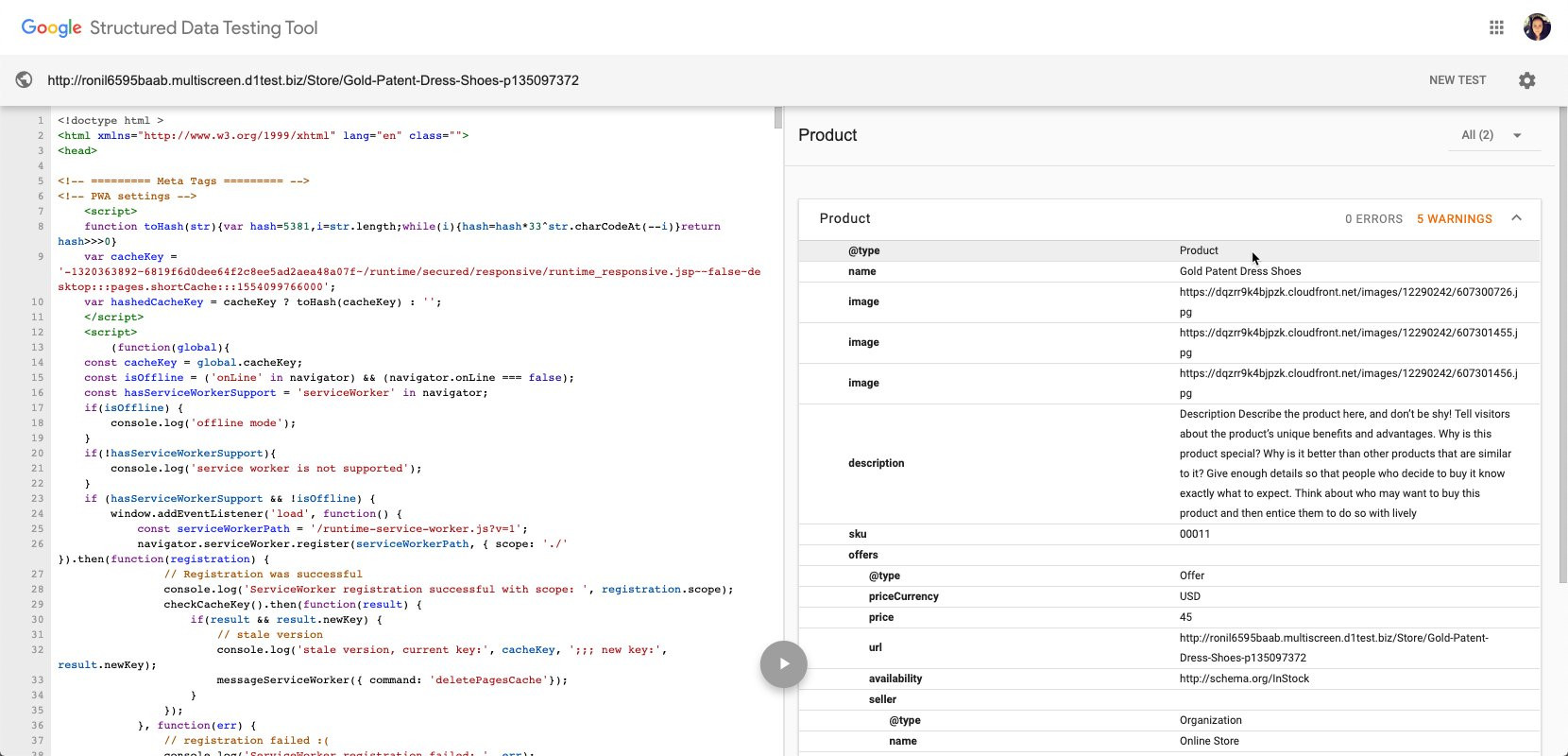
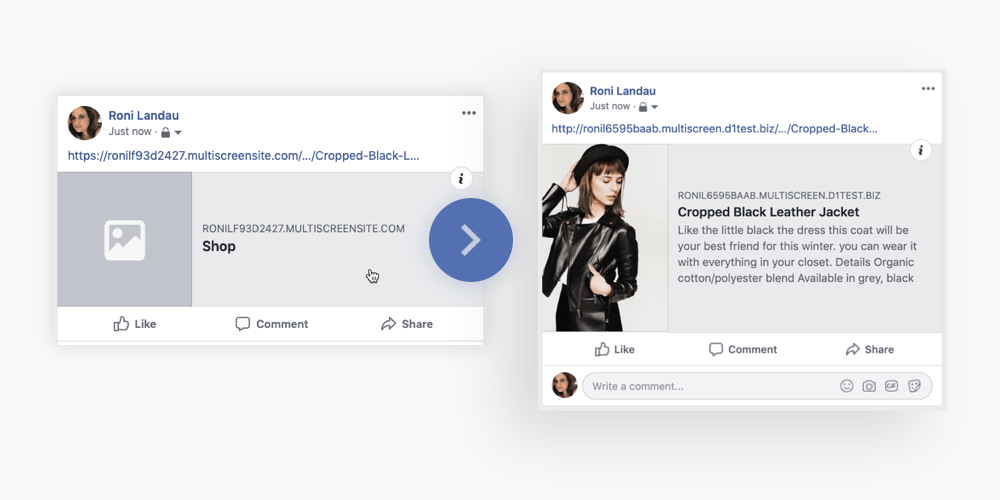
                <![CDATA[<p style="color:rgb(63,64,71);font-family:'Open Sans', sans-serif;font-size:15px;font-style:normal;font-weight:400;text-align:left;">Today we are releasing an improvement to how we load eCommerce pages on the platform. This should have a long term impact on how well store pages are indexed &amp; discovered by other crawlers &amp; tools.</p><p style="color:rgb(63,64,71);font-family:'Open Sans', sans-serif;font-size:15px;font-style:normal;font-weight:400;text-align:left;">As many of our customers know, we have deep integration with an eCommerce tool called Ecwid. In the past, we have relied on the Ecwid store Javascript embed to load &amp; display each page of the store. Pages such as product pages &amp; categories would load after the page loaded &amp; require all javascript to execute before the content would be displayed.</p><p style="color:rgb(63,64,71);font-family:'Open Sans', sans-serif;font-size:15px;font-style:normal;font-weight:400;text-align:left;">People who follow the SEO industry closely know that Google has a <a href="https://developers.google.com/search/docs/guides/dynamic-rendering" target="_blank" rel="noreferrer noopener"></a><a href="https://developers.google.com/search/docs/guides/dynamic-rendering">hard time rendering pages that fully rely on Javascript</a> to display content. Google has been <a href="https://www.youtube.com/watch?v=LXF8bM4g-J4" target="_blank" rel="noreferrer noopener"></a><a href="https://www.youtube.com/watch?v=LXF8bM4g-J4">trying to educate the community</a> on how to render and display content so that Google is best able to crawl and index the content. Based on this education and our own experience with how well our store content on our website was indexed, we listened to this.</p><p style="color:rgb(63,64,71);font-family:'Open Sans', sans-serif;font-size:15px;font-style:normal;font-weight:400;text-align:left;">With this new release, we will now server-side render the content of our eCommerce stores for the product, home and category pages of the store. This means that when a crawler (such as the Google or Facebook bot) visits the website, they will see the full HTML &amp; content of the page. In the past, we would not have all the content within the HTML for each store page.</p><p style="color:rgb(63,64,71);font-family:'Open Sans', sans-serif;font-size:15px;font-style:normal;font-weight:400;text-align:left;"><b>The benefit of this is many:</b></p><ul><li><span>Google will find and index store pages much faster. In the past, store pages took a long time to become indexed, because Google had to go into a more lengthy index process of rendering the javascript from the store.</span></li><li><span>Google will now find Schema data within the store. This means that they will have solid data about the price, description, SKU and more at their fingertips to populate search results better.</span></li><li><span>Below is an example from <a href="https://search.google.com/structured-data/testing-tool" target="_blank" rel="noreferrer noopener"></a><a href="https://search.google.com/structured-data/testing-tool/u/0/">Google’s Structured Data Testing Tool</a> that shows them identifying schema within the product page of an eCommerce Store.</span></li></ul><p style="color:rgb(63,64,71);font-family:'Open Sans', sans-serif;font-size:15px;font-style:normal;font-weight:400;text-align:left;"><img src="https://support-hub--assets.s3.eu-west-2.amazonaws.com/assets/268/images/OdSdlitgrrI4VhUqNYxmqKFVxOtyJGseYgoSePf9.png" alt="KI9IixoG0soarOLCcQC6XPSiSsd2EWJBEYNG7BZ7.jpeg" style="width:838.406px;" class="fr-fic fr-dii" /></p><p style="color:rgb(63,64,71);font-family:'Open Sans', sans-serif;font-size:15px;font-style:normal;font-weight:400;text-align:left;"><br /></p><ul><li><span>Social websites will now find the correct Open Graph image to display when a store webpage is shared on a social website.</span></li></ul><p style="color:rgb(63,64,71);font-family:'Open Sans', sans-serif;font-size:15px;font-style:normal;font-weight:400;text-align:left;"><img src="https://support-hub--assets.s3.eu-west-2.amazonaws.com/assets/268/images/oSXFM28DtCbpb3YvwTlbT1ByeBi60ilwCPPgx9KW.png" alt="xXlGxgyOc3KrvVRKFz8zqIrsMkP0X8bIdp2DAwn8.png" style="width:838.406px;" class="fr-fic fr-dii" /></p><p style="color:rgb(63,64,71);font-family:'Open Sans', sans-serif;font-size:15px;font-style:normal;font-weight:400;text-align:left;">We hope with this change we will see continued success with our eCommerce customers and show that we are committed to providing the best platform for agencies to scale their business.</p>]]>
            </summary>
                                    <updated>2020-09-18T09:16:41+00:00</updated>
        </entry>
            <entry>
            <title><![CDATA[GREAT NEW STORE ENHANCEMENTS]]></title>
            <link rel="alternate" href="https://support.yourdigitalagency.com.au/articles/great-new-store-enhancements-2055" />
            <id>https://support.yourdigitalagency.com.au/2055</id>
            <author>
                <name><![CDATA[Leah Gibbs]]></name>
            </author>
            <summary type="html">
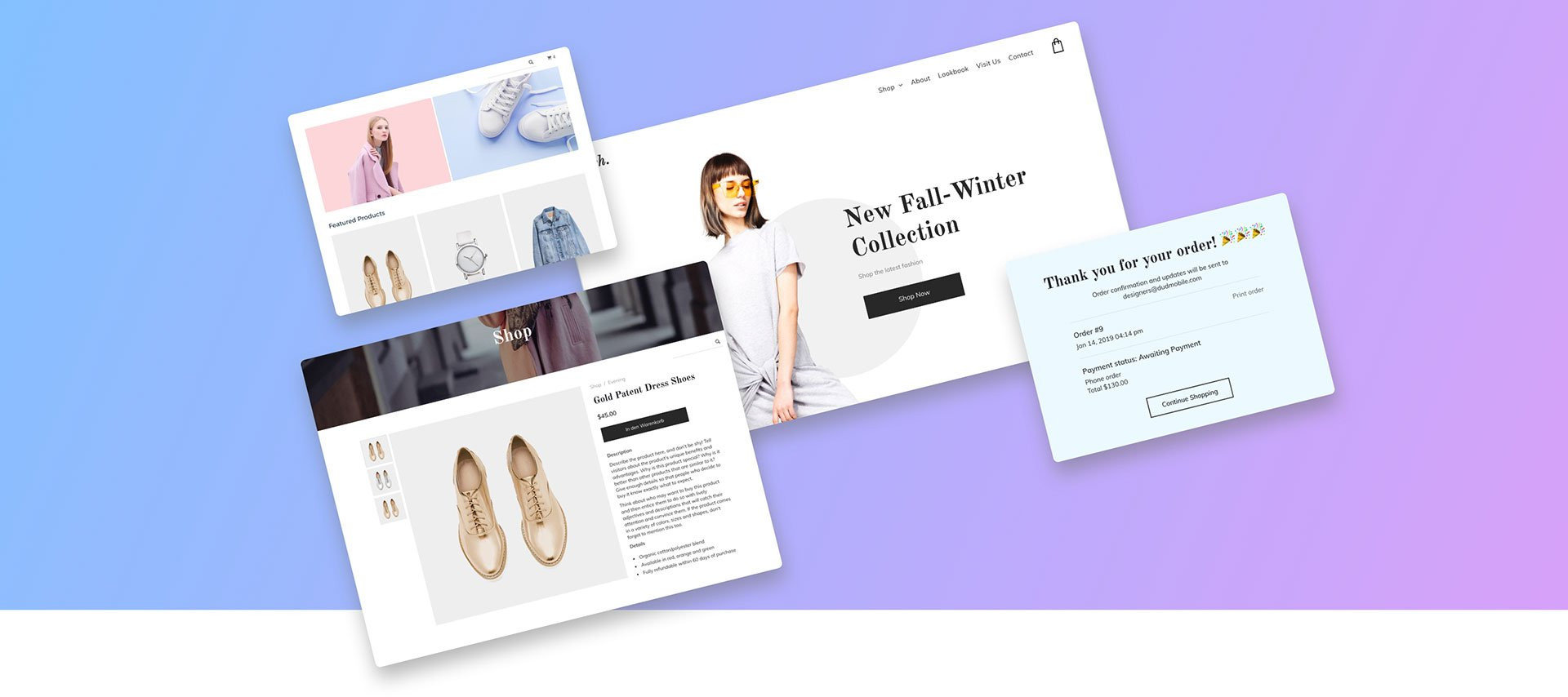
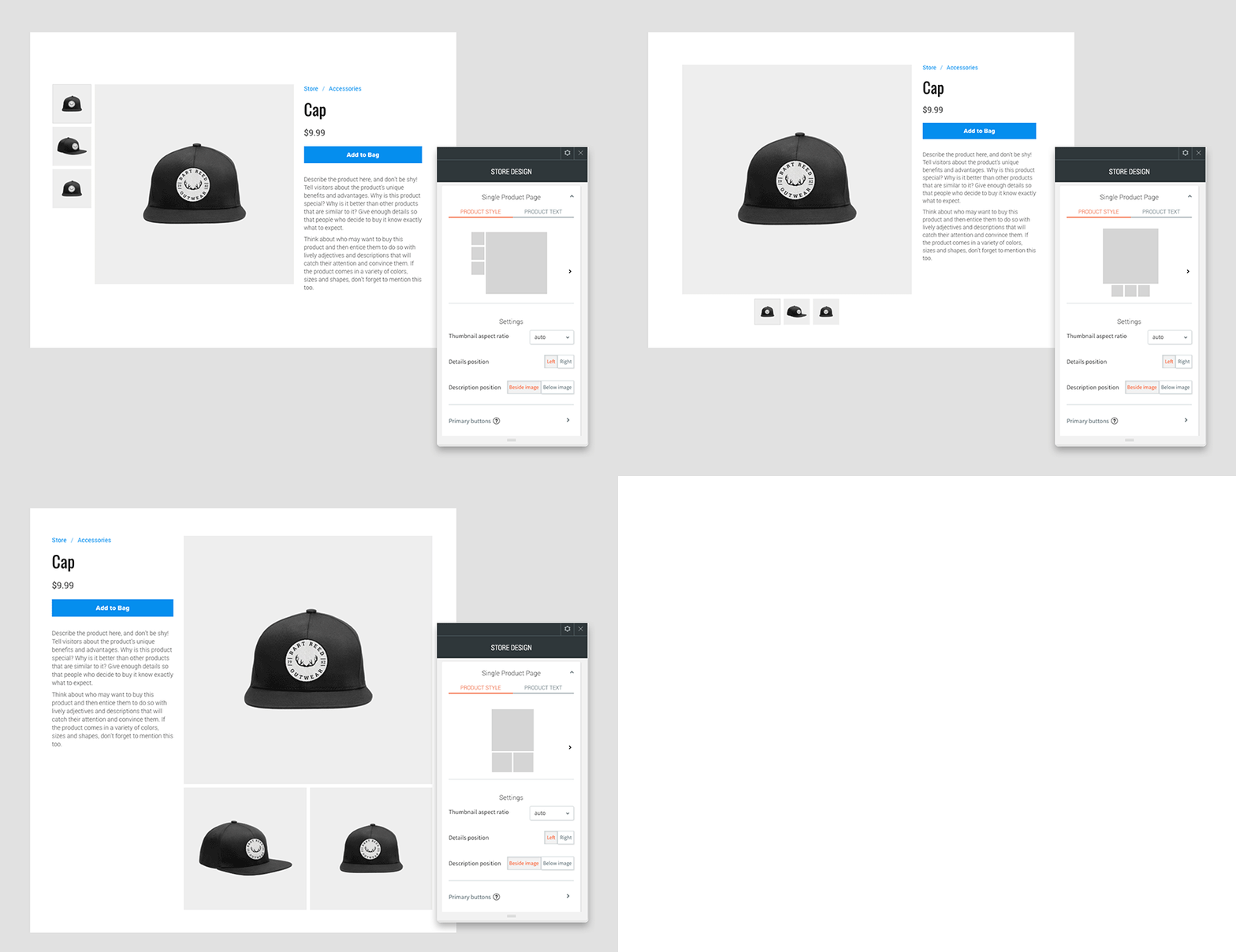
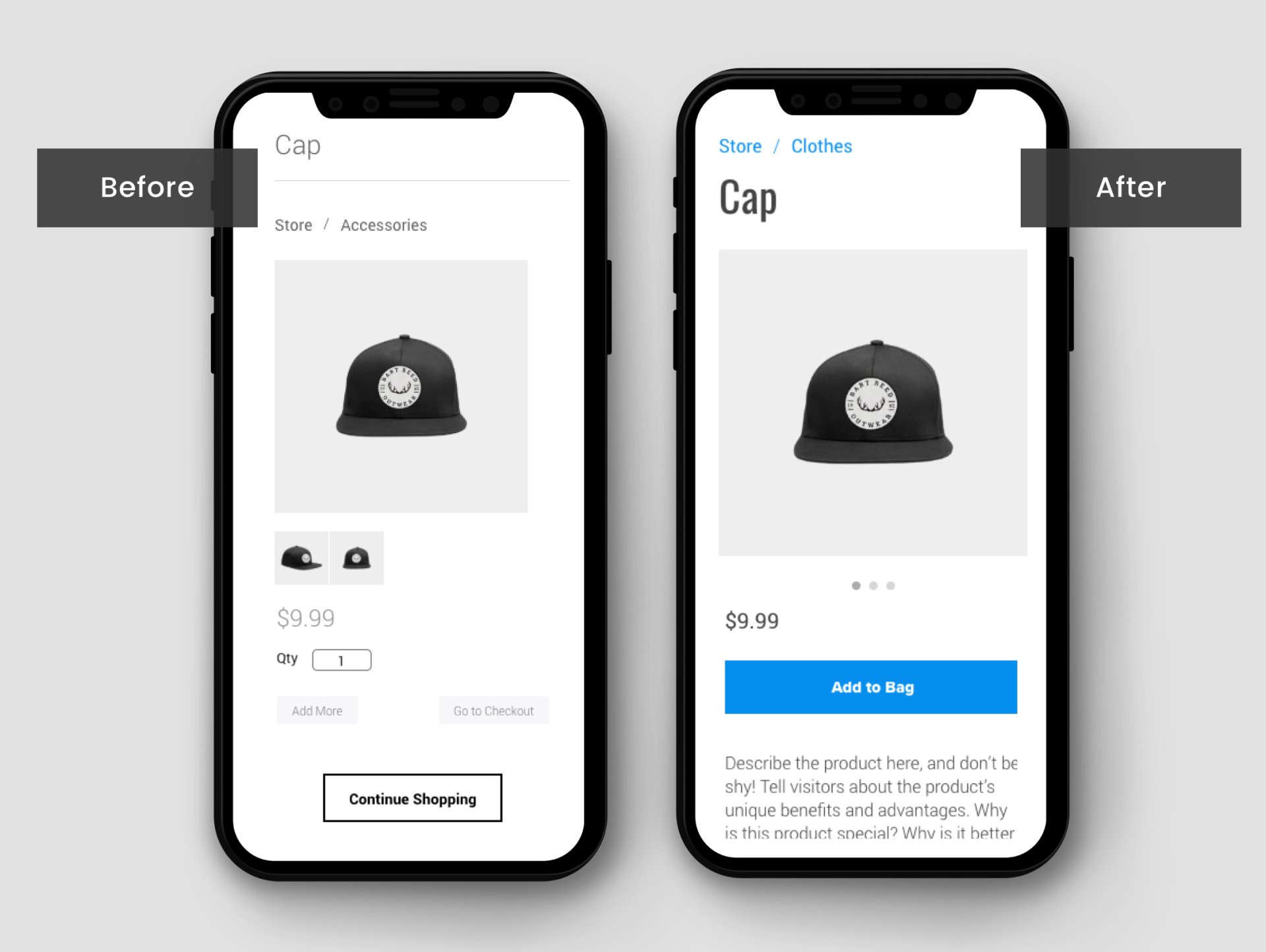
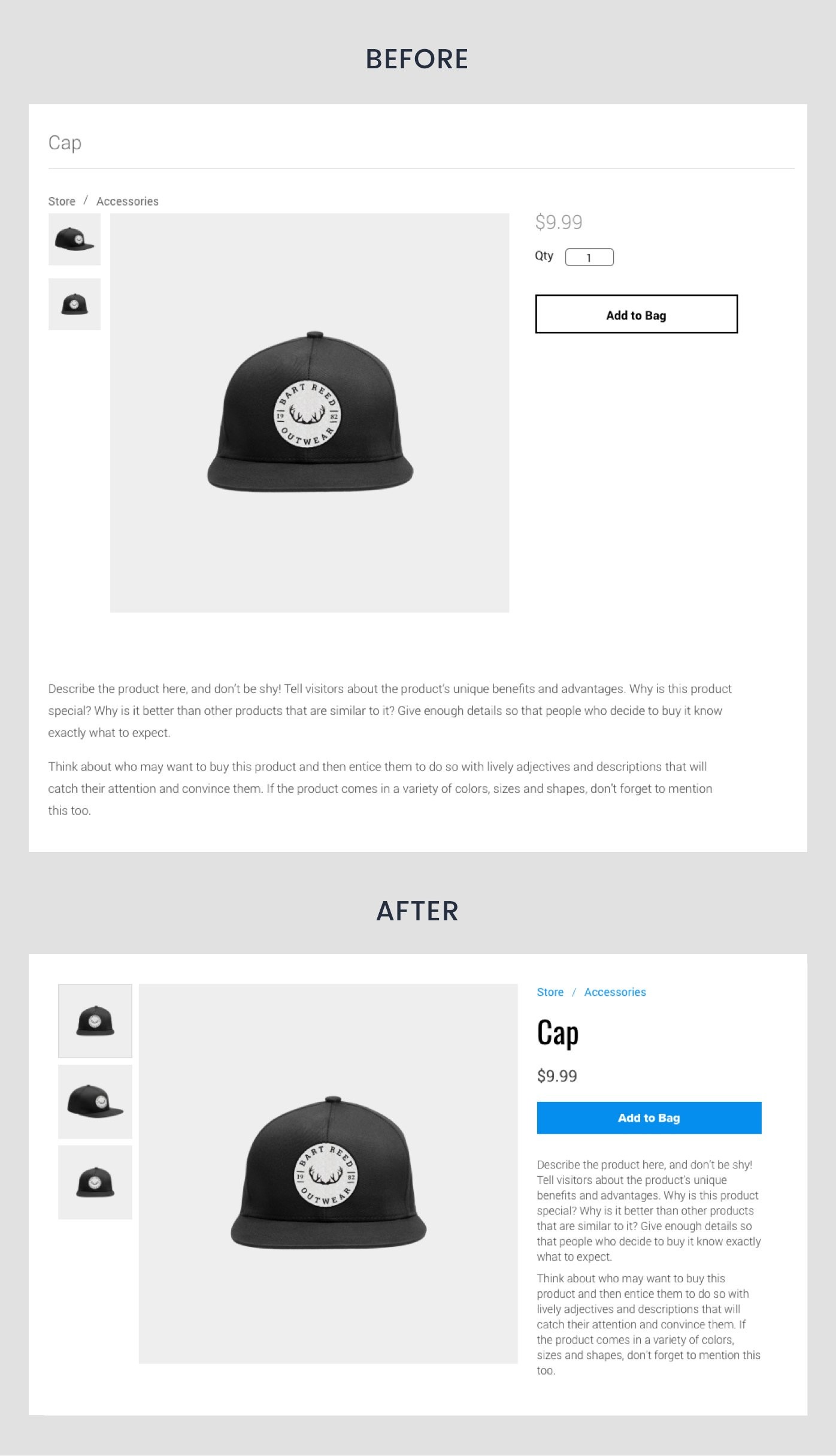
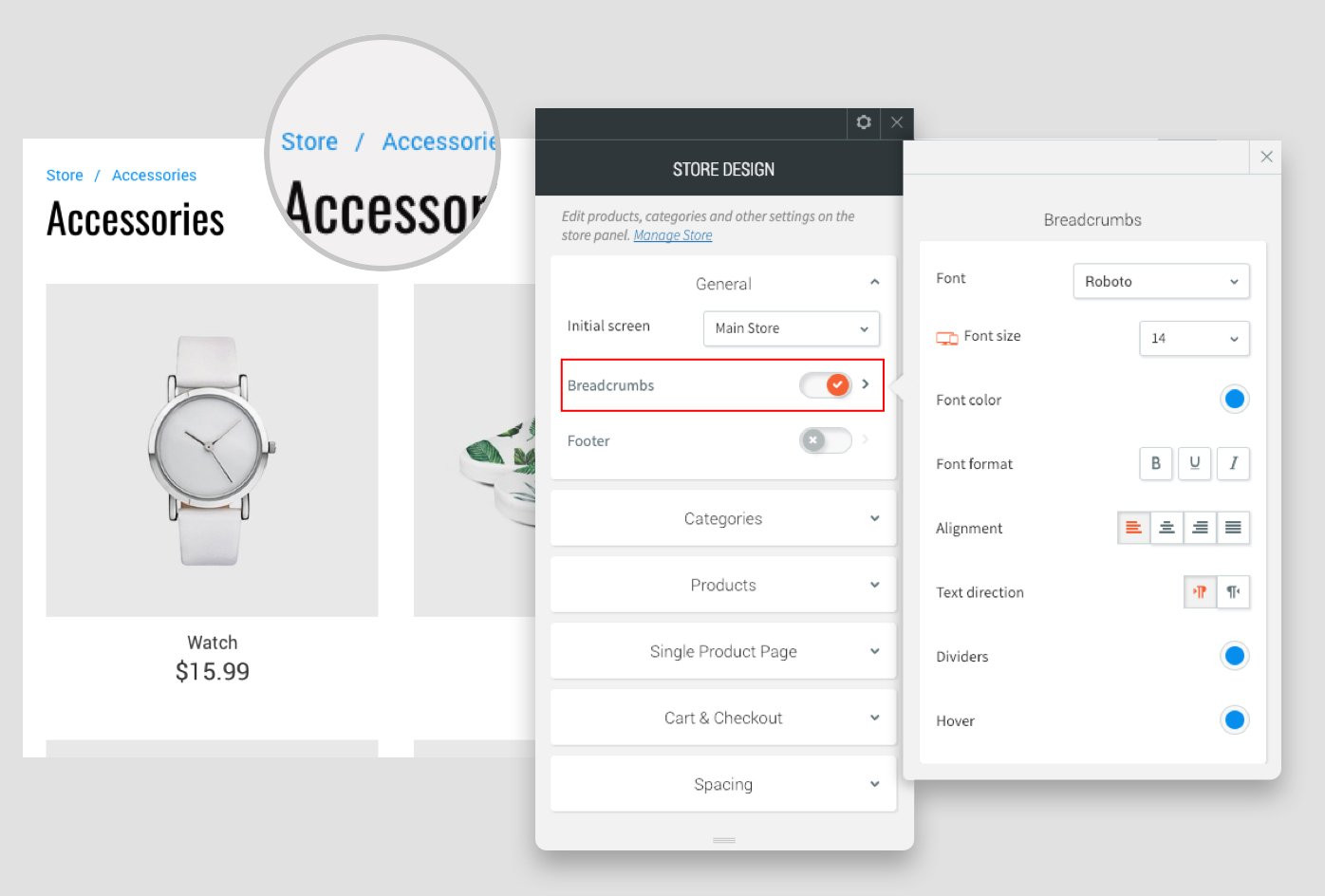
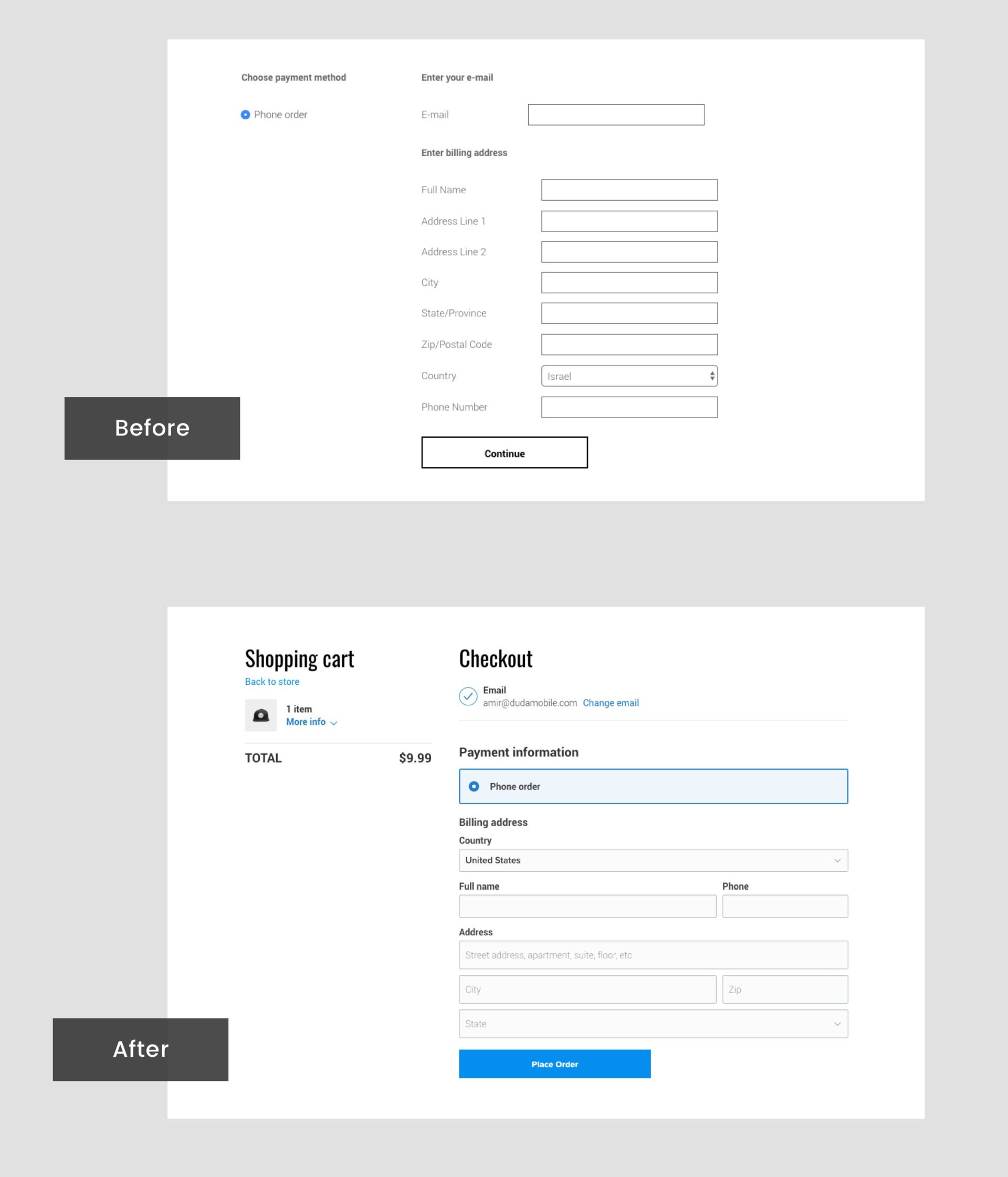
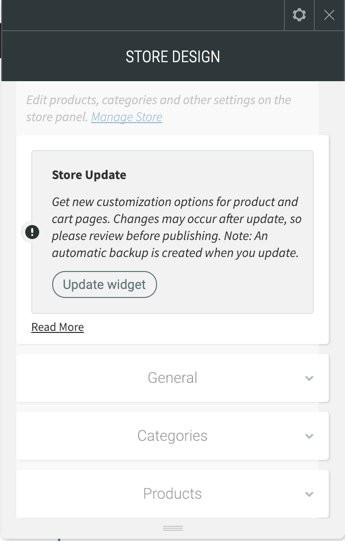
                <![CDATA[<p style="color:rgb(63,64,71);font-family:'Open Sans', sans-serif;font-size:15px;font-style:normal;font-weight:400;text-align:left;">Refresh your eCommerce sites with new layout and customization options:</p><ul><li><span>Single product page enhancement <br /><br /></span></li><li><span>Better Mobile experience<br /><br /></span></li><li><span>Control Breadcrumbs style<br /><br /></span></li><li><span>Cart &amp; checkout page enhancement</span></li></ul><p style="color:rgb(63,64,71);font-family:'Open Sans', sans-serif;font-size:15px;font-style:normal;font-weight:400;text-align:left;">These enhancements will improve visitors’ shopping experience, making your stores smoother, sleeker and more attractive on every device. </p><p style="color:rgb(63,64,71);font-family:'Open Sans', sans-serif;font-size:15px;font-style:normal;font-weight:400;text-align:left;"><img src="https://support-hub--assets.s3.eu-west-2.amazonaws.com/assets/268/images/h41R00nbs2hUlQmwlwIBDd0jZi44ErnNtfkjueqt.png" alt="M0avfPWBsKwAvrMlj62Si2KvmSkF6fTSeadCqgjJ.jpeg" style="width:838.406px;" class="fr-fic fr-dii" /></p><p style="color:rgb(63,64,71);font-family:'Open Sans', sans-serif;font-size:15px;font-style:normal;font-weight:400;text-align:left;"><b>Single product page</b></p><p style="color:rgb(63,64,71);font-family:'Open Sans', sans-serif;font-size:15px;font-style:normal;font-weight:400;text-align:left;">You can choose from multiple layouts to display items on individual product pages and control elements such as the text location and thumbnail image layout and ratio. With these new customizations, you’re equipped to show off store products in the very best light (and layout) possible.</p><p style="color:rgb(63,64,71);font-family:'Open Sans', sans-serif;font-size:15px;font-style:normal;font-weight:400;text-align:left;"><img src="https://support-hub--assets.s3.eu-west-2.amazonaws.com/assets/268/images/weZk9Ee8i6GjuOH5o6oQT8vF0K5O9Z5o4h11Lian.gif" style="width:auto;" class="fr-fil fr-dib" alt="weZk9Ee8i6GjuOH5o6oQT8vF0K5O9Z5o4h11Lian.gif" /></p><p style="color:rgb(63,64,71);font-family:'Open Sans', sans-serif;font-size:15px;font-style:normal;font-weight:400;text-align:left;"><br /></p><p style="color:rgb(63,64,71);font-family:'Open Sans', sans-serif;font-size:15px;font-style:normal;font-weight:400;text-align:left;"><b>Your stores look better, on any device</b></p><p style="color:rgb(63,64,71);font-family:'Open Sans', sans-serif;font-size:15px;font-style:normal;font-weight:400;text-align:left;">The mobile version of your stores has been updated so visitors now swipe between images (rather than click) for a smoother, slicker, more convenient shopping experience.</p><p style="color:rgb(63,64,71);font-family:'Open Sans', sans-serif;font-size:15px;font-style:normal;font-weight:400;text-align:left;"><img src="https://support-hub--assets.s3.eu-west-2.amazonaws.com/assets/268/images/lqLpy2GEAv2FD4M7Ksf4TvLQrqpJWbwMdAY3uEbT.png" alt="2WEO3nUqjpiTOLBfyoE22Wf9LTfBtX95xvHjAX13.jpeg" style="width:838.406px;" class="fr-fic fr-dii" /><i>Caption: Single product page - Mobile view</i></p><p style="color:rgb(63,64,71);font-family:'Open Sans', sans-serif;font-size:15px;font-style:normal;font-weight:400;text-align:left;"><img src="https://support-hub--assets.s3.eu-west-2.amazonaws.com/assets/268/images/e65TTk4chObMN708uoDGt6hZg9m9ufa6u6sSw05U.jpeg" alt="wnENN7DgrCggEUx75ilqGXHLdADESZxs88MFXcLl.jpeg" style="width:838.406px;" class="fr-fic fr-dii" /><i>Single product page - Desktop view<br /></i></p><p style="color:rgb(63,64,71);font-family:'Open Sans', sans-serif;font-size:15px;font-style:normal;font-weight:400;text-align:left;"></p><p style="color:rgb(63,64,71);font-family:'Open Sans', sans-serif;font-size:15px;font-style:normal;font-weight:400;text-align:left;"><b>Customize breadcrumb style</b></p><p style="color:rgb(63,64,71);font-family:'Open Sans', sans-serif;font-size:15px;font-style:normal;font-weight:400;text-align:left;">You can now enable breadcrumbs on store pages and set their style as you like. This makes it easy for customers to see exactly where they are in the store. </p><p style="color:rgb(63,64,71);font-family:'Open Sans', sans-serif;font-size:15px;font-style:normal;font-weight:400;text-align:left;"><img src="https://support-hub--assets.s3.eu-west-2.amazonaws.com/assets/268/images/KlChUQuDT38QWCYlQQ04njxhgXfOLxYwLPn8Scan.png" alt="PPZXiLkSHtJITlaMaYveipuEg7dDRStW3uq9D9Ys.jpeg" style="width:838.406px;" class="fr-fic fr-dii" /></p><p style="color:rgb(63,64,71);font-family:'Open Sans', sans-serif;font-size:15px;font-style:normal;font-weight:400;text-align:left;"><b>Cart &amp; Checkout Customizations</b></p><p style="color:rgb(63,64,71);font-family:'Open Sans', sans-serif;font-size:15px;font-style:normal;font-weight:400;text-align:left;">Your new cart and checkout customization capabilities make the checkout process clearer, more attractive, and more user-friendly.</p><p style="color:rgb(63,64,71);font-family:'Open Sans', sans-serif;font-size:15px;font-style:normal;font-weight:400;text-align:left;"><img src="https://support-hub--assets.s3.eu-west-2.amazonaws.com/assets/268/images/6JbjqNk2PFVG63qIcVzqILID3JHeereYnmLpKugW.jpeg" alt="whD6cal1sIBW89hLupNRk6PJzCCrU4q35bKxQkcX.jpeg" style="width:838.406px;" class="fr-fic fr-dii" /></p><p style="color:rgb(63,64,71);font-family:'Open Sans', sans-serif;font-size:15px;font-style:normal;font-weight:400;text-align:left;"><b>Your online stores - getting better all the time</b></p><p style="color:rgb(63,64,71);font-family:'Open Sans', sans-serif;font-size:15px;font-style:normal;font-weight:400;text-align:left;">These are just the highlights of your increased store possibilities - you can also show more store details, control the sign-in link style, and more. Online shopping is sure to be more popular than ever, and these new capabilities will help you refresh your offerings, simply and effectively.</p><p style="color:rgb(63,64,71);font-family:'Open Sans', sans-serif;font-size:15px;font-style:normal;font-weight:400;text-align:left;"></p><p style="color:rgb(63,64,71);font-family:'Open Sans', sans-serif;font-size:15px;font-style:normal;font-weight:400;text-align:left;"><b>Upgrade to the new store</b></p><p style="color:rgb(63,64,71);font-family:'Open Sans', sans-serif;font-size:15px;font-style:normal;font-weight:400;text-align:left;">To use the new store capabilities and customize it using all of the above you will need to upgrade your existing stores - changes may occur after updating it, so please review before publishing. Don't worry, we will auto create a backup version of the site when you click update.</p><p style="color:rgb(63,64,71);font-family:'Open Sans', sans-serif;font-size:15px;font-style:normal;font-weight:400;text-align:left;"><img src="https://support-hub--assets.s3.eu-west-2.amazonaws.com/assets/268/images/Q2D6uSzKXpktFR6W5iCpOGeHwL1mf9vGnfvwZ3rw.png" alt="tmbuxzWnDFszhaCwogFHmAnqhQqkdCG3mFa4GDna.jpeg" style="width:838.406px;" class="fr-fic fr-dii" /></p>]]>
            </summary>
                                    <updated>2020-09-18T09:17:09+00:00</updated>
        </entry>
            <entry>
            <title><![CDATA[ABANDONED CART NOTIFICATIONS]]></title>
            <link rel="alternate" href="https://support.yourdigitalagency.com.au/articles/abandoned-cart-notifications-2056" />
            <id>https://support.yourdigitalagency.com.au/2056</id>
            <author>
                <name><![CDATA[Leah Gibbs]]></name>
            </author>
            <summary type="html">
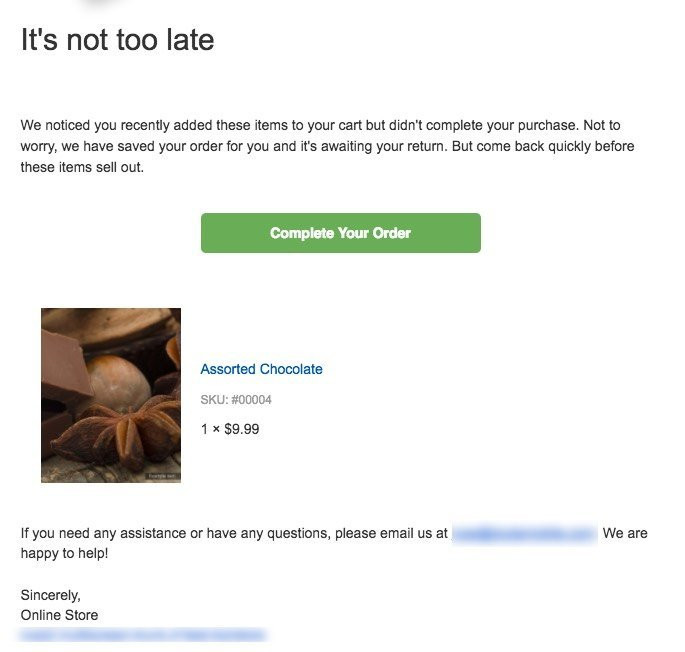
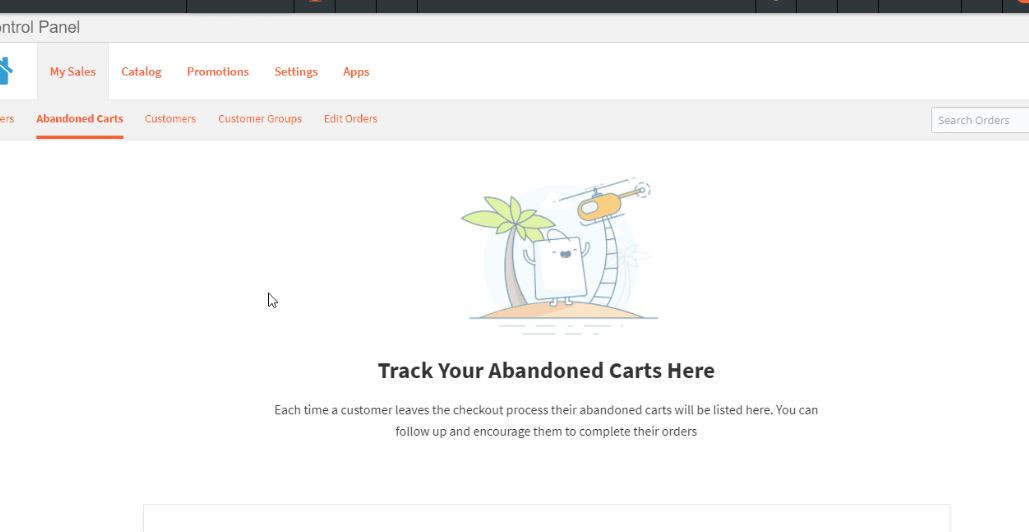
                <![CDATA[<p style="color:rgb(63,64,71);font-family:'Open Sans', sans-serif;font-size:15px;font-style:normal;font-weight:400;text-align:left;">Email customers who have not finished checking out and remind them to complete their purchase. This can help you close more sales and convert a higher number of shoppers to customers. You can either send these emails manually or automatically to users who have entered their email address.</p><p style="color:rgb(63,64,71);font-family:'Open Sans', sans-serif;font-size:15px;font-style:normal;font-weight:400;text-align:left;"></p><p style="color:rgb(63,64,71);font-family:'Open Sans', sans-serif;font-size:15px;font-style:normal;font-weight:400;text-align:left;">You can send emails to any shopper who entered their email address during the checkout or to any user who has created an account with your store directly.</p><p style="color:rgb(63,64,71);font-family:'Open Sans', sans-serif;font-size:15px;font-style:normal;font-weight:400;text-align:left;"></p><p style="color:rgb(63,64,71);font-family:'Open Sans', sans-serif;font-size:15px;font-style:normal;font-weight:400;text-align:left;">This feature is available on the 2500 product plan.</p><p style="color:rgb(63,64,71);font-family:'Open Sans', sans-serif;font-size:15px;font-style:normal;font-weight:400;text-align:left;"></p><p style="color:rgb(63,64,71);font-family:'Open Sans', sans-serif;font-size:15px;font-style:normal;font-weight:400;text-align:left;"><b>Abandoned cart email example:</b></p><p style="color:rgb(63,64,71);font-family:'Open Sans', sans-serif;font-size:15px;font-style:normal;font-weight:400;text-align:left;"><img src="https://support-hub--assets.s3.eu-west-2.amazonaws.com/assets/268/images/kRGMfNpEMbQpCkI4SyCs9I29PKe3VcD1TpdwVBpW.png" alt="ypLUKnIs17YQAw9BCF6SRnGHk6rCq0KOJBPLLTSH.jpeg" style="width:838.406px;" class="fr-fic fr-dii" /><b><br /></b></p><p style="color:rgb(63,64,71);font-family:'Open Sans', sans-serif;font-size:15px;font-style:normal;font-weight:400;text-align:left;"><img src="https://support-hub--assets.s3.eu-west-2.amazonaws.com/assets/268/images/7FaB9PeoBWN8oE6s5sd0CO8lhihmfYLtqFV9WjBa.png" alt="5CYwIvUXcFbTcZ9llZPk59AnP3jfMC7lcGfRLEEz.jpeg" style="width:838.406px;" class="fr-fic fr-dii" /></p>]]>
            </summary>
                                    <updated>2020-09-18T09:17:14+00:00</updated>
        </entry>
            <entry>
            <title><![CDATA["SQUARE" IN THE STORE]]></title>
            <link rel="alternate" href="https://support.yourdigitalagency.com.au/articles/square-in-the-store-2057" />
            <id>https://support.yourdigitalagency.com.au/2057</id>
            <author>
                <name><![CDATA[Leah Gibbs]]></name>
            </author>
            <summary type="html">
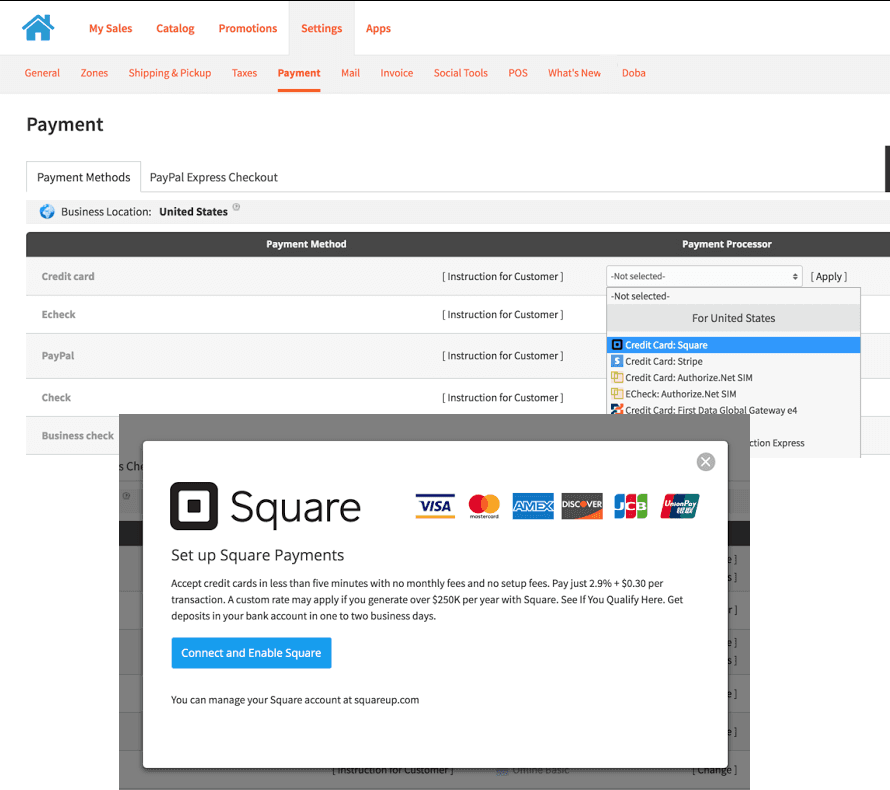
                <![CDATA[<p style="color:rgb(63,64,71);font-family:'Open Sans', sans-serif;font-size:15px;font-style:normal;font-weight:400;text-align:left;">Now your in-person payments (via Square) can go into the same account as your online transactions.</p><p style="color:rgb(63,64,71);font-family:'Open Sans', sans-serif;font-size:15px;font-style:normal;font-weight:400;text-align:left;"></p><p style="color:rgb(63,64,71);font-family:'Open Sans', sans-serif;font-size:15px;font-style:normal;font-weight:400;text-align:left;">Using the Square payment processor, you can collect credit card payments online, easily and securely, using the same account.</p><p style="color:rgb(63,64,71);font-family:'Open Sans', sans-serif;font-size:15px;font-style:normal;font-weight:400;text-align:left;"></p><p style="color:rgb(63,64,71);font-family:'Open Sans', sans-serif;font-size:15px;font-style:normal;font-weight:400;text-align:left;"></p><p style="color:rgb(63,64,71);font-family:'Open Sans', sans-serif;font-size:15px;font-style:normal;font-weight:400;text-align:left;"></p><p style="color:rgb(63,64,71);font-family:'Open Sans', sans-serif;font-size:15px;font-style:normal;font-weight:400;text-align:left;">To add, go to: Manage Store Panel &gt; Settings &gt; Payment &gt; Credit card drop down and enable Square credit card.</p><p style="color:rgb(63,64,71);font-family:'Open Sans', sans-serif;font-size:15px;font-style:normal;font-weight:400;text-align:left;"></p><p style="color:rgb(63,64,71);font-family:'Open Sans', sans-serif;font-size:15px;font-style:normal;font-weight:400;text-align:left;"></p><p style="color:rgb(63,64,71);font-family:'Open Sans', sans-serif;font-size:15px;font-style:normal;font-weight:400;text-align:left;"></p><p style="color:rgb(63,64,71);font-family:'Open Sans', sans-serif;font-size:15px;font-style:normal;font-weight:400;text-align:left;">Available in the premium store. </p><p style="color:rgb(63,64,71);font-family:'Open Sans', sans-serif;font-size:15px;font-style:normal;font-weight:400;text-align:left;"><img src="https://support-hub--assets.s3.eu-west-2.amazonaws.com/assets/268/images/0P2CGF6zSZVgwjmr9rW7MXZK4RTYEnpiEwRU7nO8.png" alt="TIBpZLPPDlDKi66WflwGFx6VEan28yqf8bQbLifQ.png" style="width:838.406px;" class="fr-fic fr-dii" /></p>]]>
            </summary>
                                    <updated>2020-09-18T09:17:17+00:00</updated>
        </entry>
            <entry>
            <title><![CDATA[IMPORT PRODUCTS TO YOUR ECOMMERCE STOREFRONT]]></title>
            <link rel="alternate" href="https://support.yourdigitalagency.com.au/articles/import-products-to-your-ecommerce-storefront-2058" />
            <id>https://support.yourdigitalagency.com.au/2058</id>
            <author>
                <name><![CDATA[Leah Gibbs]]></name>
            </author>
            <summary type="html">
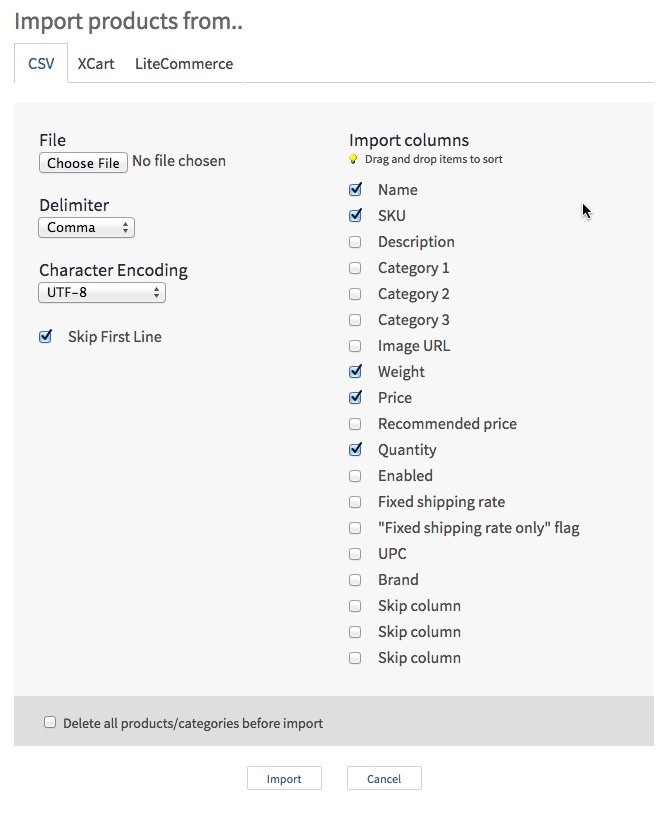
                <![CDATA[ <h5>Overview</h5><p>The import tool in StoreFront allows to upload your products in the form of CSV files. You may want to use this if you need to add or update a lot of products at a time. In your control panel, you can find the import tool at Catalog → Products → Import products.</p><p>For examples of the import tool usage, please refer to this article: Import-Export. </p><h5>CSV</h5><p>StoreFront uses the CSV format for import and export of files.</p><p><a href="http://en.wikipedia.org/wiki/Comma-separated_values" target="_blank" rel="noreferrer noopener"></a><a href="https://en.wikipedia.org/wiki/Comma-separated_values">http://en.wikipedia.org/wiki/Comma-separated_values</a> </p><p>Essentially, CSV is a plain text format, thus you can use any text editor for creating or editing CSV files. On the other hand, spreadsheet editors provide better editing experience. Currently, the most powerful and convenient tools are OpenOffice, MS Excel and Google Docs. We should note that Excel (especially its old versions) won't always open CSV files properly. There are a number of workarounds, however, we recommend using the free OpenOffice app to edit &amp; save your CSV import files.</p><h5>File contents</h5><p>Each line in a CSV file represents the properties of a certain item (e.g. a product, an order item or a customer) separated by a delimiter. The same delimiter should be used for the whole file.</p><p><b>The very first line</b> in a CSV file can contain column names, for example: </p><p><img src="https://support-hub--assets.s3.eu-west-2.amazonaws.com/assets/268/images/xWPwj5RRsZhODv65QT3UIZXXpMj4AEoxAKMUfI3w.png" alt="4fsAkUcznRIYhT03TZzKurdSCZwoI2DLopvHs6W3.png" style="width:838.406px;" class="fr-fic fr-dii" /></p><p>Export always puts column names on the first line. For import, it supports both formats (with or without column names line). The StoreFront import dialog has a relevant option - "Skip first line". In case this option is selected, StoreFront just skips the first line in the file without any verification. If the "Skip first line" option is off, it means that the whole file contains data, and StoreFront checks every line.</p><h5>Data columns separators (delimiters)</h5><p>StoreFront supports three CSV value separators:</p><ul><li>semicolon<br /><br /></li><li>comma<br /><br /></li><li>tabulation</li></ul><h5>Line separators</h5><p>StoreFront supports three different line separators for CSV files:</p><ul><li>\r\n - Windows<br /><br /></li><li>\n - Unix, Linux, MacOS X<br /><br /></li><li>\r - classic MacOS</li></ul><p>StoreFront automatically recognizes file line separators, you do not need to set it up or adjust it in any way.</p><h5>File encoding</h5><p>StoreFront supports more than 10 charsets, such as UTF-8, UTF-16, US-ASCII, etc. If all your products and categories are in English, you don't need to change anything. Use the default encoding settings ("UTF-8") and all the information will be imported correctly. If you want to import a CSV file with non-English characters, we strongly recommend using the UTF-8 encoding for your CSV file. If you cannot use UTF-8 for your CSV file for some reason but use some other encoding, you will need to set the correct encoding in the import settings. Otherwise, the information will not be imported correctly.</p><h5>Number formatting</h5><p>There are two strict requirements for number format in StoreFront import:</p><ol><li>The decimal mark (decimal separator) must be a dot (.)<br /><br /></li><li>A number must not contain a thousand separators</li></ol><p><br /></p><h5><a href="https://support.yourdigitalagency.com.au/articles/import-products-to-your-ecommerce-storefront-1227#columns">Columns </a></h5><p>StoreFront recognizes 14 columns in the CSV file, their descriptions are below:</p><table><tr><td>Column name</td><td>Type</td><td>Description</td><td>Required</td><td>Limits</td></tr><tr><td><b>SKU</b></td><td>string</td><td>Product SKU</td><td>At least SKU or Name field is required</td><td>255 symbols</td></tr><tr><td><b>Name</b></td><td>string</td><td>Product name</td><td>At least SKU or Name field is required</td><td>255 symbols</td></tr><tr><td><b>Description</b></td><td>string</td><td>Product description</td><td>optional</td><td>no limits</td></tr><tr><td><b>Enabled</b></td><td>boolean</td><td>Product availability (enabled/disabled)</td><td>optional</td><td><span>"true", "yes", "on", "Y", "1" for true, any other values for false</span></td></tr><tr><td><b>Weight</b></td><td>floating number</td><td>Product weight</td><td>optional</td><td>Any valid floating number value, if column is present but empty, then product is intangible</td></tr><tr><td><b>Price</b></td><td>floating number</td><td>Product price  </td><td>optional</td><td>Any valid floating number value (do NOT include currency symbol)</td></tr><tr><td><b>Recommended price</b></td><td>floating number</td><td>Product compare-to price</td><td>optional</td><td>Any valid floating number value (do NOT include currency symbol)</td></tr><tr><td><b>Quantity</b></td><td>integer</td><td>Product quantity in stock</td><td>optional</td><td>Any valid integer value, if column is present but empty - quantity tracking is disabled</td></tr><tr><td><b>Image</b></td><td>string</td><td>Product image url</td><td>optional</td><td>Only http:// and https:// links are allowed, any other values are ignored</td></tr><tr><td><b>Category 1</b></td><td>string</td><td>Category name or path to category (e.g.Books/Science/Biology), which product belongs to</td><td>optional</td><td>255 symbols for each name in path, "Books" - one name, "Science" - another name</td></tr><tr><td><b>Category 2</b></td><td>string</td><td>Path to second category, which product belongs to</td><td>optional</td><td>the same as Category 1</td></tr><tr><td><b>Category 3</b></td><td>string</td><td>Path to third category, which product belongs to</td><td>optional</td><td>the same as Category 1</td></tr><tr><td><b>Fixed shipping rate</b></td><td>floating number</td><td>Product shipping freight value</td><td>optional</td><td>Any valid floating number value</td></tr><tr><td><b>Fixed shipping rate only</b></td><td>boolean</td><td>If product has only fixed shipping rate</td><td>optional</td><td>"true", "yes", "on", "Y", "1" for true, any other values for false</td></tr><tr><td><b>UPC</b></td><td>string</td><td>Product 'UPC' attribute (see also: Product types and attributes)</td><td>optional</td><td>255 symbols</td></tr><tr><td><b>Brand</b></td><td>string</td><td>Product 'Brand' attribute (see also: Product types and attributes)</td><td>optional</td><td>255 symbols</td></tr></table><p><span>FAQ </span></p><p><b>Can I use an XLS/XLSX file for import?</b></p><p>An Excel spreadsheet file (XLSX) cannot be uploaded as is, but you can convert it to a CSV right in Excel and then upload to StoreFront. To convert XLSX to CSV, use the 'Save as' option in Excel and choose the 'CSV' format from the available options to save the file with '.csv' extension.</p><p>Please keep in mind that having a .csv extension alone doesn't make the file valid. The file contents also matter, so please make sure they comply with the import format specification.</p><p><b>How can I import product options?</b></p><p>The options are rather complex properties of the products, and it is not really feasible to put them into the same plain table, as described above. So StoreFront doesn't allow importing product options using the CSV format described here yet. However, you can partially import product options using CSV files in X-Cart format. Please, refer to this article: X-Cart import format and StoreFront</p><p><b>Can I import products from other file formats?</b></p><p>Yes, you can import your products in X-Cart and LiteCommerce formats.</p><p>More information on them: </p><ul><li>X-Cart import format and StoreFront<br /><br /></li><li>X-Cart import-export guide<br /><br /></li><li>LiteCommerce: Import/Export Procedures and CSV File Format</li></ul><p><br /></p><p><b>Can I import categories?</b></p><p>StoreFront doesn't allow importing categories using its format yet. However, you can import categories using CSV files in X-Cart format. Please, refer to this article: X-Cart import format and StoreFront</p><p><b>When I import a CSV file, StoreFront shows that the import will take a few hours, however usually it takes about 5 minutes. Why?</b></p><p>Import process is a quite long and resource consuming procedure. Thus it can affect server performance, so all the other stores which use the same server can load slower because of that. We don't want this. We want to make sure, that all the stores are always loaded quickly. So we have implemented a smart way to import products from different stores. How it works (in a nutshell):</p><ul><li>if some StoreFront users try to import products at the same time on the same server, StoreFront doesn't start to process multiple import jobs simultaneously. All the import files are put into a queue and are processed sequentially, one by one.<br /><br /></li><li>If the server load is too high, all the import jobs are stopped temporarily. StoreFront will continue to import products automatically, once the server load becomes normal.<br /><br /></li><li>depending on the server load and the length of the import queue, StoreFront calculates the approximate ETA of import start. It isn't 100% exact, but gives an estimation when your file will be processed.</li></ul><p><br /></p><p>As a result, even if 100 StoreFront users decide to import 20,000 products each at the same time, all the other stores will work without any delays or slow downs.</p><p>In your particular case we assume that the import queue has already had a bunch of files to import and the server load has been a bit high. So it has taken longer than usual to import your file. </p><p><b>What does the "skip column" option do? </b></p><p>The "skip column" options in the import settings dialog are necessary when your CSV file has some columns that cannot be processed by StoreFront, and you for some reason don't want to modify your CSV file. So, just enable the "skip column" option and StoreFront will ignore the corresponding column in the CSV file.</p><h5>Troubleshooting</h5><p>In most cases issues with CSV import in your StoreFront store are related to one of the following:</p><ul><li>invalid CSV file format<br /><br /></li><li>import settings that the store administrator chooses in the StoreFront control panel do not correspond to the file content</li></ul><p>Please look at these screenshots. There you can see an example of a CSV file content and the corresponding import settings:</p><p><img src="https://support-hub--assets.s3.eu-west-2.amazonaws.com/assets/268/images/6AMGFu4PID6tu1lEfZKF3mDCMIlXNVdcMfGKENXW.png" alt="9p0tD7LEgosm23LcK6Jls5yHcNhohTCIlW9jBAnO.jpeg" style="width:838.406px;" class="fr-fic fr-dii" /></p><p><img src="https://support-hub--assets.s3.eu-west-2.amazonaws.com/assets/268/images/GPq6pkKhun4hab3yCMac0aLevnoVp8aiHDiBsxJG.png" alt="gh7WFnmykCaQaWbP1dxekmSwZDD6mKo3CMWDw9xW.jpeg" style="width:838.406px;" class="fr-fic fr-dii" /></p><p>If you have any problem when importing a CSV file to StoreFront, you should first of all check the below points:</p><ol><li>Your file is in CSV format. For information on what CSV format is see <a href="http://en.wikipedia.org/wiki/Comma-separated_values" target="_blank" rel="noreferrer noopener"></a><a href="https://en.wikipedia.org/wiki/Comma-separated_values">http://en.wikipedia.org/wiki/Comma-separated_values</a><br /><br /></li><li>Your file contains columns that StoreFront supports.<br /><br /></li><li>Columns that represent numeric product properties (e.g. price, quantity, etc.) contain numbers, not text-strings.<br /><br /></li><li>Columns enabled in the import settings are the same as in the CSV file. For example, if your CSV file contains SKU, name, price and weight columns, exactly the same checkboxes should be ticked in the import settings dialog (SKU, name, price, weight).<br /><br /></li><li>Column order in the CSV file corresponds the column order in the import settings.<br /><br /></li><li>The values separator (comma, semicolon, or tab) used in your CSV file corresponds the 'Delimiter' option in the import settings dialog.<br /><br /></li><li>CSV file encoding is the same as the one you select in the 'Character encoding' option in the import dialog.</li></ol><p><br /></p><p>Please find the full format specification here.</p><p><b>An error is displayed on the import page. What does it mean? </b></p><p>The import function may generate the following errors:</p><table><tr><td>In StoreFront maximum category depth is limited to 50. Your import file contains category /Category1/Category2/.../Category80, which has depth of 80. Please reduce the number of its parent categories and try again.</td><td>You have too many nested categories</td></tr><tr><td>'Category name' is too long (400 symbols) . The maximum allowed length is 255 symbols.</td><td>StoreFront has a limit for a the category name field length. Your import file contains a category name value longer than 255 symbols.</td></tr><tr><td>Wrong columns count. You have selected 10 columns in import dialog, but the file contains only 8.</td><td>If you select 10 columns, each line in your file has to contain at least 10 values. Values may be empty (it depends on a column type), for example: <i>sku0001;iPhone 3GS 16Gb;;;;;;;;;;;;;</i></td></tr><tr><td>Unsupported image format (<a href="http://www.example.com/image.psd" target="_blank" rel="noreferrer noopener">http://www.example.com/image.psd</a>)</td><td>StoreFront supports only JPG, BMP, PNG and GIF image file formats</td></tr><tr><td>Image <a href="http://www.example.com/image.jpg" target="_blank" rel="noreferrer noopener">http://www.example.com/image.jpg</a> is bigger than 4Mb</td><td>StoreFront doesn't allow uploading images bigger than 4 megabytes</td></tr><tr><td>'SKU' or 'Name' column has to contain value</td><td>Every product line has to contain at least one value - SKU or Name. Product can not be created (or updated) without SKU and Name</td></tr><tr><td>'SKU' is too long (300 symbols) . The maximum allowed length is 255 symbols.</td><td>StoreFront has a limit for the SKU field length. Your import file contains SKU values which are longer than 255 symbols</td></tr><tr><td>'Name' is too long (350 symbols) . The maximum allowed length is 255 symbols.</td><td>StoreFront has a limit on the Name field length. Your import file contains Name values longer than 255 symbols</td></tr><tr><td>Incorrect 'price'/'weight'/etc value</td><td>Column has data of a wrong format. Please do not use letters or currency symbols in numeric columns</td></tr><tr><td>Malformed image URL <a target="_blank" rel="noreferrer noopener">htp://example.com/image.jpg</a></td><td><p>URL is of a wrong format. For example,</p><ul><li>wrong protocol -<b>htp</b>://<a href="http://www.example.com/image.jpg">www.example.com/image.jpg</a><br /><br /></li><li>no protocol - <a href="http://www.example.com/image.jpg">www.example.com/image.jpg</a></li></ul><p><br />Common URL format is [protocol]://[server]/[file path]</p></td></tr><tr><td>Cannot upload image <a href="http://www.example.com/image.jpg" target="_blank" rel="noreferrer noopener"></a><a href="http://www.example.com/image.jpg">http://www.example.com/image.jpg</a></td><td>StoreFront can not load an image from server example.com due to server failures, timeouts or other network problems</td></tr><tr><td>StoreFront has a limitation of 10,000 categories per store.</td><td>StoreFront has a limitation of 10,000 unique categories per one store. This error message means than your store plus categories from the import file would break this limit</td></tr></table><p><br /></p><p><b>I have tried to update my products with import, but it has duplicated them. Why is that? </b></p><p>When updating your products with the import function, StoreFront checks if the incoming products already exist in your inventory by their SKUs as the key field. It takes each row of the imported file and verifies whether the SKU is already present among your products. The SKU is verified word-by-word, i.e. the length and the exact characters in the SKU must match both in the imported file and ina your inventory in order for StoreFront to consider this product a target for the update. If such a product is not found, StoreFront will create a new one and will store the information from that row in the new product.</p><p>So, for example, SKUs '00050' and just '50' are completely different for StoreFront, despite that they both may represent numeric value 50 and may look the same for humans. When you have a product with SKU '00050' in your inventory, and try to import a product with SKU '50', you will get 2 similar but separate products - because for StoreFront those 2 SKUs are completely different.</p><p>We have had a number of reports that Microsoft Excel has to cut off the leading zeros from the SKUs, just like in the example above. This may result in duplicating products when you quickly edit your exported inventory in Excel and import it back to StoreFront.</p><p>Excel automatically selects the most similar format for the columns, so if you use numeric SKUs and try to edit an exported file from your StoreFront inventory in Excel, it may decide that SKUs are pure numerals and their leading zeros are meaningless.</p><p>To prevent such behavior, you can try to rename the exported *.csv files from StoreFront into *.txt, open them in Excel with 'Open…' menu command (not just by double-clicking on the file). In this case Excel will show the settings dialog, where you can select the exact type for each column; you should select the 'Text' type for the SKU column to preserve its leading zeros.</p><p>The other solution is to use <a href="http://www.openoffice.org/" target="_blank" rel="noreferrer noopener"></a><a href="http://www.openoffice.org/">OpenOffice.org free office suite</a> to edit the *.csv files exported from StoreFront. No renaming is needed then: you can just open the *.csv files with OpenOffice spreadsheet editor and it will show the settings dialog immediately. Make sure that the settings you use there produce a meaningful table of product properties for you, and the SKU codes match the ones you actually use in your StoreFront shop.</p><p><b>Product images failed to import. Why?</b></p><p>In some cases everything is imported fine except for the product images. If you face such a problem, please follow these troubleshooting steps:</p><p><b>1. Check whether the images URLs you put in your CSV file are correct and accessible on the web.</b></p><p>The images prepared for import have to be available by direct links, e.g. '<a href="http://example.com/images/product_1.jpg" target="_blank" rel="noreferrer noopener"></a><a href="http://example.com/images/product_1.jpg">http://example.com/images/product_1.jpg</a>'. To check them you can try to open an image URL in your browser: if the image is opened without asking for password or login, it can be included into the import file.</p><p><b>2. Make sure each product image URL leads directly to the image file, not to an HTML page that contains the image.</b></p><p>For example, if you upload your images to some image hosting like Flickr and want to include their URLs to your StoreFront CSV import file, you have to use the direct links (e.g. <a href="http://example.com/image.jpg" target="_blank" rel="noreferrer noopener"></a><a href="http://example.com/image.jpg">http://example.com/image.jpg</a>) , not just URLs of HTML pages that display that image (e.g. <a href="http://example.com/image_page.html" target="_blank" rel="noreferrer noopener"></a><a href="http://example.com/image_page.html">http://example.com/image_page.html</a>) . Here's how to get a direct link from an HTML page containing the image:</p><ul><li>open the page in your browser<br /><br /></li><li>right-click on the displayed image<br /><br /></li><li>the mouse context menu will likely contain a selection like 'Copy image URL' . This URL will work unless it is protected by your account login.</li></ul><p><b><br /></b></p><p><b>I use non-English characters in my product names and descriptions. When I export them to a CSV file and open them in Excel, the characters do not show correctly.</b></p><p>StoreFront exports all the information in UTF-8. This encoding is widely used and is already a standard for web applications, because it is compatible with all languages. For example, you can have a part of your product description in French and the other part - in Japanese.</p><p>However, if you use a non-English version of Excel, it may expect your CSV file to be in a different encoding, for example in the encoding of your national language. Thus, non-ASCII symbols will be corrupted. In order to fix this issue take these steps:</p><ul><li>Launch Excel.<br /><br /></li><li>Go to the "Data → From text" page (if you use localized Excel, the actual menu items` names may vary). Open your CSV file.<br /><br /></li><li>The "<a href="https://support.office.com/en-us/article/text-import-wizard-c5b02af6-fda1-4440-899f-f78bafe41857?ocmsassetID=HP010102244&amp;CorrelationId=560e0800-43f9-467a-8925-dba0901ba6e8&amp;ui=en-US&amp;rs=en-US&amp;ad=US" target="_blank" rel="noreferrer noopener"></a><a href="https://support.office.com/en-us/article/text-import-wizard-c5b02af6-fda1-4440-899f-f78bafe41857?ocmsassetID=HP010102244&amp;CorrelationId=560e0800-43f9-467a-8925-dba0901ba6e8&amp;ui=en-US&amp;rs=en-US&amp;ad=US">Text Wizard</a>" window will appear. Set the correct delimiter and charset (use "UTF-8")</li></ul><p><b><br /></b></p><p><b>All decimals are rounded to nearest integers after importing a CSV file. Why?</b></p><p>Such issues are caused by an incorrect number format used in the import CSV file, e.g. when you use a comma as a decimal separator (it must be a dot). Please refer to this paragraph for the details: Number format.</p> ]]>

            </summary>
                                    <updated>2020-09-18T09:17:23+00:00</updated>
        </entry>
            <entry>
            <title><![CDATA[EXCITING ECOMMERCE CHANGES: DEMO STORE, UNLIMITED STORE]]></title>
            <link rel="alternate" href="https://support.yourdigitalagency.com.au/articles/exciting-ecommerce-changes-demo-store-unlimited-store-2059" />
            <id>https://support.yourdigitalagency.com.au/2059</id>
            <author>
                <name><![CDATA[Leah Gibbs]]></name>
            </author>
            <summary type="html">
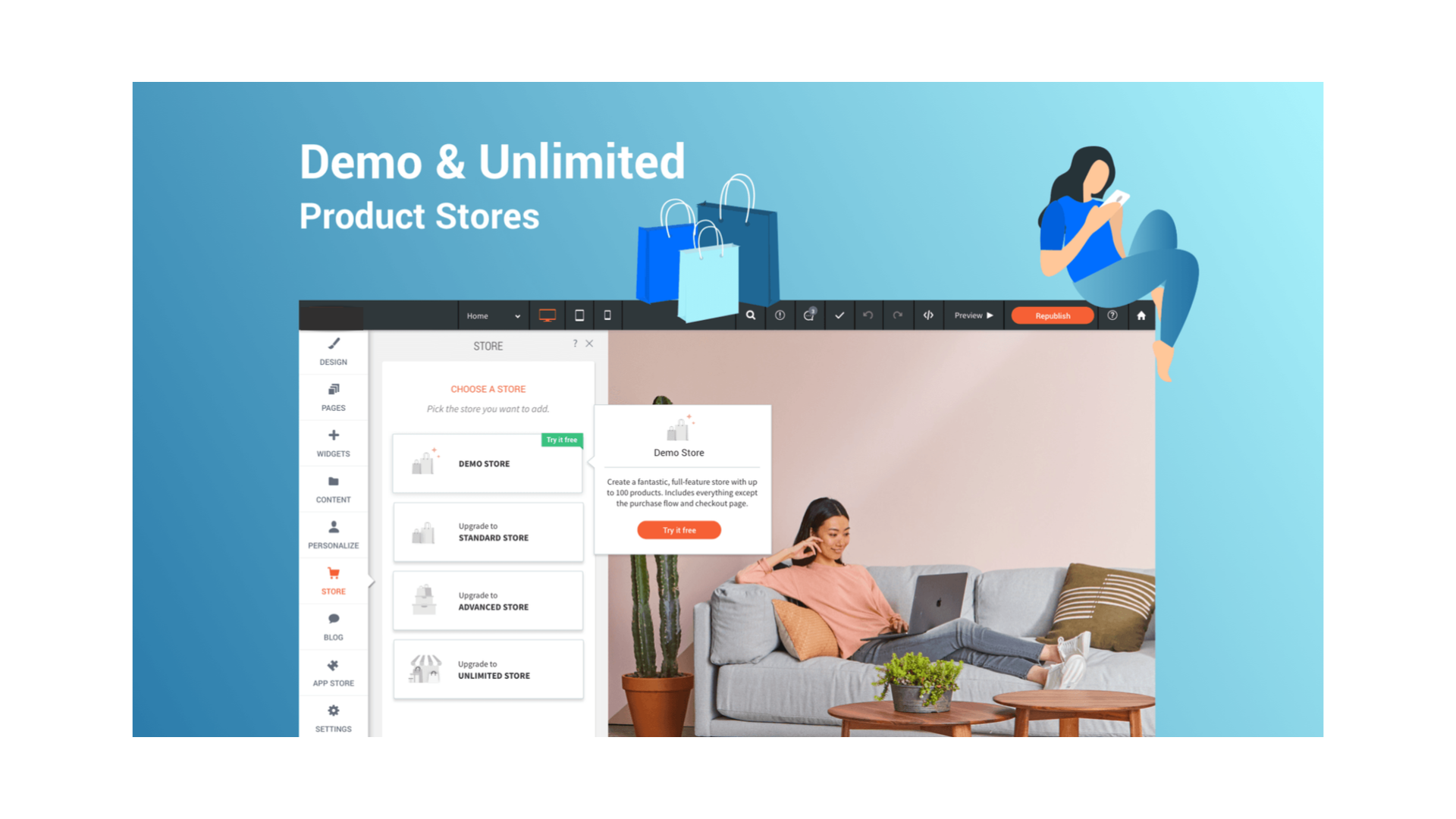
                <![CDATA[ <p>Your eCommerce plans are changing to better serve your needs and the growing eCommerce market in general. As part of these changes, you have two exciting new eCommerce plans to choose from.</p><p><img src="https://support-hub--assets.s3.eu-west-2.amazonaws.com/assets/268/images/lVwFNWMg8urNUlP2o7npQJHFUrnceJy2j5IOgXTQ.png" alt="Ov00T4Rx5ONGWTaaF6YIJ7F62yA90xHNjvaSMQdS.png" style="width:838.406px;" class="fr-fic fr-dii" /></p><h5><a href="https://support.yourdigitalagency.com.au/articles/exciting-ecommerce-changes-demo-store-unlimited-store-1384#demo-store-try-free-for-the-full-store-experience">Demo Store: Try free for the full store experience  </a></h5><p>Build an entire store, with all the features of the Standard Store plan (previously the 100 product store), show it to your clients, all before you pay for it. This store does not include a checkout option until it is paid for. After purchasing a plan, checkout is possible without further customization.</p><h5>Unlimited Store: Includes Square POS integration  </h5><p>This opens all the possibilities that you need to get the most from your online business. It includes everything offered in the lower plans as well as Square POS support, global discounts and, of course, unlimited products.</p><h5>New Names Reflect Plan Features</h5><p>In addition to these new plans, two current plans have been renamed to better reflect their feature set:</p><p><b>Standard Store:</b> Previously the 100-Product Plan, includes store search and display filters, full customization, sale options and more.</p><p><b>Advanced Store:</b> Previously the 2500-Product Plan, includes 1G digital downloads, discount coupons, automatic tax calculations and more. </p> <p></p>]]>
            </summary>
                                    <updated>2020-09-18T09:17:33+00:00</updated>
        </entry>
            <entry>
            <title><![CDATA[GETTING STARTED]]></title>
            <link rel="alternate" href="https://support.yourdigitalagency.com.au/articles/getting-started-2060" />
            <id>https://support.yourdigitalagency.com.au/2060</id>
            <author>
                <name><![CDATA[Leah Gibbs]]></name>
            </author>
            <summary type="html">
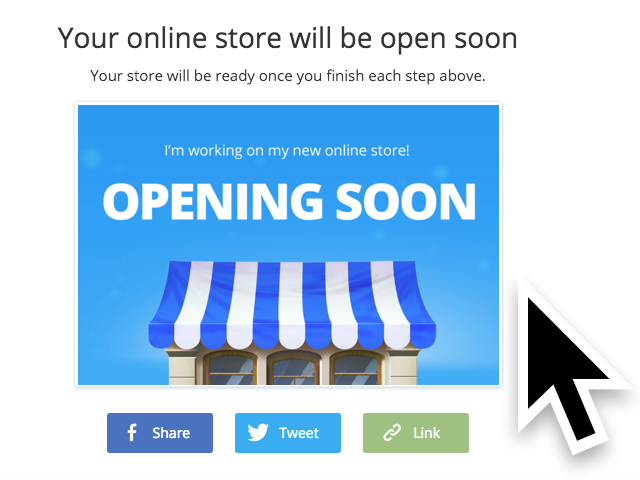
                <![CDATA[<p style="color:rgb(63,64,71);font-family:'Open Sans', sans-serif;font-size:15px;font-style:normal;font-weight:400;text-align:left;">The Store widget enables you to sell products on your Website. Our robust eCommerce system is easy to set up, compatible with multiple payment processors and shipping providers, and can import products from CSV, or other shopping cart systems such as X-Cart or LiteCommerce. Use our eCommerce store to get your business online and selling today!</p><p style="color:rgb(63,64,71);font-family:'Open Sans', sans-serif;font-size:15px;font-style:normal;font-weight:400;text-align:left;"></p><h5>Adding a store</h5><p style="color:rgb(63,64,71);font-family:'Open Sans', sans-serif;font-size:15px;font-style:normal;font-weight:400;text-align:left;">If you have not added store functions on your website, do the following:</p><ol><li>Click <b>Store</b> on the left menu.<br /><br /></li><li>Click the <b>Upgrade</b> button to upgrade your plan and add the store feature to your Website.</li></ol><p style="color:rgb(63,64,71);font-family:'Open Sans', sans-serif;font-size:15px;font-style:normal;font-weight:400;text-align:left;"><br /></p><h5>Adding products to your store</h5><p style="color:rgb(63,64,71);font-family:'Open Sans', sans-serif;font-size:15px;font-style:normal;font-weight:400;text-align:left;">Enter a product name and price, and upload an image for each product in your store. Click <b>Add more</b> to add more products to your store and click <b>Save</b> when you're done.</p><p style="color:rgb(63,64,71);font-family:'Open Sans', sans-serif;font-size:15px;font-style:normal;font-weight:400;text-align:left;"><img src="https://support-hub--assets.s3.eu-west-2.amazonaws.com/assets/268/images/RkOJUZ8THyK6kslsGKIFjDIzmqcGUfeYDiNKr61o.png" alt="BRLF3jjGJF6iCmdjigw1zIpbQTogm4C5bskUXDPM.png" style="width:838.406px;" class="fr-fic fr-dii" /></p><p style="color:rgb(63,64,71);font-family:'Open Sans', sans-serif;font-size:15px;font-style:normal;font-weight:400;text-align:left;"></p><h5>Localizing your store </h5><p style="color:rgb(63,64,71);font-family:'Open Sans', sans-serif;font-size:15px;font-style:normal;font-weight:400;text-align:left;">For your store to work, you need to provide units of currency and weight for your products. The default is the U.S. dollar and kilogram, but you may wish to change these to better suit your location.</p><p style="color:rgb(63,64,71);font-family:'Open Sans', sans-serif;font-size:15px;font-style:normal;font-weight:400;text-align:left;"><img src="https://support-hub--assets.s3.eu-west-2.amazonaws.com/assets/268/images/hcvuZ0wqL2YuW4zAXhpgL1vD0MLqTMMMofy3RaCV.png" alt="9rNXoumXz2REl14jf1h0rWKjBhB0PQW3ojH5lqUf.png" style="width:838.406px;" class="fr-fic fr-dii" /></p><p style="color:rgb(63,64,71);font-family:'Open Sans', sans-serif;font-size:15px;font-style:normal;font-weight:400;text-align:left;"></p><h5>Setting up your shipping </h5><p style="color:rgb(63,64,71);font-family:'Open Sans', sans-serif;font-size:15px;font-style:normal;font-weight:400;text-align:left;">If you're selling physical goods, you'll want to set up shipping for your store to make sure your customers pay you for the cost of shipping. If you aren't selling physical goods, you'll want to disable shipping for those products.</p><p style="color:rgb(63,64,71);font-family:'Open Sans', sans-serif;font-size:15px;font-style:normal;font-weight:400;text-align:left;"><img src="https://support-hub--assets.s3.eu-west-2.amazonaws.com/assets/268/images/3ua7yzEn6w1WBiMjMdri6ADRaRcMJqJmTyKMpsPS.png" alt="iFumNv9W4rHHcZNEjDM8CIlgZwGOiH1ReSorlMGK.png" style="width:838.406px;" class="fr-fic fr-dii" /></p><p style="color:rgb(63,64,71);font-family:'Open Sans', sans-serif;font-size:15px;font-style:normal;font-weight:400;text-align:left;"></p><h5><a href="https://support.yourdigitalagency.com.au/articles/getting-started-1685#setting-up-payment-options">Setting up payment options </a></h5><p style="color:rgb(63,64,71);font-family:'Open Sans', sans-serif;font-size:15px;font-style:normal;font-weight:400;text-align:left;">You need a way to get paid. By default, PayPal and Stripe are the simplest ways to let your customers pay you, but we allow for a huge variety of other payment methods. Click the PayPal or Stripe options to select a payment method, or click <b>Advanced payments setup</b> if you want to use a different method.</p><p style="color:rgb(63,64,71);font-family:'Open Sans', sans-serif;font-size:15px;font-style:normal;font-weight:400;text-align:left;"><img src="https://support-hub--assets.s3.eu-west-2.amazonaws.com/assets/268/images/bPRBg5vyVUq1Wp4WoXIIiQmdSPf2wqxqSVBu4G6w.png" alt="ip8M2BzA8qlWJWBrEME2ESt5OkCupyuxTCwoiCoz.png" style="width:838.406px;" class="fr-fic fr-dii" /></p><p style="color:rgb(63,64,71);font-family:'Open Sans', sans-serif;font-size:15px;font-style:normal;font-weight:400;text-align:left;"><br /></p><h5><a href="https://support.yourdigitalagency.com.au/articles/getting-started-1685#finishing-your-store">Finishing your store </a></h5><p style="color:rgb(63,64,71);font-family:'Open Sans', sans-serif;font-size:15px;font-style:normal;font-weight:400;text-align:left;">Once you've gone through every step in the set up, click the <b>Finish Store</b> button to start selling. You can always come back to this page to edit your store's settings after you've created it.</p><p style="color:rgb(63,64,71);font-family:'Open Sans', sans-serif;font-size:15px;font-style:normal;font-weight:400;text-align:left;"><img src="https://support-hub--assets.s3.eu-west-2.amazonaws.com/assets/268/images/Cgkvz1PxOZmMGCbgHOmCEwZsnWVMFwKWszDuIXis.png" alt="n17ohvT9R6uO8i20di3voMSIKkGexlRi6JelPysq.png" style="width:838.406px;" class="fr-fic fr-dii" /></p><p style="color:rgb(63,64,71);font-family:'Open Sans', sans-serif;font-size:15px;font-style:normal;font-weight:400;text-align:left;"></p><h5><a href="https://support.yourdigitalagency.com.au/articles/getting-started-1685#manage-your-store">Manage your store </a></h5><p style="color:rgb(63,64,71);font-family:'Open Sans', sans-serif;font-size:15px;font-style:normal;font-weight:400;text-align:left;">When your store is created, you can manage your store by clicking <b>Store</b> on the left menu, then clicking the <b>Manage Store</b> button. This will bring up the Store Control Panel, where you can manage your sales, catalog (products), promotions, and store settings.</p><p style="color:rgb(63,64,71);font-family:'Open Sans', sans-serif;font-size:15px;font-style:normal;font-weight:400;text-align:left;"><img src="https://support-hub--assets.s3.eu-west-2.amazonaws.com/assets/268/images/J1r0rlyxFIUlTZhPfv4vxCdlVRlxBlEwSrYuZ8P7.png" alt="lnukv8FWemx8WIt6avCorXBa9V6U6xswZrMBpznA.png" style="width:838.406px;" class="fr-fic fr-dii" /></p><p style="color:rgb(63,64,71);font-family:'Open Sans', sans-serif;font-size:15px;font-style:normal;font-weight:400;text-align:left;"><img src="https://support-hub--assets.s3.eu-west-2.amazonaws.com/assets/268/images/MQdk1Tc2Zsiq5iVmtgrR0nWqsvHxQncv4h9e2Caz.png" alt="wBxiaPa3KSULk29vuxcXwZukBRjBwLkgIvrmHLZZ.png" style="width:838.406px;" class="fr-fic fr-dii" /></p><p style="color:rgb(63,64,71);font-family:'Open Sans', sans-serif;font-size:15px;font-style:normal;font-weight:400;text-align:left;"></p><p style="color:rgb(63,64,71);font-family:'Open Sans', sans-serif;font-size:15px;font-style:normal;font-weight:400;text-align:left;">Other options include adding store widgets (e.g. cart, search box), adding store categories as a subpage of your home page or another page on your Website, accessing the FAQs to give you more information about your store, and upgrading your store to feature more products.</p><p style="color:rgb(63,64,71);font-family:'Open Sans', sans-serif;font-size:15px;font-style:normal;font-weight:400;text-align:left;"><img src="https://support-hub--assets.s3.eu-west-2.amazonaws.com/assets/268/images/2YeEHHUlHsfEtu4nnnlEdoZyJpduQpkXuFuQsPrW.png" alt="UK317MmZbouk2RdVsnGZzxfvjKMvSe6yQZS1L6YQ.png" style="width:838.406px;" class="fr-fic fr-dii" /></p><p style="color:rgb(63,64,71);font-family:'Open Sans', sans-serif;font-size:15px;font-style:normal;font-weight:400;text-align:left;"></p><h5><a href="https://support.yourdigitalagency.com.au/articles/getting-started-1685#considerations">Considerations </a></h5><p style="color:rgb(63,64,71);font-family:'Open Sans', sans-serif;font-size:15px;font-style:normal;font-weight:400;text-align:left;">In addition to having more products, each eCommerce Store plan has more features and functionality. Be sure to carefully check the plans descriptions for more information.</p>]]>
            </summary>
                                    <updated>2020-09-18T09:17:53+00:00</updated>
        </entry>
            <entry>
            <title><![CDATA[REAL ESTATE - NEW TEMPLATE]]></title>
            <link rel="alternate" href="https://support.yourdigitalagency.com.au/articles/real-estate-new-template-2061" />
            <id>https://support.yourdigitalagency.com.au/2061</id>
            <author>
                <name><![CDATA[Leah Gibbs]]></name>
            </author>
            <summary type="html">
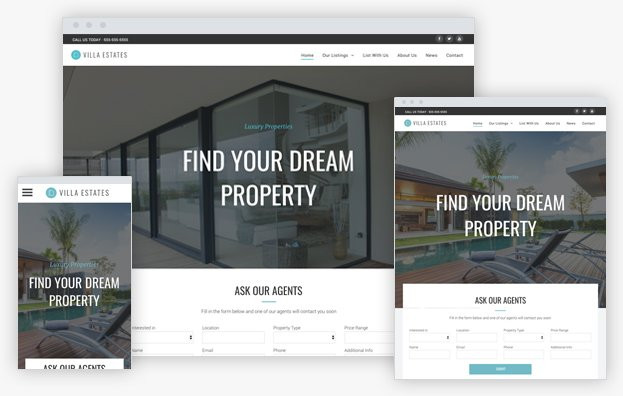
                <![CDATA[<p style="color:rgb(63,64,71);font-family:'Open Sans', sans-serif;font-size:15px;font-style:normal;font-weight:400;text-align:left;">Do you have customers with multiple properties or products to sell, rent or lease?</p><p style="color:rgb(63,64,71);font-family:'Open Sans', sans-serif;font-size:15px;font-style:normal;font-weight:400;text-align:left;"></p><p style="color:rgb(63,64,71);font-family:'Open Sans', sans-serif;font-size:15px;font-style:normal;font-weight:400;text-align:left;">The new Real Estate template is a perfect start for building their website. In addition to using it for real estate agents, it can be used for car dealerships, hotels, and more.</p><p style="color:rgb(63,64,71);font-family:'Open Sans', sans-serif;font-size:15px;font-style:normal;font-weight:400;text-align:left;"></p><p style="color:rgb(63,64,71);font-family:'Open Sans', sans-serif;font-size:15px;font-style:normal;font-weight:400;text-align:left;">The template has a rich Contact Form, so customers can easily collect important information from site visitors.</p><p style="color:rgb(63,64,71);font-family:'Open Sans', sans-serif;font-size:15px;font-style:normal;font-weight:400;text-align:left;"></p><p style="color:rgb(63,64,71);font-family:'Open Sans', sans-serif;font-size:15px;font-style:normal;font-weight:400;text-align:left;">It also has a list for describing key features, a blog for posting news, and the new Photo Gallery, designed to show off your customers' images in their very best light. </p><p style="color:rgb(63,64,71);font-family:'Open Sans', sans-serif;font-size:15px;font-style:normal;font-weight:400;text-align:left;"><img src="https://support-hub--assets.s3.eu-west-2.amazonaws.com/assets/268/images/N0Yx1NNA0rbXv70kE6YQ2ui3cRUUcGodAwSfHPFm.png" alt="wpLciArmZnxqwm5P5xhaspNk2Z8AO8XV892ozmUe.jpeg" style="width:838.406px;" class="fr-fic fr-dii" /></p>]]>
            </summary>
                                    <updated>2020-09-18T09:17:57+00:00</updated>
        </entry>
            <entry>
            <title><![CDATA[PRESCHOOL - NEW TEMPLATE]]></title>
            <link rel="alternate" href="https://support.yourdigitalagency.com.au/articles/preschool-new-template-2062" />
            <id>https://support.yourdigitalagency.com.au/2062</id>
            <author>
                <name><![CDATA[Leah Gibbs]]></name>
            </author>
            <summary type="html">
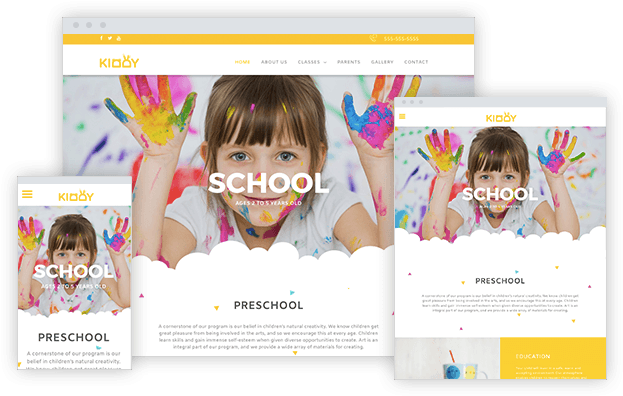
                <![CDATA[<p>This colorful new template is a great place to start the next time you want to build a website that is youthful, exciting and filled with life. It’s perfect for schools, day care programs, afterschool programs, summer camps, dance classes and more.</p><p>The template has bold colors, a friendly, accessible font, and great photo galleries that feature the engaging new zoom effect.</p><p><img src="https://support-hub--assets.s3.eu-west-2.amazonaws.com/assets/268/images/xKJVZYzFTnxIjGrsY4DcT5ZsQ6HexHKNHTlRYxJT.png" alt="E8ro959TaRQlL5Io5ue2wnT1PKiDgwzGt2na1Y1M.png" style="width:838.406px;" class="fr-fic fr-dii" /></p><p><br /></p><p><b>Check out the bubbles!</b></p><p>Like the cool bubble effect running through the middle of it? This effect was made using a cool design trick that you can copy in any template that you like. To replace the background image, go to the Design panel, click Site Background, and replace the background image. You can also do this with a row background.</p><p>To replace the bubble shape, simply build a .png with your preferred design tool and use it instead of the bubble shape image.</p><p><br /></p>]]>
            </summary>
                                    <updated>2020-09-18T09:17:59+00:00</updated>
        </entry>
            <entry>
            <title><![CDATA[NEW TEMPLATE: WORKSPACE]]></title>
            <link rel="alternate" href="https://support.yourdigitalagency.com.au/articles/new-template-workspace-2063" />
            <id>https://support.yourdigitalagency.com.au/2063</id>
            <author>
                <name><![CDATA[Leah Gibbs]]></name>
            </author>
            <summary type="html">
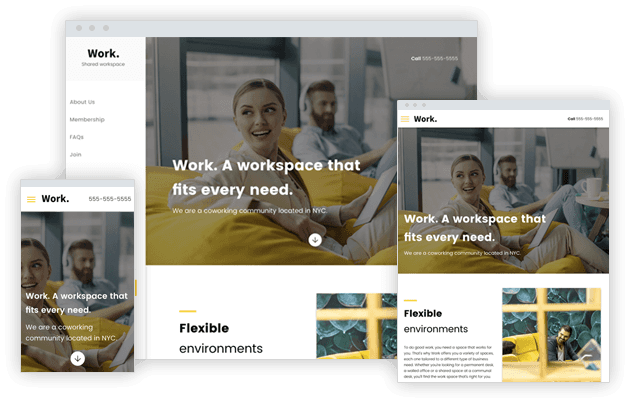
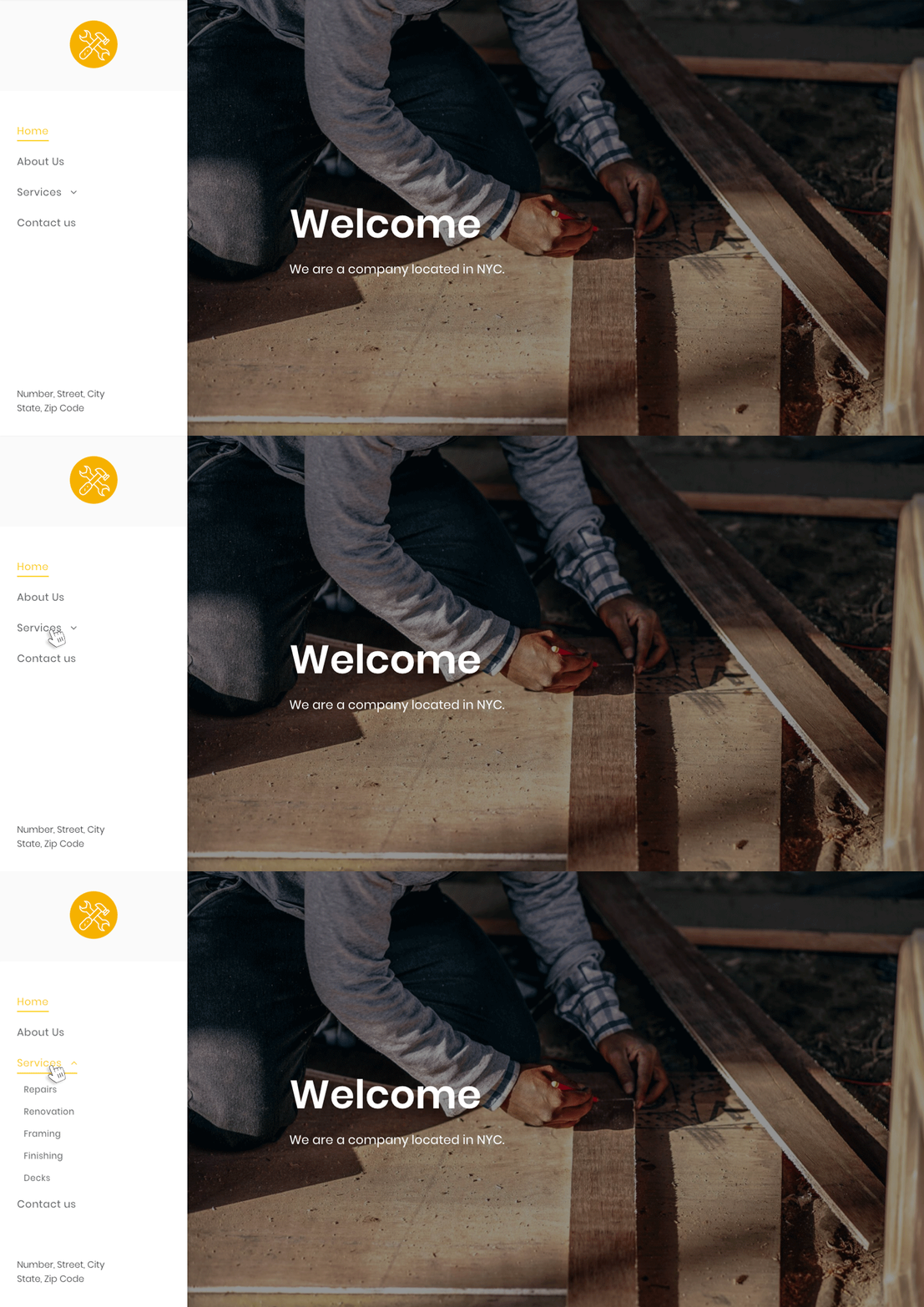
                <![CDATA[<p style="color:rgb(63,64,71);font-family:'Open Sans', sans-serif;font-size:15px;font-style:normal;font-weight:400;text-align:left;">Community workspaces abound these days, and they are the inspiration for the new Workspace template. Of course, you can use this template for customers with any type of business, including insurance agents or consultants. It includes FAQs, a membership page, a contact form, and more.</p><p style="color:rgb(63,64,71);font-family:'Open Sans', sans-serif;font-size:15px;font-style:normal;font-weight:400;text-align:left;"><img src="https://support-hub--assets.s3.eu-west-2.amazonaws.com/assets/268/images/8HidQkXg9ciCPWZF4cLqe5JOwH00fuguBsloGHkl.png" alt="iyGuNuPOtm9Ytq4c7pr9TxJdlWluUEFm7A13JhuL.png" style="width:838.406px;" class="fr-fic fr-dii" /></p><p style="color:rgb(63,64,71);font-family:'Open Sans', sans-serif;font-size:15px;font-style:normal;font-weight:400;text-align:left;">The template features bold, easy-to-read fonts that convey information clearly at a glance. The desktop version features a sidebar header, freeing up the full height of the page for other content. The sidebar header is fully customizable, so you can add as many widgets as you like.</p><p style="color:rgb(63,64,71);font-family:'Open Sans', sans-serif;font-size:15px;font-style:normal;font-weight:400;text-align:left;"></p><p style="color:rgb(63,64,71);font-family:'Open Sans', sans-serif;font-size:15px;font-style:normal;font-weight:400;text-align:left;">The tablet version of the template features an expandable menu, enabling more attention to be drawn to the Click to call message in the header. You can replace this link with any other icon that you like, connecting it to the appropriate internal or external page.</p>]]>
            </summary>
                                    <updated>2020-09-18T09:18:01+00:00</updated>
        </entry>
            <entry>
            <title><![CDATA[NEW TEMPLATE: ARCHITECT]]></title>
            <link rel="alternate" href="https://support.yourdigitalagency.com.au/articles/new-template-architect-2064" />
            <id>https://support.yourdigitalagency.com.au/2064</id>
            <author>
                <name><![CDATA[Leah Gibbs]]></name>
            </author>
            <summary type="html">
                <![CDATA[<p style="color:rgb(63,64,71);font-family:'Open Sans', sans-serif;font-size:15px;font-style:normal;font-weight:400;text-align:left;">Discover the newest template at your fingertips - Architect. It’s a fantastic place to start building websites for clients who have lots of great photographs to show off. This includes stylists, interior designers, and any other clients with rich portfolios that merit a lot of space for images.</p><p style="color:rgb(63,64,71);font-family:'Open Sans', sans-serif;font-size:15px;font-style:normal;font-weight:400;text-align:left;"><img src="https://support-hub--assets.s3.eu-west-2.amazonaws.com/assets/268/images/zEPuy59kavM9iPVOHLsePiVVzM56foJGbCMDYOey.png" alt="KVUHJfXvxZKITCpULOQHVM0FqdLnL1lTaDL1ePC2.png" style="width:838.406px;" class="fr-fic fr-dii" /></p><p style="color:rgb(63,64,71);font-family:'Open Sans', sans-serif;font-size:15px;font-style:normal;font-weight:400;text-align:left;"><br /></p><p style="color:rgb(63,64,71);font-family:'Open Sans', sans-serif;font-size:15px;font-style:normal;font-weight:400;text-align:left;">The template has a hamburger icon in all versions and a side-entering expandable menu on desktop. This leaves maximum room for images, while enabling navigation to be revealed on a click. The sidebar is flexible, so you can add more images here if you like (even an image gallery).</p><p style="color:rgb(63,64,71);font-family:'Open Sans', sans-serif;font-size:15px;font-style:normal;font-weight:400;text-align:left;"></p><p style="color:rgb(63,64,71);font-family:'Open Sans', sans-serif;font-size:15px;font-style:normal;font-weight:400;text-align:left;">The template includes a blog, so clients can stay in touch easily with their customers, as well as an image-rich project page that includes space for descriptive texts.</p>]]>
            </summary>
                                    <updated>2020-09-18T09:18:03+00:00</updated>
        </entry>
            <entry>
            <title><![CDATA[NEW TEMPLATE - WINERY LANDING PAGE]]></title>
            <link rel="alternate" href="https://support.yourdigitalagency.com.au/articles/new-template-winery-landing-page-2065" />
            <id>https://support.yourdigitalagency.com.au/2065</id>
            <author>
                <name><![CDATA[Leah Gibbs]]></name>
            </author>
            <summary type="html">
                <![CDATA[ <p>Say “Cheers!” to the latest template in your dashboard - the Winery Landing Page. It’s a handy one-pager that’s perfect for promoting special events, promotions, sales, etc. It has a beautiful diagonal design that you can recreate in another template (see instructions below) or save as a Section and reuse over and over again.</p><p><img src="https://support-hub--assets.s3.eu-west-2.amazonaws.com/assets/268/images/zz9R0138gENsqYcW9WzNdqCeig3qFvLsLIEfODGd.png" alt="A8R5qmoZG2bBonklxS3lYRKA1c4zBIBAvTpBECEe.png" style="width:838.406px;" class="fr-fic fr-dii" /></p><p>This landing page is designed to direct visitors towards a single goal - to reserve a spot for an event. Of course, it can be adjusted to suit any goal or campaign that your customers have. The design is simple but sophisticated, with an elegant diagonal section contrasted by eight tidy circles in the photo gallery.</p><p></p><p><br /></p><p></p><p>How to create a diagonal section</p><p>With a bit of graphic editing, you can create a diagonal section in your websites just like the one in this template. (Of course, you can also save these rows as a Section, and simply reuse in any other website. For more on how to save as a Section, click <a href="https://help.duda.co/hc/en-us/articles/115013680147-Team-Sections" target="_blank" rel="noreferrer noopener">here</a>).</p><p></p><p><b>Step 1.</b> Use Photoshop or another graphic editing platform to create a triangle with a width of 1920px and a transparent background, and export it as a PNG.</p><p><img src="https://support-hub--assets.s3.eu-west-2.amazonaws.com/assets/268/images/Mz4z7gjshJA6SRZlHPIv9DhB2QWuZv97E7OPozzg.png" alt="MFdzHIs4wsyCXuggFcPsRPjgblJx4SxIQiy4bvFI.png" style="width:838.406px;" class="fr-fic fr-dii" /></p><p><b>Step 2.</b> Add an Image widget at the bottom of a row and upload this triangle as the image. Set the row to full bleed, make sure it has only 1 column and that the background is an image or color. If it’s a color, make sure it is different from the triangle you created. Add widgets above the triangular shape; for example, text, a button, etc.</p><p></p><p>The effect is most visible when the section below this one has the same color as the triangle you’ve added.</p><p><br /></p><p><br /></p><p><b>For a diagonal top and bottom</b></p><p><img src="https://support-hub--assets.s3.eu-west-2.amazonaws.com/assets/268/images/VeJbjg4F88LLPzh1yoyzdosZWRCHqM0jIRWFbMAP.png" alt="zB5uSPDXkQ8YQDSLcWLDNztDltJxXmeIGCf93ndj.png" style="width:838.406px;" class="fr-fic fr-dii" /><b><br /></b></p><p><b><br /></b></p><p><b>This effect is created using 3 rows:</b></p><p></p><p><b>Row 1: </b>Full bleed, no spacing, add an image widget with a triangle image (as described above) and set it at the top of the row. Set the row background color to a different color than that of the triangle.</p><p><img src="https://support-hub--assets.s3.eu-west-2.amazonaws.com/assets/268/images/lpLWLOJCm3xNR8yceQzqC2MaLzigzjh9ofC9au1V.png" alt="opSoblt6AK9ucptLLzFchodyUgwIDeFdjYYnx3zx.png" style="width:838.406px;" class="fr-fic fr-dii" /></p><p><b>Row 2: </b>Add your content, with as many columns as you like. Make the background row color identical to the color in Row 1.</p><p></p><p><b>Row 3:</b> Full bleed, no spacing, add an image widget with a triangle that is the <b>mirror image </b>of the one you added above. Set it at the bottom and set the same row background color as in row 1 and 2.</p><p><img src="https://support-hub--assets.s3.eu-west-2.amazonaws.com/assets/268/images/Y27nc19q5Qe8FD1yosgT4tUdAEF3dFDXyjjDEbgg.png" alt="za6NMUo2Prb9jOpLkRbEmbZkDAuyArqCyHjqtnhq.png" style="width:838.406px;" class="fr-fic fr-dii" /></p> <p></p>]]>
            </summary>
                                    <updated>2020-09-18T09:18:12+00:00</updated>
        </entry>
            <entry>
            <title><![CDATA[NEW TEMPLATE - WEBINAR LANDING PAGE]]></title>
            <link rel="alternate" href="https://support.yourdigitalagency.com.au/articles/new-template-webinar-landing-page-2066" />
            <id>https://support.yourdigitalagency.com.au/2066</id>
            <author>
                <name><![CDATA[Leah Gibbs]]></name>
            </author>
            <summary type="html">
                <![CDATA[<p style="color:rgb(63,64,71);font-family:'Open Sans', sans-serif;font-size:15px;font-style:normal;font-weight:400;text-align:left;">Your newest template is the handy <b>Webinar Landing Page</b>. It’s a corporate style, one-page template that's great for promoting your next event. Meetups, webinars, seminars and more - they can all be promoted using this professional template.</p><p style="color:rgb(63,64,71);font-family:'Open Sans', sans-serif;font-size:15px;font-style:normal;font-weight:400;text-align:left;"><img src="https://support-hub--assets.s3.eu-west-2.amazonaws.com/assets/268/images/ktpPFlFEyVfSie8O4uL5a4BBoHm1LOPO4m2XlkeM.png" alt="Ao4Qgx0BlMUJUo0jeNaPWjLlvAF0x9kq0ThPYXAA.png" style="width:838.406px;" class="fr-fic fr-dii" /></p><p style="color:rgb(63,64,71);font-family:'Open Sans', sans-serif;font-size:15px;font-style:normal;font-weight:400;text-align:left;"><br /></p><p style="color:rgb(63,64,71);font-family:'Open Sans', sans-serif;font-size:15px;font-style:normal;font-weight:400;text-align:left;">The templates features the new Countdown widget, enabling you to create a sense of excitement and urgency. The template is short and concise, containing all the elements you need to encourage visitors to sign up. There are six short bullets for describing webinar content, logos to add a sense of trust, and a contact form for collecting visitors’ contact details.</p><p style="color:rgb(63,64,71);font-family:'Open Sans', sans-serif;font-size:15px;font-style:normal;font-weight:400;text-align:left;"></p><p style="color:rgb(63,64,71);font-family:'Open Sans', sans-serif;font-size:15px;font-style:normal;font-weight:400;text-align:left;"><b>Cool technique makes the countdown stand out</b></p><p style="color:rgb(63,64,71);font-family:'Open Sans', sans-serif;font-size:15px;font-style:normal;font-weight:400;text-align:left;">Placing the countdown widget above the fold ensures that everyone who opens the site sees it right away. Highlighting the countdown with an unusual shape in the background draws even more attention to it.</p><p style="color:rgb(63,64,71);font-family:'Open Sans', sans-serif;font-size:15px;font-style:normal;font-weight:400;text-align:left;"></p><p style="color:rgb(63,64,71);font-family:'Open Sans', sans-serif;font-size:15px;font-style:normal;font-weight:400;text-align:left;"></p><p style="color:rgb(63,64,71);font-family:'Open Sans', sans-serif;font-size:15px;font-style:normal;font-weight:400;text-align:left;"></p><p style="color:rgb(63,64,71);font-family:'Open Sans', sans-serif;font-size:15px;font-style:normal;font-weight:400;text-align:left;">To recreate this technique in your own websites, follow these steps:</p><p style="color:rgb(63,64,71);font-family:'Open Sans', sans-serif;font-size:15px;font-style:normal;font-weight:400;text-align:left;"><img src="https://support-hub--assets.s3.eu-west-2.amazonaws.com/assets/268/images/frnCDvi2NPaNq6QpPtzuQifBvdpvBCJTzLKD52ul.png" alt="CtvBj5SsAnjb7zi2p2cEekV0CR32w3BYkezfy0cm.png" style="width:838.406px;" class="fr-fic fr-dii" /></p><p style="color:rgb(63,64,71);font-family:'Open Sans', sans-serif;font-size:15px;font-style:normal;font-weight:400;text-align:left;">1. Start with a template that has a top bar header (you can change this via Global Design&gt;Site Layout). Choose a great hero image, go to Global Design&gt;Site Background&gt;Background per page and upload the image.</p><p style="color:rgb(63,64,71);font-family:'Open Sans', sans-serif;font-size:15px;font-style:normal;font-weight:400;text-align:left;"></p><p style="color:rgb(63,64,71);font-family:'Open Sans', sans-serif;font-size:15px;font-style:normal;font-weight:400;text-align:left;">2. Next, make sure the background of the header and first row are transparent (no color, no image, no shadow). Make sure the row contains a Title widget (in most templates, there will already be one).</p><p style="color:rgb(63,64,71);font-family:'Open Sans', sans-serif;font-size:15px;font-style:normal;font-weight:400;text-align:left;"></p><p style="color:rgb(63,64,71);font-family:'Open Sans', sans-serif;font-size:15px;font-style:normal;font-weight:400;text-align:left;">3. Set the same background color (blue in this case) for the header and first row, and set opacity to 50%.</p><p style="color:rgb(63,64,71);font-family:'Open Sans', sans-serif;font-size:15px;font-style:normal;font-weight:400;text-align:left;"><img src="https://support-hub--assets.s3.eu-west-2.amazonaws.com/assets/268/images/QkWoCxVLgVXm1EsCB1kCjcRS0FIPANjlCG8SJ2WV.png" alt="iPDuLLP5R4ShQqGO9HNlVo0ntTsgWArjpgrvIhcd.png" style="width:838.406px;" class="fr-fic fr-dii" /></p><p style="color:rgb(63,64,71);font-family:'Open Sans', sans-serif;font-size:15px;font-style:normal;font-weight:400;text-align:left;">4. Add a second row below the first one.</p><p style="color:rgb(63,64,71);font-family:'Open Sans', sans-serif;font-size:15px;font-style:normal;font-weight:400;text-align:left;"></p><p style="color:rgb(63,64,71);font-family:'Open Sans', sans-serif;font-size:15px;font-style:normal;font-weight:400;text-align:left;">5. Set it to full bleed, set the background color to blue (50% opacity) and the top padding to 30px.</p><p style="color:rgb(63,64,71);font-family:'Open Sans', sans-serif;font-size:15px;font-style:normal;font-weight:400;text-align:left;"></p><p style="color:rgb(63,64,71);font-family:'Open Sans', sans-serif;font-size:15px;font-style:normal;font-weight:400;text-align:left;">6. Right-click on the column in the row, add a shape with a transparent background image and set it to cover. (Use Photoshop or another graphic editing platform to create an image and export it as a PNG).</p><p style="color:rgb(63,64,71);font-family:'Open Sans', sans-serif;font-size:15px;font-style:normal;font-weight:400;text-align:left;"></p><p style="color:rgb(63,64,71);font-family:'Open Sans', sans-serif;font-size:15px;font-style:normal;font-weight:400;text-align:left;">7. Add the Countdown widget to this column and set the top margin to -50px so it appears at the top of the shape.</p><p style="color:rgb(63,64,71);font-family:'Open Sans', sans-serif;font-size:15px;font-style:normal;font-weight:400;text-align:left;"><img src="https://support-hub--assets.s3.eu-west-2.amazonaws.com/assets/268/images/Y3IhdPSjp7kjNuQ5gHslYkLCxatVNytGINK8UWFd.png" alt="LlSm5Q3kZcDqy1rtLe4NV7RW2IxJV29jVsJ13bmj.png" style="width:838.406px;" class="fr-fic fr-dii" /></p>]]>
            </summary>
                                    <updated>2020-09-18T09:18:21+00:00</updated>
        </entry>
            <entry>
            <title><![CDATA[NEW TEMPLATE - TATTOO STUDIO]]></title>
            <link rel="alternate" href="https://support.yourdigitalagency.com.au/articles/new-template-tattoo-studio-2067" />
            <id>https://support.yourdigitalagency.com.au/2067</id>
            <author>
                <name><![CDATA[Leah Gibbs]]></name>
            </author>
            <summary type="html">
                <![CDATA[<p>The new <b>Tattoo Studio</b> template is a modern, image rich template that’s ideal for clients who have great images of their work that they want site visitors to see, right off the bat.</p><p></p><p>There are eye-catching images on every page, perfect for displaying works by stylists, make-up artists, designers, or artists of any type.</p><p><img src="https://support-hub--assets.s3.eu-west-2.amazonaws.com/assets/268/images/NQVAbUEE677ufz7qXDx0n9kPMeki1EEXD4QOZdVB.png" alt="G7O7hsXzcg4P0uoTzf5NYqnrQeIZBvF9lVvWkWPm.png" style="width:838.406px;" class="fr-fic fr-dii" /></p><p>The template features a <b>Photo Gallery</b> widget on the Homepage and includes an additional <b>Gallery</b> page, for showing even more images. Images in both galleries have a <b>reverse grayscale effect</b> on hover, perfect for drawing attention to the images and encouraging users to click. You can replace this effect with one of 8 hover effects and/or more than 25 possible animations, all available in the widget's Design Editor.</p><p></p><p>The template’s <b>About Us</b> page features the new <b>Accordion widget</b>, ideal for displaying commonly asked questions and answers.</p><p></p><p>The <b>Pricing page</b> features a <b>Restaurant Menu widget</b> to display services and prices. You can import services from an online menu (if your client already has one) and update with images for each entry, if you like.</p><p></p><p><br /></p>]]>
            </summary>
                                    <updated>2020-09-18T09:18:23+00:00</updated>
        </entry>
            <entry>
            <title><![CDATA[NEW TEMPLATE - PHYSIOTHERAPIST]]></title>
            <link rel="alternate" href="https://support.yourdigitalagency.com.au/articles/new-template-physiotherapist-2068" />
            <id>https://support.yourdigitalagency.com.au/2068</id>
            <author>
                <name><![CDATA[Leah Gibbs]]></name>
            </author>
            <summary type="html">
                <![CDATA[<p>This new template is perfect for your service-oriented websites. With solid colors and fonts, website visitors will immediately feel like they have reached a serious, trustworthy service provider. The template has a blog, which makes it easy for website owners to stay in touch with their visitors, and a contact form, accessible from several buttons throughout the site.</p><p><img src="https://support-hub--assets.s3.eu-west-2.amazonaws.com/assets/268/images/ikw8EtDYF3SvwmasEXPNKM6Xb6Xqi2OvVRIxJykj.png" alt="4gulJYNLJis2xmgpxnq6NyFT4VIoNE0gFcJJ4KXR.png" style="width:838.406px;" class="fr-fic fr-dii" /></p><p>This template is excellent for any type of service provider, from medical professionals and cosmeticians to lawyers, consultants and more. It has enough pages for providing concrete information about services, while being small enough to accommodate a single provider.</p><p></p><p>It also features the new mobile header and menu, which gives you a wide variety of possibilities and customizing the content.</p><p><br /></p>]]>
            </summary>
                                    <updated>2020-09-18T09:18:25+00:00</updated>
        </entry>
            <entry>
            <title><![CDATA[NEW TEMPLATE - MUSICIAN]]></title>
            <link rel="alternate" href="https://support.yourdigitalagency.com.au/articles/new-template-musician-2069" />
            <id>https://support.yourdigitalagency.com.au/2069</id>
            <author>
                <name><![CDATA[Leah Gibbs]]></name>
            </author>
            <summary type="html">
                <![CDATA[<p>This one-page template is ideal for any type of <b>portfolio</b> or <b>resume</b>, and is already equipped with widgets that enable you to show off your clients' skills using audio files, video files and images. It's designed with musicians in mind, but you can use it for any type of <b>performance-based client</b>, including singers, actors, models, dancers and comedians. It's a concise, targeted and stylish website for showing off achievements.</p><p><img src="https://support-hub--assets.s3.eu-west-2.amazonaws.com/assets/268/images/XYBby03izbVGbXW0H8UJBpvElmhm0i4KLfJUshse.png" alt="587TSB25V95UY0CUSbnl8E8WT2j3F96GeNiUVqpO.png" style="width:838.406px;" class="fr-fic fr-dii" /></p><p>The template includes the new <b>Audio widget</b>, which enables you to add URLs of public tracks saved on SoundCloud or Mixcloud. Choose from several layout options for increased design flexibility. The template also includes a <b>Video widget</b>, for adding YouTube, Vimeo or DailyMotion videos.</p><p></p><p>There’s a short bio in the site, and a gallery for showing vibrant photos. The <b>List widget</b> is used to display upcoming performances and the <b>Contact Form widget</b> is used to collect subscriber names and addresses.</p><p><img src="https://support-hub--assets.s3.eu-west-2.amazonaws.com/assets/268/images/6yXwawZmHQcYY7HqN8Ftk1AqlOg3I93O6FUCKRDd.png" alt="JrYNFPBmLnZRuXvpSfKzylrmh7Ho3nCkmApQ3qAP.png" style="width:838.406px;" class="fr-fic fr-dii" /></p><p></p><p><b>Notice the cool brush stroke effect?</b></p><p><img src="https://support-hub--assets.s3.eu-west-2.amazonaws.com/assets/268/images/PQJYswbuk0ZxSuStnD8Zht2LwE5hG9nH5N5e4zoT.png" alt="p9QmDKUTDeh1borlpiGqQXEw88XE5vJIXLxKpeA6.png" style="width:838.406px;" class="fr-fic fr-dii" /><b><br /></b></p><p>This cool brush stroke effect is easy to recreate in your own websites. Here’s how you can do it:</p><p></p><p><b>Step 1</b>. Use a graphic editing platform to create a brush stroke design with a transparent background. Export it as a PNG.</p><p></p><p><b>Step 2</b>. Set a single image as the background for the entire page (in this case, it’s the image of the performer). As you add rows to the page, alternate between having transparent backgrounds (so the background image is visible) and a color background (in this case, black).</p><p></p><p><b>Step 3</b>. Set the color of the brush stroke design to black and then add the brush stroke at the top and bottom of alternating rows.</p><p></p><p>As visitors scroll, they’ll see the same background image along the entire site, and the sections will be set off with brush stroke borders.</p><p></p><p><br /></p>]]>
            </summary>
                                    <updated>2020-09-18T09:18:34+00:00</updated>
        </entry>
            <entry>
            <title><![CDATA[NEW TEMPLATE - GARDENER]]></title>
            <link rel="alternate" href="https://support.yourdigitalagency.com.au/articles/new-template-gardener-2070" />
            <id>https://support.yourdigitalagency.com.au/2070</id>
            <author>
                <name><![CDATA[Leah Gibbs]]></name>
            </author>
            <summary type="html">
                <![CDATA[<p style="color:rgb(63,64,71);font-family:'Open Sans', sans-serif;font-size:15px;font-style:normal;font-weight:400;text-align:left;">The new <b>Gardener</b> template is a fresh template that’s a perfect fit for clients in any type of service industry. It's designed to help grow a business, get leads, and expose a client's services to more customers.</p><p style="color:rgb(63,64,71);font-family:'Open Sans', sans-serif;font-size:15px;font-style:normal;font-weight:400;text-align:left;"></p><p style="color:rgb(63,64,71);font-family:'Open Sans', sans-serif;font-size:15px;font-style:normal;font-weight:400;text-align:left;">We’ve designed this template with landscapers and gardeners in mind, but you can use it for any client who offers services that are easily displayed with images; for example, photographers, event planners, chefs and more. </p><p style="color:rgb(63,64,71);font-family:'Open Sans', sans-serif;font-size:15px;font-style:normal;font-weight:400;text-align:left;"><img src="https://support-hub--assets.s3.eu-west-2.amazonaws.com/assets/268/images/PuzBKPEYJUvhIebq2UZJYYVwovf6Nceu0VtqJA7I.png" alt="PhNNjm9uwEybhYuS3sYFk5klnVxMwaxfJc44SJY2.jpeg" style="width:838.406px;" class="fr-fic fr-dii" /></p><p style="color:rgb(63,64,71);font-family:'Open Sans', sans-serif;font-size:15px;font-style:normal;font-weight:400;text-align:left;"><br /></p><p style="color:rgb(63,64,71);font-family:'Open Sans', sans-serif;font-size:15px;font-style:normal;font-weight:400;text-align:left;">The template includes a <b>Services</b> page with space for an image for every service. The <b>Projects</b> page also has room for images, so you can display your clients’ achievements in full color. As always, make sure you use high quality images in all of these elements.</p><p style="color:rgb(63,64,71);font-family:'Open Sans', sans-serif;font-size:15px;font-style:normal;font-weight:400;text-align:left;"></p><p style="color:rgb(63,64,71);font-family:'Open Sans', sans-serif;font-size:15px;font-style:normal;font-weight:400;text-align:left;">The <b>Contact</b> us page comes with a Contact Form, and the header features a button (a click to call icon on mobile) for requesting a quote. At the bottom of every page is a stylized footer that adds a touch of elegance to the site.</p>]]>
            </summary>
                                    <updated>2020-09-18T09:18:38+00:00</updated>
        </entry>
            <entry>
            <title><![CDATA[NEW TEMPLATE - EMPTY TEMPLATE]]></title>
            <link rel="alternate" href="https://support.yourdigitalagency.com.au/articles/new-template-empty-template-2071" />
            <id>https://support.yourdigitalagency.com.au/2071</id>
            <author>
                <name><![CDATA[Leah Gibbs]]></name>
            </author>
            <summary type="html">
                <![CDATA[<p>Some people like to start from scratch when they build a website - no content at all, just an empty page that they can start designing.</p><p></p><p>If that’s what you’re looking for, you’ll love the new Empty Template. It’s a blank template, with no almost no content at all. Simply fill it with the widgets, text and images that you like.</p><p></p><p>This template, which includes five pages, a header and a footer, gives you complete flexibility to work your website building magic. It includes five pages, a header and a footer.</p><p><img src="https://support-hub--assets.s3.eu-west-2.amazonaws.com/assets/268/images/EGMLDTN8R7hTEm806p7Wlbo7wpq1Moxsx9EHpUI2.png" alt="TZ2sNkdZQ56dg5KCZgRTRQMgueyD7ufxaYKUMctF.png" style="width:838.406px;" class="fr-fic fr-dii" /></p><p>This template is particularly handy if you:</p><p></p><ul><li>Want to start from scratch, and let your imagination run wild.</li><li>Want to build your site using sections and pages that you or your team have designed.</li><li>Already know what you want in the website (and don’t want to start with something predesigned).</li><li>Are an advanced user and want total website building freedom.</li></ul><p>Just add images and content, drag and drop widgets, and customize with ready-made sections or full pages.</p><p></p><p><br /></p>]]>
            </summary>
                                    <updated>2020-09-18T09:18:40+00:00</updated>
        </entry>
            <entry>
            <title><![CDATA[NEW TEMPLATE - ELECTRICIAN]]></title>
            <link rel="alternate" href="https://support.yourdigitalagency.com.au/articles/new-template-electrician-2072" />
            <id>https://support.yourdigitalagency.com.au/2072</id>
            <author>
                <name><![CDATA[Leah Gibbs]]></name>
            </author>
            <summary type="html">
                <![CDATA[<p>Working on a new site for an electrician, plumber, mechanic, or any other service-oriented client?</p><p></p><p>Check out new Electrician template, designed especially with this type of client in mind.</p><p><img src="https://support-hub--assets.s3.eu-west-2.amazonaws.com/assets/268/images/ADJacjbjGv0Kuh4kJBHVNjbleBC4o9grfbiRknok.png" alt="RNoT4bSoIWCMF6BlvmWZCFGo1zodEA4id5lUTipp.png" style="width:838.406px;" class="fr-fic fr-dii" /></p><p><br /></p><p>The Electrician template has a rich Services page that enables you to display multiple services with alternating rows of images and texts. Each service is linked to the <b>Contact Form</b>, so visitors who want more information can contact the site owner directly. The Services page also features a <b>Photo Gallery</b> of images with descriptions to show another perspective on the site owners' range of services.</p><p></p><p>On the Homepage, the <b>Photo Gallery</b> features a slightly more eye-catching display, where images are shown in different sizes and styles. It’s a great way to draw attention to high-quality professional images. Also on the Homepage, there's a bulleted list is built using the <b>Accordion</b> widget, so you can enrich bullets with descriptive content that doesn’t take up too much space on the page.</p><p></p><p><br /></p>]]>
            </summary>
                                    <updated>2020-09-18T09:18:42+00:00</updated>
        </entry>
            <entry>
            <title><![CDATA[NEW TEMPLATE - CHURCH]]></title>
            <link rel="alternate" href="https://support.yourdigitalagency.com.au/articles/new-template-church-2073" />
            <id>https://support.yourdigitalagency.com.au/2073</id>
            <author>
                <name><![CDATA[Leah Gibbs]]></name>
            </author>
            <summary type="html">
                <![CDATA[<p>The new Church template is designed to meet the needs of any faith-based clients, including churches, synagogues, mosques and temples, and includes plenty of space for <b>inspirational images, member portraits,</b> and <b>community events</b>. The design is sophisticated and elegant, with gold fonts and visual effects that create a trustworthy, reliable and spiritual presence.</p><p><img src="https://support-hub--assets.s3.eu-west-2.amazonaws.com/assets/268/images/d1vJqhJgeXj1IBXmGpyhYAefzLevRFmw5bhZNbpt.png" alt="oriSRoLZhqxFpOweh0YrsfKRfjovf8RP1jWEqttJ.png" style="width:838.406px;" class="fr-fic fr-dii" /></p><p>The template makes use of the <b>Accordion widget</b> by using it to show upcoming events and their descriptions. This enables you to include a lot of information in relatively little space. You can use it for any content-rich information that your client wants to display (without taking up too much room).</p><p></p><p>The ability to collect donations is important for many faith-based organizations, and the donation tab here, linked directly to PayPal, is a great way of doing this. The template also includes easy communication channels with website owners via a Click to Call, Click to Email and Contact Form widgets, as well as a Blog.</p><p></p><p><br /></p>]]>
            </summary>
                                    <updated>2020-09-18T09:18:45+00:00</updated>
        </entry>
            <entry>
            <title><![CDATA[NEW TEMPLATE - CAR DEALER]]></title>
            <link rel="alternate" href="https://support.yourdigitalagency.com.au/articles/new-template-car-dealer-2074" />
            <id>https://support.yourdigitalagency.com.au/2074</id>
            <author>
                <name><![CDATA[Leah Gibbs]]></name>
            </author>
            <summary type="html">
                <![CDATA[<p>Rev your customers’ engines with this high octane template, perfect for any type of “listings” website (cars, real estate, etc.). Whether your customers are leasing, selling or renting, this template is a great starting place for building attractive, consistent, information-rich websites.</p><p></p><p>The template includes an attractive photo gallery that’s ideal for showing off lots of images. Each image features a cool hover effect and can be linked to a variety of destinations. There’s also a popup on each image, so you can add further details on each listing that you're promoting.</p><p><img src="https://support-hub--assets.s3.eu-west-2.amazonaws.com/assets/268/images/lXNPzJ1CY9fh8zpoEqjrzB9aY1y5g1DuPTQFKv4i.png" alt="6pzZf22Y7O3PsashyCcZ7BP6xUf2dL0rC4xyll5M.png" style="width:838.406px;" class="fr-fic fr-dii" /></p><p><br /></p><p>You’ll also find a blog, for updating visitors about related news items. As with all blogs, you can import existing blogs (if your customer already has an up-and-running blog) or take advantage of our newest blog improvement: adding a blog author directly from the blog settings (so you don’t need to set up a blog permission).</p><p></p><p><br /></p>]]>
            </summary>
                                    <updated>2020-09-18T09:18:47+00:00</updated>
        </entry>
            <entry>
            <title><![CDATA[NEW TEMPLATE - BURGER RESTAURANT]]></title>
            <link rel="alternate" href="https://support.yourdigitalagency.com.au/articles/new-template-burger-restaurant-2075" />
            <id>https://support.yourdigitalagency.com.au/2075</id>
            <author>
                <name><![CDATA[Leah Gibbs]]></name>
            </author>
            <summary type="html">
                <![CDATA[<p>Your newest template is the mouthwatering <b>Burger Restaurant</b> template, with delicious images of burgers, fries, milkshakes and more. </p><p><img src="https://support-hub--assets.s3.eu-west-2.amazonaws.com/assets/268/images/Yj1YDyfwd6iK152iByOqzNDsgMsIeemwp9deTr6Y.png" alt="BNyEIJt8PbhWtF759q8ux0twGmJR1Pt2KCy6Tqo4.png" style="width:838.406px;" class="fr-fic fr-dii" /></p><p>You can replace these images with healthier fare, of course, and use this template for any restaurant, bakery or cafe, or any other client (barber, cosmetician, etc.) who has high-quality, relevant images of their services and can make good use of this template's design and functionality.</p><p></p><p>The website features a hamburger menu (no pun intended) on desktop, leaving maximum space for a mouthwatering hero image. The Menu widget has a page of its own, and can be updated with a menu pulled from the internet or by manually entering information. The menu in the template doesn’t have images, but if your customer has professional images of every dishes, they can certainly go ahead and load them. There’s also a contact form for booking a table, a map for easy access, and relevant social links.</p><p></p><p><b>Cool header technique</b></p><p>See the cool technique in the header that sets the logo so that it overlaps over the section below?</p><p><img src="https://support-hub--assets.s3.eu-west-2.amazonaws.com/assets/268/images/Ngm6YRQBs2VXeyBt4xg6LY90618FGw1rf3esl4qE.png" alt="rQwAxTcWoUuZuYtECQ4glADBLnNvQSDF5dhriMeQ.png" style="width:838.406px;" class="fr-fic fr-dii" /></p><p><br /></p><p>To reproduce this technique in your own sites, follow these steps:</p><p></p><p>1. <b>Go to Design &gt; Site Layout and choose the desktop Expandable Menu option.</b> This header has a 1-column row, a hamburger menu (on the left or right) and an image with the logo in the middle.</p><p></p><p>2. <b>Add two more columns to this row.</b> You'll now have 3 columns in total; place the logo in the middle column.</p><p></p><p>3. <b>To make the logo overlap, right-click on the image. </b>Select Edit Design, go to Spacing and set the bottom margin to -60px.</p><p></p><p><b>Some Tips for Your Next Restaurant Site</b></p><p>Building restaurant websites for your clients? Here are a few things to keep in mind:</p><p></p><ul><li><b>Use excellent quality food images:</b> Don’t settle for less than the best. A bad food image will do more harm than good</li><li><b>Add cool atmosphere images if you have them:</b> A good atmosphere image or two can really help convey the spirit of the site.</li><li><b>Include relevant social links:</b> Online reviews are incredibly important for bringing new customers to restaurants. Yelp and TripAdvisor are two important networks for sharing reviews; if your customer has a presence elsewhere, add these links, too!</li><li><b>Update images and content on the go: </b>Restaurants are dynamic businesses with new menu items, sold-out dishes and more. Encourage your clients to keep their sites up-to-date by updating content on the go using mobile editor. For more about on the go editing for restaurant websites, read <a href="https://resources.duda.co/today-s-special-restaurant-menu-editing-on-the-go" target="_blank" rel="noreferrer noopener">this</a>.</li></ul><p><br /></p>]]>
            </summary>
                                    <updated>2020-09-18T09:18:52+00:00</updated>
        </entry>
            <entry>
            <title><![CDATA[MORE HIGH-CONVERTING LANDING PAGES, AT YOUR FINGERTIPS]]></title>
            <link rel="alternate" href="https://support.yourdigitalagency.com.au/articles/more-high-converting-landing-pages-at-your-fingertips-2076" />
            <id>https://support.yourdigitalagency.com.au/2076</id>
            <author>
                <name><![CDATA[Leah Gibbs]]></name>
            </author>
            <summary type="html">
                <![CDATA[<p style="color:rgb(63,64,71);font-family:'Open Sans', sans-serif;font-size:15px;font-style:normal;font-weight:400;text-align:left;">Sometimes, a single page is all you need to make a great impression. That’s certainly the case when it comes to <b>landing pages</b>, where one page is all you need to help your clients convert site visitors into customers.</p><p style="color:rgb(63,64,71);font-family:'Open Sans', sans-serif;font-size:15px;font-style:normal;font-weight:400;text-align:left;"><img src="https://support-hub--assets.s3.eu-west-2.amazonaws.com/assets/268/images/d7u5bvQYnq5Z1OslrQl78ZreigZhN889E1loE9aS.png" alt="ZS0a9mYStLmsUG7JoZZdDrfVou1zfWcAst13SeUy.png" style="width:838.406px;" class="fr-fic fr-dii" /></p><p style="color:rgb(63,64,71);font-family:'Open Sans', sans-serif;font-size:15px;font-style:normal;font-weight:400;text-align:left;">You'll find <b>3 fantastic new landing page templates</b> in your editor, ready to be customized so your clients can collect sign-ups, increase reservations, attract shoppers and more.</p><p style="color:rgb(63,64,71);font-family:'Open Sans', sans-serif;font-size:15px;font-style:normal;font-weight:400;text-align:left;"></p><p style="color:rgb(63,64,71);font-family:'Open Sans', sans-serif;font-size:15px;font-style:normal;font-weight:400;text-align:left;"><b>A Few Landing Page Tips &amp; Best Practices</b></p><p style="color:rgb(63,64,71);font-family:'Open Sans', sans-serif;font-size:15px;font-style:normal;font-weight:400;text-align:left;">Before you decide on which template to use for your next <b>landing page</b>, here are some best practice reminders:</p><ul><li><b><span>Goal Oriented:</span></b><span> Landing pages should have a single goal (for example, get visitors to sign up, call now, join, etc.) and this goal should be supported throughout the page.<br /><br /></span></li><li><span><b>Visible Call to Action:</b> Visitors need to know what they are supposed to do at a glance, and the Call to Action (usually a button) should be visible immediately when the user reaches the site.<br /><br /></span></li><li><span><b>Mobile Friendly:</b> As with all things in life, landing pages need to look great on mobile. This means key messages (for example, the Call to Action mentioned above) must be above the fold on mobile, too.</span></li><li><span><b>Knock Visitors' Socks Off:</b> Landing pages need to look great. Customize the template you choose with high-quality images, readable fonts, and bold colors.<br /><br /></span></li><li><span><b>Load quickly: </b>Visitors won’t want to engage in a landing page that loads slowly. Luckily, all websites, including one-pagers, load really really quickly. You can test your landing page speed at Google <a href="https://developers.google.com/speed/pagespeed/insights/" target="_blank" rel="noreferrer noopener">here</a>.<br /></span></li></ul><p style="color:rgb(63,64,71);font-family:'Open Sans', sans-serif;font-size:15px;font-style:normal;font-weight:400;text-align:left;"><b>Your New Landing Page Templates</b></p><p style="color:rgb(63,64,71);font-family:'Open Sans', sans-serif;font-size:15px;font-style:normal;font-weight:400;text-align:left;"><b>Amber: </b>This landing page has a bold call to action that’s visible right from the start. The button color matches the image, so be sure to customize according to the image you choose. There’s a click to call icon in the header, so visitors immediately see two ways to get in touch.</p><p style="color:rgb(63,64,71);font-family:'Open Sans', sans-serif;font-size:15px;font-style:normal;font-weight:400;text-align:left;"><img src="https://support-hub--assets.s3.eu-west-2.amazonaws.com/assets/268/images/l51PeICb7RGWrhYI13uxsNkF4rDJo3xOUZIt2YQd.png" alt="SmpqcuLHsL2PsUdYtXWTth7UACfS9s2Us1P5xyzC.png" style="width:838.406px;" class="fr-fic fr-dii" /></p><p style="color:rgb(63,64,71);font-family:'Open Sans', sans-serif;font-size:15px;font-style:normal;font-weight:400;text-align:left;"><b>Consultant: </b>The layout of this landing page is great for conveying textual information to support the goal of the site. The color of the button matches the color of the company logo; consider customizing to match your own clients’ logo.</p><p style="color:rgb(63,64,71);font-family:'Open Sans', sans-serif;font-size:15px;font-style:normal;font-weight:400;text-align:left;"><img src="https://support-hub--assets.s3.eu-west-2.amazonaws.com/assets/268/images/XTn2xZ0yaz7xo7Aor4jBkilc5Tqs6RxzgaGZ9EQ7.png" alt="HmRzHLEJ1eezkR1SpZdTiQB46w3XmHmEX0ymnIab.png" style="width:838.406px;" class="fr-fic fr-dii" /></p><p style="color:rgb(63,64,71);font-family:'Open Sans', sans-serif;font-size:15px;font-style:normal;font-weight:400;text-align:left;">Real Estate: In this landing page template, the tagline attracts more attention than the image, so make sure that the text you add is short, catchy and clear. The button and contact form title are the only elements with color, making them impossible to miss.</p><p style="color:rgb(63,64,71);font-family:'Open Sans', sans-serif;font-size:15px;font-style:normal;font-weight:400;text-align:left;"><img src="https://support-hub--assets.s3.eu-west-2.amazonaws.com/assets/268/images/JwWTbTpKI69RfnW54Rwpu64sNMcMFNvvoKD7aYDy.png" alt="hvbgldPPfYhyzMkjUI7noOOAlbAXgDjghFElVyWA.png" style="width:838.406px;" class="fr-fic fr-dii" /></p>]]>
            </summary>
                                    <updated>2020-09-18T09:19:03+00:00</updated>
        </entry>
            <entry>
            <title><![CDATA[DANCE STUDIO TEMPLATE]]></title>
            <link rel="alternate" href="https://support.yourdigitalagency.com.au/articles/dance-studio-template-2077" />
            <id>https://support.yourdigitalagency.com.au/2077</id>
            <author>
                <name><![CDATA[Leah Gibbs]]></name>
            </author>
            <summary type="html">
                <![CDATA[ <p><span>This elegant, high-energy template is perfect for customers who have a studio or gym, as well as customers who offer classes for anything from aerobics and spinning to cooking and photography.</span></p><p></p><p><span>It has a video background on the home page, class scheduling, and more.</span></p><p><img src="https://support-hub--assets.s3.eu-west-2.amazonaws.com/assets/268/images/hOXxxXjjPbSlOGjEfXqVweBD8guGcmH31vRty8Pc.png" alt="PkGHftLrNqGdfNXm3rtaUkgLdvlxDXBQLV5sRlwR.jpeg" style="width:838.406px;" class="fr-fic fr-dii" /></p> <p></p>]]>
            </summary>
                                    <updated>2020-09-18T09:19:05+00:00</updated>
        </entry>
            <entry>
            <title><![CDATA[INNER ROW SECTIONS - HERE, THERE, EVERYWHERE!]]></title>
            <link rel="alternate" href="https://support.yourdigitalagency.com.au/articles/inner-row-sections-here-there-everywhere-2078" />
            <id>https://support.yourdigitalagency.com.au/2078</id>
            <author>
                <name><![CDATA[Leah Gibbs]]></name>
            </author>
            <summary type="html">
                <![CDATA[<p style="color:rgb(63,64,71);font-family:'Open Sans', sans-serif;font-size:15px;font-style:normal;font-weight:400;text-align:left;">Check out the <b>eye-catching new Sections,</b> built with the Inner Row capability, which enables you to build amazing website elements, easily and quickly. You’ll find the beautiful new Sections in multiple categories including Intro, Contact, About Us, Team and more. Customize them as you like, save as Team Sections, and use over and over again. </p><p style="color:rgb(63,64,71);font-family:'Open Sans', sans-serif;font-size:15px;font-style:normal;font-weight:400;text-align:left;"><img src="https://support-hub--assets.s3.eu-west-2.amazonaws.com/assets/268/images/gzeVEXo34qA6wBl3mOJIdyjhmMQY9BtiTQylxSIK.png" alt="pMofW2BxCv88LAPHdCRrALLu8E8EqKYizVNqBrNU.png" style="width:838.406px;" class="fr-fic fr-dii" /></p><p style="color:rgb(63,64,71);font-family:'Open Sans', sans-serif;font-size:15px;font-style:normal;font-weight:400;text-align:left;"><b>Meet your new Sections</b></p><p style="color:rgb(63,64,71);font-family:'Open Sans', sans-serif;font-size:15px;font-style:normal;font-weight:400;text-align:left;">With these gorgeous new Sections, you'll take your site designs up a notch, all with zero effort.</p><p style="color:rgb(63,64,71);font-family:'Open Sans', sans-serif;font-size:15px;font-style:normal;font-weight:400;text-align:left;"><img src="https://support-hub--assets.s3.eu-west-2.amazonaws.com/assets/268/images/gAaAC0NaUrmShrxHhBMCujqtwzwX8YzhHkHVQ9VS.png" alt="D5JCDZ4kBANLCXU6tJbnlh4BmuVW76JgJGfFL5xY.png" style="width:838.406px;" class="fr-fic fr-dii" /><i>Find in the INTRO category: Side-by-side buttons</i></p><p style="color:rgb(63,64,71);font-family:'Open Sans', sans-serif;font-size:15px;font-style:normal;font-weight:400;text-align:left;"><img src="https://support-hub--assets.s3.eu-west-2.amazonaws.com/assets/268/images/OaWrJs1xQE9O6mu0lvgF6CqUrXb3cVtwe35LDCYl.png" alt="grPV8MzPbPBdFELPDZEYh5xGqFrlTURWgvCqkfDy.png" style="width:838.406px;" class="fr-fic fr-dii" /><i>Find in the FEATURES category: Six-column row</i></p><p style="color:rgb(63,64,71);font-family:'Open Sans', sans-serif;font-size:15px;font-style:normal;font-weight:400;text-align:left;"><img src="https://support-hub--assets.s3.eu-west-2.amazonaws.com/assets/268/images/mTgxYOfAmxh5lC29KQnjpo74OPDnlogq1AQRuKnM.png" alt="DVEpZX2FL24NNlZ0GPsYiIwV46NUNvuFb3Peng4q.png" style="width:838.406px;" class="fr-fic fr-dii" /><i>Find in the ABOUT category: Multi-columns with image</i></p><p style="color:rgb(63,64,71);font-family:'Open Sans', sans-serif;font-size:15px;font-style:normal;font-weight:400;text-align:left;"><img src="https://support-hub--assets.s3.eu-west-2.amazonaws.com/assets/268/images/hVqSXJk6jjBVol7wzrTnmR2MdofvejGeUaWBo4WU.png" alt="IjjSptVjxtX8SvIOc74q9qgDmMTc96eMS63XsRwv.png" style="width:838.406px;" class="fr-fic fr-dii" /><i>Find in the TEXT BLOCKS category: Five-column row</i></p><p style="color:rgb(63,64,71);font-family:'Open Sans', sans-serif;font-size:15px;font-style:normal;font-weight:400;text-align:left;"><img src="https://support-hub--assets.s3.eu-west-2.amazonaws.com/assets/268/images/zs3CSQE08McWHQasLK3AKb20Dbg7DLsqF0tQkmaF.png" alt="26UIVYU7ZDoHYjTzGUxMx6VZGGpNJbfDLuTbOZy8.png" style="width:838.406px;" class="fr-fic fr-dii" /><i>Find in the TEXT &amp; IMAGE category: Multi-column section with image</i></p><p style="color:rgb(63,64,71);font-family:'Open Sans', sans-serif;font-size:15px;font-style:normal;font-weight:400;text-align:left;"><img src="https://support-hub--assets.s3.eu-west-2.amazonaws.com/assets/268/images/Qe7P2Y3W4Imq8c7lrQ7kOHQWbeJ6lZPohx2JZ0zB.png" alt="wYX9nYOpNCa9nqHGFgDs3Nlwop6IhNGitYPhcgD3.png" style="width:838.406px;" class="fr-fic fr-dii" /><i>Find in the TEAM category: Grid with multi-column cards</i></p><p style="color:rgb(63,64,71);font-family:'Open Sans', sans-serif;font-size:15px;font-style:normal;font-weight:400;text-align:left;"><img src="https://support-hub--assets.s3.eu-west-2.amazonaws.com/assets/268/images/x2w0OIY9YTxdjON1R12Htx6Pk9oYI5vwJ7NIqNTk.png" alt="rCRaNOAM8weGYy0VWkgk0Mn2kSfmSrvur7laZCbX.png" style="width:838.406px;" class="fr-fic fr-dii" /><i>Find in the CONTACT US category: Contact information with icons</i></p>]]>
            </summary>
                                    <updated>2020-09-18T09:19:29+00:00</updated>
        </entry>
            <entry>
            <title><![CDATA[NEW TEMPLATE - PERSONAL COACH]]></title>
            <link rel="alternate" href="https://support.yourdigitalagency.com.au/articles/new-template-personal-coach-2079" />
            <id>https://support.yourdigitalagency.com.au/2079</id>
            <author>
                <name><![CDATA[Leah Gibbs]]></name>
            </author>
            <summary type="html">
                <![CDATA[ <p>The new <b>Personal Coach</b> template will inspire a great websites for your clients.</p><p></p><p>Filled with <b>sweeping background images</b> and <b>calming colours</b>, it’s perfect for sites that focus on individuals who provide professional services.</p><p></p><p>Use it for everything from life coaches and personal trainers to interior designers and event caterers.</p><p><img src="https://support-hub--assets.s3.eu-west-2.amazonaws.com/assets/268/images/wwxp0tfRraFXLcLq1JPwqtRbAa9qXrPw8HiPBEDU.png" alt="7bWNqjoGTNZG06ATDFZmvEckEnifh85UEowTBVnz.png" style="width:838.406px;" class="fr-fic fr-dii" /></p><p>The template has <b>large background images</b> on every page, designed to create a sense of vastness and space. If you replace these images be sure that the images you use are of excellent quality. Also, note that the tagline takes <b>centre stage on the homepage</b>, so make sure it is well-written and clear.</p><p></p><p>There’s a <b>blog</b> in the site, so site owners can keep in touch with visitors easily, and a <b>Services page</b> that enables visitors to learn more by submitting a simple contact form</p> <p></p>]]>
            </summary>
                                    <updated>2020-09-18T09:19:32+00:00</updated>
        </entry>
            <entry>
            <title><![CDATA[NEW TEMPLATE - HAIR SALON]]></title>
            <link rel="alternate" href="https://support.yourdigitalagency.com.au/articles/new-template-hair-salon-2080" />
            <id>https://support.yourdigitalagency.com.au/2080</id>
            <author>
                <name><![CDATA[Leah Gibbs]]></name>
            </author>
            <summary type="html">
                <![CDATA[<p style="color:rgb(63,64,71);font-family:'Open Sans', sans-serif;font-size:15px;font-style:normal;font-weight:400;text-align:left;">This playful template is ideal for customers in the service industry who want a modern, vibrant website that enables them to list their services and prices, and features great images of satisfied clients. This includes hair stylists, manicurists, makeup artists, seamstresses, tailors, pet grooming services, and so much more.</p><p style="color:rgb(63,64,71);font-family:'Open Sans', sans-serif;font-size:15px;font-style:normal;font-weight:400;text-align:left;"><img src="https://support-hub--assets.s3.eu-west-2.amazonaws.com/assets/268/images/fPu72bRvvumUyFFl5eqgfv5PhHWQv63RbCyfeaiF.png" alt="qKxtstsbsMbLfHLUp6sUs3cEKsHlZBVIbk6w1uHz.png" style="width:838.406px;" class="fr-fic fr-dii" /></p><p style="color:rgb(63,64,71);font-family:'Open Sans', sans-serif;font-size:15px;font-style:normal;font-weight:400;text-align:left;"><br /></p><p style="color:rgb(63,64,71);font-family:'Open Sans', sans-serif;font-size:15px;font-style:normal;font-weight:400;text-align:left;">The template makes use of the restaurant menu widget to show prices and short descriptions. (It’s just one of the many ways you can use the restaurant menu widgets for websites that have nothing to do with food!) There’s also a Services page, for providing a fuller description of the services.</p><p style="color:rgb(63,64,71);font-family:'Open Sans', sans-serif;font-size:15px;font-style:normal;font-weight:400;text-align:left;"></p><p style="color:rgb(63,64,71);font-family:'Open Sans', sans-serif;font-size:15px;font-style:normal;font-weight:400;text-align:left;">Check out the stylised shrinking header at the top of each page. The regular header is transparent, showing off the background image at the top of each page in the site. When the user scrolls, a transparent header won’t be , the header shrink and its background turns to black, so that it’s perfectly visible (but not distracting) on scroll.</p><p style="color:rgb(63,64,71);font-family:'Open Sans', sans-serif;font-size:15px;font-style:normal;font-weight:400;text-align:left;"></p><p style="color:rgb(63,64,71);font-family:'Open Sans', sans-serif;font-size:15px;font-style:normal;font-weight:400;text-align:left;">The site also includes a gorgeous gallery with images that zoom on hover, for a dynamic touch. </p>]]>
            </summary>
                                    <updated>2020-09-18T09:19:34+00:00</updated>
        </entry>
            <entry>
            <title><![CDATA[NEW TEMPLATE - EYEWEAR STORE]]></title>
            <link rel="alternate" href="https://support.yourdigitalagency.com.au/articles/new-template-eyewear-store-2081" />
            <id>https://support.yourdigitalagency.com.au/2081</id>
            <author>
                <name><![CDATA[Leah Gibbs]]></name>
            </author>
            <summary type="html">
                <![CDATA[<p style="color:rgb(63,64,71);font-family:'Open Sans', sans-serif;font-size:15px;font-style:normal;font-weight:400;text-align:left;">Check out the eye-catching new Eyewear Store template, now in the editor, and great for selling specs of all styles (as well as any other type of product). If you’ve got customers with items to sell, anything from bikinis to bagels to banjos, this template is a great starting place.</p><p style="color:rgb(63,64,71);font-family:'Open Sans', sans-serif;font-size:15px;font-style:normal;font-weight:400;text-align:left;"><img src="https://support-hub--assets.s3.eu-west-2.amazonaws.com/assets/268/images/rf9vOaL45GYvq5KIPPwk8HPRBUx1mlWKRMFtogkv.png" alt="b6pdVFTn1gHIq09RFaJUfC992OwtfZCDCiEKTb8C.png" style="width:838.406px;" class="fr-fic fr-dii" /></p><p style="color:rgb(63,64,71);font-family:'Open Sans', sans-serif;font-size:15px;font-style:normal;font-weight:400;text-align:left;"><br /></p><p style="color:rgb(63,64,71);font-family:'Open Sans', sans-serif;font-size:15px;font-style:normal;font-weight:400;text-align:left;">The template features a shop that shows off many recently added store capabilities. For example, each item is displayed with multiple product images. This is a great way for giving customers a really good look at the items you’re selling.</p><p style="color:rgb(63,64,71);font-family:'Open Sans', sans-serif;font-size:15px;font-style:normal;font-weight:400;text-align:left;"></p><p style="color:rgb(63,64,71);font-family:'Open Sans', sans-serif;font-size:15px;font-style:normal;font-weight:400;text-align:left;">You can choose from multiple layouts for single products and control elements such as text location and thumbnail image layout and ratio. New store features such as breadcrumbs and more cart &amp; checkout customizations are also part of this template. Of course, they’re available in every online store you build.</p><p style="color:rgb(63,64,71);font-family:'Open Sans', sans-serif;font-size:15px;font-style:normal;font-weight:400;text-align:left;"></p><p style="color:rgb(63,64,71);font-family:'Open Sans', sans-serif;font-size:15px;font-style:normal;font-weight:400;text-align:left;"></p><p style="color:rgb(63,64,71);font-family:'Open Sans', sans-serif;font-size:15px;font-style:normal;font-weight:400;text-align:left;"></p><p style="color:rgb(63,64,71);font-family:'Open Sans', sans-serif;font-size:15px;font-style:normal;font-weight:400;text-align:left;">With the recent store update, all of your stores look better on mobile. This is great news, of course, because more people are doing more of their online shopping on mobile.</p><p style="color:rgb(63,64,71);font-family:'Open Sans', sans-serif;font-size:15px;font-style:normal;font-weight:400;text-align:left;"></p><p style="color:rgb(63,64,71);font-family:'Open Sans', sans-serif;font-size:15px;font-style:normal;font-weight:400;text-align:left;"><b>Tips for building great eCommerce sites</b></p><p style="color:rgb(63,64,71);font-family:'Open Sans', sans-serif;font-size:15px;font-style:normal;font-weight:400;text-align:left;">Ready to build an online shop with this new template? Here are some tips to keep in mind as you do:</p><p style="color:rgb(63,64,71);font-family:'Open Sans', sans-serif;font-size:15px;font-style:normal;font-weight:400;text-align:left;"></p><p style="color:rgb(63,64,71);font-family:'Open Sans', sans-serif;font-size:15px;font-style:normal;font-weight:400;text-align:left;"><b>Use excellent quality images</b></p><p style="color:rgb(63,64,71);font-family:'Open Sans', sans-serif;font-size:15px;font-style:normal;font-weight:400;text-align:left;"></p><p style="color:rgb(63,64,71);font-family:'Open Sans', sans-serif;font-size:15px;font-style:normal;font-weight:400;text-align:left;">Don’t use images that don’t do justice to the products. Hire professional photographers and make sure the images look great.</p><p style="color:rgb(63,64,71);font-family:'Open Sans', sans-serif;font-size:15px;font-style:normal;font-weight:400;text-align:left;"></p><p style="color:rgb(63,64,71);font-family:'Open Sans', sans-serif;font-size:15px;font-style:normal;font-weight:400;text-align:left;"><b>Use realistic images</b></p><p style="color:rgb(63,64,71);font-family:'Open Sans', sans-serif;font-size:15px;font-style:normal;font-weight:400;text-align:left;"></p><p style="color:rgb(63,64,71);font-family:'Open Sans', sans-serif;font-size:15px;font-style:normal;font-weight:400;text-align:left;">The images you use must accurately reflect the product. The last thing your customers want are returns because the item on their site doesn’t live up to its photo.</p><p style="color:rgb(63,64,71);font-family:'Open Sans', sans-serif;font-size:15px;font-style:normal;font-weight:400;text-align:left;"></p><p style="color:rgb(63,64,71);font-family:'Open Sans', sans-serif;font-size:15px;font-style:normal;font-weight:400;text-align:left;"><b>Optimize with social media</b></p><p style="color:rgb(63,64,71);font-family:'Open Sans', sans-serif;font-size:15px;font-style:normal;font-weight:400;text-align:left;"></p><p style="color:rgb(63,64,71);font-family:'Open Sans', sans-serif;font-size:15px;font-style:normal;font-weight:400;text-align:left;">Facebook and Instagram are great channels for finding new customers. Tagging images on Instagram and connecting online shops to Facebook business accounts are easy ways to expand your online store’s organic reach.</p><p style="color:rgb(63,64,71);font-family:'Open Sans', sans-serif;font-size:15px;font-style:normal;font-weight:400;text-align:left;"></p><p style="color:rgb(63,64,71);font-family:'Open Sans', sans-serif;font-size:15px;font-style:normal;font-weight:400;text-align:left;"><b>Add site personalizations</b></p><p style="color:rgb(63,64,71);font-family:'Open Sans', sans-serif;font-size:15px;font-style:normal;font-weight:400;text-align:left;"></p><p style="color:rgb(63,64,71);font-family:'Open Sans', sans-serif;font-size:15px;font-style:normal;font-weight:400;text-align:left;">Promotions for return visitors, coupons for visitors during certain times of day, and more are all great ways of increasing interest in your store. Learn more about site personalizations here.</p><p style="color:rgb(63,64,71);font-family:'Open Sans', sans-serif;font-size:15px;font-style:normal;font-weight:400;text-align:left;"></p><p style="color:rgb(63,64,71);font-family:'Open Sans', sans-serif;font-size:15px;font-style:normal;font-weight:400;text-align:left;"><b>Write great product descriptions</b></p><p style="color:rgb(63,64,71);font-family:'Open Sans', sans-serif;font-size:15px;font-style:normal;font-weight:400;text-align:left;"></p><p style="color:rgb(63,64,71);font-family:'Open Sans', sans-serif;font-size:15px;font-style:normal;font-weight:400;text-align:left;">Images are important to the success of your online store, but don’t underestimate the value of a great product description. It should be simple, accurate and enthusiastic. Also, make sure it’s error-free.</p>]]>
            </summary>
                                    <updated>2020-09-18T09:19:39+00:00</updated>
        </entry>
            <entry>
            <title><![CDATA[NEW TEMPLATE - CREATIVE PORTFOLIO!]]></title>
            <link rel="alternate" href="https://support.yourdigitalagency.com.au/articles/new-template-creative-portfolio-2082" />
            <id>https://support.yourdigitalagency.com.au/2082</id>
            <author>
                <name><![CDATA[Leah Gibbs]]></name>
            </author>
            <summary type="html">
                <![CDATA[<p style="color:rgb(63,64,71);font-family:'Open Sans', sans-serif;font-size:15px;font-style:normal;font-weight:400;text-align:left;">Work with professionals such as artists, designers, architects and more?</p><p style="color:rgb(63,64,71);font-family:'Open Sans', sans-serif;font-size:15px;font-style:normal;font-weight:400;text-align:left;"></p><p style="color:rgb(63,64,71);font-family:'Open Sans', sans-serif;font-size:15px;font-style:normal;font-weight:400;text-align:left;">This gorgeous template is just what you need to show off their portfolio in style!</p><p style="color:rgb(63,64,71);font-family:'Open Sans', sans-serif;font-size:15px;font-style:normal;font-weight:400;text-align:left;"></p><p style="color:rgb(63,64,71);font-family:'Open Sans', sans-serif;font-size:15px;font-style:normal;font-weight:400;text-align:left;">The first thing you’ll notice is the rich, colorful photo gallery widget that takes up the entire homepage. This photo gallery really does justice to a person’s portfolio, making images the most important elements of the site.</p><p style="color:rgb(63,64,71);font-family:'Open Sans', sans-serif;font-size:15px;font-style:normal;font-weight:400;text-align:left;"><img src="https://support-hub--assets.s3.eu-west-2.amazonaws.com/assets/268/images/ZK2GEXSwhQz1ChBI4qMnKFwqeVyVobffHFeDWbBY.png" alt="HRQ928IwnwX46VIyKBp940owhw5fvTi9wKiqRApx.png" style="width:838.406px;" class="fr-fic fr-dii" /></p><p style="color:rgb(63,64,71);font-family:'Open Sans', sans-serif;font-size:15px;font-style:normal;font-weight:400;text-align:left;"><br /></p><p style="color:rgb(63,64,71);font-family:'Open Sans', sans-serif;font-size:15px;font-style:normal;font-weight:400;text-align:left;">Each image in this gallery features a description that’s visible on hover, and is connected to a full page that describes the product. The product description page features an image slider (so you can show multiple images of each product) as well as a photo gallery with related products.</p><p style="color:rgb(63,64,71);font-family:'Open Sans', sans-serif;font-size:15px;font-style:normal;font-weight:400;text-align:left;"></p><p style="color:rgb(63,64,71);font-family:'Open Sans', sans-serif;font-size:15px;font-style:normal;font-weight:400;text-align:left;">This template is engaging and colorful, a great place to begin when creating inspiring portfolios for your customers.</p>]]>
            </summary>
                                    <updated>2020-09-18T09:19:42+00:00</updated>
        </entry>
            <entry>
            <title><![CDATA[NEW TEMPLATE - CORPORATE EVENT]]></title>
            <link rel="alternate" href="https://support.yourdigitalagency.com.au/articles/new-template-corporate-event-2083" />
            <id>https://support.yourdigitalagency.com.au/2083</id>
            <author>
                <name><![CDATA[Leah Gibbs]]></name>
            </author>
            <summary type="html">
                <![CDATA[<p style="color:rgb(63,64,71);font-family:'Open Sans', sans-serif;font-size:15px;font-style:normal;font-weight:400;text-align:left;">The new Conference template is a bright, modern one-pager that’s perfect for creating a site for your client’s next conference, workshop, special event or festival.</p><p style="color:rgb(63,64,71);font-family:'Open Sans', sans-serif;font-size:15px;font-style:normal;font-weight:400;text-align:left;"><img src="https://support-hub--assets.s3.eu-west-2.amazonaws.com/assets/268/images/B9QfEALymQ3PVXJglr1QpzafwkZLWLEJ4xYYjCS5.png" alt="IBArEnhWPMVJoQ6BIo3NpFgZsZd9sCKJoth3RDzr.png" style="width:838.406px;" class="fr-fic fr-dii" /></p><p style="color:rgb(63,64,71);font-family:'Open Sans', sans-serif;font-size:15px;font-style:normal;font-weight:400;text-align:left;">The template has a bold hero image for capturing the atmosphere of the event you’re promoting. This image features side-by-side buttons (built using Rows Inside Rows) that are ideal for presenting two important Calls to Action in the same valuable space. There’s an agenda built using the Accordion Widget and a section with room for images and short bios built using the Image Gallery. There’s also a registration form built with the Contact Form widget.</p><p style="color:rgb(63,64,71);font-family:'Open Sans', sans-serif;font-size:15px;font-style:normal;font-weight:400;text-align:left;"></p><p style="color:rgb(63,64,71);font-family:'Open Sans', sans-serif;font-size:15px;font-style:normal;font-weight:400;text-align:left;">The design is clean and modern, with plenty of white space, bold and bright colors, and space for a few really good images. There's also a couple of really nice borders built using the cool design trick described below. </p><p style="color:rgb(63,64,71);font-family:'Open Sans', sans-serif;font-size:15px;font-style:normal;font-weight:400;text-align:left;"><img src="https://support-hub--assets.s3.eu-west-2.amazonaws.com/assets/268/images/7jw0YDlYwMB3N5XR8A50AlrN2k6oUNZKy0nJyQXa.png" alt="qe1mFqfEi9XRA27u1zlsCB22gxSQKAZNjNhHDQad.png" style="width:838.406px;" class="fr-fic fr-dii" /></p><p style="color:rgb(63,64,71);font-family:'Open Sans', sans-serif;font-size:15px;font-style:normal;font-weight:400;text-align:left;"><b>Recreate these stylized borders in your own sites</b></p><p style="color:rgb(63,64,71);font-family:'Open Sans', sans-serif;font-size:15px;font-style:normal;font-weight:400;text-align:left;">Notice the cool rounded arrow shapes at the bottom of the hero image and top of the footer? These shapes were created using the Image widget and a bit of graphic designing.</p><p style="color:rgb(63,64,71);font-family:'Open Sans', sans-serif;font-size:15px;font-style:normal;font-weight:400;text-align:left;"></p><p style="color:rgb(63,64,71);font-family:'Open Sans', sans-serif;font-size:15px;font-style:normal;font-weight:400;text-align:left;"><b>For the top white rounded shape:</b></p><p style="color:rgb(63,64,71);font-family:'Open Sans', sans-serif;font-size:15px;font-style:normal;font-weight:400;text-align:left;"></p><ul><li><span>Build a white rounded arrow shape in Photoshop (or some other graphic editing platform) and export it as SVG.<br /><br /></span></li><li><span>Add an Image widget at the bottom of the row with the Hero image and upload the white shape.<br /><br /></span></li><li><span>Link the image to an anchor on the page (in this case, it scrolls slightly downwards on the page, although you could link the image anywhere you want on the site).<br /><br /></span></li><li><span>Make sure the row immediately below this image is white as well.</span></li></ul><p style="color:rgb(63,64,71);font-family:'Open Sans', sans-serif;font-size:15px;font-style:normal;font-weight:400;text-align:left;"><b><br /></b></p><p style="color:rgb(63,64,71);font-family:'Open Sans', sans-serif;font-size:15px;font-style:normal;font-weight:400;text-align:left;"><b>For the bottom purple rounded shape:</b></p><ul><li><span>Build an identical rounded arrow shape in purple and export as SVG.<br /><br /></span></li><li><span>Add a row to the footer, immediately above the row with the footer information.<br /><br /></span></li><li><span>Add an Image widget to this row and upload the purple shape.<br /><br /></span></li><li><span>Make sure the footer is transparent and set the color of the row under the shape to be the same purple as the shape.<br /><br /></span></li><li><span>To allow this shape to cover the bottom of a map, open the footer design editor, click Spacing and set the top margin to -40px.</span></li></ul>]]>
            </summary>
                                    <updated>2020-09-18T09:19:46+00:00</updated>
        </entry>
            <entry>
            <title><![CDATA[NEW TEMPLATE - BLANK SIDEBAR]]></title>
            <link rel="alternate" href="https://support.yourdigitalagency.com.au/articles/new-template-blank-sidebar-2084" />
            <id>https://support.yourdigitalagency.com.au/2084</id>
            <author>
                <name><![CDATA[Leah Gibbs]]></name>
            </author>
            <summary type="html">
                <![CDATA[<p style="color:rgb(63,64,71);font-family:'Open Sans', sans-serif;font-size:15px;font-style:normal;font-weight:400;text-align:left;">For those of you who’ve asked for more blank templates, we’re happy to introduce your newest option: <b>Blank Sidebar</b>.</p><p style="color:rgb(63,64,71);font-family:'Open Sans', sans-serif;font-size:15px;font-style:normal;font-weight:400;text-align:left;"></p><p style="color:rgb(63,64,71);font-family:'Open Sans', sans-serif;font-size:15px;font-style:normal;font-weight:400;text-align:left;">This template features sidebar navigation on desktop, for a sleek, modern look.</p><p style="color:rgb(63,64,71);font-family:'Open Sans', sans-serif;font-size:15px;font-style:normal;font-weight:400;text-align:left;"><img src="https://support-hub--assets.s3.eu-west-2.amazonaws.com/assets/268/images/CTAPFgqmda6lHo0XkgDyjZETh3V84wGyEX7WcoUP.png" alt="k6tN404ciHNB5qikXDBizRQJ1g7KPqzPZnWWC4i3.png" style="width:838.406px;" class="fr-fic fr-dii" /></p><p style="color:rgb(63,64,71);font-family:'Open Sans', sans-serif;font-size:15px;font-style:normal;font-weight:400;text-align:left;"><b>Some of the highlights...</b></p><p style="color:rgb(63,64,71);font-family:'Open Sans', sans-serif;font-size:15px;font-style:normal;font-weight:400;text-align:left;">The sidebar stays on the left side of the screen on scroll (you can move it to the right side, if you like), enabling you to keep important information visible regardless of where the site visitors scrolls on the site.</p><p style="color:rgb(63,64,71);font-family:'Open Sans', sans-serif;font-size:15px;font-style:normal;font-weight:400;text-align:left;"></p><p style="color:rgb(63,64,71);font-family:'Open Sans', sans-serif;font-size:15px;font-style:normal;font-weight:400;text-align:left;">Also, you can add any widgets that you like to the sidebar (for example, image widget, image slider, and more).</p><p style="color:rgb(63,64,71);font-family:'Open Sans', sans-serif;font-size:15px;font-style:normal;font-weight:400;text-align:left;"></p><p style="color:rgb(63,64,71);font-family:'Open Sans', sans-serif;font-size:15px;font-style:normal;font-weight:400;text-align:left;">The template has multiple pages, and plenty of room for images and short descriptions. On the Home page, there are sections for short descriptions, testimonials, and client icons. On the Services page, there are sections for describing individual services (with images and with icons), a section for getting in touch, and a section with pricing options. There's also a FAQ page and Contact page with business hours, social icons and more. </p>]]>
            </summary>
                                    <updated>2020-09-18T09:19:48+00:00</updated>
        </entry>
            <entry>
            <title><![CDATA[NEW TABLET LAYOUT]]></title>
            <link rel="alternate" href="https://support.yourdigitalagency.com.au/articles/new-tablet-layout-2085" />
            <id>https://support.yourdigitalagency.com.au/2085</id>
            <author>
                <name><![CDATA[Leah Gibbs]]></name>
            </author>
            <summary type="html">
                <![CDATA[<p style="color:rgb(63,64,71);font-family:'Open Sans', sans-serif;font-size:15px;font-style:normal;font-weight:400;text-align:left;">Looking for more flexibility in your tablet site layouts? Want to add widgets, control the menu icon color, and more?</p><p style="color:rgb(63,64,71);font-family:'Open Sans', sans-serif;font-size:15px;font-style:normal;font-weight:400;text-align:left;"></p><p style="color:rgb(63,64,71);font-family:'Open Sans', sans-serif;font-size:15px;font-style:normal;font-weight:400;text-align:left;"><b>You got it!</b></p><p style="color:rgb(63,64,71);font-family:'Open Sans', sans-serif;font-size:15px;font-style:normal;font-weight:400;text-align:left;"></p><p style="color:rgb(63,64,71);font-family:'Open Sans', sans-serif;font-size:15px;font-style:normal;font-weight:400;text-align:left;">You now have more editing possibilities in your tablet site layouts. You can add any widgets that you want to the header and expandable menu, choose whether the sidebar enters from the left or right side of the screen, decide what effect the sidebar has when it appears on the site (for example, whether it pushes the page content aside or covers it), and more.</p><p style="color:rgb(63,64,71);font-family:'Open Sans', sans-serif;font-size:15px;font-style:normal;font-weight:400;text-align:left;"><img src="https://support-hub--assets.s3.eu-west-2.amazonaws.com/assets/268/images/1Minh5BVAnTNzX6SpUgd3fJi9IOKI9YyG8BCHZMx.png" alt="WNJoZCvVZrvYrmcgWfXwhv53pTyw6THmRf4Y5rVi.gif" style="width:838.406px;" class="fr-fic fr-dii" /></p><p style="color:rgb(63,64,71);font-family:'Open Sans', sans-serif;font-size:15px;font-style:normal;font-weight:400;text-align:left;">With this new flexibility, you’ll be able to boost tablet site conversions by adding important icons and messages to the header or expandable menu. You’ll also have more design possibilities.</p><p style="color:rgb(63,64,71);font-family:'Open Sans', sans-serif;font-size:15px;font-style:normal;font-weight:400;text-align:left;"></p><p style="color:rgb(63,64,71);font-family:'Open Sans', sans-serif;font-size:15px;font-style:normal;font-weight:400;text-align:left;"><b>Here's how to get it</b></p><p style="color:rgb(63,64,71);font-family:'Open Sans', sans-serif;font-size:15px;font-style:normal;font-weight:400;text-align:left;">To get the new tablet layout in your website, simply open the tablet header Context Menu, click Edit Design, and click Update header. If you don’t see the Upgrade header message, go to Site Layout and choose the rightmost tablet layout.</p><p style="color:rgb(63,64,71);font-family:'Open Sans', sans-serif;font-size:15px;font-style:normal;font-weight:400;text-align:left;"></p><p style="color:rgb(63,64,71);font-family:'Open Sans', sans-serif;font-size:15px;font-style:normal;font-weight:400;text-align:left;"><b>Note:</b> When you switch your site layout, an automatic backup is made. To access this backup, open the site Settings and click Backup Site.</p><p style="color:rgb(63,64,71);font-family:'Open Sans', sans-serif;font-size:15px;font-style:normal;font-weight:400;text-align:left;"></p><p style="color:rgb(63,64,71);font-family:'Open Sans', sans-serif;font-size:15px;font-style:normal;font-weight:400;text-align:left;">In addition to updating your tablet header, your mobile and desktop headers have also been updated. </p>]]>
            </summary>
                                    <updated>2020-09-18T09:19:51+00:00</updated>
        </entry>
            <entry>
            <title><![CDATA[NEW BLANK TEMPLATE - WITH COOL DESIGN TRICK!]]></title>
            <link rel="alternate" href="https://support.yourdigitalagency.com.au/articles/new-blank-template-with-cool-design-trick-2086" />
            <id>https://support.yourdigitalagency.com.au/2086</id>
            <author>
                <name><![CDATA[Leah Gibbs]]></name>
            </author>
            <summary type="html">
                <![CDATA[<p style="color:rgb(63,64,71);font-family:'Open Sans', sans-serif;font-size:15px;font-style:normal;font-weight:400;text-align:left;">The new blank landing page template has everything you need to build a sleek one-pager for a new product, app, or company.</p><p style="color:rgb(63,64,71);font-family:'Open Sans', sans-serif;font-size:15px;font-style:normal;font-weight:400;text-align:left;"></p><p style="color:rgb(63,64,71);font-family:'Open Sans', sans-serif;font-size:15px;font-style:normal;font-weight:400;text-align:left;">It’s a solid structure for starting any website and includes key sections including Features, How it Works, Testimonials, Plans and Contact.</p><p style="color:rgb(63,64,71);font-family:'Open Sans', sans-serif;font-size:15px;font-style:normal;font-weight:400;text-align:left;"><img src="https://support-hub--assets.s3.eu-west-2.amazonaws.com/assets/268/images/QEun52QJ7Rd0EapPftpvfFV54sJ0o7WzTsJnB2XE.png" alt="ewE3KwiQvzqfL19e9JnsSDWKEedZ9kmWPNd9pgzj.png" style="width:838.406px;" class="fr-fic fr-dii" /></p><p style="color:rgb(63,64,71);font-family:'Open Sans', sans-serif;font-size:15px;font-style:normal;font-weight:400;text-align:left;">All of the sections are neatly arranged in a single page, with anchors connecting each section to the shrinking header at the top. This means site visitors can find their way around the site quickly, regardless of where they scroll on the site. The minimalist design makes it easy to customize to perfection.</p><p style="color:rgb(63,64,71);font-family:'Open Sans', sans-serif;font-size:15px;font-style:normal;font-weight:400;text-align:left;"></p><p style="color:rgb(63,64,71);font-family:'Open Sans', sans-serif;font-size:15px;font-style:normal;font-weight:400;text-align:left;"><b>Notice the wave in the middle of the template?</b></p><p style="color:rgb(63,64,71);font-family:'Open Sans', sans-serif;font-size:15px;font-style:normal;font-weight:400;text-align:left;"></p><p style="color:rgb(63,64,71);font-family:'Open Sans', sans-serif;font-size:15px;font-style:normal;font-weight:400;text-align:left;">You can use this cool design trick in any website that you like. To replace the background behind the wave, go to the Design panel, click Site Background and replace the background image. You can also do this with a row background.</p><p style="color:rgb(63,64,71);font-family:'Open Sans', sans-serif;font-size:15px;font-style:normal;font-weight:400;text-align:left;"></p><p style="color:rgb(63,64,71);font-family:'Open Sans', sans-serif;font-size:15px;font-style:normal;font-weight:400;text-align:left;">As for the wave shape, it’s simply a PNG that sits on a full bleed row. To change the shape, build a PNG with your design tool and replace the wave shape image.  </p><p style="color:rgb(63,64,71);font-family:'Open Sans', sans-serif;font-size:15px;font-style:normal;font-weight:400;text-align:left;"><img src="https://support-hub--assets.s3.eu-west-2.amazonaws.com/assets/268/images/9Gcn5nH9ltO2fgKUhsfZmON0kQYj5LLaCwCyYxrd.png" alt="5UWQf08vynnKXTLkdv2O4X1xHMf7cLRgWhdPPsOS.jpeg" style="width:838.406px;" class="fr-fic fr-dii" /></p>]]>
            </summary>
                                    <updated>2020-09-18T09:19:55+00:00</updated>
        </entry>
            <entry>
            <title><![CDATA[LOGISTICS TEMPLATE]]></title>
            <link rel="alternate" href="https://support.yourdigitalagency.com.au/articles/logistics-template-2087" />
            <id>https://support.yourdigitalagency.com.au/2087</id>
            <author>
                <name><![CDATA[Leah Gibbs]]></name>
            </author>
            <summary type="html">
                <![CDATA[ <p><span>This dynamic template, filled with bold colours and active images, is an excellent starting point for websites for customers who offer transport or freight services to their clients.</span></p><p></p><p><span>With a rich services page and a blog, it’s perfect for customers who have a lot of content that they want to share with their website visitors.</span></p><p><img src="https://support-hub--assets.s3.eu-west-2.amazonaws.com/assets/268/images/lk8PBzTBaxDMcGHlag3QRXg9mOy0MiLL6R9Fhs2U.png" alt="63nNntLbzSLB3PzRBPb1yZQTE2Th7nGIUzNfYdVl.png" style="width:838.406px;" class="fr-fic fr-dii" /></p> <p></p>]]>
            </summary>
                                    <updated>2020-09-18T09:19:58+00:00</updated>
        </entry>
            <entry>
            <title><![CDATA[CLEANING SERVICE - NEW TEMPLATE]]></title>
            <link rel="alternate" href="https://support.yourdigitalagency.com.au/articles/cleaning-service-new-template-2088" />
            <id>https://support.yourdigitalagency.com.au/2088</id>
            <author>
                <name><![CDATA[Leah Gibbs]]></name>
            </author>
            <summary type="html">
                <![CDATA[<p style="color:rgb(63,64,71);font-family:'Open Sans', sans-serif;font-size:15px;font-style:normal;font-weight:400;text-align:left;">This squeaky clean template is perfect for any type of private or booking services. It has a clean blue and white color scheme and lots of bright images.</p><p style="color:rgb(63,64,71);font-family:'Open Sans', sans-serif;font-size:15px;font-style:normal;font-weight:400;text-align:left;"></p><p style="color:rgb(63,64,71);font-family:'Open Sans', sans-serif;font-size:15px;font-style:normal;font-weight:400;text-align:left;">You’ll find handy icons that you can customize with your customer’s text, a contact form for booking services and testimonials.</p><p style="color:rgb(63,64,71);font-family:'Open Sans', sans-serif;font-size:15px;font-style:normal;font-weight:400;text-align:left;"><img src="https://support-hub--assets.s3.eu-west-2.amazonaws.com/assets/268/images/0WaEDR6BPliuzVmDPUjUuhmX3N38mAOOPJc6BSeC.png" alt="QsQ4IBU79S83vtgo1s0EbsAX7EhzvaQAoN82DBhO.png" style="width:838.406px;" class="fr-fic fr-dii" /></p>]]>
            </summary>
                                    <updated>2020-09-18T09:20:00+00:00</updated>
        </entry>
            <entry>
            <title><![CDATA[NEW TEMPLATE - GYM]]></title>
            <link rel="alternate" href="https://support.yourdigitalagency.com.au/articles/new-template-gym-2089" />
            <id>https://support.yourdigitalagency.com.au/2089</id>
            <author>
                <name><![CDATA[Leah Gibbs]]></name>
            </author>
            <summary type="html">
                <![CDATA[<p style="color:rgb(63,64,71);font-family:'Open Sans', sans-serif;font-size:15px;font-style:normal;font-weight:400;text-align:left;">The new Gym template is just what you need for clients who operate a gym, health club, studio and more. From aerobics and pilates to yoga and crossfit, this template is ideal for getting site visitors excited, engaged and interested in getting fit.</p><p style="color:rgb(63,64,71);font-family:'Open Sans', sans-serif;font-size:15px;font-style:normal;font-weight:400;text-align:left;">In addition to having plenty of inspiring images, it also has several features that will help your clients promote classes, describe instructors, publish health-related news and more. </p><p style="color:rgb(63,64,71);font-family:'Open Sans', sans-serif;font-size:15px;font-style:normal;font-weight:400;text-align:left;"><img src="https://support-hub--assets.s3.eu-west-2.amazonaws.com/assets/268/images/ScVCGrKEp0rbqgGgTwf4aOBGjhgLlObGukg08lhz.png" alt="VbBS6SHt0GC7JS4OPipGEcKJXf1DgjwmcbXEa5Ci.png" style="width:838.406px;" class="fr-fic fr-dii" /></p><h3><a href="https://support.yourdigitalagency.com.au/articles/new-template-gym#spaneye-catching-classes-page-span"><span>Eye-catching classes page </span></a></h3><p style="color:rgb(63,64,71);font-family:'Open Sans', sans-serif;font-size:15px;font-style:normal;font-weight:400;text-align:left;">This page features short descriptions of each class, along with key details about duration, level of difficulty and more. It’s built using inner rows for a rich design that has room for bulleted information on one side and descriptive text on the other side, including a button that could lead to a sign up, more information, the calendar, etc.</p><p style="color:rgb(63,64,71);font-family:'Open Sans', sans-serif;font-size:15px;font-style:normal;font-weight:400;text-align:left;"><img src="https://support-hub--assets.s3.eu-west-2.amazonaws.com/assets/268/images/BQGyE7CgT85HbZQok3xVaWPRDxal1ZjwovdQRmzv.png" alt="VVesQ8dBb0EpLDyAEr2yWjcCHhumnzkSDuADYOpk.png" style="width:838.406px;" class="fr-fic fr-dii" /></p><h3><a href="https://support.yourdigitalagency.com.au/articles/new-template-gym#spanhow-to-reproduce-this-design-in-your-own-sitesspan"><span>How to reproduce this design in your own sites</span> </a></h3><p style="color:rgb(63,64,71);font-family:'Open Sans', sans-serif;font-size:15px;font-style:normal;font-weight:400;text-align:left;">To recreate this look in your own sites, follow these steps:</p><ul><li><span>Row 1: Add an image background and set it as parallax. Set the top and bottom padding to the height you’d like. </span></li><li><span>Row 2: Add a second column to the row. Set the left column to one-quarter of the row width and the right column to three-quarters.</span></li><li><span>In the left column, set the background color to white, top margin to -50px, and add 3 widgets: title, text and button</span></li><li><span>In the right column, set the background color to black and add an inner row.</span></li><li><span>The inner row has 2 columns. In the left column, add an H4 widget. In the right column, add a text widget.</span></li><li><span>Copy and paste this inner row to create multiple rows and replace the widgets in the right column (for example, with business hours, images, etc.).</span></li></ul><h3><span><span>Striking header that looks</span><span> </span>fabulous on scroll</span></h3><p style="color:rgb(63,64,71);font-family:'Open Sans', sans-serif;font-size:15px;font-style:normal;font-weight:400;text-align:left;"><img src="https://support-hub--assets.s3.eu-west-2.amazonaws.com/assets/268/images/VBsriqLaRl3XpCDTru2SPGDrTQDV6YHjC7QbffdP.png" alt="DlFZj0bew3PcsVNXwUCBWBlKBi4oBzNKpNj6rZ9K.png" style="width:838.406px;" class="fr-fic fr-dii" /></p><p style="color:rgb(63,64,71);font-family:'Open Sans', sans-serif;font-size:15px;font-style:normal;font-weight:400;text-align:left;">Download</p><ul><li><span>Choose a website layout with top navigation. Go to Global Design&gt;Site Background&gt;Background per page and upload a great hero image.<br /><br /></span></li><li><span>Open the header widget and choose the fourth layout (it features three columns). Set the background color to black with 40% opacity.<br /></span></li></ul><p style="color:rgb(63,64,71);font-family:'Open Sans', sans-serif;font-size:15px;font-style:normal;font-weight:400;text-align:left;">        This header is made up of three columns.</p><ul><li><span>The left column has the logo; set the background to transparent. </span></li><li><span>The middle column has the navigation; set the background to black. </span></li><li><span>The right column has a button; set the background to the same color as the button.    <br /></span></li><li><span>Turn on the Shrinking header toggle and set the background color on scroll to black. In the row immediately below the header, add a column so there are two columns. In the left column, add a title widget and button; in the right column, add a social icon widget and align it to the right.<br /></span></li><li><span>Set the same background color for this row as you set for the header (black in this case) with a 40% opacity.</span></li></ul><p style="color:rgb(63,64,71);font-family:'Open Sans', sans-serif;font-size:15px;font-style:normal;font-weight:400;text-align:left;"><br /></p><h3><span>Schedule page featuring Google Calendar</span></h3><p style="color:rgb(63,64,71);font-family:'Open Sans', sans-serif;font-size:15px;font-style:normal;font-weight:400;text-align:left;">Site visitors will stay up to date on everything that’s going on at the gym thanks to the new Google calendar widget. It’s really easy for your clients to use and manage. Simply connect your client’s public Google calendar with the site, and the site will automatically update every time your client updates the calendar. It’s a great tool for clients that have regular events (such as workshops, classes, lectures, etc.). For more about the calendar, read this.</p><h3><span>Fabulous blog</span></h3><p style="color:rgb(63,64,71);font-family:'Open Sans', sans-serif;font-size:15px;font-style:normal;font-weight:400;text-align:left;">Blogs are a great way of keeping site visitors engaged when it comes to health and fitness. It can include weekly or semi-weekly updates about what’s new, health tips, seasonal advice and more. Of course, it’s a great place for showcasing images. You’ll find great images in the template, but we recommend that you encourage your clients to add high quality ones of their own.</p><p style="color:rgb(63,64,71);font-family:'Open Sans', sans-serif;font-size:15px;font-style:normal;font-weight:400;text-align:left;"><br /></p>]]>
            </summary>
                                    <updated>2020-09-18T09:20:09+00:00</updated>
        </entry>
            <entry>
            <title><![CDATA[NEW TEMPLATE - ACADEMICS]]></title>
            <link rel="alternate" href="https://support.yourdigitalagency.com.au/articles/new-template-academics-2090" />
            <id>https://support.yourdigitalagency.com.au/2090</id>
            <author>
                <name><![CDATA[Leah Gibbs]]></name>
            </author>
            <summary type="html">
                <![CDATA[ <p><span>Your newest template is the rich, multi-page Academic template, geared towards colleges, universities, technical schools and more. The template features 15 pages, each with a different design, designed for conveying a lot of information and plenty of images.</span></p><p><img src="https://support-hub--assets.s3.eu-west-2.amazonaws.com/assets/268/images/lNxMwahU1pcHNjEQb4DCRiB9amnwT7vMbke4IOSJ.png" alt="bgnZurnKGYBBskQK9uxDVx4GzM3ydQBU66lplWKz.png" style="width:838.406px;" class="fr-fic fr-dii" /></p><p></p><p><span>The mobile version of this site is particularly striking and designed with careful consideration of how visitors on mobile will experience the site.</span></p><p><img src="https://support-hub--assets.s3.eu-west-2.amazonaws.com/assets/268/images/M10ehvDreiMflYOCXFIWHhuRlV75yBeXcQAY6NRq.png" alt="3lWcM9Fm7mmVJ5uUKoINp4snxjFA56kuGQVWJ3JB.png" style="width:838.406px;" class="fr-fic fr-dii" /></p><p></p><h3><span>Some template highlights</span></h3><ul><li><b><span>Google Calendar widget:</span></b><span> Engage visitors and keep them informed by showing upcoming events and activities. For more on this new widget, read this.<br /><br /></span></li><li><span><b>Double navigation bar:</b> This gives you plenty of room for displaying pages.<br /><br /></span></li><li><span><b>Donation page:</b> Enable PayPal donations quickly.<br /><br /></span></li><li><span><b>A blog:</b> Accessible via the What’s New tab, this is ideal for engaging visitors with regular updates about student life.<br /><br /></span></li><li><span><b>Accordion widgets, for maximum use of space:</b> Course programs are arranged in side-by-side accordion widgets in two inner row columns. This allows for texts (that can be linked to full pages) that take up a minimal amount of space.</span></li></ul><h3><span>Simple Steps for Recreating This Template's Neat Designs</span></h3><p><img src="https://support-hub--assets.s3.eu-west-2.amazonaws.com/assets/268/images/UsYg3b1iQFwhObaFhQG7rwyg8nh2q14yploxtZlp.png" alt="wqOzKVWgjyUw15i3PbLzr7R7wo8E1SdIqPHRRnUZ.png" style="width:838.406px;" class="fr-fic fr-dii" /></p><p><br /></p><p><b><span>Overlapping slider with a negative margin</span></b></p><p><span>The eye-catching effect on the homepage features a slider image with a negative left margin that enables it to overlap with the larger background image. To create this look in your sites, follow these simple steps: </span></p><p><span>1. Add a full bleed row with two columns.</span></p><p><span>2. In the left column, set the left padding to 50px and add the following widgets: H1 text, paragraph text and button. </span></p><p><span>3. In the right column, add a background image and set the position to cover. Add an image widget. Set the top and right border of the image to 28px and set the color to dark blue. </span></p><p><span>4. Right-click on the image, align it left and set the left margin to -40px. </span></p><p><img src="https://support-hub--assets.s3.eu-west-2.amazonaws.com/assets/268/images/cLqXbasOlWfWPeRkcEuk0jrHHgCiQc39U0cXNfsi.png" alt="hz8PA4RX5gg1NoqQTPME95I3yyrwnLUtZv3alXDj.png" style="width:838.406px;" class="fr-fic fr-dii" /></p><p></p><p><b><span>Checkerboard effect for displaying information </span></b></p><p><span>To create the effect you see here, follow these steps: </span></p><p><b><span>Row with image on right</span></b></p><p><span>1. Add a row, set it to full bleed, and set the top and bottom padding to 70px. </span></p><p><span>2. Add a column to the row so there are 2 columns. In the left column, set the left padding to 50px and add icon, title and paragraph widgets.<br /></span></p><p><span>3. In the right column, set the background color to light blue and set the left padding to 100px.</span></p><p><span>4. Add an image widget and upload an image. Right-click on the image, set the alignment to the right and set the top margin to -70px.</span></p><p></p><p><b><span>Row with image on left</span></b></p><p><span>1. Add a row, set it to full bleed, and set the top and bottom padding to 70px. </span></p><p><span>2. Add a column to the row so there are 2 columns. In the right column, set the right padding to 50px and add icon, title and paragraph widgets.</span></p><p><span>3. In the left column, set the background color to light blue and set the right padding to 100px.<br /></span></p><p><span>4. Add an image widget and upload an image. Right-click on the image, set the alignment to the left and set the top margin to -70px. </span></p> <p></p>]]>
            </summary>
                                    <updated>2020-09-18T09:20:19+00:00</updated>
        </entry>
            <entry>
            <title><![CDATA[NEW! FAVORITE TEMPLATES]]></title>
            <link rel="alternate" href="https://support.yourdigitalagency.com.au/articles/new-favorite-templates-2091" />
            <id>https://support.yourdigitalagency.com.au/2091</id>
            <author>
                <name><![CDATA[Leah Gibbs]]></name>
            </author>
            <summary type="html">
                <![CDATA[<p style="color:rgb(63,64,71);font-family:'Open Sans', sans-serif;font-size:15px;font-style:normal;font-weight:400;text-align:left;">Save time every time you go to build a new website with two new Template sections: <b>Favorites</b> and <b>Recently</b> <b>used</b>. These sections make it is easier for you to manage the templates you work with most often, so that building great sites is easier and faster.</p><p style="color:rgb(63,64,71);font-family:'Open Sans', sans-serif;font-size:15px;font-style:normal;font-weight:400;text-align:left;"><img src="https://support-hub--assets.s3.eu-west-2.amazonaws.com/assets/268/images/UU8PhxQhLOnAv6dTv8bIVHYxGMotabHJZ12YkTzG.png" alt="RBUaE2L5xnXH3ocYd2xawUFciqkEMzwPjab03g2o.jpeg" style="width:838.406px;" class="fr-fic fr-dii" /></p><p style="color:rgb(63,64,71);font-family:'Open Sans', sans-serif;font-size:15px;font-style:normal;font-weight:400;text-align:left;"></p><p style="color:rgb(63,64,71);font-family:'Open Sans', sans-serif;font-size:15px;font-style:normal;font-weight:400;text-align:left;"><br /></p><p style="color:rgb(63,64,71);font-family:'Open Sans', sans-serif;font-size:15px;font-style:normal;font-weight:400;text-align:left;">On the Template selection page, you'll see two new sections in the left sidebar:</p><ul><li><b>Favorites</b> is where you’ll find templates that you’ve tagged as Favorites. To do this, just click the star that appears on hover in the top right corner.<br /><br /></li><li><b>Recently used</b> is where you’ll find templates that you recently used. No need to tag these templates; they’ll be automatically saved here.</li></ul><p style="color:rgb(63,64,71);font-family:'Open Sans', sans-serif;font-size:15px;font-style:normal;font-weight:400;text-align:left;"><img src="https://support-hub--assets.s3.eu-west-2.amazonaws.com/assets/268/images/whVPfPDmgPFsqU7ro97fhGhTUJjtKWRFCn5UGpx2.png" alt="VQVYFhVEUqhuWy3J9YV0ZDLAmC0MGZMhXX4ilyov.gif" style="width:838.406px;" class="fr-fic fr-dii" /></p><p style="color:rgb(63,64,71);font-family:'Open Sans', sans-serif;font-size:15px;font-style:normal;font-weight:400;text-align:left;"><br /></p><h5>More ways to find the perfect template</h5><p style="color:rgb(63,64,71);font-family:'Open Sans', sans-serif;font-size:15px;font-style:normal;font-weight:400;text-align:left;">Since we're already talking about saving time when you build websites, this is a great opportunity to highlight a few more ways you can save time when looking for templates.</p><p style="color:rgb(63,64,71);font-family:'Open Sans', sans-serif;font-size:15px;font-style:normal;font-weight:400;text-align:left;"><b>Search:</b> You can search through all of your templates (include Team Templates, if you have them) with the search bar at the top left panel.  </p><p style="color:rgb(63,64,71);font-family:'Open Sans', sans-serif;font-size:15px;font-style:normal;font-weight:400;text-align:left;"><b>Filters &amp; Categories:</b> Browse through the templates by category or filter according to the template's most dominant color.    </p>]]>
            </summary>
                                    <updated>2020-09-18T09:20:31+00:00</updated>
        </entry>
            <entry>
            <title><![CDATA[NEW TEMPLATE - THERAPIST]]></title>
            <link rel="alternate" href="https://support.yourdigitalagency.com.au/articles/new-template-therapist-2092" />
            <id>https://support.yourdigitalagency.com.au/2092</id>
            <author>
                <name><![CDATA[Leah Gibbs]]></name>
            </author>
            <summary type="html">
                <![CDATA[<p>Modern, trendy and hugely versatile, the new Therapist template can be used for all types of independent service providers. From therapists to consultants, from architects to interior designers, it’s a minimalist template that has a professional and sophisticated look and feel.</p><p><img src="https://support-hub--assets.s3.eu-west-2.amazonaws.com/assets/268/images/4jWmf9ptptHTCCCo3imTayBicZ0lMCN9mvXZ3vFW.png" alt="zqKuSv4DyD3GaJIpbAGmi1BpnkGSCr3Nsq6XOUse.webp" style="width:838.406px;" class="fr-fic fr-dii" /></p><p>The color scheme of this template is inspired by the Scandinavian color trend. It mixes strong colors for buttons and icons with more neutral, nature-inspired colors including earthy greens, dusty browns and soft blues. The overall effect is trustworthy and reassuring. </p><p><img src="https://support-hub--assets.s3.eu-west-2.amazonaws.com/assets/268/images/idw0je4x8NAglogt9W98reS5Y0H5PzlW72IcRRMV.png" alt="PXX6nmEUd2CIe70I5bFJTZnHnBTq8JUzjL28LnQ1.webp" style="width:838.406px;" class="fr-fic fr-dii" /></p><p>This template doesn’t include too many images, but be sure that the ones you choose are of great quality, with bold and bright colors, and suit the look and feel of the site. The fonts are simple and bold - especially the title font, which is a Serif font. As for the main title on the home page, note that it's above the hero image, rather than on top of it, as is often done.</p><p>Another neat features you’ll find in this template is the use of the Audio widget so you can easily include podcasts or other audio materials in the site. </p><p></p><p><br /></p>]]>
            </summary>
                                    <updated>2020-09-18T09:20:36+00:00</updated>
        </entry>
            <entry>
            <title><![CDATA[VIDEO: MANAGE WEB PAGES WEBDESIGNAPP]]></title>
            <link rel="alternate" href="https://support.yourdigitalagency.com.au/articles/video-manage-web-pages-webdesignapp-2093" />
            <id>https://support.yourdigitalagency.com.au/2093</id>
            <author>
                <name><![CDATA[Leah Gibbs]]></name>
            </author>
            <summary type="html">
                <![CDATA[ <p>Organising the pages in your site is important because you want the most relevant information to be the most accessible, but you may have lots of subcategories in your site and will need a way to arrange the order and the suborder of your site.</p><p></p><p>Learn more about this topic and how you can hide, add, and delete pages, plus add SEO details to make them easy for users to find.</p><p><iframe src="https://www.youtube.com/embed/vG4ke8baJog"></iframe><br /></p> <p></p>]]>
            </summary>
                                    <updated>2020-09-18T09:20:37+00:00</updated>
        </entry>
            <entry>
            <title><![CDATA[VIDEO: MENU NAVIGATION AND LAYOUT WALKTHROUGH]]></title>
            <link rel="alternate" href="https://support.yourdigitalagency.com.au/articles/video-menu-navigation-and-layout-walkthrough-2094" />
            <id>https://support.yourdigitalagency.com.au/2094</id>
            <author>
                <name><![CDATA[Leah Gibbs]]></name>
            </author>
            <summary type="html">
                <![CDATA[<p>Navigating your site is important for the usability of your site. Setting up an easy to use navigation keeps your users interested in the pages of your site.</p><p></p><p>Customising your site is also important since it appeals to the look of your site.</p><p></p><p>Learn how you set up your navigation and layout for your site here</p><p><iframe src="https://www.youtube.com/embed/0bTIES9p_RI"></iframe><br /></p><p><br /></p>]]>
            </summary>
                                    <updated>2020-09-18T09:20:37+00:00</updated>
        </entry>
            <entry>
            <title><![CDATA[VIDEO: MANAGE CONTENT WALKTHROUGH]]></title>
            <link rel="alternate" href="https://support.yourdigitalagency.com.au/articles/video-manage-content-walkthrough-2095" />
            <id>https://support.yourdigitalagency.com.au/2095</id>
            <author>
                <name><![CDATA[Leah Gibbs]]></name>
            </author>
            <summary type="html">
                <![CDATA[<p style="color:rgb(63,64,71);font-family:'Open Sans', sans-serif;font-size:15px;font-style:normal;font-weight:400;text-align:left;">While customising and designing your site makes your site unique, your content really drives that message home.</p><p style="color:rgb(63,64,71);font-family:'Open Sans', sans-serif;font-size:15px;font-style:normal;font-weight:400;text-align:left;"></p><p style="color:rgb(63,64,71);font-family:'Open Sans', sans-serif;font-size:15px;font-style:normal;font-weight:400;text-align:left;">Importing the text, images and files from your original site is easy.</p><p style="color:rgb(63,64,71);font-family:'Open Sans', sans-serif;font-size:15px;font-style:normal;font-weight:400;text-align:left;"></p><p style="color:rgb(63,64,71);font-family:'Open Sans', sans-serif;font-size:15px;font-style:normal;font-weight:400;text-align:left;">Learn more about what we can pull in and where you can find it in your editor.</p><p style="color:rgb(63,64,71);font-family:'Open Sans', sans-serif;font-size:15px;font-style:normal;font-weight:400;text-align:left;"></p><p style="color:rgb(63,64,71);font-family:'Open Sans', sans-serif;font-size:15px;font-style:normal;font-weight:400;text-align:left;"><iframe src="https://www.youtube.com/embed/NyKJ5eqWMnc"></iframe></p>]]>
            </summary>
                                    <updated>2020-09-18T09:20:37+00:00</updated>
        </entry>
            <entry>
            <title><![CDATA[VIDEO: GLOBAL DESIGN ELEMENTS WALKTHROUGH]]></title>
            <link rel="alternate" href="https://support.yourdigitalagency.com.au/articles/video-global-design-elements-walkthrough-2096" />
            <id>https://support.yourdigitalagency.com.au/2096</id>
            <author>
                <name><![CDATA[Leah Gibbs]]></name>
            </author>
            <summary type="html">
                <![CDATA[ <p>When designing your site, you may want to make changes that will appear throughout your site in one convenient place.</p><p></p><p>Find out more about the global changes you can make that will cut down on the time it takes to design your site.</p><p></p><p>Here, you can find out where you can change your colour scheme, font and buttons.<iframe src="https://www.youtube.com/embed/6ygNOT15aZo"></iframe></p> <p></p>]]>
            </summary>
                                    <updated>2020-09-18T09:20:37+00:00</updated>
        </entry>
            <entry>
            <title><![CDATA[VIDEO: EDIT WEB PAGES WALKTHROUGH]]></title>
            <link rel="alternate" href="https://support.yourdigitalagency.com.au/articles/video-edit-web-pages-walkthrough-2097" />
            <id>https://support.yourdigitalagency.com.au/2097</id>
            <author>
                <name><![CDATA[Leah Gibbs]]></name>
            </author>
            <summary type="html">
                <![CDATA[ <p>With Your Digital Agency Responsive websites, the layout consists of rows that stack on top of each other and columns that are within the rows.</p><p></p><p>This system builds the overall structure of the pages in your site.</p><p></p><p>Within the structure, you further customise your pages by adding widgets to the layout and edit each widget within the page.</p><p></p><p>Learn more about customising your pages in the tutorial of the inline editor.</p><p></p><p><iframe src="https://www.youtube.com/embed/L4bBEILRAew"></iframe><br /></p> <p></p>]]>
            </summary>
                                    <updated>2020-09-18T09:20:37+00:00</updated>
        </entry>
            <entry>
            <title><![CDATA[VIDEO: BASIC EDITING WALKTHROUGH]]></title>
            <link rel="alternate" href="https://support.yourdigitalagency.com.au/articles/video-basic-editing-walkthrough-2098" />
            <id>https://support.yourdigitalagency.com.au/2098</id>
            <author>
                <name><![CDATA[Leah Gibbs]]></name>
            </author>
            <summary type="html">
                <![CDATA[ <p>Getting comfortable with the tools to edit your site is very important.</p><p></p><p>Here we show you around so you know more about how to navigate through your editor so you can build and customise your responsive site.</p><p></p><p>Learn about great features for customising your site and widgets you can add to give your site more functionality.</p><p><iframe src="https://www.youtube.com/embed/q_MAL3XLS0w"></iframe><br /></p> <p></p>]]>
            </summary>
                                    <updated>2020-09-18T09:20:37+00:00</updated>
        </entry>
            <entry>
            <title><![CDATA[VIDEO: HOW TO MANAGE CONTENT]]></title>
            <link rel="alternate" href="https://support.yourdigitalagency.com.au/articles/video-how-to-manage-content-2099" />
            <id>https://support.yourdigitalagency.com.au/2099</id>
            <author>
                <name><![CDATA[Leah Gibbs]]></name>
            </author>
            <summary type="html">
                <![CDATA[ <p>While customising and designing your site makes your site unique, your content really drives that message home.</p><p></p><p>Importing the text, images and files from your original site is easy.</p><p></p><p>Learn more about what we can pull in and where you can find it in your editor.</p><p><iframe src="https://www.youtube.com/embed/NyKJ5eqWMnc"></iframe></p> <p></p>]]>
            </summary>
                                    <updated>2020-09-18T09:20:37+00:00</updated>
        </entry>
            <entry>
            <title><![CDATA[VIDEO: GLOBAL DESIGN ELEMENTS]]></title>
            <link rel="alternate" href="https://support.yourdigitalagency.com.au/articles/video-global-design-elements-2100" />
            <id>https://support.yourdigitalagency.com.au/2100</id>
            <author>
                <name><![CDATA[Leah Gibbs]]></name>
            </author>
            <summary type="html">
                <![CDATA[ <p>When designing your site, you may want to make changes that will appear throughout your site in one convenient place.</p><p></p><p>Find out more about the global changes you can make that will cut down on the time it takes to design your site.</p><p></p><p>Here, you can find out where you can change your colour scheme, font and buttons.</p><p></p><p><iframe src="https://www.youtube.com/embed/6ygNOT15aZo"></iframe><br /></p> <p></p>]]>
            </summary>
                                    <updated>2020-09-18T09:20:37+00:00</updated>
        </entry>
            <entry>
            <title><![CDATA[VIDEO: WALKTHROUGH VIDEO]]></title>
            <link rel="alternate" href="https://support.yourdigitalagency.com.au/articles/video-walkthrough-video-2101" />
            <id>https://support.yourdigitalagency.com.au/2101</id>
            <author>
                <name><![CDATA[Leah Gibbs]]></name>
            </author>
            <summary type="html">
                <![CDATA[<p style="color:rgb(63,64,71);font-family:'Open Sans', sans-serif;font-size:15px;font-style:normal;font-weight:400;text-align:left;">With Your Digital Agency Responsive websites, the layout consists of rows that stack on top of each other and columns that are within the rows.</p><p style="color:rgb(63,64,71);font-family:'Open Sans', sans-serif;font-size:15px;font-style:normal;font-weight:400;text-align:left;"></p><p style="color:rgb(63,64,71);font-family:'Open Sans', sans-serif;font-size:15px;font-style:normal;font-weight:400;text-align:left;">This system builds the overall structure of the pages in your site.</p><p style="color:rgb(63,64,71);font-family:'Open Sans', sans-serif;font-size:15px;font-style:normal;font-weight:400;text-align:left;"></p><p style="color:rgb(63,64,71);font-family:'Open Sans', sans-serif;font-size:15px;font-style:normal;font-weight:400;text-align:left;">Within the structure, you further customise your pages by adding widgets to the layout and edit each widget within the page.</p><p style="color:rgb(63,64,71);font-family:'Open Sans', sans-serif;font-size:15px;font-style:normal;font-weight:400;text-align:left;"></p><p style="color:rgb(63,64,71);font-family:'Open Sans', sans-serif;font-size:15px;font-style:normal;font-weight:400;text-align:left;">Learn more about customising your pages in the tutorial of the inline editor.</p><p style="color:rgb(63,64,71);font-family:'Open Sans', sans-serif;font-size:15px;font-style:normal;font-weight:400;text-align:left;"><br /></p><p style="color:rgb(63,64,71);font-family:'Open Sans', sans-serif;font-size:15px;font-style:normal;font-weight:400;text-align:left;"><iframe src="https://www.youtube.com/embed/L4bBEILRAew"></iframe></p>]]>
            </summary>
                                    <updated>2020-09-18T09:20:37+00:00</updated>
        </entry>
            <entry>
            <title><![CDATA[BASIC EDITOR WEBDESIGNAPP WALK THROUGH]]></title>
            <link rel="alternate" href="https://support.yourdigitalagency.com.au/articles/basic-editor-webdesignapp-walk-through-2102" />
            <id>https://support.yourdigitalagency.com.au/2102</id>
            <author>
                <name><![CDATA[Leah Gibbs]]></name>
            </author>
            <summary type="html">
                <![CDATA[<p style="color:rgb(63,64,71);font-family:'Open Sans', sans-serif;font-size:15px;font-style:normal;font-weight:400;text-align:left;">Getting comfortable with the tools to edit your site is very important.</p><p style="color:rgb(63,64,71);font-family:'Open Sans', sans-serif;font-size:15px;font-style:normal;font-weight:400;text-align:left;"></p><p style="color:rgb(63,64,71);font-family:'Open Sans', sans-serif;font-size:15px;font-style:normal;font-weight:400;text-align:left;">Here we show you around so you know more about how to navigate through your editor so you can build and customise your responsive site.</p><p style="color:rgb(63,64,71);font-family:'Open Sans', sans-serif;font-size:15px;font-style:normal;font-weight:400;text-align:left;"></p><p style="color:rgb(63,64,71);font-family:'Open Sans', sans-serif;font-size:15px;font-style:normal;font-weight:400;text-align:left;">Learn about great features for customising your site and widgets you can add to give your site more functionality.</p><p style="color:rgb(63,64,71);font-family:'Open Sans', sans-serif;font-size:15px;font-style:normal;font-weight:400;text-align:left;"><br /></p><p style="color:rgb(63,64,71);font-family:'Open Sans', sans-serif;font-size:15px;font-style:normal;font-weight:400;text-align:left;"><iframe src="https://www.youtube.com/embed/q_MAL3XLS0w"></iframe></p>]]>
            </summary>
                                    <updated>2020-09-18T09:20:37+00:00</updated>
        </entry>
            <entry>
            <title><![CDATA[VIDEO WALK THROUGHS]]></title>
            <link rel="alternate" href="https://support.yourdigitalagency.com.au/articles/video-walk-throughs-2103" />
            <id>https://support.yourdigitalagency.com.au/2103</id>
            <author>
                <name><![CDATA[Leah Gibbs]]></name>
            </author>
            <summary type="html">
                <![CDATA[<p style="color:rgb(63,64,71);font-family:'Open Sans', sans-serif;font-size:15px;font-style:normal;font-weight:400;text-align:left;">This is a work in progress.</p><p style="color:rgb(63,64,71);font-family:'Open Sans', sans-serif;font-size:15px;font-style:normal;font-weight:400;text-align:left;">There are a couple available that can be found <a href="https://www.youtube.com/playlist?list=PLV2Qq6wkSXmMHjbtg8xwahzNt7XK79ekP" target="_blank" rel="noreferrer noopener"></a><a href="https://www.youtube.com/playlist?list=PLV2Qq6wkSXmMHjbtg8xwahzNt7XK79ekP">here</a>.</p>]]>
            </summary>
                                    <updated>2020-09-18T09:20:37+00:00</updated>
        </entry>
            <entry>
            <title><![CDATA[VIDEO: DYNAMIC PAGES]]></title>
            <link rel="alternate" href="https://support.yourdigitalagency.com.au/articles/video-dynamic-pages-2104" />
            <id>https://support.yourdigitalagency.com.au/2104</id>
            <author>
                <name><![CDATA[Leah Gibbs]]></name>
            </author>
            <summary type="html">
                <![CDATA[ <iframe src="https://www.youtube.com/embed/LxPtBZMD3bU"></iframe><p><br /></p><p>Dynamic Pages allow you to generate multiple pages from internal or external content collections, dramatically speeding up the process of creating and updating multiple pages at once.</p><p></p><p>Use Cases</p><p>The ideal use case for Dynamic Pages is building a website that contains multiple pages with the same structure, but different content. Examples include:</p><p></p><p>Real Estate listings</p><p>Team pages</p><p>Recipe pages</p><p>Catalog items</p><p>Landing pages</p><p>And much more</p><p>How Does it Work?</p><p>Dynamic Pages work by using the same design to dynamically generate multiple pages using data in a collection. The result is a unique page of content for each row in the dataset.</p> <p></p>]]>
            </summary>
                                    <updated>2020-09-18T09:20:37+00:00</updated>
        </entry>
            <entry>
            <title><![CDATA[VIDEO: USING EXTERNAL DATABASES TO CREATE COLECTIONS]]></title>
            <link rel="alternate" href="https://support.yourdigitalagency.com.au/articles/video-using-external-databases-to-create-colections-2105" />
            <id>https://support.yourdigitalagency.com.au/2105</id>
            <author>
                <name><![CDATA[Leah Gibbs]]></name>
            </author>
            <summary type="html">
                <![CDATA[<p style="color:rgb(63,64,71);font-family:'Open Sans', sans-serif;font-size:15px;font-style:normal;font-weight:400;text-align:left;">Navigate to Content</p><p style="color:rgb(63,64,71);font-family:'Open Sans', sans-serif;font-size:15px;font-style:normal;font-weight:400;text-align:left;">Business Content then Collections and click New Collection.</p><p style="color:rgb(63,64,71);font-family:'Open Sans', sans-serif;font-size:15px;font-style:normal;font-weight:400;text-align:left;">Select External URL.</p><p style="color:rgb(63,64,71);font-family:'Open Sans', sans-serif;font-size:15px;font-style:normal;font-weight:400;text-align:left;">Enter the Endpoint URL and click Fetch collection.</p><p style="color:rgb(63,64,71);font-family:'Open Sans', sans-serif;font-size:15px;font-style:normal;font-weight:400;text-align:left;">Click Continue.</p><p style="color:rgb(63,64,71);font-family:'Open Sans', sans-serif;font-size:15px;font-style:normal;font-weight:400;text-align:left;">Name the Collection.</p><p style="color:rgb(63,64,71);font-family:'Open Sans', sans-serif;font-size:15px;font-style:normal;font-weight:400;text-align:left;">Select the correct data type for each field in the Collection.</p><p style="color:rgb(63,64,71);font-family:'Open Sans', sans-serif;font-size:15px;font-style:normal;font-weight:400;text-align:left;">(Optional) Add additional fields.</p><p style="color:rgb(63,64,71);font-family:'Open Sans', sans-serif;font-size:15px;font-style:normal;font-weight:400;text-align:left;">Click Continue.</p><p style="color:rgb(63,64,71);font-family:'Open Sans', sans-serif;font-size:15px;font-style:normal;font-weight:400;text-align:left;">Import the collection.</p><p style="color:rgb(63,64,71);font-family:'Open Sans', sans-serif;font-size:15px;font-style:normal;font-weight:400;text-align:left;">The next step is to create or convert a Dynamic Page and connect it to your newly created Collection.</p><p><iframe src="https://www.youtube.com/embed/gPaqx8YKI_E"></iframe></p>]]>
            </summary>
                                    <updated>2020-09-18T09:20:37+00:00</updated>
        </entry>
            <entry>
            <title><![CDATA[VIDEO: HOW TO USE SITE COMMENTS]]></title>
            <link rel="alternate" href="https://support.yourdigitalagency.com.au/articles/video-how-to-use-site-comments-2106" />
            <id>https://support.yourdigitalagency.com.au/2106</id>
            <author>
                <name><![CDATA[Leah Gibbs]]></name>
            </author>
            <summary type="html">
                <![CDATA[<p style="color:rgb(63,64,71);font-family:'Open Sans', sans-serif;font-size:15px;font-style:normal;font-weight:400;text-align:left;">Site Comments is a collaboration tool that enables your team to communicate with clients and each other while building sites.</p><p style="color:rgb(63,64,71);font-family:'Open Sans', sans-serif;font-size:15px;font-style:normal;font-weight:400;text-align:left;">The entire review process is faster, clearer and more accurate, giving your clients better service, faster go-live, and allowing more time to scale your business. It also eliminates the need for alternative methods of communication (such as email, messages, phone calls, etc.) and creates a single channel for receiving feedback and responding to it.</p><p style="color:rgb(63,64,71);font-family:'Open Sans', sans-serif;font-size:15px;font-style:normal;font-weight:400;text-align:left;"><iframe src="https://www.youtube.com/embed/oueYHbJLH2c"></iframe></p>]]>
            </summary>
                                    <updated>2020-09-18T09:20:37+00:00</updated>
        </entry>
            <entry>
            <title><![CDATA[WHERE ARE THE KNOWLEDGE DOCS FOR WEBDESIGNAPP?]]></title>
            <link rel="alternate" href="https://support.yourdigitalagency.com.au/articles/where-are-the-knowledge-docs-for-webdesignapp-2107" />
            <id>https://support.yourdigitalagency.com.au/2107</id>
            <author>
                <name><![CDATA[Leah Gibbs]]></name>
            </author>
            <summary type="html">
                <![CDATA[<p style="color:rgb(63,64,71);font-family:'Open Sans', sans-serif;font-size:15px;font-style:normal;font-weight:400;text-align:left;">Where is the Help Centre for WebDesignApp Responsive Website Builder?</p><p style="color:rgb(63,64,71);font-family:'Open Sans', sans-serif;font-size:15px;font-style:normal;text-align:left;"><b><a href="https://support.multiscreensite.com/hc/en-us" target="_blank" rel="noreferrer noopener">CLICK HERE FOR ACCESS</a></b></p>]]>
            </summary>
                                    <updated>2022-02-08T09:55:31+00:00</updated>
        </entry>
            <entry>
            <title><![CDATA[WHAT IS INVOLVED IN THE WEBDESIGNAPP WEB BUILD?]]></title>
            <link rel="alternate" href="https://support.yourdigitalagency.com.au/articles/what-is-involved-in-the-webdesignapp-web-build-2108" />
            <id>https://support.yourdigitalagency.com.au/2108</id>
            <author>
                <name><![CDATA[Leah Gibbs]]></name>
            </author>
            <summary type="html">
                <![CDATA[<p style="color:rgb(63,64,71);font-family:'Open Sans', sans-serif;font-size:15px;font-style:normal;font-weight:400;text-align:left;">After an initial consultation where we talk through your requirements and ideas, our team of designers and copywriters will create a website tailored for your business.</p><p style="color:rgb(63,64,71);font-family:'Open Sans', sans-serif;font-size:15px;font-style:normal;font-weight:400;text-align:left;">We'll keep you in the loop throughout, register your domain and provide you with access to our DIY portal so you can make changes ongoing.</p><p style="color:rgb(63,64,71);font-family:'Open Sans', sans-serif;font-size:15px;font-style:normal;font-weight:400;text-align:left;">If you've purchased our WebDesignApp Fully Managed Website Premium packages, we can quickly and easily make changes to your website for free. Just drop us a support ticket with your requests and we’ll make the updates. <a href="https://yourdigitalagency.teamwork.com/support/#/tickets/new" target="_blank" rel="noreferrer noopener"></a><a href="https://yourdigitalagencyhelp.freshdesk.com/a/tickets/new">Click Here</a></p><p style="color:rgb(63,64,71);font-family:'Open Sans', sans-serif;font-size:15px;font-style:normal;font-weight:400;text-align:left;">You can also make changes yourself. <a href="https://support.multiscreensite.com/hc/en-us" target="_blank" rel="noreferrer noopener"></a><a href="https://support.multiscreensite.com/hc/en-us">Click Here for Help Desk</a></p><p style="color:rgb(63,64,71);font-family:'Open Sans', sans-serif;font-size:15px;font-style:normal;font-weight:400;text-align:left;">Or you can purchase assisted changes as an optional extra to your website plan. Contact us!</p><p style="color:rgb(63,64,71);font-family:'Open Sans', sans-serif;font-size:15px;font-style:normal;font-weight:400;text-align:left;">An ongoing partnership. Whether it’s a price change or a product update, our DIY portal allows you to easily edit your website. However, anytime you need help with changes, brainstorming ideas or content creation, our support team and website builders are just a call away.</p>]]>
            </summary>
                                    <updated>2020-09-18T09:20:38+00:00</updated>
        </entry>
            <entry>
            <title><![CDATA[HOW DO I APPROVE MY NEW WEBSITE?]]></title>
            <link rel="alternate" href="https://support.yourdigitalagency.com.au/articles/how-do-i-approve-my-new-website-2109" />
            <id>https://support.yourdigitalagency.com.au/2109</id>
            <author>
                <name><![CDATA[Leah Gibbs]]></name>
            </author>
            <summary type="html">
                <![CDATA[<p style="color:rgb(63,64,71);font-family:'Open Sans', sans-serif;font-size:15px;font-style:normal;font-weight:400;text-align:left;">After your Done For You Website is completed, your dedicated Website Manager will be in touch to review your completed site.</p><p style="color:rgb(63,64,71);font-family:'Open Sans', sans-serif;font-size:15px;font-style:normal;font-weight:400;text-align:left;"></p><p style="color:rgb(63,64,71);font-family:'Open Sans', sans-serif;font-size:15px;font-style:normal;font-weight:400;text-align:left;">If you require changes, our expert team will collate and incorporate your feedback.</p><p style="color:rgb(63,64,71);font-family:'Open Sans', sans-serif;font-size:15px;font-style:normal;font-weight:400;text-align:left;"></p><p style="color:rgb(63,64,71);font-family:'Open Sans', sans-serif;font-size:15px;font-style:normal;font-weight:400;text-align:left;">If not, we will launch your new online presence.</p>]]>
            </summary>
                                    <updated>2020-09-18T09:20:38+00:00</updated>
        </entry>
            <entry>
            <title><![CDATA[INTERNAL COLLECTIONS]]></title>
            <link rel="alternate" href="https://support.yourdigitalagency.com.au/articles/internal-collections-2110" />
            <id>https://support.yourdigitalagency.com.au/2110</id>
            <author>
                <name><![CDATA[Leah Gibbs]]></name>
            </author>
            <summary type="html">
                <![CDATA[<h5><a href="https://support.yourdigitalagency.com.au/articles/internal-collections-1700#bcreate-dynamic-pages-easily-with-content-managed-directly-inside-the-editorb"><b>Create Dynamic Pages easily with content managed directly inside the editor</b></a></h5><p><iframe src="https://www.youtube.com/embed/nQ2hQ7nid4U"></iframe><br /></p><h5><a href="https://support.yourdigitalagency.com.au/articles/internal-collections-1700#bone-stop-shopb"><b>One-Stop-Shop</b></a></h5><p>With Internal Collections, you can build Dynamic Pages without ever leaving the editor. Collections are organised in tables: rows represent pages; columns represent fields.</p><p><img src="https://support-hub--assets.s3.eu-west-2.amazonaws.com/assets/268/images/iPzGHpITd47kFd9Efpj4yBEJ7Vr5WjT5ghQb9jtI.png" alt="kaErywdT5RKehWCfWtI8YG9vX4aM9D9yTRusN35Y.png" style="width:838.406px;" class="fr-fic fr-dii" /></p><h5><b>Endless opportunities</b></h5><p>Build large websites with multiple pages that have the same structure, or multiple landing pages under one site domain, all without leaving the editor.</p><p><img src="https://support-hub--assets.s3.eu-west-2.amazonaws.com/assets/268/images/EzykPanpRwmiY2JaoObdTfrY4rOLo6D0ocQ7CWSR.png" alt="uUwgw2ZBuzx0i0a02FGl3cSfDVx0ulmAWiHCBrNT.png" style="width:838.406px;" class="fr-fic fr-dii" /><b><br /></b></p><h5><a href="https://support.yourdigitalagency.com.au/articles/internal-collections-1700#bstarting-is-simple-with-ready-to-use-dynamic-pages-b"><b>Starting is simple with ready-to-use Dynamic Pages </b></a></h5><p>Add a predefined Dynamic Page, already connected to an Internal Collection, and update with your content. Available for real estate listings, team members, blank pages, and more.</p><p><img src="https://support-hub--assets.s3.eu-west-2.amazonaws.com/assets/268/images/vpnhZTWkYTqYSoaBFWZsPuVJTmclWfItIfmXQD3P.png" alt="LrxOWyoBYMKfdTzMdrxMYxGPjgrNBeWeBQ3xjJf1.png" style="width:838.406px;" class="fr-fic fr-dii" /></p><p><img src="https://support-hub--assets.s3.eu-west-2.amazonaws.com/assets/268/images/KRvOTV4IMQS2iWvS8QZShvj9j1LxxWUASqYsEBSO.png" alt="MXlU41aJMtWaSKw1I3zSZ72BPjd95BLPWI0q1Iu1.png" style="width:838.406px;" class="fr-fic fr-dii" /></p><p><img src="https://support-hub--assets.s3.eu-west-2.amazonaws.com/assets/268/images/Q0qxMdvKrfZI23q2ftP2uqJgFEP01Fn0s5AleSqD.png" alt="xkPkuzpqgDd0iuX2CoYBWwJSxBPAfkuGgehFhHjC.png" style="width:838.406px;" class="fr-fic fr-dii" /></p><p><img src="https://support-hub--assets.s3.eu-west-2.amazonaws.com/assets/268/images/kPCgFMyad86pXF4ehUSL782Sm7BXnWD7S8KXbfhb.png" alt="zujmmIlLQ8aFpTQMv9KeugbHEzVfK3pxXQRUOTup.png" style="width:838.406px;" class="fr-fic fr-dii" /></p><h5><a href="https://support.yourdigitalagency.com.au/articles/internal-collections-1700#bheres-how-it-worksb"><b>Here's how it works</b></a></h5><p>1<b>.  </b>Add a Dynamic Page </p><p>Open the pages panel and choose from 4 predefined Dynamic Pages. Each page is connected to its own Internal Collection.</p><p>2.  Update Content </p><p>Open the collection and update it with your content. Keep the field names as they are so they stay connected to the widgets.</p><p>3.  Display with a List or Gallery </p><p>Add a List or Photo Gallery widget to your site and connect it to the collection so visitors have direct access to the dynamic pages.</p><p>You can also create an Internal Collection from scratch and connect it to your Dynamic Page. <a href="https://youtu.be/CUNKo6I2-bk" target="_blank" rel="noreferrer noopener"> </a></p><p><br /><iframe src="https://www.youtube.com/embed/CUNKo6I2-bk"></iframe></p><h5><b>All the data types that you need</b></h5><p>Set the fields with the types of content (aka data types) you want to connect to in the Dynamic Page.</p><p><img src="https://support-hub--assets.s3.eu-west-2.amazonaws.com/assets/268/images/R3PvvkYoRU5irolaZaAOtHjn5PqdTNmgTOQdhqTW.png" alt="BAkkjbUYOF6uIyGMmHrvyIFrSXHY5aDoTGOjppaj.png" style="width:838.406px;" class="fr-fic fr-dii" /></p><h5>A unique URL for every page</h5><p>Each row in the collection represents a page and has its own URL, defined as the page item URL. Set a unique, meaningful URL to improve usability and boost SEO.</p><p><img src="https://support-hub--assets.s3.eu-west-2.amazonaws.com/assets/268/images/RzBFAncawKJQcVUHxJJITUsuWmlbPErNIbG5sbSZ.png" alt="bWmbaOVLgygIQUunYUKzfuomoxOsD05wksk5HF8m.png" style="width:838.406px;" class="fr-fic fr-dii" /><span><br /></span></p><p><b><span>Set SEO for each page in a snap  </span><br /></b></p><p>Just open the Dynamic Page settings, click SEO and connect the Page Title, Description and Social Networks Image to relevant fields in the collection.</p><p><img src="https://support-hub--assets.s3.eu-west-2.amazonaws.com/assets/268/images/UvMatUWwJ72dGYcS1sBDDArhcX2yDLj0KkKO1vzv.png" alt="RWJi9NSoWccbk76OfXDq1Euk9FpO0xEIqVJn4B4e.png" style="width:838.406px;" class="fr-fic fr-dii" /></p><p><br /></p>]]>
            </summary>
                                    <updated>2020-09-18T09:21:00+00:00</updated>
        </entry>
            <entry>
            <title><![CDATA[CUSTOMISE CONTACT FORM SENDER NAME]]></title>
            <link rel="alternate" href="https://support.yourdigitalagency.com.au/articles/customise-contact-form-sender-name-2111" />
            <id>https://support.yourdigitalagency.com.au/2111</id>
            <author>
                <name><![CDATA[Leah Gibbs]]></name>
            </author>
            <summary type="html">
                <![CDATA[<p style="color:rgb(63,64,71);font-family:'Open Sans', sans-serif;font-size:15px;font-style:normal;font-weight:400;text-align:left;">If you’ve got multiple contact forms on your sites, customising the <b>Sender name</b> can improve how you and your clients handle submissions. You'll be able to see which contact forms are converting well directly from your inbox.</p><p style="color:rgb(63,64,71);font-family:'Open Sans', sans-serif;font-size:15px;font-style:normal;font-weight:400;text-align:left;">Use a different sender name for each form by adding a sender name in the submission tab, so when submission notices come in, you’ll see at a glance which form was submitted. The email address beside the Sender name is automatically set to no-reply as a reminder not to reply to the submission email. Instead, click Reply to customer link that appears in the email body.</p><p style="color:rgb(63,64,71);font-family:'Open Sans', sans-serif;font-size:15px;font-style:normal;font-weight:400;text-align:left;"><img src="https://support-hub--assets.s3.eu-west-2.amazonaws.com/assets/268/images/3x27QyUrM0dbh7LQ4ees8EeVErUysuDJmYc47KTV.png" alt="UnWhBNCNeHYETnb5wghJwpv4iBsdovj5eWGT0koP.jpeg" style="width:838.406px;" class="fr-fic fr-dii" /></p><p style="color:rgb(63,64,71);font-family:'Open Sans', sans-serif;font-size:15px;font-style:normal;font-weight:400;text-align:left;"><b>Customising this field can improve your workflow</b></p><p style="color:rgb(63,64,71);font-family:'Open Sans', sans-serif;font-size:15px;font-style:normal;font-weight:400;text-align:left;">Here's how:</p><ul><li><b><span>Optimise contact form placement and copy.</span></b><span> If you’ve got multiple contact forms on a site, having a unique sender name for each one enables you to see at a glance which form was used. This can help you optimize the placement and text on the forms. </span></li><li><span><b>Remind your customers who built the form. </b>Adding your agency name to this field reminds your customers that you’ve played a part in their conversion success.</span></li></ul><p style="color:rgb(63,64,71);font-family:'Open Sans', sans-serif;font-size:15px;font-style:normal;font-weight:400;text-align:left;"></p><ul><li><b>Speed up responses.</b> If the form that’s been submitted requires immediate action (for example, the site visitor wants a quote or more info) you'll know at a glance</li></ul><p style="color:rgb(63,64,71);font-family:'Open Sans', sans-serif;font-size:15px;font-style:normal;font-weight:400;text-align:left;"><b>Other tips for optimising contact forms</b></p><ul><li><span>Only include necessary fields (don’t ask for a fax number if you’re never going to use it).</span></li></ul><p style="color:rgb(63,64,71);font-family:'Open Sans', sans-serif;font-size:15px;font-style:normal;font-weight:400;text-align:left;"></p><ul><li>Keep the size of the fields reasonable (not too big, not too small) (control this in the Content editor).</li></ul><p style="color:rgb(63,64,71);font-family:'Open Sans', sans-serif;font-size:15px;font-style:normal;font-weight:400;text-align:left;"></p><ul><li>Use compelling button text. For example, Get Quote, Tell Me More, Send Info, etc.</li></ul><p style="color:rgb(63,64,71);font-family:'Open Sans', sans-serif;font-size:15px;font-style:normal;font-weight:400;text-align:left;"></p><ul><li>Including an engaging title and use colours and fonts that visitors notice.</li></ul>]]>
            </summary>
                                    <updated>2020-09-18T09:21:04+00:00</updated>
        </entry>
            <entry>
            <title><![CDATA[SITE FAVICONS - NOW ON MOBILE]]></title>
            <link rel="alternate" href="https://support.yourdigitalagency.com.au/articles/site-favicons-now-on-mobile-2112" />
            <id>https://support.yourdigitalagency.com.au/2112</id>
            <author>
                <name><![CDATA[Leah Gibbs]]></name>
            </author>
            <summary type="html">
                <![CDATA[<p style="color:rgb(63,64,71);font-family:'Open Sans', sans-serif;font-size:15px;font-style:normal;font-weight:400;text-align:left;">Google is now showing favicons on mobile organic search pages. This makes these tiny icons more valuable than ever, so if you haven’t set them for your sites yet, do it now. You can find the favicon upload area in the first section of the Site Settings panel.</p><p style="color:rgb(63,64,71);font-family:'Open Sans', sans-serif;font-size:15px;font-style:normal;font-weight:400;text-align:left;"><img src="https://support-hub--assets.s3.eu-west-2.amazonaws.com/assets/268/images/jaXVNYaqfdkGmwCNCaUVEwrX7e738AaSxN60qxSF.png" alt="fB3RhbayQyI1rWLYCsuk50BFZoGaQtja39mmKv78.png" style="width:838.406px;" class="fr-fic fr-dii" /></p><p style="color:rgb(63,64,71);font-family:'Open Sans', sans-serif;font-size:15px;font-style:normal;font-weight:400;text-align:left;"><b>What’s a favicon and why add it? </b></p><p style="color:rgb(63,64,71);font-family:'Open Sans', sans-serif;font-size:15px;font-style:normal;font-weight:400;text-align:left;">Favicons are the small icons that appear beside the page title in the browser tab and they help visitors identify sites at a glance. If users have multiple open tabs (and really, who doesn’t?), favicons help them spot the tab they are looking for quickly. Until now, favicons were only visible on desktop sites. Now, Google has added them to their organic mobile search pages, too. This enables users on mobile to recognize sites quickly when they are on mobile.</p><p style="color:rgb(63,64,71);font-family:'Open Sans', sans-serif;font-size:15px;font-style:normal;font-weight:400;text-align:left;"><b>Set your site favicon now! </b></p><p style="color:rgb(63,64,71);font-family:'Open Sans', sans-serif;font-size:15px;font-style:normal;font-weight:400;text-align:left;">Setting your favicon is super easy. Just open the site, click Site Settings and load an image in the Favicon section. </p><p style="color:rgb(63,64,71);font-family:'Open Sans', sans-serif;font-size:15px;font-style:normal;font-weight:400;text-align:left;"><b>A few favicon tips</b> </p><ul><li><span>Site favicons should be visual representations of a site’s brand. In most cases, a company logo is perfect. </span></li><li><span>If the logo is too complicated, simplify it for the favicon.</span></li><li><span>If you decide not to use something related to the brand, use a shape or style that will stand out on the page.</span></li><li><span>Make the favicon the right size: 32px by 32px.</span></li></ul>]]>
            </summary>
                                    <updated>2020-09-18T09:21:06+00:00</updated>
        </entry>
            <entry>
            <title><![CDATA[MORE CONNECTED DATA COLLECTION FIELDS]]></title>
            <link rel="alternate" href="https://support.yourdigitalagency.com.au/articles/more-connected-data-collection-fields-2113" />
            <id>https://support.yourdigitalagency.com.au/2113</id>
            <author>
                <name><![CDATA[Leah Gibbs]]></name>
            </author>
            <summary type="html">
                <![CDATA[<p style="color:rgb(63,64,71);font-family:'Open Sans', sans-serif;font-size:15px;font-style:normal;font-weight:400;text-align:left;">Content Library collections enable you to create galleries and image lists and connect them to the photo gallery, image slider and list widgets using Connected Data. Until now, connected fields in collections were images, titles and descriptions. Now, collections are expanded to include links, link text and image alt text.</p><p style="color:rgb(63,64,71);font-family:'Open Sans', sans-serif;font-size:15px;font-style:normal;font-weight:400;text-align:left;">These changes enable you to create richer collections with great functionality, quickly and easily.  </p><p style="color:rgb(63,64,71);font-family:'Open Sans', sans-serif;font-size:15px;font-style:normal;font-weight:400;text-align:left;">Use this capability to build: </p><ul><li><span>Staff or team member lists</span></li><li><span>Location lists</span></li><li><span>Portfolios</span></li><li><span>Service lists</span></li><li><span>And more</span></li></ul><p style="color:rgb(63,64,71);font-family:'Open Sans', sans-serif;font-size:15px;font-style:normal;font-weight:400;text-align:left;"><img src="https://support-hub--assets.s3.eu-west-2.amazonaws.com/assets/268/images/ilvsUDeIAYdZ2rgZR7Hxy43iPhCcU5q5O7SsxSAJ.png" alt="JzmrTX1Y8vJYESZA3NVfWS1YRp2C9VzHwVkRzHd3.png" style="width:838.406px;" class="fr-fic fr-dii" /></p><p style="color:rgb(63,64,71);font-family:'Open Sans', sans-serif;font-size:15px;font-style:normal;font-weight:400;text-align:left;">Connected Data is an incredible way for you to build sites at scale, quickly and easily. It's available for all users on the Team plan and higher; updating data via an external source requires API and is available for Agency plan users.</p>]]>
            </summary>
                                    <updated>2020-09-18T09:21:10+00:00</updated>
        </entry>
            <entry>
            <title><![CDATA[1200PX WIDTH ON DESKTOP - EXPAND YOUR DESIGN POSSIBILITIES]]></title>
            <link rel="alternate" href="https://support.yourdigitalagency.com.au/articles/1200px-width-on-desktop-expand-your-design-possibilities-2114" />
            <id>https://support.yourdigitalagency.com.au/2114</id>
            <author>
                <name><![CDATA[Leah Gibbs]]></name>
            </author>
            <summary type="html">
                <![CDATA[<p style="color:rgb(63,64,71);font-family:'Open Sans', sans-serif;font-size:15px;font-style:normal;font-weight:400;text-align:left;">You can now set your desktop site width to 1200px, an increase over the previous 960px default. This new option expands your design capabilities as you build great-looking, modern sites for your clients.</p><p style="color:rgb(63,64,71);font-family:'Open Sans', sans-serif;font-size:15px;font-style:normal;font-weight:400;text-align:left;"><img src="https://support-hub--assets.s3.eu-west-2.amazonaws.com/assets/268/images/D1oFaFFAeD1L25HhDk6YmKYnFDCe1hf1GpcLB5Lf.png" alt="xUfZeGWY1RHC4XWvbRO5L01Z6ipnR33b16ODvgJY.png" style="width:838.406px;" class="fr-fic fr-dii" /></p><p style="color:rgb(63,64,71);font-family:'Open Sans', sans-serif;font-size:15px;font-style:normal;font-weight:400;text-align:left;">Until now, all desktop sites were automatically set to 960px. To enable a wider screen for your site design, you could set rows to full bleed, and the design would stretch across the entire screen.</p><p style="color:rgb(63,64,71);font-family:'Open Sans', sans-serif;font-size:15px;font-style:normal;font-weight:400;text-align:left;">Now, we’ve made it easier to enable your site to cover wider screens, without having full bleed. The new 1200px desktop width option gives you more room to design, add columns, etc.  </p><p style="color:rgb(63,64,71);font-family:'Open Sans', sans-serif;font-size:15px;font-style:normal;font-weight:400;text-align:left;"><b>Set Desktop Width in Global Design</b> </p><p style="color:rgb(63,64,71);font-family:'Open Sans', sans-serif;font-size:15px;font-style:normal;font-weight:400;text-align:left;">To expand your site width on desktop, simply go to Global Design &gt; Site Layout and select 1200 in the Row width dropdown.</p><p style="color:rgb(63,64,71);font-family:'Open Sans', sans-serif;font-size:15px;font-style:normal;font-weight:400;text-align:left;"><img src="https://support-hub--assets.s3.eu-west-2.amazonaws.com/assets/268/images/sDwTP0NUGoKfOTj0CrAJWcLeknqLkhCVUXDoh9AT.png" alt="tTYP8qaVO4DOw2LjPkiHGxrDnuLOjrEDeHcdYvuG.png" style="width:838.406px;" class="fr-fic fr-dii" /></p><p style="color:rgb(63,64,71);font-family:'Open Sans', sans-serif;font-size:15px;font-style:normal;font-weight:400;text-align:left;"><b>Great reasons for making your sites wider</b></p><p style="color:rgb(63,64,71);font-family:'Open Sans', sans-serif;font-size:15px;font-style:normal;font-weight:400;text-align:left;">Expanding the width of your sites is a subtle change that has many benefits, including:</p><ul><li><span>Ideal for modern website designs </span></li><li><span>Greater design capabilities: for example 5-row inner columns that looks great</span></li><li><span>Offers a nice balance between full-bleed and 960px width rows.</span></li><li><span>More space for design elements (or for white space)</span></li></ul><p style="color:rgb(63,64,71);font-family:'Open Sans', sans-serif;font-size:15px;font-style:normal;font-weight:400;text-align:left;">Note: This change has no effect on the tablet or mobile versions of your sites. </p>]]>
            </summary>
                                    <updated>2020-09-18T09:21:16+00:00</updated>
        </entry>
            <entry>
            <title><![CDATA[UPLOAD IMAGE DIRECTLY TO A FOLDER]]></title>
            <link rel="alternate" href="https://support.yourdigitalagency.com.au/articles/upload-image-directly-to-a-folder-2115" />
            <id>https://support.yourdigitalagency.com.au/2115</id>
            <author>
                <name><![CDATA[Leah Gibbs]]></name>
            </author>
            <summary type="html">
                <![CDATA[<p style="color:rgb(63,64,71);font-family:'Open Sans', sans-serif;font-size:15px;font-style:normal;font-weight:400;text-align:left;">This image picker improvement allows you to upload images directly to a specific folder. This saves you time with every image you upload and enables you to organize images right from the start, for easier site building and editing.</p><p style="color:rgb(63,64,71);font-family:'Open Sans', sans-serif;font-size:15px;font-style:normal;font-weight:400;text-align:left;"><img src="https://support-hub--assets.s3.eu-west-2.amazonaws.com/assets/268/images/eUcSEfnro69flXyPj0WjTFKakOXrSiVPZ4NcLyW5.gif" style="width:auto;" class="fr-fil fr-dib" alt="eUcSEfnro69flXyPj0WjTFKakOXrSiVPZ4NcLyW5.gif" /></p><p style="color:rgb(63,64,71);font-family:'Open Sans', sans-serif;font-size:15px;font-style:normal;font-weight:400;text-align:left;"><b>Save time &amp; stay organized</b></p><p style="color:rgb(63,64,71);font-family:'Open Sans', sans-serif;font-size:15px;font-style:normal;font-weight:400;text-align:left;">The new capability saves you time by enabling you to organize images from the moment you add them to the editor. It’s available in both Quick View and Full View.</p><p style="color:rgb(63,64,71);font-family:'Open Sans', sans-serif;font-size:15px;font-style:normal;font-weight:400;text-align:left;"><b>How it works</b></p><ul><li><span>Open the Image Picker and select the folder you want to add the images to. (To add a new folder, open the Image Picker Full View, turn Manage Images on, and click + Add Folder.) Read about managing images <a href="https://help.duda.co/hc/en-us/articles/229784508-Choose-and-Place-Images" target="_blank" rel="noreferrer noopener">here</a>.</span></li><li><span>Click Upload Images. You can add multiple images at a time.</span></li><li><span>The images will automatically be uploaded to the selected folder; they will be displayed in the Uploaded Images folder as well.</span></li></ul><p style="color:rgb(63,64,71);font-family:'Open Sans', sans-serif;font-size:15px;font-style:normal;font-weight:400;text-align:left;">To check out the new capability, open the editor and start uploading images.</p>]]>
            </summary>
                                    <updated>2020-09-18T09:21:18+00:00</updated>
        </entry>
            <entry>
            <title><![CDATA[TODAY'S SPECIAL: RESTAURANT MENU EDITING, ON THE GO]]></title>
            <link rel="alternate" href="https://support.yourdigitalagency.com.au/articles/todays-special-restaurant-menu-editing-on-the-go-2116" />
            <id>https://support.yourdigitalagency.com.au/2116</id>
            <author>
                <name><![CDATA[Leah Gibbs]]></name>
            </author>
            <summary type="html">
                <![CDATA[<p style="color:rgb(63,64,71);font-family:'Open Sans', sans-serif;font-size:15px;font-style:normal;font-weight:400;text-align:left;">You’ve got even more <b>on-the-go editing power</b> now that your mobile editor supports the <b>Restaurant Menu widget</b>.</p><p style="color:rgb(63,64,71);font-family:'Open Sans', sans-serif;font-size:15px;font-style:normal;font-weight:400;text-align:left;">This enables you to edit <b>Restaurant Menu</b> content and republish the changes, all from your mobile device. </p><p style="color:rgb(63,64,71);font-family:'Open Sans', sans-serif;font-size:15px;font-style:normal;font-weight:400;text-align:left;"><img src="https://support-hub--assets.s3.eu-west-2.amazonaws.com/assets/268/images/DfmF9kSKOAp2ulG6KM7E6kL6NmNiORQxFLl5Yb6m.png" alt="7bdoMOC2eb5HEJyUFb0O55ChCZZ7ArO61FPD6ZBT.jpeg" style="width:838.406px;" class="fr-fic fr-dii" /></p><p style="color:rgb(63,64,71);font-family:'Open Sans', sans-serif;font-size:15px;font-style:normal;font-weight:400;text-align:left;">You and your customers can <b>post gorgeous images</b> of Today’s Special as soon as it is served, <b>remove items</b> that have run out, <b>update prices</b> for Special Offers and more.</p><p style="color:rgb(63,64,71);font-family:'Open Sans', sans-serif;font-size:15px;font-style:normal;font-weight:400;text-align:left;">You can:  </p><ul><li><b>Upload</b> new images </li><li><b>Update</b> prices</li><li><b>Delete</b> items (such as dishes that are no longer available or have run out)</li><li><b>Add</b> new items</li><li><b>Replace</b> the main title</li><li><b>Rename</b> or delete categories or items</li></ul><p style="color:rgb(63,64,71);font-family:'Open Sans', sans-serif;font-size:15px;font-style:normal;font-weight:400;text-align:left;"><img src="https://support-hub--assets.s3.eu-west-2.amazonaws.com/assets/268/images/WR3tSu8QEEupLiym4HtpBgT9yLyfmVm6GCgbBTaj.gif" style="width:auto;" class="fr-fil fr-dib" alt="WR3tSu8QEEupLiym4HtpBgT9yLyfmVm6GCgbBTaj.gif" /></p><p style="color:rgb(63,64,71);font-family:'Open Sans', sans-serif;font-size:15px;font-style:normal;font-weight:400;text-align:left;">When you’re finished editing, preview the site to make sure everything look just right, and then republish to update in all versions.</p><p style="color:rgb(63,64,71);font-family:'Open Sans', sans-serif;font-size:15px;font-style:normal;font-weight:400;text-align:left;"><br /></p>]]>
            </summary>
                                    <updated>2020-09-18T09:21:23+00:00</updated>
        </entry>
            <entry>
            <title><![CDATA[SECTIONS - ADD MULTIPLE SECTIONS, ONE AFTER ANOTHER]]></title>
            <link rel="alternate" href="https://support.yourdigitalagency.com.au/articles/sections-add-multiple-sections-one-after-another-2117" />
            <id>https://support.yourdigitalagency.com.au/2117</id>
            <author>
                <name><![CDATA[Leah Gibbs]]></name>
            </author>
            <summary type="html">
                <![CDATA[<p style="color:rgb(63,64,71);font-family:'Open Sans', sans-serif;font-size:15px;font-style:normal;font-weight:400;text-align:left;">The only thing better than adding a gorgeous pre-designed Section to your website is adding several of them, one after another.</p><p style="color:rgb(63,64,71);font-family:'Open Sans', sans-serif;font-size:15px;font-style:normal;font-weight:400;text-align:left;">We’ve expanded the Add Section capability so that you can now add multiple Sections to any page on your website from directly inside the Sections mode.   </p><p style="color:rgb(63,64,71);font-family:'Open Sans', sans-serif;font-size:15px;font-style:normal;font-weight:400;text-align:left;">Just click “Save &amp; Add Another”, and add as many fabulous Sections as you like to any site page.  </p><p style="color:rgb(63,64,71);font-family:'Open Sans', sans-serif;font-size:15px;font-style:normal;font-weight:400;text-align:left;"></p><p style="color:rgb(63,64,71);font-family:'Open Sans', sans-serif;font-size:15px;font-style:normal;font-weight:400;text-align:left;">This new functionality makes it easy to build full pages for your website using professionally designed Sections. And, since every Section takes on the Global styles of the website to which it’s been added, these Sections will automatically share common styles and colors.</p><p style="color:rgb(63,64,71);font-family:'Open Sans', sans-serif;font-size:15px;font-style:normal;font-weight:400;text-align:left;">Of course, each and every Section is fully customizable after it is added to your site.  </p><p style="color:rgb(63,64,71);font-family:'Open Sans', sans-serif;font-size:15px;font-style:normal;font-weight:400;text-align:left;">To check out this new functionality, just go to the editor, choose a site, and click the “+” between rows on the site.   </p>]]>
            </summary>
                                    <updated>2020-09-18T09:21:23+00:00</updated>
        </entry>
            <entry>
            <title><![CDATA[SECTION UPGRADE - CREATE HIDE CATEGORIES]]></title>
            <link rel="alternate" href="https://support.yourdigitalagency.com.au/articles/section-upgrade-create-hide-categories-2118" />
            <id>https://support.yourdigitalagency.com.au/2118</id>
            <author>
                <name><![CDATA[Leah Gibbs]]></name>
            </author>
            <summary type="html">
                <![CDATA[ <p>Improve your entire workflow with the new Section Category capabilities. You can create new categories for Sections that you’ve built and hide existing categories that you don’t use. This makes it easier and faster for you and your teammates to find exactly the Sections you’re looking for every time you build a website.</p><p><img src="https://support-hub--assets.s3.eu-west-2.amazonaws.com/assets/268/images/mWaN1uktgXYy4dEWqlVlR25YkxmQsr2rIOPy3UnB.png" alt="Q5QA8qcVQcHS5TbJ8ycbmCb7jetmfHka41V3HVrz.png" style="width:838.406px;" class="fr-fic fr-dii" /></p><p><b>So Many Sections, So Little Time</b></p><p>Many of you have told us how much you love building sites with Sections, and that’s why we keep making more of them. You now have more than 100+ Sections, organized in 18 categories (and we’re working on more of them as we speak!). At the same time, we know that many of you have built amazing Sections of your own. This means you may have 200 or more Sections in your editor.</p><p>Manage Categories helps you organize Sections in two key ways:</p><p><b>Custom Categories:</b> Create categories for the Sections you build and view them in your Section sidebar menu. The are displayed immediately below the Sections that are already in the platform.</p><p><b>Hide/Show Categories:</b> Streamline your Section sidebar by hiding the Categories that you and your teammates never use. When you only see the Sections that are relevant to you, your Section selection process becomes even faster. (To unhide a Category that you’ve hidden, go to the Manage Categories.) </p><p>Note: Managed sections categories is a new permission for team members only. Account owners and team members with admin permission will get it automatically </p><p></p><p><b>Improving Your Workflow in 3 Easy Steps</b></p><p>Here’s how this cool new capability can improve your entire team’s workflow:</p><p>1. <b>Create</b> categories according to the order you build your sites (for example: Headers, Intros, Tabs, Footers). </p><p>2. <b>Add</b> Sections to these categories. </p><p>3. <b>Hide</b> the Categories you don’t use. </p><p>The next time you and your teammates build a new page, you can go through the categories, one by one, and choose the Sections you want. </p><p></p><p><b>Some Section tips to keep in mind</b></p><p><b>Save any row as a Section and it will be available to you and your team in any site.</b> To do this, simply right-click on the ROW tag and choose Save as a Section. When you save the Section, give it a name, choose a category, and set its visibility. To create a new category for the Section, choose Manage Category.</p><p><b>Resave Sections to improve your own process.</b> If the category we’ve saved a section in isn’t quite right for you, you can simply resave the Section in a category that works for you. For example: if there’s a PROMOTION Section you’d prefer to find under INTROS, just save a copy of it in the INTRO category, and it will be there when you need it.  </p><p><b>Sections preferences apply to everyone on your team.</b> So if you’ve hidden the INTRO Category, for example, no one on your team will see these Sections. </p><p><b>Sections have Privacy settings.</b> While sections are visible to anyone building a site, the privacy level of every Team Section can be individually set. </p> <p></p>]]>
            </summary>
                                    <updated>2020-09-18T09:21:26+00:00</updated>
        </entry>
            <entry>
            <title><![CDATA[ROWS INSIDE ROWS: ENDLESS DESIGN POSSIBILITIES]]></title>
            <link rel="alternate" href="https://support.yourdigitalagency.com.au/articles/rows-inside-rows-endless-design-possibilities-2119" />
            <id>https://support.yourdigitalagency.com.au/2119</id>
            <author>
                <name><![CDATA[Leah Gibbs]]></name>
            </author>
            <summary type="html">
                <![CDATA[<p style="color:rgb(63,64,71);font-family:'Open Sans', sans-serif;font-size:15px;font-style:normal;font-weight:400;text-align:left;"><b>Inner row</b> is a new design option that expands your layout flexibility and allows you to create richer, more complex sites by adding rows within rows. It increases your horizontal design possibilities, so you can create more layouts and designs, simply and quickly.</p><p style="color:rgb(63,64,71);font-family:'Open Sans', sans-serif;font-size:15px;font-style:normal;font-weight:400;text-align:left;"><img src="https://support-hub--assets.s3.eu-west-2.amazonaws.com/assets/268/images/kuQlkQpmQWDDVtMWpbWm2ea7Uuhb4WjctwwCEaj6.png" alt="w57PmBldZS8QKe80LGe631h7Xqh3VA4ZEUBEEDHQ.png" style="width:838.406px;" class="fr-fic fr-dii" /></p><p style="color:rgb(63,64,71);font-family:'Open Sans', sans-serif;font-size:15px;font-style:normal;font-weight:400;text-align:left;">Inner row is like any other row with only one difference - it can be inside a column. Add an inner row from any row or column context menu.</p><p style="color:rgb(63,64,71);font-family:'Open Sans', sans-serif;font-size:15px;font-style:normal;font-weight:400;text-align:left;">You can divide <b>inner rows</b> into up to four columns, and add to them any element that you want. Think <b>multi-column service pages.</b> Think <b>complex hero image</b>. Think <b>multiple columns with icons and text</b>.   </p><p style="color:rgb(63,64,71);font-family:'Open Sans', sans-serif;font-size:15px;font-style:normal;font-weight:400;text-align:left;">To give you an idea of the possibilities, scroll down to see stunning examples along with simple instructions for recreating these rows in your sites.  </p><p style="color:rgb(63,64,71);font-family:'Open Sans', sans-serif;font-size:15px;font-style:normal;font-weight:400;text-align:left;"><b>Hero image with side-by-side buttons</b></p><p style="color:rgb(63,64,71);font-family:'Open Sans', sans-serif;font-size:15px;font-style:normal;font-weight:400;text-align:left;"><img src="https://support-hub--assets.s3.eu-west-2.amazonaws.com/assets/268/images/MOpDmz27Op9gGUmBP1L5UQznaMXv5hSRc4FUjkb4.png" alt="i20j4oXbAt2qcqjWGpsr0ikUrRGbZw4HEVJNnfjB.png" style="width:838.406px;" class="fr-fic fr-dii" /><b><br /></b></p><ol><li><span>Start with a row that has a single column, background image and text.</span></li><li><span>Add an inner row. (It automatically has two columns.)</span></li><li><span>Add a button to each column in the inner row.</span></li></ol><p style="color:rgb(63,64,71);font-family:'Open Sans', sans-serif;font-size:15px;font-style:normal;font-weight:400;text-align:left;"><b>Six-column row</b></p><p style="color:rgb(63,64,71);font-family:'Open Sans', sans-serif;font-size:15px;font-style:normal;font-weight:400;text-align:left;"><img src="https://support-hub--assets.s3.eu-west-2.amazonaws.com/assets/268/images/30nOca7hX2QWjsf4E7UFt4t1GcokQ8CiqbwOWQDy.png" alt="iYHoBhZD2NAOhAFAMZvHvVaXcAM17xWXTSnFA7O5.png" style="width:838.406px;" class="fr-fic fr-dii" /><b><br /></b></p><ol><li><span>Start with a row and split it into three columns.</span></li><li><span>Add inner rows to each column. (Each one automatically has two columns.)</span></li><li><span>Add an icon widget to each inner row left column and a text widget to each inner row right column.</span></li></ol><p style="color:rgb(63,64,71);font-family:'Open Sans', sans-serif;font-size:15px;font-style:normal;font-weight:400;text-align:left;"><b>Grid with multi-column cards</b></p><p style="color:rgb(63,64,71);font-family:'Open Sans', sans-serif;font-size:15px;font-style:normal;font-weight:400;text-align:left;"><img src="https://support-hub--assets.s3.eu-west-2.amazonaws.com/assets/268/images/sk4hTqXasZyN7No7yLjxCZJKg3UVomp3TWp4po2d.png" alt="OV7dukRDyepv6hyVdQ1fgkmRnR1g9KxF5QLzDORj.png" style="width:838.406px;" class="fr-fic fr-dii" /><b><br /></b></p><p style="color:rgb(63,64,71);font-family:'Open Sans', sans-serif;font-size:15px;font-style:normal;font-weight:400;text-align:left;">Start with a row that has a gradient background color and three columns.</p><p style="color:rgb(63,64,71);font-family:'Open Sans', sans-serif;font-size:15px;font-style:normal;font-weight:400;text-align:left;">Add an inner row to each column. (Each on automatically has two columns.)</p><p style="color:rgb(63,64,71);font-family:'Open Sans', sans-serif;font-size:15px;font-style:normal;font-weight:400;text-align:left;">Set each inner row background to white, apply an outer shadow, and add 20px padding on all sides.</p><p style="color:rgb(63,64,71);font-family:'Open Sans', sans-serif;font-size:15px;font-style:normal;font-weight:400;text-align:left;">Add an image icon to each inner row left column, choose the round layout, and add a shadow. Add a text widget to each inner row right column.</p><p style="color:rgb(63,64,71);font-family:'Open Sans', sans-serif;font-size:15px;font-style:normal;font-weight:400;text-align:left;"><b>Multi-column section with image</b></p><p style="color:rgb(63,64,71);font-family:'Open Sans', sans-serif;font-size:15px;font-style:normal;font-weight:400;text-align:left;"><img src="https://support-hub--assets.s3.eu-west-2.amazonaws.com/assets/268/images/1Nd4wBjpDKpTHZ9lXxNuhjIRQoHVvkqUaWGTlqoJ.png" alt="LM00MwoQz871cbkWaqUOSTiEhwncClTX3gk7erdF.png" style="width:838.406px;" class="fr-fic fr-dii" /><b><br /></b></p><ol><li><span>Start with a full bleed row that has two columns. Make the right column twice as wide as the left one.</span></li><li><span>In the left column, add a background image.</span></li><li><span>In the right column, add a text widget.</span></li><li><span>Beneath the text, add an inner row with four columns.</span></li><li><span>Add the following widgets to the inner row columns: Column 1 - icon; Column 2 - text; Column 3 - icon; Column 4 - text.</span></li><li><span>Add another inner row and repeat step 5.</span></li></ol><p style="color:rgb(63,64,71);font-family:'Open Sans', sans-serif;font-size:15px;font-style:normal;font-weight:400;text-align:left;"><b>Contact information with icons</b></p><p style="color:rgb(63,64,71);font-family:'Open Sans', sans-serif;font-size:15px;font-style:normal;font-weight:400;text-align:left;"><img src="https://support-hub--assets.s3.eu-west-2.amazonaws.com/assets/268/images/Cl8U1znTFEHUVLrTRRT4dNTCWwYHFShLXTFxh3Vd.png" alt="s65IpUpa7pBj4hXGT0wrq8a7Ouq9OcHVxVZ7ETOI.png" style="width:838.406px;" class="fr-fic fr-dii" /><b><br /></b></p><ol><li><span>Start with a 3-column row.</span></li><li><span>In column 1, add an image widget and set the image to full image.</span></li><li><span>In column 2, add a text widget and then add three inner rows.</span></li><li><span>In the inner rows, add an icon widget to the left column and a text widget to the right column.</span></li><li><span>In column 3, add a contact form widget (or any other widget you like).</span></li></ol><p style="color:rgb(63,64,71);font-family:'Open Sans', sans-serif;font-size:15px;font-style:normal;font-weight:400;text-align:left;"><b>Five-column row</b></p><p style="color:rgb(63,64,71);font-family:'Open Sans', sans-serif;font-size:15px;font-style:normal;font-weight:400;text-align:left;"><img src="https://support-hub--assets.s3.eu-west-2.amazonaws.com/assets/268/images/onJpwhnBU34eoSWrxeBEmdKwObmSHCd87CT1EOsd.png" alt="a0CHkT8hzB3P0DNlam3wByQb6vUkNWzpEEGnepGN.png" style="width:838.406px;" class="fr-fic fr-dii" /><b><br /></b></p><ol><li><span>Start with a 2-column row. Make the right column three times wider than the left one.</span></li><li><span>In the left column, add a title.</span></li><li><span>In the right column, add a 4-column inner row.</span></li><li><span>Add a divider widget and a text widget to each inner row column.</span></li><li><span>Add another 4-column inner row and repeat step 4.</span></li></ol><p style="color:rgb(63,64,71);font-family:'Open Sans', sans-serif;font-size:15px;font-style:normal;font-weight:400;text-align:left;"><b>Just the tip of the iceberg...</b></p><p style="color:rgb(63,64,71);font-family:'Open Sans', sans-serif;font-size:15px;font-style:normal;font-weight:400;text-align:left;">These are just a few examples of how you can use the <b>inner row</b> to make your sites more sophisticated.</p><p style="color:rgb(63,64,71);font-family:'Open Sans', sans-serif;font-size:15px;font-style:normal;font-weight:400;text-align:left;">Soon, you’ll find these examples and more in various Section categories in the editor.</p><p style="color:rgb(63,64,71);font-family:'Open Sans', sans-serif;font-size:15px;font-style:normal;font-weight:400;text-align:left;">To explore this new capability on your own, open the context menu of any row or column. Choose <b>Add Inner Row</b> and a two-column row will be added within the existing row or column.</p>]]>
            </summary>
                                    <updated>2020-09-18T09:21:41+00:00</updated>
        </entry>
            <entry>
            <title><![CDATA[RICH TEXT FLEXIBILITY - RIGHT WHERE YOU NEED IT!]]></title>
            <link rel="alternate" href="https://support.yourdigitalagency.com.au/articles/rich-text-flexibility-right-where-you-need-it-2120" />
            <id>https://support.yourdigitalagency.com.au/2120</id>
            <author>
                <name><![CDATA[Leah Gibbs]]></name>
            </author>
            <summary type="html">
                <![CDATA[<p>If you’ve ever wanted to highlight a single word in a photo gallery, underline a sentence in an image slider description or explain more about a specific ingredient in a restaurant menu, we’ve got great news for you. NOW. YOU. CAN.</p><p>You now have Rich Text flexibility that includes adding links, <b>bold</b>, <i>italics</i>, underline, color, and bullets in the following widgets: Photo Gallery, Image Slider, List, Restaurant Menu and the Contact Form Submission Message.  </p><p>This enables you to boost your design possibilities and effectiveness by highlighting specific words (rather than the entire paragraph) in the description elements of these widgets. </p><p>Here are just a few ideas of what you can do with Rich Text:  </p><ul><li>In the <b>Image Slider</b>, choose different text colors for each slide to complement the image colors. </li><li>In the <b>Restaurant Menu</b>, use bold or italics to draw attention to important ingredients or special dishes.</li><li>In the <b>List Widget</b>, integrate bullets in a Team Member’s description to describe their diverse roles in a company and make them stand out.</li><li>In the <b>Contact Form Submission Message</b>, increase conversions by adding a link to get More Info.</li></ul><p><img src="https://support-hub--assets.s3.eu-west-2.amazonaws.com/assets/268/images/3iTHel9BJuSG8hyKkeV6xV9TED5bmTXSELyHxKsm.gif" style="width:auto;" class="fr-fil fr-dib" alt="3iTHel9BJuSG8hyKkeV6xV9TED5bmTXSELyHxKsm.gif" /></p><p>This new flexibility gives you a third level of design control over your sites, in addition to the Global Design controls (accessible via the editor left panel), and individual widget design (accessible in the Design Editor of each widget).</p><p><b>Note to Developers  </b></p><p>The Rich Text option is also available in the <b>Large Text component</b> of widgets built in the Widget Builder. If you already have a widget with this component, you can update it with this new functionality - just make sure to republish the widget afterwards to enable it to all users.  </p><p><br /></p><p><b>Let's Get Creative!</b></p><p><br /></p>]]>
            </summary>
                                    <updated>2020-09-18T09:21:44+00:00</updated>
        </entry>
            <entry>
            <title><![CDATA[RICH NEW IMAGE EDITOR]]></title>
            <link rel="alternate" href="https://support.yourdigitalagency.com.au/articles/rich-new-image-editor-2121" />
            <id>https://support.yourdigitalagency.com.au/2121</id>
            <author>
                <name><![CDATA[Leah Gibbs]]></name>
            </author>
            <summary type="html">
                <![CDATA[<p style="color:rgb(63,64,71);font-family:'Open Sans', sans-serif;font-size:15px;font-style:normal;font-weight:400;text-align:left;">You spoke. We listened.</p><p style="color:rgb(63,64,71);font-family:'Open Sans', sans-serif;font-size:15px;font-style:normal;font-weight:400;text-align:left;">The image editor just got a huge upgrade and now includes dozens of cool capabilities along with a slick and smooth user interface.</p><p style="color:rgb(63,64,71);font-family:'Open Sans', sans-serif;font-size:15px;font-style:normal;font-weight:400;text-align:left;"><img src="https://support-hub--assets.s3.eu-west-2.amazonaws.com/assets/268/images/kJqRrkY5SjIOYZEc2QMn4cG8K3qfRx8CktT0J5Qx.gif" style="width:auto;" class="fr-fil fr-dib" alt="kJqRrkY5SjIOYZEc2QMn4cG8K3qfRx8CktT0J5Qx.gif" /></p><p style="color:rgb(63,64,71);font-family:'Open Sans', sans-serif;font-size:15px;font-style:normal;font-weight:400;text-align:left;">The new editor is accessible via any image on your site and contains dozens of handy, trendy, easy-to-use image editing capabilities. Among other things, you can:</p><ul><li><span>Resize </span></li><li><span>Rotate images</span></li><li><span>Add filters</span></li><li><span>Adjust shadows</span></li><li><span>Zoom in and out</span></li><li><span>Change aspects</span></li><li><span>Add stickers</span></li><li><span>And much more!</span></li></ul><p style="color:rgb(63,64,71);font-family:'Open Sans', sans-serif;font-size:15px;font-style:normal;font-weight:400;text-align:left;"><b>Worth remembering</b></p><p style="color:rgb(63,64,71);font-family:'Open Sans', sans-serif;font-size:15px;font-style:normal;font-weight:400;text-align:left;">When you edit an image in the image editor, the edited image is saved as a new file. This enables you to return to the original image if you’re not satisfied with the edited one.</p>]]>
            </summary>
                                    <updated>2020-09-18T09:21:46+00:00</updated>
        </entry>
            <entry>
            <title><![CDATA[REVERSE COLUMN ORDER ON MOBILE]]></title>
            <link rel="alternate" href="https://support.yourdigitalagency.com.au/articles/reverse-column-order-on-mobile-2122" />
            <id>https://support.yourdigitalagency.com.au/2122</id>
            <author>
                <name><![CDATA[Leah Gibbs]]></name>
            </author>
            <summary type="html">
                <![CDATA[<p style="color:rgb(63,64,71);font-family:'Open Sans', sans-serif;font-size:15px;font-style:normal;font-weight:400;text-align:left;">Your design flexibility gets a boost with this new capability, which enables you to reverse the order of columns in a row on mobile devices.</p><p style="color:rgb(63,64,71);font-family:'Open Sans', sans-serif;font-size:15px;font-style:normal;font-weight:400;text-align:left;">Until now, right-to-left column order was automatically arranged top-to-bottom on mobile devices; now, you can control which column row appears first when displayed on mobile.   </p><p style="color:rgb(63,64,71);font-family:'Open Sans', sans-serif;font-size:15px;font-style:normal;font-weight:400;text-align:left;">This allows you to create better row designs that are dedicated for mobile without the need to hide / remove columns. </p><p style="color:rgb(63,64,71);font-family:'Open Sans', sans-serif;font-size:15px;font-style:normal;font-weight:400;text-align:left;"><img src="https://support-hub--assets.s3.eu-west-2.amazonaws.com/assets/268/images/bG09SUUgz42JColdDCYMOpiKqsQSDx8C6rIeDGdx.png" alt="wbn3ralm7ty3LJNEuyG9dxwZNnllxFcweBXWrrMl.jpeg" style="width:838.406px;" class="fr-fic fr-dii" /></p>]]>
            </summary>
                                    <updated>2020-09-18T09:21:49+00:00</updated>
        </entry>
            <entry>
            <title><![CDATA[PRIVACY SETTINGS PAGE - PROTECT YOURSELF AND YOUR CUSTOMERS]]></title>
            <link rel="alternate" href="https://support.yourdigitalagency.com.au/articles/privacy-settings-page-protect-yourself-and-your-customers-2123" />
            <id>https://support.yourdigitalagency.com.au/2123</id>
            <author>
                <name><![CDATA[Leah Gibbs]]></name>
            </author>
            <summary type="html">
                <![CDATA[<p>Online privacy is important to everyone these days. Whether you are in the EU and obligated to protect site visitors' privacy by the GDRP (read more about it here) or in any other place and want to protect yourself and be transparent with your customers.</p><p></p><p>With the new Privacy Settings options, you can integrate key privacy elements into any website from a single convenient location.</p><p></p><p>This new dedicated page, along with other privacy-related features (detailed below), enable you to provide your customers with websites that meet privacy standards. This is super important for building sites that your customers have confidence in, and their site visitors trust. </p><p><b>Privacy Policy Page</b></p><p>A privacy page is a document that tells site visitors what type of information a website collects, how this information is collected, and how the information is kept private.</p><p></p><p>On the Privacy Settings page, there is a suggested privacy policy template that can be activated and customized with specific information regarding the site. Information that needs to be customized includes company name, linkable address, types of information collected, and more.</p><p></p><p>This template gives you the base for building a site’s unique privacy page. Make sure to customize and review it thoroughly before publishing the site.</p><p><b>Cookie Notifications</b></p><p>Cookies are the data that are stored on a user’s computer and enable websites to provide visitors with a better experience. To be more transparent with your site visitors, and to protect both yourself and your visitors, it’s important to inform them when using cookies via the cookie notification.</p><p></p><p>After you activate the cookie notification in your site, you’ll see default, customizable text. We suggest linking the text to your privacy policy, so that interested site visitors can learn how information collected by cookies is used by the website.</p><p><img src="https://support-hub--assets.s3.eu-west-2.amazonaws.com/assets/268/images/bF15PPQhaSUaEk4roevQDlSEW4sE0ByrbOghxzSK.gif" style="width:auto;" class="fr-fil fr-dib" alt="bF15PPQhaSUaEk4roevQDlSEW4sE0ByrbOghxzSK.gif" /></p><p><br /></p>]]>
            </summary>
                                    <updated>2020-09-18T09:21:51+00:00</updated>
        </entry>
            <entry>
            <title><![CDATA[NEW! FOLDERS: NON-CLICKABLE NAVIGATION ITEMS]]></title>
            <link rel="alternate" href="https://support.yourdigitalagency.com.au/articles/new-folders-non-clickable-navigation-items-2124" />
            <id>https://support.yourdigitalagency.com.au/2124</id>
            <author>
                <name><![CDATA[Leah Gibbs]]></name>
            </author>
            <summary type="html">
                <![CDATA[<p style="color:rgb(63,64,71);font-family:'Open Sans', sans-serif;font-size:15px;font-style:normal;font-weight:400;text-align:left;">Streamline your site navigation with the new Folder, that enables you to group sub-pages under non-clickable menu items (AKA deadlinks).</p><p style="color:rgb(63,64,71);font-family:'Open Sans', sans-serif;font-size:15px;font-style:normal;font-weight:400;text-align:left;"></p><p style="color:rgb(63,64,71);font-family:'Open Sans', sans-serif;font-size:15px;font-style:normal;font-weight:400;text-align:left;">This new feature is particularly handy in sites with lots of pages, as it allows you to organize pages logically, so your customers can find what they are looking for faster, without browsing through too many pages. Just give the Folder a name and nest related pages in its sub-navigation.</p><p style="color:rgb(63,64,71);font-family:'Open Sans', sans-serif;font-size:15px;font-style:normal;font-weight:400;text-align:left;"><img src="https://support-hub--assets.s3.eu-west-2.amazonaws.com/assets/268/images/DXueIXJM38hxSsEGiXB2szK7itzIDneB6DiexUhe.gif" style="width:auto;" class="fr-fil fr-dib" alt="DXueIXJM38hxSsEGiXB2szK7itzIDneB6DiexUhe.gif" /></p><p style="color:rgb(63,64,71);font-family:'Open Sans', sans-serif;font-size:15px;font-style:normal;font-weight:400;text-align:left;"><br /></p><p style="color:rgb(63,64,71);font-family:'Open Sans', sans-serif;font-size:15px;font-style:normal;font-weight:400;text-align:left;"><b>Where Folders are particularly handy:</b></p><ul><li><span>In <b>Service-oriented</b> sites (for example, Plumbers, Gardeners, Carpenters, etc.), add a Folder entitled <b>Services </b>and nest all the service pages within it. Visitors can simply click on Services and a menu will appear with sub-pages of all Services, enabling them to reach the service they are looking for quickly.</span></li><li><span>In <b>Photography </b>sites, nest photo collections in a Folder called <b>Portfolios</b> so visitors can click to choose the portfolio they want to see; for example, Weddings, Graduations, Special Events, etc.</span></li><li><span>In <b>Restaurant</b> sites, nest all menus (for example, Breakfast, Lunch and Dinner) under a single Folder called <b>Menus</b>.</span></li><li><span>In <b>eCommerce</b> sites, nest items that fit in a single group (for example, shirts, skirts or accessories) in Folders of the same name, so it's easy for visitors to reach exactly the items they want.</span></li></ul><p style="color:rgb(63,64,71);font-family:'Open Sans', sans-serif;font-size:15px;font-style:normal;font-weight:400;text-align:left;"><b><br /></b></p><p style="color:rgb(63,64,71);font-family:'Open Sans', sans-serif;font-size:15px;font-style:normal;font-weight:400;text-align:left;"><b>Benefits of adding Folders to your site:</b></p><ul><li><span>Makes navigating sites <b>easier</b> and more <b>logical</b>.</span></li><li><span>Visitors can reach the content they are looking for <b>faster</b>.</span></li><li><span>No need to create content for a parent page if there is <b>no genuine need for it</b>.</span></li><li><span><b>Eliminates duplicate content</b> that sometimes results from having navigation and sub-navigation pages with identical content.</span></li></ul><p style="color:rgb(63,64,71);font-family:'Open Sans', sans-serif;font-size:15px;font-style:normal;font-weight:400;text-align:left;"><b><br /></b></p><p style="color:rgb(63,64,71);font-family:'Open Sans', sans-serif;font-size:15px;font-style:normal;font-weight:400;text-align:left;"><b>Adding a Folder to your site</b></p><p style="color:rgb(63,64,71);font-family:'Open Sans', sans-serif;font-size:15px;font-style:normal;font-weight:400;text-align:left;">To add a folder to your site, click add <b>New Page</b> in the pages panel, and select Folder. Give the Folder a name and then nest the pages you want to appear under it.   </p><p style="color:rgb(63,64,71);font-family:'Open Sans', sans-serif;font-size:15px;font-style:normal;font-weight:400;text-align:left;"><img src="https://support-hub--assets.s3.eu-west-2.amazonaws.com/assets/268/images/La4ecT08Zw5hEyP3EOXs1xT7FSKB1fzRQjkAc9Wa.png" alt="Q0Q99bQZIBeuaWKwgB41hugT8rpaG1UlkzmwUeJT.png" style="width:838.406px;" class="fr-fic fr-dii" /></p>]]>
            </summary>
                                    <updated>2020-09-18T09:22:04+00:00</updated>
        </entry>
            <entry>
            <title><![CDATA[NEW TEXT BLOCK SECTIONS: 13 NEW WAYS TO SAY ANYTHING IN STYLE]]></title>
            <link rel="alternate" href="https://support.yourdigitalagency.com.au/articles/new-text-block-sections-13-new-ways-to-say-anything-in-style-2125" />
            <id>https://support.yourdigitalagency.com.au/2125</id>
            <author>
                <name><![CDATA[Leah Gibbs]]></name>
            </author>
            <summary type="html">
                <![CDATA[<p style="color:rgb(63,64,71);font-family:'Open Sans', sans-serif;font-size:15px;font-style:normal;font-weight:400;text-align:left;">Every website has something to say, and with the new predesigned <b>Text Block Sections</b>, it's easier to say it in style.</p><p style="color:rgb(63,64,71);font-family:'Open Sans', sans-serif;font-size:15px;font-style:normal;font-weight:400;text-align:left;"></p><p style="color:rgb(63,64,71);font-family:'Open Sans', sans-serif;font-size:15px;font-style:normal;font-weight:400;text-align:left;">When you add Sections to your site, you’ll find 13 gorgeous Text Blocks Sections that provide beautiful combinations of text and images that are appropriate for any website.</p><p style="color:rgb(63,64,71);font-family:'Open Sans', sans-serif;font-size:15px;font-style:normal;font-weight:400;text-align:left;"></p><p style="color:rgb(63,64,71);font-family:'Open Sans', sans-serif;font-size:15px;font-style:normal;font-weight:400;text-align:left;">As with all Sections, Text Block Sections speed up the design process by making it easier to create gorgeous, eye-catching websites for your customers.</p><p style="color:rgb(63,64,71);font-family:'Open Sans', sans-serif;font-size:15px;font-style:normal;font-weight:400;text-align:left;"><img src="https://support-hub--assets.s3.eu-west-2.amazonaws.com/assets/268/images/dFeWlto8WGGH9XRiDwp0RfX9efb12JGfFWeh68Nd.gif" style="width:auto;" class="fr-fil fr-dib" alt="dFeWlto8WGGH9XRiDwp0RfX9efb12JGfFWeh68Nd.gif" /></p><p style="color:rgb(63,64,71);font-family:'Open Sans', sans-serif;font-size:15px;font-style:normal;font-weight:400;text-align:left;"><br /></p><p style="color:rgb(63,64,71);font-family:'Open Sans', sans-serif;font-size:15px;font-style:normal;font-weight:400;text-align:left;">To add Text Block Sections to your site, just go to the editor, click the “+” between rows on the site, and go to the Text Blocks tab.</p>]]>
            </summary>
                                    <updated>2020-09-18T09:22:07+00:00</updated>
        </entry>
            <entry>
            <title><![CDATA[NEW! EXPANDABLE HEADERS FOR DESKTOP SITES]]></title>
            <link rel="alternate" href="https://support.yourdigitalagency.com.au/articles/new-expandable-headers-for-desktop-sites-2126" />
            <id>https://support.yourdigitalagency.com.au/2126</id>
            <author>
                <name><![CDATA[Leah Gibbs]]></name>
            </author>
            <summary type="html">
                <![CDATA[<p><img src="https://support-hub--assets.s3.eu-west-2.amazonaws.com/assets/268/images/eAoapIJS8f5sSzuv3mzg57kNBk8C2MJXjf2N7BwY.gif" style="width:auto;" class="fr-fil fr-dib" alt="eAoapIJS8f5sSzuv3mzg57kNBk8C2MJXjf2N7BwY.gif" /></p><p><br /></p><p>In addition to having expandable headers for mobile and tablet, you can now add expandable menus to your desktop sites, too. With this new capability, you’ll be able to give sites a modern look and allow more room for content such as images to shine.</p><p>Once you choose the expandable desktop layout (from the Site Layout tab), you’ll find 8 new expandable, fully customizable menu layouts, revealed by clicking on a hamburger icon.</p><p><b>Great reasons to use expandable headers in your desktop sites</b></p><ul><li><b>Give sites a modern look.</b> Adding an expandable menu is an excellent (and easy!) way to give your sites a modern look. You can also freshen up existing sites by replacing the current header with an expandable menu.</li><li><b>Do justice to image-rich sites.</b> If you’re building websites for artists, photographers, design agencies, etc., you’ll want to allow maximum space for images. The expandable menu makes this possible, without compromising on content. </li><li><b>Optimize space in one-pagers. </b>In landing pages and one-pager sites, visitors can navigate the entire site easily on scroll, so having the navigation visible isn’t always necessary. The expandable menu enables you to hide navigation (while keeping it accessible), thereby optimizing space.</li><li><b>Create rich menus that are visible anywhere.</b> The expandable menu is fully customizable, so you can add any widgets that you like (and as many of them as you want). Users will be able to access these widgets regardless of where they are on the site simply by clicking the hamburger icon.</li><li><b>Highlight important header icons and buttons.</b> Want to a shopping cart icon that leads to checkout or social media icons that enable sharing to stand out in the header? The hamburger menu enables you to conceal other header items, so these ones stand out.</li></ul><p><b>Here's how to get it</b></p><p>To add an expandable menu to any desktop site, open the Global Design panel and click Site Layout. From here, choose the bottom layout for desktop. If you have the same layout for both the desktop and tablet versions of your site, all edits will be applied to both versions.</p><p></p><p>Note that every expandable menu layout contains a different collection of widgets, and can be edited as much (or as little) as you like. Control the color and placement of the hamburger icon (right or left side of the header), how the expandable menu opens (from the top or side), and customize its width.</p><p><img src="https://support-hub--assets.s3.eu-west-2.amazonaws.com/assets/268/images/nqZKfR5mHsbQxkxvccsGD9oXz2CcdJeQ6LDD7b0V.png" alt="0J65qI6pih8nqEbYBmUpBY7sS27El3fVvwrlyLg8.jpeg" style="width:838.406px;" class="fr-fic fr-dii" /></p><p>This update is the latest in a series of recent header improvements. </p><p><br /></p>]]>
            </summary>
                                    <updated>2020-09-18T09:22:51+00:00</updated>
        </entry>
            <entry>
            <title><![CDATA[NEW TABLET EDITOR: EDIT YOUR SITES, EVERYWHERE!]]></title>
            <link rel="alternate" href="https://support.yourdigitalagency.com.au/articles/new-tablet-editor-edit-your-sites-everywhere-2127" />
            <id>https://support.yourdigitalagency.com.au/2127</id>
            <author>
                <name><![CDATA[Leah Gibbs]]></name>
            </author>
            <summary type="html">
                <![CDATA[<p style="color:rgb(63,64,71);font-family:'Open Sans', sans-serif;font-size:15px;font-style:normal;font-weight:400;text-align:left;"><b>Introducing the new tablet editor</b></p><p style="color:rgb(63,64,71);font-family:'Open Sans', sans-serif;font-size:15px;font-style:normal;font-weight:400;text-align:left;">The improved tablet editor gives you full access to our responsive website editor via tablet.</p><p style="color:rgb(63,64,71);font-family:'Open Sans', sans-serif;font-size:15px;font-style:normal;font-weight:400;text-align:left;">With slick UI and a touch-friendly design, you’ll be able to create &amp; publish sites, edit, add &amp; remove widgets, and upload images, anywhere you are. </p><p style="color:rgb(63,64,71);font-family:'Open Sans', sans-serif;font-size:15px;font-style:normal;font-weight:400;text-align:left;"><b>Site building freedom for you </b></p><p style="color:rgb(63,64,71);font-family:'Open Sans', sans-serif;font-size:15px;font-style:normal;font-weight:400;text-align:left;">With the new tablet editor, you don’t have to be at the office to build or edit sites anymore. You can do it from your customer’s place of business, on a train, at a coffee shop.</p><p style="color:rgb(63,64,71);font-family:'Open Sans', sans-serif;font-size:15px;font-style:normal;font-weight:400;text-align:left;">In short, you can do it anywhere you like, from any tablet device.</p><p style="color:rgb(63,64,71);font-family:'Open Sans', sans-serif;font-size:15px;font-style:normal;font-weight:400;text-align:left;"><b>Touch-Friendly Design</b></p><p style="color:rgb(63,64,71);font-family:'Open Sans', sans-serif;font-size:15px;font-style:normal;font-weight:400;text-align:left;">We've redesigned some key elements in the editor, so that you can edit your sites quickly and easily, anywhere.</p><p style="color:rgb(63,64,71);font-family:'Open Sans', sans-serif;font-size:15px;font-style:normal;font-weight:400;text-align:left;">These changes include making elements bigger to suit your fingertips and enabling you to add widgets inline, instead of drag &amp; drop.</p><p style="color:rgb(63,64,71);font-family:'Open Sans', sans-serif;font-size:15px;font-style:normal;font-weight:400;text-align:left;">Here are some of the highlights:</p><p style="color:rgb(63,64,71);font-family:'Open Sans', sans-serif;font-size:15px;font-style:normal;font-weight:400;text-align:left;"><b>Black bar menu</b></p><p style="color:rgb(63,64,71);font-family:'Open Sans', sans-serif;font-size:15px;font-style:normal;font-weight:400;text-align:left;">Tap anywhere on the site and a black menu bar appears, enabling full editing access. From this handy bar, you can add widgets inline, edit them, and move them anywhere. You can also access the settings menu and go to a link (if the widget is connected to one).</p><p style="color:rgb(63,64,71);font-family:'Open Sans', sans-serif;font-size:15px;font-style:normal;font-weight:400;text-align:left;">To delete, tap the settings icon and then tap delete.</p><p style="color:rgb(63,64,71);font-family:'Open Sans', sans-serif;font-size:15px;font-style:normal;font-weight:400;text-align:left;"><img src="https://support-hub--assets.s3.eu-west-2.amazonaws.com/assets/268/images/S2sBghhTqKK6RkIxCvcUY6468pkUZbNuytWaFJQc.png" alt="fNHxv2477MwQBwYJlIwI7FPWwxugzz0hpR4TFYoT.png" style="width:838.406px;" class="fr-fic fr-dii" /></p><p style="color:rgb(63,64,71);font-family:'Open Sans', sans-serif;font-size:15px;font-style:normal;font-weight:400;text-align:left;"><b><br /></b></p><p style="color:rgb(63,64,71);font-family:'Open Sans', sans-serif;font-size:15px;font-style:normal;font-weight:400;text-align:left;"><b>Widget panel</b></p><p style="color:rgb(63,64,71);font-family:'Open Sans', sans-serif;font-size:15px;font-style:normal;font-weight:400;text-align:left;">The widget panel opens inline and contains all widgets. Just tap on the widget you want and it will appear inline below the initial selection.</p><p style="color:rgb(63,64,71);font-family:'Open Sans', sans-serif;font-size:15px;font-style:normal;font-weight:400;text-align:left;"><b>Move mode</b></p><p style="color:rgb(63,64,71);font-family:'Open Sans', sans-serif;font-size:15px;font-style:normal;font-weight:400;text-align:left;">To move a widget from one place to another, tap “Move” on the black menu bar. The widget you've selected will be highlighted, and you can then drag and drop it anywhere on the page.</p><p style="color:rgb(63,64,71);font-family:'Open Sans', sans-serif;font-size:15px;font-style:normal;font-weight:400;text-align:left;"><b>Top bar</b></p><p style="color:rgb(63,64,71);font-family:'Open Sans', sans-serif;font-size:15px;font-style:normal;font-weight:400;text-align:left;">Icons in the tablet editor top bar are wider than on the desktop editor, for easier editing. To access the Dev Mode, Support and Dashboard, tap the "More" icon at the far right.  </p><p style="color:rgb(63,64,71);font-family:'Open Sans', sans-serif;font-size:15px;font-style:normal;font-weight:400;text-align:left;"><b>Larger widget handles</b></p><p style="color:rgb(63,64,71);font-family:'Open Sans', sans-serif;font-size:15px;font-style:normal;font-weight:400;text-align:left;">To make dragging and resizing widgets easier, we've made the widget handles bigger.</p><p style="color:rgb(63,64,71);font-family:'Open Sans', sans-serif;font-size:15px;font-style:normal;font-weight:400;text-align:left;"><img src="https://support-hub--assets.s3.eu-west-2.amazonaws.com/assets/268/images/52YRJbd4p0iXGRiep0fCwRxE6QwNzW1n0HCUHpck.png" alt="AvqpHZFRHLXzBV8HQQg8aygq8E1oOVKWJqSboUwC.png" style="width:838.406px;" class="fr-fic fr-dii" /></p><p style="color:rgb(63,64,71);font-family:'Open Sans', sans-serif;font-size:15px;font-style:normal;font-weight:400;text-align:left;"><b>Row and section labels appear on tap</b></p><p style="color:rgb(63,64,71);font-family:'Open Sans', sans-serif;font-size:15px;font-style:normal;font-weight:400;text-align:left;">To minimize distractions while you edit, row and section labels only appear on tap.</p><p style="color:rgb(63,64,71);font-family:'Open Sans', sans-serif;font-size:15px;font-style:normal;font-weight:400;text-align:left;"><b>The new tablet editor in action</b></p><p style="color:rgb(63,64,71);font-family:'Open Sans', sans-serif;font-size:15px;font-style:normal;font-weight:400;text-align:left;">Here are just a few ideas of how tablet editing can boost your productivity:</p><p style="color:rgb(63,64,71);font-family:'Open Sans', sans-serif;font-size:15px;font-style:normal;font-weight:400;text-align:left;"><b>Load images to a store:</b> Take photos of new products with your tablet and upload them directly to your store.</p><p style="color:rgb(63,64,71);font-family:'Open Sans', sans-serif;font-size:15px;font-style:normal;font-weight:400;text-align:left;"><b>Fix errors on the fly:</b> Catch a typo after business hours? Now you can correct it immediately on your tablet</p><p style="color:rgb(63,64,71);font-family:'Open Sans', sans-serif;font-size:15px;font-style:normal;font-weight:400;text-align:left;"><b>Set personalizations on the go:</b> Your client wants to remove a notification or add a coupon? You can set the personalization rule directly from your tablet.</p><p style="color:rgb(63,64,71);font-family:'Open Sans', sans-serif;font-size:15px;font-style:normal;font-weight:400;text-align:left;"><br /></p>]]>
            </summary>
                                    <updated>2020-09-18T09:22:55+00:00</updated>
        </entry>
            <entry>
            <title><![CDATA[NEW TAB SECTIONS: ADD SERVICES, PRICING PLANS, TEAMS AND MORE]]></title>
            <link rel="alternate" href="https://support.yourdigitalagency.com.au/articles/new-tab-sections-add-services-pricing-plans-teams-and-more-2128" />
            <id>https://support.yourdigitalagency.com.au/2128</id>
            <author>
                <name><![CDATA[Leah Gibbs]]></name>
            </author>
            <summary type="html">
                <![CDATA[<p style="color:rgb(63,64,71);font-family:'Open Sans', sans-serif;font-size:15px;font-style:normal;font-weight:400;text-align:left;">Many of you are already using the Tab widget in your websites, and you’ll find it even easier to integrate now that you’ve got eight gorgeous new Tab Sections based on it.</p><p style="color:rgb(63,64,71);font-family:'Open Sans', sans-serif;font-size:15px;font-style:normal;font-weight:400;text-align:left;"></p><p style="color:rgb(63,64,71);font-family:'Open Sans', sans-serif;font-size:15px;font-style:normal;font-weight:400;text-align:left;">These Sections make it simple and quick to add compact, well-designed Services, Plans or Team member sections to your sites.</p><p style="color:rgb(63,64,71);font-family:'Open Sans', sans-serif;font-size:15px;font-style:normal;font-weight:400;text-align:left;"><img src="https://support-hub--assets.s3.eu-west-2.amazonaws.com/assets/268/images/GfSXNvwzjh5yISPHrwywhw31TLOUuWLsmm0p7FL8.gif" style="width:auto;" class="fr-fil fr-dib" alt="GfSXNvwzjh5yISPHrwywhw31TLOUuWLsmm0p7FL8.gif" /></p><p style="color:rgb(63,64,71);font-family:'Open Sans', sans-serif;font-size:15px;font-style:normal;font-weight:400;text-align:left;"><br /></p><p style="color:rgb(63,64,71);font-family:'Open Sans', sans-serif;font-size:15px;font-style:normal;font-weight:400;text-align:left;">To check out the new Tabs sections, click <b>+ Add Section</b> anywhere on your website. In the left sidebar, you’ll see the Tabs category immediately below Text Blocks. Here, you’ll find eight designed Sections, each one built using the Tab widget and perfect for adding content-rich material in an easily digestible manner.</p><p style="color:rgb(63,64,71);font-family:'Open Sans', sans-serif;font-size:15px;font-style:normal;font-weight:400;text-align:left;"></p><p style="color:rgb(63,64,71);font-family:'Open Sans', sans-serif;font-size:15px;font-style:normal;font-weight:400;text-align:left;"><b>Up Your Tabs Game With these Design Tips</b></p><p style="color:rgb(63,64,71);font-family:'Open Sans', sans-serif;font-size:15px;font-style:normal;font-weight:400;text-align:left;">We’ve used some simple design techniques to create these Sections. To integrate these techniques into your sites, you can add the Sections that features them or recreate them using the following steps:</p><p style="color:rgb(63,64,71);font-family:'Open Sans', sans-serif;font-size:15px;font-style:normal;font-weight:400;text-align:left;"><img src="https://support-hub--assets.s3.eu-west-2.amazonaws.com/assets/268/images/EKaDBWByZEKaniOTKeUZBuSgpfa6YUtBDGyQBnon.png" alt="j0NaEVekxksrsX2sQ3LYdgpxElNAcH52NSJyKIes.png" style="width:838.406px;" class="fr-fic fr-dii" /></p><ol><li><span>This Section is made with two rows. In Row 1, add an image background and title widget. In Row 2, add a tab widget.</span></li><li><span>Remove the top padding from Row 2.</span></li><li><span>Open the Tab widget design editor and set a negative margin at the top. This will enable the widget to overlap slightly the image above it.</span></li></ol><p style="color:rgb(63,64,71);font-family:'Open Sans', sans-serif;font-size:15px;font-style:normal;font-weight:400;text-align:left;"><img src="https://support-hub--assets.s3.eu-west-2.amazonaws.com/assets/268/images/ZXktnS9gYW6cOaQnaFqimm5g8SgPPVNiuEPYhbOv.png" alt="y5FXm9jClhefmXJdSeQiEJfFTN4JIuoNG0dbg8Dl.png" style="width:838.406px;" class="fr-fic fr-dii" /></p><ol><li><span>This Section is made with a single row divided into two columns. In the right column, add a background image.</span></li><li><span>In the left column, add three widgets: title, paragraph and tabs.</span></li><li><span>Open the tab widget design editor and choose the third layout (the vertical one).</span></li><li><span>Open the content editor and set the image toggle to off.</span></li></ol><p style="color:rgb(63,64,71);font-family:'Open Sans', sans-serif;font-size:15px;font-style:normal;font-weight:400;text-align:left;"><b>Remember: Use Manage Sections to Increase Efficiency</b></p><p style="color:rgb(63,64,71);font-family:'Open Sans', sans-serif;font-size:15px;font-style:normal;font-weight:400;text-align:left;">As you have more and more Sections to add to your sites, organizing them efficiently becomes even more important. Manage Sections makes this possible by enabling you to organize your Team Sections in new categories and to hide Sections that you never use.</p><ol><li><span>Open the Sections sidebar and click Manage Categories. From here, you can hide Sections that aren’t relevant to your team, and add new categories. </span></li><li><span>Have a few Sections that you and your team love to use? Save them as Team Sections and save them in a Category called Favorites so everyone on your team knows where to find it.</span></li></ol>]]>
            </summary>
                                    <updated>2020-09-18T09:23:05+00:00</updated>
        </entry>
            <entry>
            <title><![CDATA[NEW SIDEBAR LAYOUT FOR DESKTOP SITES]]></title>
            <link rel="alternate" href="https://support.yourdigitalagency.com.au/articles/new-sidebar-layout-for-desktop-sites-2129" />
            <id>https://support.yourdigitalagency.com.au/2129</id>
            <author>
                <name><![CDATA[Leah Gibbs]]></name>
            </author>
            <summary type="html">
                <![CDATA[<p>Your desktop design capabilities just got an upgrade, with the new sidebar layout. It enables you to display your desktop site navigation vertically rather than horizontally, and allows for limitless customizations.</p><p><img src="https://support-hub--assets.s3.eu-west-2.amazonaws.com/assets/268/images/PAqcMJ8rjP2TernvFU6GweXK3957BkZg03ZkQk0Y.gif" style="width:auto;" class="fr-fil fr-dib" alt="PAqcMJ8rjP2TernvFU6GweXK3957BkZg03ZkQk0Y.gif" /></p><p><br /></p><p>Choose from 4 new sidebar layouts, each of which contains a different combination of social icons and links, and can be fully customized. You can also decide whether the sidebar appears on the right or left side of the screen.</p><p><img src="https://support-hub--assets.s3.eu-west-2.amazonaws.com/assets/268/images/Wwh66mJdj3ZaVWs7r7tkeauwHVX4WyS1GSxWRuiB.png" alt="d8YGf3cZxnoJwARTeHstAr5WY61syFOLcbFISV1R.png" style="width:838.406px;" class="fr-fic fr-dii" /></p><p><b>Great reasons to choose desktop sidebar layout</b></p><ul><li>In <b>large sites that have lots of pages</b>, the sidebar layout allows for more entries to be displayed in a less cluttered manner.</li><li>If you want a <b>clean, distraction-free</b> website, the sidebar layout frees up space at the top of the page.</li><li>For <b>particularly creative websites</b> (for example, for portfolios or design agencies), sidebar navigation gives an additional twist to your site design.</li><li>It’s a <b>simple way</b> to refresh an existing site and give it a modern twist.</li></ul><p><b>Here's how to get it</b></p><p>To get the new sidebar layout in any website, open the Global Design panel and click Site Layout. From here, choose the rightmost layout for desktop.</p><p><br /></p><p><b>Note</b></p><p></p><ol><li>If the site is viewed on a screen that’s narrower than 1090 pixels, the sidebar will automatically be hidden by a customizable expandable menu icon.</li><li>Whenever you switch a site layout, an automatic backup of your site is made. To find this backup, open the site Settings and click Backup Site.</li></ol><p>In addition to having an updated desktop header, your mobile and tablet headers have also been updated. </p>]]>
            </summary>
                                    <updated>2020-09-18T09:23:10+00:00</updated>
        </entry>
            <entry>
            <title><![CDATA[NEW SECTIONS: TEXT and IMAGE]]></title>
            <link rel="alternate" href="https://support.yourdigitalagency.com.au/articles/new-sections-text-and-image-2130" />
            <id>https://support.yourdigitalagency.com.au/2130</id>
            <author>
                <name><![CDATA[Leah Gibbs]]></name>
            </author>
            <summary type="html">
                <![CDATA[<p style="color:rgb(63,64,71);font-family:'Open Sans', sans-serif;font-size:15px;font-style:normal;font-weight:400;text-align:left;">Text &amp; Image is the newest category of Sections, and brings you 10 fabulous ways of adding new text and images to your sites.</p><p style="color:rgb(63,64,71);font-family:'Open Sans', sans-serif;font-size:15px;font-style:normal;font-weight:400;text-align:left;"><img src="https://support-hub--assets.s3.eu-west-2.amazonaws.com/assets/268/images/pTGyCLpoRbGADm8RhbPmEB4xZDDiObUgeKuRCgjQ.png" alt="izmBnDTavfLKmKR24j79d0asV2Q40TNqqnNTuq7M.gif" style="width:838.406px;" class="fr-fic fr-dii" /></p><p style="color:rgb(63,64,71);font-family:'Open Sans', sans-serif;font-size:15px;font-style:normal;font-weight:400;text-align:left;">These new Sections are incredibly flexible, and can be used to convey a wide variety of information. For example, you can use them to show:</p><ul><li><span>Types of services </span></li><li><span>Portfolio images</span></li><li><span>Team members</span></li><li><span>Company activities</span></li></ul><p style="color:rgb(63,64,71);font-family:'Open Sans', sans-serif;font-size:15px;font-style:normal;font-weight:400;text-align:left;"> You can also arrange several Text &amp; Image Sections in a row and reverse the layout of every second Section to create a checkerboard effect.</p><p style="color:rgb(63,64,71);font-family:'Open Sans', sans-serif;font-size:15px;font-style:normal;font-weight:400;text-align:left;"></p><p style="color:rgb(63,64,71);font-family:'Open Sans', sans-serif;font-size:15px;font-style:normal;font-weight:400;text-align:left;"><b>Share your Customized Sections with Teammates</b></p><p style="color:rgb(63,64,71);font-family:'Open Sans', sans-serif;font-size:15px;font-style:normal;font-weight:400;text-align:left;">As with all Sections, you can share these ones with your teammates after you've updated them with your own images and content. For example, if you create a checkerboard pattern with several Text &amp; Image Sections displayed in a checkerboard pattern, you can save them in Team Sections and enable your colleagues to use them, too.</p>]]>
            </summary>
                                    <updated>2020-09-18T09:23:12+00:00</updated>
        </entry>
            <entry>
            <title><![CDATA[NEW SECTIONS: GALLERY CATEGORY, MORE CONTACT US SECTIONS]]></title>
            <link rel="alternate" href="https://support.yourdigitalagency.com.au/articles/new-sections-gallery-category-more-contact-us-sections-2131" />
            <id>https://support.yourdigitalagency.com.au/2131</id>
            <author>
                <name><![CDATA[Leah Gibbs]]></name>
            </author>
            <summary type="html">
                <![CDATA[<p>Add some pizzazz to your Image Galleries with the new <b>Gallery</b> category of Sections, filled with stunning new ways to show off your customers’ images.</p><p><img src="https://support-hub--assets.s3.eu-west-2.amazonaws.com/assets/268/images/nvJahoMQz3mt0L0gTSbAKtcbdAng2ypNKaTORfM5.gif" style="width:auto;" class="fr-fil fr-dib" alt="nvJahoMQz3mt0L0gTSbAKtcbdAng2ypNKaTORfM5.gif" /></p><p><b>We handle the dazzle, you handle the rest</b></p><p>These gorgeous Galleries are an excellent way of adding some dazzle to your websites. Also, because these Sections were designed using the Image Gallery widget’s built-in capabilities, they are super easy to customize.</p><p></p><p>Among other things, you can use them to show:</p><ul><li><b>New products </b>for eCommerce sites </li><li><b>Work samples</b> for professional sites</li><li>Eye-catching customer <b>testimonials</b></li><li>Engaging <b>company services</b></li></ul><p>And almost every other type of content your site has to offer!</p><p></p><p>Many of you have asked for exciting new ways of presenting images on your websites. We hope you love what you see here, and use them to add gorgeous galleries in your sites!</p><p></p><p><b>More Contact Us Sections, too!</b></p><p>In addition to the dazzling new Gallery category of Sections, you’ll find several new Contact Us Sections, giving you even more ways to enable site visitors to get in touch.</p><p></p><p></p>]]>
            </summary>
                                    <updated>2020-09-18T09:23:17+00:00</updated>
        </entry>
            <entry>
            <title><![CDATA[NEW ON THE GO POWER: SITE STATS!]]></title>
            <link rel="alternate" href="https://support.yourdigitalagency.com.au/articles/new-on-the-go-power-site-stats-2132" />
            <id>https://support.yourdigitalagency.com.au/2132</id>
            <author>
                <name><![CDATA[Leah Gibbs]]></name>
            </author>
            <summary type="html">
                <![CDATA[<p style="color:rgb(63,64,71);font-family:'Open Sans', sans-serif;font-size:15px;font-style:normal;font-weight:400;text-align:left;">Your site editing capabilities on mobile just got more powerful with new <b>site stats</b> access. You and your clients can see what’s working on your sites (and what’s not) anywhere, anytime, and make text and image changes, <b>directly from your mobile device</b>.</p><p style="color:rgb(63,64,71);font-family:'Open Sans', sans-serif;font-size:15px;font-style:normal;font-weight:400;text-align:left;"><img src="https://support-hub--assets.s3.eu-west-2.amazonaws.com/assets/268/images/b5tXBjrWoaaEVaisoBXhuxj56IFwLsL3FFm4Ktcg.png" alt="NuSwalGH9juUPxc9QZakN7wqo1gUSAEI2gWu1eR9.png" style="width:838.406px;" class="fr-fic fr-dii" /></p><p style="color:rgb(63,64,71);font-family:'Open Sans', sans-serif;font-size:15px;font-style:normal;font-weight:400;text-align:left;">This means you don’t have to wait until you get to your office before you make important site edits such as <b>changing button CTAs, updating menus</b> and more. You can track activity and update your sites from home, on the train, at a cafe, etc.</p><p style="color:rgb(63,64,71);font-family:'Open Sans', sans-serif;font-size:15px;font-style:normal;font-weight:400;text-align:left;"></p><p style="color:rgb(63,64,71);font-family:'Open Sans', sans-serif;font-size:15px;font-style:normal;font-weight:400;text-align:left;">You can also <b>send stats emails</b> to your clients from your mobile device.</p><p style="color:rgb(63,64,71);font-family:'Open Sans', sans-serif;font-size:15px;font-style:normal;font-weight:400;text-align:left;"><img src="https://support-hub--assets.s3.eu-west-2.amazonaws.com/assets/268/images/rJbu28qFIuMSnfKvilZXSrWv9vdiDXd7Ve7OcF5A.gif" style="width:auto;" class="fr-fil fr-dib" alt="rJbu28qFIuMSnfKvilZXSrWv9vdiDXd7Ve7OcF5A.gif" /></p><p style="color:rgb(63,64,71);font-family:'Open Sans', sans-serif;font-size:15px;font-style:normal;font-weight:400;text-align:left;">With mobile site stats access, you can <b>track a wide variety of events</b>, including:</p><ul><li>Click-to-Call </li><li>Click-to-Email</li><li>Coupon Clicks</li><li>OpenTable reservations</li><li>Form submissions</li><li>And more</li></ul>]]>
            </summary>
                                    <updated>2020-09-18T09:23:21+00:00</updated>
        </entry>
            <entry>
            <title><![CDATA[NEW IMAGE EDITOR - SMOOTH and SIMPLE]]></title>
            <link rel="alternate" href="https://support.yourdigitalagency.com.au/articles/new-image-editor-smooth-and-simple-2133" />
            <id>https://support.yourdigitalagency.com.au/2133</id>
            <author>
                <name><![CDATA[Leah Gibbs]]></name>
            </author>
            <summary type="html">
                <![CDATA[<p style="color:rgb(63,64,71);font-family:'Open Sans', sans-serif;font-size:15px;font-style:normal;font-weight:400;text-align:left;">The Image Editor has been replaced with a new one that contains the most commonly used image editing tools. Adobe, which built the previous editor has discontinued support for that product, so we couldn’t guarantee its stability for the long run.</p><p style="color:rgb(63,64,71);font-family:'Open Sans', sans-serif;font-size:15px;font-style:normal;font-weight:400;text-align:left;"></p><p style="color:rgb(63,64,71);font-family:'Open Sans', sans-serif;font-size:15px;font-style:normal;font-weight:400;text-align:left;">To ensure that you continue to have reliable image editing capabilities, we’ve built a new editor that enables you to crop and rotate images quickly and smoothly.</p><p style="color:rgb(63,64,71);font-family:'Open Sans', sans-serif;font-size:15px;font-style:normal;font-weight:400;text-align:left;"><img src="https://support-hub--assets.s3.eu-west-2.amazonaws.com/assets/268/images/vqxCkqDE1Dr7qBHl2Om06HFQhzYNU9iCa9N3ktm3.png" alt="b07EeEx34kEGauoPFJ71ePGuzhGMaaC2juJZVOqz.png" style="width:838.406px;" class="fr-fic fr-dii" /></p><p style="color:rgb(63,64,71);font-family:'Open Sans', sans-serif;font-size:15px;font-style:normal;font-weight:400;text-align:left;"><br /></p><p style="color:rgb(63,64,71);font-family:'Open Sans', sans-serif;font-size:15px;font-style:normal;font-weight:400;text-align:left;"><b>Image editing tools already in the website builder</b></p><p style="color:rgb(63,64,71);font-family:'Open Sans', sans-serif;font-size:15px;font-style:normal;font-weight:400;text-align:left;">Many of the capabilities that were part of the old image editor are already part of many widget design editors, so you can simply edit the images after you upload them to your sites. These capabilities include:</p><ul><li><b>Border:</b> Choose border location, width and color </li><li><b>Shadow:</b> Choose shadow color, location, and position</li><li><b>Overlay:</b> Choose overlay color and opacity (on row/column background images)</li></ul><p style="color:rgb(63,64,71);font-family:'Open Sans', sans-serif;font-size:15px;font-style:normal;font-weight:400;text-align:left;"><img src="https://support-hub--assets.s3.eu-west-2.amazonaws.com/assets/268/images/Lb7dhwq0SP4CS5eIpvoAbL2ksk1hDC2AkwyhAn5w.png" alt="jYe5sCxXmV783E6ZWHCDtNGHFkgsx5iyYxRxH7zp.png" style="width:838.406px;" class="fr-fic fr-dii" /></p><p style="color:rgb(63,64,71);font-family:'Open Sans', sans-serif;font-size:15px;font-style:normal;font-weight:400;text-align:left;"><br /></p><p style="color:rgb(63,64,71);font-family:'Open Sans', sans-serif;font-size:15px;font-style:normal;font-weight:400;text-align:left;"><b>Image editing tips</b></p><p style="color:rgb(63,64,71);font-family:'Open Sans', sans-serif;font-size:15px;font-style:normal;font-weight:400;text-align:left;">And since we’re already talking about site images, here are some tips to keep in mind:</p><ul><li><b>1 image = 1000 words:</b> Image is a great way to grab visitors’ attention, evoke emotion, convey information effectively and more. So make sure you include plenty of high quality, relevant images on your websites. </li><li><b>Displaying text on images:</b> There are two ways of displaying text on images so that both the text and images render perfect on all devices.</li></ul><ol><li>Use the Image Slider or Photo Gallery widget and add text to the Title and Description fields.</li><li>Add text to a column or row and then add a background image. </li></ol><p style="color:rgb(63,64,71);font-family:'Open Sans', sans-serif;font-size:15px;font-style:normal;font-weight:400;text-align:left;"><img src="https://support-hub--assets.s3.eu-west-2.amazonaws.com/assets/268/images/YF0LL2999HMQjix91NrGtSZeTHNhjk34upPCeamF.png" alt="ZqFJ45ElGSomRbqAJirfgQ4DiEbmLPbuQVAC54fQ.png" style="width:838.406px;" class="fr-fic fr-dii" /><i>In the Photo Gallery widget, you can add text to any image via the Title and Description fields.<br /></i></p><ul><li>Rename images for better SEO &amp; management: We highly recommend giving images meaningful names before uploading them to your sites. Meaningful names boost your site SEO and make it easier to manage images. To rename images, open the Image Picker in Full View, turn on Manage Images, select the image you want to rename and click Rename. </li></ul><p style="color:rgb(63,64,71);font-family:'Open Sans', sans-serif;font-size:15px;font-style:normal;font-weight:400;text-align:left;"><img src="https://support-hub--assets.s3.eu-west-2.amazonaws.com/assets/268/images/KqTP8Qr3NF9Q644AoXYjzpypHWn0VwRVp4q0Byw4.png" alt="DTXJnxkkdHSq1jPKJNsZSbTP94TMeswlB9Fha7ol.png" style="width:838.406px;" class="fr-fic fr-dii" /></p>]]>
            </summary>
                                    <updated>2020-09-18T09:23:31+00:00</updated>
        </entry>
            <entry>
            <title><![CDATA[NEW GLOBAL ROW AND COLUMN DESIGN]]></title>
            <link rel="alternate" href="https://support.yourdigitalagency.com.au/articles/new-global-row-and-column-design-2134" />
            <id>https://support.yourdigitalagency.com.au/2134</id>
            <author>
                <name><![CDATA[Leah Gibbs]]></name>
            </author>
            <summary type="html">
                <![CDATA[<p style="color:rgb(63,64,71);font-family:'Open Sans', sans-serif;font-size:15px;font-style:normal;font-weight:400;text-align:left;">In addition to global text, button and image design, which allow you to customize these elements once for the entire site, you can now define background color and spacing for the default row and column design, so every time you add a new one, it will be consistent everywhere.</p><p style="color:rgb(63,64,71);font-family:'Open Sans', sans-serif;font-size:15px;font-style:normal;font-weight:400;text-align:left;"><img src="https://support-hub--assets.s3.eu-west-2.amazonaws.com/assets/268/images/EVjm1207qge67HaovZ0uDykH5c7T8gK76TuAX2dX.png" alt="YhX6XZnv8UoLeyJXZhTvoOIRZRSkAEJqzfcW1YEy.jpeg" style="width:838.406px;" class="fr-fic fr-dii" /></p>]]>
            </summary>
                                    <updated>2020-09-18T09:23:34+00:00</updated>
        </entry>
            <entry>
            <title><![CDATA[NEW CONTACT FORM FIELDS: OPT-IN AND FREE TEXT]]></title>
            <link rel="alternate" href="https://support.yourdigitalagency.com.au/articles/new-contact-form-fields-opt-in-and-free-text-2135" />
            <id>https://support.yourdigitalagency.com.au/2135</id>
            <author>
                <name><![CDATA[Leah Gibbs]]></name>
            </author>
            <summary type="html">
                <![CDATA[<p style="color:rgb(63,64,71);font-family:'Open Sans', sans-serif;font-size:15px;font-style:normal;font-weight:400;text-align:left;">Opt-in Consent Field</p><p style="color:rgb(63,64,71);font-family:'Open Sans', sans-serif;font-size:15px;font-style:normal;font-weight:400;text-align:left;"></p><p style="color:rgb(63,64,71);font-family:'Open Sans', sans-serif;font-size:15px;font-style:normal;font-weight:400;text-align:left;">Collecting data from site visitors is simpler and much more transparent with the new opt-in field that's been added to the contact form. Simply add the “Opt-in” field to any of your contact forms and responders can actively check that they agree to share their personal information with you. This new field is mandatory by default, so if you've added it to the contact form, visitors must consent before submitting the form.</p><p style="color:rgb(63,64,71);font-family:'Open Sans', sans-serif;font-size:15px;font-style:normal;font-weight:400;text-align:left;"></p><p style="color:rgb(63,64,71);font-family:'Open Sans', sans-serif;font-size:15px;font-style:normal;font-weight:400;text-align:left;">If your site has a privacy page, we recommend linking the opt-in field to that page. </p><p style="color:rgb(63,64,71);font-family:'Open Sans', sans-serif;font-size:15px;font-style:normal;font-weight:400;text-align:left;"><img src="https://support-hub--assets.s3.eu-west-2.amazonaws.com/assets/268/images/AR978O5BElwE0LjSPWbTnM6HZvOZrIvhlsdz9qS1.png" alt="ompKCD0CbEzmmciEL28RV9f5XuQYLJYaIDye4tOY.png" style="width:838.406px;" class="fr-fic fr-dii" /></p><p style="color:rgb(63,64,71);font-family:'Open Sans', sans-serif;font-size:15px;font-style:normal;font-weight:400;text-align:left;"><b>Free Text Field</b></p><p style="color:rgb(63,64,71);font-family:'Open Sans', sans-serif;font-size:15px;font-style:normal;font-weight:400;text-align:left;"></p><p style="color:rgb(63,64,71);font-family:'Open Sans', sans-serif;font-size:15px;font-style:normal;font-weight:400;text-align:left;">If you want to add explanatory text, a privacy indication, or any other type of text within the contact form, you can now do it via the new "Free text" field in the contact form editor. Just choose the “Free text” field type, customize it using the rich text editor, and locate it anywhere on the form.</p><p style="color:rgb(63,64,71);font-family:'Open Sans', sans-serif;font-size:15px;font-style:normal;font-weight:400;text-align:left;"></p><p style="color:rgb(63,64,71);font-family:'Open Sans', sans-serif;font-size:15px;font-style:normal;font-weight:400;text-align:left;">See some examples: </p><p style="color:rgb(63,64,71);font-family:'Open Sans', sans-serif;font-size:15px;font-style:normal;font-weight:400;text-align:left;"><img src="https://support-hub--assets.s3.eu-west-2.amazonaws.com/assets/268/images/ijKClMjGEthZ2ORc3eBNDEQbfMWxh1CYQjMmucbi.png" alt="LaisnjFai8GEa6mpfcNdlGYCG2iZGcCwAXFAdHDp.png" style="width:838.406px;" class="fr-fic fr-dii" /></p>]]>
            </summary>
                                    <updated>2020-09-18T09:23:37+00:00</updated>
        </entry>
            <entry>
            <title><![CDATA[NEW CAPABILITY! CUSTOMIZE and CONTROL SHADOWS]]></title>
            <link rel="alternate" href="https://support.yourdigitalagency.com.au/articles/new-capability-customize-and-control-shadows-2136" />
            <id>https://support.yourdigitalagency.com.au/2136</id>
            <author>
                <name><![CDATA[Leah Gibbs]]></name>
            </author>
            <summary type="html">
                <![CDATA[<p style="color:rgb(63,64,71);font-family:'Open Sans', sans-serif;font-size:15px;font-style:normal;font-weight:400;text-align:left;">Make website elements come to life with the <b>new shadow controls</b> that enable you to customize the shadow on key elements including buttons, images, rows, popups and more.</p><p style="color:rgb(63,64,71);font-family:'Open Sans', sans-serif;font-size:15px;font-style:normal;font-weight:400;text-align:left;"><img src="https://support-hub--assets.s3.eu-west-2.amazonaws.com/assets/268/images/5nOsnZKoERHw9xIuShzpBVkk3Bcfgn5HWrorI7Dj.jpeg" alt="5CyEDI9iLobDjHv2hcgTAs5TnV5RPHZCWUMkdhJT.jpeg" style="width:838.406px;" class="fr-fic fr-dii" /><i>So many shadow possibilities!</i></p><p style="color:rgb(63,64,71);font-family:'Open Sans', sans-serif;font-size:15px;font-style:normal;font-weight:400;text-align:left;"></p><p style="color:rgb(63,64,71);font-family:'Open Sans', sans-serif;font-size:15px;font-style:normal;font-weight:400;text-align:left;">With this enhanced design capability, you can give objects a trendy, minimalist touch. You’ll help elements <b>pop off the screen</b>, enhance the <b>overall page design</b>, and add a <b>realistic 3D appearance</b> to your websites.</p><p style="color:rgb(63,64,71);font-family:'Open Sans', sans-serif;font-size:15px;font-style:normal;font-weight:400;text-align:left;"></p><p style="color:rgb(63,64,71);font-family:'Open Sans', sans-serif;font-size:15px;font-style:normal;font-weight:400;text-align:left;"><b>Your Shadow Controls</b></p><p style="color:rgb(63,64,71);font-family:'Open Sans', sans-serif;font-size:15px;font-style:normal;font-weight:400;text-align:left;">You can control shadows in the following way:</p><ul><li><b>Color:</b> Choose just the right shadow color. </li><li><b>Opacity:</b> Shadows aren’t solid splashes of color, so use the opacity setting (located in the color picker) to get your shadow effect just right.</li><li><b>Type:</b> Choose whether the shadow appears on the inner or outer border of the object.</li><li><b>Position:</b> Choose whether the shadow appears at the top, bottom, right or left side of the element, or set the shadow to surround the entire element.</li></ul><p style="color:rgb(63,64,71);font-family:'Open Sans', sans-serif;font-size:15px;font-style:normal;font-weight:400;text-align:left;"><b>Shadow Tips &amp; Best Practices</b></p><p style="color:rgb(63,64,71);font-family:'Open Sans', sans-serif;font-size:15px;font-style:normal;font-weight:400;text-align:left;"><img src="https://support-hub--assets.s3.eu-west-2.amazonaws.com/assets/268/images/MkJ5HrtTE8yQFgouOqq6oE5kxzTWZxcpWdFdAKRQ.png" alt="Gh9NKJjoL47NRkho411kpqbFRGBQK9uMu579ScMy.png" style="width:838.406px;" class="fr-fic fr-dii" /><i>You have full control over the shadow position. Here, there’s an outer shadow along the bottom right of the element.</i></p><p style="color:rgb(63,64,71);font-family:'Open Sans', sans-serif;font-size:15px;font-style:normal;font-weight:400;text-align:left;"><img src="https://support-hub--assets.s3.eu-west-2.amazonaws.com/assets/268/images/sgnPpZHKCLWuyeIj2RrrusIUgs2Smu3MVNGZ1pzw.png" alt="GpOfpiG8L4dUTM3XZS8qHkzARKdZDjXL675WDOjD.png" style="width:838.406px;" class="fr-fic fr-dii" /><i>In this example, an inner shadow appears along all sides of the element.<b><br /></b></i></p><p style="color:rgb(63,64,71);font-family:'Open Sans', sans-serif;font-size:15px;font-style:normal;font-weight:400;text-align:left;"></p><p style="color:rgb(63,64,71);font-family:'Open Sans', sans-serif;font-size:15px;font-style:normal;font-weight:400;text-align:left;"><b>Shadow Dos and Don'ts</b></p><p style="color:rgb(63,64,71);font-family:'Open Sans', sans-serif;font-size:15px;font-style:normal;font-weight:400;text-align:left;"><img src="https://support-hub--assets.s3.eu-west-2.amazonaws.com/assets/268/images/aCIbyzW1wgkUV1fsGxeMnH1z7kmgJOR22OXNKa9b.png" alt="B4dIJ6TjfgMH5a1UmMR0oqHPIQkXaEu98OA0uSZG.png" style="width:838.406px;" class="fr-fic fr-dii" /><i>Use a shadow to highlight important calls to action.</i></p><p style="color:rgb(63,64,71);font-family:'Open Sans', sans-serif;font-size:15px;font-style:normal;font-weight:400;text-align:left;"><img src="https://support-hub--assets.s3.eu-west-2.amazonaws.com/assets/268/images/yIxsha3niwurjELAbaCqhxYXzKqyWEpjV2d3XdyZ.png" alt="zUTh42LzBe1GL7WA5I057Ad8uXEzBYSd40QL3WuT.png" style="width:838.406px;" class="fr-fic fr-dii" /><i>Use a shadow to highlight services or features.</i></p><p style="color:rgb(63,64,71);font-family:'Open Sans', sans-serif;font-size:15px;font-style:normal;font-weight:400;text-align:left;"><img src="https://support-hub--assets.s3.eu-west-2.amazonaws.com/assets/268/images/QBQHgbZxP2SXQTLQv8l9EASAVdrtvzwGeTQIYuP0.png" alt="P6IJYbWGnezavYZMupGjnW3r8paD8RlGaYNRzNIw.png" style="width:838.406px;" class="fr-fic fr-dii" /><i>Use a shadow that’s visible on a light background. In this case, #c7c7c7.</i></p><p style="color:rgb(63,64,71);font-family:'Open Sans', sans-serif;font-size:15px;font-style:normal;font-weight:400;text-align:left;"><img src="https://support-hub--assets.s3.eu-west-2.amazonaws.com/assets/268/images/LbMJg3sSkY20kVe9DjAJUpZyAvBi3X8AESwFjIQN.png" alt="6i0Hqesx5ton79VSsSoLrJ33WnDGiJn13q3nIqNN.png" style="width:838.406px;" class="fr-fic fr-dii" /><i>Don’t use a shadow that is much darker than the background. In this case, #999999.</i></p><p style="color:rgb(63,64,71);font-family:'Open Sans', sans-serif;font-size:15px;font-style:normal;font-weight:400;text-align:left;"><img src="https://support-hub--assets.s3.eu-west-2.amazonaws.com/assets/268/images/CDiE7DyavEkaCnxCUDlyXLYxHc7CwrFkfjDO50zO.png" alt="R5g24Ix59IxDJSkltWq2N9Ph9jQls3ZNNJYLmIE7.png" style="width:838.406px;" class="fr-fic fr-dii" /><i>Use a shadow that’s visible on a dark background.<br /></i></p><p style="color:rgb(63,64,71);font-family:'Open Sans', sans-serif;font-size:15px;font-style:normal;font-weight:400;text-align:left;"><img src="https://support-hub--assets.s3.eu-west-2.amazonaws.com/assets/268/images/Y5kCmspzmxOrdyEXt2La4rn9kVS4OI0MmrznIT6k.png" alt="MATBPbtuOINjlZzScoEqqhyN9epbkVJsWTy1btfo.png" style="width:838.406px;" class="fr-fic fr-dii" /></p><p style="color:rgb(63,64,71);font-family:'Open Sans', sans-serif;font-size:15px;font-style:normal;font-weight:400;text-align:left;"><i>Don’t use a light shadow on a dark background.</i></p><p style="color:rgb(63,64,71);font-family:'Open Sans', sans-serif;font-size:15px;font-style:normal;font-weight:400;text-align:left;"><img src="https://support-hub--assets.s3.eu-west-2.amazonaws.com/assets/268/images/cughJgeD3c8rhcG7ysfo9gNRnwkp1vRRRazQLFSI.png" alt="6AIDLUUpWEPFuQGAcZXGTxhbEcpVSuibsuymJgUI.png" style="width:838.406px;" class="fr-fic fr-dii" /><i>Use a color shadow that suits the element or website color. Preferably, choose a lighter/darker color.<br /></i></p><p style="color:rgb(63,64,71);font-family:'Open Sans', sans-serif;font-size:15px;font-style:normal;font-weight:400;text-align:left;"><img src="https://support-hub--assets.s3.eu-west-2.amazonaws.com/assets/268/images/dcDa19DXmnF1f1lfe629FCnXv3hIY5TEWrBX35oJ.png" alt="Yg7t6J0aVKqdzxaDYcL5k7QDXGzfwks6aaiIGagn.png" style="width:838.406px;" class="fr-fic fr-dii" /></p><p style="color:rgb(63,64,71);font-family:'Open Sans', sans-serif;font-size:15px;font-style:normal;font-weight:400;text-align:left;"><i>Don’t use a color shadow that doesn’t match and don’t use several different color shadows on a single page.</i></p><p style="color:rgb(63,64,71);font-family:'Open Sans', sans-serif;font-size:15px;font-style:normal;font-weight:400;text-align:left;"></p><p style="color:rgb(63,64,71);font-family:'Open Sans', sans-serif;font-size:15px;font-style:normal;font-weight:400;text-align:left;">To explore your new shadow capabilities turn the Shadow toggle to on.</p>]]>
            </summary>
                                    <updated>2020-09-18T09:23:58+00:00</updated>
        </entry>
            <entry>
            <title><![CDATA[HOW CAN I MAKE CHANGES TO MY WEBSITE?]]></title>
            <link rel="alternate" href="https://support.yourdigitalagency.com.au/articles/how-can-i-make-changes-to-my-website-2137" />
            <id>https://support.yourdigitalagency.com.au/2137</id>
            <author>
                <name><![CDATA[Leah Gibbs]]></name>
            </author>
            <summary type="html">
                <![CDATA[<p style="color:rgb(63,64,71);font-family:'Open Sans', sans-serif;font-size:15px;font-style:normal;font-weight:400;text-align:left;">If you've purchased our WebDesignApp Fully Managed Website Premium packages, we can quickly and easily make changes to your website for free. Just drop us a support ticket with your requests and we’ll make the updates. <a href="https://yourdigitalagency.teamwork.com/support/#/tickets/new" target="_blank" rel="noreferrer noopener">Click Here</a></p><p style="color:rgb(63,64,71);font-family:'Open Sans', sans-serif;font-size:15px;font-style:normal;font-weight:400;text-align:left;">You can also make changes yourself. <a href="https://support.multiscreensite.com/hc/en-us" target="_blank" rel="noreferrer noopener"></a><a href="https://support.multiscreensite.com/hc/en-us">Click Here for Help Desk</a></p><p style="color:rgb(63,64,71);font-family:'Open Sans', sans-serif;font-size:15px;font-style:normal;font-weight:400;text-align:left;">Or you can purchase assisted changes as an optional extra to your website plan. Contact us!</p>]]>
            </summary>
                                    <updated>2020-09-18T09:23:58+00:00</updated>
        </entry>
            <entry>
            <title><![CDATA[NAVIGATION FREEDOM: CUSTOMIZE SITE NAVIGATION LINKS]]></title>
            <link rel="alternate" href="https://support.yourdigitalagency.com.au/articles/navigation-freedom-customize-site-navigation-links-2138" />
            <id>https://support.yourdigitalagency.com.au/2138</id>
            <author>
                <name><![CDATA[Leah Gibbs]]></name>
            </author>
            <summary type="html">
                <![CDATA[<p><b>Set your site navigation as you want</b> with the new Navigation Content Editor, which enables you to customize the links in the Navigation widget while keeping all of the widget's design flexibility. Choose from site pages, anchors or external links and build your navigation according to the order and structure that you want. </p><p><img src="https://support-hub--assets.s3.eu-west-2.amazonaws.com/assets/268/images/jzxhV3gxey1TgWO3gHJJtANUKvAFxv1wlfCScZXs.png" alt="kx7IjkBK5PrWfxMi4RXSCYRMBiApTcP3dzmUZGHQ.png" style="width:838.406px;" class="fr-fic fr-dii" /></p><p>With this new flexibility, site navigation no longer needs to be based on a site’s pages. For example, in the footer, you can show navigation that includes only social and external links. Break the page navigation into groups, show only the pages you want, and more.</p><p></p><p><b>Examples of how to use custom navigation links</b></p><p><b>Footer links</b></p><p>Want a site footer with important links that don't appear in the main navigation? Custom navigation allows you to build exactly that. No need for a lot of text here. Just build a horizontal navigation layout with the exact links that you want.</p><p><img src="https://support-hub--assets.s3.eu-west-2.amazonaws.com/assets/268/images/Rl4VRK3qlMFZu8YjC7iFGNQjz7Sc1NBtM2csb5Ky.png" alt="Hr2bqA5h7G2HoDYGXUC22GEb51DCTUTMRRlwNGCI.jpeg" style="width:838.406px;" class="fr-fic fr-dii" /></p><p><b>Social links</b></p><p>Sometime you don't want social icons but would prefer to have a list that shows the name of the social account and a call to action. You can now build this easily by customizing the navigation links. </p><p><img src="https://support-hub--assets.s3.eu-west-2.amazonaws.com/assets/268/images/ooqogzbz5pAAfOUL4LOO1sAUjyv5cLH2yrvXuSoJ.png" alt="lOIUYZmG2y2VgD22ntvn4HD0z46cqriEMZ6XhVZY.png" style="width:838.406px;" class="fr-fic fr-dii" /></p><p><b>Inner page navigation</b></p><p>Certain pages require more links than what the main navigation offers. You may want this navigation to appear alongside the header navigation, or instead of it. Now, you can build additional navigation using with the Navigation Content Editor and place it anywhere that you want. </p><p><img src="https://support-hub--assets.s3.eu-west-2.amazonaws.com/assets/268/images/XiUFWaJEU3OVSrswDAAa4CIDdlv71kSgKFJjeiw4.png" alt="Nx9iTElLPE0l7xoan88HaBhoFANukITckJM8NoaM.png" style="width:838.406px;" class="fr-fic fr-dii" /></p><p>The Navigation Content Editor is just another way to allow you to work efficiently and allow you to build sites even faster, and with great flexibility.</p><p><br /></p>]]>
            </summary>
                                    <updated>2020-09-18T09:24:08+00:00</updated>
        </entry>
            <entry>
            <title><![CDATA[MORE SECTIONS: NEW PROMOTION CATEGORYS]]></title>
            <link rel="alternate" href="https://support.yourdigitalagency.com.au/articles/more-sections-new-promotion-categorys-2139" />
            <id>https://support.yourdigitalagency.com.au/2139</id>
            <author>
                <name><![CDATA[Leah Gibbs]]></name>
            </author>
            <summary type="html">
                <![CDATA[<p style="color:rgb(63,64,71);font-family:'Open Sans', sans-serif;font-size:15px;font-style:normal;font-weight:400;text-align:left;">Have something to promote? Then be sure to check out the newest Sections category: Promotion! </p><p style="color:rgb(63,64,71);font-family:'Open Sans', sans-serif;font-size:15px;font-style:normal;font-weight:400;text-align:left;"><img src="https://support-hub--assets.s3.eu-west-2.amazonaws.com/assets/268/images/xgaEgEjzIiVBdi4DPLGrMypL9riQJQLm3ygJAUdD.gif" style="width:auto;" class="fr-fil fr-dib" alt="xgaEgEjzIiVBdi4DPLGrMypL9riQJQLm3ygJAUdD.gif" /></p><p style="color:rgb(63,64,71);font-family:'Open Sans', sans-serif;font-size:15px;font-style:normal;font-weight:400;text-align:left;">These Sections give you a huge variety of eye-catching ways to add promotions to your sites. You’ll find designs for Buy-One-Get-One (BOGO), dinner deals, % savings, seasonal sales, flash sales, and more.</p><p style="color:rgb(63,64,71);font-family:'Open Sans', sans-serif;font-size:15px;font-style:normal;font-weight:400;text-align:left;"></p><p style="color:rgb(63,64,71);font-family:'Open Sans', sans-serif;font-size:15px;font-style:normal;font-weight:400;text-align:left;">With these new Sections, you'll be able to respond quickly to clients who want to update their sites to reflect a special deal or event.</p><p style="color:rgb(63,64,71);font-family:'Open Sans', sans-serif;font-size:15px;font-style:normal;font-weight:400;text-align:left;"></p><p style="color:rgb(63,64,71);font-family:'Open Sans', sans-serif;font-size:15px;font-style:normal;font-weight:400;text-align:left;">Simply replace the Promotion Section’s content with the details of your client’s promotion, and you’ll have a professionally-designed promotional strip online in a jiffy.</p><p style="color:rgb(63,64,71);font-family:'Open Sans', sans-serif;font-size:15px;font-style:normal;font-weight:400;text-align:left;"></p><p style="color:rgb(63,64,71);font-family:'Open Sans', sans-serif;font-size:15px;font-style:normal;font-weight:400;text-align:left;"><b>More Intro Sections, too!</b></p><p style="color:rgb(63,64,71);font-family:'Open Sans', sans-serif;font-size:15px;font-style:normal;font-weight:400;text-align:left;">In addition to the new Promotion category, you’ll find several of new Intro sections in the existing Intro category.</p><p style="color:rgb(63,64,71);font-family:'Open Sans', sans-serif;font-size:15px;font-style:normal;font-weight:400;text-align:left;"><img src="https://support-hub--assets.s3.eu-west-2.amazonaws.com/assets/268/images/mlBRpKNYGCsXR91n8a3Hkyj2gdK3rziD8E6qBhOh.png" alt="txBMubjtNZlr8rZZ5Zn885w1Dx0RvuVDdGOrNonA.png" style="width:838.406px;" class="fr-fic fr-dii" /></p><p style="color:rgb(63,64,71);font-family:'Open Sans', sans-serif;font-size:15px;font-style:normal;font-weight:400;text-align:left;">In these Sections, important features such as buttons are positioned above the fold, professionally placed for maximum conversion. One of the Sections features a cool stylized border.</p><p style="color:rgb(63,64,71);font-family:'Open Sans', sans-serif;font-size:15px;font-style:normal;font-weight:400;text-align:left;"></p><p style="color:rgb(63,64,71);font-family:'Open Sans', sans-serif;font-size:15px;font-style:normal;font-weight:400;text-align:left;">As with all Sections, these ones automatically take on most Global Designs and are completely customizable.</p>]]>
            </summary>
                                    <updated>2020-09-18T09:24:13+00:00</updated>
        </entry>
            <entry>
            <title><![CDATA[MORE SECTIONS: FANTASTIC FAQS]]></title>
            <link rel="alternate" href="https://support.yourdigitalagency.com.au/articles/more-sections-fantastic-faqs-2140" />
            <id>https://support.yourdigitalagency.com.au/2140</id>
            <author>
                <name><![CDATA[Leah Gibbs]]></name>
            </author>
            <summary type="html">
                <![CDATA[<p style="color:rgb(63,64,71);font-family:'Open Sans', sans-serif;font-size:15px;font-style:normal;font-weight:400;text-align:left;">There are more than <b>150 pre-designed Sections</b> in the platform, and demand just keeps growing. That’s why we’re so happy to introduce to you a brand new category of Sections: <b>FAQs</b>.</p><p style="color:rgb(63,64,71);font-family:'Open Sans', sans-serif;font-size:15px;font-style:normal;font-weight:400;text-align:left;"></p><p style="color:rgb(63,64,71);font-family:'Open Sans', sans-serif;font-size:15px;font-style:normal;font-weight:400;text-align:left;">This category gives you diverse, modern ways to present content-rich information such as Q&amp;As, services, events, and more.</p><p style="color:rgb(63,64,71);font-family:'Open Sans', sans-serif;font-size:15px;font-style:normal;font-weight:400;text-align:left;"><img src="https://support-hub--assets.s3.eu-west-2.amazonaws.com/assets/268/images/KL7IuKbVS92RCFZ7FPW5hMzB4ru6cwmKLA2zspnA.png" alt="dRVow8YwhVYwywqapZ80G5LxoCnEY3xoNQVNYrPu.jpeg" style="width:838.406px;" class="fr-fic fr-dii" /></p><p style="color:rgb(63,64,71);font-family:'Open Sans', sans-serif;font-size:15px;font-style:normal;font-weight:400;text-align:left;">All of these FAQs were designed using the new <a href="https://resources.duda.co/meet-the-new-accordion-widget-a-great-way-to-display-faqs-services-products-and-more" target="_blank" rel="noreferrer noopener">Accordion widget</a> and can be used to display a wide variety of content types, including:</p><ul><li><b>Questions</b> and <b>answers </b><br /><br /></li><li><b>Service</b> titles and descriptions<br /><br /></li><li><b>Event </b>dates and descriptions<br /><br /></li><li>And more</li></ul><p style="color:rgb(63,64,71);font-family:'Open Sans', sans-serif;font-size:15px;font-style:normal;font-weight:400;text-align:left;">These FAQ Sections make it easy to present a lot of information effectively, and refresh your site with little effort. Choose the one that best suits your customer’s tone, customize it to suit the content and style of your site, and you’ll have an attractive new element in no time!</p>]]>
            </summary>
                                    <updated>2020-09-18T09:24:23+00:00</updated>
        </entry>
            <entry>
            <title><![CDATA[MORE NEW SECTIONS - FULL PAGES]]></title>
            <link rel="alternate" href="https://support.yourdigitalagency.com.au/articles/more-new-sections-full-pages-2141" />
            <id>https://support.yourdigitalagency.com.au/2141</id>
            <author>
                <name><![CDATA[Leah Gibbs]]></name>
            </author>
            <summary type="html">
                <![CDATA[<p style="color:rgb(63,64,71);font-family:'Open Sans', sans-serif;font-size:15px;font-style:normal;font-weight:400;text-align:left;">Your section selection is growing all the time. With this release, you now have four full-page sections that you can add easily to any site.</p><p style="color:rgb(63,64,71);font-family:'Open Sans', sans-serif;font-size:15px;font-style:normal;font-weight:400;text-align:left;"></p><p style="color:rgb(63,64,71);font-family:'Open Sans', sans-serif;font-size:15px;font-style:normal;font-weight:400;text-align:left;">These full page sections are designed to fulfill different needs: About Us, Services, Our Team and Contact Us. Each section contains a variety of widgets that are most suited to those needs.</p><p style="color:rgb(63,64,71);font-family:'Open Sans', sans-serif;font-size:15px;font-style:normal;font-weight:400;text-align:left;"><img src="https://support-hub--assets.s3.eu-west-2.amazonaws.com/assets/268/images/4dirmMO9Qu0Jxt6Is146LXfaYGkCCuo6VbWZXDeS.gif" style="width:auto;" class="fr-fil fr-dib" alt="4dirmMO9Qu0Jxt6Is146LXfaYGkCCuo6VbWZXDeS.gif" /></p><p style="color:rgb(63,64,71);font-family:'Open Sans', sans-serif;font-size:15px;font-style:normal;font-weight:400;text-align:left;">As with all sections, you can edit and customize these full pages sections as you like. You can also save them after customizing and use the customized versions over and over again.</p>]]>
            </summary>
                                    <updated>2020-09-18T09:24:26+00:00</updated>
        </entry>
            <entry>
            <title><![CDATA[MORE NEW SECTIONS - FOOTERS]]></title>
            <link rel="alternate" href="https://support.yourdigitalagency.com.au/articles/more-new-sections-footers-2142" />
            <id>https://support.yourdigitalagency.com.au/2142</id>
            <author>
                <name><![CDATA[Leah Gibbs]]></name>
            </author>
            <summary type="html">
                <![CDATA[<p>You asked for more Sections - now you’ve got them!</p><p></p><p>The new Footer category has 7 predesigned footer Sections for you to add to your websites. All include key footer elements such as company name, address and phone number, as well as social icons, company logos and more.</p><p></p><p>Remember: Site footers are super important for helping users find their way around a site, because when a site visitor reaches a footer, it means they’ve reached the end of the page’s content.</p><p></p><p>The footer’s job is to contain the information a site visitor needs to contact the business, check their social channels, register to a newsletter, or navigation to another page.</p><p><img src="https://support-hub--assets.s3.eu-west-2.amazonaws.com/assets/268/images/wOeVObXInz833GDwlVW2x2rR8LhZXLX49I91xc8s.gif" style="width:auto;" class="fr-fil fr-dib" alt="wOeVObXInz833GDwlVW2x2rR8LhZXLX49I91xc8s.gif" /></p><p>As with all Sections, footer Sections automatically take on the Global design settings for the site, making integration easy and fast. And if you’ve entered a website’s key business information in the site’s Content Library, fields such as phone number, website address, and email address will automatically be filled when you add a Footer Section. This saves you even more time.</p><p></p><p>Your site local SEO will also get a boost with these fantastic footers, as they contain information that’s key for local SEO, including company name, address and phone number.</p><p><br /></p>]]>
            </summary>
                                    <updated>2020-09-18T09:24:29+00:00</updated>
        </entry>
            <entry>
            <title><![CDATA[MORE FONTS! MORE POSSIBILITIES!]]></title>
            <link rel="alternate" href="https://support.yourdigitalagency.com.au/articles/more-fonts-more-possibilities-2143" />
            <id>https://support.yourdigitalagency.com.au/2143</id>
            <author>
                <name><![CDATA[Leah Gibbs]]></name>
            </author>
            <summary type="html">
                <![CDATA[ <p>Never underestimate the power of a great font! It can make all the difference in how your websites look and feel. That’s why we’re delighted to tell you that you now have 21 new fonts in your platform, all of which are guaranteed to load quickly and look great.</p><p></p><p>You’ll find new fonts in all sorts of styles - from serious and sophisticated to creative and fun. Simply choose the one that's right for your customers’ brand and voice. Here’s a list of your new fonts:</p><p><img src="https://support-hub--assets.s3.eu-west-2.amazonaws.com/assets/268/images/x3HECXKflkUd372UgTyEK4s925WUEIjdfz1bEkjz.png" alt="GDrlhXPCWSOywBLgMT1KLyFYJjZtwu69KTxdrGry.png" style="width:838.406px;" class="fr-fic fr-dii" /></p><p>When combined with the fonts you already have in the platform, you have more than 160 fonts at your fingertips, perfect for building distinct, attractive, high-converting sites for your customers.</p><p></p><p><b>As you explore your fabulous new fonts, keep these tips in mind:</b></p><p><b>Tip 1: Everything in moderation, including types of fonts. </b>Try not to use more than three different fonts in your site; often two fonts is just right. For example, use a creative sketch or outline font for site titles (H1, H2 and H3) to add impact and draw attention to these elements. Try a more ordinary font for paragraphs to make reading sentences easier.</p><p></p><p><b>Tip 2: Set Global Site first</b></p><p></p><p>Set the fonts for your site using the Global Design settings to ensure that the fonts appear consistently in every element of the site, including ones you may not expect to use.</p><p><img src="https://support-hub--assets.s3.eu-west-2.amazonaws.com/assets/268/images/RtqhCNfDGsA3Mq5DV3yK9RqpCFLQOpRHzrbUMjlg.png" alt="KIw5usUB48HQYFsE8AJLDnMn6Yv8W6d24GKLip7Z.png" style="width:838.406px;" class="fr-fic fr-dii" /><i>Using a creative font with a header image can really bring life to the image.</i></p> <p></p>]]>
            </summary>
                                    <updated>2020-09-18T09:24:34+00:00</updated>
        </entry>
            <entry>
            <title><![CDATA[LONGER GOOGLE SNIPPETS]]></title>
            <link rel="alternate" href="https://support.yourdigitalagency.com.au/articles/longer-google-snippets-2144" />
            <id>https://support.yourdigitalagency.com.au/2144</id>
            <author>
                <name><![CDATA[Leah Gibbs]]></name>
            </author>
            <summary type="html">
                <![CDATA[ <p>Google has, from 165 characters to about 320, so you have more room to write engaging descriptions for your websites and site pages. These descriptions, known as meta descriptions, should inform searchers about what they can expect to learn or understand from the page.</p><p>This means it’s a perfect time to update your site meta descriptions, improving your sites’ presence and enticing more visitors to click-through from Google’s search engine results page (SERP).</p><p></p><p><b>First, a few words about snippets</b></p><p></p><p>Snippets are the short paragraphs displayed on a SERP that describes a web page or website. For example:</p><p><img src="https://support-hub--assets.s3.eu-west-2.amazonaws.com/assets/268/images/u18CZxJ6zgvX3YoF3PzRRgE7uB2rjkQB9skNQJDJ.png" alt="3XgVfCnJTXYrIelUXnAfOQbiRO7oJLTYM2OqyyyS.png" style="width:838.406px;" class="fr-fic fr-dii" /><i>These are the top two results for “ice cream” on the Google SERP. Note that they are both longer than the old 165-character limit.</i></p><p></p><p>Snippets are important because they are the text that potential visitors see after they make a search query. If a snippet is enticing, visitors will click-through. If it’s not, they’ll scroll until they find one that is.</p><p></p><p>Google won’t always display the meta description you write on the page as part of the snippet. Depending on the search that’s performed, Google might display other text from the page that it feels is more relevant to the searcher's intent. If you write solid descriptions that help users understand the content of the page, you’re more likely to have your description shown on the SERP.</p><p></p><p><b>So, what's the change?</b></p><p>Until about two months ago, Google displayed a maximum of around 165 characters in every snippet. If a meta description was longer, excess text would be replaced with an ellipsis. Google tested higher length descriptions and found that they lead to higher click throughs and more engaged users, so they rolled out the higher limit to all websites.</p><p></p><p>With up to 320 characters available in both page and site snippets, you can write a lot more in your meta descriptions. Use the extra characters to give people a better idea of what the site is about and to persuade visitors to click-through. This will result in more targeted clicks, because people have a better idea of what the site/page is all about.</p><p></p><p><b>Adding/Updating meta descriptions in your sites</b></p><p>If you haven’t added meta descriptions to your sites before, now is the time to do it! If you do have meta descriptions, now is the time to update them. You don’t have to use all 320 characters, of course, but if there is something you can add that will give more value to potential site visitors, go for it!</p><p></p><p><b>Site and page descriptions</b></p><p>To add/edit a meta description for the entire site, go to Settings &gt; SEO and scroll down to Site Description.</p><p></p><p>To add/edit the meta description that appears for any page, click Pages, click the settings cog beside any page, and then click SEO.</p> <p></p>]]>
            </summary>
                                    <updated>2020-09-18T09:24:37+00:00</updated>
        </entry>
            <entry>
            <title><![CDATA[IT'S A COLOR REVOLUTION! DISCOVER THE POWER OF GRADIENTS]]></title>
            <link rel="alternate" href="https://support.yourdigitalagency.com.au/articles/its-a-color-revolution-discover-the-power-of-gradients-2145" />
            <id>https://support.yourdigitalagency.com.au/2145</id>
            <author>
                <name><![CDATA[Leah Gibbs]]></name>
            </author>
            <summary type="html">
                <![CDATA[<p style="color:rgb(63,64,71);font-family:'Open Sans', sans-serif;font-size:15px;font-style:normal;font-weight:400;text-align:left;">Dress up your sites with a splash of color with the new <b>gradient</b> style feature. Use eye-catching backgrounds, buttons, background overlays and more to attract visitors' attention and give your sites an exciting, modern look. </p><p style="color:rgb(63,64,71);font-family:'Open Sans', sans-serif;font-size:15px;font-style:normal;font-weight:400;text-align:left;"><img src="https://support-hub--assets.s3.eu-west-2.amazonaws.com/assets/268/images/brTehmrmDsp9znYfGfjoAjnFAg6q1wvLmDmGinEe.png" alt="PIOPMWdPohdGEGq9unQDGT7VdmYIdqJtYODde1kK.png" style="width:838.406px;" class="fr-fic fr-dii" /></p><p style="color:rgb(63,64,71);font-family:'Open Sans', sans-serif;font-size:15px;font-style:normal;font-weight:400;text-align:left;"><br /></p><p style="color:rgb(63,64,71);font-family:'Open Sans', sans-serif;font-size:15px;font-style:normal;font-weight:400;text-align:left;"><b>Gradients - Here, There, Everywhere!</b></p><p style="color:rgb(63,64,71);font-family:'Open Sans', sans-serif;font-size:15px;font-style:normal;font-weight:400;text-align:left;">Gradients are all the rage these days, and for good reason. They are gorgeous, eye-catching, and can help you create atmosphere on your sites. You can create vivid, contrasting gradients that draw attention to specific elements on your site, or create subtle gradients that create a sense of atmosphere. There's a rainbow of opportunities available to you with this new feature. Here are just a few ideas:</p><p style="color:rgb(63,64,71);font-family:'Open Sans', sans-serif;font-size:15px;font-style:normal;font-weight:400;text-align:left;"><img src="https://support-hub--assets.s3.eu-west-2.amazonaws.com/assets/268/images/a7bUlONwCdaqjoDngJSGHAQ767pqCvMDYXhwcZ9j.png" alt="X1TINuZwQeGSG5QW4M4AokcKD6qbAmSmhd7QRNGo.png" style="width:838.406px;" class="fr-fic fr-dii" /><i>Image overlay: Create a sense of atmosphere by adding a delicate gradient to a background image overlay.</i></p><p style="color:rgb(63,64,71);font-family:'Open Sans', sans-serif;font-size:15px;font-style:normal;font-weight:400;text-align:left;"><img src="https://support-hub--assets.s3.eu-west-2.amazonaws.com/assets/268/images/FWI1ftqDy4CuafcQjbkENCuS1WuvvzexIaHy5CX6.png" alt="4awUt8VIY8yh4cMpgOLo4LUGKUhvlxezyl95JNEc.png" style="width:838.406px;" class="fr-fic fr-dii" /><i>Row background: Draw attention to important information by adding a vibrant gradient to a row background. </i></p><p style="color:rgb(63,64,71);font-family:'Open Sans', sans-serif;font-size:15px;font-style:normal;font-weight:400;text-align:left;"><img src="https://support-hub--assets.s3.eu-west-2.amazonaws.com/assets/268/images/xaRqMbPtRq0l2woXaZvgVbZFx2SikbiA5IpPh6d8.png" alt="eNHxicVNcHNPoXC45AXwcgUBcu25rGSInOKPIyfn.png" style="width:838.406px;" class="fr-fic fr-dii" /><i>Button gradient: Emphasize a page’s primary Call to Action by using an eye-catching gradient.<br /></i></p><p style="color:rgb(63,64,71);font-family:'Open Sans', sans-serif;font-size:15px;font-style:normal;font-weight:400;text-align:left;"><b><br /></b></p><p style="color:rgb(63,64,71);font-family:'Open Sans', sans-serif;font-size:15px;font-style:normal;font-weight:400;text-align:left;"><b>Color Your Sites, Fantastic!</b></p><p style="color:rgb(63,64,71);font-family:'Open Sans', sans-serif;font-size:15px;font-style:normal;font-weight:400;text-align:left;">The gradient control enables you to choose any two colors you like, set the color percentage, and control the gradient direction.</p><p style="color:rgb(63,64,71);font-family:'Open Sans', sans-serif;font-size:15px;font-style:normal;font-weight:400;text-align:left;"></p><p style="color:rgb(63,64,71);font-family:'Open Sans', sans-serif;font-size:15px;font-style:normal;font-weight:400;text-align:left;">To start a <b>color revolution</b> in your sites, go to any site, open a widget with a color picker, and start creating!</p>]]>
            </summary>
                                    <updated>2020-09-18T09:24:48+00:00</updated>
        </entry>
            <entry>
            <title><![CDATA[INTRODUCING: SECTIONS]]></title>
            <link rel="alternate" href="https://support.yourdigitalagency.com.au/articles/introducing-sections-2146" />
            <id>https://support.yourdigitalagency.com.au/2146</id>
            <author>
                <name><![CDATA[Leah Gibbs]]></name>
            </author>
            <summary type="html">
                <![CDATA[ <p>As part of our ongoing efforts to make building beautiful websites easier and faster, we’ve created a huge variety of customizable Sections for you to add to your websites.</p><p></p><p></p><p></p><p>Sections are rows that contain a collection of widgets, and are designed to convey certain messages and goals. The new Sections are organized into categories, so you can easily find just the right Section for any purpose. To access the Sections, just start editing a site and click the “+” that appears between rows.</p><p></p><p><b>Build amazing sites more quickly</b></p><p>Sections save you time in the design process. For example, instead of investing time in designing the perfect Plans section for your customer’s offerings, you can simply add a pre-made Plans Section and customize it for your customer’s needs.</p><p><b>Created by our professional design team</b></p><p>Each and every new Section was designed by our professional design team, without any use of custom CSS, to inspire you and encourage customer engagement. Once added to your site, Sections behave like any other row in the editor, so you can add widgets, customize them, change their order and more.</p><p></p><p><b>Automatically adjusted to any template</b></p><p>When you add a Section to a website, it automatically takes on the Global Design characteristics of that website. So, if the template you’re using has a fancy font in the main header and the Section you choose also includes a header, that Section will show the same fancy font.</p><p></p><p><b>Ready to start?</b></p><p>You can already find dozens of Sections in the editor, arranged in categories including Plans, Social, Testimonials, Team, About, Features and Intro, and we'll be adding more categories soon. To start exploring, just go to the editor, choose a site, and click the “+” between rows on the site.</p> <p></p>]]>
            </summary>
                                    <updated>2020-09-18T09:24:48+00:00</updated>
        </entry>
            <entry>
            <title><![CDATA[HANDLING OF ROOT/BASE DOMAINS - NEW INFRASTRUCTURE IMPROVEMENT]]></title>
            <link rel="alternate" href="https://support.yourdigitalagency.com.au/articles/handling-of-rootbase-domains-new-infrastructure-improvement-2147" />
            <id>https://support.yourdigitalagency.com.au/2147</id>
            <author>
                <name><![CDATA[Leah Gibbs]]></name>
            </author>
            <summary type="html">
                <![CDATA[ <p>We released an improvement to our infrastructure that should help you maintain a higher uptime and also have full SSL coverage on your website.</p><p>We now allow you to point the root of a domain (client-domain.com) directly to the platform. In the past, we did not have the option to point the root of the domain directly, which forced you to redirect the root to the www value (<a href="http://www.client-domain.com/" target="_blank" rel="noreferrer noopener">www.client-domain.com</a>).</p><p>This allows a few key things:</p><ul><li>We can now generate an SSL certificate for both the www AND root versions of your domain.<br /><br /></li><li>By pointing both values directly, we help maintain a higher SLA for your websites. In the past, there was some other piece of infrastructure (usually outside of the core AWS hosting) performing the redirect from the root domain to the www value. With everything pointing to ___, it helps maintain higher uptimes.</li></ul><p>If you have a domain &amp; website already with us, you can leverage this new infrastructure today.</p><p><b>Step 1 - Change your DNS settings by pointing your root domain to the new IP addresses as explained below:</b></p><p><img src="https://support-hub--assets.s3.eu-west-2.amazonaws.com/assets/268/images/mWRQ2T8B1kYC2DWe6vcICjMqOeUUOxrNaiRmG6bQ.png" alt="pJ4kS9JooXsOs2UEpWy7FaIKLjaAkObVyniXeP7m.jpeg" style="width:838.406px;" class="fr-fic fr-dii" /></p><p><b>Step 2 - Regenerate your SSL certificate via the SSL settings page so we can generate a certificate to your root domain.</b></p><p>Note that this has to be done after your root domain is successfully pointing to the IP address. </p><p><b>Bonus SEO goodies</b></p><p>Also as part of this update, we are updating some SEO settings. We’ll now set the canonical value of the website/page to be an absolute link. </p><p>This ensures that Google only sees one correct version of the page and should help be more certain about what page is the source of truth for the content on your website.</p> ]]>
            </summary>
                                    <updated>2020-09-18T09:24:50+00:00</updated>
        </entry>
            <entry>
            <title><![CDATA[FUN WITH FONTS! 15 NEW GOOGLE FONTS AVAILABLE NOW]]></title>
            <link rel="alternate" href="https://support.yourdigitalagency.com.au/articles/fun-with-fonts-15-new-google-fonts-available-now-2148" />
            <id>https://support.yourdigitalagency.com.au/2148</id>
            <author>
                <name><![CDATA[Leah Gibbs]]></name>
            </author>
            <summary type="html">
                <![CDATA[ <p>You’ve now got even more font options, with 15 gorgeous new Google Fonts at your fingertips.</p><p></p><p>You’ll find these perfectly designed fonts right inside the platform.</p><p><img src="https://support-hub--assets.s3.eu-west-2.amazonaws.com/assets/268/images/neoTKet6sUxMjdmH8pDnu7B19kA0zOClVHYXESb1.png" alt="vHWRZCcVLq8hH9F53QeHnXeLdNSH9OxVr4n7S7q5.jpeg" style="width:838.406px;" class="fr-fic fr-dii" /></p><p>In addition to these new fonts, we’ve also improved the font load time, so your live sites are even faster.</p><p></p><p>To explore the new fonts, just click on any text area in your site.</p> <p></p>]]>
            </summary>
                                    <updated>2020-09-18T09:24:52+00:00</updated>
        </entry>
            <entry>
            <title><![CDATA[FORM RESPONSES PAGE: HELPING YOU PROTECT VISITORS’ PRIVACY]]></title>
            <link rel="alternate" href="https://support.yourdigitalagency.com.au/articles/form-responses-page-helping-you-protect-visitors-privacy-2149" />
            <id>https://support.yourdigitalagency.com.au/2149</id>
            <author>
                <name><![CDATA[Leah Gibbs]]></name>
            </author>
            <summary type="html">
                <![CDATA[<p style="color:rgb(63,64,71);font-family:'Open Sans', sans-serif;font-size:15px;font-style:normal;font-weight:400;text-align:left;">Contact forms are an important way of converting site visitors into customers. They are the vehicle by which site owners collect information, including personal data, so they can stay in touch with customers.</p><p style="color:rgb(63,64,71);font-family:'Open Sans', sans-serif;font-size:15px;font-style:normal;font-weight:400;text-align:left;"></p><p style="color:rgb(63,64,71);font-family:'Open Sans', sans-serif;font-size:15px;font-style:normal;font-weight:400;text-align:left;">Today, protecting site visitors’ personal data is very important, and required in the EU according to the GDPR </p><p style="color:rgb(63,64,71);font-family:'Open Sans', sans-serif;font-size:15px;font-style:normal;font-weight:400;text-align:left;"></p><p style="color:rgb(63,64,71);font-family:'Open Sans', sans-serif;font-size:15px;font-style:normal;font-weight:400;text-align:left;">With the new Form Responses management page, you can protect site visitors’ privacy and increase site transparency. The responses page enables you to delete responses that have been collected via a site’s contact form, should your customers ask you to do so.</p><p style="color:rgb(63,64,71);font-family:'Open Sans', sans-serif;font-size:15px;font-style:normal;font-weight:400;text-align:left;"></p><p style="color:rgb(63,64,71);font-family:'Open Sans', sans-serif;font-size:15px;font-style:normal;font-weight:400;text-align:left;">This page contains all form responses from all contact forms that have submissions on the site. It is accessible from the Sites Dashboard as well as in the Content Library in the editor.</p><p style="color:rgb(63,64,71);font-family:'Open Sans', sans-serif;font-size:15px;font-style:normal;font-weight:400;text-align:left;">If you need or want to delete a response, just search for the exact responder details (we will auto search it in all forms on the site) and click delete.</p><p style="color:rgb(63,64,71);font-family:'Open Sans', sans-serif;font-size:15px;font-style:normal;font-weight:400;text-align:left;"></p><p style="color:rgb(63,64,71);font-family:'Open Sans', sans-serif;font-size:15px;font-style:normal;font-weight:400;text-align:left;">Note: Form deletion cannot be undone.</p>]]>
            </summary>
                                    <updated>2020-09-18T09:24:52+00:00</updated>
        </entry>
            <entry>
            <title><![CDATA[FANTASTIC MOBILE HEADER AND EXPANDABLE MENU]]></title>
            <link rel="alternate" href="https://support.yourdigitalagency.com.au/articles/fantastic-mobile-header-and-expandable-menu-2150" />
            <id>https://support.yourdigitalagency.com.au/2150</id>
            <author>
                <name><![CDATA[Leah Gibbs]]></name>
            </author>
            <summary type="html">
                <![CDATA[<p style="color:rgb(63,64,71);font-family:'Open Sans', sans-serif;font-size:15px;font-style:normal;font-weight:400;text-align:left;"><img src="https://support-hub--assets.s3.eu-west-2.amazonaws.com/assets/268/images/gHmLRakrp0hXLXYc4mn2zgvyZfdoMnWtKGpigj9q.png" alt="rKpPkhPEmWdPZ9RJyisfPnHXKOXDNqlbz32NWNcs.jpeg" style="width:838.406px;" class="fr-fic fr-dii" /></p><p style="color:rgb(63,64,71);font-family:'Open Sans', sans-serif;font-size:15px;font-style:normal;font-weight:400;text-align:left;">More than half of web traffic today comes from mobile, and the number is growing all the time. Now it’s time to increase conversions on your mobile sites with extensive new customization options in your mobile headers and expandable menus. By adding buttons, social icons, store links and more to the most prominent area on your site, you can do just that!</p><p style="color:rgb(63,64,71);font-family:'Open Sans', sans-serif;font-size:15px;font-style:normal;font-weight:400;text-align:left;"><img src="https://support-hub--assets.s3.eu-west-2.amazonaws.com/assets/268/images/gfDiJH92pvEewBTT82g2Qo4keqr7k71MAB2qXHuo.png" alt="czDbBvtTdedu4gjL0NHh8uTgA3tEO3bcnGtyzk4m.jpeg" style="width:838.406px;" class="fr-fic fr-dii" /></p><p style="color:rgb(63,64,71);font-family:'Open Sans', sans-serif;font-size:15px;font-style:normal;font-weight:400;text-align:left;">With more than 20 new mobile header and expandable menu layouts to choose from, you can give your mobile sites an exciting, conversion-oriented facelift simply by changing the menu and/or header layout.</p><p style="color:rgb(63,64,71);font-family:'Open Sans', sans-serif;font-size:15px;font-style:normal;font-weight:400;text-align:left;"><img src="https://support-hub--assets.s3.eu-west-2.amazonaws.com/assets/268/images/9MNzrYwtj7WBXUr08J0rEYSs4wt3kxqCcSTmvaEk.png" alt="GROIFUG7b2ezcaexYA17VqIURYPo4ozdcDFjhjyZ.jpeg" style="width:838.406px;" class="fr-fic fr-dii" /></p><p style="color:rgb(63,64,71);font-family:'Open Sans', sans-serif;font-size:15px;font-style:normal;font-weight:400;text-align:left;"><img src="https://support-hub--assets.s3.eu-west-2.amazonaws.com/assets/268/images/M8MEzlwuSYFnOLIDfLcRULfywVWFUNNEaEMxsreH.png" alt="QKSXNtYyt3iFEXQ8z3cwu39koQgXYI04nDwTqOox.jpeg" style="width:838.406px;" class="fr-fic fr-dii" /></p><p style="color:rgb(63,64,71);font-family:'Open Sans', sans-serif;font-size:15px;font-style:normal;font-weight:400;text-align:left;"><b>A world of new opportunities</b></p><p style="color:rgb(63,64,71);font-family:'Open Sans', sans-serif;font-size:15px;font-style:normal;font-weight:400;text-align:left;">Boost conversions by placing key icons and messages in your mobile header, so they stay visible regardless of where visitors go on the site. For example:</p><ul><li>Increase social interactions by including <b>social icons</b>.<br /><br /></li><li>Add a <b>Click to Call</b> link so visitors can reach website owners.<br /><br /></li><li>Add a <b>shopping cart icon</b> so visitors can complete their purchases.<br /><br /></li><li>Add a <b>Yelp</b> icon so visitors can check restaurant reviews.</li></ul><p style="color:rgb(63,64,71);font-family:'Open Sans', sans-serif;font-size:15px;font-style:normal;font-weight:400;text-align:left;">You can also improve your mobile design possibilities:</p><ul><li>Define a <b>distinct menu entrance</b> - from the top, from the side, pushing the site or covering it.<br /><br /></li><li>Choose whether the menu icon appears on the <b>left or right</b>.<br /><br /></li><li><b>Customize</b> the menu open/close icon color and background.<br /><br /></li><li><b>Alter the width/height</b> of the menu. </li></ul><p style="color:rgb(63,64,71);font-family:'Open Sans', sans-serif;font-size:15px;font-style:normal;font-weight:400;text-align:left;"><img src="https://support-hub--assets.s3.eu-west-2.amazonaws.com/assets/268/images/RgR9fxnEzLQ8uqdh0YtCdNhD0NZLPxmyjYxS7kfK.png" alt="myrj47GbPc9wB5iAjBLAdCmhsL2Gx1mwTzbAvMKp.jpeg" style="width:838.406px;" class="fr-fic fr-dii" /></p><p style="color:rgb(63,64,71);font-family:'Open Sans', sans-serif;font-size:15px;font-style:normal;font-weight:400;text-align:left;"><b>Here’s how to get it</b></p><p style="color:rgb(63,64,71);font-family:'Open Sans', sans-serif;font-size:15px;font-style:normal;font-weight:400;text-align:left;">To get the new mobile header in any website, simply open the mobile header Context Menu, click Edit Design, and click Update header.</p><p style="color:rgb(63,64,71);font-family:'Open Sans', sans-serif;font-size:15px;font-style:normal;font-weight:400;text-align:left;"></p><p style="color:rgb(63,64,71);font-family:'Open Sans', sans-serif;font-size:15px;font-style:normal;font-weight:400;text-align:left;">If you don’t see the Upgrade header message, go to Site Layout and choose either the first or second mobile layout.</p><p style="color:rgb(63,64,71);font-family:'Open Sans', sans-serif;font-size:15px;font-style:normal;font-weight:400;text-align:left;"></p><p style="color:rgb(63,64,71);font-family:'Open Sans', sans-serif;font-size:15px;font-style:normal;font-weight:400;text-align:left;"><b>Note:</b> When you switch your site layout, an automatic backup is made. To access this backup, open the site Settings and click Backup Site.</p><p style="color:rgb(63,64,71);font-family:'Open Sans', sans-serif;font-size:15px;font-style:normal;font-weight:400;text-align:left;"></p><p style="color:rgb(63,64,71);font-family:'Open Sans', sans-serif;font-size:15px;font-style:normal;font-weight:400;text-align:left;">In addition to updating your mobile header, your tablet and desktop headers have also been updated.</p>]]>
            </summary>
                                    <updated>2020-09-18T09:25:17+00:00</updated>
        </entry>
            <entry>
            <title><![CDATA[EDIT AWAY! WITH THE NEW ON THE GO EDITOR]]></title>
            <link rel="alternate" href="https://support.yourdigitalagency.com.au/articles/edit-away-with-the-new-on-the-go-editor-2151" />
            <id>https://support.yourdigitalagency.com.au/2151</id>
            <author>
                <name><![CDATA[Leah Gibbs]]></name>
            </author>
            <summary type="html">
                <![CDATA[ <p><br /><img src="https://support-hub--assets.s3.eu-west-2.amazonaws.com/assets/268/images/REC16ked2PsHp9PSskxaxkwmR1d1iZ76Bf8zUVDo.png" alt="K9whRebsyvz2lUpavZuGCZtMq1dvidfZ3PxSqUdR.png" style="width:838.406px;" class="fr-fic fr-dii" /></p><p>Edit your sites anywhere with  <b>on the go</b>, the amazing new service that enables you to edit and republish sites directly from your mobile device. This new service, now in beta, makes it easy to keep your websites up-to-date, and empowers your clients to do the same.</p><p></p><p><b>Oh, the places you’ll go, with  on the go</b></p><p>With the new mobile editor, you can replace images and text in the most frequently used widgets. Upload photos you’ve taken on your phone, replace outdated phone numbers, change button text and more.</p><p></p><p><b>Save time</b> by enabling your clients to update their own sites on mobile, and <b>improve your service</b> by providing superfast responses to common requests.</p><p></p><p><b>Just a few of the possibilities...</b></p><p>Changes made via <b>on the go</b> apply to all versions of the website (desktop, tablet and mobile) and can be republished directly from mobile. You can edit text and images in the following widgets:</p><ul><li>Text<br /><br /></li><li>Image picker<br /><br /></li><li>Image widget<br /><br /></li><li>Photo gallery<br /><br /></li><li>Image slider<br /><br /></li><li>Button<br /><br /></li><li>Click to call &amp; click to email<br /><br /></li><li>Link picker</li></ul><p>And this is only the beginning! We’ll be adding even more functions and capabilities in the future.</p> <p></p>]]>
            </summary>
                                    <updated>2020-09-18T09:25:19+00:00</updated>
        </entry>
            <entry>
            <title><![CDATA[DEFAULT DOMAIN REDIRECTION]]></title>
            <link rel="alternate" href="https://support.yourdigitalagency.com.au/articles/default-domain-redirection-2152" />
            <id>https://support.yourdigitalagency.com.au/2152</id>
            <author>
                <name><![CDATA[Leah Gibbs]]></name>
            </author>
            <summary type="html">
                <![CDATA[<p style="color:rgb(63,64,71);font-family:'Open Sans', sans-serif;font-size:15px;font-style:normal;font-weight:400;text-align:left;">We have just released an update so that the default domain of a website will redirect to the primary domain once the primary domain is successfully connected to the website. This has been an often requested feature from our customers to prevent websites from being shown on multiple domains at the same time.</p><p style="color:rgb(63,64,71);font-family:'Open Sans', sans-serif;font-size:15px;font-style:normal;font-weight:400;text-align:left;">For those who are not familiar, when you first publish a website, YDA makes the website available on a sub-domain (also called the default domain). This domain for most customers looks like: example-customer.multiscreesite.com.</p><p style="color:rgb(63,64,71);font-family:'Open Sans', sans-serif;font-size:15px;font-style:normal;font-weight:400;text-align:left;">By making it available as a sub-domain, the website is available immediately after publishing while waiting for the DNS settings to connect to the domain correctly. Then, once you connect the primary domain, the sub-domain URL was still active and available to be visited.</p><p style="color:rgb(63,64,71);font-family:'Open Sans', sans-serif;font-size:15px;font-style:normal;font-weight:400;text-align:left;"><img src="https://support-hub--assets.s3.eu-west-2.amazonaws.com/assets/268/images/fktJRS3okz7pgAC2XS70DC8W9s0WHHal0sP0mQWT.png" alt="QRAz7HUvvGuBfBcZ1NZPYHlzUAhWmG5PN81MIXrI.jpeg" style="width:838.406px;" class="fr-fic fr-dii" /></p><p style="color:rgb(63,64,71);font-family:'Open Sans', sans-serif;font-size:15px;font-style:normal;font-weight:400;text-align:left;">What YDA has now implemented is that once we detect that a primary domain (example-customer.com) is successfully pointed &amp; connected to the platform, we will enable a 301 redirect from the default sub-domain site to the primary custom domain.</p><p style="color:rgb(63,64,71);font-family:'Open Sans', sans-serif;font-size:15px;font-style:normal;font-weight:400;text-align:left;">There are two main reasons this is important:</p><ul><li><span>It forces the old domain to become de-indexed by Google. In the past, if you left the website published for too long without a primary domain, Google would index the sub-domain version of the site. This made it hard later for Google to remove that sub-domain from their index and would sometimes display both the sub-domain and the primary domain in the same search results, which of course, is a bad experience for customers.<br /><br /></span></li><li><span>Only a single domain can be used to load a website, instead of both the sub-domain and primary domain. This prevents confusion later when trying to access the website.</span></li></ul><p style="color:rgb(63,64,71);font-family:'Open Sans', sans-serif;font-size:15px;font-style:normal;font-weight:400;text-align:left;">This is now the <b>default behavior</b> in the platform and all websites will 301 redirect from the old sub-domain to the primary domain. If you would like to make the sub-domain available for visiting after connecting the primary domain, you can enable it in the site settings, as shown below:</p><p style="color:rgb(63,64,71);font-family:'Open Sans', sans-serif;font-size:15px;font-style:normal;font-weight:400;text-align:left;"><img src="https://support-hub--assets.s3.eu-west-2.amazonaws.com/assets/268/images/otTpDJzlojiFCQJRj3jHGSYcj0RuTXlrFnvGrD5T.png" alt="FoO4NONd4svCoVmlrlSASB6PDae2JxmFHLYF7cXo.jpeg" style="width:838.406px;" class="fr-fic fr-dii" /></p>]]>
            </summary>
                                    <updated>2020-09-18T09:25:27+00:00</updated>
        </entry>
            <entry>
            <title><![CDATA[CREATE AND SHARE YOUR OWN SECTIONS]]></title>
            <link rel="alternate" href="https://support.yourdigitalagency.com.au/articles/create-and-share-your-own-sections-2153" />
            <id>https://support.yourdigitalagency.com.au/2153</id>
            <author>
                <name><![CDATA[Leah Gibbs]]></name>
            </author>
            <summary type="html">
                <![CDATA[<ul><li>Ever built a page that’s so perfectly designed you want to reuse it over and over again?<br /><br /></li><li>Ever designed a row so well that your colleagues want to use it, too?<br /><br /></li><li>Or maybe you have several customers in the same industry and want to save time when building their websites?</li></ul><p><b>NOW YOU CAN!</b></p><p>You can now do all this (and more!) with Team Sections, a unique new functionality that enables you to save rows, sections and entire pages, share them with your team, and use them over and over again.</p><p><b>It's a real game-changer, and will totally transform how you and your team build websites.</b></p><p><b>Build once, use anywhere!</b></p><p>With Team Sections, you can reuse anything that you’ve created, in any other site that you build. Simply save the row/rows / full page as a section and add it to any site in your account. You can also create a section from scratch, building it once and reusing it as often as you like.</p><p>Just replace the content and your perfectly designed section is ready to go.</p><p>For example, most sites have an About Us section. If you create an awesome one for one site, you can now save it and use it in another site. Or you can copy a terrific menu that you’ve built for one customer and use it in another customer’s restaurant site.</p><p><b>Faster site building process</b></p><p>Your entire site building process will be faster because once you’ve designed a section or page, you never have to redesign it again.</p><p>Just save it as a section and use it again.</p><p><br /></p><p><img src="https://support-hub--assets.s3.eu-west-2.amazonaws.com/assets/268/images/fVM96uxsY59joi40VlGIBn1yWpDp9VpgrGNmRCJb.png" alt="YndhXImoeQWNbxTFAbCV086dTa8HlKDXttSSg3g4.jpeg" style="width:838.406px;" class="fr-fic fr-dii" /></p><p><b>Colleagues &amp; customers can use them too</b></p><p>Team Sections will help your entire team!</p><p>Let your colleagues use your sections, and they’ll save time building websites. You can also allow customers (who have site editing permission) to access your sections, so they can use them when editing their own sites.</p><p>Once your entire team is creating sections, you’ll have a huge pool of sections to choose from, meaning more sites in less time. </p><p><b>It’s all about simplicity</b></p><p><b>There are two simple ways to create sections:</b></p><p>1. To save rows from an existing site, open the row context menu and select Save as Section. This enables you to save as many rows as you like (and even the entire page).</p><p>2. To create a section from scratch, just click the “+ add section” between rows on any site and then click Create Section.</p><p>Once you’ve saved your section, you can add it to any site and edit it as you edit everything else.</p><p><img src="https://support-hub--assets.s3.eu-west-2.amazonaws.com/assets/268/images/MLh11AN8hjRo5XX2K9y7rrKIVMhczm0Rn5L6MwvO.gif" style="width:auto;" class="fr-fil fr-dib" alt="MLh11AN8hjRo5XX2K9y7rrKIVMhczm0Rn5L6MwvO.gif" /></p><p>And this is only the beginning...</p><p>Using sections to build sites is a new way of building websites that’s unique, and sure to save you time and effort.</p><p>We’re working on more tools to help you and your team work better together, so stay tuned for more updates.</p><p>In the meantime…</p><p><b>Happy Section Building!</b></p>]]>
            </summary>
                                    <updated>2020-09-18T09:25:35+00:00</updated>
        </entry>
            <entry>
            <title><![CDATA[CONTACT FORM ENHANCEMENT]]></title>
            <link rel="alternate" href="https://support.yourdigitalagency.com.au/articles/contact-form-enhancement-2154" />
            <id>https://support.yourdigitalagency.com.au/2154</id>
            <author>
                <name><![CDATA[Leah Gibbs]]></name>
            </author>
            <summary type="html">
                <![CDATA[<p style="color:rgb(63,64,71);font-family:'Open Sans', sans-serif;font-size:15px;font-style:normal;font-weight:400;text-align:left;">This enhancement increases your design flexibility by enabling you to edit the style of the Contact Form submission message - the message that a website visitor receives after completing a contact form. It may thank the user for contacting the website owner, confirm a newsletter subscription, etc.</p><p style="color:rgb(63,64,71);font-family:'Open Sans', sans-serif;font-size:15px;font-style:normal;font-weight:400;text-align:left;"></p><p style="color:rgb(63,64,71);font-family:'Open Sans', sans-serif;font-size:15px;font-style:normal;font-weight:400;text-align:left;">The new flexibility enables you to control the font, format, alignment and text direction of this message, for a more customized experience.</p><p style="color:rgb(63,64,71);font-family:'Open Sans', sans-serif;font-size:15px;font-style:normal;font-weight:400;text-align:left;"></p><p style="color:rgb(63,64,71);font-family:'Open Sans', sans-serif;font-size:15px;font-style:normal;font-weight:400;text-align:left;">To customize the text, go to the Submission tab in the Contact Form content editor. </p><p style="color:rgb(63,64,71);font-family:'Open Sans', sans-serif;font-size:15px;font-style:normal;font-weight:400;text-align:left;"><img src="https://support-hub--assets.s3.eu-west-2.amazonaws.com/assets/268/images/FrBzJQ5l7U1lGMUkEccPEOGx8Ahyi8RZudSZKZyG.png" alt="ATgG9iD9vStcfMBEg0AuaJcJNOCw4ZpsQBUavDyi.jpeg" style="width:838.406px;" class="fr-fic fr-dii" /></p>]]>
            </summary>
                                    <updated>2020-09-18T09:25:39+00:00</updated>
        </entry>
            <entry>
            <title><![CDATA[CONNECTED DATA NOW SUPPORTS SEO]]></title>
            <link rel="alternate" href="https://support.yourdigitalagency.com.au/articles/connected-data-now-supports-seo-2155" />
            <id>https://support.yourdigitalagency.com.au/2155</id>
            <author>
                <name><![CDATA[Leah Gibbs]]></name>
            </author>
            <summary type="html">
                <![CDATA[<p>The Connect Data was expanded and now supports pages SEO. You can connect the Page Title and Page Description to relevant fields in the Content Library from the page SEO screen.</p><p></p><p>By connecting these fields, you enable automatic syncing when these fields are updated, saving you time in optimizing your site performance.</p><p></p><p>To get started with this new capability, open any page SEO settings and click on the Connect to data link under the SEO Title and SEO Description fields, and choose the relevant connection from the dropdown that appears.</p><p><img src="https://support-hub--assets.s3.eu-west-2.amazonaws.com/assets/268/images/nqBT4qT0ah6BMfJYhGK2jIH6mkE7CjZ3aCPMrqOu.gif" style="width:auto;" class="fr-fil fr-dib" alt="nqBT4qT0ah6BMfJYhGK2jIH6mkE7CjZ3aCPMrqOu.gif" /></p><p><br /></p><p><b>Boost Productivity with Connected SEO</b></p><p>This new capability can improve your productivity in several ways:</p><ul><li>Make SEO optimization automatic for customers building instant websites.<br /><br /></li><li>Save you time when you build new sites.</li></ul><p></p>]]>
            </summary>
                                    <updated>2020-09-18T09:25:44+00:00</updated>
        </entry>
            <entry>
            <title><![CDATA[INTRODUCING: OUR NEW BLOG!]]></title>
            <link rel="alternate" href="https://support.yourdigitalagency.com.au/articles/introducing-our-new-blog-2156" />
            <id>https://support.yourdigitalagency.com.au/2156</id>
            <author>
                <name><![CDATA[Leah Gibbs]]></name>
            </author>
            <summary type="html">
                <![CDATA[<p style="color:rgb(63,64,71);font-family:'Open Sans', sans-serif;font-size:15px;font-style:normal;font-weight:400;text-align:left;">You’ve asked for a new blog – and you’ve got it. </p><p style="color:rgb(63,64,71);font-family:'Open Sans', sans-serif;font-size:15px;font-style:normal;font-weight:400;text-align:left;"></p><p style="color:rgb(63,64,71);font-family:'Open Sans', sans-serif;font-size:15px;font-style:normal;font-weight:400;text-align:left;">We’ve completely transformed our blog to make it smarter, faster, easier to use and more flexible. The new blog works exactly like a site page, so if you know how to edit a page, you know how to use the blog. This makes it really easy to add great-looking posts easily and quickly.</p><p style="color:rgb(63,64,71);font-family:'Open Sans', sans-serif;font-size:15px;font-style:normal;font-weight:400;text-align:left;"></p><p style="color:rgb(63,64,71);font-family:'Open Sans', sans-serif;font-size:15px;font-style:normal;font-weight:400;text-align:left;"><b>Here are some of the features that make this possible:</b></p><ul><li><span>Structured layout that’s ideal for SEO<br /><br /></span></li><li><span>Complete content flexibility in every post<br /><br /></span></li><li><span>Quick publishing of new posts (from directly inside the blog)<br /><br /></span></li><li><span>Swift search for posts according to title or author<br /><br /></span></li><li><span>Fully customizable SEO default settings for every post<br /><br /></span></li><li><span>Ability to update the layout of all posts (current and future) at once<br /><br /></span></li><li><span>And more!</span></li></ul><p style="color:rgb(63,64,71);font-family:'Open Sans', sans-serif;font-size:15px;font-style:normal;font-weight:400;text-align:left;"><b>How does it work? (aka Why did we build it this way?)</b></p><p style="color:rgb(63,64,71);font-family:'Open Sans', sans-serif;font-size:15px;font-style:normal;font-weight:400;text-align:left;">The new blog has two modes: Layout Mode is where you set the general structure once for all posts. Post Mode is where you go to add content for each post. The post settings are connected to the layout to give current and future posts design flexibility within the structure set in the layout. This enables a consistent layout which is good for SEO and enables a better user experience.</p><p style="color:rgb(63,64,71);font-family:'Open Sans', sans-serif;font-size:15px;font-style:normal;font-weight:400;text-align:left;"><b>Smart Design in Layout Mode </b></p><p style="color:rgb(63,64,71);font-family:'Open Sans', sans-serif;font-size:15px;font-style:normal;font-weight:400;text-align:left;">Think of the Layout Mode as your center for design. Here, you connect the main components of the post (title, author, image) so that the look and feel of all blog posts is consistent. Once set, all current and future posts have the same look. Want to change something in the layout? No problem. Any changes you make in Layout Mode are applied to every post in your blog, and visible online when you republish your site.</p><p style="color:rgb(63,64,71);font-family:'Open Sans', sans-serif;font-size:15px;font-style:normal;font-weight:400;text-align:left;"><b>Content Flexibility in Post Mode </b></p><p style="color:rgb(63,64,71);font-family:'Open Sans', sans-serif;font-size:15px;font-style:normal;font-weight:400;text-align:left;">Post Mode is where you go to write your posts. Add any widgets that you want and customize individual posts with images, design elements, etc. When you finish editing the post, just click publish and the post will be live - no need to republish your site.</p><p style="color:rgb(63,64,71);font-family:'Open Sans', sans-serif;font-size:15px;font-style:normal;font-weight:400;text-align:left;"><b>Fast Post Creation with Connected Modes </b></p><p style="color:rgb(63,64,71);font-family:'Open Sans', sans-serif;font-size:15px;font-style:normal;font-weight:400;text-align:left;">The connection between these two modes enables you to create new, consistently designed posts quickly. This supports SEO and enables users to find what they are looking for easily.</p><p style="color:rgb(63,64,71);font-family:'Open Sans', sans-serif;font-size:15px;font-style:normal;font-weight:400;text-align:left;">Elements in your post that are automatically connected are the title, author, date and image. You can remove these connections if you like, but we highly recommend keeping them to ensure that all posts contain this key information.</p><p style="color:rgb(63,64,71);font-family:'Open Sans', sans-serif;font-size:15px;font-style:normal;font-weight:400;text-align:left;"><img src="https://support-hub--assets.s3.eu-west-2.amazonaws.com/assets/268/images/XxluntBY2S99sHOG64DgaLRceDs4AH8HfFPikoO8.png" alt="9U1FZZGt8lS7FiepfaDlVMNyOsAEek9pYNPUkrwX.png" style="width:838.406px;" class="fr-fic fr-dii" /></p><p style="color:rgb(63,64,71);font-family:'Open Sans', sans-serif;font-size:15px;font-style:normal;font-weight:400;text-align:left;"><br /></p><p style="color:rgb(63,64,71);font-family:'Open Sans', sans-serif;font-size:15px;font-style:normal;font-weight:400;text-align:left;"><b>The big benefits of blogging</b></p><p style="color:rgb(63,64,71);font-family:'Open Sans', sans-serif;font-size:15px;font-style:normal;font-weight:400;text-align:left;">Though there are many ways to keep in touch with users today, blogs remain a great tool for fostering a strong online presence, communicating with customers, and helping businesses grow. Blogs enable you and your customers to update content regularly and easily, create more indexed pages, communicate with visitors, and more. The benefits of these activities include:</p><ul><li><span>Supporting SEO<br /><br /></span></li><li><span>Driving traffic to your website<br /><br /></span></li><li><span>Positioning your brand as an industry leader<br /><br /></span></li><li><span>Fostering customer relationships</span></li></ul><p style="color:rgb(63,64,71);font-family:'Open Sans', sans-serif;font-size:15px;font-style:normal;font-weight:400;text-align:left;"><b>Hard at work on the next phase</b></p><p style="color:rgb(63,64,71);font-family:'Open Sans', sans-serif;font-size:15px;font-style:normal;font-weight:400;text-align:left;">The new Blog is available in every new site that you build.</p>]]>
            </summary>
                                    <updated>2020-09-18T09:25:45+00:00</updated>
        </entry>
            <entry>
            <title><![CDATA[INTRODUCING: FRESH NEW PAGES]]></title>
            <link rel="alternate" href="https://support.yourdigitalagency.com.au/articles/introducing-fresh-new-pages-2157" />
            <id>https://support.yourdigitalagency.com.au/2157</id>
            <author>
                <name><![CDATA[Leah Gibbs]]></name>
            </author>
            <summary type="html">
                <![CDATA[ <p><span>Websites are built from pages. Building sites require adding (or removing) pages.</span></p><p><span>So... what’s more important than having a targeted, well-designed ready-made page to fit your needs?</span></p><p><span>Now, you’ve got it!</span></p><p><span><b>All of the default pages have just had a major facelift.</b> They’ve been completely redesigned to fit your customers' current needs. Each page includes new features and fresh, modern layouts. As always, every page that you add automatically takes on the site’s Global Settings, making integration into every site smooth and easy.</span></p><p><span>New pages you have to choose from. include the following:</span></p><ul><li><span>Blank Page<br /><br /></span></li><li><span>Page URL<br /><br /></span></li><li><span>About Us<br /><br /></span></li><li><span>Locations<br /><br /></span></li><li><span>Contact Us<br /><br /></span></li><li><span>Landing page<br /><br /></span></li><li><span>Our Team<br /><br /></span></li><li><span>Our Services<br /><br /></span></li><li><span>Photo Gallery<br /><br /></span></li><li><span>Portfolio<br /><br /></span></li><li><span>Project Page<br /><br /></span></li><li><span>Restaurant Menu</span></li></ul><p><span>To add a new page, simply click Pages in the left sidebar and click + New Page.</span></p> ]]>
            </summary>
                                    <updated>2020-09-18T09:25:45+00:00</updated>
        </entry>
            <entry>
            <title><![CDATA[BACKGROUND SLIDER]]></title>
            <link rel="alternate" href="https://support.yourdigitalagency.com.au/articles/background-slider-2158" />
            <id>https://support.yourdigitalagency.com.au/2158</id>
            <author>
                <name><![CDATA[Leah Gibbs]]></name>
            </author>
            <summary type="html">
                <![CDATA[<p style="color:rgb(63,64,71);font-family:'Open Sans', sans-serif;font-size:15px;font-style:normal;font-weight:400;text-align:left;">The new Background Slider gives you more design flexibility, enabling you to grab visitors’ attention by adding motion to background images.</p><p style="color:rgb(63,64,71);font-family:'Open Sans', sans-serif;font-size:15px;font-style:normal;font-weight:400;text-align:left;"></p><p style="color:rgb(63,64,71);font-family:'Open Sans', sans-serif;font-size:15px;font-style:normal;font-weight:400;text-align:left;">This slider is automatically available if you load more than a single image to any background row or column. Add as many images as you like and control the transition between images (slide right, left, top and bottom) as well as the time between slides.</p><p style="color:rgb(63,64,71);font-family:'Open Sans', sans-serif;font-size:15px;font-style:normal;font-weight:400;text-align:left;"></p><p style="color:rgb(63,64,71);font-family:'Open Sans', sans-serif;font-size:15px;font-style:normal;font-weight:400;text-align:left;">Most important, since it’s a slider, you can drag any widget on top of it.</p><p style="color:rgb(63,64,71);font-family:'Open Sans', sans-serif;font-size:15px;font-style:normal;font-weight:400;text-align:left;"></p><p style="color:rgb(63,64,71);font-family:'Open Sans', sans-serif;font-size:15px;font-style:normal;font-weight:400;text-align:left;">Think multiple dishes for a restaurant. Multiple arrangements for a flower shop. Multiple hairstyles for a barber shop and many many more.</p><p style="color:rgb(63,64,71);font-family:'Open Sans', sans-serif;font-size:15px;font-style:normal;font-weight:400;text-align:left;"></p><p style="color:rgb(63,64,71);font-family:'Open Sans', sans-serif;font-size:15px;font-style:normal;font-weight:400;text-align:left;">To explore this new capability, just open the Content Editor of any row or column and add more than one image to the background.</p>]]>
            </summary>
                                    <updated>2020-09-18T09:25:45+00:00</updated>
        </entry>
            <entry>
            <title><![CDATA[ADD BLOG AUTHOR!]]></title>
            <link rel="alternate" href="https://support.yourdigitalagency.com.au/articles/add-blog-author-2159" />
            <id>https://support.yourdigitalagency.com.au/2159</id>
            <author>
                <name><![CDATA[Leah Gibbs]]></name>
            </author>
            <summary type="html">
                <![CDATA[<p style="color:rgb(63,64,71);font-family:'Open Sans', sans-serif;font-size:15px;font-style:normal;font-weight:400;text-align:left;">Adding new authors to your website blogs is now super easy with the new additional blog author feature. It enables you to add a new author quickly, directly from the blog post settings, and with no need to give the author site permissions.</p><p style="color:rgb(63,64,71);font-family:'Open Sans', sans-serif;font-size:15px;font-style:normal;font-weight:400;text-align:left;"></p><p style="color:rgb(63,64,71);font-family:'Open Sans', sans-serif;font-size:15px;font-style:normal;font-weight:400;text-align:left;"><b>As Easy as 1-2-3</b></p><p style="color:rgb(63,64,71);font-family:'Open Sans', sans-serif;font-size:15px;font-style:normal;font-weight:400;text-align:left;">Adding new authors is simple. Just go to Manage Posts and open the Settings of any post. Click the checkbox under the Author section and then fill in the new author’s name in the text field.</p><p style="color:rgb(63,64,71);font-family:'Open Sans', sans-serif;font-size:15px;font-style:normal;font-weight:400;text-align:left;"><b>More Blog Authors = More Blog Traffic</b></p><p style="color:rgb(63,64,71);font-family:'Open Sans', sans-serif;font-size:15px;font-style:normal;font-weight:400;text-align:left;">Expanding your pool of blog authors makes it easy to post blogs more frequently and increase traffic to your website. This expands the subjects you can write about, and increases the quality of your blog by making it easy to incorporate specialty blog posts from experts.</p><p style="color:rgb(63,64,71);font-family:'Open Sans', sans-serif;font-size:15px;font-style:normal;font-weight:400;text-align:left;"></p><p style="color:rgb(63,64,71);font-family:'Open Sans', sans-serif;font-size:15px;font-style:normal;font-weight:400;text-align:left;">With multiple blog authors, you’ll find it easier to establish a rich blog schedule because when you’ve got more people writing for your blog, you have more opportunities to publish.</p><p style="color:rgb(63,64,71);font-family:'Open Sans', sans-serif;font-size:15px;font-style:normal;font-weight:400;text-align:left;"></p><p style="color:rgb(63,64,71);font-family:'Open Sans', sans-serif;font-size:15px;font-style:normal;font-weight:400;text-align:left;"><b>Keep on Blogging!</b></p>]]>
            </summary>
                                    <updated>2020-09-18T09:25:45+00:00</updated>
        </entry>
            <entry>
            <title><![CDATA[YOUR STATS EMAILS: FRESH DESIGN, SAME FUNCTIONALITY]]></title>
            <link rel="alternate" href="https://support.yourdigitalagency.com.au/articles/your-stats-emails-fresh-design-same-functionality-2160" />
            <id>https://support.yourdigitalagency.com.au/2160</id>
            <author>
                <name><![CDATA[Leah Gibbs]]></name>
            </author>
            <summary type="html">
                <![CDATA[ <p>The stats email just got a beautiful facelift so you get a fresh, well-designed email </p><p><img src="https://support-hub--assets.s3.eu-west-2.amazonaws.com/assets/268/images/p3hOp8XkrkEX9gLRlU47Lk4VflAqm5lHFhNVZZnK.png" alt="bSC6cdIUs6XJZWLRgVLosMRswxfN53WHrL1YwR2I.png" style="width:838.406px;" class="fr-fic fr-dii" /></p><p>The email has the exact same content and functionality, and all existing preferences. For Clients with access to the full stats get one small new addition - a link to <b>On the Go Stats</b>, so you can track from a mobile device.</p><p></p><p><b>Increase client satisfaction and collaboration with Site Stats emails</b></p><p>Stats emails are an excellent way of keeping clients involved revealing information about:</p><ul><li>Site visits<br /><br /></li><li>Page views<br /><br /></li><li>Events like Clicks-to-Call, form submissions and more</li></ul><p></p>]]>
            </summary>
                                    <updated>2020-09-18T09:25:48+00:00</updated>
        </entry>
            <entry>
            <title><![CDATA[YOUR SITES OPTIMIZED FOR IPHONE X]]></title>
            <link rel="alternate" href="https://support.yourdigitalagency.com.au/articles/your-sites-optimized-for-iphone-x-2161" />
            <id>https://support.yourdigitalagency.com.au/2161</id>
            <author>
                <name><![CDATA[Leah Gibbs]]></name>
            </author>
            <summary type="html">
                <![CDATA[<p style="color:rgb(63,64,71);font-family:'Open Sans', sans-serif;font-size:15px;font-style:normal;font-weight:400;text-align:left;">Your sites are now optimized for the iPhone X edge-to-edge display.</p><p style="color:rgb(63,64,71);font-family:'Open Sans', sans-serif;font-size:15px;font-style:normal;font-weight:400;text-align:left;"></p><p style="color:rgb(63,64,71);font-family:'Open Sans', sans-serif;font-size:15px;font-style:normal;font-weight:400;text-align:left;">The edge-to-edge display, one of the most exciting aspects of the new iPhone device, provides viewers with an incredible viewing area. It also presents a challenge for website displays, as the notch at the top of the device means non-optimized sites viewed in landscape mode will display white margins on the left and right side, to accommodate the notch without compromising the website.</p><p style="color:rgb(63,64,71);font-family:'Open Sans', sans-serif;font-size:15px;font-style:normal;font-weight:400;text-align:left;"></p><p style="color:rgb(63,64,71);font-family:'Open Sans', sans-serif;font-size:15px;font-style:normal;font-weight:400;text-align:left;">We optimized every site by using a new viewport descriptor provided by Apple and adjusting the site CSS to be aware of the notch. This ensures that every site looks great on the iPhone X, in both vertical and landscape modes, and displays beautifully on the edge-to-edge screen.</p><p style="color:rgb(63,64,71);font-family:'Open Sans', sans-serif;font-size:15px;font-style:normal;font-weight:400;text-align:left;"><img src="https://support-hub--assets.s3.eu-west-2.amazonaws.com/assets/268/images/7Pt9oLqFe32v0vQrii2l4kQl0mqZr0ZSZNOioXRR.png" alt="DkiCEyCqGJsr25bHe79bCXDjOoD3ZoMw8aLubeVL.png" style="width:838.406px;" class="fr-fic fr-dii" /><i>All sites are now optimized for the iPhone X incredible edge-to-edge display.</i></p>]]>
            </summary>
                                    <updated>2020-09-18T09:25:50+00:00</updated>
        </entry>
            <entry>
            <title><![CDATA[SUPPORT FOR HTTP2]]></title>
            <link rel="alternate" href="https://support.yourdigitalagency.com.au/articles/support-for-http2-2162" />
            <id>https://support.yourdigitalagency.com.au/2162</id>
            <author>
                <name><![CDATA[Leah Gibbs]]></name>
            </author>
            <summary type="html">
                <![CDATA[ <p>Today we are excited to announce that we officially support HTTP2 (technically, HTTP/2) across all of our responsive websites.</p><p></p><p>This update affirms our commitment to fast-loading websites and responsibly staying up-to-date on the latest web standards on behalf of our customers.</p><p></p><p><b>What is HTTP2?</b></p><p>HTTP2 is a new web protocol that controls how a website is downloaded from a server to the browser. HTTP2 allows for more files to be downloaded over the same connection which results in a faster download of a website to the browser. There are a few other features as well (such as data push from the server) that are less relevant.</p><p></p><p>With the old HTTP 1.1, every file (think images, css files, etc.) was downloaded through its own, new connection to the server. The switch to HTTP2 helps solve this problem to make websites even faster.</p><p><img src="https://support-hub--assets.s3.eu-west-2.amazonaws.com/assets/268/images/kGYWVDDHKdhSUpkoaIPdFZPneog4PPJ5I9PItj4r.png" alt="fJArHRDcLvOvt0T2HoLN3s6ajglzFJJ273iFEuhw.png" style="width:838.406px;" class="fr-fic fr-dii" /></p><p>How do I take advantage of this?</p><p>The only requirement you need to take advantage of HTTP2 is having an SSL certificate installed on your website. This is because all browsers require a secure connection to start using HTTP2.SL If your website already has an SSL certificate installed, it is already being served over HTTP2. </p> <p></p>]]>
            </summary>
                                    <updated>2020-09-18T09:25:53+00:00</updated>
        </entry>
            <entry>
            <title><![CDATA[SHRINK YOUR SITE HEADER]]></title>
            <link rel="alternate" href="https://support.yourdigitalagency.com.au/articles/shrink-your-site-header-2163" />
            <id>https://support.yourdigitalagency.com.au/2163</id>
            <author>
                <name><![CDATA[Leah Gibbs]]></name>
            </author>
            <summary type="html">
                <![CDATA[<p style="color:rgb(63,64,71);font-family:'Open Sans', sans-serif;font-size:15px;font-style:normal;font-weight:400;text-align:left;">Add a dynamic touch to your websites by enabling your header to shrink and stay fixed at the top of the page while scrolling the page with the new Shrinking Header capability.</p><p style="color:rgb(63,64,71);font-family:'Open Sans', sans-serif;font-size:15px;font-style:normal;font-weight:400;text-align:left;"></p><p style="color:rgb(63,64,71);font-family:'Open Sans', sans-serif;font-size:15px;font-style:normal;font-weight:400;text-align:left;"></p><p style="color:rgb(63,64,71);font-family:'Open Sans', sans-serif;font-size:15px;font-style:normal;font-weight:400;text-align:left;"></p><p style="color:rgb(63,64,71);font-family:'Open Sans', sans-serif;font-size:15px;font-style:normal;font-weight:400;text-align:left;">The Shrinking Header is a smaller version of the site header, enabling you to keep important navigation information fixed without distracting users as they scroll down a page and without taking up too much space. It acts as a sticky header but shrinks the size of the logo and removes its spacing to make it smaller. It is particularly useful in sites that have large headers, and sites designed for long scrolling.</p><p style="color:rgb(63,64,71);font-family:'Open Sans', sans-serif;font-size:15px;font-style:normal;font-weight:400;text-align:left;"><img src="https://support-hub--assets.s3.eu-west-2.amazonaws.com/assets/268/images/FCkKziS0AFAlar0CDc6kvdRm53YHGIr2rpHmLLQW.gif" style="width:auto;" class="fr-fil fr-dib" alt="FCkKziS0AFAlar0CDc6kvdRm53YHGIr2rpHmLLQW.gif" /></p><p style="color:rgb(63,64,71);font-family:'Open Sans', sans-serif;font-size:15px;font-style:normal;font-weight:400;text-align:left;">You can control the size of the logo that appears in the Shrinking Header, as well as the background colour and spacing.</p><p style="color:rgb(63,64,71);font-family:'Open Sans', sans-serif;font-size:15px;font-style:normal;font-weight:400;text-align:left;"></p><p style="color:rgb(63,64,71);font-family:'Open Sans', sans-serif;font-size:15px;font-style:normal;font-weight:400;text-align:left;"></p><p style="color:rgb(63,64,71);font-family:'Open Sans', sans-serif;font-size:15px;font-style:normal;font-weight:400;text-align:left;"></p><p style="color:rgb(63,64,71);font-family:'Open Sans', sans-serif;font-size:15px;font-style:normal;font-weight:400;text-align:left;">Also, if the Header contains several rows, you can choose to show just the navigation row.</p><p style="color:rgb(63,64,71);font-family:'Open Sans', sans-serif;font-size:15px;font-style:normal;font-weight:400;text-align:left;"><img src="https://support-hub--assets.s3.eu-west-2.amazonaws.com/assets/268/images/Svk4u7kZeRWzFImfbwT16NDPOyqGSDDY2TYdn0xN.gif" style="width:auto;" class="fr-fil fr-dib" alt="Svk4u7kZeRWzFImfbwT16NDPOyqGSDDY2TYdn0xN.gif" /></p><p style="color:rgb(63,64,71);font-family:'Open Sans', sans-serif;font-size:15px;font-style:normal;font-weight:400;text-align:left;"><br /></p><p style="color:rgb(63,64,71);font-family:'Open Sans', sans-serif;font-size:15px;font-style:normal;font-weight:400;text-align:left;">You can enable a Shrinking Header on any website.</p><p style="color:rgb(63,64,71);font-family:'Open Sans', sans-serif;font-size:15px;font-style:normal;font-weight:400;text-align:left;"></p><p style="color:rgb(63,64,71);font-family:'Open Sans', sans-serif;font-size:15px;font-style:normal;font-weight:400;text-align:left;">Just open the Header Design Editor and look for the Shrinking Header anchor. </p><p style="color:rgb(63,64,71);font-family:'Open Sans', sans-serif;font-size:15px;font-style:normal;font-weight:400;text-align:left;"><img src="https://support-hub--assets.s3.eu-west-2.amazonaws.com/assets/268/images/laza3CeNMXebJbRh3u8pfT16M7ocUaKWJvE083ju.png" alt="dq9w4JhGu5yJAWIOmIWBnE6VXK2tpz2G5oZZEJG7.png" style="width:419.203px;" class="fr-fic fr-dii" /></p>]]>
            </summary>
                                    <updated>2020-09-18T09:26:08+00:00</updated>
        </entry>
            <entry>
            <title><![CDATA[RICHER LINK PICKER]]></title>
            <link rel="alternate" href="https://support.yourdigitalagency.com.au/articles/richer-link-picker-2164" />
            <id>https://support.yourdigitalagency.com.au/2164</id>
            <author>
                <name><![CDATA[Leah Gibbs]]></name>
            </author>
            <summary type="html">
                <![CDATA[<p style="color:rgb(63,64,71);font-family:'Open Sans', sans-serif;font-size:15px;font-style:normal;font-weight:400;text-align:left;">Our link picker just got more links!</p><p style="color:rgb(63,64,71);font-family:'Open Sans', sans-serif;font-size:15px;font-style:normal;font-weight:400;text-align:left;"></p><p style="color:rgb(63,64,71);font-family:'Open Sans', sans-serif;font-size:15px;font-style:normal;font-weight:400;text-align:left;">Now, every image, icon, and any other clickable element in your site can connect directly to <b>Click to Call</b> or your online <b>Store Shopping Bag</b>.</p><p style="color:rgb(63,64,71);font-family:'Open Sans', sans-serif;font-size:15px;font-style:normal;font-weight:400;text-align:left;"></p><p style="color:rgb(63,64,71);font-family:'Open Sans', sans-serif;font-size:15px;font-style:normal;font-weight:400;text-align:left;">This conversion-boosting capability makes it more convenient for visitors to call or make purchases from anywhere on your site.</p><p style="color:rgb(63,64,71);font-family:'Open Sans', sans-serif;font-size:15px;font-style:normal;font-weight:400;text-align:left;"></p><p style="color:rgb(63,64,71);font-family:'Open Sans', sans-serif;font-size:15px;font-style:normal;font-weight:400;text-align:left;"><b>More prominent means more calls</b></p><p style="color:rgb(63,64,71);font-family:'Open Sans', sans-serif;font-size:15px;font-style:normal;font-weight:400;text-align:left;">Add a telephone icon to your sticky site header, activate the Click to call link, and site visitors will be able to place a call, regardless of where they have scrolled on the site. In other words, they don’t need to look for a Click to Call button or phone number in the page footer. (Note: The Click to Call ability is active on all devices that allow for direct calling.)</p><p style="color:rgb(63,64,71);font-family:'Open Sans', sans-serif;font-size:15px;font-style:normal;font-weight:400;text-align:left;"></p><p style="color:rgb(63,64,71);font-family:'Open Sans', sans-serif;font-size:15px;font-style:normal;font-weight:400;text-align:left;"><b>Encourage site visitors to reach the store checkout</b></p><p style="color:rgb(63,64,71);font-family:'Open Sans', sans-serif;font-size:15px;font-style:normal;font-weight:400;text-align:left;">Add a cart icon leading to the Store Shopping Bag anywhere on the site and you’ll make closing a deal that much easier. Also, because you can now link to any page in your store, you can also use this new capability to promote a specific sale. Just add a sale icon to the website and connect it to the corresponding page in the store.</p>]]>
            </summary>
                                    <updated>2020-09-18T09:26:08+00:00</updated>
        </entry>
            <entry>
            <title><![CDATA[RGB OPTION ADDED TO COLOR PICKER]]></title>
            <link rel="alternate" href="https://support.yourdigitalagency.com.au/articles/rgb-option-added-to-color-picker-2165" />
            <id>https://support.yourdigitalagency.com.au/2165</id>
            <author>
                <name><![CDATA[Leah Gibbs]]></name>
            </author>
            <summary type="html">
                <![CDATA[<p><img src="https://support-hub--assets.s3.eu-west-2.amazonaws.com/assets/268/images/BhJOzi5QNqhcRb2LCKTnWqb5TLOvqLOwYoNc1p9G.png" alt="h550nNPJ41W5vNz0v9oLBt5Mc6T16UGmYEYCrm3u.jpeg" style="width:838.406px;" class="fr-fic fr-dii" /></p><p><br /></p>]]>
            </summary>
                                    <updated>2020-09-18T09:26:11+00:00</updated>
        </entry>
            <entry>
            <title><![CDATA[NEW TAB SECTIONS: ADD SERVICES, PRICING PLANS, TEAMS AND MORE]]></title>
            <link rel="alternate" href="https://support.yourdigitalagency.com.au/articles/new-tab-sections-add-services-pricing-plans-teams-and-more-2166" />
            <id>https://support.yourdigitalagency.com.au/2166</id>
            <author>
                <name><![CDATA[Leah Gibbs]]></name>
            </author>
            <summary type="html">
                <![CDATA[<p>Many of you are already using the Tab widget in your websites, and you’ll find it even easier to integrate now that you’ve got eight gorgeous new Tab Sections based on it.</p><p></p><p>These Sections make it simple and quick to add compact, well-designed Services, Plans or Team member sections to your sites.</p><p><img src="https://support-hub--assets.s3.eu-west-2.amazonaws.com/assets/268/images/scmVMlawMfQmy3c4CDaSp8jVRviC9XfzW8zZqlPv.gif" style="width:auto;" class="fr-fil fr-dib" alt="scmVMlawMfQmy3c4CDaSp8jVRviC9XfzW8zZqlPv.gif" /></p><p>To check out the new Tabs sections, click <b>+ Add Section</b> anywhere on your website. In the left sidebar, you’ll see the Tabs category immediately below Text Blocks. Here, you’ll find eight designed Sections, each one built using the Tab widget and perfect for adding content-rich material in an easily digestible manner.</p><p></p><p><b>Up Your Tabs Game With these Design Tips</b></p><p>We’ve used some simple design techniques to create these Sections. To integrate these techniques into your sites, you can add the Sections that features them or recreate them using the following steps: </p><p><img src="https://support-hub--assets.s3.eu-west-2.amazonaws.com/assets/268/images/xJduvoJJ2rDFniNm8tTL4gcZqChRCT9GSy5jZCne.png" alt="GXqv9WWa8bKBwsVdzN44aDxzeVhhNGxASJtsgysG.png" style="width:838.406px;" class="fr-fic fr-dii" /></p><p><br /></p><ol><li>This Section is made with two rows. In Row 1, add an image background and title widget. In Row 2, add a tab widget.<br /><br /></li><li>Remove the top padding from Row 2.<br /><br /></li><li>Open the Tab widget design editor and set a negative margin at the top. This will enable the widget to overlap slightly the image above it.</li></ol><p><img src="https://support-hub--assets.s3.eu-west-2.amazonaws.com/assets/268/images/H0B0U2kRP657W6QEGcb5MEOlv5eGfsmLuAPo4xnE.png" alt="kSu4OflsGejnamDJ2OfVP5pnDzFPTJ85HWMrbE6Z.png" style="width:838.406px;" class="fr-fic fr-dii" /></p><ol><li>This Section is made with a single row divided into two columns. In the right column, add a background image.<br /><br /></li><li>In the left column, add three widgets: title, paragraph and tabs.<br /><br /></li><li>Open the tab widget design editor and choose the third layout (the vertical one).<br /><br /></li><li>Open the content editor and set the image toggle to off.</li></ol><p><b>Remember: Use Manage Sections to Increase Efficiency</b></p><p>As you have more and more Sections to add to your sites, organising them efficiently becomes even more important. Manage Sections makes this possible by enabling you to organise your Team Sections in new categories and to hide Sections that you never use.</p><ol><li>Open the Sections sidebar and click Manage Categories. From here, you can hide Sections that aren’t relevant to your team, and add new categories.<br /><br /></li><li>Have a few Sections that you and your team love to use? Save them as Team Sections and save them in a Category called Favorites so everyone on your team knows where to find it.</li></ol><p></p>]]>
            </summary>
                                    <updated>2020-09-18T09:26:20+00:00</updated>
        </entry>
            <entry>
            <title><![CDATA[NEW SHAPE WIDGET - COOL CUSTOMIZABLE SHAPES FOR YOUR SITES]]></title>
            <link rel="alternate" href="https://support.yourdigitalagency.com.au/articles/new-shape-widget-cool-customizable-shapes-for-your-sites-2167" />
            <id>https://support.yourdigitalagency.com.au/2167</id>
            <author>
                <name><![CDATA[Leah Gibbs]]></name>
            </author>
            <summary type="html">
                <![CDATA[ <p>The new Shape widget enables you to add 20 different types of shapes to your site. Use it to add eye-catching banners, tags, awards, and more. You can control the size of the shape, add an image or color background, and add a shadow and text.</p><p></p><p>See examples (with instructions) of striking ways you can use the Shape widget to create interest on your site and make information, promotions, images and calls-to-action really pop.</p><p></p><p><b>Great ideas for adding the Shape widget to your sites</b></p><p><b>Highlight information</b></p><p><img src="https://support-hub--assets.s3.eu-west-2.amazonaws.com/assets/268/images/bu4bVC9y7pHKsv1PR81iiVKzuKFRbBYhqGoxaaxL.png" alt="Q4YgJHpDGjbcgwXPVrgKNLeBq932MwN0PJ2Yri4H.jpeg" style="width:838.406px;" class="fr-fic fr-dii" /><b><br /></b></p><ol><li>Choose the round wavy shape and add a title and short description.<br /><br /></li><li>Select colors for the shape and texts.<br /><br /></li><li>To position the shape on the top corner of the image, use a negative left margin (spacing &gt; margin &gt; -50px left &amp; top margin).</li></ol><p><b><br /></b></p><p><b>Highlight a specific plan or service</b></p><p><img src="https://support-hub--assets.s3.eu-west-2.amazonaws.com/assets/268/images/xqwAOOLi5NFF4wnIdjY081VjrxljRYJMwjllkcyp.png" alt="6GHbWyQjT893YP2ch8dsWHeSuaqNCf8W6J2Ix0hm.jpeg" style="width:838.406px;" class="fr-fic fr-dii" /></p><p><br /></p><p>1. Choose the flag shape and add a title and/or short description.</p><p>2. Toggle off “Keep proportion” so you can adjust only the width.  </p><p>3. Select colors for the shape and texts.</p><p>4. To position the shape so it overlaps the top of a column, use a negative top margin (spacing &gt; margin &gt; -30px top margin).</p><p></p><p><b>Create a trendy eye-catching shape on the header</b></p><p><img src="https://support-hub--assets.s3.eu-west-2.amazonaws.com/assets/268/images/WSZFYGrqc4z6GBGGUfAMUxpWmmDe68O7GexisCPR.png" alt="6g9Dc2kUAk0E38w0oNoYndTw4MBBrIs2ZANNMFHi.jpeg" style="width:838.406px;" class="fr-fic fr-dii" /><b><br /></b></p><p><b><br /></b></p><p>1. Create a row with two columns.</p><p>2. Choose an amorphic shape and add it to the right-side column.</p><p>3. Make the shape as big as the column.</p><p>4. In the design tab select the layout with the background image and replace the image with the one you want.  </p><p></p><p><b>Use as a button by adding a link and hover effect</b></p><p><img src="https://support-hub--assets.s3.eu-west-2.amazonaws.com/assets/268/images/yewoHAjqYcPFKiD18M1HIL7vPdvZnjYHuHNZ8CBK.png" alt="gY2efqj8jLhMoOXaFcveCHY0IJgAW5jnZTa0dhTu.jpeg" style="width:838.406px;" class="fr-fic fr-dii" /><b><br /></b></p><p><b><br /></b></p><p>1. Choose the circle shape and add a title and description.</p><p>2. Select colors for the shape and texts. </p><p>3. To position the shape on the corner of an image, use a negative margin on the left side of the shape (spacing &gt; margin &gt; -50px left &amp; top margin).</p><p></p><p><b>Create an eye-catching scroll button</b></p><p><img src="https://support-hub--assets.s3.eu-west-2.amazonaws.com/assets/268/images/bBA1kXsaqNOi4xfmlZsbZdeUrmCPW2VQUcBZJOlY.png" alt="o2VOnLO27aH7lHPkKlF1W9TpsZVpa34kXxtslo58.jpeg" style="width:838.406px;" class="fr-fic fr-dii" /><b><br /></b></p><p><br /></p><p>1. Choose the diamond shape and add a title.</p><p>2. Toggle off “Keep proportion” so you can adjust only the width. </p><p>3. Select colors for the shape and texts.</p><p>4. To position the shape on top of an image, use a negative top margin (spacing &gt; margin &gt; -50px top margin).</p><p><br /></p><p><b>Another quick &amp; easy tool for making sites that convert</b></p><p>The Shape widget is another tool designed to make it easier and quicker to design unique sites for your visitors. By turning off the "Keep proportion" toggle, you have even more shapes at your disposal, because you can adjust the width/height without keeping the ratio. </p> <p></p>]]>
            </summary>
                                    <updated>2020-09-18T09:26:51+00:00</updated>
        </entry>
            <entry>
            <title><![CDATA[NEW SECTIONS - WITH COUNTDOWN WIDGETS]]></title>
            <link rel="alternate" href="https://support.yourdigitalagency.com.au/articles/new-sections-with-countdown-widgets-2168" />
            <id>https://support.yourdigitalagency.com.au/2168</id>
            <author>
                <name><![CDATA[Leah Gibbs]]></name>
            </author>
            <summary type="html">
                <![CDATA[<p style="color:rgb(63,64,71);font-family:'Open Sans', sans-serif;font-size:15px;font-style:normal;font-weight:400;text-align:left;">With 7 new sections featuring the new Countdown widget, you’ll find adding countdowns to your site as easy as 3-2-1.</p><p style="color:rgb(63,64,71);font-family:'Open Sans', sans-serif;font-size:15px;font-style:normal;font-weight:400;text-align:left;"></p><p style="color:rgb(63,64,71);font-family:'Open Sans', sans-serif;font-size:15px;font-style:normal;font-weight:400;text-align:left;">You'll find these new sections in the Intro and Promotion categories. They’re an easy way to create a sense of urgency, excitement and anticipation.  </p><p style="color:rgb(63,64,71);font-family:'Open Sans', sans-serif;font-size:15px;font-style:normal;font-weight:400;text-align:left;"><img src="https://support-hub--assets.s3.eu-west-2.amazonaws.com/assets/268/images/cxMiQLrXnvViEgueuN9IkWl6K4LBiTsdXQdGN5RT.png" alt="AgWFLl4GOAOJY4xIPLbJbmRt19FqcvEfmhtii4ej.png" style="width:838.406px;" class="fr-fic fr-dii" /></p><p style="color:rgb(63,64,71);font-family:'Open Sans', sans-serif;font-size:15px;font-style:normal;font-weight:400;text-align:left;"><b>Intro Section - Upcoming Webinar</b></p><p style="color:rgb(63,64,71);font-family:'Open Sans', sans-serif;font-size:15px;font-style:normal;font-weight:400;text-align:left;">Generate leads for an upcoming event with this section, which features a countdown widget and a short contact form. </p><p style="color:rgb(63,64,71);font-family:'Open Sans', sans-serif;font-size:15px;font-style:normal;font-weight:400;text-align:left;"><img src="https://support-hub--assets.s3.eu-west-2.amazonaws.com/assets/268/images/NDNeMqYx6UcqlurRAGNNXN5ZY7jsyQwQ8hPt4Sxi.png" alt="xygVeXwpDg3vcIQxZ3kCkB4XGZRd5vqtqXfeiBgT.png" style="width:838.406px;" class="fr-fic fr-dii" /></p><p style="color:rgb(63,64,71);font-family:'Open Sans', sans-serif;font-size:15px;font-style:normal;font-weight:400;text-align:left;">To create this section on your own (or to copy the techniques used to build it), follow these steps:</p><p style="color:rgb(63,64,71);font-family:'Open Sans', sans-serif;font-size:15px;font-style:normal;font-weight:400;text-align:left;">1. Add a row and set it to full bleed. Set the top and bottom padding to 120 px. Add a background image and set the position to cover. Add a 2-color gradient and a 60% overlay color.  </p><p style="color:rgb(63,64,71);font-family:'Open Sans', sans-serif;font-size:15px;font-style:normal;font-weight:400;text-align:left;"><img src="https://support-hub--assets.s3.eu-west-2.amazonaws.com/assets/268/images/U1iYtSfgOWAjfRZ4L5WHJZYbGolSoSdBsrnarLpD.png" alt="wJ3dSSJ63908dlHPvumwTh9NYbDE6PzZokoXIgVu.png" style="width:838.406px;" class="fr-fic fr-dii" /></p><p style="color:rgb(63,64,71);font-family:'Open Sans', sans-serif;font-size:15px;font-style:normal;font-weight:400;text-align:left;">2. Add an inner row to this row. It automatically has 2 columns.</p><p style="color:rgb(63,64,71);font-family:'Open Sans', sans-serif;font-size:15px;font-style:normal;font-weight:400;text-align:left;">3. In the left column, add a title and text paragraph widget.</p><p style="color:rgb(63,64,71);font-family:'Open Sans', sans-serif;font-size:15px;font-style:normal;font-weight:400;text-align:left;">4. In the right column, set the background color to white, switch on the shadow toggle and set the left margin to 50px. Add Countdown and Contact Form widgets and set the content.  </p><p style="color:rgb(63,64,71);font-family:'Open Sans', sans-serif;font-size:15px;font-style:normal;font-weight:400;text-align:left;"></p><p style="color:rgb(63,64,71);font-family:'Open Sans', sans-serif;font-size:15px;font-style:normal;font-weight:400;text-align:left;"><b>Intro Section - Product Launch</b></p><p style="color:rgb(63,64,71);font-family:'Open Sans', sans-serif;font-size:15px;font-style:normal;font-weight:400;text-align:left;">This section is perfect for creating anticipation for a new product launch. </p><p style="color:rgb(63,64,71);font-family:'Open Sans', sans-serif;font-size:15px;font-style:normal;font-weight:400;text-align:left;"><img src="https://support-hub--assets.s3.eu-west-2.amazonaws.com/assets/268/images/ebAAeZIm7e1PSA96knhegTDzefk7by9x3ulkXcd9.png" alt="QACvD6FfY1mUz6L9rOMO8fKVqEpJUV0NFyHzrjDb.png" style="width:838.406px;" class="fr-fic fr-dii" /></p><p style="color:rgb(63,64,71);font-family:'Open Sans', sans-serif;font-size:15px;font-style:normal;font-weight:400;text-align:left;"><br /></p><p style="color:rgb(63,64,71);font-family:'Open Sans', sans-serif;font-size:15px;font-style:normal;font-weight:400;text-align:left;"><b>Intro Section - Coming Soon</b></p><p style="color:rgb(63,64,71);font-family:'Open Sans', sans-serif;font-size:15px;font-style:normal;font-weight:400;text-align:left;">Preparing a new website or a new page on an existing website? This is a great way of building excitement. </p><p style="color:rgb(63,64,71);font-family:'Open Sans', sans-serif;font-size:15px;font-style:normal;font-weight:400;text-align:left;"><img src="https://support-hub--assets.s3.eu-west-2.amazonaws.com/assets/268/images/UfyTSkX3Z1UMCj1wetHPexYA6eBWnPT9JgxyXQYr.png" alt="AfjJnL3tHz1jZXM7XbhYnR467ezQ8hjlJfOiFNr1.png" style="width:838.406px;" class="fr-fic fr-dii" /></p><p style="color:rgb(63,64,71);font-family:'Open Sans', sans-serif;font-size:15px;font-style:normal;font-weight:400;text-align:left;"><br /></p><p style="color:rgb(63,64,71);font-family:'Open Sans', sans-serif;font-size:15px;font-style:normal;font-weight:400;text-align:left;"><b>Intro Section - Popup Store</b></p><p style="color:rgb(63,64,71);font-family:'Open Sans', sans-serif;font-size:15px;font-style:normal;font-weight:400;text-align:left;">This section is great for announcing an upcoming store expansion or temporary shop. </p><p style="color:rgb(63,64,71);font-family:'Open Sans', sans-serif;font-size:15px;font-style:normal;font-weight:400;text-align:left;"><img src="https://support-hub--assets.s3.eu-west-2.amazonaws.com/assets/268/images/LQwCv0zin5c7mQI9v7Yy4F8Hotbop2XvGHfACZQ4.png" alt="C486NKf4TypRzqdP3W8Z8IpSEq2kD8YeFSpXjtGC.png" style="width:838.406px;" class="fr-fic fr-dii" /></p><p style="color:rgb(63,64,71);font-family:'Open Sans', sans-serif;font-size:15px;font-style:normal;font-weight:400;text-align:left;"><br /></p><p style="color:rgb(63,64,71);font-family:'Open Sans', sans-serif;font-size:15px;font-style:normal;font-weight:400;text-align:left;"><b>Intro Section - Save the Date</b></p><p style="color:rgb(63,64,71);font-family:'Open Sans', sans-serif;font-size:15px;font-style:normal;font-weight:400;text-align:left;">Planning a party, a wedding, or any other type of celebration? Announce the event with this section.  </p><p style="color:rgb(63,64,71);font-family:'Open Sans', sans-serif;font-size:15px;font-style:normal;font-weight:400;text-align:left;"><img src="https://support-hub--assets.s3.eu-west-2.amazonaws.com/assets/268/images/no8BDwjPJaBm2vaHPYFzgqwuPEnDP4zag1qgUogs.png" alt="voAKOKL7GMtqi6DGtkQs66D8BEM4BTZ2b6xRDjpf.png" style="width:838.406px;" class="fr-fic fr-dii" /></p><p style="color:rgb(63,64,71);font-family:'Open Sans', sans-serif;font-size:15px;font-style:normal;font-weight:400;text-align:left;"><b>Promotion Section - Book Your Seats Now</b></p><p style="color:rgb(63,64,71);font-family:'Open Sans', sans-serif;font-size:15px;font-style:normal;font-weight:400;text-align:left;">Encourage people to purchase tickets with this section. It features a countdown widget and a bold button. </p><p style="color:rgb(63,64,71);font-family:'Open Sans', sans-serif;font-size:15px;font-style:normal;font-weight:400;text-align:left;"><img src="https://support-hub--assets.s3.eu-west-2.amazonaws.com/assets/268/images/2MCKERXzguAJcFdwuyUu0jBodbqzTE3X1EUK6CpR.png" alt="567ANJcfh5otSIAuNWis2dJ2T6gKrWm5jfdRPuvb.png" style="width:838.406px;" class="fr-fic fr-dii" /></p><p style="color:rgb(63,64,71);font-family:'Open Sans', sans-serif;font-size:15px;font-style:normal;font-weight:400;text-align:left;"><br /></p><p style="color:rgb(63,64,71);font-family:'Open Sans', sans-serif;font-size:15px;font-style:normal;font-weight:400;text-align:left;"><b>Promotion Section - Seasonal Events</b></p><p style="color:rgb(63,64,71);font-family:'Open Sans', sans-serif;font-size:15px;font-style:normal;font-weight:400;text-align:left;">You can also use countdowns for events that are quite far away. For example, the start of summer or ski season. </p><p style="color:rgb(63,64,71);font-family:'Open Sans', sans-serif;font-size:15px;font-style:normal;font-weight:400;text-align:left;"><img src="https://support-hub--assets.s3.eu-west-2.amazonaws.com/assets/268/images/s3QQAgqg3IvRZa9ijPYAztZdMEmxEPFANcXFFymk.png" alt="lFxpd32tAoDjKUH424yvhZTKIbuwxgOtGa7Bl9Eo.png" style="width:838.406px;" class="fr-fic fr-dii" /></p>]]>
            </summary>
                                    <updated>2020-09-18T09:27:19+00:00</updated>
        </entry>
            <entry>
            <title><![CDATA[NEW RESTAURANT SECTIONS: WHET SITE VISITORS' APPETITES!]]></title>
            <link rel="alternate" href="https://support.yourdigitalagency.com.au/articles/new-restaurant-sections-whet-site-visitors-appetites-2169" />
            <id>https://support.yourdigitalagency.com.au/2169</id>
            <author>
                <name><![CDATA[Leah Gibbs]]></name>
            </author>
            <summary type="html">
                <![CDATA[<p style="color:rgb(63,64,71);font-family:'Open Sans', sans-serif;font-size:15px;font-style:normal;font-weight:400;text-align:left;">Lovin’ our new Sections? If you have a restaurant website or two, we’ve got 8 mouthwatering new Restaurant Sections just for you!</p><p style="color:rgb(63,64,71);font-family:'Open Sans', sans-serif;font-size:15px;font-style:normal;font-weight:400;text-align:left;"></p><p style="color:rgb(63,64,71);font-family:'Open Sans', sans-serif;font-size:15px;font-style:normal;font-weight:400;text-align:left;">These Sections speed up your design process by making it quick and easy to add perfectly designed sample menus, full menus, coupons, and more to your sites.</p><p style="color:rgb(63,64,71);font-family:'Open Sans', sans-serif;font-size:15px;font-style:normal;font-weight:400;text-align:left;"></p><p style="color:rgb(63,64,71);font-family:'Open Sans', sans-serif;font-size:15px;font-style:normal;font-weight:400;text-align:left;">As with all Sections, it’s simple to add these Sections to your site.</p><p style="color:rgb(63,64,71);font-family:'Open Sans', sans-serif;font-size:15px;font-style:normal;font-weight:400;text-align:left;"></p><p style="color:rgb(63,64,71);font-family:'Open Sans', sans-serif;font-size:15px;font-style:normal;font-weight:400;text-align:left;">Just go to the editor, click the “+” between rows on the site and browse the different Sections.</p><p style="color:rgb(63,64,71);font-family:'Open Sans', sans-serif;font-size:15px;font-style:normal;font-weight:400;text-align:left;"></p><p style="color:rgb(63,64,71);font-family:'Open Sans', sans-serif;font-size:15px;font-style:normal;font-weight:400;text-align:left;">You can add several Sections at one time simply by adding them one after another.</p><p style="color:rgb(63,64,71);font-family:'Open Sans', sans-serif;font-size:15px;font-style:normal;font-weight:400;text-align:left;"></p><p style="color:rgb(63,64,71);font-family:'Open Sans', sans-serif;font-size:15px;font-style:normal;font-weight:400;text-align:left;"><b>Bon Appetit!</b></p>]]>
            </summary>
                                    <updated>2020-09-18T09:27:19+00:00</updated>
        </entry>
            <entry>
            <title><![CDATA[NEW PHOTO GALLERY!]]></title>
            <link rel="alternate" href="https://support.yourdigitalagency.com.au/articles/new-photo-gallery-2170" />
            <id>https://support.yourdigitalagency.com.au/2170</id>
            <author>
                <name><![CDATA[Leah Gibbs]]></name>
            </author>
            <summary type="html">
                <![CDATA[<p style="color:rgb(63,64,71);font-family:'Open Sans', sans-serif;font-size:15px;font-style:normal;font-weight:400;text-align:left;">Show off your website photos with the new and improved Photo Gallery widget. It has more features and design options than before. Most importantly, it's faster than ever!</p><p style="color:rgb(63,64,71);font-family:'Open Sans', sans-serif;font-size:15px;font-style:normal;font-weight:400;text-align:left;"></p><p style="color:rgb(63,64,71);font-family:'Open Sans', sans-serif;font-size:15px;font-style:normal;font-weight:400;text-align:left;"><b>Faster than ever!</b></p><p style="color:rgb(63,64,71);font-family:'Open Sans', sans-serif;font-size:15px;font-style:normal;font-weight:400;text-align:left;">Want to have 10s or even 100s of photos in your website gallery? NO PROBLEM!</p><p style="color:rgb(63,64,71);font-family:'Open Sans', sans-serif;font-size:15px;font-style:normal;font-weight:400;text-align:left;"></p><p style="color:rgb(63,64,71);font-family:'Open Sans', sans-serif;font-size:15px;font-style:normal;font-weight:400;text-align:left;">The new gallery uses lazy loading, which means we only load images when a site visitor scrolls to them. This results in improved page speed and a better user experience. Try it yourself and you’ll be amazed!</p><p style="color:rgb(63,64,71);font-family:'Open Sans', sans-serif;font-size:15px;font-style:normal;font-weight:400;text-align:left;"></p><p style="color:rgb(63,64,71);font-family:'Open Sans', sans-serif;font-size:15px;font-style:normal;font-weight:400;text-align:left;"><b>Layouts, layouts and more layouts!</b></p><ul><li>You’ll find more layout options, both for the image captions and for the full gallery.<br /><br /></li><li>You can build galleries with rounded or tear-drop shaped images, display text and buttons prominently on images (this is best for mobile), and more.</li><li>Choose from 10 gorgeous pre-designed gallery layouts and remember: you can customise any of these layouts as you like.</li></ul><p style="color:rgb(63,64,71);font-family:'Open Sans', sans-serif;font-size:15px;font-style:normal;font-weight:400;text-align:left;"><img src="https://support-hub--assets.s3.eu-west-2.amazonaws.com/assets/268/images/xmP0Pk0XRuRtUqrS5VJyOVuIyyNCs5OcbOUodwFF.png" alt="GmOl0Vh62qcXB0A14MAbGtcOzp8hjvT6QJ9TFIwh.png" style="width:838.406px;" class="fr-fic fr-dii" /></p><p style="color:rgb(63,64,71);font-family:'Open Sans', sans-serif;font-size:15px;font-style:normal;font-weight:400;text-align:left;"><b>Hover effects - the more the merrier</b></p><ul><li>Who doesn’t love a good hover effect? You can now add a variety of cool effects to your Photo Gallery images, making your customers' websites more attractive and eye-catching!</li><li>Add a blur effect, grayscale the images, zoom in, display a shine effect, add opacity and more. (Note that hover effects are only available on desktop sites).</li><li>You can also add animations to your images. Choose from animations including zoom, slide in, fade, bounce and more.</li></ul><p style="color:rgb(63,64,71);font-family:'Open Sans', sans-serif;font-size:15px;font-style:normal;font-weight:400;text-align:left;"><b>Captions with buttons - I'll click to that!</b></p><p style="color:rgb(63,64,71);font-family:'Open Sans', sans-serif;font-size:15px;font-style:normal;font-weight:400;text-align:left;">Alongside the title and description that you can add per image, you can now add a button, too. Link the button anywhere that you like, either inside or outside of the website.</p><p style="color:rgb(63,64,71);font-family:'Open Sans', sans-serif;font-size:15px;font-style:normal;font-weight:400;text-align:left;"></p><p style="color:rgb(63,64,71);font-family:'Open Sans', sans-serif;font-size:15px;font-style:normal;font-weight:400;text-align:left;">You can control button design and location, positioning the button either beneath the image or on top of it.</p><p style="color:rgb(63,64,71);font-family:'Open Sans', sans-serif;font-size:15px;font-style:normal;font-weight:400;text-align:left;"></p><p style="color:rgb(63,64,71);font-family:'Open Sans', sans-serif;font-size:15px;font-style:normal;font-weight:400;text-align:left;"><b>Reorganised for easier editing</b></p><p style="color:rgb(63,64,71);font-family:'Open Sans', sans-serif;font-size:15px;font-style:normal;font-weight:400;text-align:left;">To make your editing experience easier, we’ve reorganised the widget's Design Editor to make it more intuitive. To make editing the widget even faster, we suggest using one of the pre-designed layouts.</p><p style="color:rgb(63,64,71);font-family:'Open Sans', sans-serif;font-size:15px;font-style:normal;font-weight:400;text-align:left;"><img src="https://support-hub--assets.s3.eu-west-2.amazonaws.com/assets/268/images/crirPcR9S8uFPV1DVj0he5tE5cSmgzU7NanublBc.png" alt="UFgqnydwquV1XNNTqWgsvY22psOTn9nf6phCRBj6.png" style="width:838.406px;" class="fr-fic fr-dii" /></p><p style="color:rgb(63,64,71);font-family:'Open Sans', sans-serif;font-size:15px;font-style:normal;font-weight:400;text-align:left;"><br /></p><p style="color:rgb(63,64,71);font-family:'Open Sans', sans-serif;font-size:15px;font-style:normal;font-weight:400;text-align:left;"><b>Automatically Fit to Frame</b></p><p style="color:rgb(63,64,71);font-family:'Open Sans', sans-serif;font-size:15px;font-style:normal;font-weight:400;text-align:left;">All gallery images are automatically optimised to fit the frame in which they appear, saving you valuable editing time. If you want to adjust the image size yourself, just turn off this capability and edit as you like.</p><p style="color:rgb(63,64,71);font-family:'Open Sans', sans-serif;font-size:15px;font-style:normal;font-weight:400;text-align:left;"><img src="https://support-hub--assets.s3.eu-west-2.amazonaws.com/assets/268/images/a7titgck1qEQiwq3qcmkvkTxNoSTH2ArHibBCgqP.png" alt="BkYWZsor6nmx9P4gGEhn96WUnuxI6cQ6OxAEZw37.png" style="width:838.406px;" class="fr-fic fr-dii" /></p><p style="color:rgb(63,64,71);font-family:'Open Sans', sans-serif;font-size:15px;font-style:normal;font-weight:400;text-align:left;"><br /></p><p style="color:rgb(63,64,71);font-family:'Open Sans', sans-serif;font-size:15px;font-style:normal;font-weight:400;text-align:left;">Go on, try out the new Photo Gallery widget on your website. You won't stop playing :)</p><p style="color:rgb(63,64,71);font-family:'Open Sans', sans-serif;font-size:15px;font-style:normal;font-weight:400;text-align:left;"><img src="https://support-hub--assets.s3.eu-west-2.amazonaws.com/assets/268/images/7rhMbBTkcXUS0towOEKEFdfXjq0RHLikSmX7Diz5.png" alt="DoaVF0fROMnv5r6j2iJposIF2mXM6KirdttUVWAz.png" style="width:838.406px;" class="fr-fic fr-dii" /></p>]]>
            </summary>
                                    <updated>2020-09-18T09:27:32+00:00</updated>
        </entry>
            <entry>
            <title><![CDATA[LIGHTHOUSE UPDATES]]></title>
            <link rel="alternate" href="https://support.yourdigitalagency.com.au/articles/lighthouse-updates-2171" />
            <id>https://support.yourdigitalagency.com.au/2171</id>
            <author>
                <name><![CDATA[Leah Gibbs]]></name>
            </author>
            <summary type="html">
                <![CDATA[<p style="color:rgb(63,64,71);font-family:'Open Sans', sans-serif;font-size:15px;font-style:normal;font-weight:400;text-align:left;">We told you about behind-the-scenes improvements we’re doing to ensure your sites load quickly and rank well on Google.</p><p style="color:rgb(63,64,71);font-family:'Open Sans', sans-serif;font-size:15px;font-style:normal;font-weight:400;text-align:left;"></p><p style="color:rgb(63,64,71);font-family:'Open Sans', sans-serif;font-size:15px;font-style:normal;font-weight:400;text-align:left;"><b>The optimization process is an offline process that occurs once you publish or republish your site. This process can take up to two minutes, so if you want to run the Lighthouse speed text, wait a couple of minutes after publishing before you do so.</b></p><p style="color:rgb(63,64,71);font-family:'Open Sans', sans-serif;font-size:15px;font-style:normal;font-weight:400;text-align:left;"></p><p style="color:rgb(63,64,71);font-family:'Open Sans', sans-serif;font-size:15px;font-style:normal;font-weight:400;text-align:left;">In addition to what we’re doing to speed up your sites, here are some tips on what you can do when you build your sites to ensure that they load as quickly as possible.</p><p style="color:rgb(63,64,71);font-family:'Open Sans', sans-serif;font-size:15px;font-style:normal;font-weight:400;text-align:left;"><img src="https://support-hub--assets.s3.eu-west-2.amazonaws.com/assets/268/images/05BVcVmzNqKU3XHJjaU3ucO4F6vznl0ITtOlL4WG.png" alt="PPjyAVERjcF258dbgVcUcDvs9VVUH8aKBr85cEqX.png" style="width:838.406px;" class="fr-fic fr-dii" /></p><p style="color:rgb(63,64,71);font-family:'Open Sans', sans-serif;font-size:15px;font-style:normal;font-weight:400;text-align:left;"><b>Keep the header clean</b></p><p style="color:rgb(63,64,71);font-family:'Open Sans', sans-serif;font-size:15px;font-style:normal;font-weight:400;text-align:left;">Content in the header is loaded immediately so it's best to have as little content as possible here, so sites load as quickly as possible.</p><p style="color:rgb(63,64,71);font-family:'Open Sans', sans-serif;font-size:15px;font-style:normal;font-weight:400;text-align:left;"></p><p style="color:rgb(63,64,71);font-family:'Open Sans', sans-serif;font-size:15px;font-style:normal;font-weight:400;text-align:left;"><b>Add minimal widgets at the top of the page</b></p><p style="color:rgb(63,64,71);font-family:'Open Sans', sans-serif;font-size:15px;font-style:normal;font-weight:400;text-align:left;">Widgets that are above the fold are initialized immediately, whereas widgets placed further down the page are loaded on demand. To support a quicker load time, minimize the number of widgets you have above the fold. This enables the site to load more quickly, which is important for keeping visitors engaged.</p><p style="color:rgb(63,64,71);font-family:'Open Sans', sans-serif;font-size:15px;font-style:normal;font-weight:400;text-align:left;"></p><p style="color:rgb(63,64,71);font-family:'Open Sans', sans-serif;font-size:15px;font-style:normal;font-weight:400;text-align:left;"><b>Place slow-loading widgets lower on the page</b></p><p style="color:rgb(63,64,71);font-family:'Open Sans', sans-serif;font-size:15px;font-style:normal;font-weight:400;text-align:left;">Widgets that rely on external scripts (for example, the “Facebook like” widget) have a big impact on site performance. If you include these types of widgets in your sites, place them low on the page.</p><p style="color:rgb(63,64,71);font-family:'Open Sans', sans-serif;font-size:15px;font-style:normal;font-weight:400;text-align:left;"></p><p style="color:rgb(63,64,71);font-family:'Open Sans', sans-serif;font-size:15px;font-style:normal;font-weight:400;text-align:left;"><b>Generally speaking, use as few widgets as you can</b></p><p style="color:rgb(63,64,71);font-family:'Open Sans', sans-serif;font-size:15px;font-style:normal;font-weight:400;text-align:left;">We only load CSS for widgets that are on the page. In the future, we’ll be doing this for JavaScript too. So, choose the widgets you add wisely.</p><p style="color:rgb(63,64,71);font-family:'Open Sans', sans-serif;font-size:15px;font-style:normal;font-weight:400;text-align:left;"></p><p style="color:rgb(63,64,71);font-family:'Open Sans', sans-serif;font-size:15px;font-style:normal;font-weight:400;text-align:left;"><b>Avoid custom code</b></p><p style="color:rgb(63,64,71);font-family:'Open Sans', sans-serif;font-size:15px;font-style:normal;font-weight:400;text-align:left;">There may be cases when you want to use custom code, but if possible, avoid it. If you must use it, use dmApi which has performance optimizations build-in (no &lt;script src=xxx&gt;).</p><p style="color:rgb(63,64,71);font-family:'Open Sans', sans-serif;font-size:15px;font-style:normal;font-weight:400;text-align:left;"></p><p style="color:rgb(63,64,71);font-family:'Open Sans', sans-serif;font-size:15px;font-style:normal;font-weight:400;text-align:left;"><b>Take advantage of ongoing improvements by republishing your sites</b></p><p style="color:rgb(63,64,71);font-family:'Open Sans', sans-serif;font-size:15px;font-style:normal;font-weight:400;text-align:left;">YDA is working on behind the scenes improvements on a continuous basis. This includes:</p><ul><li><b>Improving critical CSS and removing unused fonts:</b> This has led to a 5% improvement in Lighthouse scores.<br /><br /></li><li><b>Lazing loading of images below the fold:</b> Images above the fold are fully loaded when a visitor lands on the page; other images are loaded after the page finishes loading, or as they come into view while scrolling.<br /><br /></li><li><b>Lazing loading of CSS:</b> CSS style sheets now load after the page loads, so the browser can prioritize new styles and determine when they should be loaded.<br /><br /></li><li><b>Lazy loading of widgets:</b> This is currently in effect for Facebook-based widgets, and will eventually extend to other widgets that rely on external scripts, such as the Map and Twitter widgets.</li></ul><p style="color:rgb(63,64,71);font-family:'Open Sans', sans-serif;font-size:15px;font-style:normal;font-weight:400;text-align:left;">To make sure that your sites are benefiting from these ongoing updates, republish your sites. It’s an easy and immediate way to speed up your sites.</p>]]>
            </summary>
                                    <updated>2020-09-18T09:27:34+00:00</updated>
        </entry>
            <entry>
            <title><![CDATA[INTRODUCING: TEAM SECTIONS DASHBOARD]]></title>
            <link rel="alternate" href="https://support.yourdigitalagency.com.au/articles/introducing-team-sections-dashboard-2172" />
            <id>https://support.yourdigitalagency.com.au/2172</id>
            <author>
                <name><![CDATA[Leah Gibbs]]></name>
            </author>
            <summary type="html">
                <![CDATA[<p style="color:rgb(63,64,71);font-family:'Open Sans', sans-serif;font-size:15px;font-style:normal;font-weight:400;text-align:left;">The new Team Section Dahboard is an exciting new collaborative space where you and your teammates can come to be inspired. You can see all of the Sections built by you and your team here</p><p style="color:rgb(63,64,71);font-family:'Open Sans', sans-serif;font-size:15px;font-style:normal;font-weight:400;text-align:left;"></p><p style="color:rgb(63,64,71);font-family:'Open Sans', sans-serif;font-size:15px;font-style:normal;font-weight:400;text-align:left;">This new dashboard provides a space for sharing resources, making it easier to increase your site-building speed and build amazing websites at scale for your customers.</p><p style="color:rgb(63,64,71);font-family:'Open Sans', sans-serif;font-size:15px;font-style:normal;font-weight:400;text-align:left;"></p><p style="color:rgb(63,64,71);font-family:'Open Sans', sans-serif;font-size:15px;font-style:normal;font-weight:400;text-align:left;"><b>Optimize teamwork</b></p><p style="color:rgb(63,64,71);font-family:'Open Sans', sans-serif;font-size:15px;font-style:normal;font-weight:400;text-align:left;">The Team Section Dashboard enables your entire team to be more efficient. You’ll see all available Sections at a glance, which means you won’t spend time building Sections that you already have. Just make sure that you set your Section visibility level to Staff, so everyone on your team can see your Sections.</p><p style="color:rgb(63,64,71);font-family:'Open Sans', sans-serif;font-size:15px;font-style:normal;font-weight:400;text-align:left;"></p><p style="color:rgb(63,64,71);font-family:'Open Sans', sans-serif;font-size:15px;font-style:normal;font-weight:400;text-align:left;"><b>Save time</b></p><p style="color:rgb(63,64,71);font-family:'Open Sans', sans-serif;font-size:15px;font-style:normal;font-weight:400;text-align:left;">The Dashboard’s <b>Search</b> feature enables you to search predesigned sections, as well as Sections that you and your teammates have built. You can search by Section name or creator, or filter according to Category and Privacy level.</p><p style="color:rgb(63,64,71);font-family:'Open Sans', sans-serif;font-size:15px;font-style:normal;font-weight:400;text-align:left;"></p><p style="color:rgb(63,64,71);font-family:'Open Sans', sans-serif;font-size:15px;font-style:normal;font-weight:400;text-align:left;">You can also create new Sections or edit existing Sections. This means you don’t have to open a Section inside a website in order to edit the design or settings.</p><p style="color:rgb(63,64,71);font-family:'Open Sans', sans-serif;font-size:15px;font-style:normal;font-weight:400;text-align:left;"></p><p style="color:rgb(63,64,71);font-family:'Open Sans', sans-serif;font-size:15px;font-style:normal;font-weight:400;text-align:left;"><b>Duplication: The best form of flattery</b></p><p style="color:rgb(63,64,71);font-family:'Open Sans', sans-serif;font-size:15px;font-style:normal;font-weight:400;text-align:left;">Duplication is a terrific form of flattery, and a great time-saver, too. See a Section that you love and want to change it just a little bit? Simply click the Duplicate button and use it as the starting point for building a new Section.</p><p style="color:rgb(63,64,71);font-family:'Open Sans', sans-serif;font-size:15px;font-style:normal;font-weight:400;text-align:left;"></p><p style="color:rgb(63,64,71);font-family:'Open Sans', sans-serif;font-size:15px;font-style:normal;font-weight:400;text-align:left;"><b>Getting started</b></p><p style="color:rgb(63,64,71);font-family:'Open Sans', sans-serif;font-size:15px;font-style:normal;font-weight:400;text-align:left;">The Team Sections Dashboard is just one more tool to support your team collaboration and allow you to be more efficient.</p><p style="color:rgb(63,64,71);font-family:'Open Sans', sans-serif;font-size:15px;font-style:normal;font-weight:400;text-align:left;"></p><p style="color:rgb(63,64,71);font-family:'Open Sans', sans-serif;font-size:15px;font-style:normal;font-weight:400;text-align:left;">If you or anyone on your team has already created a Team Section, you’ll automatically see it here. </p>]]>
            </summary>
                                    <updated>2020-09-18T09:27:34+00:00</updated>
        </entry>
            <entry>
            <title><![CDATA[IMPROVED SHARE WIDGET - EASIER, SMOOTHER, BETTER SHARING]]></title>
            <link rel="alternate" href="https://support.yourdigitalagency.com.au/articles/improved-share-widget-easier-smoother-better-sharing-2173" />
            <id>https://support.yourdigitalagency.com.au/2173</id>
            <author>
                <name><![CDATA[Leah Gibbs]]></name>
            </author>
            <summary type="html">
                <![CDATA[ <p>Making it easy for visitors to share your site is super important for boosting organic traffic and conversion rates.</p><p></p><p>Your improved Share widget makes this easier than ever, with a smoother flow, more attractive interface and an additional share capability.</p><p><img src="https://support-hub--assets.s3.eu-west-2.amazonaws.com/assets/268/images/VUnxQqXnb5c5EUOPSPJTCRP46tpX9pAiUzD9ERny.png" alt="0pkxKfxOXCT8YqLPENwxo948ENcRQSi5YuD8Tduv.jpeg" style="width:838.406px;" class="fr-fic fr-dii" /></p><p><br /></p><p><b>What’s new &amp; improved?</b></p><p><b>Looks better</b> - The widget has two new layouts, both modern and sleek, perfectly suited to today’s website designs. Each layout can be fully customized with the colors and icon size that you want.</p><p><img src="https://support-hub--assets.s3.eu-west-2.amazonaws.com/assets/268/images/mi6xjctb8xRxJr1wN8EcOM04wNSl9JsYg1lYvDJb.png" alt="LcRmNUeHcLqykfnnwoSTfFAZKyERPKO8yvowNKFD.jpeg" style="width:838.406px;" class="fr-fic fr-dii" /></p><p><br /></p><p><b>Share via WhatsApp</b> - With more than 1.5 billion users worldwide, WhatsApp is a hugely popular messaging platform, and a powerful addition to your sites.</p><p><img src="https://support-hub--assets.s3.eu-west-2.amazonaws.com/assets/268/images/p6Tu1DorP4nHJJ5ZiI18JQ4hS8oYIxAbTOFFoDoW.png" alt="v2sR9ppYriBBqyG1AJ0VH6RUaf1sV5LrlwuegWOv.jpeg" style="width:838.406px;" class="fr-fic fr-dii" /></p><p><br /></p><p><b>Easier email share</b> - Clicking on the email icon immediately opens the visitor’s default mail provider, which makes sharing by email even easier.</p><p></p><p><b>Smoother mobile experience</b> - Visitors on mobile can share your site in a single click. (Previously, sharing on mobile was a 2-step process).</p><p></p><p><b>Add a title</b> - If you like, add a title to the widget: Tell a Friend. Sharing is Caring. Spread the News. </p><p></p><p><b>Hover effects</b> - Draw more attention to the share icons on desktop by adding eye-catching hover effects. </p><p></p><p><b>Sharing is caring</b></p><p>Enabling visitors to share your site with friends, followers, contacts, etc. is a great way of boosting organic traffic. That’s why adding this simple widget, which enables sharing simply and easily, is so important.</p> <p></p>]]>
            </summary>
                                    <updated>2020-09-18T09:27:48+00:00</updated>
        </entry>
            <entry>
            <title><![CDATA[HOW DO I ACCESS STATS ON MY NEW WEBSITE?]]></title>
            <link rel="alternate" href="https://support.yourdigitalagency.com.au/articles/how-do-i-access-stats-on-my-new-website-2174" />
            <id>https://support.yourdigitalagency.com.au/2174</id>
            <author>
                <name><![CDATA[Leah Gibbs]]></name>
            </author>
            <summary type="html">
                <![CDATA[<p style="color:rgb(63,64,71);font-family:'Open Sans', sans-serif;font-size:15px;font-style:normal;font-weight:400;text-align:left;">Our website analytics show detailed information like how many visitors your site gets, where they are coming from, and which pages they visited. Analyzing this customer information can help you make more informed decisions to improve your website and your business.</p><p style="color:rgb(63,64,71);font-family:'Open Sans', sans-serif;font-size:15px;font-style:normal;font-weight:400;text-align:left;">The system records and displays full statistics for your website, per device, so you can view exactly what users are doing on desktop, tablet, and mobile. You can view all of your stats in the stats section of your dashboard.</p><p style="color:rgb(63,64,71);font-family:'Open Sans', sans-serif;font-size:15px;font-style:normal;font-weight:400;text-align:left;"><a href="https://support.multiscreensite.com/hc/en-us/articles/220055068-Access-your-site-stats-and-analytics" target="_blank" rel="noreferrer noopener"></a><a href="https://support.multiscreensite.com/hc/en-us/articles/220055068-Access-your-site-stats-and-analytics">More instructions can be found here.</a></p>]]>
            </summary>
                                    <updated>2020-09-18T09:27:48+00:00</updated>
        </entry>
            <entry>
            <title><![CDATA[HOVER EFFECTS ON IMAGES]]></title>
            <link rel="alternate" href="https://support.yourdigitalagency.com.au/articles/hover-effects-on-images-2175" />
            <id>https://support.yourdigitalagency.com.au/2175</id>
            <author>
                <name><![CDATA[Leah Gibbs]]></name>
            </author>
            <summary type="html">
                <![CDATA[<p style="color:rgb(63,64,71);font-family:'Open Sans', sans-serif;font-size:15px;font-style:normal;font-weight:400;text-align:left;">The fantastic hover effects that were recently added to the Navigation and Photo Gallery widgets are now available in several more widgets. Add cool hover effects such as grayscale, float, blur and more to images and icons in the following widgets:</p><ul><li>Image  <br /><br /></li><li>Icon<br /><br /></li><li>Social icons<br /><br /></li><li>Restaurant menu<br /><br /></li><li>List widget</li></ul><p style="color:rgb(63,64,71);font-family:'Open Sans', sans-serif;font-size:15px;font-style:normal;font-weight:400;text-align:left;"><img src="https://support-hub--assets.s3.eu-west-2.amazonaws.com/assets/268/images/qcNJkSS2aD6hRYlv4XBgvS1pUKSfSC3Zt5mcpOrD.gif" style="width:auto;" class="fr-fil fr-dib" alt="qcNJkSS2aD6hRYlv4XBgvS1pUKSfSC3Zt5mcpOrD.gif" /></p><p style="color:rgb(63,64,71);font-family:'Open Sans', sans-serif;font-size:15px;font-style:normal;font-weight:400;text-align:left;">Hover effects make websites more interactive and attractive. They encourage visitors to explore the site and enhance their overall experience. Use them to liven up a restaurant menu, draw attention to clickable icons, or encourage people to share, tweet and like.</p><p style="color:rgb(63,64,71);font-family:'Open Sans', sans-serif;font-size:15px;font-style:normal;font-weight:400;text-align:left;">Note that all hover effects are only visible on desktop versions of the site.  </p>]]>
            </summary>
                                    <updated>2020-09-18T09:27:51+00:00</updated>
        </entry>
            <entry>
            <title><![CDATA[HIDE FOOTER ON ANY PAGE]]></title>
            <link rel="alternate" href="https://support.yourdigitalagency.com.au/articles/hide-footer-on-any-page-2176" />
            <id>https://support.yourdigitalagency.com.au/2176</id>
            <author>
                <name><![CDATA[Leah Gibbs]]></name>
            </author>
            <summary type="html">
                <![CDATA[<p style="color:rgb(63,64,71);font-family:'Open Sans', sans-serif;font-size:15px;font-style:normal;font-weight:400;text-align:left;">You’ve got more page layout flexibility with the new <b>Hide Footer</b> capability, which enables you to hide the footer on any page in your site. Once you hidden the footer, you can add a row to create a customized footer specifically for that page.</p><p style="color:rgb(63,64,71);font-family:'Open Sans', sans-serif;font-size:15px;font-style:normal;font-weight:400;text-align:left;"><img src="https://support-hub--assets.s3.eu-west-2.amazonaws.com/assets/268/images/eXDWXethOVTwwmKcrKA9xHtzoahg2r5UM2ykcS8w.png" alt="Yu9HDPXegwkcVDHysf2bcFizKifb5UwJioJ6jTRt.png" style="width:838.406px;" class="fr-fic fr-dii" /></p><p style="color:rgb(63,64,71);font-family:'Open Sans', sans-serif;font-size:15px;font-style:normal;font-weight:400;text-align:left;"><b>Why hide a footer?</b></p><p style="color:rgb(63,64,71);font-family:'Open Sans', sans-serif;font-size:15px;font-style:normal;font-weight:400;text-align:left;">Footers are a great way to direct site visitors to other pages on your site, and to display legal info, copyright details, site navigation and more. However, if you have a site page that functions as a <b>landing page, product page, or Coming Soon</b> page, you may not want it to have the same footer that you have elsewhere on the site.</p><p style="color:rgb(63,64,71);font-family:'Open Sans', sans-serif;font-size:15px;font-style:normal;font-weight:400;text-align:left;"></p><p style="color:rgb(63,64,71);font-family:'Open Sans', sans-serif;font-size:15px;font-style:normal;font-weight:400;text-align:left;">By hiding the footer, you can keep users focused on the main goals of a specific page. After hiding the site footer, you can create an alternate footer for that page by adding a row and customizing it as you like.</p><p style="color:rgb(63,64,71);font-family:'Open Sans', sans-serif;font-size:15px;font-style:normal;font-weight:400;text-align:left;"></p><p style="color:rgb(63,64,71);font-family:'Open Sans', sans-serif;font-size:15px;font-style:normal;font-weight:400;text-align:left;">The Hide Footer hides it on a specific page on all devices.</p><p style="color:rgb(63,64,71);font-family:'Open Sans', sans-serif;font-size:15px;font-style:normal;font-weight:400;text-align:left;"></p><p style="color:rgb(63,64,71);font-family:'Open Sans', sans-serif;font-size:15px;font-style:normal;font-weight:400;text-align:left;">To unhide, click the hide icon at the bottom of the left side panel.</p>]]>
            </summary>
                                    <updated>2020-09-18T09:27:54+00:00</updated>
        </entry>
            <entry>
            <title><![CDATA[FACEBOOK FEED WIDGET: BOOST ENGAGEMENT]]></title>
            <link rel="alternate" href="https://support.yourdigitalagency.com.au/articles/facebook-feed-widget-boost-engagement-2177" />
            <id>https://support.yourdigitalagency.com.au/2177</id>
            <author>
                <name><![CDATA[Leah Gibbs]]></name>
            </author>
            <summary type="html">
                <![CDATA[ <p>There’s a new way to boost social engagement on your sites with the new <b>Facebook Feed widget.</b> The feed adds a dynamic element to the site, one that’s updated as often as the Facebook page is interacted with.</p><p></p><p>This widget will display what’s new, what’s recent, and who else likes this Facebook page, all directly on the website. Visitors can like or share the page without leaving the site, increasing social validation and boosting confidence.</p><p><img src="https://support-hub--assets.s3.eu-west-2.amazonaws.com/assets/268/images/PQkM0u99UVjdAznxAm94DQyDcxiwEcSPjDijPkgl.png" alt="FWFgabYUMjWvj8KYdDTn9QmX1w6l3OZq3c3wDqxl.jpeg" style="width:838.406px;" class="fr-fic fr-dii" /></p><p><b>Keep website content current via Facebook updates</b></p><p>Your client may well be updating their Facebook page more often than they do their website. By integrating the Facebook Feed widget, you enable an element of their site to be updated regularly too, so the messages visitors see are always timely. You also enable visitors to communicate with site owners via Facebook messenger, all without leaving the site.</p><p></p><p>Control how the feed looks on the site and customize which tabs are shown: Timeline, Events, Messages - or all three.</p><p></p><p><b>Note:</b> This feed will only appear for public Facebook pages. If a page has any restrictions (for example, by country or age) it will not be displayed.</p> <p></p>]]>
            </summary>
                                    <updated>2020-09-18T09:28:00+00:00</updated>
        </entry>
            <entry>
            <title><![CDATA[CENTER LOGO NAVIGATION IN A CLICK]]></title>
            <link rel="alternate" href="https://support.yourdigitalagency.com.au/articles/center-logo-navigation-in-a-click-2178" />
            <id>https://support.yourdigitalagency.com.au/2178</id>
            <author>
                <name><![CDATA[Leah Gibbs]]></name>
            </author>
            <summary type="html">
                <![CDATA[<p style="color:rgb(63,64,71);font-family:'Open Sans', sans-serif;font-size:15px;font-style:normal;font-weight:400;text-align:left;">Increase your website design possibilities with this new navigation enhancement, which enables you to center logos in site navigation. All center logo navigations are fully responsive for all devices and screen sizes, for a perfect design every time. </p><p style="color:rgb(63,64,71);font-family:'Open Sans', sans-serif;font-size:15px;font-style:normal;font-weight:400;text-align:left;"><img src="https://support-hub--assets.s3.eu-west-2.amazonaws.com/assets/268/images/yZyqM5Oq6w3zT9bstyS43L8RqQRcdtUSbScUVW7g.png" alt="GXwIAvcwRLzhM9OkfIHrJFjzHwRMZun7frcmHvBv.jpeg" style="width:838.406px;" class="fr-fic fr-dii" /></p><p style="color:rgb(63,64,71);font-family:'Open Sans', sans-serif;font-size:15px;font-style:normal;font-weight:400;text-align:left;">The center logo options align the page links evenly on both sides of the logo, and take into account the number of links. This means you can continue adding pages to a site and the links will automatically be evenly arranged.</p><p style="color:rgb(63,64,71);font-family:'Open Sans', sans-serif;font-size:15px;font-style:normal;font-weight:400;text-align:left;"></p><p style="color:rgb(63,64,71);font-family:'Open Sans', sans-serif;font-size:15px;font-style:normal;font-weight:400;text-align:left;">All new navigation layouts are fully compatible with the center logo. All you need to do is check “Add center logo” in the navigation widget and your logo will be placed in the middle.</p><p style="color:rgb(63,64,71);font-family:'Open Sans', sans-serif;font-size:15px;font-style:normal;font-weight:400;text-align:left;"><img src="https://support-hub--assets.s3.eu-west-2.amazonaws.com/assets/268/images/KIT6oE2YKgU2x9FG0b4tHCvCVslXjNV4J2y2wuur.png" alt="39j1j8QfzCz4AiwgGohxaQJtuD3krrCmW9ggYLZo.jpeg" style="width:838.406px;" class="fr-fic fr-dii" /></p>]]>
            </summary>
                                    <updated>2020-09-18T09:28:06+00:00</updated>
        </entry>
            <entry>
            <title><![CDATA[BRING LIFE TO YOUR WEBSITES WITH GIPHY!]]></title>
            <link rel="alternate" href="https://support.yourdigitalagency.com.au/articles/bring-life-to-your-websites-with-giphy-2179" />
            <id>https://support.yourdigitalagency.com.au/2179</id>
            <author>
                <name><![CDATA[Leah Gibbs]]></name>
            </author>
            <summary type="html">
                <![CDATA[ <p>Giphy, one of the biggest online GIF providers, is now fully integrated with WebDesignApp. This means you can add animated GIFs to your sites directly via the Image Picker.</p><p></p><p>To make it easier for you to locate, the Giphy filter is available in both the Mini View and Full View (as there are around 900,000 GIFs in Giphy).</p><p></p><p>Please use with caution... :) as it is addictive</p><p></p><p>Note: Giphy is available in all image widgets except the background component.</p><p><img src="https://support-hub--assets.s3.eu-west-2.amazonaws.com/assets/268/images/ILNGSOO9nQn3QTbLpBYcSugmchpBUXQyqdoec3sC.gif" style="width:auto;" class="fr-fil fr-dib" alt="ILNGSOO9nQn3QTbLpBYcSugmchpBUXQyqdoec3sC.gif" /></p><p><br /></p> <p></p>]]>
            </summary>
                                    <updated>2020-09-18T09:28:08+00:00</updated>
        </entry>
            <entry>
            <title><![CDATA[AUTOMATIC SSL CERTIFICATION FOR CUSTOM DASHBOARD, EDITOR AND PREVIEW DOMAINS]]></title>
            <link rel="alternate" href="https://support.yourdigitalagency.com.au/articles/automatic-ssl-certification-for-custom-dashboard-editor-and-preview-domains-2180" />
            <id>https://support.yourdigitalagency.com.au/2180</id>
            <author>
                <name><![CDATA[Leah Gibbs]]></name>
            </author>
            <summary type="html">
                <![CDATA[ <p>The entire WebDesignApp website builder solution is now automatically secured with SSL certification, for enhanced platform security. This means we automatically generate SSL certificates for your custom dashboard, editor and preview domains.</p><p></p><p>These certificates, which are completely free using Let’s Encrypt, will be automatically generated in the background the next time you log into your custom dashboard, or when you set it for the first time. In other words, you don’t need to do anything in order to benefit from this extra layer of security.</p><p></p><p>The process takes a few minutes, and when it’s done, you’ll see that the domain is preceded by HTTPS (rather than just HTTP). This means the site editing process is more secure for you, your staff and your customers.</p><p></p><p><b>Why HTTPS is important?</b></p><p>SSL certificates and HTTPS ensure a site’s integrity in a variety of ways. They ensure that information was not altered while being transferred from the web server to your customers’ computers or devices, since the connection is encrypted. Google’s Chrome has started warning users who visit websites that are not secure, especially if there is a password input (for example, in a dashboard login).</p><p></p><p>Make sure to secure your sites by enabling SSL certification from the Settings section of any site. Just open the Settings panel, click on Site SSL, and follow the instructions.</p> <p></p>]]>
            </summary>
                                    <updated>2020-09-18T09:28:08+00:00</updated>
        </entry>
            <entry>
            <title><![CDATA[ANNOUNCING: SHUTTERSTOCK INTEGRATION]]></title>
            <link rel="alternate" href="https://support.yourdigitalagency.com.au/articles/announcing-shutterstock-integration-2181" />
            <id>https://support.yourdigitalagency.com.au/2181</id>
            <author>
                <name><![CDATA[Leah Gibbs]]></name>
            </author>
            <summary type="html">
                <![CDATA[<p style="color:rgb(63,64,71);font-family:'Open Sans', sans-serif;font-size:15px;font-style:normal;font-weight:400;text-align:left;"><b>If one picture is worth a thousand words, then this new capability is worth millions!</b></p><p style="color:rgb(63,64,71);font-family:'Open Sans', sans-serif;font-size:15px;font-style:normal;font-weight:400;text-align:left;"><b>New Image Picker just got even better.</b></p><p style="color:rgb(63,64,71);font-family:'Open Sans', sans-serif;font-size:15px;font-style:normal;font-weight:400;text-align:left;"></p><p style="color:rgb(63,64,71);font-family:'Open Sans', sans-serif;font-size:15px;font-style:normal;font-weight:400;text-align:left;">In addition to having millions of free images, great GIFs, and powerful image management tools, you can now add premium Shutterstock images to your websites directly from the Image Picker. You’ll find millions of professional, high-quality images to choose from, all of them available for a small price.</p><p style="color:rgb(63,64,71);font-family:'Open Sans', sans-serif;font-size:15px;font-style:normal;font-weight:400;text-align:left;"></p><p style="color:rgb(63,64,71);font-family:'Open Sans', sans-serif;font-size:15px;font-style:normal;font-weight:400;text-align:left;">Adding high-quality images to your websites gives you greater flexibility in conveying your customers’ messages, so you can build high-converting sites that are engaging, authentic and attractive. Of course, having high-quality images in the websites you build also boosts your own website portfolio.</p><p style="color:rgb(63,64,71);font-family:'Open Sans', sans-serif;font-size:15px;font-style:normal;font-weight:400;text-align:left;"><img src="https://support-hub--assets.s3.eu-west-2.amazonaws.com/assets/268/images/iFDhIZivBPT2LrU8hYZyHkOcHkTBzllxH4SNMPfA.png" alt="o91rgAkfRdvAxIqyIBjL5eLmD1Keuk74fLDygGGX.png" style="width:838.406px;" class="fr-fic fr-dii" /></p><p style="color:rgb(63,64,71);font-family:'Open Sans', sans-serif;font-size:15px;font-style:normal;font-weight:400;text-align:left;"><b><br /></b></p><p style="color:rgb(63,64,71);font-family:'Open Sans', sans-serif;font-size:15px;font-style:normal;font-weight:400;text-align:left;"><b>Try before you buy</b></p><p style="color:rgb(63,64,71);font-family:'Open Sans', sans-serif;font-size:15px;font-style:normal;font-weight:400;text-align:left;"></p><p style="color:rgb(63,64,71);font-family:'Open Sans', sans-serif;font-size:15px;font-style:normal;font-weight:400;text-align:left;">Not sure how images will look on your website? No problem!</p><p style="color:rgb(63,64,71);font-family:'Open Sans', sans-serif;font-size:15px;font-style:normal;font-weight:400;text-align:left;"></p><p style="color:rgb(63,64,71);font-family:'Open Sans', sans-serif;font-size:15px;font-style:normal;font-weight:400;text-align:left;">You can add watermarked premium images to your sites, so you have a chance to see exactly how the images look before purchasing them. Just add the premium images with a watermark and decide if you want to purchase the images.</p><p style="color:rgb(63,64,71);font-family:'Open Sans', sans-serif;font-size:15px;font-style:normal;font-weight:400;text-align:left;"><img src="https://support-hub--assets.s3.eu-west-2.amazonaws.com/assets/268/images/DhQnaql8a5KQrm4DH9QAgatfspiwZwkmsW0TdpO6.png" alt="Iv31o3B1eFVePZDoHASWdabiPdrmjvg76iFtSmyM.png" style="width:838.406px;" class="fr-fic fr-dii" /></p><p style="color:rgb(63,64,71);font-family:'Open Sans', sans-serif;font-size:15px;font-style:normal;font-weight:400;text-align:left;"><b>Control who can purchase images</b></p><p style="color:rgb(63,64,71);font-family:'Open Sans', sans-serif;font-size:15px;font-style:normal;font-weight:400;text-align:left;"></p><p style="color:rgb(63,64,71);font-family:'Open Sans', sans-serif;font-size:15px;font-style:normal;font-weight:400;text-align:left;">Don’t want all of your team members to be able to purchase images? Control which team members can buy images through Roles &amp; Permissions. While all team members can add watermarked premium images, only the team members you specify will be able to purchase.</p><p style="color:rgb(63,64,71);font-family:'Open Sans', sans-serif;font-size:15px;font-style:normal;font-weight:400;text-align:left;"></p><p style="color:rgb(63,64,71);font-family:'Open Sans', sans-serif;font-size:15px;font-style:normal;font-weight:400;text-align:left;">Note that customers cannot purchase premium images through the Image Picker, but they can see the images you purchased for them.</p><p style="color:rgb(63,64,71);font-family:'Open Sans', sans-serif;font-size:15px;font-style:normal;font-weight:400;text-align:left;"><img src="https://support-hub--assets.s3.eu-west-2.amazonaws.com/assets/268/images/rjM8ofMr797LhuMYniLWbczSLKqVkPm14hgdg2UP.png" alt="DdlYN546roHSn5O2qZs3I6CeYrckB7h8akU2vKL4.png" style="width:838.406px;" class="fr-fic fr-dii" /></p><p style="color:rgb(63,64,71);font-family:'Open Sans', sans-serif;font-size:15px;font-style:normal;font-weight:400;text-align:left;"><br /></p><p style="color:rgb(63,64,71);font-family:'Open Sans', sans-serif;font-size:15px;font-style:normal;font-weight:400;text-align:left;"><b>A world of possibilities</b></p><p style="color:rgb(63,64,71);font-family:'Open Sans', sans-serif;font-size:15px;font-style:normal;font-weight:400;text-align:left;"></p><p style="color:rgb(63,64,71);font-family:'Open Sans', sans-serif;font-size:15px;font-style:normal;font-weight:400;text-align:left;">Having access to so many types of images (free, premium &amp; GIFs) opens a world of possibilities for your websites. </p>]]>
            </summary>
                                    <updated>2020-09-18T09:28:15+00:00</updated>
        </entry>
            <entry>
            <title><![CDATA[150 NEW ICONS AT YOUR FINGERTIPS]]></title>
            <link rel="alternate" href="https://support.yourdigitalagency.com.au/articles/150-new-icons-at-your-fingertips-2182" />
            <id>https://support.yourdigitalagency.com.au/2182</id>
            <author>
                <name><![CDATA[Leah Gibbs]]></name>
            </author>
            <summary type="html">
                <![CDATA[<p style="color:rgb(63,64,71);font-family:'Open Sans', sans-serif;font-size:15px;font-style:normal;font-weight:400;text-align:left;">Who doesn’t love a good icon?</p><p style="color:rgb(63,64,71);font-family:'Open Sans', sans-serif;font-size:15px;font-style:normal;font-weight:400;text-align:left;"></p><p style="color:rgb(63,64,71);font-family:'Open Sans', sans-serif;font-size:15px;font-style:normal;font-weight:400;text-align:left;">Now, you’ve got more than 150 new ones to choose from in your editor!</p><p style="color:rgb(63,64,71);font-family:'Open Sans', sans-serif;font-size:15px;font-style:normal;font-weight:400;text-align:left;"></p><p style="color:rgb(63,64,71);font-family:'Open Sans', sans-serif;font-size:15px;font-style:normal;font-weight:400;text-align:left;">Icons are a simple and effective way of conveying messages to site visitors. In many cases, they are more effective than words, because people understand them at a glance, quickly and without any need for reading.</p><p style="color:rgb(63,64,71);font-family:'Open Sans', sans-serif;font-size:15px;font-style:normal;font-weight:400;text-align:left;"></p><p style="color:rgb(63,64,71);font-family:'Open Sans', sans-serif;font-size:15px;font-style:normal;font-weight:400;text-align:left;">We’ve just added more than 150 new icons to the platform, organised into several categories like: food, finance, logistics and more.</p><p style="color:rgb(63,64,71);font-family:'Open Sans', sans-serif;font-size:15px;font-style:normal;font-weight:400;text-align:left;"></p><p style="color:rgb(63,64,71);font-family:'Open Sans', sans-serif;font-size:15px;font-style:normal;font-weight:400;text-align:left;">These new icons give you even more graphic options for conveying your messages.</p><p style="color:rgb(63,64,71);font-family:'Open Sans', sans-serif;font-size:15px;font-style:normal;font-weight:400;text-align:left;"><img src="https://support-hub--assets.s3.eu-west-2.amazonaws.com/assets/268/images/PaoKhiwbUoVPOJ1SzW4W9mjEEcNEGHrVVoWHb2Ps.gif" style="width:auto;" class="fr-fil fr-dib" alt="PaoKhiwbUoVPOJ1SzW4W9mjEEcNEGHrVVoWHb2Ps.gif" /></p><p style="color:rgb(63,64,71);font-family:'Open Sans', sans-serif;font-size:15px;font-style:normal;font-weight:400;text-align:left;"><b>How and when to use icons</b></p><p style="color:rgb(63,64,71);font-family:'Open Sans', sans-serif;font-size:15px;font-style:normal;font-weight:400;text-align:left;">Icons are handy in so many situations. Here are just a few examples:</p><ul><li><b>Highlight features:</b> Icons are great for illustrating specific company features or qualities (check it out in various sections and templates)<br /><br /></li><li><b>Attract attention:</b> Phone icons, envelope icons, and location icons help users find the information they are looking for quickly.<br /><br /></li><li><b>Summarise content: </b>If your website offers multiple plans, using a different icon for each plan can visually summarise the different levels of service.<br /><br /></li><li><b>Overcome language differences:</b> For sites with international visitors, icons are a great way to convey information without words. For example, hotel websites can use icons to show wifi, pools, parking, room services, etc.</li></ul><p style="color:rgb(63,64,71);font-family:'Open Sans', sans-serif;font-size:15px;font-style:normal;font-weight:400;text-align:left;">All of the icons are arranged in categories, and can be searched for by keyword or category. Explore them now via the Icon widget</p>]]>
            </summary>
                                    <updated>2020-09-18T09:28:19+00:00</updated>
        </entry>
            <entry>
            <title><![CDATA[MOVE OLD BLOGS TO THE NEW ONE (FOR 20 POSTS OR FEWER)]]></title>
            <link rel="alternate" href="https://support.yourdigitalagency.com.au/articles/move-old-blogs-to-the-new-one-for-20-posts-or-fewer-2183" />
            <id>https://support.yourdigitalagency.com.au/2183</id>
            <author>
                <name><![CDATA[Leah Gibbs]]></name>
            </author>
            <summary type="html">
                <![CDATA[<p style="color:rgb(63,64,71);font-family:'Open Sans', sans-serif;font-size:15px;font-style:normal;font-weight:400;text-align:left;">If you’ve got sites with old blogs, we’ve got some great news. If those blogs have up to 20 posts, you can now update them to the new blog platform. Your posts will look the same after they’ve been moved to the new platform, and you’ll enjoy all the flexibility, consistency and management tools that come with the new blog.</p><p style="color:rgb(63,64,71);font-family:'Open Sans', sans-serif;font-size:15px;font-style:normal;font-weight:400;text-align:left;"></p><p style="color:rgb(63,64,71);font-family:'Open Sans', sans-serif;font-size:15px;font-style:normal;font-weight:400;text-align:left;"></p><p style="color:rgb(63,64,71);font-family:'Open Sans', sans-serif;font-size:15px;font-style:normal;font-weight:400;text-align:left;">This includes having full design freedom over the content of individual posts and powerful management tools so you can update posts and search through posts that have already been published. You’ll never need to worry about saving posts as you work (they’re automatically saved, just like the rest of the platform) and SEO for every blog post is easy to implement.  </p><p style="color:rgb(63,64,71);font-family:'Open Sans', sans-serif;font-size:15px;font-style:normal;font-weight:400;text-align:left;"></p><p style="color:rgb(63,64,71);font-family:'Open Sans', sans-serif;font-size:15px;font-style:normal;font-weight:400;text-align:left;">This update is irreversible, so make sure you’re familiar with the new blog before updating.</p><p style="color:rgb(63,64,71);font-family:'Open Sans', sans-serif;font-size:15px;font-style:normal;font-weight:400;text-align:left;"></p><p style="color:rgb(63,64,71);font-family:'Open Sans', sans-serif;font-size:15px;font-style:normal;font-weight:400;text-align:left;"><b>How to update to the new blog platform</b></p><p style="color:rgb(63,64,71);font-family:'Open Sans', sans-serif;font-size:15px;font-style:normal;font-weight:400;text-align:left;"></p><p style="color:rgb(63,64,71);font-family:'Open Sans', sans-serif;font-size:15px;font-style:normal;font-weight:400;text-align:left;">Sites that are eligible for the update will display an Update your blog ribbon when you open them in the editor. Simply follow the flow and your blog will be updated in just a few moments. After the update, review every post to make sure they look just right and then republish the site</p><p style="color:rgb(63,64,71);font-family:'Open Sans', sans-serif;font-size:15px;font-style:normal;font-weight:400;text-align:left;"></p><p style="color:rgb(63,64,71);font-family:'Open Sans', sans-serif;font-size:15px;font-style:normal;font-weight:400;text-align:left;">Note that posts will remain live in the old blog format until you republish the site.</p><p style="color:rgb(63,64,71);font-family:'Open Sans', sans-serif;font-size:15px;font-style:normal;font-weight:400;text-align:left;"></p><p style="color:rgb(63,64,71);font-family:'Open Sans', sans-serif;font-size:15px;font-style:normal;font-weight:400;text-align:left;"></p><p style="color:rgb(63,64,71);font-family:'Open Sans', sans-serif;font-size:15px;font-style:normal;font-weight:400;text-align:left;"><br /></p><p style="color:rgb(63,64,71);font-family:'Open Sans', sans-serif;font-size:15px;font-style:normal;font-weight:400;text-align:left;"><b>Update team templates, too</b></p><p style="color:rgb(63,64,71);font-family:'Open Sans', sans-serif;font-size:15px;font-style:normal;font-weight:400;text-align:left;">If you have Team Templates that were built before the new blog was released, update those blogs too, so the next time the template is used it features the new blog. (To do this, simply edit the template in Template mode, follow the Update your blog flow, and click Done.) From now on, all websites based on those templates have the new blog platform.</p><p style="color:rgb(63,64,71);font-family:'Open Sans', sans-serif;font-size:15px;font-style:normal;font-weight:400;text-align:left;"><b>A few things about the new blog to keep in mind</b></p><p style="color:rgb(63,64,71);font-family:'Open Sans', sans-serif;font-size:15px;font-style:normal;font-weight:400;text-align:left;"><img src="https://support-hub--assets.s3.eu-west-2.amazonaws.com/assets/268/images/xHUZIFKEBt3eUHpIrAlEpLsqXCCPiyj92Guw7Czk.png" alt="KiwW86VkOaiKrdWqvujZaOBLFTGhSvM2gW9NB3DC.png" style="width:838.406px;" class="fr-fic fr-dii" /></p><p style="color:rgb(63,64,71);font-family:'Open Sans', sans-serif;font-size:15px;font-style:normal;font-weight:400;text-align:left;"><br /></p><p style="color:rgb(63,64,71);font-family:'Open Sans', sans-serif;font-size:15px;font-style:normal;font-weight:400;text-align:left;">Posts automatically take on the Global Design settings for text, images, background page, etc. To override these settings, go to the Post Layout mode and customize the post page. There may be minor spacing differences in the posts after they move to the new blog, so make sure to review each post before republishing.</p><p style="color:rgb(63,64,71);font-family:'Open Sans', sans-serif;font-size:15px;font-style:normal;font-weight:400;text-align:left;"></p><p style="color:rgb(63,64,71);font-family:'Open Sans', sans-serif;font-size:15px;font-style:normal;font-weight:400;text-align:left;">As mentioned, this update is currently available for blogs with up to 20 posts. We're working on a solution for blogs with more posts, and will let you know as soon as it's ready. </p>]]>
            </summary>
                                    <updated>2020-09-18T09:28:21+00:00</updated>
        </entry>
            <entry>
            <title><![CDATA[BLOG GUIDE]]></title>
            <link rel="alternate" href="https://support.yourdigitalagency.com.au/articles/blog-guide-2184" />
            <id>https://support.yourdigitalagency.com.au/2184</id>
            <author>
                <name><![CDATA[Leah Gibbs]]></name>
            </author>
            <summary type="html">
                <![CDATA[<p style="color:rgb(63,64,71);font-family:'Open Sans', sans-serif;font-size:15px;font-style:normal;font-weight:400;text-align:left;">This article is for new blogs created after March 18, 2019. </p><p style="color:rgb(63,64,71);font-family:'Open Sans', sans-serif;font-size:15px;font-style:normal;font-weight:400;text-align:left;"><b>Overview </b></p><p style="color:rgb(63,64,71);font-family:'Open Sans', sans-serif;font-size:15px;font-style:normal;font-weight:400;text-align:left;">Setting up a new blog and adding posts is simple and quick with the new blog editor. Two editing modes work together seamlessly so you can design the perfect blog for your business and update it easily with new posts that look great, have the content you want, and are optimized for SEO.</p><p style="color:rgb(63,64,71);font-family:'Open Sans', sans-serif;font-size:15px;font-style:normal;font-weight:400;text-align:left;"></p><p style="color:rgb(63,64,71);font-family:'Open Sans', sans-serif;font-size:15px;font-style:normal;font-weight:400;text-align:left;"><b>Smart Design –– Layout Mode</b></p><p style="color:rgb(63,64,71);font-family:'Open Sans', sans-serif;font-size:15px;font-style:normal;font-weight:400;text-align:left;">Layout Mode is where you set the structure for all of your blog posts, both current and future. In this mode, you set the layout for elements that appear in every post, such as blog title, author, main image, etc. These elements are connected to the content of individual posts, so that all posts have a consistent structure. This is important for SEO and makes your blog easier for visitors to read.</p><p style="color:rgb(63,64,71);font-family:'Open Sans', sans-serif;font-size:15px;font-style:normal;font-weight:400;text-align:left;">As for the content of each post, the space designated for this in Layout Mode is the content placeholder. You can’t edit the content here, but you can add elements around it. For example, you can add columns, rows and sections above, below and adjacent to the content placeholder. </p><p style="color:rgb(63,64,71);font-family:'Open Sans', sans-serif;font-size:15px;font-style:normal;font-weight:400;text-align:left;">Any changes you make in Layout Mode will be updated in all posts. For example, if you add a section under the content placeholder in Layout Mode, this section will appear, exactly as it appears in Layout Mode, in every blog post.    </p><p style="color:rgb(63,64,71);font-family:'Open Sans', sans-serif;font-size:15px;font-style:normal;font-weight:400;text-align:left;"><b>All of the changes you make in Layout Mode affect every blog post. </b></p><p style="color:rgb(63,64,71);font-family:'Open Sans', sans-serif;font-size:15px;font-style:normal;font-weight:400;text-align:left;"></p><p style="color:rgb(63,64,71);font-family:'Open Sans', sans-serif;font-size:15px;font-style:normal;font-weight:400;text-align:left;"><b>Flexible Content –– Post Mode</b></p><p style="color:rgb(63,64,71);font-family:'Open Sans', sans-serif;font-size:15px;font-style:normal;font-weight:400;text-align:left;">Post Mode is where you go to write individual blog posts. You have complete freedom over the content of each post (contained within the content placeholder section that’s visible in Layout Mode), and can add any widgets that you want. Editing a post is just like editing a page in the editor.</p><p style="color:rgb(63,64,71);font-family:'Open Sans', sans-serif;font-size:15px;font-style:normal;font-weight:400;text-align:left;">When you are in Post Mode, you can add any elements that you want to a specific post. For example, if you’re working on a post that has multiple images, you can add several Image widgets. If a specific post requires a map, add a Map widget here. </p><p style="color:rgb(63,64,71);font-family:'Open Sans', sans-serif;font-size:15px;font-style:normal;font-weight:400;text-align:left;"><b>All of the changes you make to an individual post in Post Mode affect only that post. </b></p><p style="color:rgb(63,64,71);font-family:'Open Sans', sans-serif;font-size:15px;font-style:normal;font-weight:400;text-align:left;"></p><p style="color:rgb(63,64,71);font-family:'Open Sans', sans-serif;font-size:15px;font-style:normal;font-weight:400;text-align:left;">Connected Elements</p><p style="color:rgb(63,64,71);font-family:'Open Sans', sans-serif;font-size:15px;font-style:normal;font-weight:400;text-align:left;">Connecting elements are what give your blog power and ease of use. These elements ensure that every blog automatically contains important details including title, author and image, and that these details appear consistently in every post.</p><p style="color:rgb(63,64,71);font-family:'Open Sans', sans-serif;font-size:15px;font-style:normal;font-weight:400;text-align:left;">You’ll be asked to enter the main post details as soon as you create a new post. You can change this information later, but adding it from the start keeps your posts organized.</p><p style="color:rgb(63,64,71);font-family:'Open Sans', sans-serif;font-size:15px;font-style:normal;font-weight:400;text-align:left;">By default, post title, author and background image are connected. You can remove these connections or change them in Layout Mode, but we recommend keeping them to ensure your posts have all the information they need for SEO and to be found easily by users.</p><p style="color:rgb(63,64,71);font-family:'Open Sans', sans-serif;font-size:15px;font-style:normal;font-weight:400;text-align:left;">If you disconnect an element, you can reconnect it or connect it to a new element.  </p><p style="color:rgb(63,64,71);font-family:'Open Sans', sans-serif;font-size:15px;font-style:normal;font-weight:400;text-align:left;"></p><p style="color:rgb(63,64,71);font-family:'Open Sans', sans-serif;font-size:15px;font-style:normal;font-weight:400;text-align:left;">Changing Connected Elements</p><p style="color:rgb(63,64,71);font-family:'Open Sans', sans-serif;font-size:15px;font-style:normal;font-weight:400;text-align:left;">There are two ways to change connected elements in your blog: By changing the content in Post Mode or by changing the connection in Layout Mode.</p><p style="color:rgb(63,64,71);font-family:'Open Sans', sans-serif;font-size:15px;font-style:normal;font-weight:400;text-align:left;"></p><p style="color:rgb(63,64,71);font-family:'Open Sans', sans-serif;font-size:15px;font-style:normal;font-weight:400;text-align:left;"><b>Changing Connections in Post Mode</b></p><p style="color:rgb(63,64,71);font-family:'Open Sans', sans-serif;font-size:15px;font-style:normal;font-weight:400;text-align:left;">Change the content of connected elements in one of the following ways: </p><ul><li>Via the Settings Menu: Click to open the post details and then edit.<br /><br /></li><li>Click the connected element (for example, post author) and edit the text in the popup that opens.</li></ul><p style="color:rgb(63,64,71);font-family:'Open Sans', sans-serif;font-size:15px;font-style:normal;font-weight:400;text-align:left;">Learn more about Post Settings.</p><p style="color:rgb(63,64,71);font-family:'Open Sans', sans-serif;font-size:15px;font-style:normal;font-weight:400;text-align:left;"></p><p style="color:rgb(63,64,71);font-family:'Open Sans', sans-serif;font-size:15px;font-style:normal;font-weight:400;text-align:left;"><b>Changing Connections in Layout Mode </b></p><p style="color:rgb(63,64,71);font-family:'Open Sans', sans-serif;font-size:15px;font-style:normal;font-weight:400;text-align:left;">You can replace connected elements, or remove them altogether, in Layout Mode. To replace the connected element, click on the blue Connected Data icon to open the Connect Data popup. From here, choose the connected element you want to use for this connection and then click Done.</p><p style="color:rgb(63,64,71);font-family:'Open Sans', sans-serif;font-size:15px;font-style:normal;font-weight:400;text-align:left;">To remove the connection altogether, click “none”. This will remove this connection for all posts in the blog, and the element will no longer appear. </p><p style="color:rgb(63,64,71);font-family:'Open Sans', sans-serif;font-size:15px;font-style:normal;font-weight:400;text-align:left;">Learn more about Connected Data.</p><p style="color:rgb(63,64,71);font-family:'Open Sans', sans-serif;font-size:15px;font-style:normal;font-weight:400;text-align:left;"></p><p style="color:rgb(63,64,71);font-family:'Open Sans', sans-serif;font-size:15px;font-style:normal;font-weight:400;text-align:left;">Manage Posts </p><p style="color:rgb(63,64,71);font-family:'Open Sans', sans-serif;font-size:15px;font-style:normal;font-weight:400;text-align:left;">Go to Manage Posts to do the following:</p><ul><li>Create new posts<br /><br /></li><li>Access post settings via the gear tool<br /><br /></li><li>Search posts by title and author<br /><br /></li><li>Sort posts by status – draft or published<br /><br /></li><li>Preview, duplicate or delete posts<br /><br /></li><li>Edit posts by selecting the editing tool, clicking on the post name or clicking on the post thumbnail<br /><br /></li><li>Publish or republish posts</li></ul><p style="color:rgb(63,64,71);font-family:'Open Sans', sans-serif;font-size:15px;font-style:normal;font-weight:400;text-align:left;">There’s infinite scrolling and a search function here, so posts are easy to find.</p><p style="color:rgb(63,64,71);font-family:'Open Sans', sans-serif;font-size:15px;font-style:normal;font-weight:400;text-align:left;"></p><p style="color:rgb(63,64,71);font-family:'Open Sans', sans-serif;font-size:15px;font-style:normal;font-weight:400;text-align:left;"><strong>Post Settings</strong><b><strong> </strong></b></p><p style="color:rgb(63,64,71);font-family:'Open Sans', sans-serif;font-size:15px;font-style:normal;font-weight:400;text-align:left;">Access the Post Settings for any post via the gear tool that appears beside the post name in Manage Posts. From here, you can scroll between posts via the arrows at the top of the page.</p><p style="color:rgb(63,64,71);font-family:'Open Sans', sans-serif;font-size:15px;font-style:normal;font-weight:400;text-align:left;">Post Settings is divided into three sections: Post Status, Post Details and Post Metadata. Here’s what you can do in each of these sections.</p><p style="color:rgb(63,64,71);font-family:'Open Sans', sans-serif;font-size:15px;font-style:normal;font-weight:400;text-align:left;"></p><p style="color:rgb(63,64,71);font-family:'Open Sans', sans-serif;font-size:15px;font-style:normal;font-weight:400;text-align:left;"> <b>Post Status</b> </p><p style="color:rgb(63,64,71);font-family:'Open Sans', sans-serif;font-size:15px;font-style:normal;font-weight:400;text-align:left;">From here, you can: </p><ul><li>Unpublish or publish a post<br /><br /></li><li>Find and set the post URL<br /><br /></li><li>Change a post publish date (changing the date will affect the position of the post in the Manage Posts page)</li></ul><p style="color:rgb(63,64,71);font-family:'Open Sans', sans-serif;font-size:15px;font-style:normal;font-weight:400;text-align:left;">For more, see Setting Post Status.</p><p style="color:rgb(63,64,71);font-family:'Open Sans', sans-serif;font-size:15px;font-style:normal;font-weight:400;text-align:left;"></p><p style="color:rgb(63,64,71);font-family:'Open Sans', sans-serif;font-size:15px;font-style:normal;font-weight:400;text-align:left;"><b>Post Details </b></p><p style="color:rgb(63,64,71);font-family:'Open Sans', sans-serif;font-size:15px;font-style:normal;font-weight:400;text-align:left;">From here, you can add and edit the following main post details: </p><ul><li>Post title<br /><br /></li><li>Post author<br /><br /></li><li>Post main image</li></ul><p style="color:rgb(63,64,71);font-family:'Open Sans', sans-serif;font-size:15px;font-style:normal;font-weight:400;text-align:left;">By default, these details are required for every blog post, and connected to the layout so they maintain a consistent design.</p><p style="color:rgb(63,64,71);font-family:'Open Sans', sans-serif;font-size:15px;font-style:normal;font-weight:400;text-align:left;">For more, see Setting Post Details </p><p style="color:rgb(63,64,71);font-family:'Open Sans', sans-serif;font-size:15px;font-style:normal;font-weight:400;text-align:left;"></p><p style="color:rgb(63,64,71);font-family:'Open Sans', sans-serif;font-size:15px;font-style:normal;font-weight:400;text-align:left;"><b>Post Metadata </b></p><p style="color:rgb(63,64,71);font-family:'Open Sans', sans-serif;font-size:15px;font-style:normal;font-weight:400;text-align:left;">From here, you can do the following: </p><ul><li>Set post thumbnail and alt tag<br /><br /></li><li>Set post description<br /><br /></li><li>Set post tags</li></ul><p style="color:rgb(63,64,71);font-family:'Open Sans', sans-serif;font-size:15px;font-style:normal;font-weight:400;text-align:left;">For more, see Setting Post Metadata</p><p style="color:rgb(63,64,71);font-family:'Open Sans', sans-serif;font-size:15px;font-style:normal;font-weight:400;text-align:left;"><i>Metadata is an important for SEO as it enables search engines to understand the content of a page. In the blog, the text you add in the Metadata fields is displayed in the All Posts and Recent Posts widgets and appears when posts are shared. It is highly recommended to fill in the metadata fields. <br /></i></p><p style="color:rgb(63,64,71);font-family:'Open Sans', sans-serif;font-size:15px;font-style:normal;font-weight:400;text-align:left;"></p><p style="color:rgb(63,64,71);font-family:'Open Sans', sans-serif;font-size:15px;font-style:normal;font-weight:400;text-align:left;">Blog Settings<b> </b></p><p style="color:rgb(63,64,71);font-family:'Open Sans', sans-serif;font-size:15px;font-style:normal;font-weight:400;text-align:left;">When you create a new blog, a pop up will appear that prompts you to name the blog and set a thumbnail, title and description for it. All of these details can be changed later in Blog Settings. This information is also used in RSS feeds.</p><p style="color:rgb(63,64,71);font-family:'Open Sans', sans-serif;font-size:15px;font-style:normal;font-weight:400;text-align:left;"></p><p style="color:rgb(63,64,71);font-family:'Open Sans', sans-serif;font-size:15px;font-style:normal;font-weight:400;text-align:left;"><b>Permissions </b></p><p style="color:rgb(63,64,71);font-family:'Open Sans', sans-serif;font-size:15px;font-style:normal;font-weight:400;text-align:left;">Permissions for the blog work the same as on other pages.</p><p style="color:rgb(63,64,71);font-family:'Open Sans', sans-serif;font-size:15px;font-style:normal;font-weight:400;text-align:left;"></p><table><tr><td>Full editing</td><td>Full editing allows access to both Layout Mode and Post Mode</td></tr><tr><td>Blog only</td><td>No access to Layout Mode, access to Post Mode<br /><br />User can edit connections to post settings<br /><br />No access to other menus within the site editor</td></tr><tr><td>Limited editing</td><td>No access to Layout mode, access to Post Mode<br /><br />User can edit connections to post settings</td></tr><tr><td>Site Comments </td><td>No access to Layout Mode, access to Post Mode.<br /><br /></td></tr></table><p style="color:rgb(63,64,71);font-family:'Open Sans', sans-serif;font-size:15px;font-style:normal;font-weight:400;text-align:left;">Once users are added to a site, their names will populate the author dropdown list.</p><p style="color:rgb(63,64,71);font-family:'Open Sans', sans-serif;font-size:15px;font-style:normal;font-weight:400;text-align:left;"></p><p style="color:rgb(63,64,71);font-family:'Open Sans', sans-serif;font-size:15px;font-style:normal;font-weight:400;text-align:left;"><b>Adding Blog Widgets </b></p><ul><li>The following blog widgets are available: All Posts, Recent Posts and Search Posts. This widgets make your blog accessible from any location on your site.<br /><br /></li><li>Any blog widget can be added to any post on your site. For example, you can add the All Posts widget for your home page and to your blog.</li></ul><p style="color:rgb(63,64,71);font-family:'Open Sans', sans-serif;font-size:15px;font-style:normal;font-weight:400;text-align:left;"></p><p style="color:rgb(63,64,71);font-family:'Open Sans', sans-serif;font-size:15px;font-style:normal;font-weight:400;text-align:left;"><b>Considerations </b></p><ul><li>Draft or unpublished posts are not visible in the YDA editor.<br /><br /></li><li>Draft or unpublished posts are not visible in the All Posts widget.<br /><br /></li><li>For changes in Post Mode to be visible online, you must republish the post.<br /><br /></li><li>For changes in Layout Mode to be visible online, you must republish the site.</li></ul>]]>
            </summary>
                                    <updated>2020-09-18T09:28:21+00:00</updated>
        </entry>
            <entry>
            <title><![CDATA[UPDATING AN OLD BLOG TO THE NEW BLOG PLATFORM]]></title>
            <link rel="alternate" href="https://support.yourdigitalagency.com.au/articles/updating-an-old-blog-to-the-new-blog-platform-2185" />
            <id>https://support.yourdigitalagency.com.au/2185</id>
            <author>
                <name><![CDATA[Leah Gibbs]]></name>
            </author>
            <summary type="html">
                <![CDATA[<p style="color:rgb(63,64,71);font-family:'Open Sans', sans-serif;font-size:15px;font-style:normal;font-weight:400;text-align:left;">The new <a href="https://yourdigitalagency.support-hub.io/articles/1066/edit" target="_blank" rel="noreferrer noopener">blog platform</a> provides more design flexibility, more consistent posts, and easier management. The update to the new blog is <b>available for sites with up to 20 posts</b>. A solution for larger blogs is in development. The steps for updating are below.</p><p style="color:rgb(63,64,71);font-family:'Open Sans', sans-serif;font-size:15px;font-style:normal;font-weight:400;text-align:left;">Note: The update is irreversible, so before updating consider the following:</p><ul><li>Blog posts automatically take on the Global Design settings for text, images, background page, etc. However, you can override these settings in the <a href="https://yourdigitalagency.support-hub.io/articles/1066/edit" target="_blank" rel="noreferrer noopener">Post Layout Mode</a>.<br /><br /></li><li>All post titles will be an H3, aligned left<br /><br /></li><li>There may be minor spacing differences in the posts, so make sure to review each post before republishing.<br /><br /></li><li>Date format is now month, date, year (i.e. July 11, 2019)<br /><br /></li><li>The word "By" no longer appears before the author name<br /><br /></li><li>The number of comments is not visible at the top of each post</li></ul><p style="color:rgb(63,64,71);font-family:'Open Sans', sans-serif;font-size:15px;font-style:normal;font-weight:400;text-align:left;"><br /></p><p style="color:rgb(63,64,71);font-family:'Open Sans', sans-serif;font-size:15px;font-style:normal;font-weight:400;text-align:left;"><b>Steps to Update to the New Blog Platform</b></p><p style="color:rgb(63,64,71);font-family:'Open Sans', sans-serif;font-size:15px;font-style:normal;font-weight:400;text-align:left;">If you are eligible to update to the new blog platform you will see an <i>Update the Blog</i> ribbon when you open the site editor. Follow the steps below to update:</p><ol><li>Click <b>Learn More</b> under <i>Update your Blog</i>.<br /><br /></li><li>Click <b>Update Now</b>.<br /><br /></li><li>After updating, review the posts to ensure everything is correct.<br /><br /></li><li>Republish the site.</li></ol><p style="color:rgb(63,64,71);font-family:'Open Sans', sans-serif;font-size:15px;font-style:normal;font-weight:400;text-align:left;">Tip: If you use blogs in your Team Templates, we recommend updating those templates to the new blog platform as well.</p>]]>
            </summary>
                                    <updated>2020-09-18T09:28:21+00:00</updated>
        </entry>
            <entry>
            <title><![CDATA[NEW TABLE WIDGET - A GREAT WAY TO DISPLAY INFORMATION]]></title>
            <link rel="alternate" href="https://support.yourdigitalagency.com.au/articles/new-table-widget-a-great-way-to-display-information-2186" />
            <id>https://support.yourdigitalagency.com.au/2186</id>
            <author>
                <name><![CDATA[Leah Gibbs]]></name>
            </author>
            <summary type="html">
                <![CDATA[<p style="color:rgb(63,64,71);font-family:'Open Sans', sans-serif;font-size:15px;font-style:normal;font-weight:400;text-align:left;">The <b>new table widget</b> is a great new tool for displaying information on your sites. Show contact info, ingredients, branch locations, program events and more in a manner that’s attractive, easy to understand and eye-catching.</p><p style="color:rgb(63,64,71);font-family:'Open Sans', sans-serif;font-size:15px;font-style:normal;font-weight:400;text-align:left;"><img src="https://support-hub--assets.s3.eu-west-2.amazonaws.com/assets/268/images/6BoF6fqqvOVdOoGqMMKIux3Aw5fHuh6ClZ3GxAlf.png" alt="NsPmK6LSFIC0XNMJPPot8Fjimws0fddRpaR9j1CR.png" style="width:838.406px;" class="fr-fic fr-dii" /></p><p style="color:rgb(63,64,71);font-family:'Open Sans', sans-serif;font-size:15px;font-style:normal;font-weight:400;text-align:left;"></p><p style="color:rgb(63,64,71);font-family:'Open Sans', sans-serif;font-size:15px;font-style:normal;font-weight:400;text-align:left;">The table widget is easy to set up and design, so your clients can display information effectively. Add the widget to your site and then add content manually or via CSV and customize the font style and colors for the header, even rows and odd rows.  </p><p style="color:rgb(63,64,71);font-family:'Open Sans', sans-serif;font-size:15px;font-style:normal;font-weight:400;text-align:left;">This widget looks fantastic on mobile, and comes with three mobile layouts:  </p><ul><li><b>Scroll</b> is excellent for large tables with several columns and rows.<br /><br /></li><li><b>Squish</b> is great for tables with just 2 or 3 columns.<br /><br /></li><li><b>Collapse</b> is good for tables with relatively few rows.</li></ul><p style="color:rgb(63,64,71);font-family:'Open Sans', sans-serif;font-size:15px;font-style:normal;font-weight:400;text-align:left;"><img src="https://support-hub--assets.s3.eu-west-2.amazonaws.com/assets/268/images/6dYpouefHekJoNeKlBPocSzinQiIi3MXNBQMVyYx.gif" style="width:auto;" class="fr-fil fr-dib" alt="6dYpouefHekJoNeKlBPocSzinQiIi3MXNBQMVyYx.gif" /></p><p style="color:rgb(63,64,71);font-family:'Open Sans', sans-serif;font-size:15px;font-style:normal;font-weight:400;text-align:left;"><br /></p><h3><span>Some great table widget examples<br /></span></h3><h3><span><br />Menu Items</span></h3><p style="color:rgb(63,64,71);font-family:'Open Sans', sans-serif;font-size:15px;font-style:normal;font-weight:400;text-align:left;"><b>How to build this table in your site</b></p><ul><li>Add a row with 2 columns and set the row background color to blue. </li><li>In the right column, add an image widget. Choose an image with a transparent background (PNG).</li><li>In the left column, add 3 widgets: text, title and table. Add your content to the table.</li><li>Set the header and row background color to transparent. Set the header font color to beige</li><li>Set the even and odd row backgrounds to transparent and the font color to white.</li><li>Set even column widget, the border to beige, and the alignment to center.</li><li>For mobile, set the layout to Squish.</li></ul><p style="color:rgb(63,64,71);font-family:'Open Sans', sans-serif;font-size:15px;font-style:normal;font-weight:400;text-align:left;"><img src="https://support-hub--assets.s3.eu-west-2.amazonaws.com/assets/268/images/gV9DnDIql5Xow0EBD8qTO1DN6i8r0AXLPSUrbfcp.png" alt="m3azR1Z0lfneUodRMzleq3hDRlpGzsrDciOIElyo.png" style="width:838.406px;" class="fr-fic fr-dii" /></p><p style="color:rgb(63,64,71);font-family:'Open Sans', sans-serif;font-size:15px;font-style:normal;font-weight:400;text-align:left;"></p><h3><span>Product descriptions</span></h3><p style="color:rgb(63,64,71);font-family:'Open Sans', sans-serif;font-size:15px;font-style:normal;font-weight:400;text-align:left;"><b>How to build this table in your site</b></p><ul><li>Add a row with 2 columns. </li><li>In the left column, add an background image and set the position to cover.</li><li>In the right column, add 4 widgets: shape, title, text and table. Add your content to the table.</li><li>Set the header and row background color to black.</li><li>Set the header and row color to white.</li><li>Remove the border (set it to 0px) and set the alignment to left.</li></ul><p style="color:rgb(63,64,71);font-family:'Open Sans', sans-serif;font-size:15px;font-style:normal;font-weight:400;text-align:left;"><img src="https://support-hub--assets.s3.eu-west-2.amazonaws.com/assets/268/images/70k9zukmqzLXWMMlgenM015Bs9ZPbAU9keyxYwn3.png" alt="fcFWwnpTtVxn0TxFYdzw05fVqM2u4ZAgQjMqKC8g.png" style="width:838.406px;" class="fr-fic fr-dii" /></p><p style="color:rgb(63,64,71);font-family:'Open Sans', sans-serif;font-size:15px;font-style:normal;font-weight:400;text-align:left;"><br /></p><h3><span>Contact Details</span></h3><p style="color:rgb(63,64,71);font-family:'Open Sans', sans-serif;font-size:15px;font-style:normal;font-weight:400;text-align:left;"><b>How to build this table in your site</b></p><ul><li>Add 2 rows. In the first row, add a background image and title widget.  </li><li>In the second row, add a table widget. Add your content to the table.</li><li>Set the background color of the header to light blue and set the text to bold and black.</li><li>Set the even row background color to white and the odd row background color to gray. Set the text to black.</li><li>Set the border to gray and the alignment to left. Turn on the frame shadow.</li><li>For mobile, set the layout to Collapse.</li></ul><p style="color:rgb(63,64,71);font-family:'Open Sans', sans-serif;font-size:15px;font-style:normal;font-weight:400;text-align:left;"><img src="https://support-hub--assets.s3.eu-west-2.amazonaws.com/assets/268/images/yrlSCOCVr5ffBFk3UQWcDpQTD92NhNRgxut8Te5X.png" alt="B1OnXSFghgVisYeUxMMxU3Y2LBeiP3Gf3JzG5M0q.png" style="width:838.406px;" class="fr-fic fr-dii" /><span><br /></span></p><p style="color:rgb(63,64,71);font-family:'Open Sans', sans-serif;font-size:15px;font-style:normal;font-weight:400;text-align:left;"><span><br /></span></p><p style="color:rgb(63,64,71);font-family:'Open Sans', sans-serif;font-size:15px;font-style:normal;font-weight:400;text-align:left;"><span>Ingredients </span></p><p style="color:rgb(63,64,71);font-family:'Open Sans', sans-serif;font-size:15px;font-style:normal;font-weight:400;text-align:left;"><b>How to build this table in your site</b></p><ul><li>Add 2 rows. In the first row, add a background image and title widget.</li><li>In the second row, add a table widget. Add your content to the table.</li><li>Set the background color of the header to gray and set the text to bold and black.</li><li>Set the row background color to white and the text to black.</li><li>Set the border to gray and the alignment to left.</li><li>Turn on the frame shadow and set the top margin to -65px.</li></ul><p style="color:rgb(63,64,71);font-family:'Open Sans', sans-serif;font-size:15px;font-style:normal;font-weight:400;text-align:left;"><img src="https://support-hub--assets.s3.eu-west-2.amazonaws.com/assets/268/images/FOh6j6IxZBb3upJhqQW5uYpG0bcanHjYwFpAO7nn.png" alt="uTtpjS95RdUrkOHpACg33QG45ssnR6hJ5ne7D07n.png" style="width:838.406px;" class="fr-fic fr-dii" /></p>]]>
            </summary>
                                    <updated>2020-09-18T09:28:40+00:00</updated>
        </entry>
            <entry>
            <title><![CDATA[ROUND CORNERS - NOW ON COLUMNS]]></title>
            <link rel="alternate" href="https://support.yourdigitalagency.com.au/articles/round-corners-now-on-columns-2187" />
            <id>https://support.yourdigitalagency.com.au/2187</id>
            <author>
                <name><![CDATA[Leah Gibbs]]></name>
            </author>
            <summary type="html">
                <![CDATA[ <p>You can now round corners on columns and inner row. This subtle design capability can have a huge impact on the look and feel of your sites, making sites more visually appealing, softer, and easier to read.</p><p><img src="https://support-hub--assets.s3.eu-west-2.amazonaws.com/assets/268/images/IlstkY5hzJZ04jXWyOHQUsYEle6cHuK0H5C0UtpT.png" alt="gYPps18RbGM60hFG8U3LDJZ8IZVlcyo9RnrUBtqf.jpeg" style="width:838.406px;" class="fr-fic fr-dii" /></p><p>You’ve been able to round corners on images and buttons for quite some time. Now, you can round corners on columns and inner rows, too. Rounding corners softens the look of your website, making information easier for site visitors to read and absorb. Read more about why rounded corners look great on websites here and here. </p><p><img src="https://support-hub--assets.s3.eu-west-2.amazonaws.com/assets/268/images/iLtsIiTID4P23CNexO8QSDP5pGd7ihhTwSFV6SPP.gif" style="width:auto;" class="fr-fil fr-dib" alt="iLtsIiTID4P23CNexO8QSDP5pGd7ihhTwSFV6SPP.gif" /></p><p>It’s a subtle change that can make your sites trendier, more modern, and more readable.  </p> <p></p>]]>
            </summary>
                                    <updated>2020-09-18T09:28:51+00:00</updated>
        </entry>
            <entry>
            <title><![CDATA[CTRL+K: THE QUICKEST WAY TO DO ANYTHING IN THE EDITOR]]></title>
            <link rel="alternate" href="https://support.yourdigitalagency.com.au/articles/ctrlk-the-quickest-way-to-do-anything-in-the-editor-2188" />
            <id>https://support.yourdigitalagency.com.au/2188</id>
            <author>
                <name><![CDATA[Leah Gibbs]]></name>
            </author>
            <summary type="html">
                <![CDATA[<p style="color:rgb(63,64,71);font-family:'Open Sans', sans-serif;font-size:15px;font-style:normal;font-weight:400;text-align:left;">Looking for something in the editor and can't find it? Want to speed up your process? The new Quick Access tool is just what you need.</p><p style="color:rgb(63,64,71);font-family:'Open Sans', sans-serif;font-size:15px;font-style:normal;font-weight:400;text-align:left;">Use it to find any editor function or feature, simply and quickly.</p><p style="color:rgb(63,64,71);font-family:'Open Sans', sans-serif;font-size:15px;font-style:normal;font-weight:400;text-align:left;">Open Quick Access from the top bar or by clicking CTRL+ K / ⌘ + K. Type your query into the search bar to get quick access to any of the editor elements (including adding a widget).</p><p style="color:rgb(63,64,71);font-family:'Open Sans', sans-serif;font-size:15px;font-style:normal;font-weight:400;text-align:left;"><img src="https://support-hub--assets.s3.eu-west-2.amazonaws.com/assets/268/images/wTwMuKNGTfhKy0LJSEbuzHRZitGO462iIcyPb4i0.png" alt="adGpw6nT8VfH9qCmwdAMTL8tmZuBxEyLcDHQblE1.png" style="width:838.406px;" class="fr-fic fr-dii" /></p><p style="color:rgb(63,64,71);font-family:'Open Sans', sans-serif;font-size:15px;font-style:normal;font-weight:400;text-align:left;"><img src="https://support-hub--assets.s3.eu-west-2.amazonaws.com/assets/268/images/TUL1XfEwjgDFhyNcLE9Bsvtu0KRA6r4hQTntGSbI.png" alt="VbwNsOFsXJhNe8raeQolt0672Dbn1ztaRyYT9C1a.png" style="width:838.406px;" class="fr-fic fr-dii" /></p><p style="color:rgb(63,64,71);font-family:'Open Sans', sans-serif;font-size:15px;font-style:normal;font-weight:400;text-align:left;"></p><h3><a href="https://support.yourdigitalagency.com.au/articles/ctrlk-the-quickest-way-to-do-anything-in-the-editor#some-of-the-things-you-can-do-with-quick-access">Some of the things you can do with Quick Access: </a></h3><ul><li>Add widgets<br /><br /></li><li>Open the Add pages popup<br /><br /></li><li>Go anywhere on the left bar<br /><br /></li><li>Access support articles<br /><br /></li><li>Go to specific page<br /><br /></li><li>And more </li></ul>]]>
            </summary>
                                    <updated>2020-09-18T09:28:57+00:00</updated>
        </entry>
            <entry>
            <title><![CDATA[LOG IN TO EDIT WEBSITE ON WEBDESIGNAPP PLATFORM]]></title>
            <link rel="alternate" href="https://support.yourdigitalagency.com.au/articles/log-in-to-edit-website-on-webdesignapp-platform-2189" />
            <id>https://support.yourdigitalagency.com.au/2189</id>
            <author>
                <name><![CDATA[Leah Gibbs]]></name>
            </author>
            <summary type="html">
                <![CDATA[<p><b>Logging in to access your account</b></p><p>logging into your account is very easy.</p><p>Simply head over to <a href="https://editor.webdesignapp.io/login"></a><a href="https://editor.webdesignapp.io/login">https://editor.webdesignapp.io/login</a> then hit the login link at the top right to log into your dashboard.</p><p><img src="https://support-hub--assets.s3.eu-west-2.amazonaws.com/assets/268/images/17Z7PpV9EcU8CXfG5H36tFmLquZOlpgubPqhr4Ny.png" alt="mmD8aGrzqbyIEMhfYyoKbbYUBs1EH93nIZrWSZdi.jpeg" style="width:838.406px;" class="fr-fic fr-dii" /></p><p><b>I'm having trouble logging in</b></p><p>If you forgot your password, you can use our forgot password feature to get access back to your account. </p><p><img src="https://support-hub--assets.s3.eu-west-2.amazonaws.com/assets/268/images/apWBZE5C0KAxC17suqssbfaCG26MX4PFDXwK1UIb.png" alt="piN8FJT3UDfnrm0Q2dyg76RcMvvm8AXepFipC5pe.jpeg" style="width:838.406px;" class="fr-fic fr-dii" /></p><p><br /></p>]]>
            </summary>
                                    <updated>2020-09-18T09:29:01+00:00</updated>
        </entry>
            <entry>
            <title><![CDATA[LAUNCHING YOUR SITE CHECKLIST]]></title>
            <link rel="alternate" href="https://support.yourdigitalagency.com.au/articles/launching-your-site-checklist-2190" />
            <id>https://support.yourdigitalagency.com.au/2190</id>
            <author>
                <name><![CDATA[Leah Gibbs]]></name>
            </author>
            <summary type="html">
                <![CDATA[<p style="color:rgb(63,64,71);font-family:'Open Sans', sans-serif;font-size:15px;font-style:normal;font-weight:400;text-align:left;">Building a site is a project. A project where you are often working with a designer, content writer and developer all at the same time. It is no easy task to juggle the spacing you wanted to adjust, the logo you need to re-upload, the contact number you had to change and more.</p><p style="color:rgb(63,64,71);font-family:'Open Sans', sans-serif;font-size:15px;font-style:normal;font-weight:400;text-align:left;">No worries: Your Web Design Studio Builder's got your back. Starting to work and need a road-map or want to have a last-minute check, our checklist has you covered. To make sure everything is in place, refer to our list below.</p><p style="color:rgb(63,64,71);font-family:'Open Sans', sans-serif;font-size:15px;font-style:normal;font-weight:400;text-align:left;"></p><h5><a href="https://support.yourdigitalagency.com.au/articles/launching-your-site-checklist-1223#make-best-use-of-the-template">Make best use of the template </a></h5><p style="color:rgb(63,64,71);font-family:'Open Sans', sans-serif;font-size:15px;font-style:normal;font-weight:400;text-align:left;">The work on your site with Your Web Design Studio Builder starts at picking the template. A lot of creative design work was already done by our specialists backstage. The templates come with consistent styling from images and layouts to spacing and line-heights. There are still some extra steps you can take to make sure the template really brings your content out.</p><p style="color:rgb(63,64,71);font-family:'Open Sans', sans-serif;font-size:15px;font-style:normal;font-weight:400;text-align:left;"></p><p style="color:rgb(63,64,71);font-family:'Open Sans', sans-serif;font-size:15px;font-style:normal;font-weight:400;text-align:left;"><b>Layouts</b></p><p style="color:rgb(63,64,71);font-family:'Open Sans', sans-serif;font-size:15px;font-style:normal;font-weight:400;text-align:left;">Your fresh template will come with matching header, footer and navigation, but you have a multitude of options to change it. Depending on why you created a site, you can pick social media focused header, call-to-action buttons based header and so on. Don’t forget that you can have different layouts between desktop, tablet and mobile views.</p><p style="color:rgb(63,64,71);font-family:'Open Sans', sans-serif;font-size:15px;font-style:normal;font-weight:400;text-align:left;"><img src="https://support-hub--assets.s3.eu-west-2.amazonaws.com/assets/268/images/6ISZbpVKGfKVBeRgRyNFOWXNdwtQNb9yMU0jS5lu.png" alt="RJewx2z5DjPePEtTHg0vrO1JVxotxiMqY9khDrxK.png" style="width:838.406px;" class="fr-fic fr-dii" /></p><p style="color:rgb(63,64,71);font-family:'Open Sans', sans-serif;font-size:15px;font-style:normal;font-weight:400;text-align:left;"><br /></p><p style="color:rgb(63,64,71);font-family:'Open Sans', sans-serif;font-size:15px;font-style:normal;font-weight:400;text-align:left;"><b>Images and Colors</b></p><p style="color:rgb(63,64,71);font-family:'Open Sans', sans-serif;font-size:15px;font-style:normal;font-weight:400;text-align:left;">All of our templates have a vibrant color palette and rich array of images, so all that is left to do is re-color the site in your branding colors and pick the images that reflect your niche. When doing so, do not forget to make sure you have adapted all elements of the template to your style.</p><p style="color:rgb(63,64,71);font-family:'Open Sans', sans-serif;font-size:15px;font-style:normal;font-weight:400;text-align:left;"></p><p style="color:rgb(63,64,71);font-family:'Open Sans', sans-serif;font-size:15px;font-style:normal;font-weight:400;text-align:left;">Make sure to visit every page and double-check that the color of the text elements and backgrounds are correct. Switch to desktop, tablet and mobile view to you do that.</p><p style="color:rgb(63,64,71);font-family:'Open Sans', sans-serif;font-size:15px;font-style:normal;font-weight:400;text-align:left;"></p><p style="color:rgb(63,64,71);font-family:'Open Sans', sans-serif;font-size:15px;font-style:normal;font-weight:400;text-align:left;"><b>Page Backgrounds</b></p><p style="color:rgb(63,64,71);font-family:'Open Sans', sans-serif;font-size:15px;font-style:normal;font-weight:400;text-align:left;">Don’t forget to replace the default page backgrounds that come with the template. Your Web Design Studio Builder gives you an option to set up individual background images per page, so make sure to change not only the main background image, but also individual page backgrounds.</p><p style="color:rgb(63,64,71);font-family:'Open Sans', sans-serif;font-size:15px;font-style:normal;font-weight:400;text-align:left;"><img src="https://support-hub--assets.s3.eu-west-2.amazonaws.com/assets/268/images/C5owayQf7aQhk6szDD7Ql57BWFpWlNPPTOdzk53T.png" alt="EeHknmunvGYRQgI84jCE0nqXrgSDjKlosLyebNyE.png" style="width:838.406px;" class="fr-fic fr-dii" /></p><p style="color:rgb(63,64,71);font-family:'Open Sans', sans-serif;font-size:15px;font-style:normal;font-weight:400;text-align:left;"><br /></p><h5>Consistent branding</h5><p style="color:rgb(63,64,71);font-family:'Open Sans', sans-serif;font-size:15px;font-style:normal;font-weight:400;text-align:left;">If your site accompanies your business or organization and you already have a branding package, make sure the site reflects that.</p><p style="color:rgb(63,64,71);font-family:'Open Sans', sans-serif;font-size:15px;font-style:normal;font-weight:400;text-align:left;"></p><p style="color:rgb(63,64,71);font-family:'Open Sans', sans-serif;font-size:15px;font-style:normal;font-weight:400;text-align:left;"><b>Fonts</b></p><p style="color:rgb(63,64,71);font-family:'Open Sans', sans-serif;font-size:15px;font-style:normal;font-weight:400;text-align:left;">If your company also has printed materials, such as brochures, leaflets or business cards for promotion, use the same fonts and colors of your site. When it comes to fonts, our rich built-in library will cover you for the majority of widely-used fonts. If the font is not available, you can use Google fonts or even embed your custom font on the site using @font-face technology.</p><p style="color:rgb(63,64,71);font-family:'Open Sans', sans-serif;font-size:15px;font-style:normal;font-weight:400;text-align:left;"></p><p style="color:rgb(63,64,71);font-family:'Open Sans', sans-serif;font-size:15px;font-style:normal;font-weight:400;text-align:left;"><b>Logo</b></p><p style="color:rgb(63,64,71);font-family:'Open Sans', sans-serif;font-size:15px;font-style:normal;font-weight:400;text-align:left;">Make sure your logo is in the header of your site. For most templates, you will just need to update the default logo of the template with your own one. Check both the header and the footer of your site.</p><p style="color:rgb(63,64,71);font-family:'Open Sans', sans-serif;font-size:15px;font-style:normal;font-weight:400;text-align:left;"></p><p style="color:rgb(63,64,71);font-family:'Open Sans', sans-serif;font-size:15px;font-style:normal;font-weight:400;text-align:left;">For some templates, Your Web Design Studio Builder gives you the option to upload a larger image on desktop and a crispier, smaller version of it on mobile. This means that you need to update the logo separately for each device layout.</p><p style="color:rgb(63,64,71);font-family:'Open Sans', sans-serif;font-size:15px;font-style:normal;font-weight:400;text-align:left;"></p><p style="color:rgb(63,64,71);font-family:'Open Sans', sans-serif;font-size:15px;font-style:normal;font-weight:400;text-align:left;"><b>Favicon</b></p><p style="color:rgb(63,64,71);font-family:'Open Sans', sans-serif;font-size:15px;font-style:normal;font-weight:400;text-align:left;">Favicons are a great way to make your site stand out in the sea of tabs on your users’ browsers. It is always a great idea to upload a mini version of your logo as a favicon. If your logo is too big, just upload a small icon that matches the general design of your site in colors.</p><p style="color:rgb(63,64,71);font-family:'Open Sans', sans-serif;font-size:15px;font-style:normal;font-weight:400;text-align:left;"></p><p style="color:rgb(63,64,71);font-family:'Open Sans', sans-serif;font-size:15px;font-style:normal;font-weight:400;text-align:left;"></p><p style="color:rgb(63,64,71);font-family:'Open Sans', sans-serif;font-size:15px;font-style:normal;font-weight:400;text-align:left;"></p><h5><a href="https://support.yourdigitalagency.com.au/articles/launching-your-site-checklist-1223#br"><br /></a></h5><h5>SEO optimization</h5><p style="color:rgb(63,64,71);font-family:'Open Sans', sans-serif;font-size:15px;font-style:normal;font-weight:400;text-align:left;">For every site that you build with us, Your Web Design Studio Builder makes our best effort to have your pages load rocket-fast. We automatically resize the images for your site and optimize the code. When publishing a site, Your Web Design Studio Builder will submit the sitemap to Google and Bing to make sure it is indexed. But there is still a lot to be done.</p><p style="color:rgb(63,64,71);font-family:'Open Sans', sans-serif;font-size:15px;font-style:normal;font-weight:400;text-align:left;"></p><p style="color:rgb(63,64,71);font-family:'Open Sans', sans-serif;font-size:15px;font-style:normal;font-weight:400;text-align:left;"><b>Image optimization</b></p><p style="color:rgb(63,64,71);font-family:'Open Sans', sans-serif;font-size:15px;font-style:normal;font-weight:400;text-align:left;">We automatically resize and compress the images and show device-suited versions of the image. However, not every image can be optimized to the full potential by modern optimization tools. For instance, no compression tool will optimize the image that comes in 4000x7000 pixels. Since the majority of your users will not have such wide displays, simply upload smaller images.</p><p style="color:rgb(63,64,71);font-family:'Open Sans', sans-serif;font-size:15px;font-style:normal;font-weight:400;text-align:left;"></p><p style="color:rgb(63,64,71);font-family:'Open Sans', sans-serif;font-size:15px;font-style:normal;font-weight:400;text-align:left;"><b>Meta tags for search engines and social media</b></p><p style="color:rgb(63,64,71);font-family:'Open Sans', sans-serif;font-size:15px;font-style:normal;font-weight:400;text-align:left;">To make sure the preview of your page on social media and search engine snippets look good, remember to set the following:</p><ul><li>Site Title and Description<br /><br /></li><li>Social Media Image<br /><br /></li><li>Page Titles and Descriptions<br /><br /></li><li>Blog Post Descriptions</li></ul><p style="color:rgb(63,64,71);font-family:'Open Sans', sans-serif;font-size:15px;font-style:normal;font-weight:400;text-align:left;"><b>Alt text</b></p><p style="color:rgb(63,64,71);font-family:'Open Sans', sans-serif;font-size:15px;font-style:normal;font-weight:400;text-align:left;">Search Engines cannot “see” the images on your site, but they do crawl the alt text you put on them. This is a great place to use some of the keywords for your site.</p><p style="color:rgb(63,64,71);font-family:'Open Sans', sans-serif;font-size:15px;font-style:normal;font-weight:400;text-align:left;"><img src="https://support-hub--assets.s3.eu-west-2.amazonaws.com/assets/268/images/j3GeL4GQ3CA4kTc0GAWmkwCvZpIfrn6iZTO0DSBc.png" alt="zdgRsYAiMcJkeazehOmSe8tRc2s8UqYUfWj3kcRZ.png" style="width:838.406px;" class="fr-fic fr-dii" /></p><p style="color:rgb(63,64,71);font-family:'Open Sans', sans-serif;font-size:15px;font-style:normal;font-weight:400;text-align:left;"><br /></p><p style="color:rgb(63,64,71);font-family:'Open Sans', sans-serif;font-size:15px;font-style:normal;font-weight:400;text-align:left;"></p><p style="color:rgb(63,64,71);font-family:'Open Sans', sans-serif;font-size:15px;font-style:normal;font-weight:400;text-align:left;">Alt texts are especially relevant for pages with a lot of images, but not a lot of content. Text is the main way to communicate with the search engine robots, so make sure not to miss such an opportunity.</p><p style="color:rgb(63,64,71);font-family:'Open Sans', sans-serif;font-size:15px;font-style:normal;font-weight:400;text-align:left;"></p><p style="color:rgb(63,64,71);font-family:'Open Sans', sans-serif;font-size:15px;font-style:normal;font-weight:400;text-align:left;">A quick note: make sure that the alt text matches the image. Otherwise, you will hurt your SEO instead of helping it.</p><p style="color:rgb(63,64,71);font-family:'Open Sans', sans-serif;font-size:15px;font-style:normal;font-weight:400;text-align:left;"></p><p style="color:rgb(63,64,71);font-family:'Open Sans', sans-serif;font-size:15px;font-style:normal;font-weight:400;text-align:left;"></p><p style="color:rgb(63,64,71);font-family:'Open Sans', sans-serif;font-size:15px;font-style:normal;font-weight:400;text-align:left;"></p><h5><a href="https://support.yourdigitalagency.com.au/articles/launching-your-site-checklist-1223#br"><br /></a></h5><h5>Building your links</h5><p style="color:rgb(63,64,71);font-family:'Open Sans', sans-serif;font-size:15px;font-style:normal;font-weight:400;text-align:left;">Pre-launch, when your sitemap is not yet generated and Google did not yet crawl your site, is the best time to check that there are no broken links or missing pages.</p><p style="color:rgb(63,64,71);font-family:'Open Sans', sans-serif;font-size:15px;font-style:normal;font-weight:400;text-align:left;"></p><p style="color:rgb(63,64,71);font-family:'Open Sans', sans-serif;font-size:15px;font-style:normal;font-weight:400;text-align:left;"><b>URL redirects</b></p><p style="color:rgb(63,64,71);font-family:'Open Sans', sans-serif;font-size:15px;font-style:normal;font-weight:400;text-align:left;">If you had a site before and are now are switching to Your Web Design Studio Builder, check make sure your new site has a corresponding page for each of the pages on the old site to preserve the SEO ranking of the pages. If you want to get rid of certain pages, create a URL redirect from a missing page to an actual page on your site.</p><p style="color:rgb(63,64,71);font-family:'Open Sans', sans-serif;font-size:15px;font-style:normal;font-weight:400;text-align:left;"></p><p style="color:rgb(63,64,71);font-family:'Open Sans', sans-serif;font-size:15px;font-style:normal;font-weight:400;text-align:left;"><b>404 errors</b></p><p style="color:rgb(63,64,71);font-family:'Open Sans', sans-serif;font-size:15px;font-style:normal;font-weight:400;text-align:left;">It is hard to double-check every link that ever existed on your domain. So, in case there is a missing page on your site, create a custom 404 page. This is a great way to personalize your site and make sure your visitors don't get lost if they stumble across the 404 error. As an example, here is Your Web Design Studio Builder own official site's 404 page:</p><p style="color:rgb(63,64,71);font-family:'Open Sans', sans-serif;font-size:15px;font-style:normal;font-weight:400;text-align:left;"><img src="https://support-hub--assets.s3.eu-west-2.amazonaws.com/assets/268/images/fOnYjCnvTLGMhRYa4andv81JxE1CP5GCn11xe6E7.png" alt="7vv9KovLuSdFEdNVOEwZMieydOa05fI5gs7YaDwV.png" style="width:838.406px;" class="fr-fic fr-dii" /></p><p style="color:rgb(63,64,71);font-family:'Open Sans', sans-serif;font-size:15px;font-style:normal;font-weight:400;text-align:left;"><br /></p><p style="color:rgb(63,64,71);font-family:'Open Sans', sans-serif;font-size:15px;font-style:normal;font-weight:400;text-align:left;"></p><p style="color:rgb(63,64,71);font-family:'Open Sans', sans-serif;font-size:15px;font-style:normal;font-weight:400;text-align:left;"><b>SSL certificate</b></p><p style="color:rgb(63,64,71);font-family:'Open Sans', sans-serif;font-size:15px;font-style:normal;font-weight:400;text-align:left;">Since July 2018, Google started to penalized sites without SSL certificates. SSL certificates are free with Your Web Design Studio Builder and can be installed with one click. After you install it, don’t forget to force our visitors to open the site through HTTPS connections.</p><p style="color:rgb(63,64,71);font-family:'Open Sans', sans-serif;font-size:15px;font-style:normal;font-weight:400;text-align:left;"></p><p style="color:rgb(63,64,71);font-family:'Open Sans', sans-serif;font-size:15px;font-style:normal;font-weight:400;text-align:left;"></p><p style="color:rgb(63,64,71);font-family:'Open Sans', sans-serif;font-size:15px;font-style:normal;font-weight:400;text-align:left;"></p><h5><a href="https://support.yourdigitalagency.com.au/articles/launching-your-site-checklist-1223#br"><br /></a></h5><h5>Promote your message</h5><p style="color:rgb(63,64,71);font-family:'Open Sans', sans-serif;font-size:15px;font-style:normal;font-weight:400;text-align:left;">If you set out building a site with the goal of bringing more attention to your business or cause, put it in the spotlight with the help of our tools.</p><p style="color:rgb(63,64,71);font-family:'Open Sans', sans-serif;font-size:15px;font-style:normal;font-weight:400;text-align:left;"></p><p style="color:rgb(63,64,71);font-family:'Open Sans', sans-serif;font-size:15px;font-style:normal;font-weight:400;text-align:left;"><b>Call-to-action buttons</b></p><p style="color:rgb(63,64,71);font-family:'Open Sans', sans-serif;font-size:15px;font-style:normal;font-weight:400;text-align:left;">If you have a business or promo site, make sure to place call-to-action buttons in the header, footer or homepage of your site for maximal exposure.</p><p style="color:rgb(63,64,71);font-family:'Open Sans', sans-serif;font-size:15px;font-style:normal;font-weight:400;text-align:left;"><img src="https://support-hub--assets.s3.eu-west-2.amazonaws.com/assets/268/images/R7qk8L3RB6e3FVEixSpmeg1s8MQW6hWkpvZbVqHZ.png" alt="3ZUNVm4Iw5S4UmhStazNhxbFwptdqPkJJc4bd2gp.png" style="width:838.406px;" class="fr-fic fr-dii" /></p><p style="color:rgb(63,64,71);font-family:'Open Sans', sans-serif;font-size:15px;font-style:normal;font-weight:400;text-align:left;"><br /></p><p style="color:rgb(63,64,71);font-family:'Open Sans', sans-serif;font-size:15px;font-style:normal;font-weight:400;text-align:left;"></p><p style="color:rgb(63,64,71);font-family:'Open Sans', sans-serif;font-size:15px;font-style:normal;font-weight:400;text-align:left;"><b>Personalization rules</b></p><p style="color:rgb(63,64,71);font-family:'Open Sans', sans-serif;font-size:15px;font-style:normal;font-weight:400;text-align:left;">Place relevant links on the popups or notification bars via personalization rules. This way, you can make sure the hottest leads will definitely see your promo materials.</p><p style="color:rgb(63,64,71);font-family:'Open Sans', sans-serif;font-size:15px;font-style:normal;font-weight:400;text-align:left;"><img src="https://support-hub--assets.s3.eu-west-2.amazonaws.com/assets/268/images/xJpTqH7GBtvHuPSKu6eKn5u74y4PeX0JZ4CGlHl8.png" alt="sn7I3R6hZ9ZYSGwyD3ZhIDIb846ZBMNMEYjU6pqc.png" style="width:838.406px;" class="fr-fic fr-dii" /></p><p style="color:rgb(63,64,71);font-family:'Open Sans', sans-serif;font-size:15px;font-style:normal;font-weight:400;text-align:left;"></p><p style="color:rgb(63,64,71);font-family:'Open Sans', sans-serif;font-size:15px;font-style:normal;font-weight:400;text-align:left;"><b>Contact forms</b></p><p style="color:rgb(63,64,71);font-family:'Open Sans', sans-serif;font-size:15px;font-style:normal;font-weight:400;text-align:left;">It takes a lot of effort to deliver your message online, so make sure you hear the feedback! Do a quick test on your contact forms to make sure you receive the emails.</p><p style="color:rgb(63,64,71);font-family:'Open Sans', sans-serif;font-size:15px;font-style:normal;font-weight:400;text-align:left;"></p><h5><a href="https://support.yourdigitalagency.com.au/articles/launching-your-site-checklist-1223#"></a></h5><h5><a href="https://support.yourdigitalagency.com.au/articles/launching-your-site-checklist-1223#br"><br /></a></h5><h5><a href="https://support.yourdigitalagency.com.au/articles/launching-your-site-checklist-1223#legal-aspects">Legal aspects</a></h5><p style="color:rgb(63,64,71);font-family:'Open Sans', sans-serif;font-size:15px;font-style:normal;font-weight:400;text-align:left;">Forgetting to style a row on the site is just sad, but forgetting to add a legal page will have a more far-reaching consequences. Don't forget to add:</p><ul><li>Cookie notification<br /><br /></li><li>Privacy page<br /><br /></li><li>Opt-in fields on contact forms</li></ul><p style="color:rgb(63,64,71);font-family:'Open Sans', sans-serif;font-size:15px;font-style:normal;font-weight:400;text-align:left;">It is a great idea to double-check the legal requirements of the country your target audience is from in order to customize the cookie notifications and privacy page.</p>]]>
            </summary>
                                    <updated>2020-09-18T09:29:17+00:00</updated>
        </entry>
            <entry>
            <title><![CDATA[BASICS: SET UP GOOGLE WEBMASTER TOOLS]]></title>
            <link rel="alternate" href="https://support.yourdigitalagency.com.au/articles/basics-set-up-google-webmaster-tools-2191" />
            <id>https://support.yourdigitalagency.com.au/2191</id>
            <author>
                <name><![CDATA[Leah Gibbs]]></name>
            </author>
            <summary type="html">
                <![CDATA[ <h5>Overview</h5><p>Google Webmaster Tools is a no-charge web service by Google for webmasters. It allows webmasters to check indexing status and optimize visibility of their websites. It has tools that let the webmasters:</p><ul><li>Submit and check a sitemap<br /><br /></li><li>Check and set the crawl rate, and view statistics about how Googlebot accesses a particular site<br /><br /></li><li>Generate and check a robots.txt file<br /><br /></li><li>List internal and external pages that link to the site<br /><br /></li><li>Get a list of broken links for the site<br /><br /></li><li>See what keyword searches on Google led to the site being listed in the search engine results pages and the click through rates of such listings<br /><br /></li><li>View statistics about how Google indexes the site, and if it found any errors while doing it<br /><br /></li><li>Set a preferred domain (e.g. prefer example.com over <a href="http://www.example.com">www.example.com</a> or vice versa), which determines how the site URL is displayed in search engine results pages</li></ul><h5><a href="https://support.yourdigitalagency.com.au/articles/basics-set-up-google-webmaster-tools-1224#br"></a>Set up a Google Account</h5><p>If you already have a Google account, proceed to the next step. If you do not have a Google account, head over to <a href="http://google.com/" target="_blank" rel="noreferrer noopener">http://google.com</a> and click on the +You link at the top of the page. Follow the on-screen instructions to create your account.</p><p></p><p><b>Set up a Google Webmaster Tools (GWT) account</b></p><p>To set up Webmaster Tools, visit <a href="http://www.google.com/webmasters/tools" target="_blank" rel="noreferrer noopener">http://www.google.com/webmasters/tools</a> and sign in with your Google account (If you have a Google Analytics account, you should use the same account).</p><p></p><p>On the main page, simply enter your website URL and click on 'Add A Site'. Once you have added your website, you will need to verify that the URL you added is owned by you. Choose from one of the many options to verify your site. Once you have verified your site, you are set. Your account should be authorized and ready to use. Though, when you’re setting up Webmaster Tools for the first time, it may take a few days for data to appear.</p> <p></p>]]>
            </summary>
                                    <updated>2020-09-18T09:29:17+00:00</updated>
        </entry>
            <entry>
            <title><![CDATA[USING THE COLOR PICKER]]></title>
            <link rel="alternate" href="https://support.yourdigitalagency.com.au/articles/using-the-color-picker-2192" />
            <id>https://support.yourdigitalagency.com.au/2192</id>
            <author>
                <name><![CDATA[Leah Gibbs]]></name>
            </author>
            <summary type="html">
                <![CDATA[ <h5>Overview</h5><p>Color Picker is the function of your editor that lets you manage color scheme of text, background, overlays and more. You can choose a color from the color palette, input a HEX or RGB value or even create a custom gradient. Recent colors feature will help you keep your color scheme consistent and maintain a professional look and feel on your Site.</p><p></p><h5>Guide</h5><p>When working with the Color Picker, you have the following options:</p><p><img src="https://support-hub--assets.s3.eu-west-2.amazonaws.com/assets/268/images/okWfnBPzYYHE0eErjAOrwbhpX9LeWE5ZoWGwo2vt.png" alt="DsIcZZCa1F6OYWpYEz58Yf1KY7CAUkfcouqPxiPr.png" style="width:838.406px;" class="fr-fic fr-dii" /></p><p></p><p><b>Color style</b></p><p>Before you pick the color scheme, you need to choose where you want to use <b>single color</b> or a <b>gradient</b>.</p><p>If you are using <b>single color option</b>, you can pick a color from Recent colors tab or jump to Choose another color.</p><p><b>Gradient</b> background will be an available option for row, column and widget backgrounds and image overlays. To apply a gradient, make sure to:</p><ul><li>Pick 2 colors of the gradient stops</li></ul><p>            You can reverse the colors to adjust the stops positioning<br /><br /></p><ul><li>Choose gradient direction</li></ul><p>            Center option will generate radial gradient</p><p>            Side options will create linear gradient</p><p><b>Recent colors</b></p><p>When picking a color, the recent colors menu shows a sample of colors that were recently used in your Site. This allows you to quickly pick colors that are already on your Site.</p><p><b>Choose another color </b></p><p>Select a color's hue using the color palette on the right or the color panel. Alternatively, you can enter the HEX or RGB value of the color you want in text box below the vertical color gradient.</p><p><b>Opacity </b></p><p>The opacity slider determines the transparency of an element. Keep in mind that as you reduce an element's opacity, whatever is behind it (background image or color) will begin to blend with that element.</p><p></p><h5>Considerations</h5><ul><li>Gradient is not available for text elements, so you will not see it in a Color Picker for text elements in widgets design editor of Global Design tab.<br /><br /></li><li>When working with backgrounds, switching between Color and Image will set the settings on the previous option to null. To give an example, if you were using a color and changed the setting to Image, any color or gradient settings will be removed.<br /><br /></li><li>Gradients override individual button backgrounds. To change them back, reselect the background for individual buttons.</li></ul><p></p>]]>
            </summary>
                                    <updated>2020-09-18T09:29:19+00:00</updated>
        </entry>
            <entry>
            <title><![CDATA[FLOATING BUTTONS - INCREASE CONVERSIONS WITH BUTTONS THAT STICK]]></title>
            <link rel="alternate" href="https://support.yourdigitalagency.com.au/articles/floating-buttons-increase-conversions-with-buttons-that-stick-2193" />
            <id>https://support.yourdigitalagency.com.au/2193</id>
            <author>
                <name><![CDATA[Leah Gibbs]]></name>
            </author>
            <summary type="html">
                <![CDATA[<p style="color:rgb(63,64,71);font-family:'Open Sans', sans-serif;font-size:15px;font-style:normal;font-weight:400;text-align:left;">Keep the most important element on your site front and center with new <b>Floating buttons</b>. This new option, available currently in the Button widget, enables you to ensure that the call-to-action is visible at all times, even when visitors scroll down a page.</p><p style="color:rgb(63,64,71);font-family:'Open Sans', sans-serif;font-size:15px;font-style:normal;font-weight:400;text-align:left;">Buttons that encourage visitors to <b>Contact Us, Get a Quote, Register Now</b> or any other action you want your site visitors to take can be fixed, visible and clickable on all site pages, regardless of where users scroll.</p><p style="color:rgb(63,64,71);font-family:'Open Sans', sans-serif;font-size:15px;font-style:normal;font-weight:400;text-align:left;">This way, you’ll keep site visitors focused on what matters most to your customers thereby increasing conversions from the website.  </p><p style="color:rgb(63,64,71);font-family:'Open Sans', sans-serif;font-size:15px;font-style:normal;font-weight:400;text-align:left;"><img src="https://support-hub--assets.s3.eu-west-2.amazonaws.com/assets/268/images/3itibmrDFPentSezVNcjhG3HUCXDSIQ3nPmsGbmV.gif" style="width:auto;" class="fr-fil fr-dib" alt="3itibmrDFPentSezVNcjhG3HUCXDSIQ3nPmsGbmV.gif" /></p><h5><a href="https://support.yourdigitalagency.com.au/articles/floating-buttons-increase-conversions-with-buttons-that-stick-1381#a-few-floating-button-recommendations">A few Floating Button Recommendations </a></h5><ul><li>The floating button will appear on every page of the site.<br /><br /></li><li>Its size and position can be customized per device.<br /><br /></li><li>When setting the button for mobile, we suggest placing it a bottom corner of the screen, so visitors can click easily with one hand.<br /><br /></li><li>If you’d like to display an icon rather than text, choose the appropriate layout.</li></ul><p style="color:rgb(63,64,71);font-family:'Open Sans', sans-serif;font-size:15px;font-style:normal;font-weight:400;text-align:left;"><br /></p><p style="color:rgb(63,64,71);font-family:'Open Sans', sans-serif;font-size:15px;font-style:normal;font-weight:400;text-align:left;">We’re working on making more floating widgets, and will let you know as soon as they’re ready.</p>]]>
            </summary>
                                    <updated>2020-09-18T09:29:28+00:00</updated>
        </entry>
            <entry>
            <title><![CDATA[NEW BLOG BACKUP]]></title>
            <link rel="alternate" href="https://support.yourdigitalagency.com.au/articles/new-blog-backup-2194" />
            <id>https://support.yourdigitalagency.com.au/2194</id>
            <author>
                <name><![CDATA[Leah Gibbs]]></name>
            </author>
            <summary type="html">
                <![CDATA[<p>New blogs now automatically back up with sites, making the blog backup process seamless and giving you another great reason to update old blogs to the new blog platform (if you haven’t done so already).</p><p>The new process means you’ll never have to worry about backing up blog content separately from your site. Since the new blog is integrated into the site, any time you restore a site version, it includes that version's blog and posts. </p><p>For old blogs, the process remains unchanged.</p><p><img src="https://support-hub--assets.s3.eu-west-2.amazonaws.com/assets/268/images/7UefmeXO8eVJIYD5AFEu9m9o2VDqOq8o7N6YdC3H.png" alt="polFeWgN6h6kAMoZZcqUsaPE2YT7vIUH3UFJIs26.png" style="width:838.406px;" class="fr-fic fr-dii" /></p><h5><a href="https://support.yourdigitalagency.com.au/articles/new-blog-backup-seamless-amp-easy-1386#things-to-keep-in-mind">Things to keep in mind </a></h5><ul><li>Restored blogs, as with restored sites, are only live after republishing.<br /><br /></li><li>If a backup site version did not have a blog, then the blog will not appear in that version.<br /><br /></li><li>As always, a new backup version is automatically created when you publish a site and when a previous backup version is restored.<br /><br /></li><li>If a site’s blog was updated to the new blog platform, choosing a backup version from before the update will not bring back the old blog.</li></ul><p><br /></p>]]>
            </summary>
                                    <updated>2020-09-18T09:29:31+00:00</updated>
        </entry>
            <entry>
            <title><![CDATA[CONFIGURE A MULTI-LANGUAGE SITE]]></title>
            <link rel="alternate" href="https://support.yourdigitalagency.com.au/articles/configure-a-multi-language-site-2195" />
            <id>https://support.yourdigitalagency.com.au/2195</id>
            <author>
                <name><![CDATA[Leah Gibbs]]></name>
            </author>
            <summary type="html">
                <![CDATA[<p style="color:rgb(63,64,71);font-family:'Open Sans', sans-serif;font-size:15px;font-style:normal;font-weight:400;text-align:left;">Reach a larger audience by translating your site into multiple languages. For each new language you add, a duplicate version of your site is created to host the translation. You can translate sites manually, or use the free Google Translate feature built-in to the editor. If you use the Google Translate feature, make sure you review the entire translation before publishing.</p><p style="color:rgb(63,64,71);font-family:'Open Sans', sans-serif;font-size:15px;font-style:normal;font-weight:400;text-align:left;"><span>WARNING </span></p><h2><span>After a site has been translated, all content added to any language version of the site will not sync to the other language versions. For this reason, we recommend adding multiple languages as a final step, once you have completed building your site.</span></h2><p style="color:rgb(63,64,71);font-family:'Open Sans', sans-serif;font-size:15px;font-style:normal;font-weight:400;text-align:left;">The following features are currently not available in multi-language:</p><ul><li><span>Personalization </span></li><li><span>Blog Posts</span></li><li><span>Page title and descriptions. For more information, see <a href="https://yourdigitalagencyhelp.freshdesk.com/a/solutions/articles/51000021278">SITE SEO SETTINGS</a>.</span></li></ul><h5><a href="https://support.yourdigitalagency.com.au/articles/configure-a-multi-language-site-1684#br"></a><a href="https://support.yourdigitalagency.com.au/articles/configure-a-multi-language-site-1684#select-default-language">Select Default Language </a></h5><p style="color:rgb(63,64,71);font-family:'Open Sans', sans-serif;font-size:15px;font-style:normal;font-weight:400;text-align:left;">The default language is the main language of your site. All other languages will exist in sub-directories while the default language uses the main domain.</p><p style="color:rgb(63,64,71);font-family:'Open Sans', sans-serif;font-size:15px;font-style:normal;font-weight:400;text-align:left;">We try to identify the default language of your content automatically. </p><p style="color:rgb(63,64,71);font-family:'Open Sans', sans-serif;font-size:15px;font-style:normal;font-weight:400;text-align:left;">To manually set the default site language:</p><ol><li><span>In the left panel, click <b>Pages</b>, and then click <b>Add site languages</b> or <b>Manage site languages</b>.<br /><br /></span></li><li><span>Next to the current default language, click <b>Change</b>, and select a default language.</span></li></ol><p style="color:rgb(63,64,71);font-family:'Open Sans', sans-serif;font-size:15px;font-style:normal;font-weight:400;text-align:left;">Once you add multiple languages to your site, all new content needs to be translated from the default language version of your site. Once languages have been added, the default language cannot be changed.</p><p style="color:rgb(63,64,71);font-family:'Open Sans', sans-serif;font-size:15px;font-style:normal;font-weight:400;text-align:left;"><span>Add a New Language </span></p><p style="color:rgb(63,64,71);font-family:'Open Sans', sans-serif;font-size:15px;font-style:normal;font-weight:400;text-align:left;">To add languages to your site:</p><p style="color:rgb(63,64,71);font-family:'Open Sans', sans-serif;font-size:15px;font-style:normal;font-weight:400;text-align:left;">1.  in the left panel, click <b>Pages</b>, and then click <b>Add site languages</b>. </p><p style="color:rgb(63,64,71);font-family:'Open Sans', sans-serif;font-size:15px;font-style:normal;font-weight:400;text-align:left;">2.  Click <b>+ Add languages</b>, and select one or more languages.</p><p style="color:rgb(63,64,71);font-family:'Open Sans', sans-serif;font-size:15px;font-style:normal;font-weight:400;text-align:left;">     Note Some languages are available under multiple country flags (for example, Spanish).</p><p style="color:rgb(63,64,71);font-family:'Open Sans', sans-serif;font-size:15px;font-style:normal;font-weight:400;text-align:left;">3.  Click <b>Done</b> when you are finished. </p><p style="color:rgb(63,64,71);font-family:'Open Sans', sans-serif;font-size:15px;font-style:normal;font-weight:400;text-align:left;">4.  Click <b>Save</b>.</p><p style="color:rgb(63,64,71);font-family:'Open Sans', sans-serif;font-size:15px;font-style:normal;font-weight:400;text-align:left;">5.  The language selector is added in a new row at the top of the site and you are immediately prompted to position it. This position is reflected in all language versions; review it on all devices. Click <b>Done</b> when you have placed the language selector.</p><p style="color:rgb(63,64,71);font-family:'Open Sans', sans-serif;font-size:15px;font-style:normal;font-weight:400;text-align:left;">Once you click <b>Done</b>, the new languages will be added to the site and any change you make in the location and/or design of the selector must be done in each language separately.<a href="https://support.yourdigitalagency.com.au/articles/configure-a-multi-language-site-1684#br"><br /></a></p><h5>Disable or Delete Languages </h5><p style="color:rgb(63,64,71);font-family:'Open Sans', sans-serif;font-size:15px;font-style:normal;font-weight:400;text-align:left;">To disable a language, click the toggle next to the language.</p><p style="color:rgb(63,64,71);font-family:'Open Sans', sans-serif;font-size:15px;font-style:normal;font-weight:400;text-align:left;">To delete a language, click the <b>X</b> next to the toggle, and then click <b>Delete</b>. </p><p style="color:rgb(63,64,71);font-family:'Open Sans', sans-serif;font-size:15px;font-style:normal;font-weight:400;text-align:left;"><i>Disabling a language.</i> This allows you to work on the content and translation for that language before making the language public and live on your site. If you want to publish the site without one of the languages, make sure to disable that language.</p><p style="color:rgb(63,64,71);font-family:'Open Sans', sans-serif;font-size:15px;font-style:normal;font-weight:400;text-align:left;"><i>Deleting a language.</i> This removes a language from the site and any links to this language will redirect to the default language. A backup version will be added automatically to your backup list in the site settings. </p><h5>Language Selector Design</h5><p style="color:rgb(63,64,71);font-family:'Open Sans', sans-serif;font-size:15px;font-style:normal;font-weight:400;text-align:left;">The language selector appears in the navigation bar on all language versions of the site; it is what enables visitors to switch between languages.</p><p style="color:rgb(63,64,71);font-family:'Open Sans', sans-serif;font-size:15px;font-style:normal;font-weight:400;text-align:left;">To edit the design of the language selector:</p><p style="color:rgb(63,64,71);font-family:'Open Sans', sans-serif;font-size:15px;font-style:normal;font-weight:400;text-align:left;">1.  Click the <b>language selector</b> in the navigation bar, and click the <b>Design</b> tab to see layout options. Alternatively, in the left panel, click <b>Pages</b>, click <b>Manage site</b> <b>languages</b>, and then click the <b>Design</b> tab. </p><p style="color:rgb(63,64,71);font-family:'Open Sans', sans-serif;font-size:15px;font-style:normal;font-weight:400;text-align:left;">2.  Select a layout. The layout you select affects the desktop and tablet view, mobile devices can only include the small prefixed language drop-down.<a href="https://support.yourdigitalagency.com.au/articles/configure-a-multi-language-site-1684#br"><br /></a></p><h5>Automatic vs Manual Translation</h5><p style="color:rgb(63,64,71);font-family:'Open Sans', sans-serif;font-size:15px;font-style:normal;font-weight:400;text-align:left;">By default, the multi-language feature automatically translates your site content into the new language using Google Translate. While this service is provided for free, Google Translate does not always provide the most accurate translations, so make sure to review and edit the content in the translated versions of your site. If you prefer to manually translate your entire site, disable the <b>Use automatic translation for new languages</b> toggle.</p><p style="color:rgb(63,64,71);font-family:'Open Sans', sans-serif;font-size:15px;font-style:normal;font-weight:400;text-align:left;"><b><br /></b></p><p style="color:rgb(63,64,71);font-family:'Open Sans', sans-serif;font-size:15px;font-style:normal;font-weight:400;text-align:left;"><b>Edit Content in the New Language </b></p><p style="color:rgb(63,64,71);font-family:'Open Sans', sans-serif;font-size:15px;font-style:normal;font-weight:400;text-align:left;">To select a different language version, click on the flag of your default language and select the language you would like to edit from the drop-down.</p><p style="color:rgb(63,64,71);font-family:'Open Sans', sans-serif;font-size:15px;font-style:normal;font-weight:400;text-align:left;">Any changes you make to any language version (for example, changing text, images, or adding/removing widgets) will not be reflected in the other versions of your site.</p><p style="color:rgb(63,64,71);font-family:'Open Sans', sans-serif;font-size:15px;font-style:normal;font-weight:400;text-align:left;"><b>Add Pages and Popups</b></p><p style="color:rgb(63,64,71);font-family:'Open Sans', sans-serif;font-size:15px;font-style:normal;font-weight:400;text-align:left;">New pages can be added from the default language only. If you want to display a specific page in a specific language, add it to the default language first and then hide the page in the navigation menu. To add a page to all languages, first add it to the default language. Then switch to each translated version separately, in the left panel click <b>Pages</b>, select the page you want to translate, and click <b>Translate</b> in the drop-down.</p><h5>Considerations</h5><p style="color:rgb(63,64,71);font-family:'Open Sans', sans-serif;font-size:15px;font-style:normal;font-weight:400;text-align:left;">While site content is automatically translated, the following fields are not translated:</p><ul><li><span>Site/Page Title<br /><br /></span></li><li><span>Site/Page Description<br /><br /></span></li><li><span>Site/Page Keywords<br /><br /></span></li><li><span>Alt-text (on images)</span></li></ul><p style="color:rgb(63,64,71);font-family:'Open Sans', sans-serif;font-size:15px;font-style:normal;font-weight:400;text-align:left;"><span>NOTE </span></p><h6><span>These fields are important for SEO, so make sure you translate them manually for each language. For more information on-page information, see <a href="https://support.yourdigitalagency.com.au/articles/create?category=537&amp;collection=219" target="_blank" rel="noreferrer noopener"></a><a href="https://yourdigitalagencyhelp.freshdesk.com/a/solutions/articles/51000021278">Site SEO Settings</a>.</span></h6><ul><li><span>To display multi-language stores (that correspond with the translated versions of the site), enable the store multi-language feature (available for Advanced Stores and higher). For more on creating a multi-language store, see <a href="https://support.yourdigitalagency.com.au/articles/create?category=537&amp;collection=219" target="_blank" rel="noreferrer noopener">Getting Started</a>.<br /><br /></span></li><li><span>Text connected via Connect Data will not be automatically translated. To translate this text, disconnect the widgets from the Content Library and translate them manually.</span></li></ul>]]>
            </summary>
                                    <updated>2020-09-18T09:29:31+00:00</updated>
        </entry>
            <entry>
            <title><![CDATA[SITE SEO SETTINGS]]></title>
            <link rel="alternate" href="https://support.yourdigitalagency.com.au/articles/site-seo-settings-2196" />
            <id>https://support.yourdigitalagency.com.au/2196</id>
            <author>
                <name><![CDATA[Leah Gibbs]]></name>
            </author>
            <summary type="html">
                <![CDATA[<p style="color:rgb(63,64,71);font-family:'Open Sans', sans-serif;font-size:15px;font-style:normal;font-weight:400;text-align:left;">Search engine optimization (SEO) is the process of improving the visibility of a website or a web page in a search engine's un-paid search results. Sometimes this is called "natural" or "organic" traffic. The better your site's SEO, the more likely it is to rank well in search results.</p><p style="color:rgb(63,64,71);font-family:'Open Sans', sans-serif;font-size:15px;font-style:normal;font-weight:400;text-align:left;">Improve your site’s visibility to search engines and boost organic traffic by filling in the site’s SEO fields. This makes it easier for search engines to know what your sites are about so they can be displayed higher on search result pages (SERPs).</p><p style="color:rgb(63,64,71);font-family:'Open Sans', sans-serif;font-size:15px;font-style:normal;font-weight:400;text-align:left;">To edit your overall site's SEO:</p><p style="color:rgb(63,64,71);font-family:'Open Sans', sans-serif;font-size:15px;font-style:normal;font-weight:400;text-align:left;">In the left panel, click <b>Settings</b>, and then click <b>SEO</b>. You have the following options:</p><ul><li><i>Site Title.</i> This is displayed by search engines in their preview of your site. It is important for both SEO and social sharing. Try to limit this to 60 characters.<br /><br /></li><li><i>Site Description.</i> Give an overview of the content and information the site provides. Search engines uses this to display as a description for the site. Try to limit to 160 characters.</li></ul><p style="color:rgb(63,64,71);font-family:'Open Sans', sans-serif;font-size:15px;font-style:normal;font-weight:400;text-align:left;">          Note It is best practice for each page of your site to have a unique title and description. For this reason, we              recommend entering your page title and description individually in the Page Settings menu. </p><ul><li><i>Site Keywords.</i> These are terms related to your site (for example, pizza delivery, for a pizza shop). Separate keywords with a comma.</li></ul><p style="color:rgb(63,64,71);font-family:'Open Sans', sans-serif;font-size:15px;font-style:normal;font-weight:400;text-align:left;">          Note Search engines no longer use keywords to impact website ratings. All keyword usage should be                        considered optional.</p><p style="color:rgb(63,64,71);font-family:'Open Sans', sans-serif;font-size:15px;font-style:normal;font-weight:400;text-align:left;"><b>Site Title </b></p><p style="color:rgb(63,64,71);font-family:'Open Sans', sans-serif;font-size:15px;font-style:normal;font-weight:400;text-align:left;">This is the most important tag for your site SEO. This tag tells people and search engines what your page is about. The site title appears in the title bar of the web browser and in search engine results.</p><p style="color:rgb(63,64,71);font-family:'Open Sans', sans-serif;font-size:15px;font-style:normal;font-weight:400;text-align:left;">The title tag should contain important keywords to help search engines determine what your page is about. Also, real people will be reading the site title when deciding whether or not to click on a search result, so make sure to make it people-friendly.</p><p style="color:rgb(63,64,71);font-family:'Open Sans', sans-serif;font-size:15px;font-style:normal;font-weight:400;text-align:left;">This field can be connected to the Content Library via Connected Data. For more information, see Connected Data.</p><p style="color:rgb(63,64,71);font-family:'Open Sans', sans-serif;font-size:15px;font-style:normal;font-weight:400;text-align:left;"><b>Site Description</b></p><p style="color:rgb(63,64,71);font-family:'Open Sans', sans-serif;font-size:15px;font-style:normal;font-weight:400;text-align:left;">The site description may be used by search engines when they display the content of your site on their results page. So, while this field is not important for search engine rankings, it is very important for compelling users to click through to the site.</p><p style="color:rgb(63,64,71);font-family:'Open Sans', sans-serif;font-size:15px;font-style:normal;font-weight:400;text-align:left;">This description is your opportunity to advertise site content to people and let them know exactly whether your page contains the information they are looking for. Create a concise and compelling description that people will want to click on.</p><p style="color:rgb(63,64,71);font-family:'Open Sans', sans-serif;font-size:15px;font-style:normal;font-weight:400;text-align:left;">This field can be connected to the Content Library via Connected Data. For more information, see Connected Data. </p><p style="color:rgb(63,64,71);font-family:'Open Sans', sans-serif;font-size:15px;font-style:normal;font-weight:400;text-align:left;"><b>Site Keywords </b></p><p style="color:rgb(63,64,71);font-family:'Open Sans', sans-serif;font-size:15px;font-style:normal;font-weight:400;text-align:left;">Major search engines do not use keywords to determine your site's ranking. In fact, on Bing.com, your site can be penalized for having overly "spammy" keywords. However, some smaller free directories and search engines may still use them to help categorize sites. All keyword usage should be considered optional.</p><p style="color:rgb(63,64,71);font-family:'Open Sans', sans-serif;font-size:15px;font-style:normal;font-weight:400;text-align:left;"><b>Lazy Loading and Fonts </b></p><p style="color:rgb(63,64,71);font-family:'Open Sans', sans-serif;font-size:15px;font-style:normal;font-weight:400;text-align:left;">Lazy loading of images and widgets improves page speed by loading images and widgets when they become visible on scroll. You can also enable an option to display default system fonts so visitors can start reading instantly while site fonts are loading.</p><h6>NOTE </h6><h6><br />Site may blink when fonts are loaded.</h6><p style="color:rgb(63,64,71);font-family:'Open Sans', sans-serif;font-size:15px;font-style:normal;font-weight:400;text-align:left;"></p><p style="color:rgb(63,64,71);font-family:'Open Sans', sans-serif;font-size:15px;font-style:normal;font-weight:400;text-align:left;">To enable lazy loading and fonts, click the <b>Lazy loading of images &amp; widgets</b> and <b>Show default system fonts while custom fonts are loading</b> toggles.</p>]]>
            </summary>
                                    <updated>2020-09-18T09:29:31+00:00</updated>
        </entry>
            <entry>
            <title><![CDATA[GOOGLE SIGN IN - SWIFT, SAFE AND EASY]]></title>
            <link rel="alternate" href="https://support.yourdigitalagency.com.au/articles/google-sign-in-swift-safe-and-easy-2197" />
            <id>https://support.yourdigitalagency.com.au/2197</id>
            <author>
                <name><![CDATA[Leah Gibbs]]></name>
            </author>
            <summary type="html">
                <![CDATA[<p style="color:rgb(63,64,71);font-family:'Open Sans', sans-serif;font-size:15px;font-style:normal;font-weight:400;text-align:left;">Logging into the platform is easier than ever with the new <b>Google Sign In</b> button. Already up and running, it enables you and your clients to log in quickly, safely and easily, no password needed.</p><p style="color:rgb(63,64,71);font-family:'Open Sans', sans-serif;font-size:15px;font-style:normal;font-weight:400;text-align:left;"><img src="https://support-hub--assets.s3.eu-west-2.amazonaws.com/assets/268/images/OjiGVBJCLZNEGKKBQaUqTipkcN39oAASblLfGEco.png" alt="oL1Xg01nGre1U98A18trG92Np4ALMsqqvVoQiZ0T.webp" style="width:838.406px;" class="fr-fic fr-dii" /></p><h5>Faster, Safer, Easier </h5><p style="color:rgb(63,64,71);font-family:'Open Sans', sans-serif;font-size:15px;font-style:normal;font-weight:400;text-align:left;">The Google Sign in button makes signing in simple and secure. You don’t need to remember a password and there’s no worry that your password will be compromised. Just click the Google Sign in button, choose the account that was used to register with Your Digital Agency, and you’re in.</p><h5>Great white label, custom domain experience </h5><p style="color:rgb(63,64,71);font-family:'Open Sans', sans-serif;font-size:15px;font-style:normal;font-weight:400;text-align:left;">Clients logging into your custom white label domain can also use Google Sign in to enter the platform, making their experience smooth and simpler too.</p>]]>
            </summary>
                                    <updated>2020-09-18T09:29:33+00:00</updated>
        </entry>
            <entry>
            <title><![CDATA[LOTTIE ANIMATIONS - JAZZ UP YOUR SITES]]></title>
            <link rel="alternate" href="https://support.yourdigitalagency.com.au/articles/lottie-animations-jazz-up-your-sites-2198" />
            <id>https://support.yourdigitalagency.com.au/2198</id>
            <author>
                <name><![CDATA[Leah Gibbs]]></name>
            </author>
            <summary type="html">
                <![CDATA[<p><span>Add life to your sites with eye-catching, vector quality animations via the new Lottie animation widget. It’s a great way to focus attention on your sites while making them more engaging, with sleek animations that are flexible, load quickly and look fantastic on all devices.</span></p><p><br /></p><p><img src="https://support-hub--assets.s3.eu-west-2.amazonaws.com/assets/268/images/wrqkFOkSwX6VY2zLm4RF29yDZIJsvRg2zrpJQj7f.gif" style="width:auto;" class="fr-fil fr-dib" alt="wrqkFOkSwX6VY2zLm4RF29yDZIJsvRg2zrpJQj7f.gif" /></p><h4><strong><span>Why Lottie Animations are great for your websites</span></strong></h4><p><br /></p><ul><li><span><strong>Focus your visitors.</strong> Draw their attention where you want it to go. An image is worth 1000 words; an animation is worth even more! </span></li></ul><p><span><br /></span></p><ul><li><span><strong>Scalable.</strong> Lottie animations are vectors that fit any screen size and device type. This means no pixelations, regardless of size.</span></li></ul><p><span><br /></span></p><ul><li><span><strong>Light.</strong> Lottie animations are exported as JSON files, so they load quickly and won’t slow down your sites.<br /><br /></span></li><li><span><strong>Flexible.</strong> You can change the color of the animation directly in the Lottie editor, enabling you to give it the right look and feel for your site.</span></li></ul><p><br /></p><p><strong><span>Light, Flexible and Fun - A Bit About Lottie Animations</span></strong></p><p><br /></p><p><span><a href="https://lottiefiles.com/">Lottie</a> is a React Native, Android and iOS JavaScript library developed by Airbnb that renders animations made in After Effects. The animations, exported as JSON files, render quickly, smoothly and beautifully on websites.</span></p><p><span><br /></span></p><p><span>In the Lottie widget, you can choose animations from the collection of animations available at the Lottie website, or use animations that you create yourself and export to Lottie Files. Find a full explanation on how to create and upload animations, <a href="https://lottiefiles.com/what-is-lottie">read this</a>.  </span></p><p><br /></p><p><span>Some cool ideas for integrating Lottie animations into your sites </span></p><p><br /></p><p><img src="https://support-hub--assets.s3.eu-west-2.amazonaws.com/assets/268/images/jvLWgZLKv9kzSplDH6OhpaGHKSyGEyl6cGt8ymCf.gif" style="width:auto;" class="fr-fil fr-dib" alt="jvLWgZLKv9kzSplDH6OhpaGHKSyGEyl6cGt8ymCf.gif" /></p><p><img src="https://support-hub--assets.s3.eu-west-2.amazonaws.com/assets/268/images/hJkeh3ExRbHFMW4lxKTAAZYEDSBt2rZwyz5Saq58.gif" style="width:auto;" class="fr-fil fr-dib" alt="hJkeh3ExRbHFMW4lxKTAAZYEDSBt2rZwyz5Saq58.gif" /></p><p><br /></p><p><img src="https://support-hub--assets.s3.eu-west-2.amazonaws.com/assets/268/images/Zpgu51MruwyF6GmGzzp6gi32qQhcvsTCauDlVZmF.gif" style="width:auto;" class="fr-fil fr-dib" alt="Zpgu51MruwyF6GmGzzp6gi32qQhcvsTCauDlVZmF.gif" /></p><p><br /></p><p><span>Note: We highly recommend that you don't use too many animations on a single same page in your site, to avoid confusing site visitors.</span></p>]]>
            </summary>
                                    <updated>2020-11-06T02:06:34+00:00</updated>
        </entry>
            <entry>
            <title><![CDATA[IMPORT RSS FEEDS TO THE NEW BLOG]]></title>
            <link rel="alternate" href="https://support.yourdigitalagency.com.au/articles/import-rss-feeds-to-the-new-blog-2199" />
            <id>https://support.yourdigitalagency.com.au/2199</id>
            <author>
                <name><![CDATA[Leah Gibbs]]></name>
            </author>
            <summary type="html">
                <![CDATA[<p><span>You can now move sites with rich blogs on other platforms to Your Digital Agency with the new RSS feed import. </span></p><p><span><br /></span></p><p><span>The posts will look almost identical once they are in <span>Your Digital Agency</span>’s blog, plus you’ll have the full flexibility of the <span>Your Digital Agency</span> editor and the <span>Your Digital Agency</span> blog for designing, managing, and optimizing them for SEO.</span></p><p><span><br /></span></p><p><span><img src="https://support-hub--assets.s3.eu-west-2.amazonaws.com/assets/268/images/WUZZAZcQBRYrIJ0sEFYVFQV9HLSeh02HMcYbmRek.png" style="width:auto;" class="fr-fil fr-dib" alt="WUZZAZcQBRYrIJ0sEFYVFQV9HLSeh02HMcYbmRek.png" /></span></p><p><br /></p><p><br /></p><p><span>G</span><span>ive your clients a better blogging experience with <span>Your Digital Agency</span></span></p><p><br /></p><p><span>With the blog import feature, you can move clients - and their external blogs - quickly and easy to <span>Your Digital Agency</span>. The blog posts come with all of their content, everything from text and images to videos, author name and publish date. Once the posts are imported, you can publish them all at once or review them and publish them one at a time.</span></p><p><span><br /></span></p><p><span><img src="https://support-hub--assets.s3.eu-west-2.amazonaws.com/assets/268/images/lkquIHq4Fx9e9cBK0sPUurDfNyYKD3sAGGf5X3Cy.gif" style="width:auto;" class="fr-fil fr-dib" alt="lkquIHq4Fx9e9cBK0sPUurDfNyYKD3sAGGf5X3Cy.gif" /></span></p><p><br /></p><p><br /></p><p><span>A few notes about the import</span></p><p><br /></p><ul><li><span>Up to 300 blog posts can be imported from an RSS feed.</span></li></ul><p><br /></p><ul><li><span>The process can take a few minutes, depending on how many posts are in the feed.</span></li></ul><p><span><br /></span></p><ul><li><span>While the posts are being imported, you can continue editing the site (except the blog). You cannot publish or republish the site.</span></li></ul><p><span><br /></span></p><ul><li><span>Immediately after the blogs are imported, you can publish them all at once. Alternately, you can review and publish them individually. </span></li></ul><p><span><br /></span></p><p><span>Why the new blog rocks</span></p><p><br /></p><p><span>For anyone who needs a refresher, the new blog platform is much more flexible than the old one, making it easier for you and your clients to create great looking posts, optimize for SEO, and more. You have full design freedom over the content of individual posts, powerful management tools that enable you to update &amp; search posts and SEO for every post that’s easy to implement.</span></p>]]>
            </summary>
                                    <updated>2020-11-06T02:07:04+00:00</updated>
        </entry>
            <entry>
            <title><![CDATA[14 NEW FONTS]]></title>
            <link rel="alternate" href="https://support.yourdigitalagency.com.au/articles/14-new-fonts-2200" />
            <id>https://support.yourdigitalagency.com.au/2200</id>
            <author>
                <name><![CDATA[Leah Gibbs]]></name>
            </author>
            <summary type="html">
                <![CDATA[<div><div><p><span>You’ve got 14 fantastic <b>new fonts</b> in the editor, making it easier for you to create modern-looking sites, easily and effortlessly.</span></p></div></div><div><span><span><span><img src="https://support-hub--assets.s3.eu-west-2.amazonaws.com/assets/268/images/CUFS82ggqqmTaNzJ8CdVsBiX7OUCPy0RByHHOM1j.png" class="fr-fic fr-dii" alt="CUFS82ggqqmTaNzJ8CdVsBiX7OUCPy0RByHHOM1j.png" style="width:100%;" /></span></span></span></div><div><div><p><span><span><span>These new fonts include both <b>serif</b> and <b>san serif</b> fonts, fun fonts that are perfect for titles and buttons, and more serious fonts that are right for paragraphs and bullets. </span></span></span></p><p><span><span><span>You’ll find the new fonts where you find all fonts in the editor: go to Global Text &gt; Global Design panel or open the text editor and click on style. Simply choose the font that’s right for the look and feel of your site, and refresh the design in moments.</span></span></span></p><p><span><span><span>You can also use the new fonts to easily update a favorite template. Just open the template in template mode, change the font via Global Text, and you’ll change the entire template's look and feel.</span></span></span></p></div></div><div><h3><span><span><span>A few tips about using fonts wisely</span></span></span></h3></div><div><div><p><span><span><span>Fonts are a wonderful tool for supporting a site's distinct tone and style, and they need to be used wisely.<br />Here are some tips for choosing your site fonts.</span></span></span></p><ul><li><p><span><span><span><b>Use two (maximum three) fonts in a single website.</b> Too many fonts can be distracting and unattractive. Use a single font for paragraphs and general texts; use no more than two fonts for titles.</span></span></span></p></li><li><p><span><span><span><b>Choose serif fonts for a more serious look.</b> Serif fonts have little feet attached to the ends of the letters. They tend to look more traditional and formal. </span></span></span></p></li><li><p><span><span><span><b>Choose san serif fonts for a more relaxed look.</b> Sans serif fonts don’t have the little feet on the ends of the letters. They tend to look more modern and are easier to read on titles, buttons, and short texts.  </span></span></span></p></li><li><p><span><span><span><b>Use bold, fun fonts for titles and short texts. </b>This is the place for using eccentric fonts as they draw attention to the text. </span></span></span></p></li><li><p><span><b>Make sure fonts are easy to read.</b> For paragraphs, a good font size is 15 to 18px. For titles, go for something bigger (40 to 100px).</span></p></li></ul></div></div>]]>
            </summary>
                                    <updated>2020-09-24T12:36:39+00:00</updated>
        </entry>
            <entry>
            <title><![CDATA[INTRODUCING: EVENT SECTIONS]]></title>
            <link rel="alternate" href="https://support.yourdigitalagency.com.au/articles/introducing-event-sections-2201" />
            <id>https://support.yourdigitalagency.com.au/2201</id>
            <author>
                <name><![CDATA[Leah Gibbs]]></name>
            </author>
            <summary type="html">
                <![CDATA[<p><span>Let your site visitors know what's going on at a glance with <strong>9</strong> eye-catching and informative new <strong>Events Sections</strong>, built using the Table, Calendar and Gallery widgets.</span></p><p><span><span><br /></span></span></p><p><span><span>Scroll down to see previews or go to the editor and find them in the new Events tab of your Sections panel.</span></span></p><p><span><span><br /></span></span></p><p><span><span><img src="https://support-hub--assets.s3.eu-west-2.amazonaws.com/assets/268/images/hhBf0ZWSf8tJIxVR2R1A1oeuaWO60qltKSiIDcmW.png" style="width:auto;" class="fr-fil fr-dib" alt="hhBf0ZWSf8tJIxVR2R1A1oeuaWO60qltKSiIDcmW.png" /></span></span><br /></p><p><br /></p><p><span><span>Events Sections</span></span></p><p><br /></p><p><span><span><strong>Upcoming Concerts </strong></span></span></p><p><span><span><br /></span></span></p><p><span><span><img src="https://support-hub--assets.s3.eu-west-2.amazonaws.com/assets/268/images/KcSudJ9A1YqMXwmpenu4Pogcui0pZDqKpBJbYhKA.png" style="width:auto;" class="fr-fil fr-dib" alt="KcSudJ9A1YqMXwmpenu4Pogcui0pZDqKpBJbYhKA.png" /></span></span><br /></p><p><br /></p><p><span><span>This Section is built using two Table widgets, one after the other.  Content in Table widgets can now include links,  so you can connect any field in the widget to a URL, popup, page anchor, etc. </span></span></p><p><span><span><br /></span></span></p><p><span><span>To build this section on your own, follow these steps:</span></span></p><p><span><span><br /></span></span></p><p><span><span>1. Start with a row with one column. Add a background image to the row and toggle on the parallax effect.</span></span></p><p><span><span><br /></span></span></p><p><span><span>2. Add the following widgets to the row, one on top of the other: Icon, Title, Table, Social Icons.</span></span></p><p><span><span><br /></span></span></p><p><span><span>3. Select an X in the Icon widget, add a title to the Title widget and design the table as follows: Turn the toggle on for the first column and even column width. In the first column, set the font to 20 px, white and bold. Set the header color background to white with 60% opacity; set the font to 16 px, blue and bold. Set the even row background color to purple with 20% opacity. Set the odd row background color to white with 20% opacity. Set the row font to 16px, white.</span></span></p><p><span><span><br /></span></span></p><p><span><span>4. To set the entrance animation: right-click on the table &gt; entrance animation &gt;fade in from left/right.</span></span></p><p><span><span><br /></span></span></p><p><span><span>5. Copy the entire table and paste it immediately below.</span></span></p><p><span><span><br /></span></span></p><p><span><span><strong>School Calendar</strong></span></span></p><p><span><span><br /></span></span></p><p><span><span><img src="https://support-hub--assets.s3.eu-west-2.amazonaws.com/assets/268/images/gHL4sY2uznmxXM0v3LMEXUcereMFpBBW062MGNt2.png" style="width:auto;" class="fr-fil fr-dib" alt="gHL4sY2uznmxXM0v3LMEXUcereMFpBBW062MGNt2.png" /></span></span><br /></p><p><br /></p><p><span><span><strong>Company Agenda</strong></span></span></p><p><span><span><br /></span></span></p><p><span><span><img src="https://support-hub--assets.s3.eu-west-2.amazonaws.com/assets/268/images/KOvjTwx8Zs3EY1gVAHpAOxJKu2dWukOdfDqP7VDs.png" style="width:auto;" class="fr-fil fr-dib" alt="KOvjTwx8Zs3EY1gVAHpAOxJKu2dWukOdfDqP7VDs.png" /></span></span><br /></p><p><br /></p><p><span><span><strong>Upcoming Events</strong> </span></span></p><p><span><span><br /></span></span></p><p><span><span><img src="https://support-hub--assets.s3.eu-west-2.amazonaws.com/assets/268/images/vPExxTfXQ85vlgVSIfMH5Am4njMdLrcVp07hlCQS.png" style="width:auto;" class="fr-fil fr-dib" alt="vPExxTfXQ85vlgVSIfMH5Am4njMdLrcVp07hlCQS.png" /></span></span><br /></p><p><br /></p><p><span><span><strong>Salon Events</strong></span></span></p><p><span><span><br /></span></span></p><p><span><span><img src="https://support-hub--assets.s3.eu-west-2.amazonaws.com/assets/268/images/9aqGTVwB27kEKyCPUYjirYne5RdFmwfENZfmgRBa.png" style="width:auto;" class="fr-fil fr-dib" alt="9aqGTVwB27kEKyCPUYjirYne5RdFmwfENZfmgRBa.png" /></span></span><br /></p><p><br /></p><p><span><span><strong>Gallery Events</strong> </span></span></p><p><br /></p><p><span><span><img src="https://support-hub--assets.s3.eu-west-2.amazonaws.com/assets/268/images/dto7zr32LVAk5swyyLiMWL9zLtxFxDMFtLAmppTS.png" style="width:auto;" class="fr-fil fr-dib" alt="dto7zr32LVAk5swyyLiMWL9zLtxFxDMFtLAmppTS.png" /></span></span><br /></p><p><br /></p><p><span><span><strong>Health Club Classes</strong> </span></span></p><p><span><span><br /></span></span></p><p><img src="https://support-hub--assets.s3.eu-west-2.amazonaws.com/assets/268/images/FpQm33lKLClnYr8aJ6wZFB0S17pPr8JA2LiPfho5.png" style="width:auto;" class="fr-fil fr-dib" alt="FpQm33lKLClnYr8aJ6wZFB0S17pPr8JA2LiPfho5.png" /></p><p><br /></p><p><span><strong><img src="https://support-hub--assets.s3.eu-west-2.amazonaws.com/assets/268/images/58KdfEgIDb535HgRhoBp87wqrkCZDAFieXAit9Ic.png" style="width:auto;" class="fr-fil fr-dib" alt="58KdfEgIDb535HgRhoBp87wqrkCZDAFieXAit9Ic.png" /></strong></span></p><p><br /></p><p><br /></p><p><span><strong>Theater Schedule</strong></span></p><p><br /></p><p><span><strong><img src="https://support-hub--assets.s3.eu-west-2.amazonaws.com/assets/268/images/AepRRBxfxB3OpM5XvnJZiYoxzvMZMVOUqFgvOZ9b.png" style="width:auto;" class="fr-fil fr-dib" alt="AepRRBxfxB3OpM5XvnJZiYoxzvMZMVOUqFgvOZ9b.png" /></strong></span><br /></p><p><br /></p>]]>
            </summary>
                                    <updated>2020-11-06T02:07:23+00:00</updated>
        </entry>
            <entry>
            <title><![CDATA[IMPROVED SOCIAL ICON WIDGET - WITH WHATSAPP, GMB AND WAZE]]></title>
            <link rel="alternate" href="https://support.yourdigitalagency.com.au/articles/improved-social-icon-widget-with-whatsapp-gmb-and-waze-2202" />
            <id>https://support.yourdigitalagency.com.au/2202</id>
            <author>
                <name><![CDATA[Leah Gibbs]]></name>
            </author>
            <summary type="html">
                <![CDATA[<p><span>Social media links are super important for promoting a business in multiple channels and engaging customers. The Social Icons Widget enables you to do this by adding icons that link to your client’s social media accounts. Now, you can add <strong>Whatsapp, Google My Business (GMB)</strong> and <strong>Waze</strong> icons to your sites, in addition to the current offerings that include Facebook, LinkedIn, YouTube and more. </span></p><p><span><span><span><br /></span></span></span></p><p><span><span><span>The widget also got a face lift with some design tweaks for social medias like Instagram’s stunning gradient, YouTube’s distinct red, and LinkedIn’s new font.</span></span></span></p><p><span><span><span><br /></span></span></span></p><p><span><span><span>WhatsApp</span></span></span></p><p><br /></p><p><span><span><span>Enable people to communicate directly with your client via WhatsApp, one of the world’s most successful mobile messaging and call apps.</span></span></span></p><p><span><span><span><br /></span></span></span></p><p><img src="https://support-hub--assets.s3.eu-west-2.amazonaws.com/assets/268/images/QA8pdLn4C8jZ0JlOX3w2mokPfAdYvRxS0QpySBQw.png" style="width:auto;" class="fr-fil fr-dib" alt="QA8pdLn4C8jZ0JlOX3w2mokPfAdYvRxS0QpySBQw.png" /></p><p><br /></p><p><span><span><span>Google My Business</span></span></span></p><p><br /></p><p><span><span><span>This powerful platform enables consumers to search for businesses and services via Google Search and Maps. It’s a great tool for helping businesses be discovered and boost their local SEO.</span></span></span></p><p><span><span><span><br /></span></span></span></p><p><span><span><span><img src="https://support-hub--assets.s3.eu-west-2.amazonaws.com/assets/268/images/POkCiWMpLvFEvnxS8QaoyD0ZnKCmS1HSSEpsd8Ym.png" style="width:auto;" class="fr-fil fr-dib" alt="POkCiWMpLvFEvnxS8QaoyD0ZnKCmS1HSSEpsd8Ym.png" /></span></span></span></p><p><br /></p><p><br /></p><p><span><span><span>Waze</span></span></span></p><p><br /></p><p><span><span><span>Make it easier for site visitors to reach your client’s brick-and-mortar location quickly with Waze, the community-driven GPS and navigation app that helps people reach their destination as quickly as possible.</span></span></span></p><p><span><span><span><br /></span></span></span></p><p><span><span><span><br /><img src="https://support-hub--assets.s3.eu-west-2.amazonaws.com/assets/268/images/NycSfK8ETe3DRjMwCGktbWhW6MnmEpc9jEzoDAVC.png" style="width:auto;" class="fr-fil fr-dib" alt="NycSfK8ETe3DRjMwCGktbWhW6MnmEpc9jEzoDAVC.png" /></span></span></span><br /></p><p><br /></p><p><span><span><span>Benefits of adding links to social media accounts to your sites</span></span></span></p><p><br /></p><p><span><span><span>Social media is hugely important today, and companies who maintain social media accounts should link them to their websites.</span></span></span></p><p><br /></p><p><span><span><span>Here are some reasons why:</span></span></span></p><p><span><span><span><br /></span></span></span></p><ul><li><span><span><span><strong>Easier to stay in touch.</strong> Site visitors are more likely to follow a company on Facebook or Instagram than they are to sign up for a newsletter. So, adding social media icons gives an additional way for business to communicate with site visitors after they leave a site.</span></span></span></li></ul><p><span><span><span><br /></span></span></span></p><ul><li><span><span><span><strong>Authenticity.</strong> Social media can give site visitors the feeling that a company is dynamic and authentic. While an Our Story page on the site may tell a company’s initial story, links to active social media accounts enable the story to continue.</span></span></span></li></ul><p><span><span><span><br /></span></span></span></p><ul><li><span><strong>Multiple channels, one central location.</strong> Websites are a great place for gathering all social media channels in one spot. Think of your website as a transit hub for visitors who can then move onwards in the manner that's most convenient for them.</span></li></ul>]]>
            </summary>
                                    <updated>2020-11-06T02:07:43+00:00</updated>
        </entry>
            <entry>
            <title><![CDATA[NEW JAVASCRIPT API]]></title>
            <link rel="alternate" href="https://support.yourdigitalagency.com.au/articles/new-javascript-api-2011" />
            <id>https://support.yourdigitalagency.com.au/2011</id>
            <author>
                <name><![CDATA[Leah Gibbs]]></name>
            </author>
            <summary type="html">
                <![CDATA[<p style="color:rgb(63,64,71);font-family:'Open Sans', sans-serif;font-size:15px;font-style:normal;font-weight:400;text-align:left;">You can now get access to common helper functions or specific actions taken on a website with the new JavaScript API (JS API).</p><p style="color:rgb(63,64,71);font-family:'Open Sans', sans-serif;font-size:15px;font-style:normal;font-weight:400;text-align:left;">It can be used in conjunction with JavaScript code for Widget Builder or with individual responsive websites.  </p><p style="color:rgb(63,64,71);font-family:'Open Sans', sans-serif;font-size:15px;font-style:normal;font-weight:400;text-align:left;"><img src="https://support-hub--assets.s3.eu-west-2.amazonaws.com/assets/268/images/TEyEc1e6CFb60no7DrbPf6PlinMNScCIRbTDPEp6.png" alt="S8q3bl4aELd2QJ301jUChkLU8cUDUJy8WFD1JZah.png" style="width:838.406px;" class="fr-fic fr-dii" /></p>]]>
            </summary>
                                    <updated>2020-09-18T09:09:28+00:00</updated>
        </entry>
            <entry>
            <title><![CDATA[CONNECTED DATA NOW SUPPORTS SEO]]></title>
            <link rel="alternate" href="https://support.yourdigitalagency.com.au/articles/connected-data-now-supports-seo-2012" />
            <id>https://support.yourdigitalagency.com.au/2012</id>
            <author>
                <name><![CDATA[Leah Gibbs]]></name>
            </author>
            <summary type="html">
                <![CDATA[<p style="color:rgb(63,64,71);font-family:'Open Sans', sans-serif;font-size:15px;font-style:normal;font-weight:400;text-align:left;">The Connect Data was expanded and now supports pages SEO. You can connect the Page Title and Page Description to relevant fields in the Content Library from the page SEO screen.</p><p style="color:rgb(63,64,71);font-family:'Open Sans', sans-serif;font-size:15px;font-style:normal;font-weight:400;text-align:left;">By connecting these fields, you enable automatic syncing when these fields are updated, saving you time in optimizing your site performance. </p><p style="color:rgb(63,64,71);font-family:'Open Sans', sans-serif;font-size:15px;font-style:normal;font-weight:400;text-align:left;">To get started with this new capability, open any page SEO settings and click on the Connect to data link under the SEO Title and SEO Description fields, and choose the relevant connection from the dropdown that appears.   </p><p style="color:rgb(63,64,71);font-family:'Open Sans', sans-serif;font-size:15px;font-style:normal;font-weight:400;text-align:left;"><img src="https://support-hub--assets.s3.eu-west-2.amazonaws.com/assets/268/images/1rRmbDfRzamVjNjCQbSQcJpuYCxASm28iGS12wQv.gif" style="width:auto;" class="fr-fil fr-dib" alt="1rRmbDfRzamVjNjCQbSQcJpuYCxASm28iGS12wQv.gif" /></p><p style="color:rgb(63,64,71);font-family:'Open Sans', sans-serif;font-size:15px;font-style:normal;font-weight:400;text-align:left;"><b>Boost Productivity with Connected SEO</b></p><p style="color:rgb(63,64,71);font-family:'Open Sans', sans-serif;font-size:15px;font-style:normal;font-weight:400;text-align:left;">This new capability can improve your productivity in several ways:</p><ul><li>Make SEO optimization automatic for customers building instant websites. </li><li>Enable you to keep SEO settings when <a href="https://help.duda.co/hc/en-us/articles/219135477-Reset-a-site" target="_blank" rel="noreferrer noopener">resetting a site while keeping data</a>.</li><li>Save you time when you build new sites.</li></ul>]]>
            </summary>
                                    <updated>2020-09-18T09:09:32+00:00</updated>
        </entry>
            <entry>
            <title><![CDATA[REVOLUTIONIZE YOUR SITES WITH PROGRESSIVE WEB APPS (PWAS) - EXPERIMENTAL FEATURE]]></title>
            <link rel="alternate" href="https://support.yourdigitalagency.com.au/articles/revolutionize-your-sites-with-progressive-web-apps-pwas-experimental-feature-2013" />
            <id>https://support.yourdigitalagency.com.au/2013</id>
            <author>
                <name><![CDATA[Leah Gibbs]]></name>
            </author>
            <summary type="html">
                <![CDATA[<p style="color:rgb(63,64,71);font-family:'Open Sans', sans-serif;font-size:15px;font-style:normal;font-weight:400;text-align:left;">Give your site visitors an incredible app-like experience on mobile by enabling Progressive Web Apps (PWAs) on your sites. This exciting new technology, <a href="https://developers.google.com/web/progressive-web-apps/" target="_blank" rel="noreferrer noopener">spearheaded by Google</a>, is now available for all sites via Experimental Features.</p><p style="color:rgb(63,64,71);font-family:'Open Sans', sans-serif;font-size:15px;font-style:normal;font-weight:400;text-align:left;">PWA is one of the most anticipated website trends for 2018, and is the first website builder to release PWA capabilities for all sites.</p><p style="color:rgb(63,64,71);font-family:'Open Sans', sans-serif;font-size:15px;font-style:normal;font-weight:400;text-align:left;"><b>What are Progressive Web Apps? </b></p><p style="color:rgb(63,64,71);font-family:'Open Sans', sans-serif;font-size:15px;font-style:normal;font-weight:400;text-align:left;">Progressive Web Apps (PWAs) provide site visitors with a smooth, app-like experience, loading instantly when a user re-enters the site, even if the device is offline, enable sites to launch via an icon on a user’s mobile device. PWAs update automatically when a site’s content is refreshed, and are only served via HTTPS, so they are always secure. They are another exciting step towards improving user engagement on mobile.</p><p style="color:rgb(63,64,71);font-family:'Open Sans', sans-serif;font-size:15px;font-style:normal;font-weight:400;text-align:left;"><b>How users experience sites enabled with PWA </b>  </p><p style="color:rgb(63,64,71);font-family:'Open Sans', sans-serif;font-size:15px;font-style:normal;font-weight:400;text-align:left;">When a user accesses a site enabled with PWA from their mobile device, an ADD TO HOMESCREEN button will be displayed below the site. After the user clicks the button, a site icon will be added to their homescreen. The next time the user wants to visit this site, they simply click the icon to re-enter the site quickly, even if their device is offline. </p><p style="color:rgb(63,64,71);font-family:'Open Sans', sans-serif;font-size:15px;font-style:normal;font-weight:400;text-align:left;"><b>Benefits of PWAs</b> </p><ul><li>Gives users <b>faster</b>, easier access to sites by enabling access to the site via a user’s mobile homepage, for a native app-like experience.</li><li>Sites load instantly when users re-enter, providing a <b>reliable mobile experience</b>.</li><li>Enables users to re-enter a site, even if they are <b>offline</b>.</li><li>Creates a more <b>engaging</b> mobile experience, since mobile websites behave like natural apps.</li></ul><p style="color:rgb(63,64,71);font-family:'Open Sans', sans-serif;font-size:15px;font-style:normal;font-weight:400;text-align:left;"><img src="https://support-hub--assets.s3.eu-west-2.amazonaws.com/assets/268/images/kykywSmKWf9PHqm2Wgwyu2zzWGKgUAUlgsUGWV81.gif" style="width:auto;" class="fr-fil fr-dib" alt="kykywSmKWf9PHqm2Wgwyu2zzWGKgUAUlgsUGWV81.gif" /></p><p style="color:rgb(63,64,71);font-family:'Open Sans', sans-serif;font-size:15px;font-style:normal;font-weight:400;text-align:left;"><b>Enabling PWA for your sites</b></p><p style="color:rgb(63,64,71);font-family:'Open Sans', sans-serif;font-size:15px;font-style:normal;font-weight:400;text-align:left;">To enable PWA on your sites, click the (i) in the editor, go to Experimental Features, and turn on <b>Enable PWA settings</b>. This enables you to activate PWA for any HTTPS site.</p><p style="color:rgb(63,64,71);font-family:'Open Sans', sans-serif;font-size:15px;font-style:normal;font-weight:400;text-align:left;"></p><p style="color:rgb(63,64,71);font-family:'Open Sans', sans-serif;font-size:15px;font-style:normal;font-weight:400;text-align:left;">To activate PWA for a specific site, go to the Settings of that site and click the Progressive Web App (PWA) tab. Activate the PWA and then define the site’s PWA name, short name, icon and splash screen color. </p><p style="color:rgb(63,64,71);font-family:'Open Sans', sans-serif;font-size:15px;font-style:normal;font-weight:400;text-align:left;">PWAs are supported on Chrome for Android; caching and offline is supported on Chrome for Desktop and Firefox.</p><p style="color:rgb(63,64,71);font-family:'Open Sans', sans-serif;font-size:15px;font-style:normal;font-weight:400;text-align:left;">The new beta version of iOS 11.3 will support caching to some extent, but not “Add to homescreen” yet.</p>]]>
            </summary>
                                    <updated>2020-09-18T09:09:35+00:00</updated>
        </entry>
            <entry>
            <title><![CDATA[MORE CONNECTED DATA COLLECTION FIELDS]]></title>
            <link rel="alternate" href="https://support.yourdigitalagency.com.au/articles/more-connected-data-collection-fields-2014" />
            <id>https://support.yourdigitalagency.com.au/2014</id>
            <author>
                <name><![CDATA[Leah Gibbs]]></name>
            </author>
            <summary type="html">
                <![CDATA[<p>Content Library collections enable you to create galleries and image lists and connect them to the photo gallery, image slider and list widgets using Connected Data. Until now, connected fields in collections were images, titles and descriptions. Now, collections are expanded to include links, link text and image alt text.</p><p></p><p>These changes enable you to create richer collections with great functionality, quickly and easily. </p><p>Use this capability to build: </p><ul><li>Staff or team member lists<br /><br /></li><li>Location lists<br /><br /></li><li>Portfolios<br /><br /></li><li>Service lists<br /><br /></li><li>And more </li></ul><p><img src="https://support-hub--assets.s3.eu-west-2.amazonaws.com/assets/268/images/8Uq7YJ0U9tjwUgtSVKkoXOwSyxqKVIMWDmRsSVkn.png" alt="0yHBj1XXmAxv4kz1Zt1DW2FHQwv8rtcf1Wfx95Q0.png" style="width:838.406px;" class="fr-fic fr-dii" /></p><p><br /></p>]]>
            </summary>
                                    <updated>2020-09-18T09:09:37+00:00</updated>
        </entry>
            <entry>
            <title><![CDATA[CONNECTED DATA: LET IT ALL SYNC IN]]></title>
            <link rel="alternate" href="https://support.yourdigitalagency.com.au/articles/connected-data-let-it-all-sync-in-2015" />
            <id>https://support.yourdigitalagency.com.au/2015</id>
            <author>
                <name><![CDATA[Leah Gibbs]]></name>
            </author>
            <summary type="html">
                <![CDATA[<p>Increase the accuracy and consistency of your sites with <b>Connected Data</b>, a powerful new capability that enables your site to automatically sync data (like business info, text and images) to the Content Library and to the site's widgets. This data can be added manually or via external sources. Connected Data makes it easy to build and edit sites quickly, and refresh a site's design while keeping its content.</p><p></p><p><b>How does it work?</b></p><p>Connected Data syncs widgets on your site with data fields in the site’s Content Library. If these fields are connected to outside sources of information, they’ll be automatically updated when the external source is updated (you can even update just them and not the whole site...) or you can update them manually in the content library.</p><p></p><p>They serve as a single, consistent source of truth and information for the site. </p><p><img src="https://support-hub--assets.s3.eu-west-2.amazonaws.com/assets/268/images/hsEQUe8zSZlqfe9GvVMHoRj1ZKupITIqaYRSWXls.png" alt="kRJJUkqqJx8ZxEPXM1CcXw1XRKuyq8CxxbWwUE0R.jpeg" style="width:838.406px;" class="fr-fic fr-dii" /></p><p><b>First things first - Filling your Content Library with content</b></p><p>It all starts with your Content Library, designed for easy data management, all in one place. This is where content (business info, text, images) must be stored in order to enable Connected Data. You can fill the Content Library manually, using the content collection form, or via the Content Library API.</p><p></p><p>Data used in Connected Data is stored in these areas:</p><ul><li><b>Business Info:</b> Phone Number, Email Address, Social links and Business Address<br /><br /></li><li><b>Business Text:</b> Full paragraphs that you can add to the site<br /><br /></li><li><b>Business Images:</b> Logo and single images<br /><br /></li><li><b>Collections:</b> Galleries of images, each with a title and description, that you can connect to a gallery, slider, etc.</li></ul><p>All of this data comes with a default or customizable label. The label is what binds the data in the Content Library to the site widget. You connect the widget by selecting the label of the content that you want.</p><p></p><p><b>Next step - Connecting widgets</b></p><p>Once your Content Library has data, you can start connecting widgets.</p><p></p><p><b>1. Right-click</b> on a widget to open the context menu.</p><p></p><p>2. Click <b>Connect to data.</b></p><p></p><p><i>*If you can’t see Connect to data in the context menu, it means this widget isn’t supported or you don’t have the right data for it in the Content Library. For example, if you don’t have any images in the Content Library, you won’t be able to connect an image widget.</i></p><p></p><p>3. In the <b>Connect Data popup</b>, choose the label of the data you want to connect and then click Done.</p><p></p><p>That’s all there is to it.</p><p></p><p>You can edit the Connected Data at any time via the Content Library, change the data that the widget is connected to, or remove the connection altogether.</p><p><img src="https://support-hub--assets.s3.eu-west-2.amazonaws.com/assets/268/images/NmJ9ddHo5NYBDJQ8QMDuH0SmOWo22Xt7teWf5nMh.gif" style="width:auto;" class="fr-fil fr-dib" alt="NmJ9ddHo5NYBDJQ8QMDuH0SmOWo22Xt7teWf5nMh.gif" /></p><p><b>How do I use it? (aka What's it good for?)</b></p><p><b>Scalable changes - Update once, update everywhere</b></p><p>When you pull content from the Content Library, you ensure that the content appears consistently throughout the site. If you want to update content sitewide, changing it in the Content Library ensures that it’s updated everywhere.</p><p></p><p><b>For example: Update logo</b></p><p></p><p>Let’s say your client changes their logo. Instead of going into every logo widget on the site and replacing the logo one image at a time, you can simply replace the logo in the Content Library.</p><p></p><p>1. Make sure the logo image in all devices and across the site is connected to the Logo label.</p><p></p><p>2. Change the logo in the Content Library.</p><p></p><p>That’s it. All images connected to the Logo label will be updated automatically, everywhere.</p><p></p><p><b>Use external resources to build sites faster</b></p><p>If you're managing your customer’s data in an an external CRM tool (for example, Salesforce, vCita) or using a customize contact form to collect client information, you can just pull this information into a template that you built that is already connected to data (see Customize Template, below). In one click, you’ll pull the required info and are ready to go.</p><p></p><p><b>Some recommendations</b></p><p><b>Use the Content Library! </b>It allows for easy data management, all in one place, improving your site building, editing, and updating processes.</p><p></p><p><b>Customize your templates. </b>To speed up your work process, we suggest that you connect widgets in your custom templates to identical labels. (If you’re using __ templates, you can save them as your own and add labels.) This customization makes switching templates and updating designs much more efficient.</p><p></p><p><b>Copy and save info that isn't in the Content Library.</b> Content that's been added directly to a site, for example pages and custom paragraphs, will not be saved when you switch templates. So make sure to either add them to the library or save them elsewhere first.</p><p></p><p></p><p></p><p><b>Let the syncing begin!</b></p><p></p>]]>
            </summary>
                                    <updated>2020-09-18T09:09:43+00:00</updated>
        </entry>
            <entry>
            <title><![CDATA[INTRODUCING THE YDA ZAPIER APP]]></title>
            <link rel="alternate" href="https://support.yourdigitalagency.com.au/articles/introducing-the-yda-zapier-app-2016" />
            <id>https://support.yourdigitalagency.com.au/2016</id>
            <author>
                <name><![CDATA[Leah Gibbs]]></name>
            </author>
            <summary type="html">
                <![CDATA[<p style="color:rgb(63,64,71);font-family:'Open Sans', sans-serif;font-size:15px;font-style:normal;font-weight:400;text-align:left;">If you’re using Zapier, you’re going to love this. The new YDA Zapier App allows you to connect YDA to more than 1500 different services on Zapier.</p><p style="color:rgb(63,64,71);font-family:'Open Sans', sans-serif;font-size:15px;font-style:normal;font-weight:400;text-align:left;">A few examples of what you can do with it:</p><ul><li><span>Get a Slack or SMS notification when someone adds a site comment on YDA.<br /><br /></span></li><li><span>Automatically create a task in Asana when a contact form is submitted on a YDA site.<br /><br /></span></li><li><span>Push contact form submissions into a CRM system (like Salesforce, Zoho, etc.)</span></li></ul><p style="color:rgb(63,64,71);font-family:'Open Sans', sans-serif;font-size:15px;font-style:normal;font-weight:400;text-align:left;">These are just a few examples. To access the YDA Zapier App, go to this link:</p><p style="color:rgb(63,64,71);font-family:'Open Sans', sans-serif;font-size:15px;font-style:normal;font-weight:400;text-align:left;"><a href="https://zapier.com/app/login?next=/developer/public-invite/4345/4dba4613799970ce208b0895e115d1b3/" target="_blank" rel="noreferrer noopener"></a><a href="https://zapier.com/app/login?next=/developer/public-invite/4345/4dba4613799970ce208b0895e115d1b3/">https://zapier.com/app/login?next=/developer/public-invite/4345/4dba4613799970ce208b0895e115d1b3/</a> </p><p style="color:rgb(63,64,71);font-family:'Open Sans', sans-serif;font-size:15px;font-style:normal;font-weight:400;text-align:left;">Note: The Zapier integration requires your YDA API credentials (currently available for Legacy Pros with API access, Agency and Enterprise plans).</p><p style="color:rgb(63,64,71);font-family:'Open Sans', sans-serif;font-size:15px;font-style:normal;font-weight:400;text-align:left;">With Zapier, YDA has two events which can be used as a trigger:</p><ul><li><b><span>New or Updated Site Comment</span></b><span> - When you get a new comment in your site, you can automatically send it to your task management system to make sure you don't miss it.<br /><br /></span></li><li><span><b>New Form Response</b> - Connect your contact form responses to any CRM and/or email service you use. </span></li></ul><p style="color:rgb(63,64,71);font-family:'Open Sans', sans-serif;font-size:15px;font-style:normal;font-weight:400;text-align:left;">After an event triggers, you can do any Zapier action that uses their library of over 1500 actions/Zaps. This gives you endless possibilities of where this data can be used or pushed outside of YDA.</p><p style="color:rgb(63,64,71);font-family:'Open Sans', sans-serif;font-size:15px;font-style:normal;font-weight:400;text-align:left;">You can also push data (as actions) back into websites based on events from other systems. </p><p style="color:rgb(63,64,71);font-family:'Open Sans', sans-serif;font-size:15px;font-style:normal;font-weight:400;text-align:left;">These actions currently are: </p><ul><li><b><span>Update Content Library</span></b><span> - For example, when you update any of your customer business info on a listing site and / or any platform you use, you can automatically update it in the Site Content library (and it will automatically update on the site).<br /><br /></span></li><li><span><b>Add Collection Row</b> - if you use collection in external service and want to add another item you can just use the Zapier App and add this item automatically to your site.   </span></li></ul>]]>
            </summary>
                                    <updated>2020-09-18T09:09:43+00:00</updated>
        </entry>
            <entry>
            <title><![CDATA[UPDATED ALL POSTS WIDGET - MORE FLEXIBLE and ENGAGING]]></title>
            <link rel="alternate" href="https://support.yourdigitalagency.com.au/articles/updated-all-posts-widget-more-flexible-and-engaging-2017" />
            <id>https://support.yourdigitalagency.com.au/2017</id>
            <author>
                <name><![CDATA[Leah Gibbs]]></name>
            </author>
            <summary type="html">
                <![CDATA[<p style="color:rgb(63,64,71);font-family:'Open Sans', sans-serif;font-size:15px;font-style:normal;font-weight:400;text-align:left;">With the improved All Posts widget, you can make blog posts more attractive and enticing, boosting blog traffic and engagement. The updated version has new layouts and greater text and image flexibility, giving you more control over how posts appear anywhere on your site.</p><p style="color:rgb(63,64,71);font-family:'Open Sans', sans-serif;font-size:15px;font-style:normal;font-weight:400;text-align:left;"><img src="https://support-hub--assets.s3.eu-west-2.amazonaws.com/assets/268/images/CzTpVTBz3YPnTwkKEpQ9pfxrYXRQhjBJOasKGbyC.png" alt="2zBMfvVN2isjA6AFGXPK1RMh16WmS1xofyf13CkQ.jpeg" style="width:838.406px;" class="fr-fic fr-dii" /></p><p style="color:rgb(63,64,71);font-family:'Open Sans', sans-serif;font-size:15px;font-style:normal;font-weight:400;text-align:left;"><b>Widget highlights</b></p><p style="color:rgb(63,64,71);font-family:'Open Sans', sans-serif;font-size:15px;font-style:normal;font-weight:400;text-align:left;"><b>Image customizations</b></p><p style="color:rgb(63,64,71);font-family:'Open Sans', sans-serif;font-size:15px;font-style:normal;font-weight:400;text-align:left;">Draw attention to posts by customizing image size by device and adding hover effects.  </p><p style="color:rgb(63,64,71);font-family:'Open Sans', sans-serif;font-size:15px;font-style:normal;font-weight:400;text-align:left;"><img src="https://support-hub--assets.s3.eu-west-2.amazonaws.com/assets/268/images/vB5LNGj1yJesAgzYrayav3pSTPgneHGpc0sQf3Hy.png" alt="CkoYlCE7i04RPMMkqYdS5NMq9IVoklhrLYX6TzOT.jpeg" style="width:838.406px;" class="fr-fic fr-dii" /></p><p style="color:rgb(63,64,71);font-family:'Open Sans', sans-serif;font-size:15px;font-style:normal;font-weight:400;text-align:left;"><b>Full-text style controllers</b></p><p style="color:rgb(63,64,71);font-family:'Open Sans', sans-serif;font-size:15px;font-style:normal;font-weight:400;text-align:left;">With more control over how the post text looks, it’s easier to attract visitors’ attention. You can customize every text element, including blog title, post title, description and author name.</p><p style="color:rgb(63,64,71);font-family:'Open Sans', sans-serif;font-size:15px;font-style:normal;font-weight:400;text-align:left;"><img src="https://support-hub--assets.s3.eu-west-2.amazonaws.com/assets/268/images/XF35QC37rOdBnEzD0uX3vzbW4FEi8M5aUKoiug5R.png" alt="zKYuyhBOo3EaxazbredWNPXbA5FSSVTSlKhIgyW7.jpeg" style="width:838.406px;" class="fr-fic fr-dii" /></p><p style="color:rgb(63,64,71);font-family:'Open Sans', sans-serif;font-size:15px;font-style:normal;font-weight:400;text-align:left;"><b>New &amp; improved layouts</b></p><p style="color:rgb(63,64,71);font-family:'Open Sans', sans-serif;font-size:15px;font-style:normal;font-weight:400;text-align:left;">The new All Posts widget has four customizable layouts. Choose how many posts you want to show and the number of descriptive lines you want with each post. You can round the corners of each post and add a shadow. </p><p style="color:rgb(63,64,71);font-family:'Open Sans', sans-serif;font-size:15px;font-style:normal;font-weight:400;text-align:left;"><b>Some tips to keep in mind when customizing this widget </b></p><ul><li><b><span>Keep post titles more or less the same length</span></b><span> as multiple posts are shown at once.</span></li><li><b><span>Choose great thumbnail images for your posts</span></b><span>, as these are the images that appear in the All Posts widget. (Manage these images from the blog panel).</span></li><li><b><span>If your blog has lots of posts, considering tagging the posts.</span></b><span> This enables you to sort the ones you want to display in this widget according to specific tags.</span></li></ul>]]>
            </summary>
                                    <updated>2020-09-18T09:09:56+00:00</updated>
        </entry>
            <entry>
            <title><![CDATA[GOOGLE CALENDAR WIDGET - ENGAGE VISITORS AT A GLANCE]]></title>
            <link rel="alternate" href="https://support.yourdigitalagency.com.au/articles/google-calendar-widget-engage-visitors-at-a-glance-2018" />
            <id>https://support.yourdigitalagency.com.au/2018</id>
            <author>
                <name><![CDATA[Leah Gibbs]]></name>
            </author>
            <summary type="html">
                <![CDATA[<p style="color:rgb(63,64,71);font-family:'Open Sans', sans-serif;font-size:15px;font-style:normal;font-weight:400;text-align:left;">Keep site visitors up-to-date and engaged with the brand-new Google calendar widget. It’s a great way to show your client’s upcoming events, workshops, seminars and more. The widget provides a seamless integration with public Google calendars, enabling you to customize it as you customize all widgets.</p><p style="color:rgb(63,64,71);font-family:'Open Sans', sans-serif;font-size:15px;font-style:normal;font-weight:400;text-align:left;"><img src="https://support-hub--assets.s3.eu-west-2.amazonaws.com/assets/268/images/vbFktscfnroTqF91baDCVBIhpZdkK7DgJeKL9Ps2.gif" style="width:auto;" class="fr-fil fr-dib" alt="vbFktscfnroTqF91baDCVBIhpZdkK7DgJeKL9Ps2.gif" /></p><p style="color:rgb(63,64,71);font-family:'Open Sans', sans-serif;font-size:15px;font-style:normal;font-weight:400;text-align:left;">Simply connect the widget to a Google public calendar and customize how it looks directly from the platform. The calendar looks great on mobile, which is really important when you consider how many people check calendars and schedules on the go.</p><p style="color:rgb(63,64,71);font-family:'Open Sans', sans-serif;font-size:15px;font-style:normal;font-weight:400;text-align:left;"><b>Calendars are a perfect addition to so many types of sites: </b></p><ul><li><b><span>Entertainment venues:</span></b><span> Tourist attractions, zoos, concert venues and art exhibits – adding a calendar to these sites enables site visitors to see upcoming events at a glance.</span></li></ul><p style="color:rgb(63,64,71);font-family:'Open Sans', sans-serif;font-size:15px;font-style:normal;font-weight:400;text-align:left;"></p><ul><li><b><span>Schools:</span></b><span> Help students, educators and parents by posting the school calendar directly on the school site. It’s a great incentive for visitors to bookmark the site.</span></li></ul><p style="color:rgb(63,64,71);font-family:'Open Sans', sans-serif;font-size:15px;font-style:normal;font-weight:400;text-align:left;"></p><ul><li><b><span>Nonprofits:</span></b><span> Using a calendar to display fundraisers, special events and more is a great tool for promoting events.</span></li></ul><p style="color:rgb(63,64,71);font-family:'Open Sans', sans-serif;font-size:15px;font-style:normal;font-weight:400;text-align:left;"></p><ul><li><b><span>Gyms &amp; community centers:</span></b><span> Post upcoming classes that can be viewed at a glance. Add a contact form immediately below so visitors can sign up for a class.</span></li></ul><p style="color:rgb(63,64,71);font-family:'Open Sans', sans-serif;font-size:15px;font-style:normal;font-weight:400;text-align:left;"></p><ul><li><b><span>Restaurants:</span></b><span> Post daily and weekly specials, holiday meals and more. Add an OpenTable widget on the same page, making it easy for visitors to make reservations.</span></li></ul><p style="color:rgb(63,64,71);font-family:'Open Sans', sans-serif;font-size:15px;font-style:normal;font-weight:400;text-align:left;"><b>Customizing the widget</b></p><p style="color:rgb(63,64,71);font-family:'Open Sans', sans-serif;font-size:15px;font-style:normal;font-weight:400;text-align:left;"><img src="https://support-hub--assets.s3.eu-west-2.amazonaws.com/assets/268/images/TxnOnRQBdwbBSOsjXW4YwcbIIkw90wi92Bl2yWeU.gif" style="width:auto;" class="fr-fil fr-dib" alt="TxnOnRQBdwbBSOsjXW4YwcbIIkw90wi92Bl2yWeU.gif" /><b><br /></b></p><p style="color:rgb(63,64,71);font-family:'Open Sans', sans-serif;font-size:15px;font-style:normal;font-weight:400;text-align:left;">All the content for this widget comes from Google calendar you select, so that’s where you’ll go to set events. For more on setting up a public Google calendar, read this.</p><p style="color:rgb(63,64,71);font-family:'Open Sans', sans-serif;font-size:15px;font-style:normal;font-weight:400;text-align:left;">As for the calendar’s style, this is customized entirely in the platform. You can set the color, font and style for the month and days of the week. When users click on a specific day, an event popup is displayed showing all the events scheduled for that day.</p>]]>
            </summary>
                                    <updated>2020-09-18T09:10:04+00:00</updated>
        </entry>
            <entry>
            <title><![CDATA[WIDGET BUILDER IMPROVEMENTS - YOU CAN NOW DO EVEN MORE!]]></title>
            <link rel="alternate" href="https://support.yourdigitalagency.com.au/articles/widget-builder-improvements-you-can-now-do-even-more-2019" />
            <id>https://support.yourdigitalagency.com.au/2019</id>
            <author>
                <name><![CDATA[Leah Gibbs]]></name>
            </author>
            <summary type="html">
                <![CDATA[<p style="color:rgb(63,64,71);font-family:'Open Sans', sans-serif;font-size:15px;font-style:normal;font-weight:400;text-align:left;"><img src="https://support-hub--assets.s3.eu-west-2.amazonaws.com/assets/268/images/VePwVOCQqUB19gX1JjfYJqAqeURHqLhWsdFLhGXh.png" alt="D1DVtxPIL1spTPpUaLoIt9TBkTPVlMtFQGKDNFdU.png" style="width:838.406px;" class="fr-fic fr-dii" /></p><p style="color:rgb(63,64,71);font-family:'Open Sans', sans-serif;font-size:15px;font-style:normal;font-weight:400;text-align:left;">Our Widget Builder gives you the unique ability to build your own widgets to meet your customers’ needs. Now, the Widget Builder has even more options, with expanded content and design capabilities, so you can build more sophisticated widgets, with increased functionality, while maintaining a simple, consistent, user-friendly UI.</p><p style="color:rgb(63,64,71);font-family:'Open Sans', sans-serif;font-size:15px;font-style:normal;font-weight:400;text-align:left;"><b>Roundup of the highlights</b> </p><p style="color:rgb(63,64,71);font-family:'Open Sans', sans-serif;font-size:15px;font-style:normal;font-weight:400;text-align:left;">You’ll find a variety of powerful Widget Builder improvements, all of them geared towards increasing the functionality, flexibility, and user-friendliness of the widgets you build. Here’s a list of what's new:</p><p style="color:rgb(63,64,71);font-family:'Open Sans', sans-serif;font-size:15px;font-style:normal;font-weight:400;text-align:left;"><b>Conditional Display</b>  </p><p style="color:rgb(63,64,71);font-family:'Open Sans', sans-serif;font-size:15px;font-style:normal;font-weight:400;text-align:left;">This enables you to display the relevant elements in the editor according to user selection. </p><p style="color:rgb(63,64,71);font-family:'Open Sans', sans-serif;font-size:15px;font-style:normal;font-weight:400;text-align:left;">For example, if you build a widget that includes a Title, you can choose to show the Title editing component only if the user has added a Title. If the user doesn’t add a Title, the Title editing component will be hidden.  </p><p style="color:rgb(63,64,71);font-family:'Open Sans', sans-serif;font-size:15px;font-style:normal;font-weight:400;text-align:left;"><img src="https://support-hub--assets.s3.eu-west-2.amazonaws.com/assets/268/images/XSytNETa0eXAheE5bUdYyyy9OOiETOHhcHmpLR2t.png" alt="V5jh0FeqPiXooYtFJJ1xPPjIT2pKm8krH5hUyWYm.png" style="width:838.406px;" class="fr-fic fr-dii" /></p><p style="color:rgb(63,64,71);font-family:'Open Sans', sans-serif;font-size:15px;font-style:normal;font-weight:400;text-align:left;"><b>Group</b></p><p style="color:rgb(63,64,71);font-family:'Open Sans', sans-serif;font-size:15px;font-style:normal;font-weight:400;text-align:left;">Improve the UI in both the Content and Design Editors by combining related components into logical groups. Choose one of four layouts (embed, container, side menu and expandable) for displaying the group. </p><p style="color:rgb(63,64,71);font-family:'Open Sans', sans-serif;font-size:15px;font-style:normal;font-weight:400;text-align:left;">For example, you can place all the elements that relate to Settings in a Group and then choose to show the Group in a side menu or container.</p><p style="color:rgb(63,64,71);font-family:'Open Sans', sans-serif;font-size:15px;font-style:normal;font-weight:400;text-align:left;">First, choose which components belong in the Group. </p><p style="color:rgb(63,64,71);font-family:'Open Sans', sans-serif;font-size:15px;font-style:normal;font-weight:400;text-align:left;"><img src="https://support-hub--assets.s3.eu-west-2.amazonaws.com/assets/268/images/CSxr5qkVMsVIRQQnoSeypgQgyyqdukqfEmkkJ5Qu.png" alt="Rn4wjdhP63AyxyjjMxwYzf8QUXnhzwIu982rKCcV.png" style="width:838.406px;" class="fr-fic fr-dii" /></p><p style="color:rgb(63,64,71);font-family:'Open Sans', sans-serif;font-size:15px;font-style:normal;font-weight:400;text-align:left;">Then, choose the Group layout:</p><ul><li><b><span>Embed</span></b><span> shows it directly inside the editor. </span></li><li><span><b>Container</b> sets it in a white background in the editor.</span></li><li><span><b>Side Menu</b> displays when clicked to one side of the editor.</span></li><li><span><b>Expandable</b> displays when clicked inside the editor. </span></li></ul><p style="color:rgb(63,64,71);font-family:'Open Sans', sans-serif;font-size:15px;font-style:normal;font-weight:400;text-align:left;"><br /></p><p style="color:rgb(63,64,71);font-family:'Open Sans', sans-serif;font-size:15px;font-style:normal;font-weight:400;text-align:left;"><img src="https://support-hub--assets.s3.eu-west-2.amazonaws.com/assets/268/images/N7NQe1fQqySLlNijgii7WYMsShMRyid63reAbnZ1.gif" style="width:auto;" class="fr-fil fr-dib" alt="N7NQe1fQqySLlNijgii7WYMsShMRyid63reAbnZ1.gif" /></p><p style="color:rgb(63,64,71);font-family:'Open Sans', sans-serif;font-size:15px;font-style:normal;font-weight:400;text-align:left;"><b>Layouts</b></p><p style="color:rgb(63,64,71);font-family:'Open Sans', sans-serif;font-size:15px;font-style:normal;font-weight:400;text-align:left;">Similar to the layout element in widgets (for example, in the Image Gallery), you can now create several possible layouts for your widget, so users can choose how the widget will be displayed on their websites.</p><p style="color:rgb(63,64,71);font-family:'Open Sans', sans-serif;font-size:15px;font-style:normal;font-weight:400;text-align:left;">Build the layouts in HTML and upload an image for each layout, to be displayed as a preview in the editor.</p><p style="color:rgb(63,64,71);font-family:'Open Sans', sans-serif;font-size:15px;font-style:normal;font-weight:400;text-align:left;"><img src="https://support-hub--assets.s3.eu-west-2.amazonaws.com/assets/268/images/iIgj1Hg3zUSvsQ4EFAYMp3waUJFk0CwSJfv4M4ZE.png" alt="6Vju0R4vYKEQnzsjIIH6aRbXtMOmEgEbpsWeAQDd.gif" style="width:838.406px;" class="fr-fic fr-dii" /></p><p style="color:rgb(63,64,71);font-family:'Open Sans', sans-serif;font-size:15px;font-style:normal;font-weight:400;text-align:left;"><i>By adding multiple layout options, you enable widget users to decide how the widget appears.</i></p><p style="color:rgb(63,64,71);font-family:'Open Sans', sans-serif;font-size:15px;font-style:normal;font-weight:400;text-align:left;"><b>Icon</b></p><p style="color:rgb(63,64,71);font-family:'Open Sans', sans-serif;font-size:15px;font-style:normal;font-weight:400;text-align:left;">You can now incorporate the Icon widget into any custom widget that you build. The icon selection comes from the standard icon library, so you’ll have hundreds of icons to choose from. This makes it easy to build a widget that features an icon and text, for example, quickly and easily. </p><p style="color:rgb(63,64,71);font-family:'Open Sans', sans-serif;font-size:15px;font-style:normal;font-weight:400;text-align:left;"><b>Date Picker</b>  </p><p style="color:rgb(63,64,71);font-family:'Open Sans', sans-serif;font-size:15px;font-style:normal;font-weight:400;text-align:left;">Add a date picker to your widget to make it more timely and current. The date picker can display either a specific date or the current day. For example, you can use it to build a widget that lets visitors know whether a business is open at the specific time that they visit a site. </p><p style="color:rgb(63,64,71);font-family:'Open Sans', sans-serif;font-size:15px;font-style:normal;font-weight:400;text-align:left;"><b>Color Picker</b> </p><p style="color:rgb(63,64,71);font-family:'Open Sans', sans-serif;font-size:15px;font-style:normal;font-weight:400;text-align:left;">Your design flexibility is greater, as you can enable users to customize the color of any element you want. For example, you can now allow users to select the color of a button border, divider, image and more.  </p><p style="color:rgb(63,64,71);font-family:'Open Sans', sans-serif;font-size:15px;font-style:normal;font-weight:400;text-align:left;"><b>CSS Slider</b></p><p style="color:rgb(63,64,71);font-family:'Open Sans', sans-serif;font-size:15px;font-style:normal;font-weight:400;text-align:left;">Add a slider controller to your widget and enable users to control elements according to pixels or %. For example, you can use the CSS Slider to control the padding around a button or image. </p><p style="color:rgb(63,64,71);font-family:'Open Sans', sans-serif;font-size:15px;font-style:normal;font-weight:400;text-align:left;"><b>Image Design Input</b></p><p style="color:rgb(63,64,71);font-family:'Open Sans', sans-serif;font-size:15px;font-style:normal;font-weight:400;text-align:left;">This input contains all the relevant editing elements for images, and includes width, height, border, corners, and shadow. You’ll save time when you build your widget, and enable maximum flexibility to users. </p><p style="color:rgb(63,64,71);font-family:'Open Sans', sans-serif;font-size:15px;font-style:normal;font-weight:400;text-align:left;"><b>Rounded Corners</b></p><p style="color:rgb(63,64,71);font-family:'Open Sans', sans-serif;font-size:15px;font-style:normal;font-weight:400;text-align:left;">You’ll have more design flexibility in any element with a corner, and enable widget users to adjust each corner of an element individually (or all four of them at once). </p><p style="color:rgb(63,64,71);font-family:'Open Sans', sans-serif;font-size:15px;font-style:normal;font-weight:400;text-align:left;"><b>Expanded Design Editor Inputs</b></p><p style="color:rgb(63,64,71);font-family:'Open Sans', sans-serif;font-size:15px;font-style:normal;font-weight:400;text-align:left;">You now have the same functionality in the Design Editor as you’ve had until now in the Content Editor, with the addition of several generic input fields including dropdown, toggle, radio buttons, and more. </p><p style="color:rgb(63,64,71);font-family:'Open Sans', sans-serif;font-size:15px;font-style:normal;font-weight:400;text-align:left;">This enables you to create design configurations not provided by YDA by default. </p><p style="color:rgb(63,64,71);font-family:'Open Sans', sans-serif;font-size:15px;font-style:normal;font-weight:400;text-align:left;"><b>Build Better Widgets for Your Customers</b></p><p style="color:rgb(63,64,71);font-family:'Open Sans', sans-serif;font-size:15px;font-style:normal;font-weight:400;text-align:left;">When it comes to building customized widgets for your customers, the only limit is your imagination. </p><p style="color:rgb(63,64,71);font-family:'Open Sans', sans-serif;font-size:15px;font-style:normal;font-weight:400;text-align:left;"><br /></p><p style="color:rgb(63,64,71);font-family:'Open Sans', sans-serif;font-size:15px;font-style:normal;font-weight:400;text-align:left;">Content inputs - <a href="https://www.duda.co/developers/widget-builder/content-inputs" target="_blank" rel="noreferrer noopener"></a><a href="https://www.duda.co/developers/widget-builder/content-inputs">https://www.duda.co/developers/widget-builder/content-inputs</a></p><p style="color:rgb(63,64,71);font-family:'Open Sans', sans-serif;font-size:15px;font-style:normal;font-weight:400;text-align:left;">Design inputs - <a href="https://www.duda.co/developers/widget-builder/design-inputs" target="_blank" rel="noreferrer noopener"></a><a href="https://www.duda.co/developers/widget-builder/design-inputs">https://www.duda.co/developers/widget-builder/design-inputs</a></p>]]>
            </summary>
                                    <updated>2020-09-18T09:10:24+00:00</updated>
        </entry>
            <entry>
            <title><![CDATA[WIDGET BUILDER IMPROVEMENT: AUTO-UPDATE!]]></title>
            <link rel="alternate" href="https://support.yourdigitalagency.com.au/articles/widget-builder-improvement-auto-update-2020" />
            <id>https://support.yourdigitalagency.com.au/2020</id>
            <author>
                <name><![CDATA[Leah Gibbs]]></name>
            </author>
            <summary type="html">
                <![CDATA[<p style="color:rgb(63,64,71);font-family:'Open Sans', sans-serif;font-size:15px;font-style:normal;font-weight:400;text-align:left;">Any widget built with the Widget Builder can now be automatically updated, so the most recent version of customized widgets appears everywhere, including live sites. This enables you to <b>control</b> and <b>fix</b> all versions of the widget at once, for faster implementation of changes.</p><p style="color:rgb(63,64,71);font-family:'Open Sans', sans-serif;font-size:15px;font-style:normal;font-weight:400;text-align:left;">It also <b>saves time</b> for your team and customers, as they no longer need to manually update live widgets, and enables <b>greater consistency</b> in all sites that have the same widget. </p><p style="color:rgb(63,64,71);font-family:'Open Sans', sans-serif;font-size:15px;font-style:normal;font-weight:400;text-align:left;"><img src="https://support-hub--assets.s3.eu-west-2.amazonaws.com/assets/268/images/l1wDVWAXyVCxyaXPU6YUbzT5fOKoKODoJuHHXf8G.gif" style="width:auto;" class="fr-fil fr-dib" alt="l1wDVWAXyVCxyaXPU6YUbzT5fOKoKODoJuHHXf8G.gif" /></p><p style="color:rgb(63,64,71);font-family:'Open Sans', sans-serif;font-size:15px;font-style:normal;font-weight:400;text-align:left;">Until now, widgets built with the Widget Builder could only be updated in live websites if customers or team members manually updated the widget. With <b>auto-update,</b> new widget versions are pushed effortlessly to all live websites. Just <b>make sure the change doesn't break the widget</b>, as it affects live sites.</p><p style="color:rgb(63,64,71);font-family:'Open Sans', sans-serif;font-size:15px;font-style:normal;font-weight:400;text-align:left;">So, if you <b>add a new field</b> to a Testimonial widget or <b>fix a typo</b> in an Image Effects widget, all of these changes will be automatically updated in all versions of the widget. Also, if the <b>API you're using changes</b> and you want the change to take effect immediately for all people using the platform, you can now implement the change in all live versions of the widget at once.   </p><p style="color:rgb(63,64,71);font-family:'Open Sans', sans-serif;font-size:15px;font-style:normal;font-weight:400;text-align:left;"><b>More Widget Builder Improvements</b> </p><p style="color:rgb(63,64,71);font-family:'Open Sans', sans-serif;font-size:15px;font-style:normal;font-weight:400;text-align:left;">In addition to auto-update, we’ve also added functionality that enables you to change field types while preserving field values. For example, you can replace a toggle button with a checkbox, or a radio button with a dropdown, without having to re-enter the values.</p><p style="color:rgb(63,64,71);font-family:'Open Sans', sans-serif;font-size:15px;font-style:normal;font-weight:400;text-align:left;">For more about using the Widget Builder to build customized widgets for your site, go to the<a href="https://developer.duda.co/docs/widgets"> developer portal</a>. </p>]]>
            </summary>
                                    <updated>2020-09-18T09:10:27+00:00</updated>
        </entry>
            <entry>
            <title><![CDATA[TEXT and IMAGE WIDGET - NEW EXPERIMENTAL FEATURE WITH FANTASTIC FLEXIBILITY]]></title>
            <link rel="alternate" href="https://support.yourdigitalagency.com.au/articles/text-and-image-widget-new-experimental-feature-with-fantastic-flexibility-2021" />
            <id>https://support.yourdigitalagency.com.au/2021</id>
            <author>
                <name><![CDATA[Leah Gibbs]]></name>
            </author>
            <summary type="html">
                <![CDATA[<p><span>Enjoy terrific design flexibility with the new Text &amp; Image Widget, which enables you to add images with wrapped text.</span></p><p><span>Don’t be fooled by this widget’s simplicity. It opens a world of design possibilities. </span> </p><p><span>Use it to display new products, special events, team members and more. </span></p><p><img src="https://support-hub--assets.s3.eu-west-2.amazonaws.com/assets/268/images/gzg435myjrriEoSY2SlxTvvIdrqJ4qbozZ521ZsT.gif" style="width:auto;" class="fr-fil fr-dib" alt="gzg435myjrriEoSY2SlxTvvIdrqJ4qbozZ521ZsT.gif" /></p><p><span>This widget is an Experimental Feature available for now exclusively to YDA.</span></p><p><span>To add it to your Widget panel, click the (i) at the top of the editor, click Experimental Features, turn on “Show experimental widgets in the widget panel”, and click Apply.</span></p><p><img src="https://support-hub--assets.s3.eu-west-2.amazonaws.com/assets/268/images/0DBEW9qrXV0goPl2366LUqu56AaRmdK9zjUoECyQ.png" alt="BxtpZd1FrvzXqcD0tAaLmYmVLiApqDYaLv92F6Xd.png" style="width:838.406px;" class="fr-fic fr-dii" /></p><p><br /></p><p><span>To add it to your Widget panel, click the (i) at the top of the editor, click Experimental Features, turn on “Show experimental widgets in the widget panel”, and click Apply.</span></p>]]>
            </summary>
                                    <updated>2020-09-18T09:10:32+00:00</updated>
        </entry>
            <entry>
            <title><![CDATA[TABS WIDGET - A NEW WAY TO ORGANIZE CONTENT]]></title>
            <link rel="alternate" href="https://support.yourdigitalagency.com.au/articles/tabs-widget-a-new-way-to-organize-content-2022" />
            <id>https://support.yourdigitalagency.com.au/2022</id>
            <author>
                <name><![CDATA[Leah Gibbs]]></name>
            </author>
            <summary type="html">
                <![CDATA[<p style="color:rgb(63,64,71);font-family:'Open Sans', sans-serif;font-size:15px;font-style:normal;font-weight:400;text-align:left;">The new Tabs widget is an excellent way of displaying content efficiently on your site. Visitors navigate between tabs (rather than scroll through long text) to view related content. Tabs are a great way of showing related content such as Services, Plans or Team members in compact, connected sections.</p><p style="color:rgb(63,64,71);font-family:'Open Sans', sans-serif;font-size:15px;font-style:normal;font-weight:400;text-align:left;"><img src="https://support-hub--assets.s3.eu-west-2.amazonaws.com/assets/268/images/efVP0JkqiR0ggdkKHN7Z3RL3BdwdCBDVQgmpQcUN.png" alt="WJNyGYy5p4hDCvUk2uMThdQ5sGfCxl9qo62UpORc.jpeg" style="width:838.406px;" class="fr-fic fr-dii" /></p><p style="color:rgb(63,64,71);font-family:'Open Sans', sans-serif;font-size:15px;font-style:normal;font-weight:400;text-align:left;">You have several layout options to choose from, and can add as many tabs as you like (we recommend no more than four or five).</p><p style="color:rgb(63,64,71);font-family:'Open Sans', sans-serif;font-size:15px;font-style:normal;font-weight:400;text-align:left;">Each tab can contain a label, title, description, image and button, and each of these elements is fully customized. </p><p style="color:rgb(63,64,71);font-family:'Open Sans', sans-serif;font-size:15px;font-style:normal;font-weight:400;text-align:left;"><b>Tabs examples, to get you started</b></p><p style="color:rgb(63,64,71);font-family:'Open Sans', sans-serif;font-size:15px;font-style:normal;font-weight:400;text-align:left;"><img src="https://support-hub--assets.s3.eu-west-2.amazonaws.com/assets/268/images/IXTXxlz5lD1BGaARrFiZANy00Lkss5FfCh90EEi3.png" alt="QP394i1MTpMd29a8u5QtVasI73MIAzVpGaxp7Xdv.jpeg" style="width:838.406px;" class="fr-fic fr-dii" /><b><br /></b></p><p style="color:rgb(63,64,71);font-family:'Open Sans', sans-serif;font-size:15px;font-style:normal;font-weight:400;text-align:left;"><b>Friendly Tab Tips</b></p><p style="color:rgb(63,64,71);font-family:'Open Sans', sans-serif;font-size:15px;font-style:normal;font-weight:400;text-align:left;">Here are some simple tips to help you make the most out of this new design widget:</p><p style="color:rgb(63,64,71);font-family:'Open Sans', sans-serif;font-size:15px;font-style:normal;font-weight:400;text-align:left;"><b>1. Arrange tabs in a logical order: </b>Think about what order makes the most sense for users, and arrange the content accordingly. </p><p style="color:rgb(63,64,71);font-family:'Open Sans', sans-serif;font-size:15px;font-style:normal;font-weight:400;text-align:left;"><b>2. Support text with images: </b>Images make tab content more attractive and easier for site visitors to understand at a glance.<b>   </b></p><p style="color:rgb(63,64,71);font-family:'Open Sans', sans-serif;font-size:15px;font-style:normal;font-weight:400;text-align:left;"><b>3. First tab is preselected: </b>So make sure it’s the most important one.<b> </b></p><p style="color:rgb(63,64,71);font-family:'Open Sans', sans-serif;font-size:15px;font-style:normal;font-weight:400;text-align:left;"><b>4. Use clear, short labels: </b>Use plain language in the label, so users know exactly what to expect, and keep the text short. </p><p style="color:rgb(63,64,71);font-family:'Open Sans', sans-serif;font-size:15px;font-style:normal;font-weight:400;text-align:left;"><b>5. Capitalize with consistency: </b>You may choose First Letter Caps or ALL CAPS for your labels. Whatever you do, make sure it’s consistent. </p><p style="color:rgb(63,64,71);font-family:'Open Sans', sans-serif;font-size:15px;font-style:normal;font-weight:400;text-align:left;"><b>6. Help users know where they are: </b>Do this by customizing the Selected Tab &amp; Hover in the Tab Design editor. </p>]]>
            </summary>
                                    <updated>2020-09-18T09:10:38+00:00</updated>
        </entry>
            <entry>
            <title><![CDATA[NEW SECTIONS WITH THE SUPER FLEXIBLE SHAPE WIDGET]]></title>
            <link rel="alternate" href="https://support.yourdigitalagency.com.au/articles/new-sections-with-the-super-flexible-shape-widget-2023" />
            <id>https://support.yourdigitalagency.com.au/2023</id>
            <author>
                <name><![CDATA[Leah Gibbs]]></name>
            </author>
            <summary type="html">
                <![CDATA[<p style="color:rgb(63,64,71);font-family:'Open Sans', sans-serif;font-size:15px;font-style:normal;font-weight:400;text-align:left;">You’ve got 8 gorgeous new Sections, each one featuring the new Shape widget. Easy to add, they're perfect for highlighting features, plans, calls to action and more.</p><p style="color:rgb(63,64,71);font-family:'Open Sans', sans-serif;font-size:15px;font-style:normal;font-weight:400;text-align:left;"></p><p style="color:rgb(63,64,71);font-family:'Open Sans', sans-serif;font-size:15px;font-style:normal;font-weight:400;text-align:left;">These Sections appear in the following categories: Intro, About, Features, Plans, Promotion, Restaurant, Text &amp; Image. To organize them into your own categories, simply save the sections you love as Team Sections. For more on managing Sections, read this <a href="https://help.duda.co/hc/en-us/articles/115013680147-Team-Sections" target="_blank" rel="noreferrer noopener">Team Section overview</a>.</p><p style="color:rgb(63,64,71);font-family:'Open Sans', sans-serif;font-size:15px;font-style:normal;font-weight:400;text-align:left;"><img src="https://support-hub--assets.s3.eu-west-2.amazonaws.com/assets/268/images/FhKX7czG7I1GbtTmFrx8N5tTkZp37FgRV6Gp4kZM.png" alt="5x1wkk4DcMHAbYfiIwzk7LKxt7BiGEeRnnIIRjbZ.png" style="width:838.406px;" class="fr-fic fr-dii" /></p><p style="color:rgb(63,64,71);font-family:'Open Sans', sans-serif;font-size:15px;font-style:normal;font-weight:400;text-align:left;"><b><br /></b></p><p style="color:rgb(63,64,71);font-family:'Open Sans', sans-serif;font-size:15px;font-style:normal;font-weight:400;text-align:left;"><b>Intro Section</b></p><p style="color:rgb(63,64,71);font-family:'Open Sans', sans-serif;font-size:15px;font-style:normal;font-weight:400;text-align:left;">This section features a bold round shape as a button, drawing extra attention to the primary CTA.</p><p style="color:rgb(63,64,71);font-family:'Open Sans', sans-serif;font-size:15px;font-style:normal;font-weight:400;text-align:left;"><img src="https://support-hub--assets.s3.eu-west-2.amazonaws.com/assets/268/images/3DSe6FswjjDnkA7dkVUw23thIOmsZ7S8MIeUMauE.png" alt="mJ8mLFURev70hCdZdgEcOvKlqtPWX38O9wqyEMuL.png" style="width:838.406px;" class="fr-fic fr-dii" /></p><p style="color:rgb(63,64,71);font-family:'Open Sans', sans-serif;font-size:15px;font-style:normal;font-weight:400;text-align:left;"><br /></p><p style="color:rgb(63,64,71);font-family:'Open Sans', sans-serif;font-size:15px;font-style:normal;font-weight:400;text-align:left;">To recreate this section on your own, add a row with 2 columns and follow these steps:</p><ol><li><span>In the left column, add a title, text and shape widget. Choose the circle shape and enter + in the widget's title area.  </span></li><li><span>In the right column, add an image as a background column. Add a shape widget, choose the triangle shape, set the color so it's the same color as the left column background, and set the left margin to -159px.</span></li></ol><p style="color:rgb(63,64,71);font-family:'Open Sans', sans-serif;font-size:15px;font-style:normal;font-weight:400;text-align:left;"><b>About Section</b></p><p style="color:rgb(63,64,71);font-family:'Open Sans', sans-serif;font-size:15px;font-style:normal;font-weight:400;text-align:left;">Creative companies deserve creative ways of displaying images. Rather than having a standard round or rectangular image, how about this bean-shaped one?</p><p style="color:rgb(63,64,71);font-family:'Open Sans', sans-serif;font-size:15px;font-style:normal;font-weight:400;text-align:left;"><img src="https://support-hub--assets.s3.eu-west-2.amazonaws.com/assets/268/images/IJ6Qs1AAlQWwa9hAph8WTpigs8r9aZsqCmCpz2Q8.png" alt="I5Wpqh3m3n8N5ukmN7w3LocMsWRc9PLiCCXxUbiW.png" style="width:838.406px;" class="fr-fic fr-dii" /></p><p style="color:rgb(63,64,71);font-family:'Open Sans', sans-serif;font-size:15px;font-style:normal;font-weight:400;text-align:left;"><br /></p><p style="color:rgb(63,64,71);font-family:'Open Sans', sans-serif;font-size:15px;font-style:normal;font-weight:400;text-align:left;"><b>Feature Section</b></p><p style="color:rgb(63,64,71);font-family:'Open Sans', sans-serif;font-size:15px;font-style:normal;font-weight:400;text-align:left;">Here's a creative way of showing off a company's services and/or features.</p><p style="color:rgb(63,64,71);font-family:'Open Sans', sans-serif;font-size:15px;font-style:normal;font-weight:400;text-align:left;"><img src="https://support-hub--assets.s3.eu-west-2.amazonaws.com/assets/268/images/vFCK2pgm3ENmBPpjezeZ18I8QRChjVFi0o68o7wS.png" alt="LGzjky0eLVpt2rpbSAiQwEgaIS8HqIb7UUmaYOxR.png" style="width:838.406px;" class="fr-fic fr-dii" /></p><p style="color:rgb(63,64,71);font-family:'Open Sans', sans-serif;font-size:15px;font-style:normal;font-weight:400;text-align:left;">To recreate this section on your own, add a row with 3 columns and follow these steps:</p><ol><li><span>Add an inner row in each column. Set the inner row color to white and set an outer shadow. </span></li><li><span>Add a shape, subtitle and text widget to each inner row. For the shape widget, set the color to gray and add a number in widget's title area. Set the left margin to -59px and the top margin to -30px.</span></li></ol><p style="color:rgb(63,64,71);font-family:'Open Sans', sans-serif;font-size:15px;font-style:normal;font-weight:400;text-align:left;"><b>Plans Section</b></p><p style="color:rgb(63,64,71);font-family:'Open Sans', sans-serif;font-size:15px;font-style:normal;font-weight:400;text-align:left;">Draw attention to the plan you want customers to choose with a subtle flag and short text. Because when it comes to websites, the little details matter a lot.</p><p style="color:rgb(63,64,71);font-family:'Open Sans', sans-serif;font-size:15px;font-style:normal;font-weight:400;text-align:left;"><img src="https://support-hub--assets.s3.eu-west-2.amazonaws.com/assets/268/images/GAJJooSNaLzAxV4uCk8eQsEBvQ3Mj65v03G1dknB.png" alt="p64iVRKKHd2yyzH25EFE0YLcmISqKK66a833ZTzK.png" style="width:838.406px;" class="fr-fic fr-dii" /></p><p style="color:rgb(63,64,71);font-family:'Open Sans', sans-serif;font-size:15px;font-style:normal;font-weight:400;text-align:left;"><b>Promotion Section</b></p><p style="color:rgb(63,64,71);font-family:'Open Sans', sans-serif;font-size:15px;font-style:normal;font-weight:400;text-align:left;">Give an image a bit more pizzazz by displaying it in a unique shape. It’s a small effect that can have a big impact. (We used the shape widget to create a bold title on the left side of this section, too.)</p><p style="color:rgb(63,64,71);font-family:'Open Sans', sans-serif;font-size:15px;font-style:normal;font-weight:400;text-align:left;"><img src="https://support-hub--assets.s3.eu-west-2.amazonaws.com/assets/268/images/QxZ00cnlwuVsTHHSt3giwtMoz1yglgcnuINaRyeu.png" alt="tyh4rmW8WC5G9ieE1y28E88c94BP7S9IzE0MhHjX.png" style="width:838.406px;" class="fr-fic fr-dii" /></p><p style="color:rgb(63,64,71);font-family:'Open Sans', sans-serif;font-size:15px;font-style:normal;font-weight:400;text-align:left;"><b>Restaurant Section</b></p><p style="color:rgb(63,64,71);font-family:'Open Sans', sans-serif;font-size:15px;font-style:normal;font-weight:400;text-align:left;">You can use this section to highlight a specific area of your menu. </p><p style="color:rgb(63,64,71);font-family:'Open Sans', sans-serif;font-size:15px;font-style:normal;font-weight:400;text-align:left;"><img src="https://support-hub--assets.s3.eu-west-2.amazonaws.com/assets/268/images/1Iok87TADNd9Nj9G7yZxPw2A1jP9UB03PdLYV020.png" alt="7BKswGthpfqKC7pKpwqf110DfIFJJqecTEFdG0Ly.png" style="width:838.406px;" class="fr-fic fr-dii" /></p><p style="color:rgb(63,64,71);font-family:'Open Sans', sans-serif;font-size:15px;font-style:normal;font-weight:400;text-align:left;">To recreate this section on your own, add a row with 2 columns and follow these steps:</p><ol><li><span>In the left column, add a slider background image and a shape widget. Choose the drop shape, set the widget's title to 100% and the description to ORGANIC. Set the alignment to right and the bottom margin to -40px. </span></li><li><span>In the right column, add a subtitle, title and restaurant menu widget. Fill the widgets with your menu content.</span></li></ol><p style="color:rgb(63,64,71);font-family:'Open Sans', sans-serif;font-size:15px;font-style:normal;font-weight:400;text-align:left;"><b>Testimonial Section</b></p><p style="color:rgb(63,64,71);font-family:'Open Sans', sans-serif;font-size:15px;font-style:normal;font-weight:400;text-align:left;"><img src="https://support-hub--assets.s3.eu-west-2.amazonaws.com/assets/268/images/vgnyIHXGAERTuzZZFc8VPIOSoG6yNPTjZaq3Zsmn.png" alt="7pX8qj3g5I2T5Zbk4J7h8qEhDFOmrFH3ZzNMkoS2.png" style="width:838.406px;" class="fr-fic fr-dii" /></p><p style="color:rgb(63,64,71);font-family:'Open Sans', sans-serif;font-size:15px;font-style:normal;font-weight:400;text-align:left;">To recreate this section on your own, add a row with 2 columns.</p><ol><li><span>In the left column, add an icon and slider.  </span></li><li><span>In the right column, add a background color, image and 2 widgets: title and shape widget.</span></li></ol><p style="color:rgb(63,64,71);font-family:'Open Sans', sans-serif;font-size:15px;font-style:normal;font-weight:400;text-align:left;"><b>Text &amp; Image Section</b></p><p style="color:rgb(63,64,71);font-family:'Open Sans', sans-serif;font-size:15px;font-style:normal;font-weight:400;text-align:left;">It doesn't take much to make an image stand out. In this section, a serrated circle is used to highlight the call to action. </p><p style="color:rgb(63,64,71);font-family:'Open Sans', sans-serif;font-size:15px;font-style:normal;font-weight:400;text-align:left;"><img src="https://support-hub--assets.s3.eu-west-2.amazonaws.com/assets/268/images/rlu74uhe712bb6GKiKYDWn9LSeaPyzZ6xrHnGfs9.png" alt="ZdPiTrGSRhLdkxwtVHTZPPEMhRC8FHxiISPNk8iJ.png" style="width:838.406px;" class="fr-fic fr-dii" /></p>]]>
            </summary>
                                    <updated>2020-09-18T09:11:14+00:00</updated>
        </entry>
            <entry>
            <title><![CDATA[NEW COPYRIGHT WIDGET]]></title>
            <link rel="alternate" href="https://support.yourdigitalagency.com.au/articles/new-copyright-widget-2024" />
            <id>https://support.yourdigitalagency.com.au/2024</id>
            <author>
                <name><![CDATA[Leah Gibbs]]></name>
            </author>
            <summary type="html">
                <![CDATA[ <p><img src="https://support-hub--assets.s3.eu-west-2.amazonaws.com/assets/268/images/kTh5AN1lutXJ8mGZIeKfKxzgQHLEMMcL6J8lH4Xg.png" alt="6F1YcQzo3zs4NhZVvrq5dVXPy0Ot7YP8vMX5ikqN.png" style="width:838.406px;" class="fr-fic fr-dii" /><span>The new Copyright widget enables you to add a copyright statement that is always up to date. The widget automatically adds the copyright symbol © and year; all you need to do is enter the company name and customize the font and style. The statement updates automatically when the year changes, so you never need to think about updating it.</span></p><p></p><p><span>Start using this widget now, and your sites will be ready for the new year on January 1 (and every new year after that)!</span> </p><p><img src="https://support-hub--assets.s3.eu-west-2.amazonaws.com/assets/268/images/vszwAtluPeEuzmgpmssMvfC76cAjyIeoDz7MyFvW.png" alt="9e6ucwoMd0D69BAm2pNzebq5dC2a3nYMWf9Ca9se.png" style="width:838.406px;" class="fr-fic fr-dii" /></p><p><br /></p><p><b>Copyright best practices</b></p><ul><li><span>It's standard practice to have a copyright notice on a website. Not having one can make a site look less-than-professional.</span></li><li><span>Copyright messages are generally added to website footers, but can be added anywhere you like.</span></li><li><span>Copyright years should always be current. An out-of-date copyright can leave site visitors questioning the quality of the site they are visiting. </span></li></ul><p></p>]]>
            </summary>
                                    <updated>2020-09-18T09:11:19+00:00</updated>
        </entry>
            <entry>
            <title><![CDATA[MEET THE ACCORDION WIDGET: A GREAT WAY TO DISPLAY FAQS, SERVICES AND MORE]]></title>
            <link rel="alternate" href="https://support.yourdigitalagency.com.au/articles/meet-the-accordion-widget-a-great-way-to-display-faqs-services-and-more-2025" />
            <id>https://support.yourdigitalagency.com.au/2025</id>
            <author>
                <name><![CDATA[Leah Gibbs]]></name>
            </author>
            <summary type="html">
                <![CDATA[<p style="color:rgb(63,64,71);font-family:'Open Sans', sans-serif;font-size:15px;font-style:normal;font-weight:400;text-align:left;"><img src="https://support-hub--assets.s3.eu-west-2.amazonaws.com/assets/268/images/Cx1IJZg2U0UHebhC7UQZp18LAahR4IhMvSF3AxIX.png" alt="j1lTuprX3FsjwTEo9knBAvE9679k7wLz92iFFwn2.jpeg" style="width:838.406px;" class="fr-fic fr-dii" /></p><p style="color:rgb(63,64,71);font-family:'Open Sans', sans-serif;font-size:15px;font-style:normal;font-weight:400;text-align:left;">Help site visitors find exactly what they are looking for with the new accordion widget.</p><p style="color:rgb(63,64,71);font-family:'Open Sans', sans-serif;font-size:15px;font-style:normal;font-weight:400;text-align:left;"></p><p style="color:rgb(63,64,71);font-family:'Open Sans', sans-serif;font-size:15px;font-style:normal;font-weight:400;text-align:left;">It’s a space-savvy design element that allows you to organize information on your site, and enables visitors to find more information about the issues they are interested in simply by clicking the relevant title, sentence or question.</p><p style="color:rgb(63,64,71);font-family:'Open Sans', sans-serif;font-size:15px;font-style:normal;font-weight:400;text-align:left;"></p><p style="color:rgb(63,64,71);font-family:'Open Sans', sans-serif;font-size:15px;font-style:normal;font-weight:400;text-align:left;">The accordion widget is ideal for showing FAQs, product names and descriptions, services, dates and events, and more.</p><p style="color:rgb(63,64,71);font-family:'Open Sans', sans-serif;font-size:15px;font-style:normal;font-weight:400;text-align:left;"><img src="https://support-hub--assets.s3.eu-west-2.amazonaws.com/assets/268/images/AMxulsbRUIRSEuZUxTSiGJ2sYXIknrwU7lRI5U4k.png" alt="aWZRE8DikGETWujWs1O1AkFlrMHTj5exoYvxgUYh.jpeg" style="width:838.406px;" class="fr-fic fr-dii" /></p><p style="color:rgb(63,64,71);font-family:'Open Sans', sans-serif;font-size:15px;font-style:normal;font-weight:400;text-align:left;"><b>Awesome accordion ideas for your sites</b></p><p style="color:rgb(63,64,71);font-family:'Open Sans', sans-serif;font-size:15px;font-style:normal;font-weight:400;text-align:left;">There’s no limit to the number of ways you integrate an accordion widget into your sites. Here’s a few ideas to get you started:</p><p style="color:rgb(63,64,71);font-family:'Open Sans', sans-serif;font-size:15px;font-style:normal;font-weight:400;text-align:left;"></p><p style="color:rgb(63,64,71);font-family:'Open Sans', sans-serif;font-size:15px;font-style:normal;font-weight:400;text-align:left;"><b>FAQs</b>: A classic way of presenting questions and answers on a site, in minimal space, is via the accordion widget. Answers are revealed in a click, so users see the information they want to see.</p><p style="color:rgb(63,64,71);font-family:'Open Sans', sans-serif;font-size:15px;font-style:normal;font-weight:400;text-align:left;"></p><p style="color:rgb(63,64,71);font-family:'Open Sans', sans-serif;font-size:15px;font-style:normal;font-weight:400;text-align:left;"><b>Product and services:</b> Show multiple product or service titles on the page; interested users can choose the ones they want to read more.</p><p style="color:rgb(63,64,71);font-family:'Open Sans', sans-serif;font-size:15px;font-style:normal;font-weight:400;text-align:left;"></p><p style="color:rgb(63,64,71);font-family:'Open Sans', sans-serif;font-size:15px;font-style:normal;font-weight:400;text-align:left;"><b>Pricing plan: </b>Display your pricing table in a nice, digestible manner, with add-ons and explanations visible on click.</p>]]>
            </summary>
                                    <updated>2020-09-18T09:11:27+00:00</updated>
        </entry>
            <entry>
            <title><![CDATA[MANUAL TIME EDITING IN BUSINESS HOURS WIDGET]]></title>
            <link rel="alternate" href="https://support.yourdigitalagency.com.au/articles/manual-time-editing-in-business-hours-widget-2026" />
            <id>https://support.yourdigitalagency.com.au/2026</id>
            <author>
                <name><![CDATA[Leah Gibbs]]></name>
            </author>
            <summary type="html">
                <![CDATA[<p style="color:rgb(63,64,71);font-family:'Open Sans', sans-serif;font-size:15px;font-style:normal;font-weight:400;text-align:left;">You can now set your business hours to the exact minute with manual business hours editing. Just enter the time they want to start working (and when they want to finish).</p><p style="color:rgb(63,64,71);font-family:'Open Sans', sans-serif;font-size:15px;font-style:normal;font-weight:400;text-align:left;"></p><p style="color:rgb(63,64,71);font-family:'Open Sans', sans-serif;font-size:15px;font-style:normal;font-weight:400;text-align:left;">You can also choose whether to display the time using a 12-hour clock (a.m./p.m.) or a 24-hour clock.</p><p style="color:rgb(63,64,71);font-family:'Open Sans', sans-serif;font-size:15px;font-style:normal;font-weight:400;text-align:left;"></p><p style="color:rgb(63,64,71);font-family:'Open Sans', sans-serif;font-size:15px;font-style:normal;font-weight:400;text-align:left;">You’ll find this toggle on the left side of the widget’s content editor, immediately below the Working Days section.</p><p style="color:rgb(63,64,71);font-family:'Open Sans', sans-serif;font-size:15px;font-style:normal;font-weight:400;text-align:left;"><img src="https://support-hub--assets.s3.eu-west-2.amazonaws.com/assets/268/images/toYV99E1K89To94NwFdBcP5fO2ApqynPdTwTIly5.png" alt="aEf0ZNj3k6MJ5kByLkgP98ygsCaDwWM0peXMmG8L.png" style="width:838.406px;" class="fr-fic fr-dii" /></p>]]>
            </summary>
                                    <updated>2020-09-18T09:11:29+00:00</updated>
        </entry>
            <entry>
            <title><![CDATA[LOCATION INFO POPUP ON A MAP WIDGET]]></title>
            <link rel="alternate" href="https://support.yourdigitalagency.com.au/articles/location-info-popup-on-a-map-widget-2027" />
            <id>https://support.yourdigitalagency.com.au/2027</id>
            <author>
                <name><![CDATA[Leah Gibbs]]></name>
            </author>
            <summary type="html">
                <![CDATA[<p style="color:rgb(63,64,71);font-family:'Open Sans', sans-serif;font-size:15px;font-style:normal;font-weight:400;text-align:left;">Bring more people to your brick-and-mortar location with this map widget enhancement, which enables you to display a popup with additional location information on any site map. Information, which includes a title and description, can be customized in the map widget Content Editor.</p><p style="color:rgb(63,64,71);font-family:'Open Sans', sans-serif;font-size:15px;font-style:normal;font-weight:400;text-align:left;"></p><p style="color:rgb(63,64,71);font-family:'Open Sans', sans-serif;font-size:15px;font-style:normal;font-weight:400;text-align:left;">You can choose how the popup will be displayed: on hover, on click, or always.</p><p style="color:rgb(63,64,71);font-family:'Open Sans', sans-serif;font-size:15px;font-style:normal;font-weight:400;text-align:left;"></p><p style="color:rgb(63,64,71);font-family:'Open Sans', sans-serif;font-size:15px;font-style:normal;font-weight:400;text-align:left;">More conversion come with more people so bring them to your business!</p><p style="color:rgb(63,64,71);font-family:'Open Sans', sans-serif;font-size:15px;font-style:normal;font-weight:400;text-align:left;"><img src="https://support-hub--assets.s3.eu-west-2.amazonaws.com/assets/268/images/BwCbeGrQDSIO0XaqKcVwND0D7Mw83lrFLZYDRfsU.png" alt="IEtZ6pNP947kwyFVDAiVzh1GxXva1pjdp5z2viKN.png" style="width:838.406px;" class="fr-fic fr-dii" /></p>]]>
            </summary>
                                    <updated>2020-09-18T09:11:31+00:00</updated>
        </entry>
            <entry>
            <title><![CDATA[LET THE MUSIC PLAY! WITH YOUR NEW AUDIO WIDGET]]></title>
            <link rel="alternate" href="https://support.yourdigitalagency.com.au/articles/let-the-music-play-with-your-new-audio-widget-2028" />
            <id>https://support.yourdigitalagency.com.au/2028</id>
            <author>
                <name><![CDATA[Leah Gibbs]]></name>
            </author>
            <summary type="html">
                <![CDATA[ <p><span>You can now include SoundCloud and Mixcloud audio files to your websites using the new Audio widget. This widget opens a whole new way for your customers to communicate with their site visitors, enabling the easy addition of concerts, songs, podcasts, webinars, tutorials and more.</span></p><p><img src="https://support-hub--assets.s3.eu-west-2.amazonaws.com/assets/268/images/AHPBFelzret0NxuDzm2FOkBwLI10mtTvtmTttcqO.png" alt="XG91NhQZiO3f17ufkrLSeR2tGuTXupyNehOAcvBY.jpeg" style="width:838.406px;" class="fr-fic fr-dii" /></p><p><span>So many types of sites are perfectly suited for this widget, including:</span></p><ul><li><span><b>Musician sites:</b> Add clips, songs, or full concerts.<br /><br /></span></li><li><span><b>Personal tutor sites:</b> Add short tutorials to encourage sign up.<br /><br /></span></li><li><span><b>Professional chef sites:</b> Add a podcast with a recipe tutorial.<br /><br /></span></li><li><span><b>Author and writer sites: </b>Add an excerpt of the author reading from his or her latest novel.<br /><br /></span></li><li><span><b>Personal coach sites:</b> Add an audio clip from a recent conference. </span></li></ul><p><span>To add the Audio widget to any website, search for Audio in the widget panel. You can enter any public track URL hosted on SoundCloud or Mixcloud, or upload your own audio file to either one of these services and then enter its URL. Once you’ve added the URL, you’ll see multiple layout options to choose from to present your track.</span></p><p><img src="https://support-hub--assets.s3.eu-west-2.amazonaws.com/assets/268/images/m950QwfGBbVqkaUgvlSj2z2osF216wXIGfRzWjoq.png" alt="gvkWQ1MudL9SGY59htWvqpfjnU3XZpKsURbT9PuP.jpeg" style="width:838.406px;" class="fr-fic fr-dii" /><i>Your Mixcloud layout options</i></p><p><img src="https://support-hub--assets.s3.eu-west-2.amazonaws.com/assets/268/images/jXE7XG3nywOTiwCQGiA8rP19ti0Ej6ISPWeji2zy.png" alt="4TtBd8054lswDDkBeJsBPMByOr11g9I3YqMByzdg.jpeg" style="width:838.406px;" class="fr-fic fr-dii" /><i>Your SoundCloud layout options</i></p> <p></p>]]>
            </summary>
                                    <updated>2020-09-18T09:11:40+00:00</updated>
        </entry>
            <entry>
            <title><![CDATA[CUSTOM CONTENT EDITOR IN THE WIDGET BUILDER]]></title>
            <link rel="alternate" href="https://support.yourdigitalagency.com.au/articles/custom-content-editor-in-the-widget-builder-2029" />
            <id>https://support.yourdigitalagency.com.au/2029</id>
            <author>
                <name><![CDATA[Leah Gibbs]]></name>
            </author>
            <summary type="html">
                <![CDATA[<p style="color:rgb(63,64,71);font-family:'Open Sans', sans-serif;font-size:15px;font-style:normal;font-weight:400;text-align:left;"><b>The Widget Builder just got a whole lot more flexible.</b></p><p style="color:rgb(63,64,71);font-family:'Open Sans', sans-serif;font-size:15px;font-style:normal;font-weight:400;text-align:left;"></p><p style="color:rgb(63,64,71);font-family:'Open Sans', sans-serif;font-size:15px;font-style:normal;font-weight:400;text-align:left;">You now can embed your own widget control panel directly into the editor.</p><p style="color:rgb(63,64,71);font-family:'Open Sans', sans-serif;font-size:15px;font-style:normal;font-weight:400;text-align:left;"></p><p style="color:rgb(63,64,71);font-family:'Open Sans', sans-serif;font-size:15px;font-style:normal;font-weight:400;text-align:left;">This means that you, as a developer, do not need to rely only on the standard input options -- you can instead build with the unlimited power of the web.</p><p style="color:rgb(63,64,71);font-family:'Open Sans', sans-serif;font-size:15px;font-style:normal;font-weight:400;text-align:left;"></p><p style="color:rgb(63,64,71);font-family:'Open Sans', sans-serif;font-size:15px;font-style:normal;font-weight:400;text-align:left;">The way this works is by embedding a page (via an iframe) you host into the widget editor. Then, within the website, you also add your own code to display the widget output. Since you control both the output and the widget control panel, you can have the user use the widget editor and communicate in the background to the widget on the website.</p><p style="color:rgb(63,64,71);font-family:'Open Sans', sans-serif;font-size:15px;font-style:normal;font-weight:400;text-align:left;"></p><p style="color:rgb(63,64,71);font-family:'Open Sans', sans-serif;font-size:15px;font-style:normal;font-weight:400;text-align:left;">As you can tell, this is an advanced option, but it will give developers and others the possibility of building any widget they can imagine with their own backend service.</p>]]>
            </summary>
                                    <updated>2020-09-18T09:11:40+00:00</updated>
        </entry>
            <entry>
            <title><![CDATA[COUNTDOWN WIDGET - READY, SET, CONVERT!]]></title>
            <link rel="alternate" href="https://support.yourdigitalagency.com.au/articles/countdown-widget-ready-set-convert-2030" />
            <id>https://support.yourdigitalagency.com.au/2030</id>
            <author>
                <name><![CDATA[Leah Gibbs]]></name>
            </author>
            <summary type="html">
                <![CDATA[<p style="color:rgb(63,64,71);font-family:'Open Sans', sans-serif;font-size:15px;font-style:normal;font-weight:400;text-align:left;">Increase engagement, build interest and excitement, and create a sense of urgency with the cool new Countdown widget, that enables you to add a real-time countdown to your site. Use it to encourage visitors to take action by letting them know:</p><ul><li><span>When a sale or promotion is going to end<br /><br /></span></li><li><span>How much longer until an event starts<br /><br /></span></li><li><span>When a new product is going to launch </span></li></ul><p style="color:rgb(63,64,71);font-family:'Open Sans', sans-serif;font-size:15px;font-style:normal;font-weight:400;text-align:left;"><img src="https://support-hub--assets.s3.eu-west-2.amazonaws.com/assets/268/images/1mtfuogyij2uejLAsRmgdBWM8Mlx2lJoGQExsJot.png" alt="uVBJIU3npSNqFyOf6zxoPZ4DIZRLV23l7D6bmGs0.jpeg" style="width:838.406px;" class="fr-fic fr-dii" /></p><p style="color:rgb(63,64,71);font-family:'Open Sans', sans-serif;font-size:15px;font-style:normal;font-weight:400;text-align:left;"><img src="https://support-hub--assets.s3.eu-west-2.amazonaws.com/assets/268/images/SkV2HYdOPCPgnL8CztGoMCs7khHE8EGWhYI3W9Tr.png" alt="6U2QxyuUdajODQPHSGsmltXVVYJfdRwOiwxi3EGX.jpeg" style="width:838.406px;" class="fr-fic fr-dii" /></p><p style="color:rgb(63,64,71);font-family:'Open Sans', sans-serif;font-size:15px;font-style:normal;font-weight:400;text-align:left;">Add the Countdown widget anywhere on your website (for example, on the main image, in a popup or banner). Choose from several layouts, decide how to display time that has passed, and set the message that displays when the countdown is over.</p><p style="color:rgb(63,64,71);font-family:'Open Sans', sans-serif;font-size:15px;font-style:normal;font-weight:400;text-align:left;"></p><p style="color:rgb(63,64,71);font-family:'Open Sans', sans-serif;font-size:15px;font-style:normal;font-weight:400;text-align:left;"><b>Some eye-catching (and handy) countdown examples</b></p><p style="color:rgb(63,64,71);font-family:'Open Sans', sans-serif;font-size:15px;font-style:normal;font-weight:400;text-align:left;">Place the widget in the hero image of a landing page. Use a contrasting background as the frame color to highlight the counter.</p><p style="color:rgb(63,64,71);font-family:'Open Sans', sans-serif;font-size:15px;font-style:normal;font-weight:400;text-align:left;"><img src="https://support-hub--assets.s3.eu-west-2.amazonaws.com/assets/268/images/VnPG2vFqALnYFaD18kRDBfkymha19hCw4miBtw7j.png" alt="uQLwO5f8RWuy1B1l98dg0WSZyFZ8nUVbfuWyUPQZ.jpeg" style="width:838.406px;" class="fr-fic fr-dii" /></p><p style="color:rgb(63,64,71);font-family:'Open Sans', sans-serif;font-size:15px;font-style:normal;font-weight:400;text-align:left;"><br /></p><p style="color:rgb(63,64,71);font-family:'Open Sans', sans-serif;font-size:15px;font-style:normal;font-weight:400;text-align:left;">Display the countdown on every page in a site by placing it in the header.</p><p style="color:rgb(63,64,71);font-family:'Open Sans', sans-serif;font-size:15px;font-style:normal;font-weight:400;text-align:left;"><img src="https://support-hub--assets.s3.eu-west-2.amazonaws.com/assets/268/images/gWTgimkzDccpdwRgs8M5vPo2LfczDhdCDHRjliA1.png" alt="YVfCzonsJJm5fP8uVoGyQNiTSTbfLdXUmBNmY90E.jpeg" style="width:838.406px;" class="fr-fic fr-dii" /></p><p style="color:rgb(63,64,71);font-family:'Open Sans', sans-serif;font-size:15px;font-style:normal;font-weight:400;text-align:left;"><br /></p><p style="color:rgb(63,64,71);font-family:'Open Sans', sans-serif;font-size:15px;font-style:normal;font-weight:400;text-align:left;">Collect more leads by building a sense of urgency on your contact forms. Add a counter and a call for action.</p><p style="color:rgb(63,64,71);font-family:'Open Sans', sans-serif;font-size:15px;font-style:normal;font-weight:400;text-align:left;"><img src="https://support-hub--assets.s3.eu-west-2.amazonaws.com/assets/268/images/O6zWxDT2d2U5Yj7VitAa0t3ljuH1Bm7UIpyb6HgH.png" alt="Xwpi1R3uStNp5zSXxZlORK3lrM6owshShWcbmRKC.jpeg" style="width:838.406px;" class="fr-fic fr-dii" /></p><p style="color:rgb(63,64,71);font-family:'Open Sans', sans-serif;font-size:15px;font-style:normal;font-weight:400;text-align:left;"><br /></p><p style="color:rgb(63,64,71);font-family:'Open Sans', sans-serif;font-size:15px;font-style:normal;font-weight:400;text-align:left;">Add a counter to a popup to show that a specific sale won’t last forever.</p><p style="color:rgb(63,64,71);font-family:'Open Sans', sans-serif;font-size:15px;font-style:normal;font-weight:400;text-align:left;"><img src="https://support-hub--assets.s3.eu-west-2.amazonaws.com/assets/268/images/eIZBjsWqfAHo9LfRSy7EmXuwXfpoIYgXCuQwAj2e.png" alt="7ayTMt2h2Le7sIzYEm3vuq7Ds3bcYE5jrwDd93MD.jpeg" style="width:838.406px;" class="fr-fic fr-dii" /></p><p style="color:rgb(63,64,71);font-family:'Open Sans', sans-serif;font-size:15px;font-style:normal;font-weight:400;text-align:left;"><b>Counting down is as easy as 1-2-3</b></p><p style="color:rgb(63,64,71);font-family:'Open Sans', sans-serif;font-size:15px;font-style:normal;font-weight:400;text-align:left;">The Countdown widget takes just a few moments to set up, and is a great way to add time-sensitive excitement to your site. </p>]]>
            </summary>
                                    <updated>2020-09-18T09:12:16+00:00</updated>
        </entry>
            <entry>
            <title><![CDATA[CONNECTED DATA - NOW IN CUSTOM WIDGETS, TOO]]></title>
            <link rel="alternate" href="https://support.yourdigitalagency.com.au/articles/connected-data-now-in-custom-widgets-too-2031" />
            <id>https://support.yourdigitalagency.com.au/2031</id>
            <author>
                <name><![CDATA[Leah Gibbs]]></name>
            </author>
            <summary type="html">
                <![CDATA[<p style="color:rgb(63,64,71);font-family:'Open Sans', sans-serif;font-size:15px;font-style:normal;font-weight:400;text-align:left;">Keep more site content automatically synced and accurate with the latest Widget Builder update - <b>Connected Data in custom widgets</b>. This new capability enables you to bind fields such as images and text in your custom widgets with data in your Content Library so these elements automatically update. This enables you to keep sites up to date without any effort at all. </p><p style="color:rgb(63,64,71);font-family:'Open Sans', sans-serif;font-size:15px;font-style:normal;font-weight:400;text-align:left;"></p><p style="color:rgb(63,64,71);font-family:'Open Sans', sans-serif;font-size:15px;font-style:normal;font-weight:400;text-align:left;">Connected Data is available in both simple fields (such as Text and Images) as well as more complex ones (such as List and Image in List). Simply decide which fields you want to connect in the widget and then bind those fields to the right place in your Content Library.</p><p style="color:rgb(63,64,71);font-family:'Open Sans', sans-serif;font-size:15px;font-style:normal;font-weight:400;text-align:left;"></p><p style="color:rgb(63,64,71);font-family:'Open Sans', sans-serif;font-size:15px;font-style:normal;font-weight:400;text-align:left;"><b>What is Connected Data, anyway?</b></p><p style="color:rgb(63,64,71);font-family:'Open Sans', sans-serif;font-size:15px;font-style:normal;font-weight:400;text-align:left;">Connected Data is a great way to ensure that site data is up-to-date and synchronized with other sources on the internet. It’s important for creating websites that are reliable and consistent with other content on the web and great for making for scalable changes. Update information once and it is updated everywhere.</p>]]>
            </summary>
                                    <updated>2020-09-18T09:12:16+00:00</updated>
        </entry>
            <entry>
            <title><![CDATA[ADD WIDGETS INLINE AND OTHER MENU IMPROVEMENTS]]></title>
            <link rel="alternate" href="https://support.yourdigitalagency.com.au/articles/add-widgets-inline-and-other-menu-improvements-2032" />
            <id>https://support.yourdigitalagency.com.au/2032</id>
            <author>
                <name><![CDATA[Leah Gibbs]]></name>
            </author>
            <summary type="html">
                <![CDATA[<p><span>Adding widgets to your websites is now faster, smoother and more accurate - you can do it directly from the context menu of any widget and it will be added direct below. No need to drag &amp; drop.</span></p><p></p><p><span>This is one of several improvements you’ll find in the improved context menu, streamlined to speed up your site-building process.</span></p><p><img src="https://support-hub--assets.s3.eu-west-2.amazonaws.com/assets/268/images/6TSX1sw6crrmd8k1GmpuEbhzxemGYn2FpdztfrCm.png" alt="kyxMfcWsznHXn9Dq0co5tLGmykW1KePe3b3qVHAy.png" style="width:838.406px;" class="fr-fic fr-dii" /></p><p><b><span>Add widgets inline</span></b></p><p><span>It’s easier to be accurate with the placement of widgets when you add them from the context menu. The new widget will simply be placed immediately below the widget added it from. You have four popular widgets to choose from right away, and can click on More widgets to open the entire widget menu. After adding the widget, simply edit as usual.</span></p><p></p><p><span>Widget can also be added from a column context menu and will be place at the end of the column.</span></p><p><img src="https://support-hub--assets.s3.eu-west-2.amazonaws.com/assets/268/images/GDMhNkBx4moO1FBQtborvudLpSdMEqWLakfYug6x.png" alt="rPIqIqq2glMcOfeEra8xwS5s5KKju9nCzBrgTiSc.jpeg" style="width:838.406px;" class="fr-fic fr-dii" /></p><p><b><span>Streamlined context menu</span></b></p><p><span>Your context menu has been reorganized to make common editing actions easier and quicker. All options to add something are now grouped together under <b>+ Add</b>, including the new ability to add widgets.</span></p><p></p><p><b><span>Clear padding</span></b></p><p><span>Until now, you needed to go to the widget editor to clear widget padding. Now, you can do it directly from the context menu. It’s an easier way of resetting padding and aligning the widget.</span></p><p><br /></p>]]>
            </summary>
                                    <updated>2020-09-18T09:12:21+00:00</updated>
        </entry>
            <entry>
            <title><![CDATA[WHATSAPP WIDGET - INCREASE ENGAGEMENT AND CONVERSION]]></title>
            <link rel="alternate" href="https://support.yourdigitalagency.com.au/articles/whatsapp-widget-increase-engagement-and-conversion-2033" />
            <id>https://support.yourdigitalagency.com.au/2033</id>
            <author>
                <name><![CDATA[Leah Gibbs]]></name>
            </author>
            <summary type="html">
                <![CDATA[<p style="color:rgb(63,64,71);font-family:'Open Sans', sans-serif;font-size:15px;font-style:normal;font-weight:400;text-align:left;">WhatsApp is one of the world’s most popular messaging platforms, with more than 1.5 billion users worldwide.</p><p style="color:rgb(63,64,71);font-family:'Open Sans', sans-serif;font-size:15px;font-style:normal;font-weight:400;text-align:left;"></p><p style="color:rgb(63,64,71);font-family:'Open Sans', sans-serif;font-size:15px;font-style:normal;font-weight:400;text-align:left;">Add the new WhatsApp widget to your sites and you’ll give visitors a new, super easy way of getting in touch with the site owner quickly, especially from mobile. This is one more opportunity to increase engagement and conversion from your website, making it easier to convert anonymous site visitors into customers.</p><p style="color:rgb(63,64,71);font-family:'Open Sans', sans-serif;font-size:15px;font-style:normal;font-weight:400;text-align:left;"><img src="https://support-hub--assets.s3.eu-west-2.amazonaws.com/assets/268/images/Mg4PXA0hf5nYhr143AlrhkwoJqSvC8lOLCT5MY4u.gif" style="width:auto;" class="fr-fil fr-dib" alt="Mg4PXA0hf5nYhr143AlrhkwoJqSvC8lOLCT5MY4u.gif" /></p><p style="color:rgb(63,64,71);font-family:'Open Sans', sans-serif;font-size:15px;font-style:normal;font-weight:400;text-align:left;"><br /></p><p style="color:rgb(63,64,71);font-family:'Open Sans', sans-serif;font-size:15px;font-style:normal;font-weight:400;text-align:left;">When you add WhatsApp to your sites, you give visitors an easy channel for communicating with site owners: a single click opens the app on the visitor’s device. It’s an easy way of solving problems and answering questions about a product’s dimensions, weekend hours, an upcoming reservation, etc.</p><p style="color:rgb(63,64,71);font-family:'Open Sans', sans-serif;font-size:15px;font-style:normal;font-weight:400;text-align:left;"></p><p style="color:rgb(63,64,71);font-family:'Open Sans', sans-serif;font-size:15px;font-style:normal;font-weight:400;text-align:left;"><b>All you need is a number</b></p><p style="color:rgb(63,64,71);font-family:'Open Sans', sans-serif;font-size:15px;font-style:normal;font-weight:400;text-align:left;">Getting started with WhatsApp is easy. Simply add the widget to your site, enter your WhatsApp number, and you’re ready to receive messages from site visitors. The widget works both on mobile (WhatsApp’s natural environment) and desktop, so it covers all the bases.</p><p style="color:rgb(63,64,71);font-family:'Open Sans', sans-serif;font-size:15px;font-style:normal;font-weight:400;text-align:left;"></p><p style="color:rgb(63,64,71);font-family:'Open Sans', sans-serif;font-size:15px;font-style:normal;font-weight:400;text-align:left;"><b>WhatsApp is a great addition to many types of websites, including:</b></p><ul><li><b><span>Local services</span></b><span>: Service providers who tend to work on the go (plumbers, carpenters, gardeners, etc.) can be hard to reach. Mobile is WhatsApp’s natural environment, so it’s a great channel for reaching services providers, anywhere.<br /><br /></span></li><li><span><b>Hospitality industry</b>: Travelers often depend on wifi when they are on the go. By including WhatsApp on tourist-oriented sites, you’ll make those sites more accessible to travelers who want to confirm a reservation, announce their time of arrival, etc.<br /><br /></span></li><li><span><b>Online shops</b>: Enables site visitors to make simple inquiries about size, colors, etc. A real-time conversation between a site owner and visitor can be all that it takes to close a sale.</span></li></ul><p style="color:rgb(63,64,71);font-family:'Open Sans', sans-serif;font-size:15px;font-style:normal;font-weight:400;text-align:left;"><b>A few words about WhatsApp</b></p><p style="color:rgb(63,64,71);font-family:'Open Sans', sans-serif;font-size:15px;font-style:normal;font-weight:400;text-align:left;">Free to install and use, WhatsApp is ideal for quick and easy mobile communications - both local and international. It’s a super convenient way of messaging, calling and sharing images.</p><ul><li><span>WhatsApp has more than <b>1.5 billion monthly users </b><br /><br /></span></li><li><span>These users send about <b>60 billion messages every</b> single day<br /><br /></span></li><li><span>WhatsApp is the <b>most popular mobile messaging app</b> in the world</span></li></ul>]]>
            </summary>
                                    <updated>2020-09-18T09:12:25+00:00</updated>
        </entry>
            <entry>
            <title><![CDATA[BEFORE AND AFTER WIDGET]]></title>
            <link rel="alternate" href="https://support.yourdigitalagency.com.au/articles/before-and-after-widget-2034" />
            <id>https://support.yourdigitalagency.com.au/2034</id>
            <author>
                <name><![CDATA[Leah Gibbs]]></name>
            </author>
            <summary type="html">
                <![CDATA[<p style="color:rgb(63,64,71);font-family:'Open Sans', sans-serif;font-size:15px;font-style:normal;font-weight:400;text-align:left;">Engage site visitors with the new, interactive <b>Before &amp; After widget</b>, which enables you to show two side-by-side images. It's an easy, eye-catching way to show comparative images, and a great way to keep visitors on your site.</p><p style="color:rgb(63,64,71);font-family:'Open Sans', sans-serif;font-size:15px;font-style:normal;font-weight:400;text-align:left;"><img src="https://support-hub--assets.s3.eu-west-2.amazonaws.com/assets/268/images/AoKCsldlHmtB10emLrkdKr6Vb9Hm409k8t1pF4U0.gif" style="width:auto;" class="fr-fil fr-dib" alt="AoKCsldlHmtB10emLrkdKr6Vb9Hm409k8t1pF4U0.gif" /></p><p style="color:rgb(63,64,71);font-family:'Open Sans', sans-serif;font-size:15px;font-style:normal;font-weight:400;text-align:left;"><b>Easy to set up and customize</b></p><p style="color:rgb(63,64,71);font-family:'Open Sans', sans-serif;font-size:15px;font-style:normal;font-weight:400;text-align:left;">This widget is simple to set up and looks fantastic on all devices. Simply load any images that you like, customize the label text and fonts (don’t forget to add alt text to support SEO) and choose the color that best emphasizes your images. To see the slider in action before publishing, click Preview.</p><p style="color:rgb(63,64,71);font-family:'Open Sans', sans-serif;font-size:15px;font-style:normal;font-weight:400;text-align:left;"><img src="https://support-hub--assets.s3.eu-west-2.amazonaws.com/assets/268/images/g7xk8rBd3m49jSMVkFstLWNrza6Joj88p3OHZUGq.png" alt="Y907c8lMAl3MekzBNG2wrV4t8eRRXmpx1NQ41Pxg.jpeg" style="width:838.406px;" class="fr-fic fr-dii" /></p><p style="color:rgb(63,64,71);font-family:'Open Sans', sans-serif;font-size:15px;font-style:normal;font-weight:400;text-align:left;"><br /></p><p style="color:rgb(63,64,71);font-family:'Open Sans', sans-serif;font-size:15px;font-style:normal;font-weight:400;text-align:left;"><b>So many great ways to use this widget</b></p><p style="color:rgb(63,64,71);font-family:'Open Sans', sans-serif;font-size:15px;font-style:normal;font-weight:400;text-align:left;">There are countless ways to use this widget - for everything from showing off home renovations to highlighting the effect of photograph filters. Here are some examples: </p><p style="color:rgb(63,64,71);font-family:'Open Sans', sans-serif;font-size:15px;font-style:normal;font-weight:400;text-align:left;"><img src="https://support-hub--assets.s3.eu-west-2.amazonaws.com/assets/268/images/G0x0GmGNf4EMVNTxUKDLdHZzGzqkyjpYlkof22Zo.png" alt="0uabZdnnCWPbJ3NXEeQ0Mc1KEY91I2nLG9VbCcNn.jpeg" style="width:838.406px;" class="fr-fic fr-dii" /></p><ul><li><span>Handyman or home renovation website (before and after renovations)<br /><br /></span></li><li><span>Beauty salon or stylist (before and after beauty treatment)<br /><br /></span></li><li><span>Nutritionist or personal trainer (before and after training program)<br /><br /></span></li><li><span>Landscaper or gardener (before and after landscaping)<br /><br /></span></li><li><span>Photographer (photo editing services)<br /><br /></span></li><li><span>Pet grooming, cleaner, orthodontist, dermatologist and more</span></li></ul><p style="color:rgb(63,64,71);font-family:'Open Sans', sans-serif;font-size:15px;font-style:normal;font-weight:400;text-align:left;"><br /></p><p style="color:rgb(63,64,71);font-family:'Open Sans', sans-serif;font-size:15px;font-style:normal;font-weight:400;text-align:left;"><b>Good for SEO, too</b></p><p style="color:rgb(63,64,71);font-family:'Open Sans', sans-serif;font-size:15px;font-style:normal;font-weight:400;text-align:left;">Not only does adding Before &amp; After images engage site visitors by giving them something interesting to see on your websites, but keeping visitors on your site longer (also known as Dwell Time) is good for SEO, as it indicates to search engines that visitors like what they see.</p>]]>
            </summary>
                                    <updated>2020-09-18T09:12:44+00:00</updated>
        </entry>
            <entry>
            <title><![CDATA[MORE CONNECTED DATA POWER - INLINE BINDING]]></title>
            <link rel="alternate" href="https://support.yourdigitalagency.com.au/articles/more-connected-data-power-inline-binding-2035" />
            <id>https://support.yourdigitalagency.com.au/2035</id>
            <author>
                <name><![CDATA[Leah Gibbs]]></name>
            </author>
            <summary type="html">
                <![CDATA[<p style="color:rgb(63,64,71);font-family:'Open Sans', sans-serif;font-size:15px;font-style:normal;font-weight:400;text-align:left;"><b>Inline Binding</b> is the newest way to save time and improve accuracy with <a href="https://help.duda.co/hc/en-us/articles/360010229574-Connected-data" target="_blank" rel="noreferrer noopener">Connected Data</a>. In addition to connecting entire widgets to data in the Content Library, you can now connect portions of text (a company name or description, for example) within a larger section of text that isn’t connected. This gives more design flexibility for the data you’ve connected as it can be styled along with the unconnected text.</p><p style="color:rgb(63,64,71);font-family:'Open Sans', sans-serif;font-size:15px;font-style:normal;font-weight:400;text-align:left;"><img src="https://support-hub--assets.s3.eu-west-2.amazonaws.com/assets/268/images/5fAXceiHbgRC0BbkcLlzrqXJV9vI1YoR7vZcNl1a.gif" style="width:auto;" class="fr-fil fr-dib" alt="5fAXceiHbgRC0BbkcLlzrqXJV9vI1YoR7vZcNl1a.gif" /></p><p style="color:rgb(63,64,71);font-family:'Open Sans', sans-serif;font-size:15px;font-style:normal;font-weight:400;text-align:left;">By integrating Content Library data into your text, your entire site-building process is faster because you don't have to manually type elements that repeat themselves in the site. You also ensure that these sections are always up-to-date. If the elements change (for example, a phone number or address is updated in the Content Library), your entire site will automatically be updated too. </p><p style="color:rgb(63,64,71);font-family:'Open Sans', sans-serif;font-size:15px;font-style:normal;font-weight:400;text-align:left;"></p><p style="color:rgb(63,64,71);font-family:'Open Sans', sans-serif;font-size:15px;font-style:normal;font-weight:400;text-align:left;"><b>How it works</b></p><p style="color:rgb(63,64,71);font-family:'Open Sans', sans-serif;font-size:15px;font-style:normal;font-weight:400;text-align:left;">While entering content in a text widget, type {{{ to open the Connected Data popup. From here, select the label of the data you want to insert. When you close the text widget, the data will appear as part of the regular text.</p><p style="color:rgb(63,64,71);font-family:'Open Sans', sans-serif;font-size:15px;font-style:normal;font-weight:400;text-align:left;"></p><p style="color:rgb(63,64,71);font-family:'Open Sans', sans-serif;font-size:15px;font-style:normal;font-weight:400;text-align:left;"><b>Connected Data - Making it easier for you to build sites at scale</b></p><p style="color:rgb(63,64,71);font-family:'Open Sans', sans-serif;font-size:15px;font-style:normal;font-weight:400;text-align:left;">As with all Connected Data functionality, inline binding is exclusively available to users with Team plans and higher. For more on how to use Connected Data to build sites easily and at scale, see this.</p>]]>
            </summary>
                                    <updated>2020-09-18T09:12:47+00:00</updated>
        </entry>
            <entry>
            <title><![CDATA[TABLE WIDGET: NOW WITH LINKS]]></title>
            <link rel="alternate" href="https://support.yourdigitalagency.com.au/articles/table-widget-now-with-links-2036" />
            <id>https://support.yourdigitalagency.com.au/2036</id>
            <author>
                <name><![CDATA[Leah Gibbs]]></name>
            </author>
            <summary type="html">
                <![CDATA[<p style="color:rgb(63,64,71);font-family:'Open Sans', sans-serif;font-size:15px;font-style:normal;font-weight:400;text-align:left;">The Table widget now enables <b>links</b>, so you connect any field in the table to URLs, emails, other pages and more.</p><p style="color:rgb(63,64,71);font-family:'Open Sans', sans-serif;font-size:15px;font-style:normal;font-weight:400;text-align:left;"><img src="https://support-hub--assets.s3.eu-west-2.amazonaws.com/assets/268/images/wnKtz5Yg5WSJcuHDBcvUO0b9kNyjXiJo6qQRUdlV.png" alt="daMkyrGZGGc2CduLHIRTDrvXVlrQFbLT22kZzr0Y.jpeg" style="width:838.406px;" class="fr-fic fr-dii" /></p><p style="color:rgb(63,64,71);font-family:'Open Sans', sans-serif;font-size:15px;font-style:normal;font-weight:400;text-align:left;"></p><h5><a href="https://support.yourdigitalagency.com.au/articles/table-widget-now-with-links-1385#some-examples-of-what-you-can-link"><span>Some examples of what you can link </span></a></h5><ul><li><span>Link contact details to a contact’s team page, email or phone<br /><br /></span></li><li><span>Link an email address to open an email<br /><br /></span></li><li><span>Link menu items to a popup with ingredients<br /><br /></span></li><li><span>Link document names to downloadable files<br /><br /></span></li><li><span>Link addresses to navigation links or maps<br /><br /></span></li><li><span>Link phone numbers to initiate a phone call</span></li></ul><p style="color:rgb(63,64,71);font-family:'Open Sans', sans-serif;font-size:15px;font-style:normal;font-weight:400;text-align:left;">The link style is based on the Global Design settings, so it will be identical to other links on the site. If you like, you can customize the link style from the widget’s Design Editor. </p><p style="color:rgb(63,64,71);font-family:'Open Sans', sans-serif;font-size:15px;font-style:normal;font-weight:400;text-align:left;">Want to add some professionally designed tables to your sites right now? Check out the 8 Table sections that are already in the platform. </p><p style="color:rgb(63,64,71);font-family:'Open Sans', sans-serif;font-size:15px;font-style:normal;font-weight:400;text-align:left;"><img src="https://support-hub--assets.s3.eu-west-2.amazonaws.com/assets/268/images/NulAFFn0ARuJI4prbjDrKkkHs9MWyEIg0CXxWvvU.gif" style="width:auto;" class="fr-fil fr-dib" alt="NulAFFn0ARuJI4prbjDrKkkHs9MWyEIg0CXxWvvU.gif" /></p><p style="color:rgb(63,64,71);font-family:'Open Sans', sans-serif;font-size:15px;font-style:normal;font-weight:400;text-align:left;"><br /></p><p style="color:rgb(63,64,71);font-family:'Open Sans', sans-serif;font-size:15px;font-style:normal;font-weight:400;text-align:left;"><br /></p>]]>
            </summary>
                                    <updated>2020-09-18T09:12:55+00:00</updated>
        </entry>
            <entry>
            <title><![CDATA[SECTIONS WITH TABLE WIDGET]]></title>
            <link rel="alternate" href="https://support.yourdigitalagency.com.au/articles/sections-with-table-widget-2037" />
            <id>https://support.yourdigitalagency.com.au/2037</id>
            <author>
                <name><![CDATA[Leah Gibbs]]></name>
            </author>
            <summary type="html">
                <![CDATA[ <p><span>Looking for some ways to incorporate great tables into your sites? These new sections can help!</span></p><p><span>There are 8 brand-new Table widget Sections in the editor, distributed in several Section categories and designed to help you integrate handy, informative and eye-catching tables into your sites. </span>  </p><p><img src="https://support-hub--assets.s3.eu-west-2.amazonaws.com/assets/268/images/tnOhjA34FpY7AvKriPjRWNgiCkOoIekuynYiDBSs.png" alt="ndkUSWlwC4SoU3nJYRHr9MHKCi3WSHFyoRbqa1Vf.png" style="width:838.406px;" class="fr-fic fr-dii" /></p><h5><span>Intro Category</span></h5><p><img src="https://support-hub--assets.s3.eu-west-2.amazonaws.com/assets/268/images/fsCxT6aPJgw1Zw618YmeWclyKTNNzSuQudemuR2T.png" alt="XVMuJgpRAMpOuLW3mSmUMPLZ9UtZJ4nyUsJLpIbn.png" style="width:838.406px;" class="fr-fic fr-dii" /></p><p><br /></p><p><span>This Section is great for displaying practical information on top of a striking image. You can add the Section as is or follow these steps to make it on your own.</span></p><ul><li><span>Start with 2 rows. In Row 1, add an image background and 3 widgets: Icon, Text, Title. Set the top and bottom spacing to 100px.<br /><br /></span></li><li><span>In Row 2, add a Table widget. Set the top margin to -60px, so that the table overlaps the image background. On mobile, set the layout to Collapse.</span></li></ul><h5><a href="https://support.yourdigitalagency.com.au/articles/sections-with-table-widget-1387#br"><br /></a></h5><h5><span>Features Category</span></h5><p><b><span>Multiple product table</span></b></p><p><img src="https://support-hub--assets.s3.eu-west-2.amazonaws.com/assets/268/images/ZK4IFmEtxqwkN9iWrlLFBOTX3lRJ6tdY2lQvFakx.png" alt="SoMpKeLfGCbJXGXqOhS1p4fvJ2U8rWXi6dchHAsG.png" style="width:838.406px;" class="fr-fic fr-dii" /></p><p><br /></p><p><span>In this Section, the table shows details about multiple products. The image on the left illustrates the content while the table on the right shows details. </span></p><p><b><span>Single Product Table </span></b></p><p><img src="https://support-hub--assets.s3.eu-west-2.amazonaws.com/assets/268/images/GhSJJS3jH93CZh2X1RxSzazcFtdcc4ApzJ3fMcGk.png" alt="bg0NYxvJRVykxJ49xjGPvCkrntgx93bnIy8iKSHK.png" style="width:838.406px;" class="fr-fic fr-dii" /><b><br /></b></p><p>You can also use the Table widget to show off a single product. You can also add an icon to the texts - in this case, we’ve added a checkmark.</p><p><b>Product Quality Table</b></p><p><img src="https://support-hub--assets.s3.eu-west-2.amazonaws.com/assets/268/images/FUT6wW6wkr5AvUib8zrUYbo92XARtxRpDCps5GHQ.png" alt="TULD5RV4eHhSQBkq3HYe0vgJr9yDjc6q1N7aSFEk.png" style="width:838.406px;" class="fr-fic fr-dii" /></p><p><span>In this table, the first row is set off with a different background color, one that fits right in with the icon at the top.</span></p><h5><span>Restaurant Category</span></h5><p><b><span>Recipe</span></b></p><p><img src="https://support-hub--assets.s3.eu-west-2.amazonaws.com/assets/268/images/Q23n42QXbOG5xeJ4LgwlUTwr6j4KHvATecc0EHVO.png" alt="uPcpu7hQ0e34j9S8IC3azoNOxXQl6jMYRH0HNJWJ.png" style="width:838.406px;" class="fr-fic fr-dii" /></p><p><br /></p><p style="font-size:13px;color:rgb(63,64,71);font-family:'Open Sans', sans-serif;font-weight:400;text-align:left;"><span>Tables are a great way to show organized information such as recipes, and this Section is example for your site. To build it yourself, follow these steps:</span></p><ul><li><span>Start with 2 rows. In Row 1, add a background image.<br /><br /></span></li><li><span>In Row 2, set the background color to beige and add 1 column.<br /><br /></span></li><li><span>Set the background color to white, round the corners to 10px, and toggle on the shadow. Set the top margin to -160px.<br /><br /></span></li><li><span>In this column, add a Title and Text widget. Add an inner row, divide it into 4 columns, and add icons and text.<br /><br /></span></li><li><span>Below the inner row, add a Table widget. In the header, set the background color to grey and set the text color to beige.<br /><br /></span></li><li><span>Set the background color of the rows to white and the borders to gray, 1px.<br /><br /></span></li><li><span>On mobile, set the Table Layout to Collapse.</span></li></ul><p><br /></p><p><b><span>Multiple Flavors</span></b></p><p><img src="https://support-hub--assets.s3.eu-west-2.amazonaws.com/assets/268/images/ZprUdJ3IOkDQD75mstrMZCt2QEzah01sZQqkHMH4.png" alt="CRYtuKG2os1ooD0eWhf2bJuHAtxL9MLLdNzyjRmH.png" style="width:838.406px;" class="fr-fic fr-dii" /></p><p><br /></p><p><span>Another mouthwatering option, this one shows three categories of products and then lists the items in each category.</span></p><h5><span>Plans Category</span></h5><p><img src="https://support-hub--assets.s3.eu-west-2.amazonaws.com/assets/268/images/6gYuSExtOP849vXumLRHGCkHNMsRJ7s6jM1sYzfz.png" alt="Mqgw7H3Lyg1f8JI99aO1rso79Nx9tQI9KSnuN4sK.png" style="width:838.406px;" class="fr-fic fr-dii" /></p><p><span>Tables are a classic way of presenting pricing options. In this Section, alternating background colors are used for even and odd rows, to help highlight the text. Instead of words in each column, you can simply copy and paste icons.</span></p><h5><span>Contact Us Category </span></h5><p><img src="https://support-hub--assets.s3.eu-west-2.amazonaws.com/assets/268/images/Rt8WXIK3f0w5yxeM3zDsn52NVmAJ8EHo40x8QLwb.png" alt="m6ZKCmB6utu0mosvrNaYBsVQ1t3wYlOnnCC659AW.png" style="width:838.406px;" class="fr-fic fr-dii" /></p> ]]>
            </summary>
                                    <updated>2020-09-18T09:13:41+00:00</updated>
        </entry>
            <entry>
            <title><![CDATA[IMPROVED SOCIAL ICON WIDGET - WITH WHATSAPP, GMB AND WAZE]]></title>
            <link rel="alternate" href="https://support.yourdigitalagency.com.au/articles/improved-social-icon-widget-with-whatsapp-gmb-and-waze-2038" />
            <id>https://support.yourdigitalagency.com.au/2038</id>
            <author>
                <name><![CDATA[Leah Gibbs]]></name>
            </author>
            <summary type="html">
                <![CDATA[<p style="color:rgb(63,64,71);font-family:'Open Sans', sans-serif;font-size:15px;font-style:normal;font-weight:400;text-align:left;">Social media links are super important for promoting a business in multiple channels and engaging customers. The Social Icons Widget enables you to do this by adding icons that link to your client’s social media accounts. Now, you can add <b>Whatsapp, Google My Business (GMB)</b> and <b>Waze</b> icons to your sites, in addition to the current offerings that include Facebook, LinkedIn, YouTube and more.</p><p style="color:rgb(63,64,71);font-family:'Open Sans', sans-serif;font-size:15px;font-style:normal;font-weight:400;text-align:left;">The widget also got a face lift with some design tweaks for social medias like Instagram’s stunning gradient, YouTube’s distinct red, and LinkedIn’s new font. </p><h5><span>WhatsApp </span></h5><p style="color:rgb(63,64,71);font-family:'Open Sans', sans-serif;font-size:15px;font-style:normal;font-weight:400;text-align:left;">Enable people to communicate directly with your client via WhatsApp, one of the world’s most successful mobile messaging and call apps.</p><p style="color:rgb(63,64,71);font-family:'Open Sans', sans-serif;font-size:15px;font-style:normal;font-weight:400;text-align:left;"><img src="https://support-hub--assets.s3.eu-west-2.amazonaws.com/assets/268/images/QXGqSZiRd2P424KTUibGyFUBBToHTxhmFEeYRIWX.png" alt="tBgFJsLIuEz5iVODekuKCswYcvNzSEzBaixQHASG.jpeg" style="width:838.406px;" class="fr-fic fr-dii" /><span><br /></span></p><p style="color:rgb(63,64,71);font-family:'Open Sans', sans-serif;font-size:15px;font-style:normal;font-weight:400;text-align:left;"><br /></p><h5><a href="https://support.yourdigitalagency.com.au/articles/improved-social-icon-widget-with-whatsapp-gmb-and-waze-1388#google-my-business"><span>Google My Business</span></a></h5><p style="color:rgb(63,64,71);font-family:'Open Sans', sans-serif;font-size:15px;font-style:normal;font-weight:400;text-align:left;">This powerful platform enables consumers to search for businesses and services via Google Search and Maps. It’s a great tool for helping businesses be discovered and boost their local SEO.</p><p style="color:rgb(63,64,71);font-family:'Open Sans', sans-serif;font-size:15px;font-style:normal;font-weight:400;text-align:left;"><img src="https://support-hub--assets.s3.eu-west-2.amazonaws.com/assets/268/images/JcjtU4ySAXeGF7ZXUNEVYiorThytvAbGLwDeFV6a.png" alt="zOyVbCCmrEHFBtlS8xxq2rXOkppriezrhhLzcP6N.jpeg" style="width:838.406px;" class="fr-fic fr-dii" /></p><p style="color:rgb(63,64,71);font-family:'Open Sans', sans-serif;font-size:15px;font-style:normal;font-weight:400;text-align:left;"></p><h5><a href="https://support.yourdigitalagency.com.au/articles/improved-social-icon-widget-with-whatsapp-gmb-and-waze-1388#waze"><span>Waze</span> </a></h5><p style="color:rgb(63,64,71);font-family:'Open Sans', sans-serif;font-size:15px;font-style:normal;font-weight:400;text-align:left;">Make it easier for site visitors to reach your client’s brick-and-mortar location quickly with Waze, the community-driven GPS and navigation app that helps people reach their destination as quickly as possible.</p><p style="color:rgb(63,64,71);font-family:'Open Sans', sans-serif;font-size:15px;font-style:normal;font-weight:400;text-align:left;"><img src="https://support-hub--assets.s3.eu-west-2.amazonaws.com/assets/268/images/Gio0h7LBGpEip5o5CKBRguSGj7DSCPX2elnUs0LB.png" alt="fH1mJPHEo38q8IdjFERYOAFMhHJdXrVkmfYCQDBL.jpeg" style="width:838.406px;" class="fr-fic fr-dii" /></p><p style="color:rgb(63,64,71);font-family:'Open Sans', sans-serif;font-size:15px;font-style:normal;font-weight:400;text-align:left;"></p><h5><span>Benefits of adding links to social media accounts to your sites</span></h5><p style="color:rgb(63,64,71);font-family:'Open Sans', sans-serif;font-size:15px;font-style:normal;font-weight:400;text-align:left;">Social media is hugely important today, and companies who maintain social media accounts should link them to their websites.</p><p style="color:rgb(63,64,71);font-family:'Open Sans', sans-serif;font-size:15px;font-style:normal;font-weight:400;text-align:left;">Here are some reasons why:</p><ul><li><span>Easier to stay in touch. Site visitors are more likely to follow a company on Facebook or Instagram than they are to sign up for a newsletter. So, adding social media icons gives an additional way for business to communicate with site visitors after they leave a site.<br /><br /></span></li><li><span>Authenticity. Social media can give site visitors the feeling that a company is dynamic and authentic. While an Our Story page on the site may tell a company’s initial story, links to active social media accounts enable the story to continue.<br /><br /></span></li><li><span>Multiple channels, one central location. Websites are a great place for gathering all social media channels in one spot. Think of your website as a transit hub for visitors who can then move onwards in the manner that's most convenient for them. </span></li></ul>]]>
            </summary>
                                    <updated>2020-09-18T09:13:57+00:00</updated>
        </entry>
            <entry>
            <title><![CDATA[INSTAGRAM FEED NOW AVAILABLE]]></title>
            <link rel="alternate" href="https://support.yourdigitalagency.com.au/articles/instagram-feed-now-available-2039" />
            <id>https://support.yourdigitalagency.com.au/2039</id>
            <author>
                <name><![CDATA[Leah Gibbs]]></name>
            </author>
            <summary type="html">
                <![CDATA[<p style="color:rgb(63,64,71);font-family:'Open Sans', sans-serif;font-size:15px;font-style:normal;font-weight:400;text-align:left;">Connect Instagram to your sites and bring this hugely popular social network directly into your sites. You'll boost site engagement, ensure images are always fresh, and increase your client’s Instagram exposure and ROI.</p><p style="color:rgb(63,64,71);font-family:'Open Sans', sans-serif;font-size:15px;font-style:normal;font-weight:400;text-align:left;">Simply connect a Photo Gallery widget to your client's Instagram account, and their up-to-date Instagram images will be displayed on the site, with no additional effort or maintenance. This means you don’t need to go into the site to update images. They’ll automatically update every time they update on Instagram creating a seamless connection between your client’s website and social media. </p><p style="color:rgb(63,64,71);font-family:'Open Sans', sans-serif;font-size:15px;font-style:normal;font-weight:400;text-align:left;"><img src="https://support-hub--assets.s3.eu-west-2.amazonaws.com/assets/268/images/8zPuUfOWW1WJzIOm65X8g513whYr7oYHVvFkifBs.png" alt="ErVsHGX4Em4ekiU3cOws04bNf8FezCIxe0X1byfl.webp" style="width:838.406px;" class="fr-fic fr-dii" /></p><h5><span>The power of Instagram in 2020 </span></h5><p style="color:rgb(63,64,71);font-family:'Open Sans', sans-serif;font-size:15px;font-style:normal;font-weight:400;text-align:left;">Instagram is the world’s fastest growing social media platform, and has huge benefits for businesses of all types and all sizes. Here’s why:</p><ul><li><span>Instagram has 1 billion+ monthly active users. That makes it the third most popular social network in the world (after YouTube and Facebook).<br /><br /></span></li><li><span>Instagram is increasingly popular among older audiences. Instagram has always been popular amongst younger ones, but the largest growing audience is older than 18, making it super important for businesses who market to this age category.<br /><br /></span></li><li><span>80% of Instagram users follow a business. And the number is growing all the time. This makes Instagram a great way for businesses to reach customers when they are not on their site, ultimately increasing engagement and conversion. </span> </li></ul><h5><a href="https://support.yourdigitalagency.com.au/articles/instagram-now-in-your-digital-agency-1770#integration-is-easy-and-flexible"><span>Integration is easy and flexible </span></a></h5><p style="color:rgb(63,64,71);font-family:'Open Sans', sans-serif;font-size:15px;font-style:normal;font-weight:400;text-align:left;">It takes just a moment to connect your site with Instagram and once you do, you forge a direct connection between your site and your client's social network. In addition, you ensure a ongoing source of high-quality images on your site. No need to update the gallery manually.</p><p style="color:rgb(63,64,71);font-family:'Open Sans', sans-serif;font-size:15px;font-style:normal;font-weight:400;text-align:left;">Just click Connect Instagram in any Photo Gallery and enter the Instagram account details. Once connected, you have all the design flexibility of the Photo Gallery widget. Choose the number of images you want to display at one time (you can show up to 100), how you want to display them, and more.  </p><h5><span>Some gorgeous inspirations &amp; examples</span></h5><p style="color:rgb(63,64,71);font-family:'Open Sans', sans-serif;font-size:15px;font-style:normal;font-weight:400;text-align:left;">To start adding Instagram to your sites right now, open any site, add a Photo Gallery widget, and connect it to your client’s Instagram account.</p><p style="color:rgb(63,64,71);font-family:'Open Sans', sans-serif;font-size:15px;font-style:normal;font-weight:400;text-align:left;">You can use any section with Photo Gallery to have a beautiful Instagram gallery. In addition, here are some design ideas that you can recreate in your own sites (and will be added as sections too): </p><p style="color:rgb(63,64,71);font-family:'Open Sans', sans-serif;font-size:15px;font-style:normal;font-weight:400;text-align:left;"><img src="https://support-hub--assets.s3.eu-west-2.amazonaws.com/assets/268/images/NIeE43evlxP9PYNZnXE1pyim0dtuGQ8FT9kWnLxN.png" alt="iwRiiK1kncUNvzVXYPj0xDFUPMV1zg9j5VUHBTeA.webp" style="width:838.406px;" class="fr-fic fr-dii" /></p><p style="color:rgb(63,64,71);font-family:'Open Sans', sans-serif;font-size:15px;font-style:normal;font-weight:400;text-align:left;"><img src="https://support-hub--assets.s3.eu-west-2.amazonaws.com/assets/268/images/w6EqzhlgS6bEGq5YVJX8k7dSeMlwsK30vOvtR74A.png" alt="rQuGYdzZi5BgZmZV6S8ctrtAcnDqW8V9w3JCutxO.webp" style="width:838.406px;" class="fr-fic fr-dii" /></p><p style="color:rgb(63,64,71);font-family:'Open Sans', sans-serif;font-size:15px;font-style:normal;font-weight:400;text-align:left;"><img src="https://support-hub--assets.s3.eu-west-2.amazonaws.com/assets/268/images/rflVBa8S10fFxSZ9yrWr7I0HbK7DnPy2j0JBbRXz.png" alt="LQX1Bj0wAx6GNcty8sWYD5ggvDHZ11708VZFmIRS.webp" style="width:838.406px;" class="fr-fic fr-dii" /></p>]]>
            </summary>
                                    <updated>2020-09-18T09:14:32+00:00</updated>
        </entry>
            <entry>
            <title><![CDATA[INTERNAL COMMENTS: IMPROVE YOUR TEAM WORKFLOW]]></title>
            <link rel="alternate" href="https://support.yourdigitalagency.com.au/articles/internal-comments-improve-your-team-workflow-2040" />
            <id>https://support.yourdigitalagency.com.au/2040</id>
            <author>
                <name><![CDATA[Leah Gibbs]]></name>
            </author>
            <summary type="html">
                <![CDATA[<p>Site Comments is a real game-changer for people building websites, and the newest improvement - internal comments visible to team members only - makes it even more useful.</p><p>With internal comments, you can have conversations on your sites that are only visible to team members. To allow your clients to see comments, simply mark them as public. </p><p>This new distinction makes Site Comments even more powerful, as clients can get access to comment on the site while team members can communicate without their clients seeing the communications.  </p><p><img src="https://support-hub--assets.s3.eu-west-2.amazonaws.com/assets/268/images/FDnC1CvSoCn0mPyWW1LJbHgJJrBU0JUpEFsetuHT.png" alt="E5bg0lL15VzfJD2yyr8aLZ5PyGHuAmOP9l0BUVin.png" style="width:838.406px;" class="fr-fic fr-dii" /></p><p><b>Internal Site Comments Use Cases</b></p><p><b>Communicate during the design process –</b> Internal comments enable team members to resolve issues quickly and accurately, directly on the site.</p><p><b>No need to delete Internal comments –</b> In the past, we recommended deleting comments between team members to ensure clients wouldn’t see them in the Comments Log. Now, since comments that start as internal stay that way, there’s no need to delete them. </p><p><b>Track communications on the site –</b> Comments are automatically saved in the Comment Log, enabling a clear record of comments and responses. </p><p><b>A single communication channel for your entire team –</b> Communicate clearly with multiple team members in a single place: no need for emails, messages, phone calls, etc.</p><p></p><p><b>A few things to keep in mind</b></p><ul><li>Your clients won't know about this change.</li><li>Internal comments are only available for plans with client communications (Agency and up). For more, see our plans page.</li><li>If a comment starts as internal, that’s how it stays. Ditto for public comments. If you want to make an internal comment visible to clients, add a new comment and set it to public.</li><li>You can filter Internal / Public comments in the Comments Log. You can also see the different between them on top of the website by the comment color indication (grey for internal and blue for public).</li><li>When internal comments are added to a site, team members who have been selected to receive notifications for the site will be notified.</li></ul><p><br /></p>]]>
            </summary>
                                    <updated>2020-09-18T09:14:34+00:00</updated>
        </entry>
            <entry>
            <title><![CDATA[SITE COMMENTS: CHECK OUT ALL THAT’S NEW]]></title>
            <link rel="alternate" href="https://support.yourdigitalagency.com.au/articles/site-comments-check-out-all-thats-new-2041" />
            <id>https://support.yourdigitalagency.com.au/2041</id>
            <author>
                <name><![CDATA[Leah Gibbs]]></name>
            </author>
            <summary type="html">
                <![CDATA[<p style="color:rgb(63,64,71);font-family:'Open Sans', sans-serif;font-size:15px;font-style:normal;font-weight:400;text-align:left;">It’s been a couple of months since we released Site Comments, and the feedback has been incredible. In addition to hearing about huge reductions in the time it takes to review websites, we’ve also received super helpful feedback about the kinds of features that would make Site Comments even more useful, and how you guys are using it for:</p><ul><li><span>Communication between team members </span></li><li><span>Getting feedback from clients as they review the site</span></li><li><span>Making notes to myself while building the site</span></li><li><span>QA process</span></li></ul><p style="color:rgb(63,64,71);font-family:'Open Sans', sans-serif;font-size:15px;font-style:normal;font-weight:400;text-align:left;">Here are some of the features that have already been added, and a sneak peak of what we’ll be adding in the very near future:</p><p style="color:rgb(63,64,71);font-family:'Open Sans', sans-serif;font-size:15px;font-style:normal;font-weight:400;text-align:left;"><b>Add clients before publishing </b></p><p style="color:rgb(63,64,71);font-family:'Open Sans', sans-serif;font-size:15px;font-style:normal;font-weight:400;text-align:left;"><img src="https://support-hub--assets.s3.eu-west-2.amazonaws.com/assets/268/images/ruYqgYfgSi8xXdXjoWpCVS558rabPKZuqmevr0hN.png" alt="4g1gSWi4AK0CKDWQ8movOnN4kfXFvU6and1M7FN3.jpeg" style="width:838.406px;" class="fr-fic fr-dii" /></p><p style="color:rgb(63,64,71);font-family:'Open Sans', sans-serif;font-size:15px;font-style:normal;font-weight:400;text-align:left;"><b>Upload image</b></p><p style="color:rgb(63,64,71);font-family:'Open Sans', sans-serif;font-size:15px;font-style:normal;font-weight:400;text-align:left;"><b>Save time &amp; eliminate confusion</b> with this feature, which enables clients and team members to upload images directly via a comment. If the comment is on a widget with an image (for example, an Image Slider or Gallery widget) the image can be replaced in a click by the team.</p><p style="color:rgb(63,64,71);font-family:'Open Sans', sans-serif;font-size:15px;font-style:normal;font-weight:400;text-align:left;"><img src="https://support-hub--assets.s3.eu-west-2.amazonaws.com/assets/268/images/jyZqixzvrFQeQiavFh0ITMnQHtfmp27ZTXpN5BB5.png" alt="pF9Eq6oTL3mThub8t2a1HVJH1V8QC055vCH7Zbgb.jpeg" style="width:838.406px;" class="fr-fic fr-dii" /></p><p style="color:rgb(63,64,71);font-family:'Open Sans', sans-serif;font-size:15px;font-style:normal;font-weight:400;text-align:left;"><b>Webhooks</b></p><p style="color:rgb(63,64,71);font-family:'Open Sans', sans-serif;font-size:15px;font-style:normal;font-weight:400;text-align:left;"><b>Stay on top of your site review process</b> with webhooks notifications every time a comment is made or resolved. </p><p style="color:rgb(63,64,71);font-family:'Open Sans', sans-serif;font-size:15px;font-style:normal;font-weight:400;text-align:left;"><img src="https://support-hub--assets.s3.eu-west-2.amazonaws.com/assets/268/images/s7p4z14MggTqI3vqWnKU5zPSlpJItboNNerA2tyi.png" alt="N4v9BmJ2sVVw671VC7vrmmecOzPLnotHy5adEPmX.jpeg" style="width:838.406px;" class="fr-fic fr-dii" /></p><p style="color:rgb(63,64,71);font-family:'Open Sans', sans-serif;font-size:15px;font-style:normal;font-weight:400;text-align:left;"><br /></p><p style="color:rgb(63,64,71);font-family:'Open Sans', sans-serif;font-size:15px;font-style:normal;font-weight:400;text-align:left;"><span><iframe src="https://www.youtube.com/embed/rwcn3oYtBI4" class="fr-draggable"></iframe></span><br /></p><p style="color:rgb(63,64,71);font-family:'Open Sans', sans-serif;font-size:15px;font-style:normal;font-weight:400;text-align:left;"><b>Resolve Date Indication</b></p><p style="color:rgb(63,64,71);font-family:'Open Sans', sans-serif;font-size:15px;font-style:normal;font-weight:400;text-align:left;"><b>Track what’s been resolved</b> (and what hasn’t) with the resolve date indication. It appears whenever a comment is resolved and shows who resolved the comment, and when.  </p><p style="color:rgb(63,64,71);font-family:'Open Sans', sans-serif;font-size:15px;font-style:normal;font-weight:400;text-align:left;"><img src="https://support-hub--assets.s3.eu-west-2.amazonaws.com/assets/268/images/iRZ2lyBHTvyS4ZGEVoGPlZSDn0d58KP7pDw3ZWPN.png" alt="FiZqc2pVYRZ8A7BpxBsaXDC8JJt4NUcAwY0DpVo2.jpeg" style="width:838.406px;" class="fr-fic fr-dii" /></p><p style="color:rgb(63,64,71);font-family:'Open Sans', sans-serif;font-size:15px;font-style:normal;font-weight:400;text-align:left;"><b>Minimize Site Comments - Coming Soon</b></p><p style="color:rgb(63,64,71);font-family:'Open Sans', sans-serif;font-size:15px;font-style:normal;font-weight:400;text-align:left;"><b>Prefer a clean screen while building and editing your websites?</b> The minimize feature enables you to remove the Site Comments right bar while you’re working on sites and bring it back when you want to use it.</p><p style="color:rgb(63,64,71);font-family:'Open Sans', sans-serif;font-size:15px;font-style:normal;font-weight:400;text-align:left;">Remember: Clients won’t see the Site Comments bar at all until you add them via Client Permissions so they don't have this option. </p><p style="color:rgb(63,64,71);font-family:'Open Sans', sans-serif;font-size:15px;font-style:normal;font-weight:400;text-align:left;"><img src="https://support-hub--assets.s3.eu-west-2.amazonaws.com/assets/268/images/wIt2UKEecXHFvzEc75IIl4LGUj0kDsdQKbAmXCx2.gif" style="width:auto;" class="fr-fil fr-dib" alt="wIt2UKEecXHFvzEc75IIl4LGUj0kDsdQKbAmXCx2.gif" /></p><p style="color:rgb(63,64,71);font-family:'Open Sans', sans-serif;font-size:15px;font-style:normal;font-weight:400;text-align:left;"><b>Internal / Public Comments - Coming Soon</b></p><p style="color:rgb(63,64,71);font-family:'Open Sans', sans-serif;font-size:15px;font-style:normal;font-weight:400;text-align:left;"><b>Control who sees comments</b> with internal/public tags. Set the internal tag for private comments you only want team members to see and the public tag for comments you want clients to see.</p><p style="color:rgb(63,64,71);font-family:'Open Sans', sans-serif;font-size:15px;font-style:normal;font-weight:400;text-align:left;"><b>Just getting started</b></p><p style="color:rgb(63,64,71);font-family:'Open Sans', sans-serif;font-size:15px;font-style:normal;font-weight:400;text-align:left;">Site Comments has only been live for a few months, but it’s already changing how people build, edit and review their sites. We’ve got more plans for the future, so stay tuned... </p>]]>
            </summary>
                                    <updated>2020-09-18T09:14:49+00:00</updated>
        </entry>
            <entry>
            <title><![CDATA[SITE COMMENTS - COLLABORATE WITH CLIENTS RIGHT ON THEIR WEBSITES]]></title>
            <link rel="alternate" href="https://support.yourdigitalagency.com.au/articles/site-comments-collaborate-with-clients-right-on-their-websites-2042" />
            <id>https://support.yourdigitalagency.com.au/2042</id>
            <author>
                <name><![CDATA[Leah Gibbs]]></name>
            </author>
            <summary type="html">
                <![CDATA[<p style="color:rgb(63,64,71);font-family:'Open Sans', sans-serif;font-size:15px;font-style:normal;font-weight:400;text-align:left;">Working with clients on their website doesn't stop at the design. It includes having clients review their site and give feedback, and this can be a real pain point. That's why we're proud to present a new capability from Site Comments.</p><p style="color:rgb(63,64,71);font-family:'Open Sans', sans-serif;font-size:15px;font-style:normal;font-weight:400;text-align:left;">Site Comments is a game-changing collaboration tool that enables you and your clients to communicate directly on top of their sites for a faster, easier, clearer review process. </p><p style="color:rgb(63,64,71);font-family:'Open Sans', sans-serif;font-size:15px;font-style:normal;font-weight:400;text-align:left;"><img src="https://support-hub--assets.s3.eu-west-2.amazonaws.com/assets/268/images/V3gz2xhSgEW9QznCszRLCc9s7HGmetGlyxoVn6FH.gif" style="width:auto;" class="fr-fil fr-dib" alt="V3gz2xhSgEW9QznCszRLCc9s7HGmetGlyxoVn6FH.gif" /></p><p style="color:rgb(63,64,71);font-family:'Open Sans', sans-serif;font-size:15px;font-style:normal;font-weight:400;text-align:left;">With <b>Site Comments</b>, clients make comments as they review their site, directly on the site. You and your team can respond to these comments - and implement changes - all in the same place. Selected team members and clients are notified whenever a comment is made or resolved, so tracking changes are smooth and easy. The result: you build and go live with the sites your clients want easily and more quickly.</p><p style="color:rgb(63,64,71);font-family:'Open Sans', sans-serif;font-size:15px;font-style:normal;font-weight:400;text-align:left;"><b>With Site Comments, client feedback is:</b> </p><ul><li><b><span>All in one place:</span></b><span> No need to collect comments sent via emails, phone, text messages, and handwritten notes.</span></li><li><span><b>Clear &amp; accurate:</b> Because comments are made directly on the site, they are easy to understand. Clients don't have to explain which element they want you to change - they simply leave their comment directly on it.</span></li><li><span><b>Fast &amp; easy:</b> By making the feedback process simple (no screenshots, no emails), clients are more likely to get back to you right away.</span></li><li><span><b>Quick to implement:</b> Making changes is easier when you view all comments at the same time, and in one place.</span></li></ul>]]>
            </summary>
                                    <updated>2020-09-18T09:15:09+00:00</updated>
        </entry>
            <entry>
            <title><![CDATA[WHERE DO I LOGIN TO EDIT MY WEBSITE?]]></title>
            <link rel="alternate" href="https://support.yourdigitalagency.com.au/articles/where-do-i-login-to-edit-my-website-2043" />
            <id>https://support.yourdigitalagency.com.au/2043</id>
            <author>
                <name><![CDATA[Leah Gibbs]]></name>
            </author>
            <summary type="html">
                <![CDATA[<p style="color:rgb(63,64,71);font-family:'Open Sans', sans-serif;font-size:15px;font-style:normal;font-weight:400;text-align:left;">You may login <a href="https://editor.webdesignapp.io/login" target="_blank" rel="noreferrer noopener">here</a> :)</p><p style="color:rgb(63,64,71);font-family:'Open Sans', sans-serif;font-size:15px;font-style:normal;font-weight:400;text-align:left;">Where do I login to WebDesignApp to edit my website?</p><p style="color:rgb(63,64,71);font-family:'Open Sans', sans-serif;font-size:15px;font-style:normal;font-weight:400;text-align:left;"><a href="https://editor.webdesignapp.io/login"></a><a href="https://editor.webdesignapp.io/login" target="_blank" rel="noreferrer noopener">https://editor.webdesignapp.io/login</a></p><p style="color:rgb(63,64,71);font-family:'Open Sans', sans-serif;font-size:15px;font-style:normal;font-weight:400;text-align:left;"><br /></p><p style="color:rgb(63,64,71);font-family:'Open Sans', sans-serif;font-size:15px;font-style:normal;font-weight:400;text-align:left;"><img src="https://support-hub--assets.s3.eu-west-2.amazonaws.com/assets/268/images/OF02RW9XRTIIrgmqeFRb8PTl1qh0xGL2KXeDoPFQ.png" alt="U9cQJ6JVMrhcw5mvIH0cDNKRNWQppq4aH51Rley3.jpeg" style="width:838.406px;" class="fr-fic fr-dii" /></p>]]>
            </summary>
                                    <updated>2020-09-18T09:15:11+00:00</updated>
        </entry>
            <entry>
            <title><![CDATA[WEBSITE COMMENTS AND COLLABORATION]]></title>
            <link rel="alternate" href="https://support.yourdigitalagency.com.au/articles/website-comments-and-collaboration-2044" />
            <id>https://support.yourdigitalagency.com.au/2044</id>
            <author>
                <name><![CDATA[Leah Gibbs]]></name>
            </author>
            <summary type="html">
                <![CDATA[<p><span>It’s been a couple of days since we released website comments, and the feedback has been incredible. In addition to hearing about huge reductions in the time it takes to review websites, we’ve also received super helpful feedback about the kinds of features that would make website comments even more useful, and how you guys are using it for:</span></p><ul><li><span>Communication between team members<br /><br /></span></li><li><span>Getting feedback from clients as they review the site<br /><br /></span></li><li><span>Making notes while building the site<br /><br /></span></li><li><span>QA process</span></li></ul><p><br /></p><p><span>The open beta is now over so we want to take this opportunity to share with you how we’ve improved Site Comments since it was released.</span></p><p><span>Here are some of the features that have already been added, and a sneak peek of what we’ll be adding in the very near future:</span></p><p><b><span>Save time &amp; eliminate confusion</span></b><span> with this feature, which enables clients and team members to upload an image via a comment. If the comment is on a widget with an image (for example, an Image Slider or Gallery widget) the image can be replaced in a click by the team.</span></p><p><img src="https://support-hub--assets.s3.eu-west-2.amazonaws.com/assets/268/images/SUjIDaLC76eq4p9bqvJ24dpBpeKpIXSNBNKOaDWE.png" alt="mTSEZWRVpyDXZcRBBY6u0PwSnQZlqYJPIGUzeew6.jpeg" style="width:838.406px;" class="fr-fic fr-dii" /></p><p><br /></p><p><b><span>Webhooks</span></b></p><p><b><span>Stay on top of your site review process</span></b><span> with webhooks notifications every time a comment is made or resolved. </span></p><p><img src="https://support-hub--assets.s3.eu-west-2.amazonaws.com/assets/268/images/6yq1awQmbhekr6zCAH0ebo3RwwDDgDNgXT7aLZBM.png" alt="AXgMOusn6u0gio96YhJS1Kj3oOElSOabVH8bG4Xu.jpeg" style="width:838.406px;" class="fr-fic fr-dii" /></p><p><br /></p><p><b><span>Video Tutorial</span></b></p><p><span><iframe src="https://www.youtube.com/embed/rwcn3oYtBI4" class="fr-draggable"></iframe></span><b><br /></b></p><p><br /></p><p><b><span>Resolve Date Indication</span></b></p><p><b><span>Track what’s been resolved</span></b><span> (and what hasn’t) with the resolve date indication. It appears whenever a comment is resolved and shows who resolved the comment, and when.  </span></p><p><img src="https://support-hub--assets.s3.eu-west-2.amazonaws.com/assets/268/images/fff8oMtQKcExVNuuvrjNWveUT1xEUYzPo3SrCTNM.png" alt="te1H81pN1fZJYdZFJyGs2BV49pixvZizkDZ3IKbT.jpeg" style="width:838.406px;" class="fr-fic fr-dii" /></p><p><b><span>Minimize Site Comments - Coming Soon</span></b></p><p><b><span>Prefer a clean screen while building and editing your websites?</span></b><span> The minimize feature enables you to remove the Site Comments right bar while you’re working on sites and bring it back when you want to use it.</span></p><p><span>Remember: Clients won’t see the Site Comments bar at all until you add them via Client Permissions so they don't have this option.</span></p><p><img src="https://support-hub--assets.s3.eu-west-2.amazonaws.com/assets/268/images/xOFtJvpN9UE8pIpL3VZeEjhyL3b1plAxuRZYY1MZ.gif" style="width:auto;" class="fr-fil fr-dib" alt="xOFtJvpN9UE8pIpL3VZeEjhyL3b1plAxuRZYY1MZ.gif" /></p><p><b><span>Internal / Public Comments - Coming Soon</span></b></p><p><b><span>Control who sees comments</span></b><span> with internal / public tags. Set the internal tag for private comments you only want team members to see and the public tag for comments you want clients to see.</span></p><p><b><span>Just getting started</span></b></p><p><span>Site Comments has only been live for a few months, but it’s already changing how people build, edit and review their sites. We’ve got more plans for the future, so stay tuned... </span></p>]]>
            </summary>
                                    <updated>2020-09-18T09:15:24+00:00</updated>
        </entry>
            <entry>
            <title><![CDATA[SITE COMMENTS UPDATE IMAGE UPLOAD]]></title>
            <link rel="alternate" href="https://support.yourdigitalagency.com.au/articles/site-comments-update-image-upload-2045" />
            <id>https://support.yourdigitalagency.com.au/2045</id>
            <author>
                <name><![CDATA[Leah Gibbs]]></name>
            </author>
            <summary type="html">
                <![CDATA[<p><span>Improve your feedback process even more with the latest Site Comments update: <b>image upload</b>.</span></p><p></p><p></p><p></p><p><span>Clients and teammates can add images directly to their comments, and these images can be uploaded directly from the comment to the site. This makes the feedback process easier and more accurate, saving the time and effort of sending images separately.</span></p><p><img src="https://support-hub--assets.s3.eu-west-2.amazonaws.com/assets/268/images/CwA1ouV4Pids8kBXBvOP6eTxecW5ozF0V93UVR82.png" alt="pWDFcoEO88Pi61TqUYjnocV1Y87hnPdJs7NF5CQp.gif" style="width:838.406px;" class="fr-fic fr-dii" /></p><p><b><span>Adding images saves time &amp; improves clarity</span></b></p><p><span>Site Comments makes the entire site review process simpler, easier and more accurate by enabling clients and teammates to leave feedback directly on top of sites. With this new capability, images can be added to comments, saving clients the trouble of sending them separately by email or (even more complicated) describing the image they want to use with words.</span></p><p></p><p><span>If the comment is made on a widget with an image (for example, an image slider, photo gallery, or single image widget) the team member can then replace the old one in a single click - directly from the comment.</span></p><p></p><p><b><span>So many ways to use Site Comments</span></b></p><p><span>Site Comments is a powerful tool that can seriously improve your workflow by enabling feedback directly on your sites. Use it to:</span></p><ul><li><span>Communicate with clients on their sites.<br /><br /></span></li><li><span>Communicate with teammates as you build sites.<br /><br /></span></li><li><span>Make notes to yourself while you build the site.<br /><br /></span></li><li><span>Ask questions (and get answers) all in one place.<br /><br /></span></li><li><span>And more!</span></li></ul><p><br /></p>]]>
            </summary>
                                    <updated>2020-09-18T09:15:26+00:00</updated>
        </entry>
            <entry>
            <title><![CDATA[ACCESS YOUR SITE STATS AND ANALYTICS]]></title>
            <link rel="alternate" href="https://support.yourdigitalagency.com.au/articles/access-your-site-stats-and-analytics-2046" />
            <id>https://support.yourdigitalagency.com.au/2046</id>
            <author>
                <name><![CDATA[Leah Gibbs]]></name>
            </author>
            <summary type="html">
                <![CDATA[<h5>Overview</h5><p style="color:rgb(63,64,71);font-family:'Open Sans', sans-serif;font-size:15px;font-style:normal;font-weight:400;text-align:left;">Your website analytics show detailed information about how many visitors your site gets, where they are coming from, and which pages they visited. Analyzing this customer information can help you make more informed decisions to improve your website and your business.</p><p style="color:rgb(63,64,71);font-family:'Open Sans', sans-serif;font-size:15px;font-style:normal;font-weight:400;text-align:left;">Records and displays full statistics for your website, per device, so you can view exactly what users are doing on desktop, tablet, and mobile. You can view all of your stats in the stats section of your dashboard. </p><p style="color:rgb(63,64,71);font-family:'Open Sans', sans-serif;font-size:15px;font-style:normal;font-weight:400;text-align:left;"></p><h5>View your stats</h5><p style="color:rgb(63,64,71);font-family:'Open Sans', sans-serif;font-size:15px;font-style:normal;font-weight:400;text-align:left;">Log into your dashboard then click the stats icon underneath a website to view its stats. Otherwise, click the Stats tab in the upper-right corner.</p><p style="color:rgb(63,64,71);font-family:'Open Sans', sans-serif;font-size:15px;font-style:normal;font-weight:400;text-align:left;"><img src="https://support-hub--assets.s3.eu-west-2.amazonaws.com/assets/268/images/qQEyw16oG2LOVZNyRc6UeWfIy6xyB1HOAdYvl6dH.png" alt="dUygxSqckSJRIV6WzxGQGuLcLFtPFobQr1cdsEdj.jpeg" style="width:838.406px;" class="fr-fic fr-dii" /></p><p style="color:rgb(63,64,71);font-family:'Open Sans', sans-serif;font-size:15px;font-style:normal;font-weight:400;text-align:left;">receive stats summaries by email, please change your preferences in the Manage Users section.</p><p style="color:rgb(63,64,71);font-family:'Open Sans', sans-serif;font-size:15px;font-style:normal;font-weight:400;text-align:left;"></p><h5>Stats Selection</h5><p style="color:rgb(63,64,71);font-family:'Open Sans', sans-serif;font-size:15px;font-style:normal;font-weight:400;text-align:left;">The top bar of the stats field allows you to select which site and time period you would like to view stats for.</p><p style="color:rgb(63,64,71);font-family:'Open Sans', sans-serif;font-size:15px;font-style:normal;font-weight:400;text-align:left;"></p><h5>Stats Tabs Summary</h5><p style="color:rgb(63,64,71);font-family:'Open Sans', sans-serif;font-size:15px;font-style:normal;font-weight:400;text-align:left;">The various stats fields in the stats dialog display different information about the site.</p><p style="color:rgb(63,64,71);font-family:'Open Sans', sans-serif;font-size:15px;font-style:normal;font-weight:400;text-align:left;"></p><table><tr><td>Overview</td><td>Summary of the stats details.</td></tr><tr><td>Content Data</td><td>Breakdown of visits according to pages.</td></tr><tr><td>Engagement</td><td>Visitors by device, as well as information about visits and page views</td></tr><tr><td>Traffic Sources</td><td>Ways that visitors got to the site</td></tr><tr><td>Browsers &amp; OSs</td><td>Which browsers and operating systems visitors were using</td></tr><tr><td>Geolocation</td><td>Where visitors were in the world when they visited</td></tr><tr><td>Personalization</td><td>Performance of activated Personalization rules.</td></tr></table><p style="color:rgb(63,64,71);font-family:'Open Sans', sans-serif;font-size:15px;font-style:normal;font-weight:400;text-align:left;"><br /></p><p style="color:rgb(63,64,71);font-family:'Open Sans', sans-serif;font-size:15px;font-style:normal;font-weight:400;text-align:left;"><b>Overview</b></p><p style="color:rgb(63,64,71);font-family:'Open Sans', sans-serif;font-size:15px;font-style:normal;font-weight:400;text-align:left;">The overview gives you the key information you need to know at a glance. You'll see user interaction and total visits to your site quickly and easily. This is a great way to check in to make sure your site is healthy and active.</p><p style="color:rgb(63,64,71);font-family:'Open Sans', sans-serif;font-size:15px;font-style:normal;font-weight:400;text-align:left;"><img src="https://support-hub--assets.s3.eu-west-2.amazonaws.com/assets/268/images/Bj873L7Vp4etEvGOtyablhA9PkbXpS2ASHtbjUJs.png" alt="iDmxJsI9wpuGkBXCfOtEnnwUTGk6ts1fvIbTKY4l.png" style="width:838.406px;" class="fr-fic fr-dii" /></p><p style="color:rgb(63,64,71);font-family:'Open Sans', sans-serif;font-size:15px;font-style:normal;font-weight:400;text-align:left;"><br /></p><p style="color:rgb(63,64,71);font-family:'Open Sans', sans-serif;font-size:15px;font-style:normal;font-weight:400;text-align:left;"><b>Content Data </b></p><p style="color:rgb(63,64,71);font-family:'Open Sans', sans-serif;font-size:15px;font-style:normal;font-weight:400;text-align:left;">Content shows you the pages that are visited the most. Based on your site's layout, this can give you a lot of information about what your visitors are looking for. If they visit a page way more often than another, you might want to consider making that page more engaging or informative.</p><p style="color:rgb(63,64,71);font-family:'Open Sans', sans-serif;font-size:15px;font-style:normal;font-weight:400;text-align:left;"><img src="https://support-hub--assets.s3.eu-west-2.amazonaws.com/assets/268/images/E5WtKN3L9tnViY1iucqzjTY8x1l6YDV4N21EzlUr.png" alt="YRFrJHq0Pmu3kbPdRXdLVsyY0e7o8rUTWSKMoQTV.jpeg" style="width:838.406px;" class="fr-fic fr-dii" /></p><p style="color:rgb(63,64,71);font-family:'Open Sans', sans-serif;font-size:15px;font-style:normal;font-weight:400;text-align:left;"><br /></p><p style="color:rgb(63,64,71);font-family:'Open Sans', sans-serif;font-size:15px;font-style:normal;font-weight:400;text-align:left;"><b>Engagement</b></p><p style="color:rgb(63,64,71);font-family:'Open Sans', sans-serif;font-size:15px;font-style:normal;font-weight:400;text-align:left;">Engagement gives you a deep view of the exact actions your users take. You can see when and how many times users have called you, or find out which coupon is being used the most. With this knowledge, you can further optimize your site so visitors will take advantage of your business features more often and effectively.</p><p style="color:rgb(63,64,71);font-family:'Open Sans', sans-serif;font-size:15px;font-style:normal;font-weight:400;text-align:left;"><img src="https://support-hub--assets.s3.eu-west-2.amazonaws.com/assets/268/images/TvMDVnrWnNY41Jh2rc2jz3ia2S6bxDs68bHRvAU0.png" alt="nQxrnWb0m8VnUzt37fwKOfrYpFYuPIZerfncRpVT.jpeg" style="width:838.406px;" class="fr-fic fr-dii" /></p><p style="color:rgb(63,64,71);font-family:'Open Sans', sans-serif;font-size:15px;font-style:normal;font-weight:400;text-align:left;"><b>Traffic Sources </b></p><p style="color:rgb(63,64,71);font-family:'Open Sans', sans-serif;font-size:15px;font-style:normal;font-weight:400;text-align:left;">One of the most valuable pieces of information you can know is how visitors are getting to your site. Do most visitors type in your address directly? Or do they find you by search? This can affect how you run your marketing and website in many ways. For example, if search traffic is low, try targeting new or more relevant keywords.</p><p style="color:rgb(63,64,71);font-family:'Open Sans', sans-serif;font-size:15px;font-style:normal;font-weight:400;text-align:left;">Direct traffic is when someone types in your website URL to get to your site directly. Referral traffic is when a visitor clicks on a link from another to get to your site. Organic traffic is when you were found on a search results page. </p><p style="color:rgb(63,64,71);font-family:'Open Sans', sans-serif;font-size:15px;font-style:normal;font-weight:400;text-align:left;"><img src="https://support-hub--assets.s3.eu-west-2.amazonaws.com/assets/268/images/r1yB8rW2eTF3oETCjvyFMLEGbGTln8ciH3EewqTu.png" alt="gUsoofDexNAJvtfgbcQOma6Ked7HBYtBg7Nh8uQq.jpeg" style="width:838.406px;" class="fr-fic fr-dii" /></p><p style="color:rgb(63,64,71);font-family:'Open Sans', sans-serif;font-size:15px;font-style:normal;font-weight:400;text-align:left;"><b>Browsers &amp; OSs </b></p><p style="color:rgb(63,64,71);font-family:'Open Sans', sans-serif;font-size:15px;font-style:normal;font-weight:400;text-align:left;">Discover what type of devices your visitors are using by checking out what browser and operating system they're on.</p><p style="color:rgb(63,64,71);font-family:'Open Sans', sans-serif;font-size:15px;font-style:normal;font-weight:400;text-align:left;"><img src="https://support-hub--assets.s3.eu-west-2.amazonaws.com/assets/268/images/31Iuwrj2y7QIKdZA5SYA28jdjnczzr0a39dIpAau.png" alt="yCsR4qOpUtMHA0PsqUtCeBWQHDlNRl1FLoTiJ1X7.jpeg" style="width:838.406px;" class="fr-fic fr-dii" /></p><p style="color:rgb(63,64,71);font-family:'Open Sans', sans-serif;font-size:15px;font-style:normal;font-weight:400;text-align:left;"><br /></p><p style="color:rgb(63,64,71);font-family:'Open Sans', sans-serif;font-size:15px;font-style:normal;font-weight:400;text-align:left;"><b>Geolocation</b></p><p style="color:rgb(63,64,71);font-family:'Open Sans', sans-serif;font-size:15px;font-style:normal;font-weight:400;text-align:left;">Learn where your visitors are located when they land on your website. See their location by Country, State, and City. The more you know about your visitors, the more you can provide relevant and engaging information when they visit your site.</p><p style="color:rgb(63,64,71);font-family:'Open Sans', sans-serif;font-size:15px;font-style:normal;font-weight:400;text-align:left;"><img src="https://support-hub--assets.s3.eu-west-2.amazonaws.com/assets/268/images/E5RrgQl3PiMep416NNVPSZEYfhAf9mxygL8pds8O.png" alt="jO09jVCycZPkNKQpvuFMV1fFAT5MjioErgWRrYe3.jpeg" style="width:838.406px;" class="fr-fic fr-dii" /></p><p style="color:rgb(63,64,71);font-family:'Open Sans', sans-serif;font-size:15px;font-style:normal;font-weight:400;text-align:left;"><br /></p><p style="color:rgb(63,64,71);font-family:'Open Sans', sans-serif;font-size:15px;font-style:normal;font-weight:400;text-align:left;"><b>Advanced Event Statistics</b></p><p style="color:rgb(63,64,71);font-family:'Open Sans', sans-serif;font-size:15px;font-style:normal;font-weight:400;text-align:left;">Your Web Design Studio Builder already tracks multiple events. You can see the following events tracked in your Your Web Design Studio Builder analytics dashboard:</p><ul><li><span>Click-to-Call<br /><br /></span></li><li><span>Click-to-Email<br /><br /></span></li><li><span>Click-to-SMS<br /><br /></span></li><li><span>Mobile Map<br /><br /></span></li><li><span>Coupon Clicks<br /><br /></span></li><li><span>OpenTable reservations<br /><br /></span></li><li><span>Form submissions</span></li></ul><p style="color:rgb(63,64,71);font-family:'Open Sans', sans-serif;font-size:15px;font-style:normal;font-weight:400;text-align:left;"><br /></p><p style="color:rgb(63,64,71);font-family:'Open Sans', sans-serif;font-size:15px;font-style:normal;font-weight:400;text-align:left;">When adding a Google Analytics ID to a site, these events will be automatically tracked in your Google Analytics account as well.</p><p style="color:rgb(63,64,71);font-family:'Open Sans', sans-serif;font-size:15px;font-style:normal;font-weight:400;text-align:left;"></p><p style="color:rgb(63,64,71);font-family:'Open Sans', sans-serif;font-size:15px;font-style:normal;font-weight:400;text-align:left;"><b>inSites</b></p><p style="color:rgb(63,64,71);font-family:'Open Sans', sans-serif;font-size:15px;font-style:normal;font-weight:400;text-align:left;">Check the performance of active inSites you have created. Learn which Personalization rules have the most engagement and by which device.</p><p style="color:rgb(63,64,71);font-family:'Open Sans', sans-serif;font-size:15px;font-style:normal;font-weight:400;text-align:left;"><img src="https://support-hub--assets.s3.eu-west-2.amazonaws.com/assets/268/images/MGsRAg1FavMderjKbB5Jdex6HcSY5UaEIlATJ03x.png" alt="fi0ddiox1uWjUBKmdSTCI7UQ5WcQQ2QLJ5rkl3CI.png" style="width:838.406px;" class="fr-fic fr-dii" /></p><p style="color:rgb(63,64,71);font-family:'Open Sans', sans-serif;font-size:15px;font-style:normal;font-weight:400;text-align:left;"><br /></p><h5>Managing stats digest</h5><p style="color:rgb(63,64,71);font-family:'Open Sans', sans-serif;font-size:15px;font-style:normal;font-weight:400;text-align:left;">You can control how frequently your statistics emails are sent out by going to the statistics digest option.</p><p style="color:rgb(63,64,71);font-family:'Open Sans', sans-serif;font-size:15px;font-style:normal;font-weight:400;text-align:left;">This will let you set the frequency and even allow you to send stats manually (Your Web Design Studio Builder users only). </p><p style="color:rgb(63,64,71);font-family:'Open Sans', sans-serif;font-size:15px;font-style:normal;font-weight:400;text-align:left;"><img src="https://support-hub--assets.s3.eu-west-2.amazonaws.com/assets/268/images/bQjRstejf6Ai9UXZIZd00NjkExM889FMPjFfd8Bi.png" alt="Ub4bWSPDHoqUV3DGa0Tw9MNoz2TyrJBWywTzpp6g.png" style="width:838.406px;" class="fr-fic fr-dii" /></p><p style="color:rgb(63,64,71);font-family:'Open Sans', sans-serif;font-size:15px;font-style:normal;font-weight:400;text-align:left;"><br /></p><h5>Troubleshooting &amp; FAQ's</h5><p style="color:rgb(63,64,71);font-family:'Open Sans', sans-serif;font-size:15px;font-style:normal;font-weight:400;text-align:left;"><b><br /></b></p><p style="color:rgb(63,64,71);font-family:'Open Sans', sans-serif;font-size:15px;font-style:normal;font-weight:400;text-align:left;"><b>Why am I not seeing any stats?</b></p><p style="color:rgb(63,64,71);font-family:'Open Sans', sans-serif;font-size:15px;font-style:normal;font-weight:400;text-align:left;">Likely it's because a user has not yet visited the site - If you are using a mobile-only site, please double-check that the redirect is installed and is redirecting users to the correct site.</p><p style="color:rgb(63,64,71);font-family:'Open Sans', sans-serif;font-size:15px;font-style:normal;font-weight:400;text-align:left;"><b>Are these stats real time? </b></p><p style="color:rgb(63,64,71);font-family:'Open Sans', sans-serif;font-size:15px;font-style:normal;font-weight:400;text-align:left;">Almost - It takes 24 hours for stats to update.</p>]]>
            </summary>
                                    <updated>2020-09-18T09:15:51+00:00</updated>
        </entry>
            <entry>
            <title><![CDATA[STORE (ECWID) APP MARKET]]></title>
            <link rel="alternate" href="https://support.yourdigitalagency.com.au/articles/store-ecwid-app-market-2047" />
            <id>https://support.yourdigitalagency.com.au/2047</id>
            <author>
                <name><![CDATA[Leah Gibbs]]></name>
            </author>
            <summary type="html">
                <![CDATA[<p style="color:rgb(63,64,71);font-family:'Open Sans', sans-serif;font-size:15px;font-style:normal;font-weight:400;text-align:left;">Looking for new ways to enhance your customers’ stores? Interested in adding alternative payment gateways, shipping labels, product reviews, and more.</p><p style="color:rgb(63,64,71);font-family:'Open Sans', sans-serif;font-size:15px;font-style:normal;font-weight:400;text-align:left;">Every store with 100 or more products now has access to selected apps in Ecwid’s App Market from directly inside the site store Control Panel. From this App Market, you can install free, freemium, and premium apps that provide additional store functionality. </p><p style="color:rgb(63,64,71);font-family:'Open Sans', sans-serif;font-size:15px;font-style:normal;font-weight:400;text-align:left;"><img src="https://support-hub--assets.s3.eu-west-2.amazonaws.com/assets/268/images/1uHKAf2xw5bOAFBsnOW108vbtzPg10vT0Xt6eR7E.png" alt="D18LYbUNBrED7O5dneaxZYRIgpUbYmZflSrFW12e.png" style="width:838.406px;" class="fr-fic fr-dii" /></p><p style="color:rgb(63,64,71);font-family:'Open Sans', sans-serif;font-size:15px;font-style:normal;font-weight:400;text-align:left;">To access the App Market, simply click the Apps tab in your store Control Panel, and then click App Market.</p><p style="color:rgb(63,64,71);font-family:'Open Sans', sans-serif;font-size:15px;font-style:normal;font-weight:400;text-align:left;">Note that the Control Panel has had a nice facelift, too!</p><p style="color:rgb(63,64,71);font-family:'Open Sans', sans-serif;font-size:15px;font-style:normal;font-weight:400;text-align:left;">A few words about the App Market and its apps.</p><p style="color:rgb(63,64,71);font-family:'Open Sans', sans-serif;font-size:15px;font-style:normal;font-weight:400;text-align:left;">The apps that have been selected for the embedded App Market only affect the store. None of them will affect the website.</p><p style="color:rgb(63,64,71);font-family:'Open Sans', sans-serif;font-size:15px;font-style:normal;font-weight:400;text-align:left;">These apps were developed by third-party developers. For premium apps , payment goes directly to these developers. We are not involved in any way, and cannot grant refunds.</p><p style="color:rgb(63,64,71);font-family:'Open Sans', sans-serif;font-size:15px;font-style:normal;font-weight:400;text-align:left;">All related support issues must be directed to the app developers. We are not responsible in any way.</p><p style="color:rgb(63,64,71);font-family:'Open Sans', sans-serif;font-size:15px;font-style:normal;font-weight:400;text-align:left;">Happy Shopping!</p>]]>
            </summary>
                                    <updated>2020-09-18T09:15:54+00:00</updated>
        </entry>
            <entry>
            <title><![CDATA[DYNAMIC PAGES:  OVERVIEW]]></title>
            <link rel="alternate" href="https://support.yourdigitalagency.com.au/articles/dynamic-pages-overview-2334" />
            <id>https://support.yourdigitalagency.com.au/2334</id>
            <author>
                <name><![CDATA[Leah Gibbs]]></name>
            </author>
            <summary type="html">
                <![CDATA[<p><b>Dynamic Pages may be the best thing that ever happened to your recipe, large company, real estate websites and more. Continue reading to find out why.
</b></p><p>Dynamic Pages enable you to build websites with multiple pages quickly. While you may not need them to build a site with just a few pages, if you’re working on a site with 20 recipes, 30 team profiles, or 500 housing listings, they might well be the perfect solution.</p><h5><br /></h5><h5>Regular Pages &amp; Dynamic Ones: What's the Difference
</h5><p>When you build a site with Duda, you can use Regular pages or Dynamic pages. Regular pages are edited individually, each one with its own layout and content. Editing the layout of one page doesn’t affect any other page.
</p><p>
When you use Dynamic Pages, the process is different. Dynamic Pages allow you to design a page once and use it to create multiple page items that are displayed on the site. These page items are auto-generated according to content stored in a content collection*. </p><p>
<b>*What’s a content collection?</b> A content collection is a database where content is stored. A Google Sheets spreadsheet, for example, can be used in Duda as a content collection.  When this type of collection is connected to Duda, its content can be used to fill your site.  </p><p>
Change the layout of the Dynamic page and it changes on all generated page items. Change content in the data source and it changes in the corresponding generated page item. </p><p><img src="https://support-hub--assets.s3.eu-west-2.amazonaws.com/assets/268/images/VrurnMxn2qJxRl090a72UNJPibi91p1ktFYgpiip.webp" style="width:100%;" alt="VrurnMxn2qJxRl090a72UNJPibi91p1ktFYgpiip.webp" /></p><p>To understand the practical difference between these two types of pages, let’s consider how you would use them to build a site with multiple recipes.﻿﻿
</p><h5>Building a Recipe Site with Regular Pages </h5><p>Let’s say you want to build a website with 20 recipes built with regular pages. In addition to all the standard site pages (About, Contact, Homepage), you would create a page called Recipes and then create subpages, each with a different recipe. 
</p><p>﻿﻿To build the subpages, you’d first build a single page, design the layout for it, and set it up with content. Then, you’d duplicate the page and replace the content with that of another recipe. Repeat until all 20 pages are set up﻿. ﻿﻿ <br /></p><h5><br /></h5><h5>Want to change the layout after the pages are set up? </h5><p>You’ll have to make the change to each page separately. For example:
</p><ul><li>
<b>Want to make the image larger on every recipe?</b> Go into each recipe, open the image widget, and change the dimensions. </li><li><b>Want to add a tip to each recipe?</b> Go into each recipe, add a text widget, style the widget, and add the tip content. As with the image, you’ll have to make the change separately to each recipe. ﻿﻿
</li></ul><h5><br /></h5><h5>Building a Recipe Site with Dynamic Pages
</h5><p>Now, let’s say you use Dynamic Pages to build this website. In addition to all the standard site pages (About, Contact, Homepage), you would create a Dynamic Page called Recipes. The design of the page is completely detached from its content. Design the page layout, connect it to a content collection, and connect the widgets on the page to the content. This will automatically generate multiple page items, each one with a different recipe. 
</p><h5><br /></h5><h5>﻿﻿﻿Want to change the layout after these pages are set up? 
</h5><p>Here’s the magic of Dynamic Pages!
</p><ul><li><b>Want to make the image larger on every recipe?</b> Just change the size of it on the Dynamic Page and all of the page items generated from it will automatically update. <br /></li><li><b>What to add a tip for each recipe?</b> Add the tip to the Dynamic Page layout, create a field for it in the content collection, fill it with content, and connect it to the tip in the layout. The content will update on each page item automatically. ﻿
</li></ul><p>﻿Dynamic Pages are a great way to build sites with multiple pages that are identical in layout but have different content. They speed up your entire work process, and are great for keeping things on your site looking consistent.﻿ </p><p><b>
Ready to give it a try?</b> For a step-by-step guide on building Dynamic Pages with Internal Collections, see <a href="https://support.yourdigitalagency.com.au/articles/internal-collections-2110" target="_blank" rel="noreferrer noopener">this</a>. ﻿</p>]]>
            </summary>
                                    <updated>2020-09-24T12:34:40+00:00</updated>
        </entry>
            <entry>
            <title><![CDATA[PRODUCT GALLERY WIDGET: INCREASE SALES WITH STUNNING STOREFRONTS]]></title>
            <link rel="alternate" href="https://support.yourdigitalagency.com.au/articles/product-gallery-widget-increase-sales-with-stunning-storefronts-2335" />
            <id>https://support.yourdigitalagency.com.au/2335</id>
            <author>
                <name><![CDATA[Leah Gibbs]]></name>
            </author>
            <summary type="html">
                <![CDATA[<p>Create a fantastic shopping experience on your eCommerce sites with the new Product Gallery Widget. Flexible, quick-loading and synced with your Store Catalog, it enables you to create high-converting product galleries that are easy to design, effortless to maintain and bring a new level of design capabilities to your online stores.
</p><p>
<img src="https://support-hub--assets.s3.eu-west-2.amazonaws.com/assets/268/images/d6gLniHmARTxViszhLslmjjYma7vY5oGGqTbgplV.png" style="width:100%;" alt="d6gLniHmARTxViszhLslmjjYma7vY5oGGqTbgplV.png" /></p><h5>Increase Sales with Fantastic-Looking Storefronts
</h5><p>The new Product Gallery widget has all the flexibility of the Image Gallery widget, making it easy to build fantastic-looking storefronts on your eCommerce sites. Choose from multiple layouts, control fonts, colors, buttons and more, for maximum impact and effectiveness. ﻿
</p><h5><br /></h5><h5>Boost Site Lighthouse Scores  </h5><p>When you use the Product Gallery Widget the page loads faster, so it’s great for site speed. Add it to your homepage instead of the Main Store widget, and boost your Lighthouse scores.
</p><p><br /></p><h5>Unlimited Galleries per Page </h5><p>You can build separate Product Galleries for every category in your store, arranging them on the same page according to their order of importance. For example, want to highlight fall accessories? Place an Accessories gallery at the top of the homepage and arrange more Product Galleries below, each displaying a different store category. Set the order on the page according to which elements you want visitors to see first. 
</p><p>
</p><h5>Effortless Maintenance with Automatic Store Data Sync 
</h5><p>The Product Gallery widget syncs directly with the Store Catalog, updating automatically according to your store stock. Items go on sale? Run out of stock? A product is moved from one category to another? Whatever happens in the Store Catalog automatically updates in the widget, so there's no maintenance required. 
</p><p>
</p><h5>Building Gorgeous Store is Easy. Here’s How 
</h5><p>1. Open an eCommerce site, go to the Widgets panel, and add a Product Gallery Widget. 
</p><p>
2. In the widget's Content Editor, choose the category you want to display. To change store content (add categories, move products from one category to another, etc.), go to the Store Settings.  </p><p>3. Products in the category you choose automatically display in the widget. Customize the layout, fonts, button styles and more in the design tab.  <br /></p><p>4. Add as many Product Galleries as you like to display your full store variety.  <br /></p><p>Note: Make sure you keep at least one Main Store widget on the site, as the product page will still direct to this page. <br /></p><h5><br /></h5><h5>Much More in Store for your Stores! </h5><p>This is just one of several new store capabilities - we've got more planned for the future, including improved SEO, new store pages, category improvements and more, all aimed at increasing sales on your store sites. 
</p><p><b>Discover all you can do with this new widget right now! Open any eCommerce site, add a Product Gallery Widget, and explore the possibilities.</b><br /></p>]]>
            </summary>
                                    <updated>2020-09-24T12:35:18+00:00</updated>
        </entry>
            <entry>
            <title><![CDATA[NEW TEMPLATE: PET STORE]]></title>
            <link rel="alternate" href="https://support.yourdigitalagency.com.au/articles/new-template-pet-store-2336" />
            <id>https://support.yourdigitalagency.com.au/2336</id>
            <author>
                <name><![CDATA[Leah Gibbs]]></name>
            </author>
            <summary type="html">
                <![CDATA[<p>Pet ownership is increasing by leaps and bounds these days, as people spend more time in the company of furry companions. As you can imagine, this has caused a boom in pet-related retail. The new Pet Store Template caters to online pet stores, as well as any other online shopping site.</p><p><img src="https://support-hub--assets.s3.eu-west-2.amazonaws.com/assets/268/images/wrDGWA3nvhsNzYXfS8T7IQS2brYHnuEVPKr39uUq.webp" style="width:100%;" alt="wrDGWA3nvhsNzYXfS8T7IQS2brYHnuEVPKr39uUq.webp" /></p><p><br /></p><p>This template has bold colors and a great, lively vibe. It's got Photo Galleries on several pages, so you have lots of great opportunities to show off what your client is selling.
</p><h5><br /></h5><h5>Eye-catching combination of still images and videos  </h5><p>Now that you can upload videos directly to the editor, there’s no reason not to integrate a few videos into your sites. This is especially true when you can integrate great-looking videos of customers or potential customers enjoying your products, or creating the right mood.  <br /></p><h5><span><br /></span></h5><h5><span>
Tips &amp; Tricks</span>  </h5><p><b>How to Reproduce the First Section
</b></p><p>
As always, you can save any part of this template as a Section and then use it again in other websites. If you want to recreate this section on your own, follow these steps: </p><p>Add a row below the header and add a column to it so it has 2 columns. Set the row to full bleed. Set the background color to #ffb93b. <br /></p><p><img src="https://support-hub--assets.s3.eu-west-2.amazonaws.com/assets/268/images/NYaaj9sVXogEwNEOFgDIzp02keHb5uZRHgagAI1E.webp" style="width:100%;" alt="NYaaj9sVXogEwNEOFgDIzp02keHb5uZRHgagAI1E.webp" /></p><p><br /></p><p><b>In column 1:</b>  </p><ul><li>Set the top and bottom padding to 100px
</li><li>Add a title widget and an inner row with 3 columns. 
</li><li>Reset the inner row spacing so it is 0px. 
</li><li>Add a Button widget to the left and center columns; add a Spacer widget to the right column.
</li></ul><p><img src="https://support-hub--assets.s3.eu-west-2.amazonaws.com/assets/268/images/Nhr5lDwWaMniEJzCQnADSyJkogeJ7Y1NyNASzcCu.webp" style="width:100%;" alt="Nhr5lDwWaMniEJzCQnADSyJkogeJ7Y1NyNASzcCu.webp" /></p><p><b><br /></b></p><p><b>In column 2:
</b></p><ul><li>Add a wavy shape to the background image in PNG or SVG format. (You can create it Photoshop, Illustrator or Sketch, or buy one online.) Set the position to left-center and the top padding to 150px.
</li><li>Add an inner row with 2 columns and set the left margin to 100px (so it doesn’t overlap the wavy border).
</li></ul><p><b>Now, we’ll design the inner row: <br /></b></p><p>Adjust the width of the columns to create the right ratio; in this case, it’s about 4:1.  <br /></p><p><img src="https://support-hub--assets.s3.eu-west-2.amazonaws.com/assets/268/images/L558D6BmuD7vXhnPznaK5sqWk0V5Us2KNmPA9kD7.webp" style="width:100%;" alt="L558D6BmuD7vXhnPznaK5sqWk0V5Us2KNmPA9kD7.webp" /><br /></p><p><b><br /></b></p><p><b>In column 1:  </b></p><ol><li>Add a background image and set it to the center position.
</li><li>Add an image or icon widget and upload an SVG (in this example, a paw print). Set the size to 110px and align it top left. 
</li><li>Set the left margin of the column to -60px so it overlaps the image.
</li></ol><p>
<img src="https://support-hub--assets.s3.eu-west-2.amazonaws.com/assets/268/images/CZoAaKpopeWBMAQFyeCrlHK45HMiyaIOybFxjeJJ.webp" style="width:100%;" alt="CZoAaKpopeWBMAQFyeCrlHK45HMiyaIOybFxjeJJ.webp" /></p><p><br /></p><p><b>In column 2:</b> </p><ol><li>Add an image or icon widget and upload an SVG (in this example, a white circle). Set the size to 135px and align it bottom left.
</li></ol><p>Set the left margin of this column to -60px so the shape overlaps the image. <br /></p><p><b>To get started with this template, go to your dashboard, start a new template, and choose the Pet Store Template. </b></p>]]>
            </summary>
                                    <updated>2020-09-24T12:35:50+00:00</updated>
        </entry>
            <entry>
            <title><![CDATA[YOU'VE GOT 16 NEW FONTS!]]></title>
            <link rel="alternate" href="https://support.yourdigitalagency.com.au/articles/youve-got-16-new-fonts-2337" />
            <id>https://support.yourdigitalagency.com.au/2337</id>
            <author>
                <name><![CDATA[Leah Gibbs]]></name>
            </author>
            <summary type="html">
                <![CDATA[<p>They say you can’t have too much of a good thing, and we certainly agree when it comes to fonts. That's why we're so happy to announce that you’ve got 16 new fonts in the platform, for a grand total of almost 250.</p><p><img src="https://support-hub--assets.s3.eu-west-2.amazonaws.com/assets/268/images/9Bmq0MUD8JAmUSzW8XczleErSjfWYOXqGt90BC5S.webp" style="width:100%;" alt="9Bmq0MUD8JAmUSzW8XczleErSjfWYOXqGt90BC5S.webp" /></p><h5><br /></h5><h5>Your New Fonts: Some Highlights
</h5><p><br /></p><p><img src="https://support-hub--assets.s3.eu-west-2.amazonaws.com/assets/268/images/MHulTgbLeLpVeyoQsy9SIU8nUp94VCyJezo0I9gv.png" alt="MHulTgbLeLpVeyoQsy9SIU8nUp94VCyJezo0I9gv.png" /><br /></p><p>You've got six, super trendy fonts featuring cursive letters that mimic handwriting. They're terrific for creating eye-catching titles and tag lines that have a personal touch. Avoid using them for paragraphs or long texts because they can be a bit hard to read.  <br /></p><h5><span><br /></span></h5><h5><span>Bold sans serif fonts </span><br /></h5><p>
Several of the new fonts are modern, rounded fonts, with no serifs (serifs are the little feet on the ends of the main letter strokes). These fonts tend to be easy to read, and are great for designing longer texts.  </p><p><b>Multiple font weights, for even more variety  <br /></b></p><p>
Several of your new fonts come in multiple font weights, giving you even more design options. For example, <b>Jost</b> comes with 7 weights, <b>Gothic A1</b> with 8 weights, and both <b>Epilogue</b> and <b>Spartan</b> have 9 weights apiece. </p><p><b>Even more typographic possibilities with the new text editor </b><br /></p><p>
The new text editor gives you additional styling techniques that increase your design options even more. ALL CAPS, character spacing and huge font size options (up to 500px) give you plenty of room for creativity.  </p><p><b>A few words more words about fonts</b> <br /></p><p>A well-designed website should have no more than three fonts, and these should be chosen with care. Choose clear, readable fonts for long texts, and save the more creative fonts for headlines and short sentences. Think about the look and feel of the site, and choose fonts that compliment. For more tips on fonts, see <a href="https://support.yourdigitalagency.com.au/articles/2200/edit" target="_blank" rel="noreferrer noopener">this</a>. <br /></p>]]>
            </summary>
                                    <updated>2020-09-24T12:37:09+00:00</updated>
        </entry>
            <entry>
            <title><![CDATA[AUTO UPDATE ALL SITE TEXTS TO THE NEW TEXT EDITOR]]></title>
            <link rel="alternate" href="https://support.yourdigitalagency.com.au/articles/auto-update-all-site-texts-to-the-new-text-editor-2338" />
            <id>https://support.yourdigitalagency.com.au/2338</id>
            <author>
                <name><![CDATA[Leah Gibbs]]></name>
            </author>
            <summary type="html">
                <![CDATA[<p>You can now enable all text elements on site to update to the new text editor, saving you time and ensuring you get the new text editor - with all its freedom and flexibility.﻿
</p><p>
<img src="https://support-hub--assets.s3.eu-west-2.amazonaws.com/assets/268/images/OQZawkEm580nFhzCaM8XAJdwOb7A1c2ISKRAGBhI.png" style="width:100%;" alt="OQZawkEm580nFhzCaM8XAJdwOb7A1c2ISKRAGBhI.png" /></p><p>
</p><h4><span>Enabling auto-update for text widgets is easy. Here’s how
</span></h4><p>To enable this auto-update, click update on any text widget. At the bottom of the message, you’ll see an Auto-update all texts button. Click and enable an automatic update of all text widgets on the site as soon as they are opened. ﻿
</p><p>
</p><h4><span>So many great reasons to update
</span></h4><p>﻿﻿The new text editor gives you the freedom to design your site text exactly as you want it. It’s already got exciting capabilities such as bigger fonts, letter spacing and custom line height and many more.
</p>]]>
            </summary>
                                    <updated>2020-10-02T11:51:56+00:00</updated>
        </entry>
            <entry>
            <title><![CDATA[ALL CAPS: NOW IN THE NEW TEXT EDITOR]]></title>
            <link rel="alternate" href="https://support.yourdigitalagency.com.au/articles/all-caps-now-in-the-new-text-editor-2339" />
            <id>https://support.yourdigitalagency.com.au/2339</id>
            <author>
                <name><![CDATA[Leah Gibbs]]></name>
            </author>
            <summary type="html">
                <![CDATA[<p>You’ve got a new text editor capability, AND WE KNOW YOU’LL LOVE IT! With a simple toggle, you can transform regular case letters into ALL CAPS.  ﻿
</p><p>
<img src="https://support-hub--assets.s3.eu-west-2.amazonaws.com/assets/268/images/Pk8I9yxM9T8QnY4Zi0Sw83FnJYcCvspluU9RaOXN.webp" style="width:100%;" alt="Pk8I9yxM9T8QnY4Zi0Sw83FnJYcCvspluU9RaOXN.webp" /></p><h4><br /></h4><h4>
<span>All about ALL CAPS </span></h4><p>All caps is a great tool for emphasizing a word or two on a page, and for creating uniformity between words when no single word is more important than another.  ﻿﻿
</p><p>
Now, with the All Caps option in the new text editor, it's easy to convert selected text into all caps. </p><h4><br /></h4><h4>A few words of caution </h4><p>As with all great things in life, all caps should be used in moderation. When a sentence is entirely in capital letters, it is harder for people to read than when the letters are in lower case, because there is less shape contrast between the letters. This can slow people down as they read. Make sure to emphasize what's important and not everything.
</p><p>
﻿Using all caps can also make people think you’re shouting. So, while you may want to use them for messages such as LAST CHANCE or HUGE SALE, you may want to use a different emphasis technique (for example, underline, bold or italics) for other texts. </p>]]>
            </summary>
                                    <updated>2020-10-02T11:53:13+00:00</updated>
        </entry>
            <entry>
            <title><![CDATA[NEW TEMPLATE: PAINTER]]></title>
            <link rel="alternate" href="https://support.yourdigitalagency.com.au/articles/new-template-painter-2340" />
            <id>https://support.yourdigitalagency.com.au/2340</id>
            <author>
                <name><![CDATA[Leah Gibbs]]></name>
            </author>
            <summary type="html">
                <![CDATA[<p>Home improvements are booming these days, what with so many people spending so much time at home. Everything from wall painting to carpeting, landscaping and more. That’s why your new <b>Painter Template</b> is particularly handy. It's sleek, modern and perfect for all types of service-based businesses. ﻿
</p><p>
<img src="https://support-hub--assets.s3.eu-west-2.amazonaws.com/assets/268/images/Uw0eLgQyRBd2VZlWi7Zqld5a96FnLUJamMxO8tkX.webp" style="width:100%;" alt="Uw0eLgQyRBd2VZlWi7Zqld5a96FnLUJamMxO8tkX.webp" /></p><p>
</p><p>The template features trendy colors that will help your website stand out. It’s got all the key elements your service-oriented customers need in a website, including services pages, a blog, and a Free Estimate button that stays visible even when visitors scroll.
</p><p>
</p><h4><span>Got Customers with Multiple Services? Consider Dynamic Pages
</span></h4><p>This template has three pages dedicated to services. If your client has many more services than that to offer, you can create a dynamic Services page, and use an Internal Collection to build multiple pages based on a single design. </p><p>
</p><h5><span>Testimonials: A Great Way to Build Confidence
</span></h5><p>This template has testimonials, which are really important for building trust. If your client has images to go with testimonials, add an image widget below or above the text in the testimonial, or choose from one of your predesigned Testimonial sections in the editor. Video testimonials are also growing in popularity these days. If your customer has video testimonials to share, you can upload the videos directly to the site with the new <a href="https://support.yourdigitalagency.com.au/articles/2341/edit" target="_blank" rel="noreferrer noopener">Video Upload capability</a>.   ﻿﻿
</p><p>
</p><h4><span>Tips &amp; Tricks </span>
</h4><h5><br /></h5><h5>How to Reproduce the First Section
</h5><p>As always, you can save any part of this template as a Section and then use it again in other websites. If you want to recreate this section on your own, follow these steps: <br /></p><p>
﻿1. First, add a row below the header and set it to full bleed. Set the top padding to 200px and the background color to #7e9283. </p><p>2. Add a texture image with opacity to the background. It must be in PNG format. (You can create it Photoshop, Illustrator or Sketch, or buy one online.)﻿ <br /></p><p>
<img src="https://support-hub--assets.s3.eu-west-2.amazonaws.com/assets/268/images/fQHT7C9QpT0PFDBtMGMRGzC9bh3Oax6GhcloojuZ.webp" style="width:100%;" alt="fQHT7C9QpT0PFDBtMGMRGzC9bh3Oax6GhcloojuZ.webp" /></p><p>
</p><p>3. Add 3 inner rows to this row.
</p><p>
4. Open the header and turn on the <b>Overlap first row</b> toggle. Set the background color to transparent. </p><p>
<img src="https://support-hub--assets.s3.eu-west-2.amazonaws.com/assets/268/images/HhuXe2pJlviVDWyjCqCasimctlUCqpSVOgGkOo8s.webp" style="width:100%;" alt="HhuXe2pJlviVDWyjCqCasimctlUCqpSVOgGkOo8s.webp" /></p><p>﻿﻿
</p><p>5. Now, we’ll design each inner row.  <br /></p><p>
<b>Inner Row 1:</b> In column 1, add a Large Title widget and make sure it's aligned left. Delete column 2. </p><p>
<b>Inner Row 2:</b> Add a white brush border SVG as a background image. (You can create it with Photoshop, Illustrator or Sketch, or buy one online.) ﻿ </p><p>In column 1, add a text widget and make sure it is aligned left. Delete column 2.﻿ <br /></p><p>
<img src="https://support-hub--assets.s3.eu-west-2.amazonaws.com/assets/268/images/8r9S62hKrCgh6qFIlg6K54RBGnQlJ1Npc9QQHkx6.webp" style="width:100%;" alt="8r9S62hKrCgh6qFIlg6K54RBGnQlJ1Npc9QQHkx6.webp" /></p><p>
</p><p><b>Inner Row 3:</b> Set the row background color to white.
</p><p>
In column 1, add a button widget and align it left.  </p><p>In column 2, add a background image and a Spacer widget.  <br /></p><p>Set the top margin of this column to -500px so it overlaps the top two inner rows and displays next to the main title.﻿ <br /></p><p>
<img src="https://support-hub--assets.s3.eu-west-2.amazonaws.com/assets/268/images/Jcvs6PQyzsYkqotXIkIJmGKLbF23uC3pBbcwFPmB.webp" style="width:100%;" alt="Jcvs6PQyzsYkqotXIkIJmGKLbF23uC3pBbcwFPmB.webp" /></p><p>﻿
</p><p>To get started with this template, go to your dashboard, start a new template, and choose the Painter Template. <br /></p>]]>
            </summary>
                                    <updated>2020-10-02T11:53:36+00:00</updated>
        </entry>
            <entry>
            <title><![CDATA[UPLOAD VIDEOS DIRECTLY TO YOUR SITES]]></title>
            <link rel="alternate" href="https://support.yourdigitalagency.com.au/articles/upload-videos-directly-to-your-sites-2341" />
            <id>https://support.yourdigitalagency.com.au/2341</id>
            <author>
                <name><![CDATA[Leah Gibbs]]></name>
            </author>
            <summary type="html">
                <![CDATA[<p>Upload videos directly to your sites as easily as you add images and in any format you want. You’ll save time and effort, all while bringing motion, excitement and atmosphere to your sites. 
</p><p>
</p><h5><span><br /></span></h5><h5><span>Upload Your First Video &amp; See Just How Easy It Is
</span></h5><p>From now on, you don’t need to use external services like YouTube and Vimeo to show videos on your sites. Simply upload them directly to your site via the Video widget or any row/column background. The videos look great on all devices and can be customized by displaying controls, autoplay, loop and mute.
</p><h5><span><br /></span></h5><h5><span>Uploaded Videos: Better Site Speed &amp; Quality
</span></h5><p>Videos uploaded directly to your sites are optimized and served in MP4 format. This means your videos won’t slow down your sites or impact your Lighthouse scores. They also display better in row/column backgrounds than any external videos. 
</p><h5><span><br /></span></h5><h5><span>Ready to give it a try? 
</span></h5><p>Open any Video widget or row/column background, and click Upload Video. The videos will upload directly to your site and be stored in the site Video Picker so they are always accessible and can be reused. 
</p><p>
<img src="https://support-hub--assets.s3.eu-west-2.amazonaws.com/assets/268/images/gjQydMFWqSnn8OVJfOV5L8dOFU6oKnSZ5kON95QC.webp" style="width:100%;" alt="gjQydMFWqSnn8OVJfOV5L8dOFU6oKnSZ5kON95QC.webp" /></p><p><br /></p><h5><span>Videos - A Simple Way to Say So Much</span>
</h5><p>Videos are an excellent way to convey moods and messages on your sites. Use them to:
</p><ul><li>Grab visitors’ attention
</li><li>Create a cool atmosphere 
</li><li>Show a product or service in action 
</li><li>Generate excitement
</li><li>So much more
</li></ul><h5><span><br /></span></h5><h5><span>Building Widgets? They Can Now Include Upload Videos Too
</span></h5><p>The Upload Video component is also enabled in the Widget Builder, so if you’re building custom widgets, or having them built for you, they can now include video. For example, if you’re building a widget for a Fitness Club that displays a specific class and its description, it can now include video. </p><p><img src="https://support-hub--assets.s3.eu-west-2.amazonaws.com/assets/268/images/sykVn9dyrR4VIq4btMwQ8iNhxF0To4v1NzbohSrw.png" style="width:100%;" alt="sykVn9dyrR4VIq4btMwQ8iNhxF0To4v1NzbohSrw.png" /><br /></p><p>
</p><p><br /></p>]]>
            </summary>
                                    <updated>2020-10-02T11:54:03+00:00</updated>
        </entry>
            <entry>
            <title><![CDATA[IMPROVED ACCOUNT SETTINGS]]></title>
            <link rel="alternate" href="https://support.yourdigitalagency.com.au/articles/improved-account-settings-smoother-amp-more-secure-2342" />
            <id>https://support.yourdigitalagency.com.au/2342</id>
            <author>
                <name><![CDATA[Leah Gibbs]]></name>
            </author>
            <summary type="html">
                <![CDATA[<p>Managing your account settings is smoother and more secure with the improved Account Settings page, featuring account verification and reCAPTCHA. </p><p>
<img src="https://support-hub--assets.s3.eu-west-2.amazonaws.com/assets/268/images/UdelMqwiDBsxlkhWKwL7tn0hiGCemRxv2mQoJ0Ns.png" style="width:100%;" alt="UdelMqwiDBsxlkhWKwL7tn0hiGCemRxv2mQoJ0Ns.png" /></p><p>﻿﻿﻿﻿﻿
</p><h5><span>More Account Security with Password Verification </span></h5><p>As an added security layer, we’ve added a verification process before you can change your account password or email. Before changing either one of those, you'll be asked to enter your current password, and the request will be verified by Google’s invisible reCAPTCHA, to help prevent your account from fraud or abuse. For more about reCAPTCHA, see <a href="https://www.google.com/recaptcha/about/#:~:text=reCAPTCHA%20is%20a%20free%20service,users%20pass%20through%20with%20ease." target="_blank" rel="noreferrer noopener">this</a>. ﻿
</p><p>
<img src="https://support-hub--assets.s3.eu-west-2.amazonaws.com/assets/268/images/RBu4nXuvCrCCHCEMuxKCxEHzMXIGW6yKgRL77mJJ.webp" style="width:100%;" alt="RBu4nXuvCrCCHCEMuxKCxEHzMXIGW6yKgRL77mJJ.webp" /></p><p>
</p><h5><br /></h5>]]>
            </summary>
                                    <updated>2020-10-02T11:55:40+00:00</updated>
        </entry>
            <entry>
            <title><![CDATA[PRODUCT GALLERY CUSTOMIZATIONS: BUTTON AND LABEL TEXT]]></title>
            <link rel="alternate" href="https://support.yourdigitalagency.com.au/articles/product-gallery-customizations-button-amp-label-text-2357" />
            <id>https://support.yourdigitalagency.com.au/2357</id>
            <author>
                <name><![CDATA[Leah Gibbs]]></name>
            </author>
            <summary type="html">
                <![CDATA[<p>You can now add your own text to <b>Buy Now</b> buttons, <b>On Sale</b> labels and <b>Sold Out</b> labels in the Product Gallery widget. With this additional customization, you can use these elements to increase conversions by further supporting your store’s overall look and feel.
</p><p>
<img src="https://support-hub--assets.s3.eu-west-2.amazonaws.com/assets/268/images/cvRmet9NZarFdNBt1Cx7yUgFUqTDqPpkU0bQhf1R.gif" style="width:100%;" alt="cvRmet9NZarFdNBt1Cx7yUgFUqTDqPpkU0bQhf1R.gif" /></p><h5>
Customize Texts for Better Conversion  </h5><p>In addition to all the current customization options in the Product Gallery widget, you can now control the display of 3 key elements, increasing your ability to make each gallery suit a specific set of products and the site’s style and audience.
</p><ul><li>
<b>Buy Now Button:</b> You can now change the default Buy Now text to something that suits your store tone. For example: Purchase, BUY, Brew It, Get it, and more.    </li></ul><ul><li><b>On Sale Label:</b> This label automatically displays when you set a reduced price on your store. You can now change it to something that suits the exact discount or creates a sense of urgency. For example: Reduced Price, Even Cheaper, 50% Off, Last Chance and more. Note that it's the same for all the sales items so make sure you use a generic label.
</li></ul><ul><li><b>Sold Old Label:</b> When an item is out of stock, you can now change the default Sold Out label to Too Late, None Left, More on the Way and more. 
</li></ul><p>In addition to adjusting the text on these elements, you can also adjust the size, color, fonts and more. 
</p><p>
</p><h5>Ready to try it out?
</h5><p>To start exploring these new flexibilities, open any Product Gallery widget on your site and start editing. And if you haven’t added a Product Gallery widget to your stores yet, now’s the time! Read all about them here. 
</p><p>
</p><h5>Holidays 2020 - Now’s the time to start preparing 
</h5><p>2020 is set to be the biggest online shopping season in history, and now is the perfect time to start preparing! We’ve put together a collection of insights and white label resources to help you and your clients have a successful eCommerce holiday season this year. </p>]]>
            </summary>
                                    <updated>2020-10-25T22:33:52+00:00</updated>
        </entry>
            <entry>
            <title><![CDATA[10 GORGEOUS VIDEO SECTIONS]]></title>
            <link rel="alternate" href="https://support.yourdigitalagency.com.au/articles/10-gorgeous-video-sections-2358" />
            <id>https://support.yourdigitalagency.com.au/2358</id>
            <author>
                <name><![CDATA[Leah Gibbs]]></name>
            </author>
            <summary type="html">
                <![CDATA[<p><b>Ready, set, action!</b> You've got 10 great Video Sections, newly added to the editor. Located between the <b>Gallery</b> and <b>Events</b> categories, the new Video category has 10 striking designs that are perfect for a range of site styles.</p><p><b>Scroll down to see all the new Video Sections. Immediately below these images, you'll see step-by-step instructions for recreating one of them on your own.</b><br /></p><p>
</p><p>You can use these Sections as Hero images (with video background), for testimonials (show people giving feedback via video), for services, store categories and so much more.
</p><p>
</p><p><b>Remember:</b> You can now upload videos directly to the editor - no need to upload them first to an external platform. This makes adding videos to your sites that much easier!
</p><p>
</p><h5><span><br /></span></h5><h5><span>Hero Video Sections</span></h5><p><img src="https://support-hub--assets.s3.eu-west-2.amazonaws.com/assets/268/images/leyqk8rW0oR4MRzxXpc1ZSdAk2YghqVqkXOOcxTI.webp" style="width:100%;" alt="leyqk8rW0oR4MRzxXpc1ZSdAk2YghqVqkXOOcxTI.webp" /></p><p><img src="https://support-hub--assets.s3.eu-west-2.amazonaws.com/assets/268/images/X2eLDeLIO9XdTdKN2j7Cl7jIyKNEjitoWbVtFvII.webp" style="width:100%;" alt="X2eLDeLIO9XdTdKN2j7Cl7jIyKNEjitoWbVtFvII.webp" /><br /></p><p><br /></p><p>
</p><h5><span>Testimonial Video Sections</span></h5><p><img src="https://support-hub--assets.s3.eu-west-2.amazonaws.com/assets/268/images/1N9sRBWdPotHsV9zLXXa2zehe6RP8PyxMSUtE1QS.webp" style="width:100%;" alt="1N9sRBWdPotHsV9zLXXa2zehe6RP8PyxMSUtE1QS.webp" /></p><p><img src="https://support-hub--assets.s3.eu-west-2.amazonaws.com/assets/268/images/a97Qfy0KUcsFQiF5JNWyhdaVNzmwcKxtfu4818D3.webp" style="width:100%;" alt="a97Qfy0KUcsFQiF5JNWyhdaVNzmwcKxtfu4818D3.webp" /><br /></p><p>
</p><p><br /></p><h5><span>Text &amp; Video Sections</span></h5><h5><img src="https://support-hub--assets.s3.eu-west-2.amazonaws.com/assets/268/images/WDYg7mW6ZBsutf8OSPTLhN14TcCXwFCE7l2P7b0v.webp" style="width:100%;" alt="WDYg7mW6ZBsutf8OSPTLhN14TcCXwFCE7l2P7b0v.webp" /><span><br /></span></h5><h5><img src="https://support-hub--assets.s3.eu-west-2.amazonaws.com/assets/268/images/PMth7I5zOFl1C7r7YY1LoVhSWxlyEwXmubzT9hCA.webp" style="width:100%;" alt="PMth7I5zOFl1C7r7YY1LoVhSWxlyEwXmubzT9hCA.webp" /><span><br /></span></h5><p><br /></p><p>
</p><h5><span>Shops &amp; Services Section</span></h5><h5><img src="https://support-hub--assets.s3.eu-west-2.amazonaws.com/assets/268/images/AkiIwGDCihuctcsm5ceQohPWfFYVsMxwdgVFHLFd.webp" style="width:100%;" alt="AkiIwGDCihuctcsm5ceQohPWfFYVsMxwdgVFHLFd.webp" /><span><br /></span></h5><h5><span><br /></span></h5><h5><span>
</span></h5><p>
</p><p>
</p><h5><span>How-to Guide for Recreating A Section</span></h5><h5><img src="https://support-hub--assets.s3.eu-west-2.amazonaws.com/assets/268/images/VFsfUMjdDN0e5MnFbsBPuCWp45wPCKYBRk0Qvb3L.webp" style="width:100%;" alt="VFsfUMjdDN0e5MnFbsBPuCWp45wPCKYBRk0Qvb3L.webp" /><span><br /></span></h5><h5><span>
</span></h5><p>
</p><p>
</p><p><br /></p><p>To recreate this Section on your own, follow these steps. 
</p><p>
</p><ol><li>Add a <b>row</b>. Set the row background color to white, set the right and left padding to 40px, and the top and bottom padding to 100px.
</li><li>Add another column to the row so you have 2 columns.
</li><li>In <b>column 1,</b> add 3 widgets: Title, text and button.
</li><li>In <b>column 2,</b> set all padding (top-bottom-left-right) to 50 px.
</li><li>Add a background image with shapes in png (so you keep a transparent background) and set the position to “Full image”.
</li></ol><p>
</p><p><img src="https://support-hub--assets.s3.eu-west-2.amazonaws.com/assets/268/images/4VkrZRdO7oc90ESJfVrM6AwJdh60LQqMv66evCnj.webp" style="width:100%;" alt="4VkrZRdO7oc90ESJfVrM6AwJdh60LQqMv66evCnj.webp" /><br /></p><ol><li>Add an inner row (with 2 columns):
</li><li>In <b>column 1:</b> Add a background image and set the position to cover.
</li><li>Add a spacer widget and set it to the 200 px.
</li><li>In <b>column 2:</b> Add a background video, enable video in loop, set horizontal and vertical position to 50%.
</li><li>Add a spacer widget and set it to the 215 px.
</li><li>Hover the spacer until you see a small blue square in the bottom right corner. This square enables you to change the spacer’s dimensions. Drag the square inwards to make it more narrow than the co﻿lumn.
</li></ol><p>
</p><p>
</p><p>
</p><p><img src="https://support-hub--assets.s3.eu-west-2.amazonaws.com/assets/268/images/Pl5Rs3Nh0aJjGW16MFeQc9dauyVZUOZpJMIOnRHm.webp" style="width:100%;" alt="Pl5Rs3Nh0aJjGW16MFeQc9dauyVZUOZpJMIOnRHm.webp" /><br /></p><ol><li>Set the column spacing: set the left and bottom margin to 50 px and the top margin to -50 px.</li></ol><p><img src="https://support-hub--assets.s3.eu-west-2.amazonaws.com/assets/268/images/emJmvUyXwN1g6GLEIwff4SRRIXQSHlaGSAahvIdL.webp" style="width:100%;" alt="emJmvUyXwN1g6GLEIwff4SRRIXQSHlaGSAahvIdL.webp" /><br /></p><p>
</p><p>
</p><p>
</p><p>1. Copy the inner row and paste it immediately below.
</p><p>
</p><p>2. Replace the image with a video, and the video with an image, to create variety. 
</p><p>
</p><h5><span><br /></span></h5><h5><span>Adjust for Mobile
</span></h5><p>To set the mobile version of this section, open the mobile view and adjust as follows: 
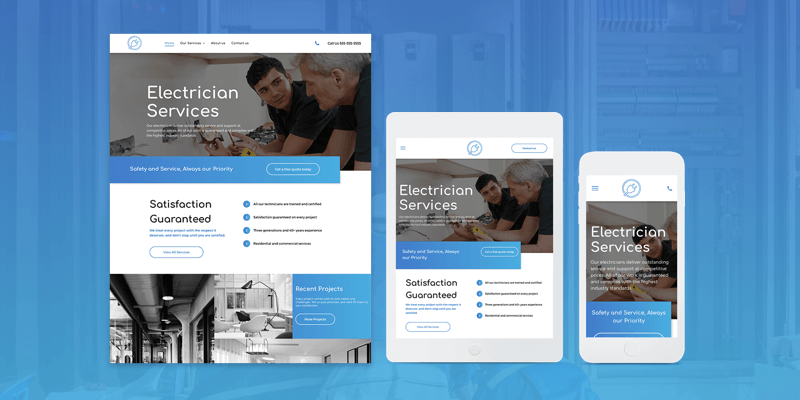
</p><p>
</p><ol><li><b>Open the row editor:</b> Choose the two row layout.
</li><li>Reverse the column order so the gallery displays above the text.
</li><li>Reset all spacing to 0px.
</li></ol><p>
</p><p><img src="https://support-hub--assets.s3.eu-west-2.amazonaws.com/assets/268/images/X5tT8eYrzjTjIqzNXnC4WkBKgQRYPSuTF9DwRoeb.webp" style="width:100%;" alt="X5tT8eYrzjTjIqzNXnC4WkBKgQRYPSuTF9DwRoeb.webp" /><br /></p><p><b>Open the inner row editor:
</b></p><p>
</p><ol><li>Reset all spacing to 0px.
</li><li>﻿Change the inner row layout to 2 columns.
</li></ol><p>
</p><p><img src="https://support-hub--assets.s3.eu-west-2.amazonaws.com/assets/268/images/fKOQJSHfbh23I5ucM9TCnw5shwNyCQcRNKiPgpMg.webp" style="width:100%;" alt="fKOQJSHfbh23I5ucM9TCnw5shwNyCQcRNKiPgpMg.webp" /><br /></p><ol><li>Set the spacers on all the columns (both background images and videos) to 150 px.</li></ol><p><img src="https://support-hub--assets.s3.eu-west-2.amazonaws.com/assets/268/images/hgtI3UPsCy5E86ZT2268yxAXUB24MoW6UZxu4Egn.webp" style="width:100%;" alt="hgtI3UPsCy5E86ZT2268yxAXUB24MoW6UZxu4Egn.webp" /><br /></p><p>
</p><p>
</p><p><b>Remember:</b> If you've built a section and love it, you can save it and use it over and over again using Team Sections. Your teammates can also use it. Just click Save as Section, give it a name, and it will be saved for future use. </p>]]>
            </summary>
                                    <updated>2020-10-25T22:34:29+00:00</updated>
        </entry>
            <entry>
            <title><![CDATA[NEW! DYNAMIC PAGES HOW-TO GUIDES]]></title>
            <link rel="alternate" href="https://support.yourdigitalagency.com.au/articles/new-dynamic-pages-how-to-guides-2359" />
            <id>https://support.yourdigitalagency.com.au/2359</id>
            <author>
                <name><![CDATA[Leah Gibbs]]></name>
            </author>
            <summary type="html">
                <![CDATA[<p>Interested in trying Dynamic Pages but not quite sure where to start? These How-To Guides are for you!
</p><p>
They’re here to get you started with <b>Dynamic Pages</b>, so you can speed up your workflow, build better sites more quickly, and improve your offerings. </p><p>
<img src="https://support-hub--assets.s3.eu-west-2.amazonaws.com/assets/268/images/Ctzajh1rwiH2ovFrF3e3zvwJjbhAxigRAuqnBecq.webp" style="width:100%;" alt="Ctzajh1rwiH2ovFrF3e3zvwJjbhAxigRAuqnBecq.webp" /></p><p>
</p><p>
Dynamic Pages are a great tool for building sites that have multiple pages with the same design, each with different content. For example, sites with:  </p><ul><li>
Recipes </li><li>Real Estate Listing
</li><li>Want ads
</li><li>Catalogs
</li><li>Portfolios
</li><li>Branch locations
</li></ul><p>Use Dynamic Pages to build them quickly and with all the flexibility that you get from a regular page. 
</p><p>There are four different tools you can use to build Dynamic Pages. To have the best experience and result, it’s important to choose the right one. These guides will help you get a sense of which one is best for your situation. <br /></p><p>
<img src="https://support-hub--assets.s3.eu-west-2.amazonaws.com/assets/268/images/bbDFZlOnCycPIcsu4YAOOLpnOLgnsW6PntptAPAv.webp" style="width:100%;" alt="bbDFZlOnCycPIcsu4YAOOLpnOLgnsW6PntptAPAv.webp" /></p><p><br /></p><p>The first guide you’ll find is for Internal Collections. It’s the easiest way to build Dynamic Pages, since all of the data is contained right inside Duda. <br /></p><p>The guide walks you through the following steps: </p><ul><li><b>Map</b> the collection structure 
</li><li><b>Design </b>the layout that will be used for all the pages 
</li><li><b>Create</b> an Internal Collection
</li><li><b>Add</b> fields and choose content types 
</li><li><b>Add</b> rows and fill them with data
</li><li><b>Convert</b> the designed page to a Dynamic Page and connect the collection
</li><li><b>Connect</b> widgets on the page to fields in the collection
</li><li><b>Create</b> an access point on the site so visitors can access the pages
</li></ul><p>There's a dedicated area in the Resource Center with all of these guides; we'll be updating it with Airtable Collection and Google Sheets Guides as soon as they’re ready. </p>]]>
            </summary>
                                    <updated>2020-10-25T22:34:56+00:00</updated>
        </entry>
            <entry>
            <title><![CDATA[WEBSITE MAINTENANCE AND SUPPORT]]></title>
            <link rel="alternate" href="https://support.yourdigitalagency.com.au/articles/website-maintenance-amp-support-2364" />
            <id>https://support.yourdigitalagency.com.au/2364</id>
            <author>
                <name><![CDATA[Leah Gibbs]]></name>
            </author>
            <summary type="html">
                <![CDATA[<p>Improving Our Managed Website Offerings</p><p>Website maintenance and support are included in our monthly plans at no additional cost. 
</p><p>
If you’re paying upfront for your website, you’ll get 12 months of website maintenance and support. After the 1-year period, you’ll need to purchase our Website Support add-on to have access to the team.</p>]]>
            </summary>
                                    <updated>2020-10-28T22:27:05+00:00</updated>
        </entry>
            <entry>
            <title><![CDATA[FAQ SCHEMA]]></title>
            <link rel="alternate" href="https://support.yourdigitalagency.com.au/articles/faq-schema-2469" />
            <id>https://support.yourdigitalagency.com.au/2469</id>
            <author>
                <name><![CDATA[Leah Gibbs]]></name>
            </author>
            <summary type="html">
                <![CDATA[<p>Have FAQs on your site? Make them more discoverable to search engines and potential visitors by adding FAQ Schema to them - now with a simple toggle in the Accordion widget. Schema makes site information accessible to search engines so that sites are more discoverable to potential visitors.</p><p><img src="https://support-hub--assets.s3.eu-west-2.amazonaws.com/assets/268/images/GO8170uzEvOvoRtFoolseWJLsgzMEhJZhpGkwNi3.png" alt="GO8170uzEvOvoRtFoolseWJLsgzMEhJZhpGkwNi3.png" /><br /></p><p>A bit more about Schema
</p><p>Schema markup is a form of microdata that provides search engines with structured, reliable site information that can easily be found, categorized and made accessible on search engine results pages. By adding Schema to your sites, you make the content easier to access.
</p><p>
</p><p><br /></p><p>Enabling Schema in the accordion widget
</p><p>FAQ Page Schema is designed specifically for the question/answer format of FAQs. In Duda, many sites display FAQs using the Accordion widgets, so we’ve enabled this widget with FAQ Schema. 
</p><p>Simply turn on Schema in the widget’s Content Editor and the information it contains will be eligible for a rich result on search and an action on the Google Assistant, two avenues which make it easier for your sites to reach just the right users.
</p><p>Note: Google supports only one FAQ Schema per site page. If you’ve used multiple accordion widgets on the same page, make sure you enable FAQ Schema on the one with content that’s most representative of your site. 
</p><p>For more about Schema, visit https://www.schema.org/ 
</p><p>Once you’ve enable FAQ Page Schema and published the site, you can preview the results here: https://search.google.com/test/rich-results </p><p>
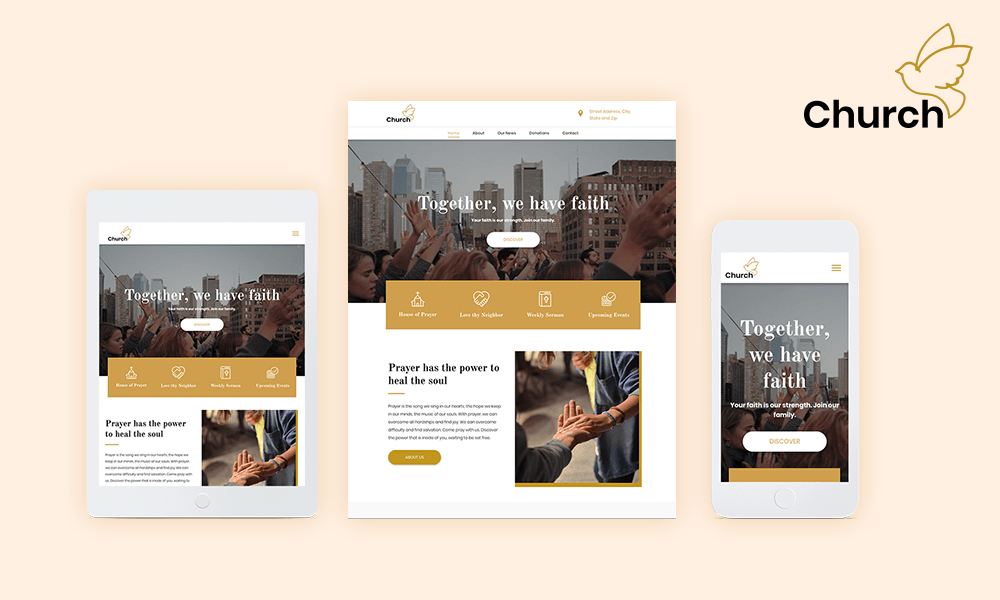
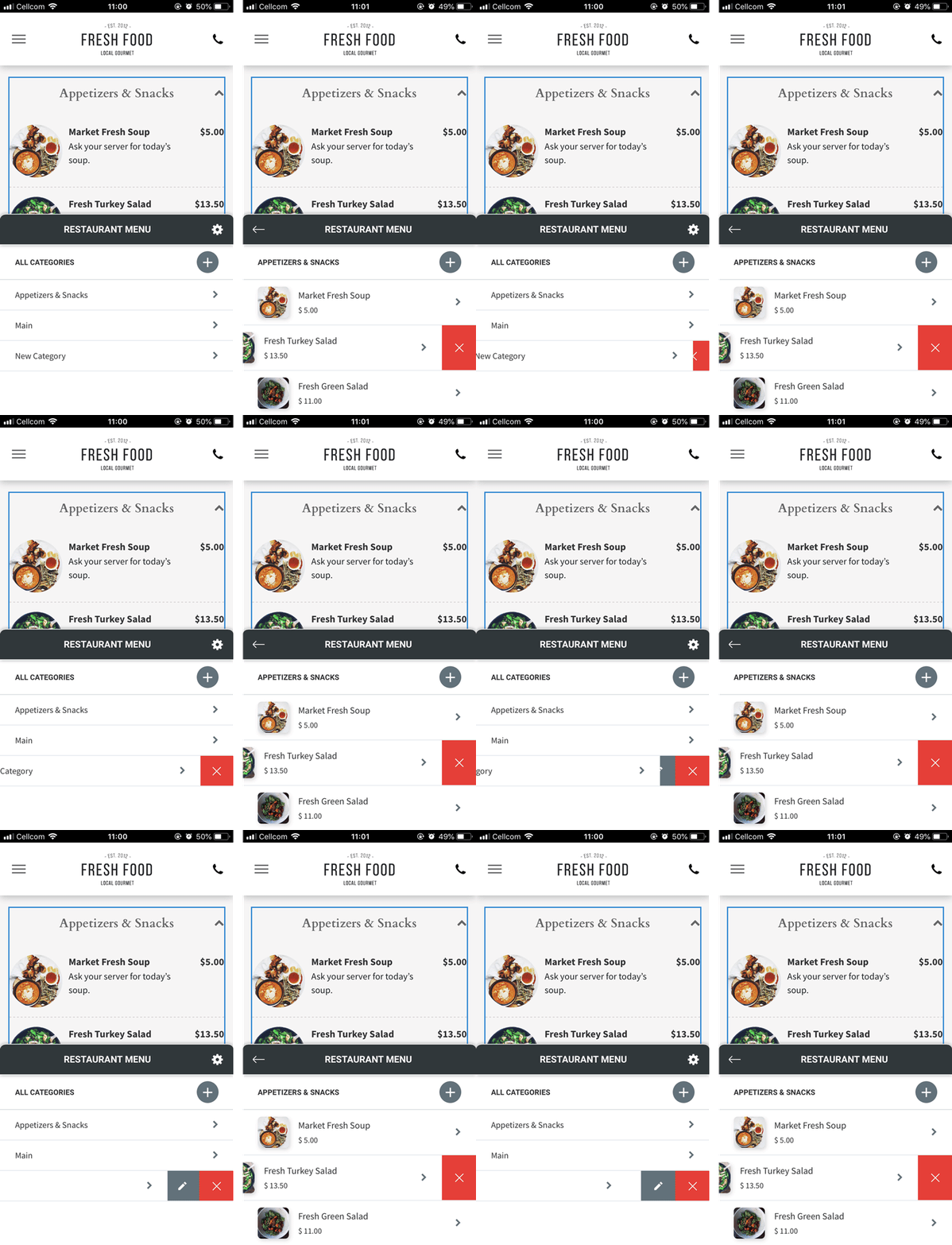
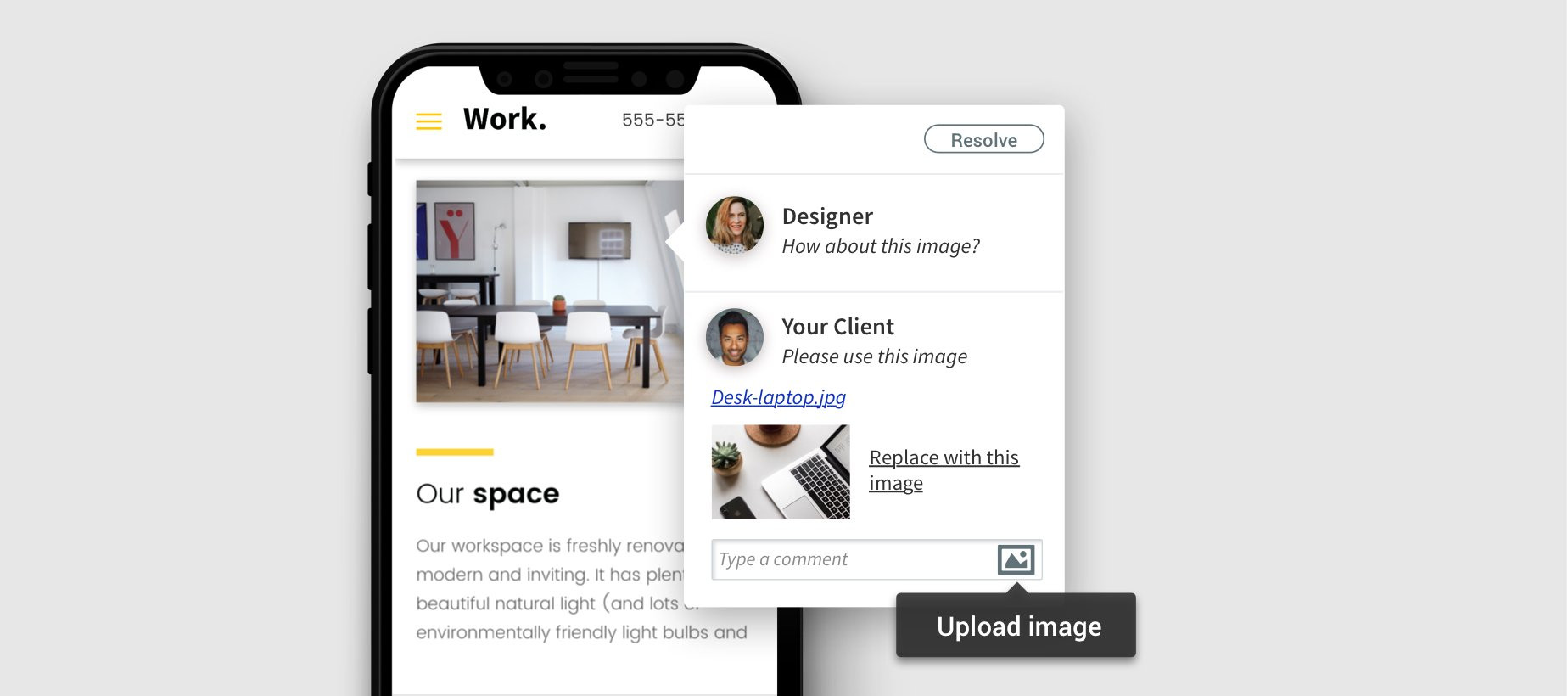
</p><p>
</p><p>
</p><p>
</p><p>
</p>]]>
            </summary>
                                    <updated>2021-03-16T22:25:10+00:00</updated>
        </entry>
    </feed>